
 MacStories Weekly: Issue 502
Acme Weather: A Fresh Take on Forecast Uncertainty
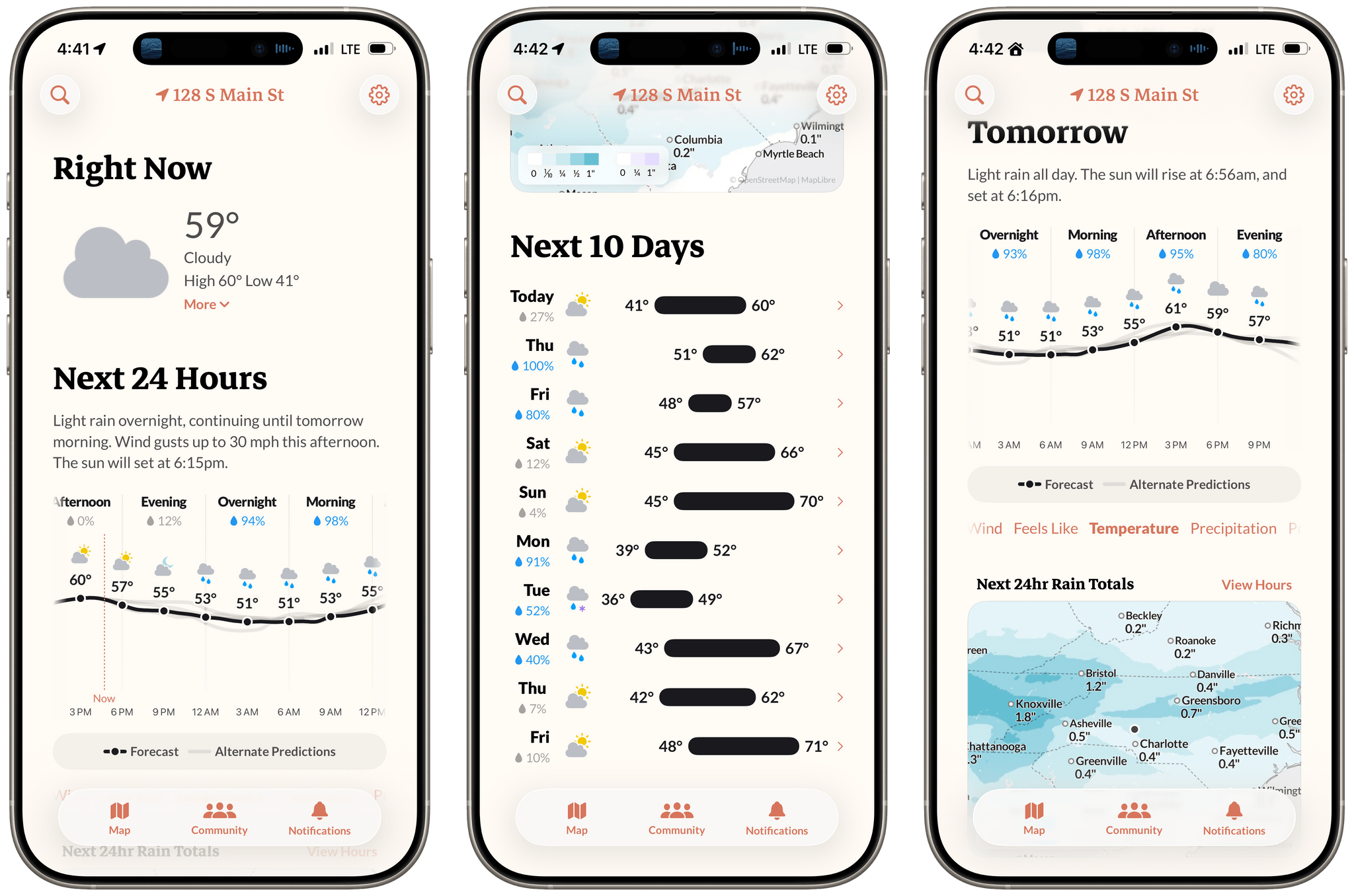
Earlier this week, the founders of Dark Sky made their post-Apple debut with a new weather app for the iPhone and Apple Watch: Acme Weather. It’s a terrific 1.0 with all the details you’d expect, plus a few interesting features that set it apart from other apps in its category.
Hands-On with Claude Code Remote Control
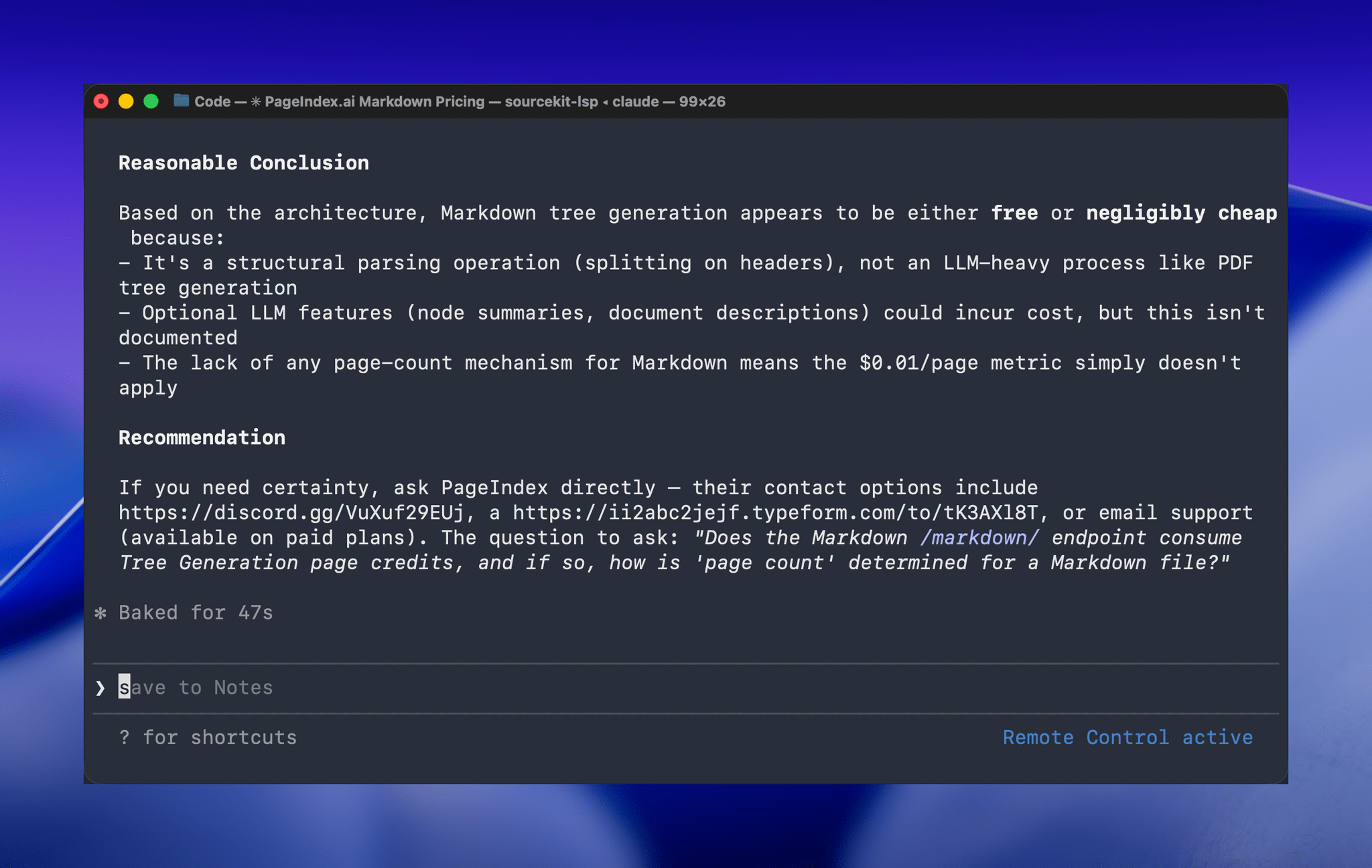
One of the greatest frustrations I’ve had with Claude Code is feeling tied to my desk or being stuck in a macOS Screen Sharing window. Claude Code’s new Remote Control feature, which was introduced late yesterday, promises to eliminate that frustration entirely. Here’s how it works.
The Steve Jobs Archive’s Letters to a Young Creator→
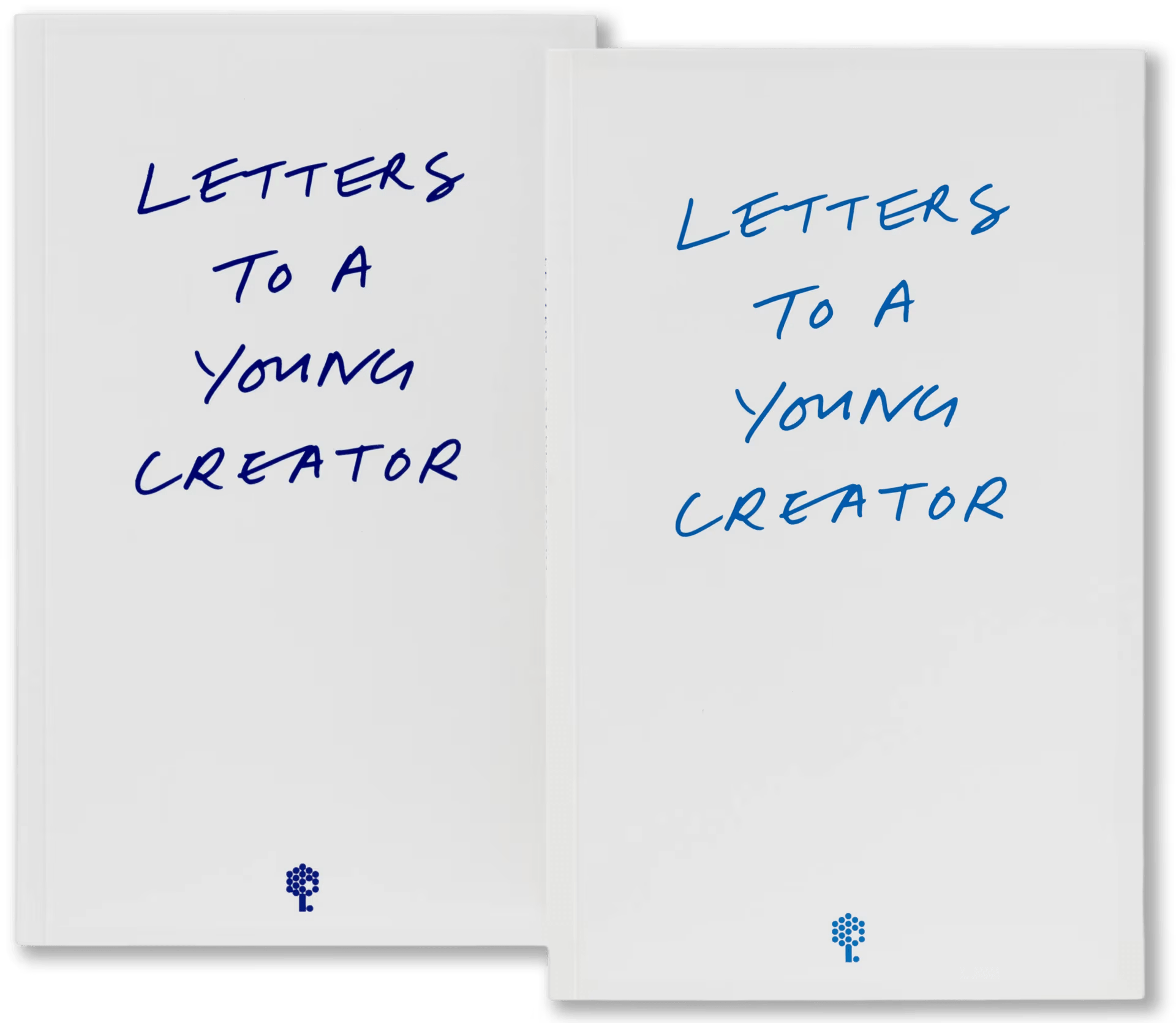
The Steve Jobs Archive has published a collection of Letters to a Young Creator featuring reflections from luminaries in a wide range of fields answering questions posed by SJA Fellows.
Contributors include Tadao Ando, Paola Antonelli, Mario Bellini, Larry Brilliant, Anders Byriel, Ed Catmull, Jon M. Chu, Lee Clow, Tim Cook, Brunello Cucinelli, Es Devlin, Pete Docter, Mickey Drexler, Lord Norman Foster, Davis Guggenheim, Jenny Holzer, Bob Iger, Jimmy Iovine, Jony Ive, Rashid Johnson, Alan Kay, David Kelley, Marc Newson, Hans Ulrich Obrist, Ben Okri, Dieter Rams, Alice Rawsthorn, Arthur Rock, Ruth Rogers, Samuel Ross, Cindy Sherman, Mona Simpson, and Anna Deavere Smith, as well as an introduction by Laurene Powell Jobs.
Released on the anniversary of what would have been Steve Jobs’ 71st birthday, Powell Jobs explains:
To live a life of creativity and curiosity, one must constantly ask questions. Steve thrived by seeking out people who could offer new knowledge and fresh perspectives, and he surrounded himself with diverse voices—musicians, artists, scientists, designers, engineers, writers, and humanitarians. He would often pose a thought and then pause to listen, understanding that learning and growth can only come from having the courage to challenge our limits and broaden our horizons.
I’ve only scratched the surface of the collection, but I can tell that this is my sort of catnip. Powell Jobs captures the essence of the collection well:
This is a time to live your questions. The beauty of answers, when they do come, is that they allow us to ask new and better questions. Life is learning how much we have yet to learn.
Letters to a Young Creator is available online, from Apple Books, and as a downloadable EPUB file.
Six Colors’ Apple in 2025 Report Card
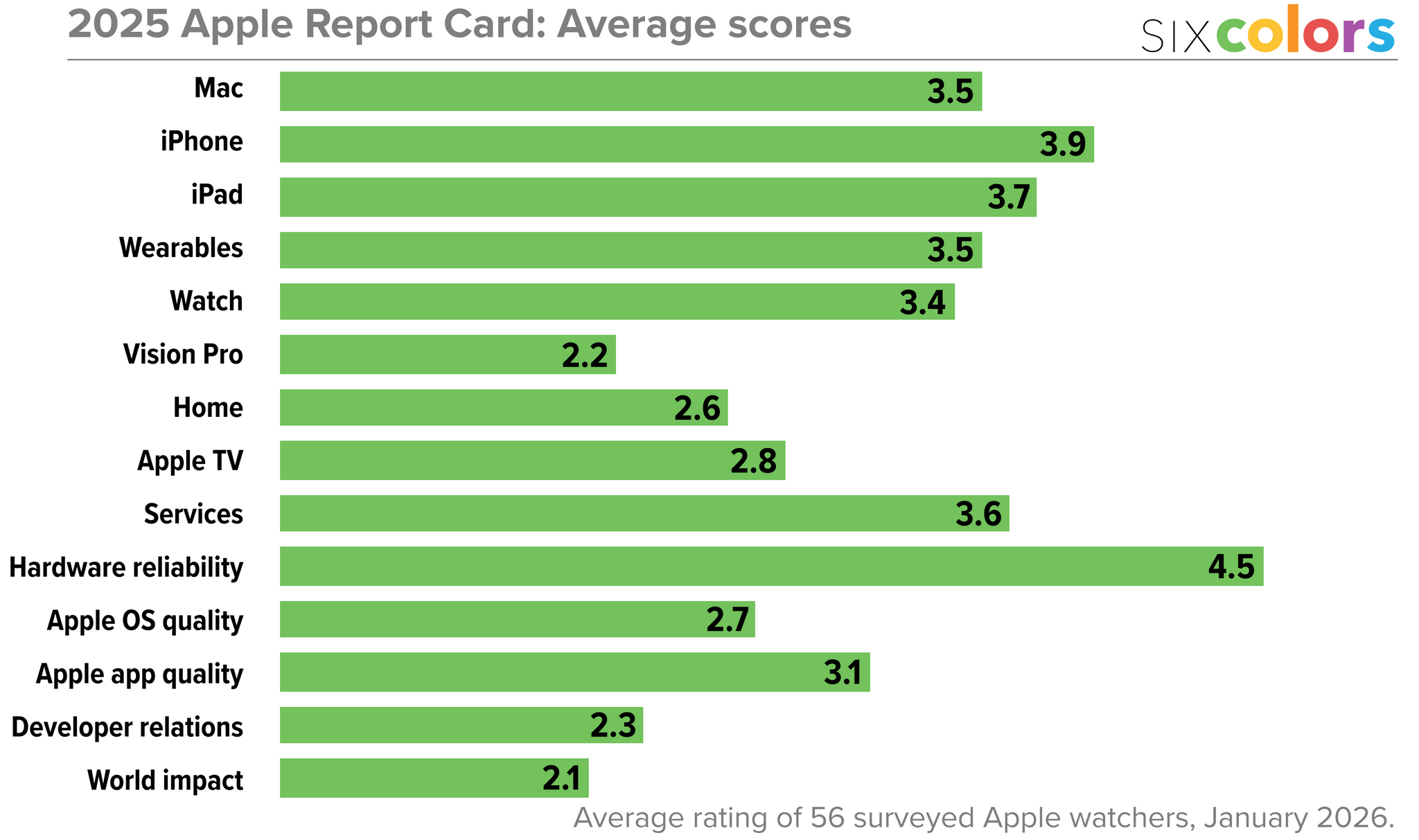
For the past 10 years, Six Colors’ Jason Snell has put together an “Apple report card” – a survey to assess the current state of Apple “as seen through the eyes of writers, editors, developers, podcasters, and other people who spend an awful lot of time thinking about Apple”.
The 2025 edition of the Six Colors Apple Report Card has been published, and you can find a summary of all the submitted comments along with charts featuring average scores for the different categories here.
I’m so grateful that Jason invited me, once again, to participate in the survey and share my thoughts on Apple’s 2025. As you’ll see from my comments – and as you know if you’ve been listening to AppStories or Connected lately – I’ve been focusing on AI agents, hybrid automation, and splitting my work between iPadOS and macOS for the past few months. The LLM takeoff in the productivity space is accelerating on a weekly basis, and modern AI tools are fundamentally changing the way I get work done. Case in point: this article was written before OpenClaw went viral, and the past month alone has seen so many of my habits and automations get upended by this incredible open-source tool. As I noted in my comments, however, one thing is not changing: iPadOS essentially gets no access to any of these modern AI tools, which are increasingly launching as Mac-only apps or features.
I’ve prepared the full text of my responses for the Six Colors report card, which you can find below.
Apple to Make Mac minis in the U.S.
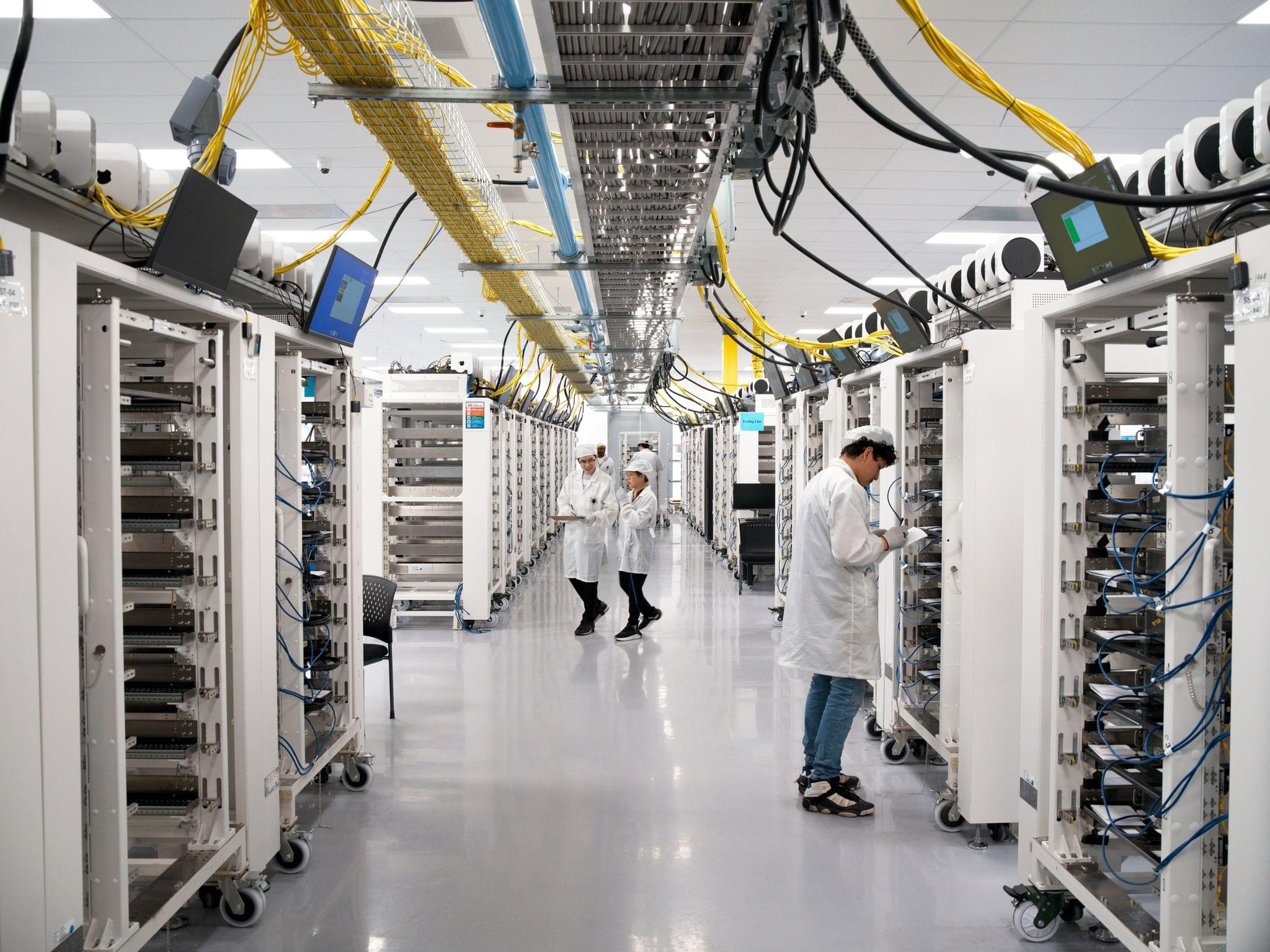
Apple announced today that it is expanding its manufacturing operations in Houston, Texas where it will make Mac minis. The company also said it will expand its AI server production and training in Houston later this year. The announcement is unsurprising given the Trump administration’s plan to impose a new 10% global tariff on non-exempt imports to the U.S. in the wake of the U.S. Supreme Court’s recent ruling that prior tariffs were unconstitutional.
In Apple’s press release, CEO Tim Cook was quoted as saying:
Apple is deeply committed to the future of American manufacturing, and we’re proud to significantly expand our footprint in Houston with the production of Mac mini starting later this year. We began shipping advanced AI servers from Houston ahead of schedule, and we’re excited to accelerate that work even further.
If you’re curious about what Apple and its suppliers are building in the U.S., The Wall Street Journal has a behind-the-scenes look at the supply chain taking shape in Texas and Arizona. It’s a massive undertaking that will cost billions of dollars and years to build, but it’s a tangible sign of progress that’s part of the $600 billion previously pledged to be spent on U.S. manufacturing.
Podcast Rewind: A Handheld Heavyweight, a Creative Studio Challenge, and Foveated F1
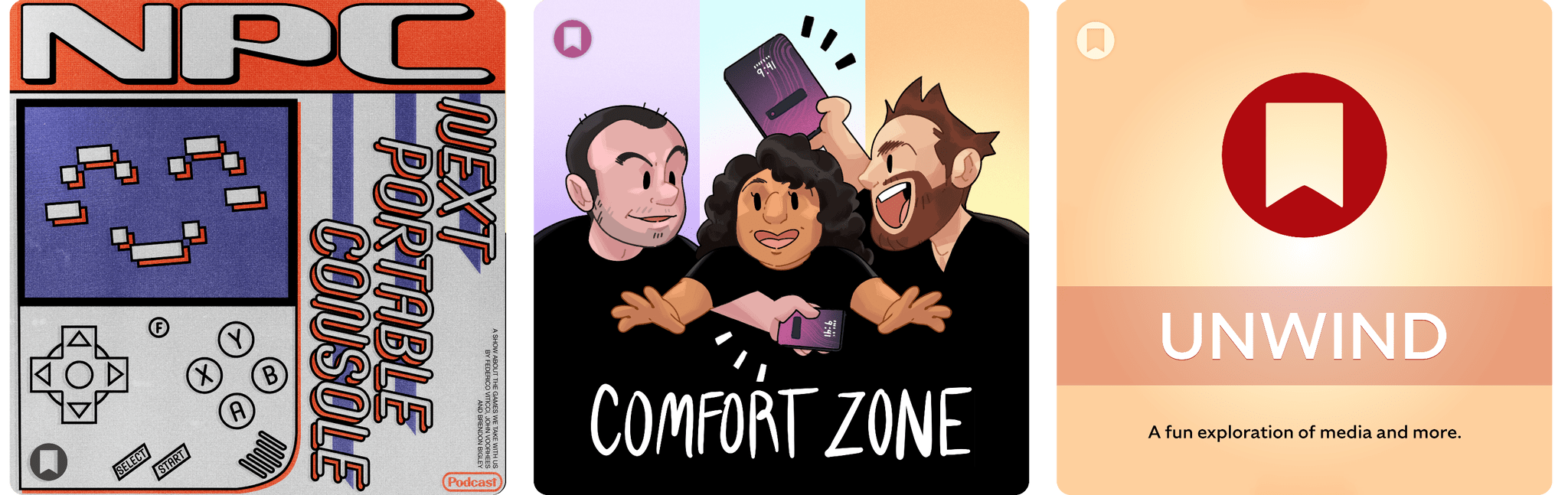
Enjoy the latest episodes from MacStories’ family of podcasts:
NPC: Next Portable Console
This week, Brendon, Federico, and John cover a raft of new budget handhelds, a new OLED tablet from Lenovo, TrimUI leaks, and more.
On NPC XL, John and Brendon share their experiments with the MagicX Zero 40 and Anbernic RG DS.
Comfort Zone
Chris wants to know what the heck is going on with Discord. Niléane has a massive backlog of things to talk about now that she’s back. And everybody does their best with Apple’s Creator Studio.
On Cozy Zone, the gang discusses what they’d do if they couldn’t use Apple products anymore. We are releasing this just days after ATP did the exact same thing, but we swear we recorded this a couple weeks ago!
MacStories Unwind
This week, John has an F1 racing theory about the Vision Pro and shares a vampire movie, while Federico has been binging a popular Netflix series.
MacStories Weekly: Issue 501
The Sentence Returns with iOS 26.4, Sort of
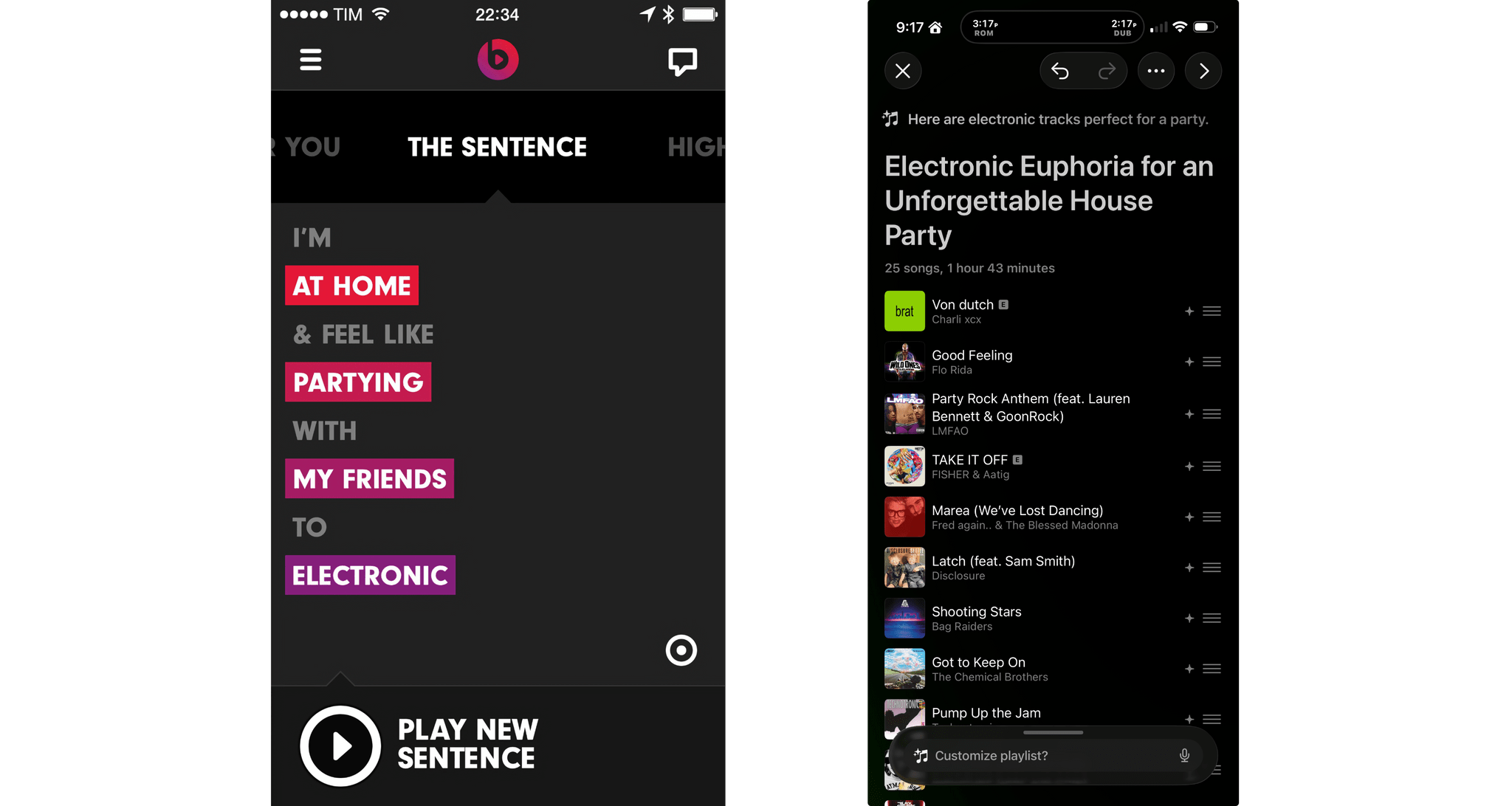
Yesterday, Apple released developer beta 1 of iOS 26.4, which among other things adds a feature to the Music app that uses Apple Intelligence to generate a playlist from a short description of what the user wants to hear. That immediately reminded Federico and me of The Sentence, a Beats Music feature that sadly didn’t survive the app’s acquisition by Apple.
The Sentence allowed subscribers to describe the music they wanted to hear based on a Mad Libs-style sentence construction. Every sentence was structured as “I’m [location] & feel like [mood] with [person/group] to [music genre].” The feature was a fantastic innovation that made playlist creation fun and easy. As Federico described it in 2014:
It’s The Sentence, though, that steals the spotlight in how it combines regular, Pandora-like song shuffling with a context/mood-based menu to tell Beats what you want to listen to. The Sentence, as the name implies, lets you construct a sentence using variable tokens for location, mood, user, and music genre. You can request things like “I’m at my computer and feel like dancing with myself to pop”, “I’m in the car and feel like driving with my friends to indie”, or more absurd contexts such as “I’m underpaid and I feel like shoveling snow with my lover to metal”. As reported by Re/code [Ed. note: This is a dead link], Beats explained that “the content, and the filters, are selected and tuned by humans, and an algorithm generates the playlist from your choices”.