Apple Rolling Out New Friends Mix to Apple Music Subscribers

Source: @CristianRus4 on Twitter

Source: @CristianRus4 on Twitter

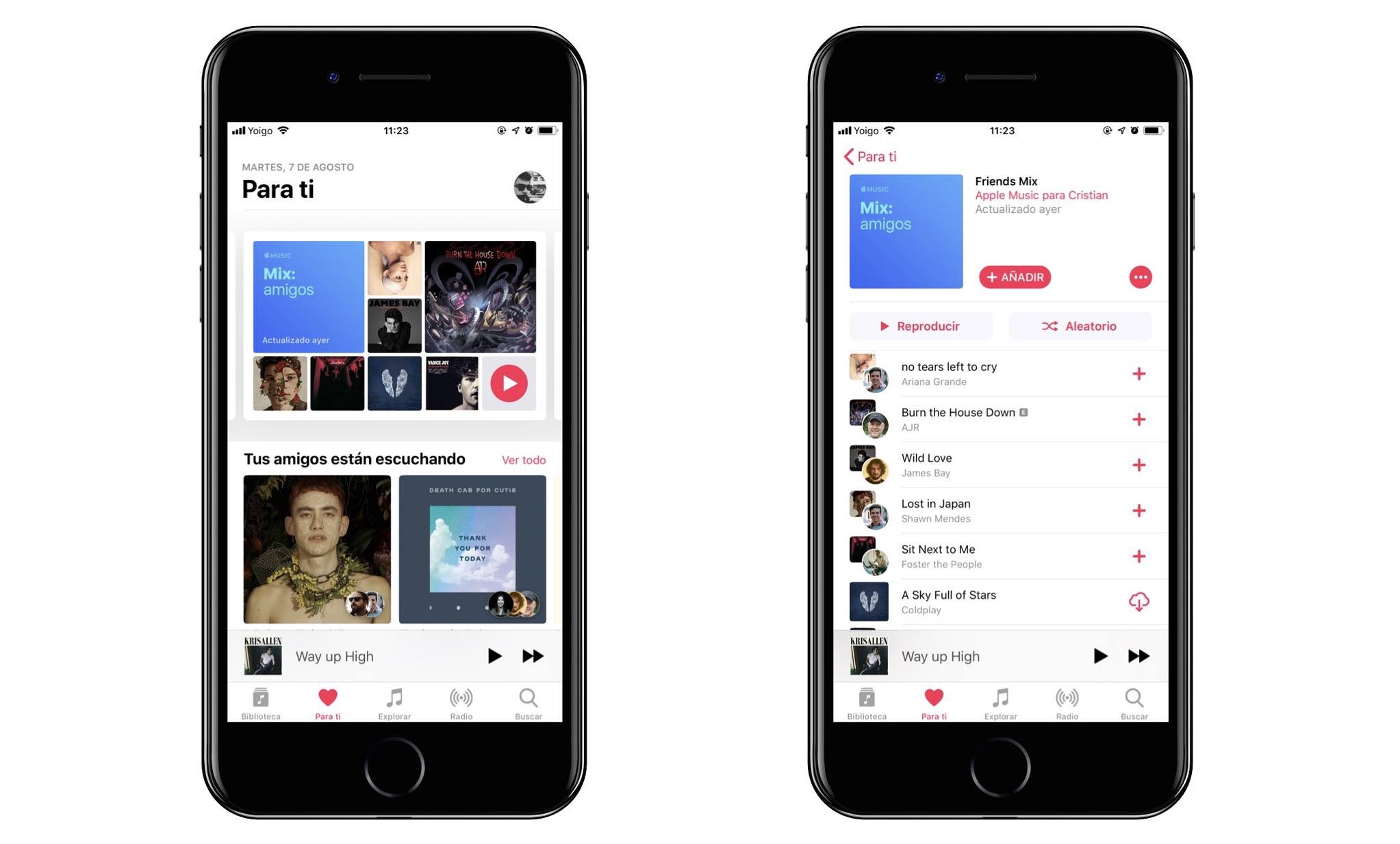
Apple Music subscribers on Twitter and Reddit are beginning to report that a new algorithmic mix has begun showing up in the ‘For You’ section of Apple Music. First noticed on the r/AppleMusic subreddit, the mix includes a collection of songs to which people you follow through Apple Music’s Friends feature are listening.

Further details emerged on Twitter, where it’s been reported that the Friends Mix includes 25 songs and is updated every Monday.

As of the publication, the new mix is propagating through Apple’s system so you may not see it in the For You section just yet. 9to5Mac says that the mix is not tied to iOS 12 or macOS Mojave, which is in line with past rollouts of Apple Music mixes.


Castro Adds iCloud Drive Sideloading and Chapter Playback Pre-Selection

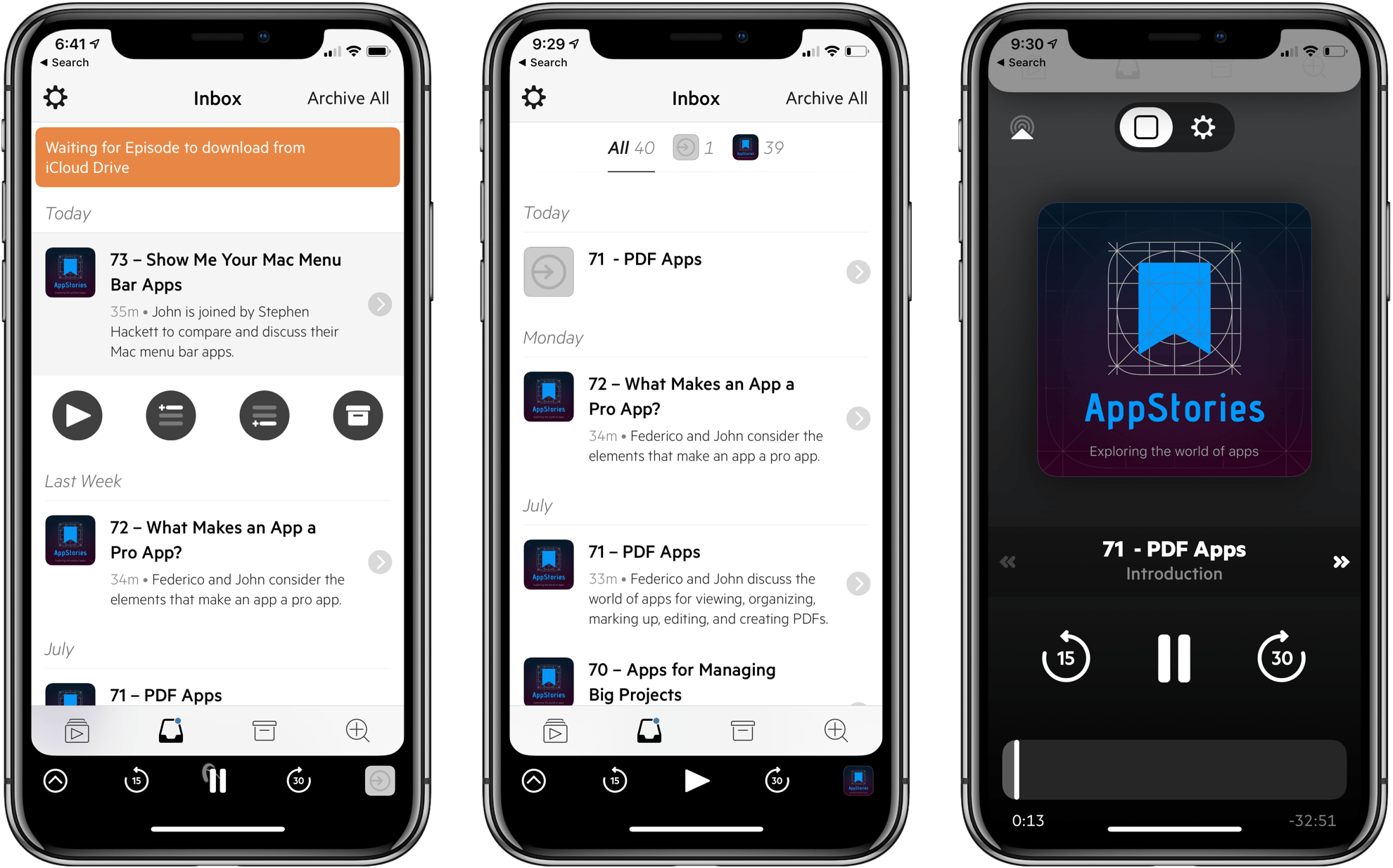
Supertop has released another solid update to its podcast player, Castro. In today’s update, Castro adds file sideloading for Plus subscribers, significantly adding to the app’s utility as general purpose audio player. Subscribers can also pre-select the chapters of a podcast they want to play too.

For plus subscribers, the update adds a ‘Castro’ folder in iCloud Drive. Add an MP3 or AAC file into the ‘Sideloads’ folder, and it shows up in your Castro inbox (or wherever else you designate in settings) ready for playback.

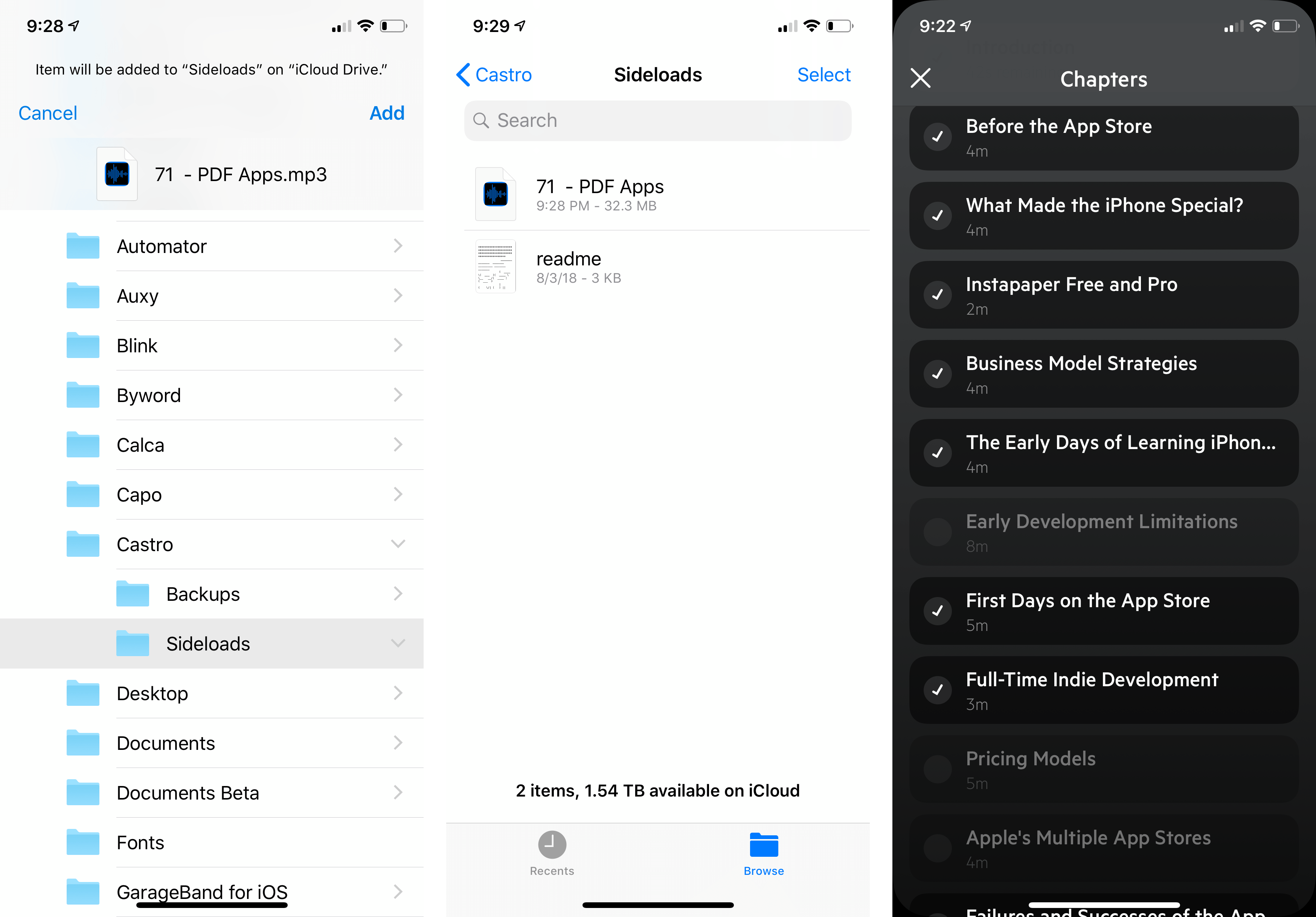
Adding audio to Castro is equally simple on a Mac or iOS device. On a Mac, open the Finder and drag in the audio files you want to add. On iOS, use the Files app to add files to your Sideloads folder from any file provider like Dropbox, Box, or Google Drive.

Once added, audio files show up in your Castro Inbox by default where they can be added to your listening queue like any podcast to which you subscribe. Instead of your Inbox, you can also add sideloaded audio to the front or back of your Queue or Castro’s Archive from the app’s settings.

Sideloading opens up exciting possibilities, especially when combined with other apps. For example, you can add DRM-free audiobooks, audio from lectures or conferences recorded from YouTube or other sources using an app like Audio Hijack, or add downloaded bonus podcast episodes like the AppStories Unplugged episodes that we’ve created for Club MacStories members. Podcasters can also use sideloading as a way to listen to draft episodes before publishing them. With one straightforward feature, Castro has become a far more flexible, general-purpose audio player.

Overcast has a similar feature for subscribers, but it’s web-based and limited to 2 GB of storage. Overall, I prefer Castro’s implementation, which doesn’t require navigating to a website. Though Overcast’s 2 GB limit hasn’t been an issue for me, the lack of a cap in Castro is a definite advantage for anyone who wants access to lots of sideloaded audio.

Sideloading a draft episode of AppStories and deselecting chapters for playback.

Sideloading a draft episode of AppStories and deselecting chapters for playback.

The second feature added to Castro is what Supertop calls Chapter Pre-Selection. In Castro, if you tap on the current chapter in a podcast episode, it displays a list of all the chapters so you can skip around inside the episode. With today’s update, Castro adds checkboxes to each chapter. By default, all of the chapters are selected. If there are chapters in the list to which you don’t want to listen, tap the checkmark icon to deselect the chapter, and only the selected chapters will play.

The convenience of selecting chapters in advance is greater than I had imagined. By pre-selecting chapters, I can, for example, head out for a run or walk without having to fiddle with skipping chapters on the go, which means fewer distractions and opportunities to drop my iPhone.

Supertop continues to regularly update Castro with interesting features. If you haven’t tried Castro in a while, it’s worth another look. The app is free to download on the App Store and you can try the Plus features, including sideloading, free for one week, after which they are $2.99 every three months or $8.99 per year.


Apple Books: A Love Letter to Readers

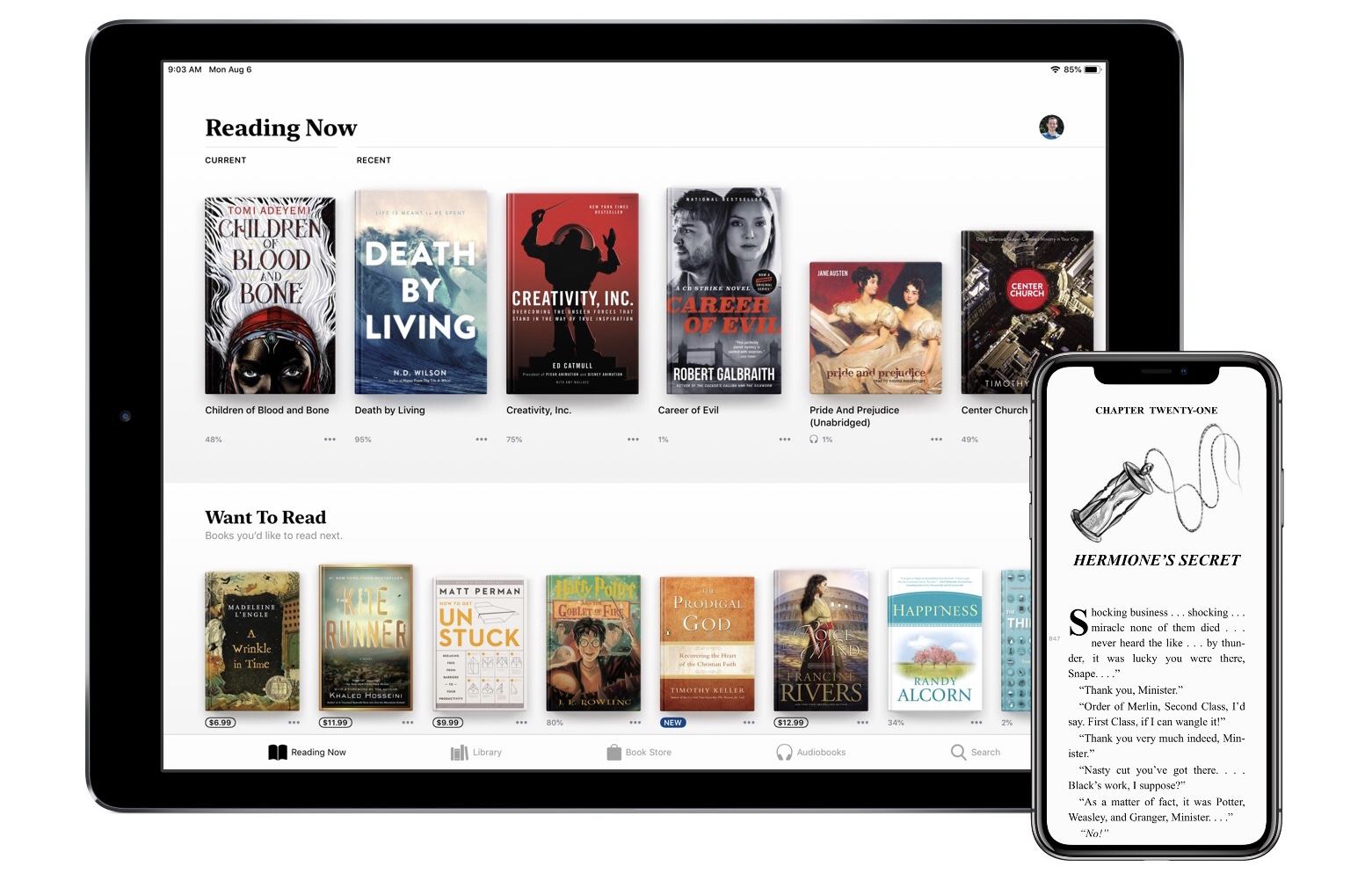
When iOS 12 launches this fall, it will introduce a newly redesigned iBooks app simply named Books. Though the reading experience in Books is largely the same as before, the rest of the app is drastically different, offering the biggest app redesign on iOS since last year’s App Store.

Modern design is a clear centerpiece of Books, but the app also includes new features, big and small, that make it feel all-new. From tools that borrow from Goodreads, to more robust collections, to dark mode, and much more. There’s a lot to explore here, so let’s dive in.

Read more


PowerPhotos - The Ultimate Toolbox for Photos on the Mac [Sponsor]

PowerPhotos is a powerful utility for the Mac that lets you merge or split Photos libraries and eliminate duplicate photos. People use multiple Photos libraries for all sorts of reasons, but one of the most common is to break an enormous library of tens of thousands of photos into smaller more manageable sub-libraries.

PowerPhotos is just the tool you need to manage all of your photos across libraries. From the creator of iPhoto Library Manager, PowerPhotos provides the same sophisticated toolset and more for Apple’s Photos app.

You can store photo libraries on external or networked drives and copy photos while maintaining and preserving albums and related metadata like keywords, titles, dates, locations, and descriptions. Not only can PowerPhotos help by splitting up your Photos library into multiple libraries, it can merge them too. The app also makes it easy to find and eliminate duplicate photos.

One of the most powerful features is the ability to search across multiple libraries at one time. It’s a great feature that allows you to search as though all you photos were in one library even when they aren’t. Finally, PowerPhotos can ease the transition to Photos helping you migrate multiple iPhoto or Aperture libraries to Photos.

We have a special limited-time deal just for MacStories readers. Receive 20% off at checkout by using the coupon code MACSTORIES18. Even if you haven’t had time to set up multiple Photos libraries yet, grab this deal now so you have PowerPhotos’ tools at your disposal when you’re ready take the plunge.

Our thanks to PowerPhotos for sponsoring MacStories this week.


Vanity Fair Previews Lisa Brennan-Jobs’ Book ‘Small Fry’

The troubled relationship between Steve Jobs and his daughter Lisa has been recounted before. Next month, though, Lisa Brennan-Jobs’ memoir ‘Small Fry’ will be released. The book is a first-person account of her childhood and the period leading up to Steve Jobs’ death in 2011. The Vanity Fair excerpt includes anecdotes of visits by Steve Jobs to Brennan-Jobs when she was a child:

We skated the neighborhood streets. Trees overhead made patterns of the light. Fuchsia dangled from bushes in yards, stamens below a bell of petals, like women in ball gowns with purple shoes. My father and mother had the same skates, a beige nubuck body with red laces crisscrossed over a double line of metal fasts. As we passed bushes in other people’s yards, he pulled clumps of leaves off the stems, then dropped the fragments as we skated, making a line of ripped leaves behind us on the pavement like Hansel and Gretel. A few times, I felt his eyes on me; when I looked up, he looked away.

Later Brennan-Jobs sums up her relationship with her father:

I see now that we were at cross-purposes. For him, I was a blot on a spectacular ascent, as our story did not fit with the narrative of greatness and virtue he might have wanted for himself. My existence ruined his streak. For me, it was the opposite: the closer I was to him, the less I would feel ashamed; he was part of the world, and he would accelerate me into the light.

The entire excerpt is well worth reading because it provides a perspective on Jobs and his relationships with family that isn’t discussed often.

Permalink

Apple Announces Apps and In-App Purchases Will Be Removed from its Affiliate Program October 1st

Apple has announced that apps and In-App Purchases will no longer be part of the iTunes Affiliate Program effective October 1, 2018. The iTunes Affiliate Program pays a commission from Apple’s portion of the sale of apps and other media when a purchase is made with a link that contains the affiliate credentials of a member of the program. Anyone can join, but the Affiliate Program is used most heavily by websites that cover media sold by Apple and app developers.

This isn’t the first time Apple has had this part of its affiliate program in its crosshairs. In April 2017 Apple gave participants in the program 6-days notice that it was reducing commissions on apps from 7% to 2.5%. The angry fallout caused Apple to issue a face-saving ‘clarification’ that the change would only apply to In-App Purchases.

What I said then holds true today:

With ad revenue in decline, affiliate commissions are one way that many websites that write about apps generate revenue, MacStories included. Many developers also use affiliate links in their apps and on their websites to supplement their app income. This change will put additional financial pressure on both groups…

The fallout has already begun. In a post titled Apple Kills the App Store Affiliate Program, and I Have No Idea What We Are Going to Do., Eli Hodapp, the Editor-in-Chief of TouchArcade, concluded:

It’s hard to read this in any other way than “We went from seeing a microscopic amount of value in third party editorial to, we now see no value.” I genuinely have no idea what TouchArcade is going to do.

It will be a shame if Apple’s decision results in TouchArcade shutting down because it provides some of the best mobile game coverage available.

What bothers me the most though is the unnecessarily hostile tone of Apple’s announcement email:

With the launch of the new App Store on both iOS and macOS and their increased methods of app discovery, we will be removing apps from the affiliate program.

That sounds an awful lot like ‘Our new App Store is so great we don’t need you anymore, bye.’ If that’s the case, it’s short-sighted, but it’s certainly Apple prerogative to run its programs as it sees fit. Still, it’s not the right way to address the publications, developers, and others that have generated millions of dollars of referrals over the years in exchange for a modest 7% cut. Whatever the motivation, the change has been handled poorly, which is disappointing. Unlike last year, however, I don’t expect Apple will back down from this decision.


The Case for Low Power Mode on MacBooks

Marco Arment has revisited MacBook Pro battery life tests that he first ran in 2015 to see how his new 2018 13-inch MacBook Pro with a 2.7 GHz i7 processor and his 2015 2.2 GHz 15-inch MacBook Pro would fare under similar conditions. In 2015, Arment used an app called Turbo Boost Switcher to disable Turbo Boost on his laptop. This time around, he replicated disabling Turbo Boost on his 2015 MacBook, but on his 2018 model, he also limited the laptop’s power consumption using Volta.

Based on the results Arment concludes that:

the gain in battery life is about as large as the loss in heavy-workload performance. That’s a trade-off I’d gladly make when I need to maximize runtime.

The best bang-for-the-buck option is still to just disable Turbo Boost. Single-threaded performance hurts more than with wattage-limiting, but it’s able to maintain better multi-threaded performance and more consistent thermals, and gets a larger battery gain relative to its performance loss.

Running an app like Turbo Boost Switcher is worth considering when you have work to get done because it can mean the difference between your MacBook’s battery making it through a long flight or not. However, I’m with Arment – I’d prefer to run an iOS-like Low Power Mode for Macs that is implemented at the OS level and makes intelligent choices about what activities to stop or slow down. To get an idea of the sorts of things that might be throttled in a macOS Low Power Mode, check out the long list compiled by Arment.

Permalink