
 MacStories Weekly: Issue 155
iPad Diaries: The Many Setups of the 2018 iPad Pro
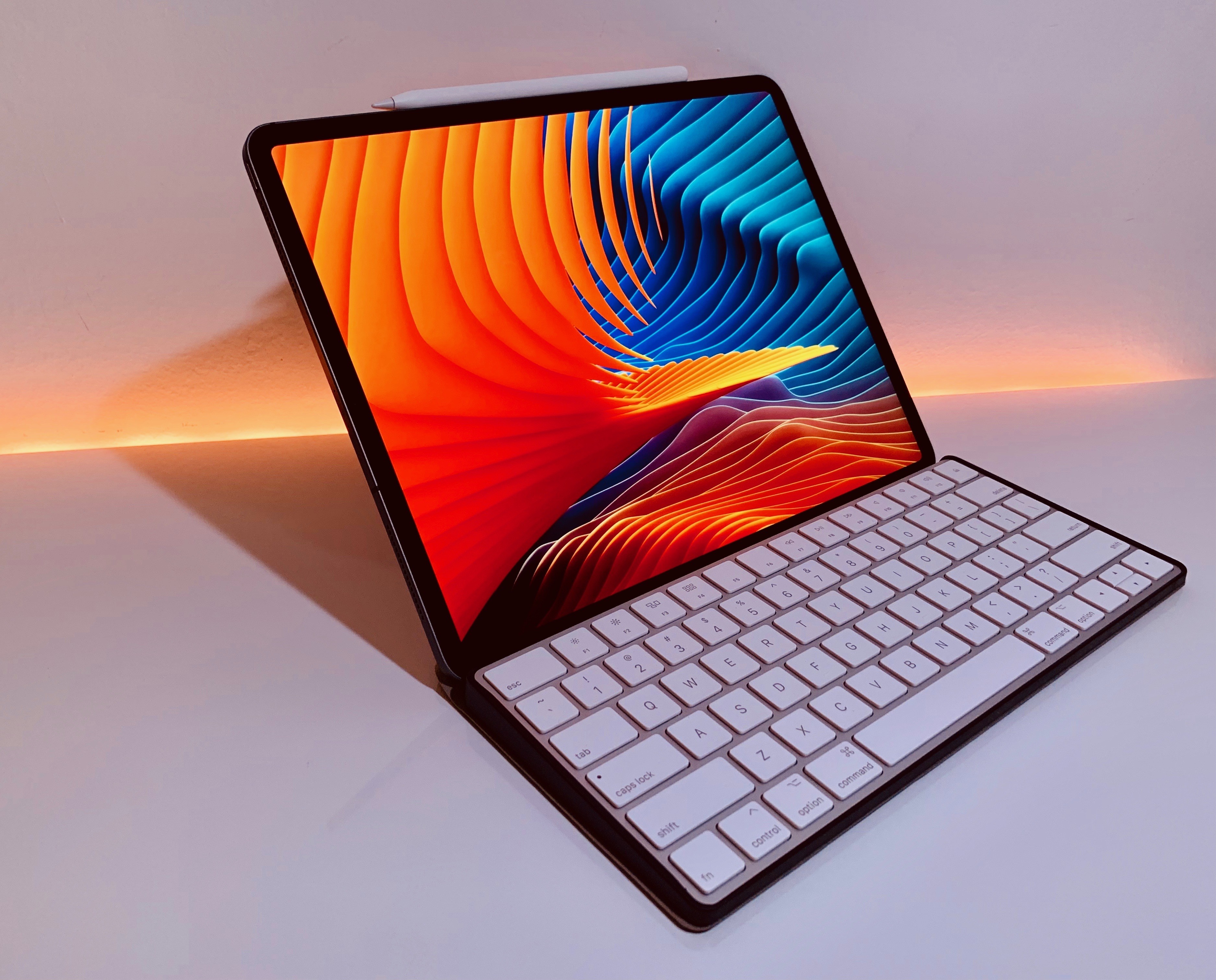
iPad Diaries is a regular series about using the iPad as a primary computer. You can find more installments here and subscribe to the dedicated RSS feed.
One of my favorite aspects of working on the iPad is the flexibility granted by its extensible form factor. At its very essence, the iPad is a screen that you can hold in your hands to interact with apps using multitouch. But what makes iPad unique is that, unlike a desktop computer or laptop, it is able to take on other forms – and thus adapt to different contexts – simply by connecting to a variety of removable accessories. The iPad can be used while relaxing on a couch or connected to a 4K display with a Bluetooth keyboard; you can work on it while waiting in a car thanks to built-in 4G LTE, or put it into a Brydge keyboard case and turn it into a quasi-MacBook laptop that will confuse a lot of your friends who aren’t familiar with iPad Pro accessories1. In a way, the iPad is modern computing’s version of Kirby, the famous Nintendo character that is a blank canvas on its own, but can absorb the capabilities of other characters when necessary.
Thanks to its USB-C port, the new iPad Pro takes this aspect of the traditional iPad experience even further by enabling easier connections to external devices that don’t come with a Lightning connector. At this stage, the new iPad Pro does not integrate with all USB-C accessories like any modern Mac would; also, connecting to Bluetooth keyboards has always been possible on iPad, as was interacting with external USB keyboards if you had the right Lightning adapter. But the point is that USB-C makes it easier to connect an iPad Pro to other USB devices either by virtue of using a single USB-C cable or, in the case of USB-A accessories, using existing USB-C hubs from any company that isn’t Apple. Not to mention how, thanks to the increased bandwidth of the USB 3.1 Gen. 2 spec supported by the iPad Pro’s USB-C port, it is now possible to connect the device directly to an external 4K/5K USB-C monitor, which can power the iPad Pro and act as a USB hub at the same time.
We haven’t seen the full picture of built-in USB-C with the new iPad Pro: external drives still aren’t supported by iOS’ Files app, and other peripherals often require app developers to specifically support them. However, I believe the removal of Lightning is already enhancing the iPad’s innate ability to adapt to a plurality of work setups and transform itself into a portable computer of different kinds. For the past few weeks, I’ve been testing this theory with Bluetooth and USB keyboards, a 4K USB-C monitor, USB-C hubs, and a handful of accessories that, once again, highlight the greater flexibility of the iPad Pro compared to traditional laptops and desktops, as well as some of its drawbacks.
Electrocardiogram App and Irregular Heart Rhythm Notifications Available Today

At Apple’s September keynote the company introduced the Series 4 Apple Watch. Among the features announced was a preview of the ability to generate an electrocardiogram or ECG within thirty seconds by placing a finger on the Digital Crown. At the time, Apple said the ECG functionality would ship in a software update ‘later this year.’
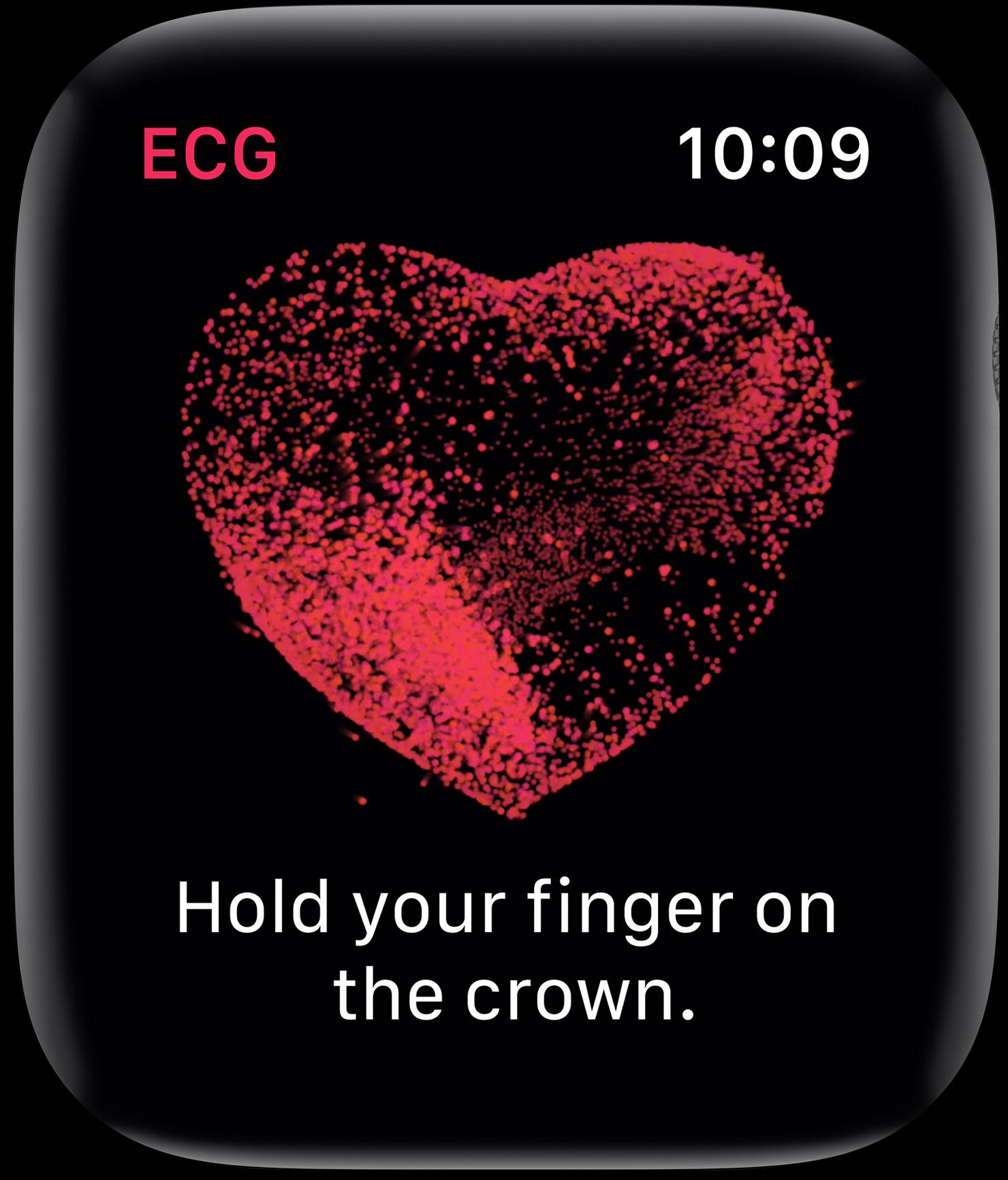
Today, with the release of watchOS 5.1.2, Apple has shipped the ECG app. As we explained in the MacStories Series 4 overview, the ECG functionality is enabled by new hardware including a new titanium electrode built into the Digital Crown:
This electrode pairs with another electrode built into the bottom of the Series 4’s new sapphire crystal back. When you place your finger over the top of the crown you form a closed circuit between your finger and the wrist of your other arm – where the back electrode is making contact.
Apple’s ECG sensor is notable because it’s the first of its kind available over the counter to consumers. ECG results taken with the Apple Watch are stored in the Health app, from which they can be exported as a PDF for sharing with your physician.
According to Apple’s press release:
The ECG app’s ability to accurately classify an ECG recording into AFib and sinus rhythm was validated in a clinical trial of around 600 participants. Rhythm classification from a gold standard 12-lead ECG by a cardiologist was compared to the rhythm classification of a simultaneously collected ECG from the ECG app. The study found the ECG app on Apple Watch demonstrated 98.3 percent sensitivity in classifying AFib and 99.6 percent specificity in classifying sinus rhythm in classifiable recordings. In the study, 87.8 percent of recordings could be classified by the ECG app.
watchOS has also been updated to notify users of irregular heart rhythms:
the irregular rhythm notification feature will occasionally check the user’s heart rhythm in the background for signs of an irregular heart rhythm that appears to be AFib and alerts the user with a notification if an irregular rhythm is detected on five rhythm checks over a minimum of 65 minutes.
The irregular heart rhythm notification feature, which is available for the Series 1 Watch and later, was likewise tested in clinical studies:
In that sub-study, of the participants that received an irregular rhythm notification on their Apple Watch while simultaneously wearing an ECG patch, 80 percent showed AFib on the ECG patch and 98 percent showed AFib or other clinically relevant arrhythmias.
The new Apple Watch ECG app and irregular heart rhythm notification feature are available as part of watchOS 5.1.2, which can be downloaded from the Software Update section of the Watch app on your iPhone.
Belkin Launches Wireless Charging Dock for iPhone and Apple Watch, USB-C to HDMI Adapter for Mac and iPad Pro
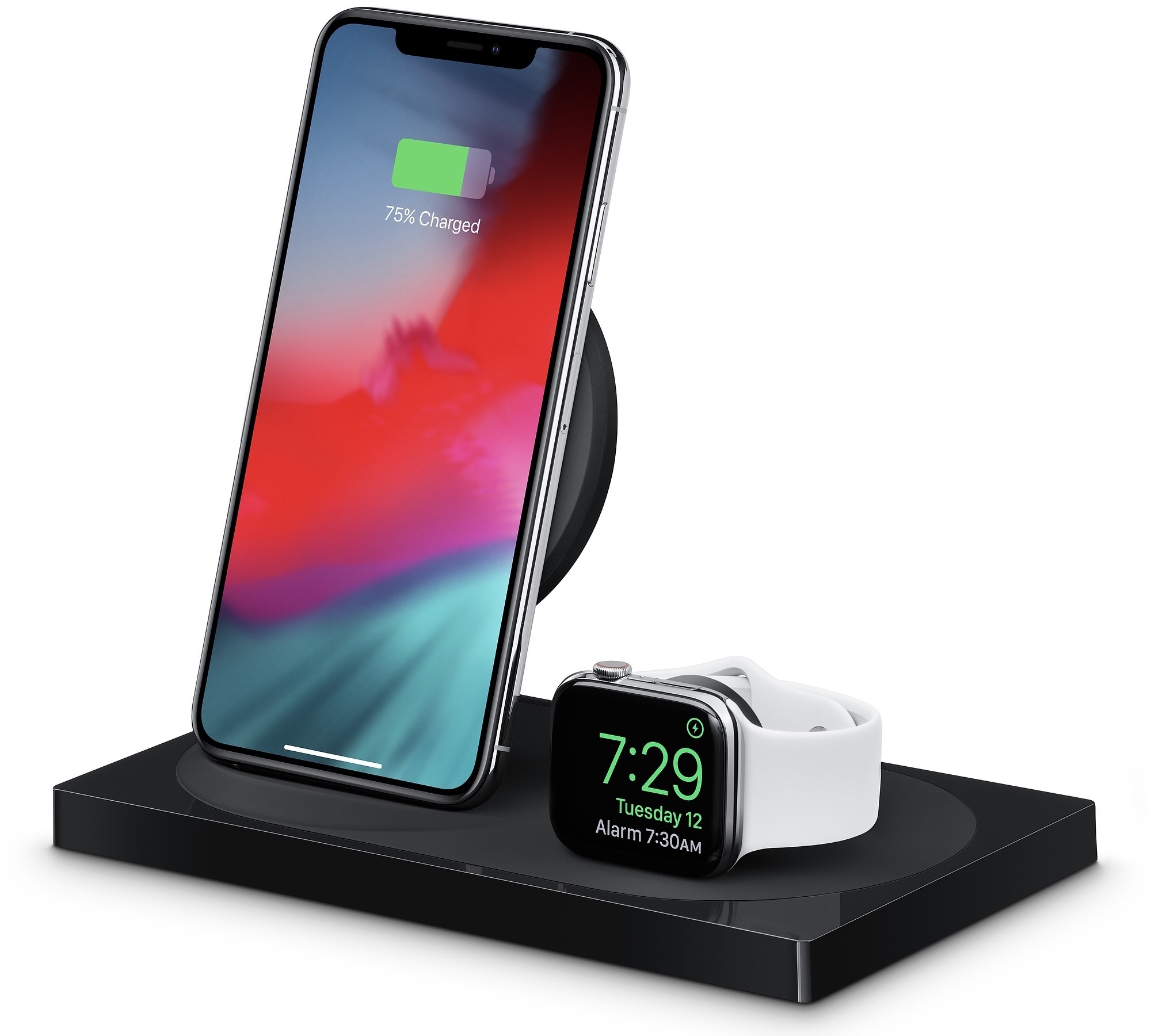
In addition to Apple’s clear case for the iPhone XR and 18W USB-C adapter, Apple online stores in Europe started selling Belkin’s highly anticipated Boost Up dual wireless charging dock and USB-C to HDMI adapter earlier today.
Apple Begins Selling a Clear Case for the iPhone XR and 18W iPad Pro Charger
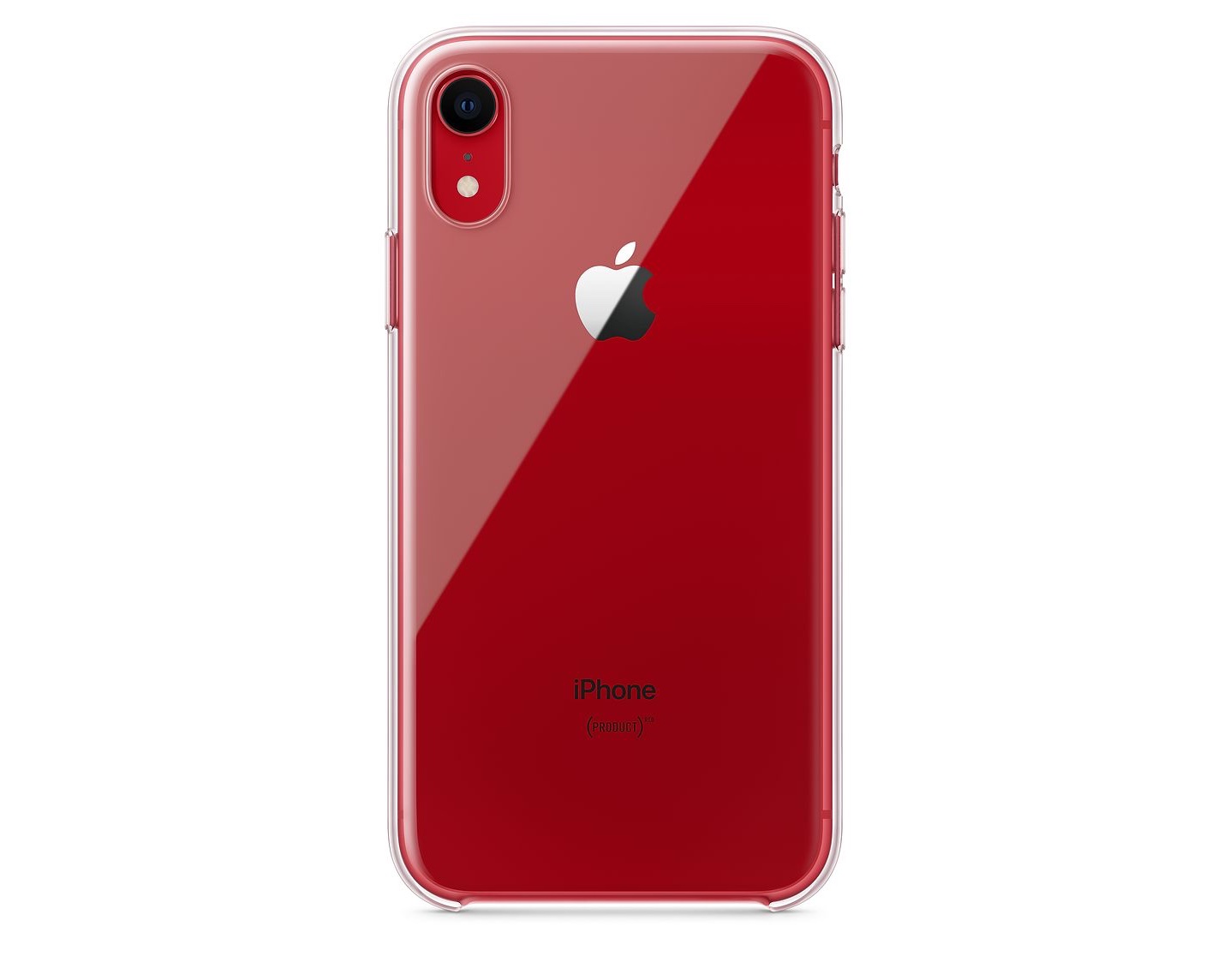
In October, shortly before Apple began taking preorders for the iPhone XR, an Apple press release surfaced in Canada that mentioned a clear case for the phone. However, when the XR went on sale, the clear case was nowhere to be found on Apple’s website or in its retail stores.
Today, the case of the missing clear case has been solved. As MacRumors first reported, the iPhone XR clear case went on sale today on Apple.com for $39. Apple describes the case as ‘thin, light and easy to grip.’ The company also says that the case includes a scratch-resistant coating inside and out and works with wireless Qi chargers. Although third-party cases have been available since the iPhone XR was released, this is the first XR case offered by Apple.
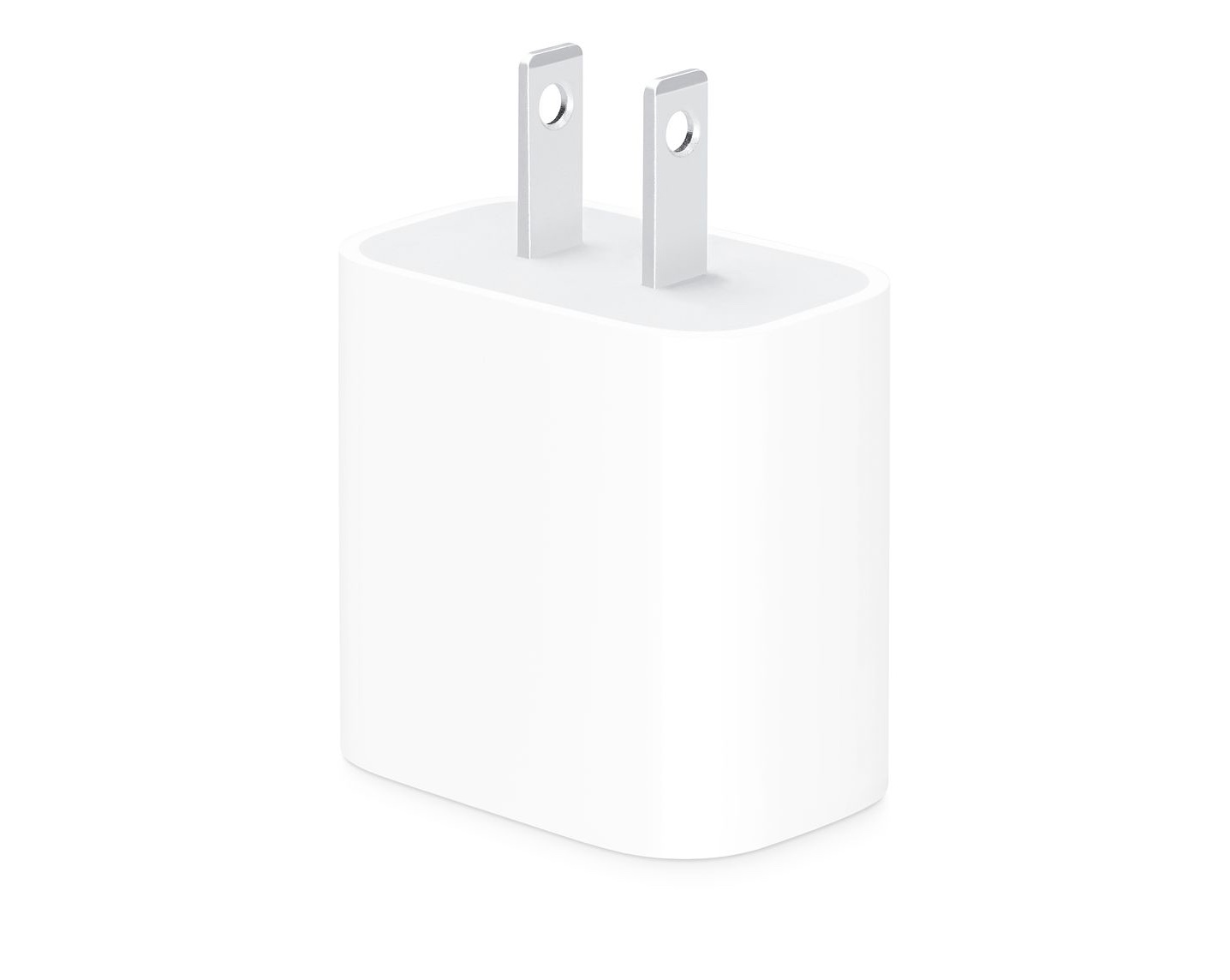
Also, 9to5Mac separately reports that Apple is selling an 18W USB-C charger for the latest iPad Pros which costs $29. Until today, the 18W charger was only available in the box with a new iPad Pro.
AppStories, Episode 90 – Taking iOS Photography Further with RAW Camera Apps and Editors→
On this week’s episode of AppStories, we take on iOS photography by discussing some of our favorite RAW camera apps and photo editors.
Sponsored by:
- Linode: High-performance SSD Linux servers for all of your infrastructure needs. Get a $20 credit with promo code ‘appstories2018’
- Luna Display: The only hardware solution that turns your iPad into a wireless display for your Mac. Use promo code APPSTORIES at checkout for 10% off.

AppStories Episode 90 - Taking iOS Photography Further with RAW Camera Apps and Editors
0:00
35:36
35:36






Linea Sketch Adds Fill, Blend, ZipShape, and Versioning Features
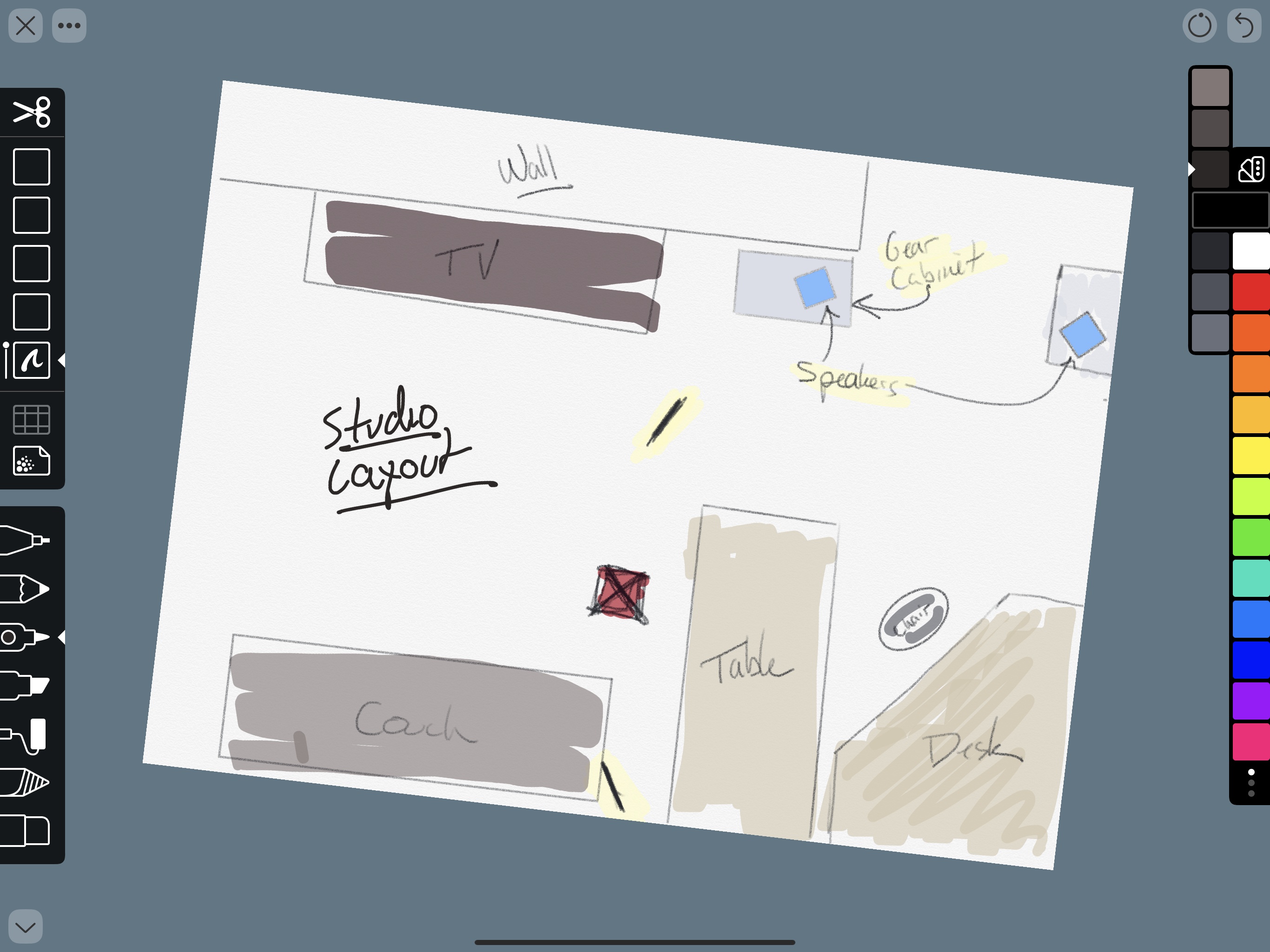
I’m not much of an artist, but I like to take notes, doodle, and create freehand mind maps with the Apple Pencil. With a rich set of paper options and templates to choose from and tools that don’t require a manual to understand, Linea Sketch has become one of my go-to brainstorming tools.
With each update, the app has added functionality that makes it more powerful and flexible without increasing complexity. Version 2.5, which is out today, continues that trend with four new core features, support for Apple Pencil gestures, a new background paper, and other refinements.
Sofa Review: A Simple Tool for Tracking Movies, TV Shows, Books, and Podcasts
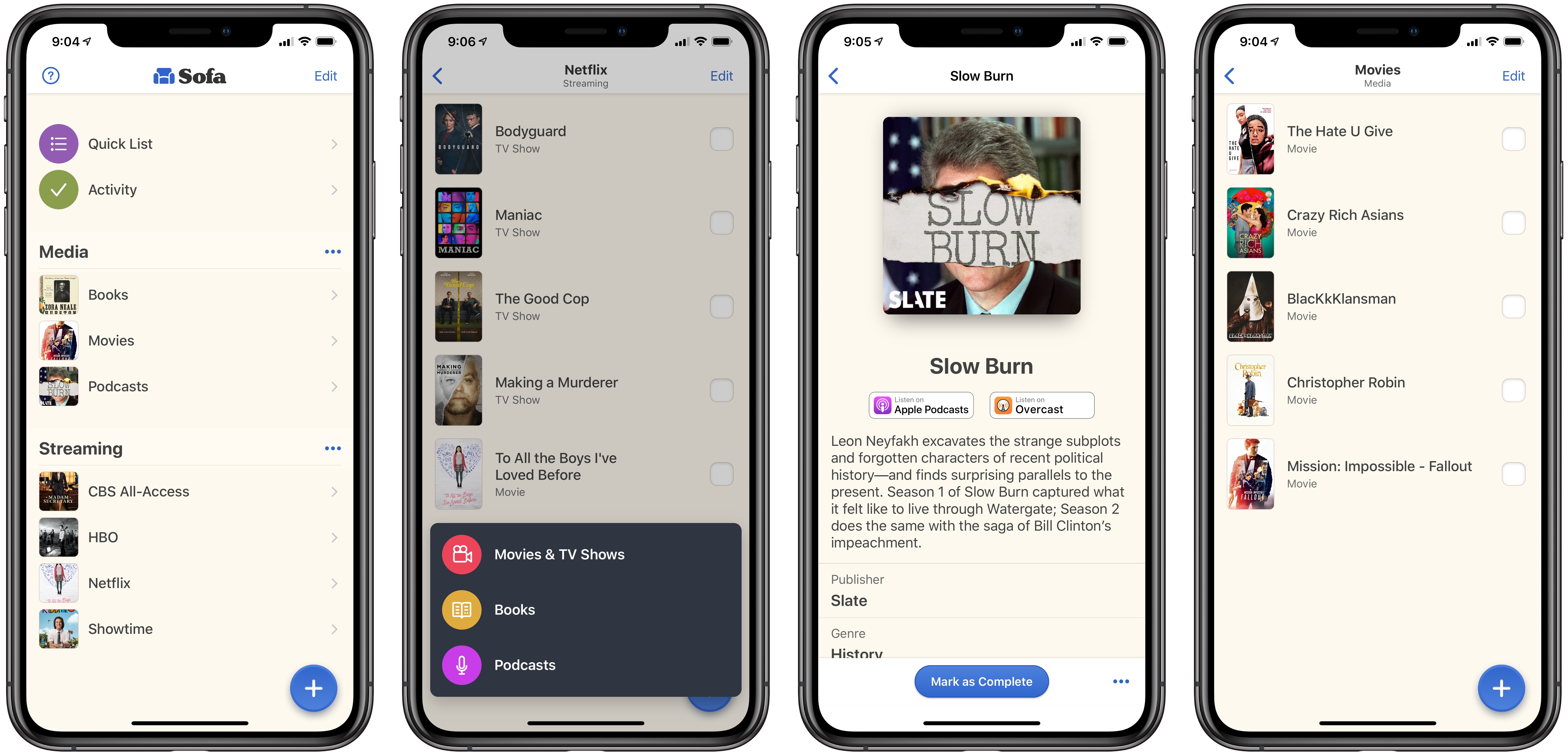
We live in a time when media options are growing at a fast pace. It’s a golden age for television, with great shows debuting all the time; the film industry is being transformed by the infusion of new competition from streaming giants like Netflix; podcasts are becoming more mainstream by the day; and despite books not being in a similar growth phase, new titles are still being written constantly. In this crowded media landscape, it’s hard to keep track of all the great content waiting to be enjoyed.
In the past I’ve kept notes in Apple Notes containing lists of TV shows, movies, podcasts, and books to check out. Lately, however, I’ve been using an app called Sofa.
Omni to Offer Optional Subscriptions to OmniFocus and Its Upcoming Web Service→
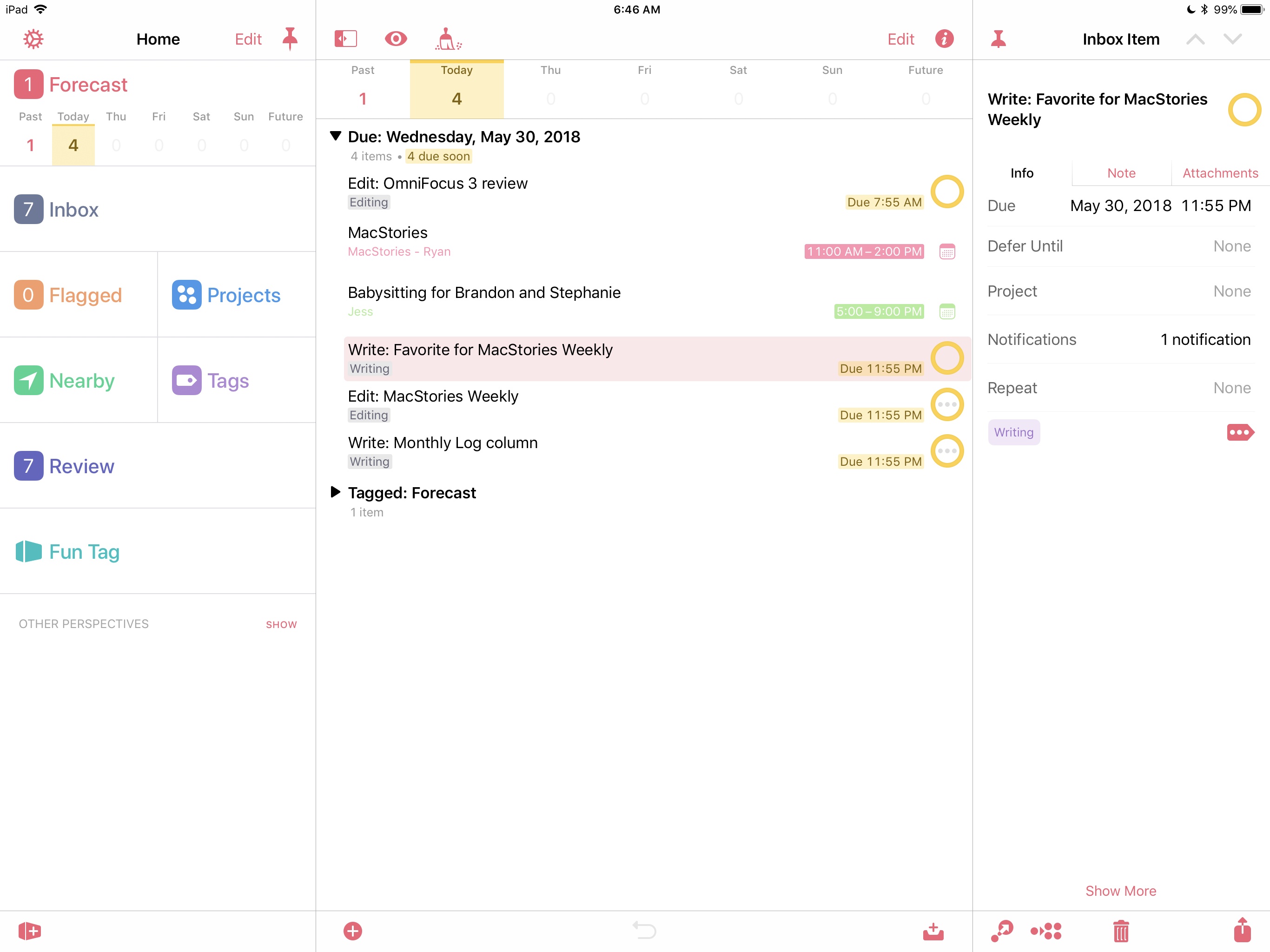
Next month, OmniFocus for the Web will launch as a subscription service for $4.99/month or $49.99 annually. In a post on The Omni Group blog, Ken Case explains that the subscription is necessary to pay the ongoing costs of the web-based version of the popular task manager:
Running it on our computers means we have to maintain those computers, their network connections, power, and so on, as a constantly available online service, for as long as customers use the product. Running that service costs us money every month, so if we want the service to be sustainable we need an income stream which brings in money every month to cover those costs. In other words, this service model requires subscriptions—an arrangement where customers pay us money each month to keep the service going.
In addition to offering a subscription to the web version of OmniFocus, Omni will offer the Pro versions of OmniFocus for iOS and the Mac as a bundle with the web version for $9.99/month or $99.99 annually. As Case further explains, the subscription is entirely optional. The Omni Group will continue to offer its iOS and Mac apps as separate purchases as it does now.
When a historically paid-up-front app introduces subscription pricing, there’s usually an online dustup of unhappy customers who don’t want to subscribe to the apps they use. Although Omni’s announcement was met with a handful of angry tweets, the reaction has been notably muted, which makes sense because the subscription isn’t required. Users who have already purchased the apps can subscribe to just the web service or subscribe to the service plus the apps. The only combination that doesn’t appear to be possible is subscribing to just the iOS and Mac apps.
Adding subscriptions as an option adds complexity to OmniFocus’ business model, but the upside is choice. Instead of migrating its entire user-base to subscriptions, customers can keep using OmniFocus the way they already do. They also gain the option to subscribe to OmniFocus for the Web when it becomes available in January. The approach strikes me as the right balance for an app like OmniFocus, on which users have relied since the earliest days of the App Store.