
 MacStories Weekly: Issue 175
Connected, Episode 242: An Incredible Critique of Modern Capitalism→
Warren Buffett and Tim Cook star in a new iPhone game, Stephen and Myke tried the official Twitter app for a week and Federico is exporting his notes. Elsewhere, Mark Gurman has reported on iOS 13 and new versions of macOS and watchOS.
A very special episode of Connected this week, which also includes some details on my Evernote experiment and our thoughts on recent iOS 13 rumors. You can listen here.
Sponsored by:
- Freshbooks: Online invoicing made easy.
- Moo: Custom business printing and design. Use promo code PRINT15 for 15% off.
- eero: Never think about WiFi again. Get $100 off the ‘Eero base unit and 2 beacons package’, and a year of eero Plus.
Nike Introducing AR Shoe Sizing Feature This Summer→
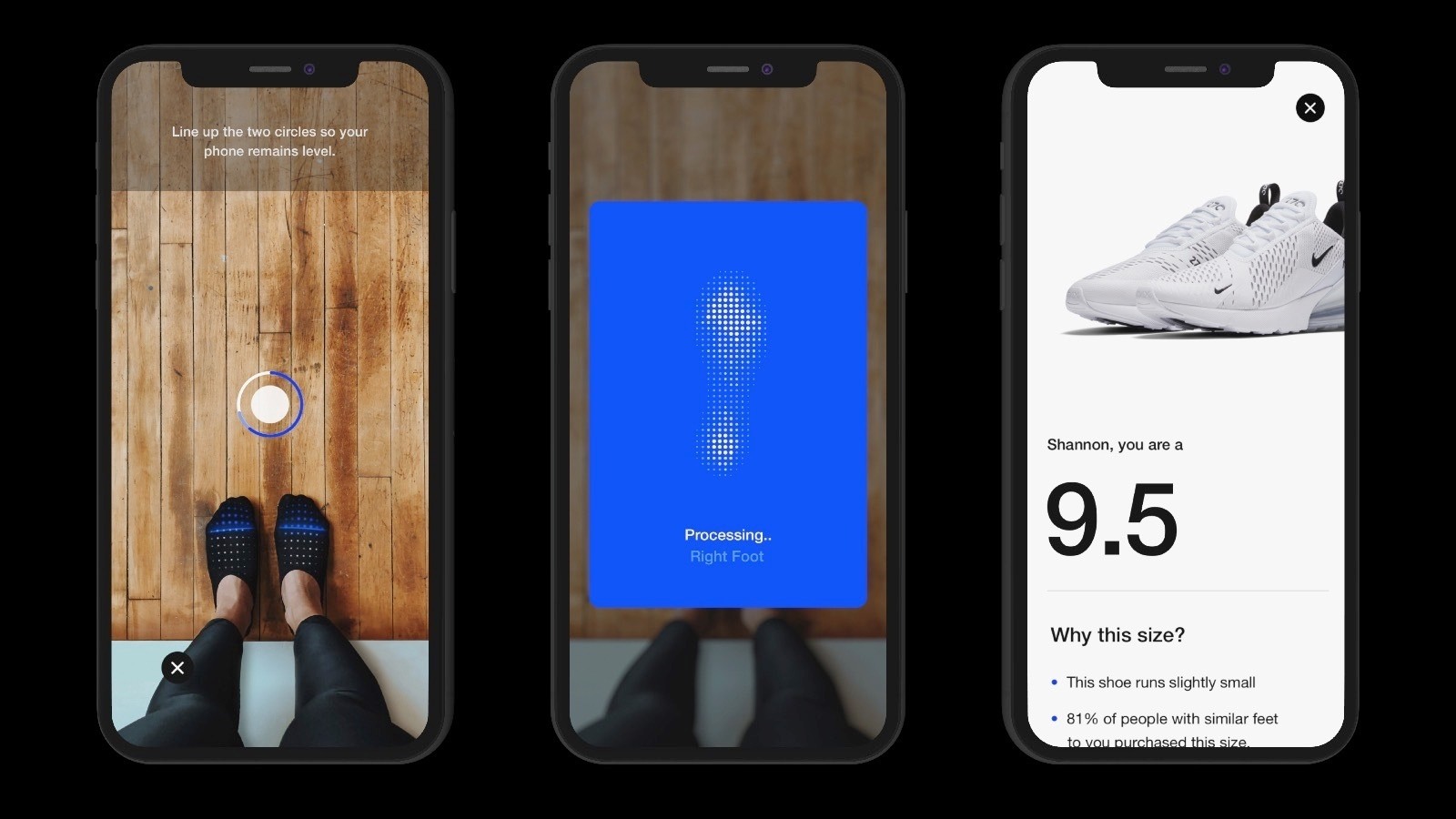
Edgar Alvarez reports for Engadget on an upcoming AR feature I can’t wait to try:
Nike has been experimenting heavily with augmented reality for a few years now, and the company is continuing to work on new experiences powered by the technology. The sportswear giant is now introducing Nike Fit, a feature that uses a combination of computer vision, scientific data, artificial intelligence and recommendation algorithms to scan your feet and find the right shoe fit for you. And you can do it all in augmented reality, using the Nike app on your smartphone. Nike says that, according to industry research, over 60 percent of people wear the wrong size shoes. With Nike Fit, the company is hoping to solve that problem.
The AR experience itself is fairly simple: You open up the Nike app, go to a product page and, next to where there’s usually a menu that lets you pick the size of your shoes, you’ll see a new option to measure your feet. From there, the camera will pop up and you’ll be asked to stand next to a wall and point your smartphone at your feet, which will prompt a view that uses two AR circles to level your phone. Once the feature recognizes your feet and your physical environment, it starts scanning your feet and then tells you your ideal shoe size for Nike footwear. The entire process takes less than a minute.
It’s been two years since Apple introduced ARKit, yet there are still very few AR apps I’ve found add meaningful value to my life. Outside of measuring apps, the only ARKit experiences I’ve enjoyed related to shopping for furniture and other home accessories. It looks like shoe shopping will be the next major area where AR becomes more than a fun demo. According to Alvarez, the Nike Fit feature will be added to the Nike app this July.
Bringing iOS Apps to the Mac Will Entail More Than Flipping a Switch→
Craig Hockenberry of The Iconfactory has an in-depth look at the challenges developers, designers, and marketers will face bringing their iOS apps to the Mac. Although Marzipan may make it possible to simply flip a switch in Xcode to build Mac and iOS versions of an app simultaneously, it’s unlikely to be that simple in practice. As Hockenberry notes:
that build setting is just the first step on a long and complicated road. Good interaction doesn’t come for free.
That’s because user interactions are different between iOS devices and Macs and driven by multiple factors including differing input devices, screen sizes, and individual UI elements.
One of the many examples of design challenges that Hockenberry covers is moving from iOS device screen sizes to Mac screens:
The most obvious design element that will change as you move from iOS to macOS is the screen. If you’ve designed for the iPad, you already understand the challenges of a larger display surface and adapting your views as that size changes. It’s not easy work, but an alternative design that’s just “a big iPhone” is highly unsatisfying for a customer.
The Mac alters this scenario slightly because your app is presented in a window that’s resizable: you might be running with the constraints of an iPhone SE one moment and the expansiveness of an iPad Pro the next.
Hockenberry also raises concerns about how developers will make money from Marzipan apps if they are universal apps as is the case with the iPhone and iPad versions of many iOS apps:
It’s my opinion that Universal apps were the worst thing to ever happen for the iPad ecosystem. There’s no way for a developer to recoup the costs for new interactions and the extra work needed for more sophisticated apps. Apple makes it easier for a customer up front by offering a single download, but at the same time they make things worse because a Universal version of the user’s favorite app isn’t financially viable.
One thing’s for sure, change is coming to the Mac. For some, it will be exciting, and for others, it will be fraught with peril. Mistakes will be made, and adjustments will be necessary, but for iOS developers, designers, and marketers new to this sort of transition, Hockenberry’s post is a great place to start thinking about bringing their apps to the Mac. He’s been through similar changes in the past, and with the magnitude of what Apple likely has in store at WWDC, there’s no time like the present to start considering these issues.
LookUp 5.2 Brings New Watch App, Handoff Support, and Instant Search
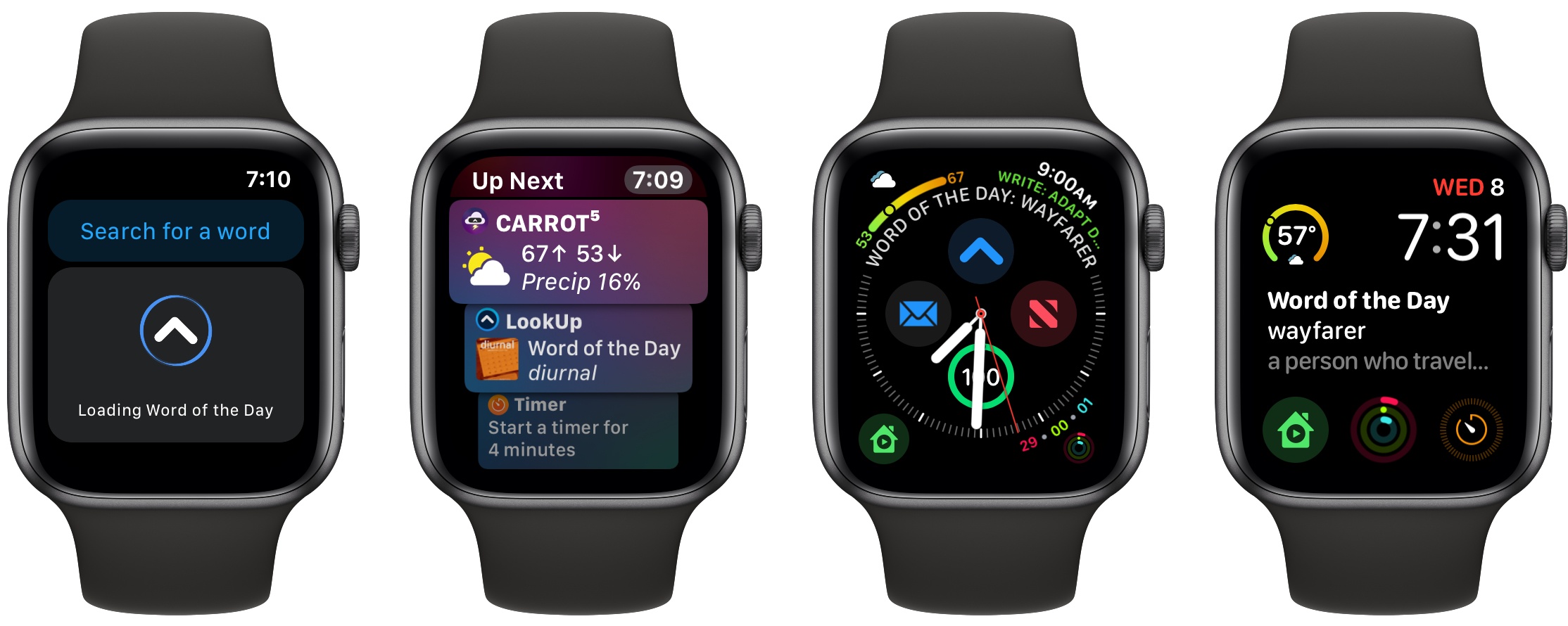
Today my favorite dictionary app, LookUp, was updated to version 5.2 on iOS and watchOS. The update centers around a new, modernized Watch app with a feature I’m really excited about: Siri face support for the word of the day. The Watch app isn’t the only noteworthy improvement though, as LookUp has also added Handoff support and search improvements on iOS.
StopTheNews Forces Apple News Links to Open in Safari
Developer Jeff Johnson, the maker of StopTheMadness, has released a free Mac utility called StopTheNews that forces Apple News links to open in Safari instead of the News app.
The app works with Safari and Safari Technology Preview by registering itself as the default handler for the Apple News URL scheme. As Johnson explains on his website:
When StopTheNews gets an Apple News URL from Safari, it loads the page invisibly, finds the URL of the original article, and then opens the original article URL in Safari.
For example, this Apple News URL – https://apple.news/APIpuWVOoQQCi6gCg7H8zQg – opens a link on National Geographic’s website instead of in the News app. In my limited testing, StopTheNews works as advertised, opening Apple News links in Safari quickly. I don’t know if it’s possible, but I’d love to see StopTheNews also prevent Safari from asking if you want to open an RSS feed in Apple News when its URL is clicked.
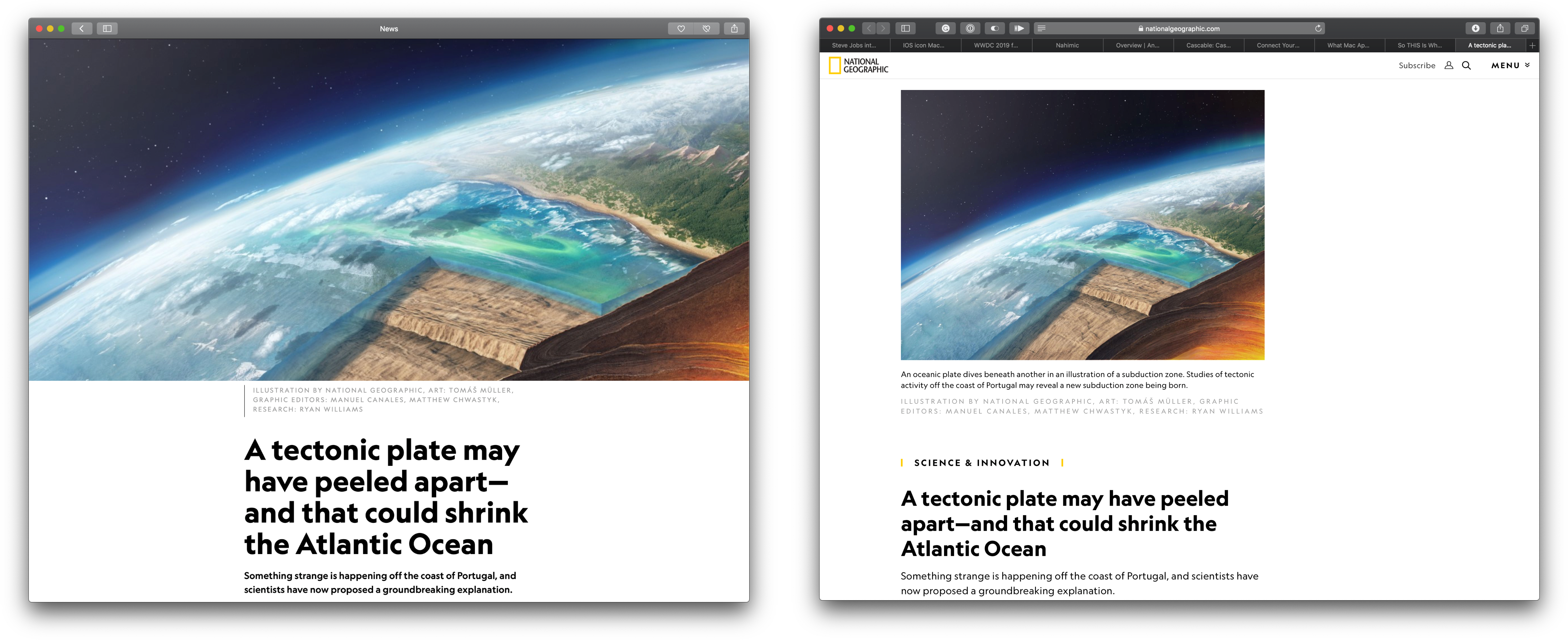
I understand Apple’s motivations to drive users to its News app, but if I’m already working with links in Safari, having another app open can be annoying. Johnson’s solution is simple but clever, and it’s free, so if you’d prefer using Safari instead of Apple News for News links, check out his utility, which is available on GitHub.
AppStories, Episode 110 – Revisiting the Breakup of iTunes→
On this week’s episode of AppStories, we revisit our discussion of the breakup of iTunes from Episode 21 in light of the latest Marzipan rumors.
Sponsored by:
- Hype Professional – Design beautiful HTML5 interactive pieces and animations.
- Linode - High-performance SSD Linux servers for all of your infrastructure needs. Get a $20 credit.

AppStories Episode 110 - Revisiting the Breakup of iTunes
0:00
30:29
30:29






Twitter Now Allows Images, Videos, and GIFs in Quote Tweets→
Chris Welch of The Verge, reporting on a new Twitter feature rolling out today:
Beginning today, Twitter users can add images, videos, and GIFs to their retweets / quoted tweets. The company is rolling out this new feature across Android, iOS, and Twitter’s mobile website; it’s not on desktop quite yet, however. Adding media to a retweet works just like you’d expect: tap the “retweet with comment” option and then choose the image or GIF icon in the toolbar.
This feature is long overdue for the service, and Twitter’s design implementation appears solid. Displaying media when quoting a tweet that doesn’t have any seems like it wouldn’t have been particularly hard, but the real challenge is in media tweets quoting media tweets. Twitter’s solution works well: when a tweet containing media is quoted, and you add media to your retweet, the original tweet’s content is condensed to fill a space that’s not much bigger than before, ensuring timelines don’t get too cluttered with endless stacks of media tweets quoting media tweets.
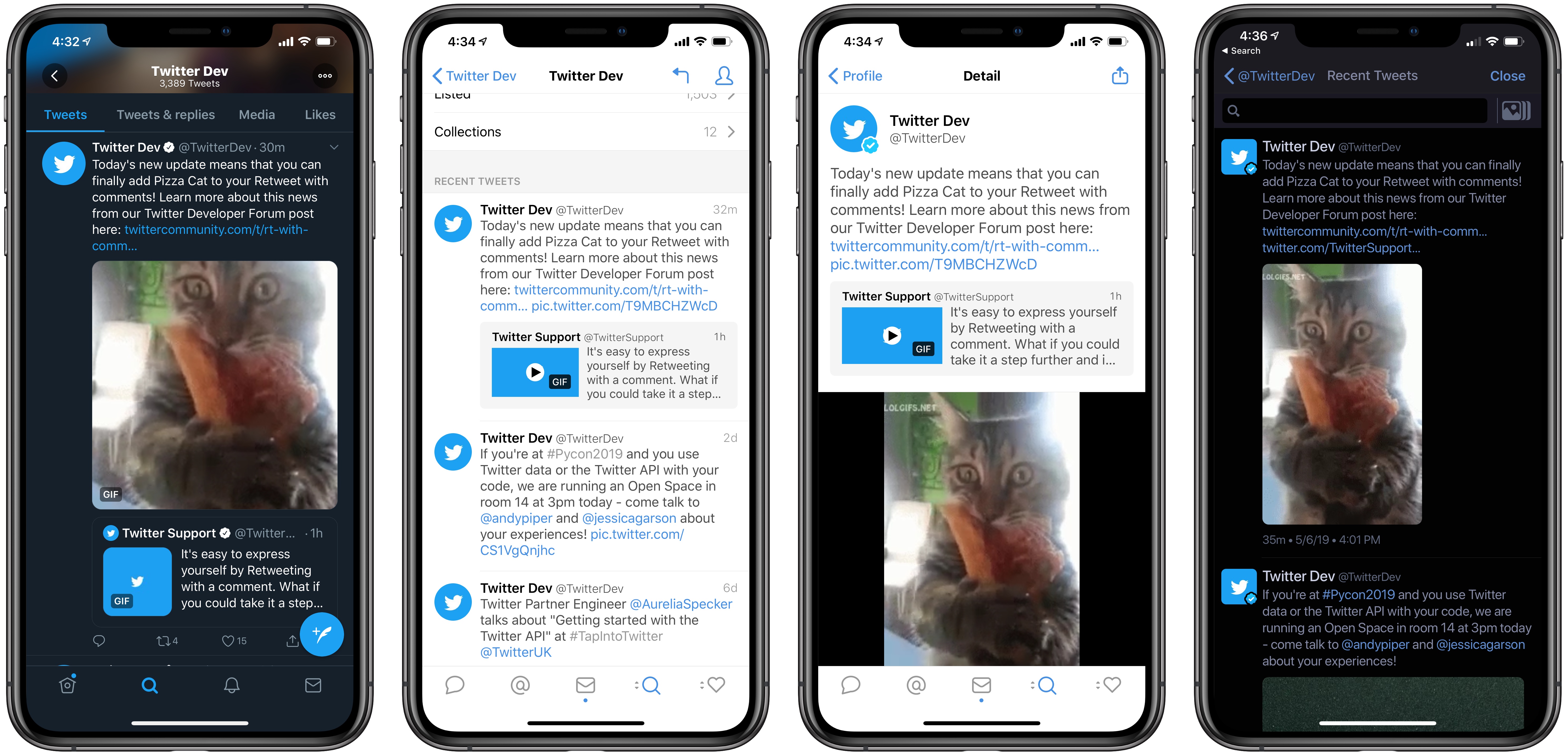
Presumably, third-party apps like Tweetbot and Twitterrific will be granted the ability to create quote tweets with media as well. Currently, each app has its own way of displaying these tweets: in tweets with media that quote more media, Tweetbot shows the original media, while Twitterrific shows that of the retweet; however, Tweetbot does display both forms of media when viewing a tweet’s Detail screen.
In addition to bringing media retweets to more platforms, it sounds like Twitter has some other enhancements already in the works for the new feature, such as increased interactivity with quoted tweets.
Twitter already enables you to tap media thumbnails in quoted tweets to load that media in full, so it will be interesting to see what other interactivity the company plans to add in the future.
Kernel Review: Modern Movie Tracking

Most of the apps I cover for MacStories relate in some way to productivity, a theme that extends to the apps normally dominating my iPhone’s home screen. Writing and note-taking apps, task managers, communication apps, and tools like Shortcuts all help me get things done each day. However, sometimes what I want from my phone isn’t a productivity tool, but an app that specializes in something related less to work and more to fun. For example, a movie tracker. Kernel is a new app that does just that.