
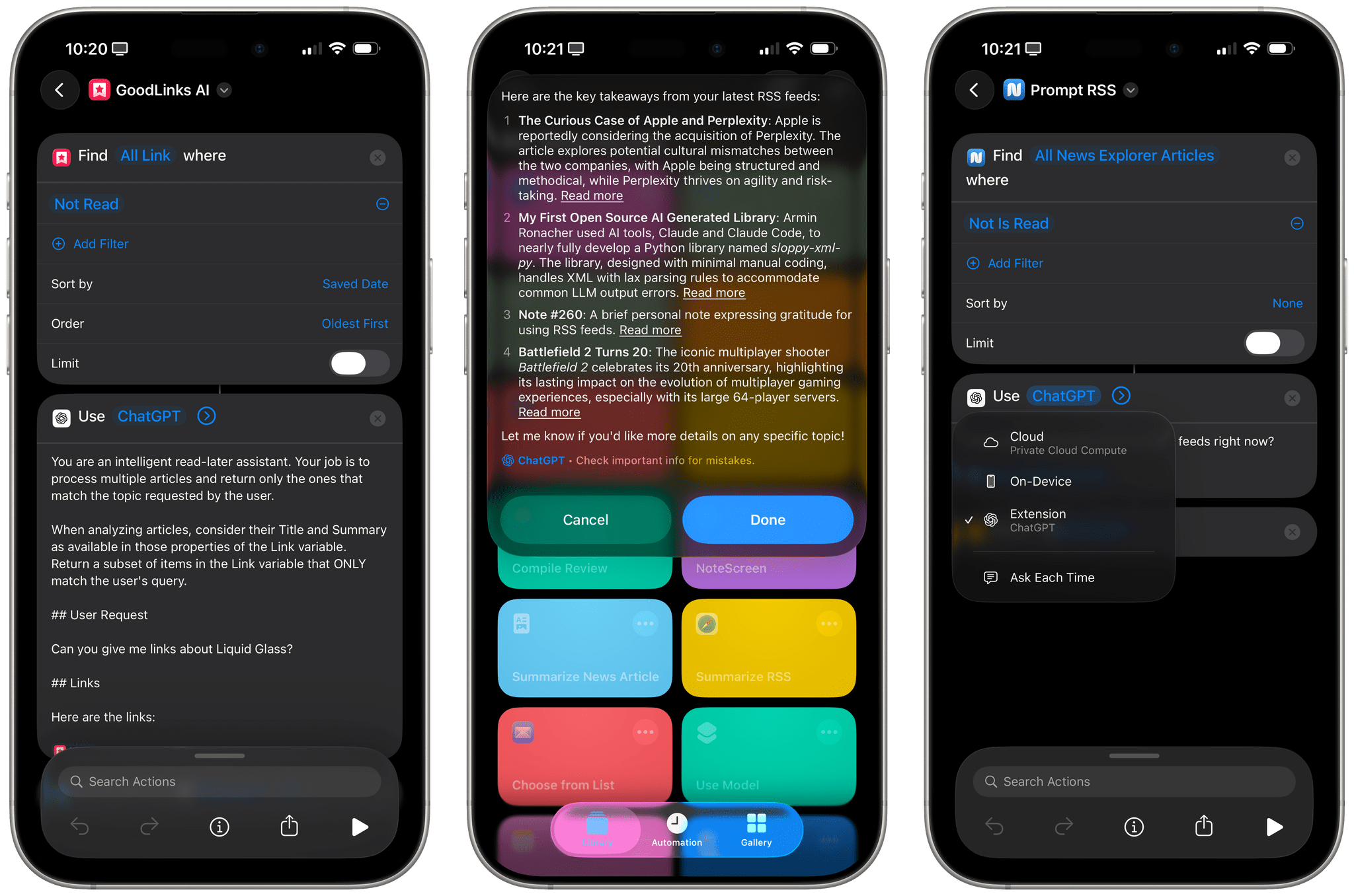
I mentioned this on AppStories during the week of WWDC: I think Apple’s new ‘Use Model’ action in Shortcuts for iOS/iPadOS/macOS 26, which lets you prompt either the local or cloud-based Apple Foundation models, is Apple Intelligence’s best and most exciting new feature for power users this year. This blog post is a way for me to better explain why as well as publicly investigate some aspects of the updated Foundation models that I don’t fully understand yet.
I Have Many Questions About Apple’s Updated Foundation Models and the (Great) ‘Use Model’ Action in Shortcuts
Initial Notes on iPadOS 26’s Local Capture Mode→
Now this is what I call follow-up: six years after I linked to Jason Snell’s first experiments with podcasting on the iPad Pro (which later became part of a chapter of my Beyond the Tablet story from 2019), I get to link to Snell’s first impressions of iPadOS 26’s brand new local capture mode, which lets iPad users record their own audio and video during a call.
First, some context:
To ensure that the very best audio and video is used in the final product, we tend to use a technique called a “multi-ender.” In addition to the lower-quality call that’s going on, we all record ourselves on our local device at full quality, and upload those files when we’re done. The result is a final product that isn’t plagued by the dropouts and other quirks of the call itself. I’ve had podcasts where one of my panelists was connected to us via a plain old phone line—but they recorded themselves locally and the finished product sounded completely pristine.
This is how I’ve been recording podcasts since 2013. We used to be on a call on Skype and record audio with QuickTime; now we use Zoom, Audio Hijack, and OBS for video, but the concept is the same. Here’s Snell on how the new iPadOS feature, which lives in Control Center, works:
The file it saves is marked as an mp4 file, but it’s really a container featuring two separate content streams: full-quality video saved in HEVC (H.265) format, and lossless audio in the FLAC compression format. Regardless, I haven’t run into a single format conversion issue. My audio-sync automations on my Mac accept the file just fine, and Ferrite had no problem importing it, either. (The only quirk was that it captured audio at a 48KHz sample rate and I generally work at 24-bit, 44.1KHz. I have no idea if that’s because of my microphone or because of the iPad, but it doesn’t really matter since converting sample rates and dithering bit depths is easy.)
I tested this today with a FaceTime call. Everything worked as advertised, and the call’s MP4 file was successfully saved in my Downloads folder in iCloud Drive (I wish there was a way to change this). I was initially confused by the fact that recording automatically begins as soon as a call starts: if you press the Local Capture button in Control Center before getting on a call, as soon as it connects, you’ll be recording. It’s kind of an odd choice to make this feature just a…Control Center toggle, but I’ll take it! My MixPre-3 II audio interface and microphone worked right away, and I think there’s a very good chance I’ll be able to record AppStories and my other shows from my iPad Pro – with no more workarounds – this summer.
Podcast Rewind: A Challenging Challenge, a Couple of Crime Dramas, and a Haptic Trailer
Enjoy the latest episodes from MacStories’ family of podcasts:
Comfort Zone






Chris is back in his element in the iPadOS 26 world, Matt just wants to play some games, and Niléane oversees the hardest challenge in ages.
This episode is sponsored by:
- Ecamm Live – Broadcast Better with Ecamm Live. Coupon code MACSTORIES gives 1 month free of Ecamm Live to new customers.
MacStories Unwind
This week, John installs macOS Tahoe, he and Federico each recommend a recent crime drama, and we have a Daredevil Unwind deal.
Magic Rays of Light
Sigmund and Devon highlight the return of The Buccaneers, explore how haptics and other metadata could enhance media experiences on Apple’s platforms, and recap the first season of Your Friends & Neighbors.
 MacStories Weekly: Issue 471
Swift Assist, Part Deux
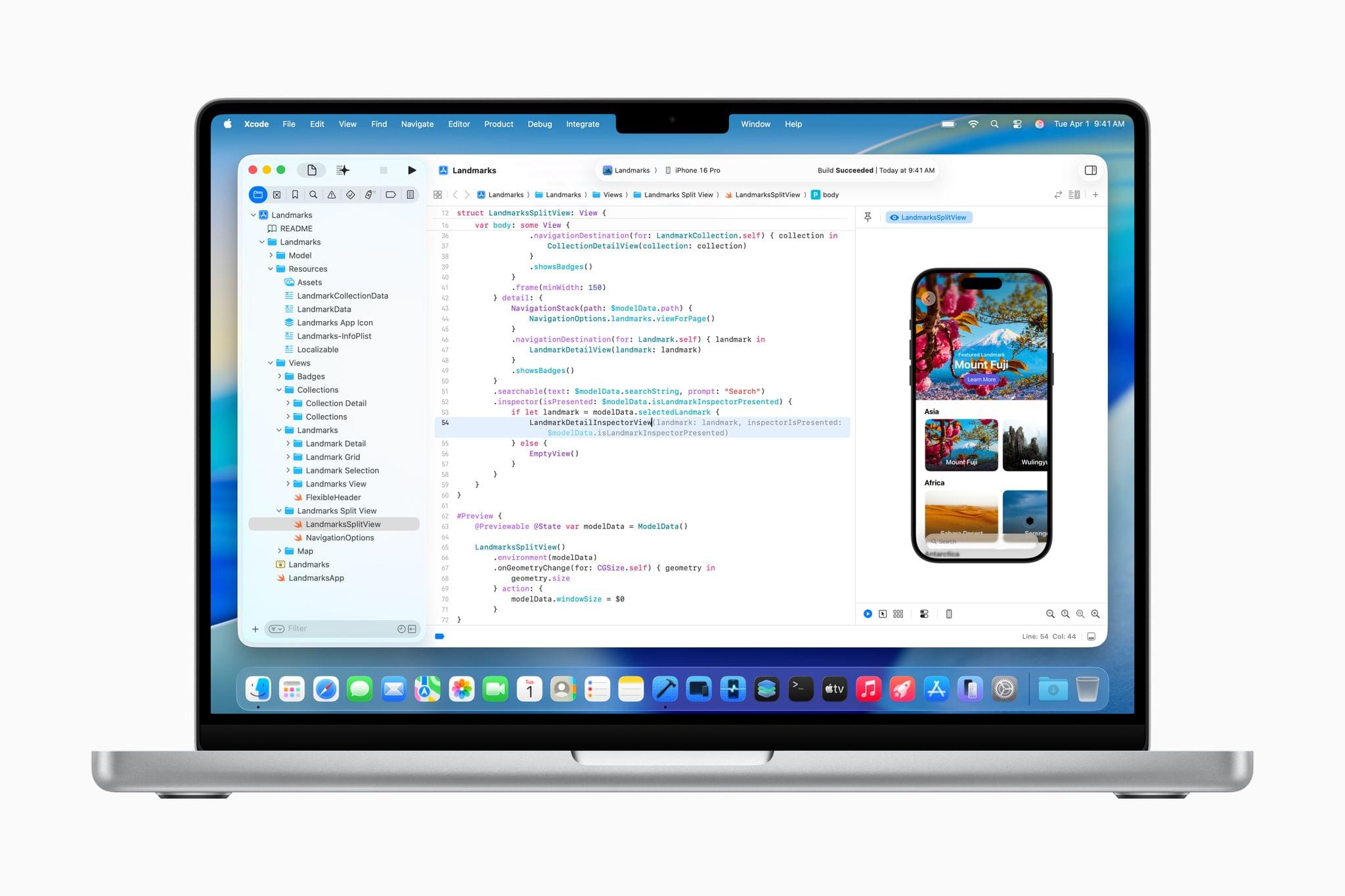
At WWDC 2024, I attended a developer tools briefing with Jason Snell, Dan Moren, and John Gruber. Later, I wrote about Swift Assist, an AI-based code generation tool that Apple was working on for Xcode.
That first iteration of Swift Assist caught my eye as promising, but I remember asking at the time whether it could modify multiple files in a project at once and being told it couldn’t. What I saw was rudimentary by 2025’s standards with things like Cursor, but I was glad to see that Apple was working on a generative tool for Xcode users.
In the months that followed, I all but forgot that briefing and story, until a wave of posts asking, “Whatever happened to Swift Assist?” started appearing on social media and blogs. John Gruber and Nick Heer picked up on the thread and came across my story, citing it as evidence that the MIA feature was real but curiously absent from any of 2024’s Xcode betas.
This year, Jason Snell and I had a mini reunion of sorts during another developer tools briefing. This time, it was just the two of us. Among the Xcode features we saw was a much more robust version of Swift Assist that, unlike in 2024, is already part of the Xcode 26 betas. Having been the only one who wrote about the feature last year, I couldn’t let the chance to document what I saw this year slip by.
Interview: Craig Federighi Opens Up About iPadOS, Its Multitasking Journey, and the iPad’s Essence
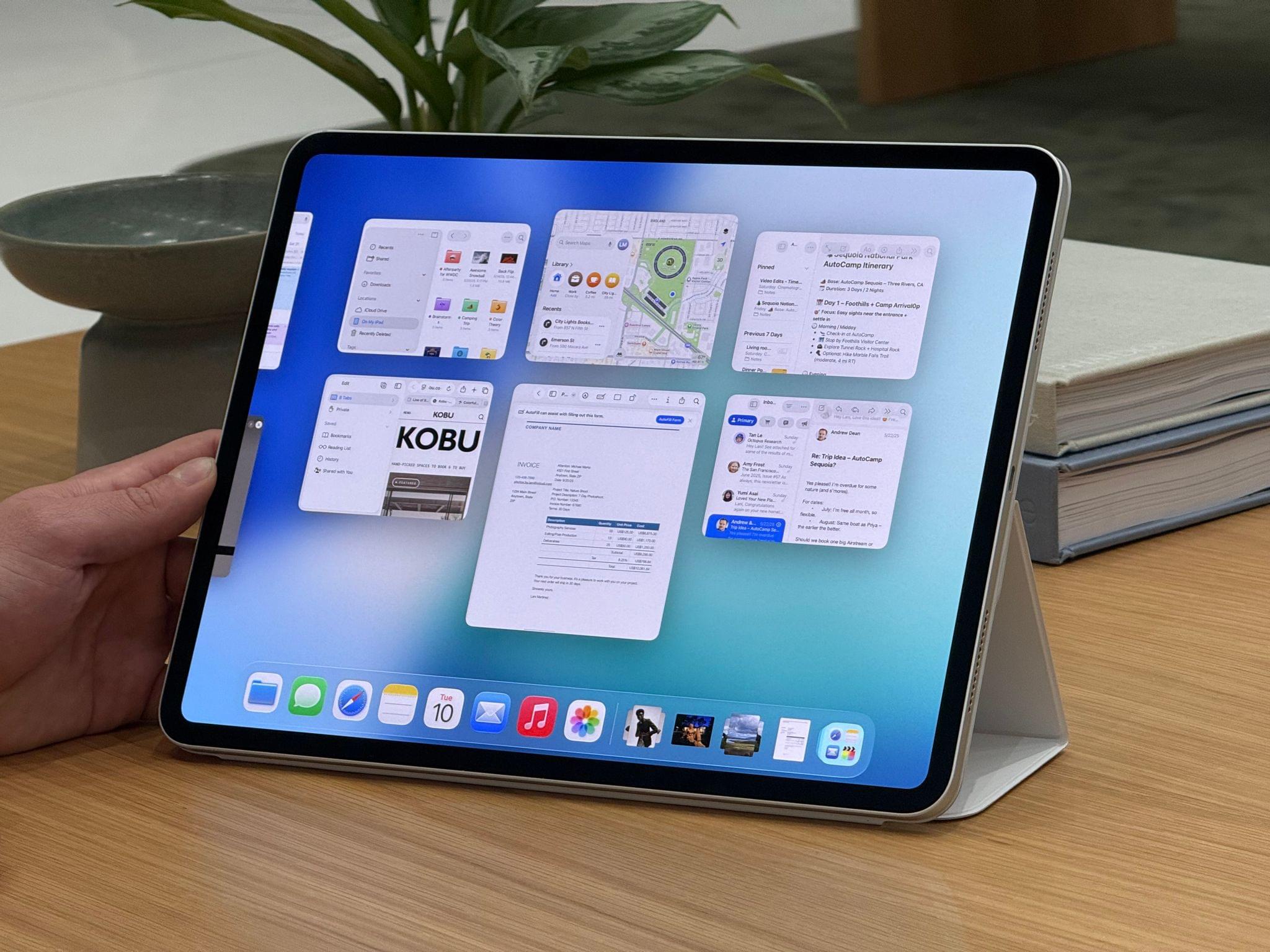
It’s a cool, sunny morning at Apple Park as I’m walking my way along the iconic glass ring to meet with Apple’s SVP of Software Engineering, Craig Federighi, for a conversation about the iPad.
It’s the Wednesday after WWDC, and although there are still some developers and members of the press around Apple’s campus, it seems like employees have returned to their regular routines. Peek through the glass, and you’ll see engineers working at their stations, half-erased whiteboards, and an infinite supply of Studio Displays on wooden desks with rounded corners. Some guests are still taking pictures by the WWDC sign. There are fewer security dogs, but they’re obviously all good.
Despite the list of elaborate questions on my mind about iPadOS 26 and its new multitasking, the long history of iPad criticisms (including mine) over the years, and what makes an iPad different from a Mac, I can’t stop thinking about the simplest, most obvious question I could ask – one that harkens back to an old commercial about the company’s modular tablet:
In 2025, what even is an iPad according to Federighi?
Logitech’s Flip Folio: A Modular iPad Keyboard for Occasional Typing
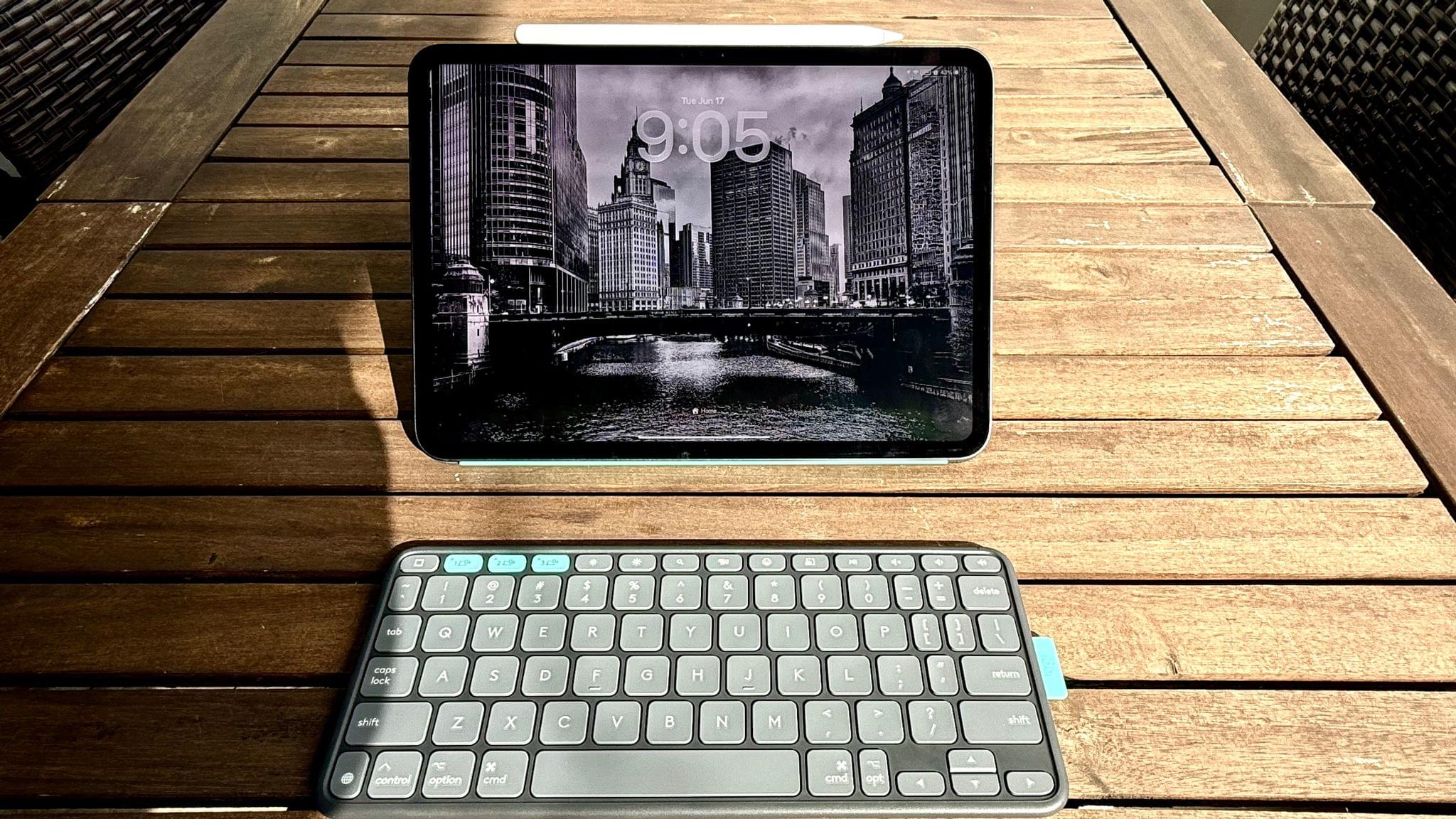
Shortly before WWDC, Logitech sent me their brand new Flip Folio case/keyboard combo to test. It’s a cleverly designed iPad case that’s a bit heavy but has a lot of other things going for it, like a very stable kickstand and an excellent travel keyboard. The Flip Folio is also more affordable than the Apple Magic Keyboard, which I expect will make it an attractive option for many iPad users.
Podcast Rewind: The WWDC Whirlwind and a Delivery from UPS Japan

Enjoy the latest episodes from MacStories’ family of podcasts:
AppStories
This week, Federico and John catch listeners up on their whirlwind WWDC week, which was chaotic in the best possible way.
On AppStories+, Federico and John get excited about what the WWDC announcements say about the direction of automation on Apple’s platforms.
This episode is sponsored by:
- Notion – Try the powerful, easy-to-use Notion AI today.
NPC: Next Portable Console
This week on NPC, Brendon shares his first impressions of the Nintendo Switch 2 after UPS Japan comes knocking, and all three hosts cover a chaotic week of handheld news – from the RG Slide to a surprise ASUS/Xbox handheld.
This week on NPC XL, Federico and John share their experiences traveling with the Nintendo Switch 2, and John explains how Apple’s upcoming Games app is more than just Game Center.

Hands-On: How Apple’s New Speech APIs Outpace Whisper for Lightning-Fast Transcription
Late last Tuesday night, after watching F1: The Movie at the Steve Jobs Theater, I was driving back from dropping Federico off at his hotel when I got a text:
Can you pick me up?
It was from my son Finn, who had spent the evening nearby and was stalking me in Find My. Of course, I swung by and picked him up, and we headed back to our hotel in Cupertino.
On the way, Finn filled me in on a new class in Apple’s Speech framework called SpeechAnalyzer and its SpeechTranscriber module. Both the class and module are part of Apple’s OS betas that were released to developers last week at WWDC. My ears perked up immediately when he told me that he’d tested SpeechAnalyzer and SpeechTranscriber and was impressed with how fast and accurate they were.
It’s still early days for these technologies, but I’m here to tell you that their speed alone is a game changer for anyone who uses voice transcription to create text from lectures, podcasts, YouTube videos, and more. That’s something I do multiple times every week for AppStories, NPC, and Unwind, generating transcripts that I upload to YouTube because the site’s built-in transcription isn’t very good.
What’s frustrated me with other tools is how slow they are. Most are built on Whisper, OpenAI’s open source speech-to-text model, which was released in 2022. It’s cheap at under a penny per one million tokens, but isn’t fast, which is frustrating when you’re in the final steps of a YouTube workflow.
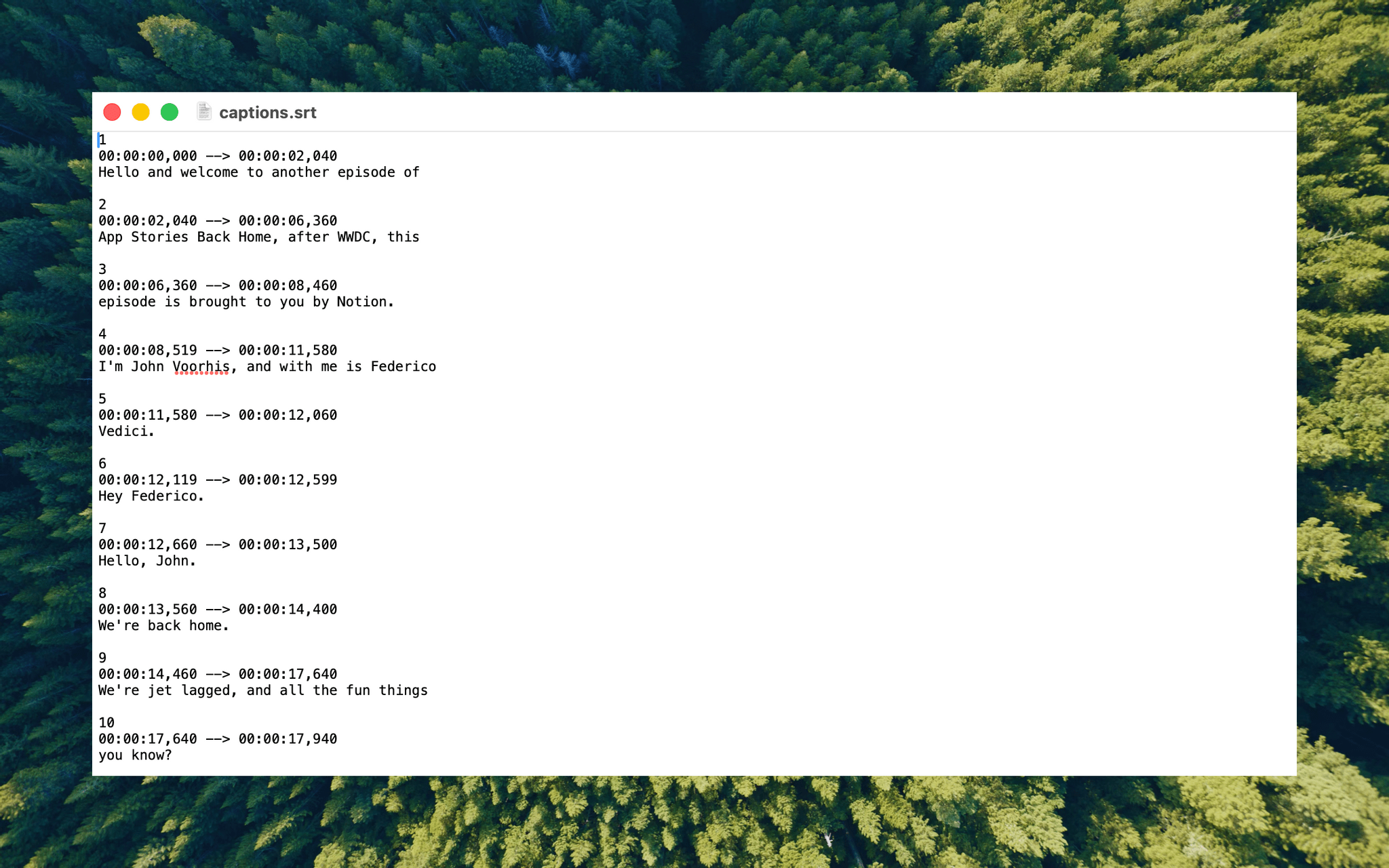
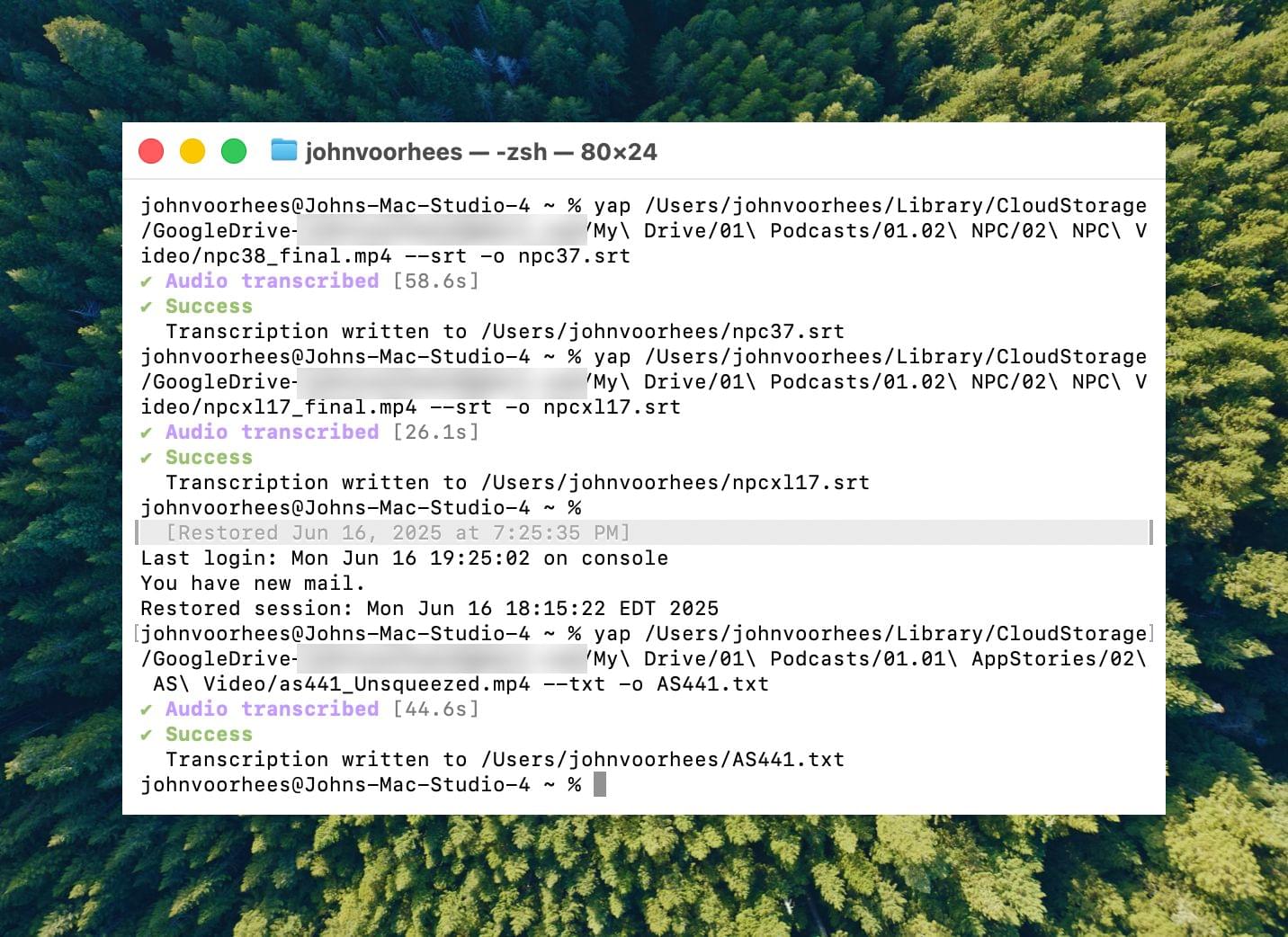
I asked Finn what it would take to build a command line tool to transcribe video and audio files with SpeechAnalyzer and SpeechTranscriber. He figured it would only take about 10 minutes, and he wasn’t far off. In the end, it took me longer to get around to installing macOS Tahoe after WWDC than it took Finn to build Yap, a simple command line utility that takes audio and video files as input and outputs SRT- and TXT-formatted transcripts.
Yesterday, I finally took the Tahoe plunge and immediately installed Yap. I grabbed the 7GB 4K video version of AppStories episode 441, which is about 34 minutes long, and ran it through Yap. It took just 45 seconds to generate an SRT file. Here’s Yap ripping through nearly 20% of an episode of NPC in 10 seconds:
Replay
Next, I ran the same file through VidCap and MacWhisper, using its V2 Large and V3 Turbo models. Here’s how each app and model did:
| App | Transcripiton Time |
|---|---|
| Yap | 0:45 |
| MacWhisper (Large V3 Turbo) | 1:41 |
| VidCap | 1:55 |
| MacWhisper (Large V2) | 3:55 |
All three transcription workflows had similar trouble with last names and words like “AppStories,” which LLMs tend to separate into two words instead of camel casing. That’s easily fixed by running a set of find and replace rules, although I’d love to feed those corrections back into the model itself for future transcriptions.
What stood out above all else was Yap’s speed. By harnessing SpeechAnalyzer and SpeechTranscriber on-device, the command line tool tore through the 7GB video file a full 2.2× faster than MacWhisper’s Large V3 Turbo model, with no noticeable difference in transcription quality.
At first blush, the difference between 0:45 and 1:41 may seem insignificant, and it arguably is, but those are the results for just one 34-minute video. Extrapolate that to running Yap against the hours of Apple Developer videos released on YouTube with the help of yt-dlp, and suddenly, you’re talking about a significant amount of time. Like all automation, picking up a 2.2× speed gain one video or audio clip at a time, multiple times each week, adds up quickly.
Whether you’re producing video for YouTube and need subtitles, generating transcripts to summarize lectures at school, or doing something else, SpeechAnalyzer and SpeechTranscriber – available across the iPhone, iPad, Mac, and Vision Pro – mark a significant leap forward in transcription speed without compromising on quality. I fully expect this combination to replace Whisper as the default transcription model for transcription apps on Apple platforms.
To test Apple’s new model, install the macOS Tahoe beta, which currently requires an Apple developer account, and then install Yap from its GitHub page.