
 MacStories Weekly: Issue 217
Apple Music Debuting New Album Banners in Library Tab→
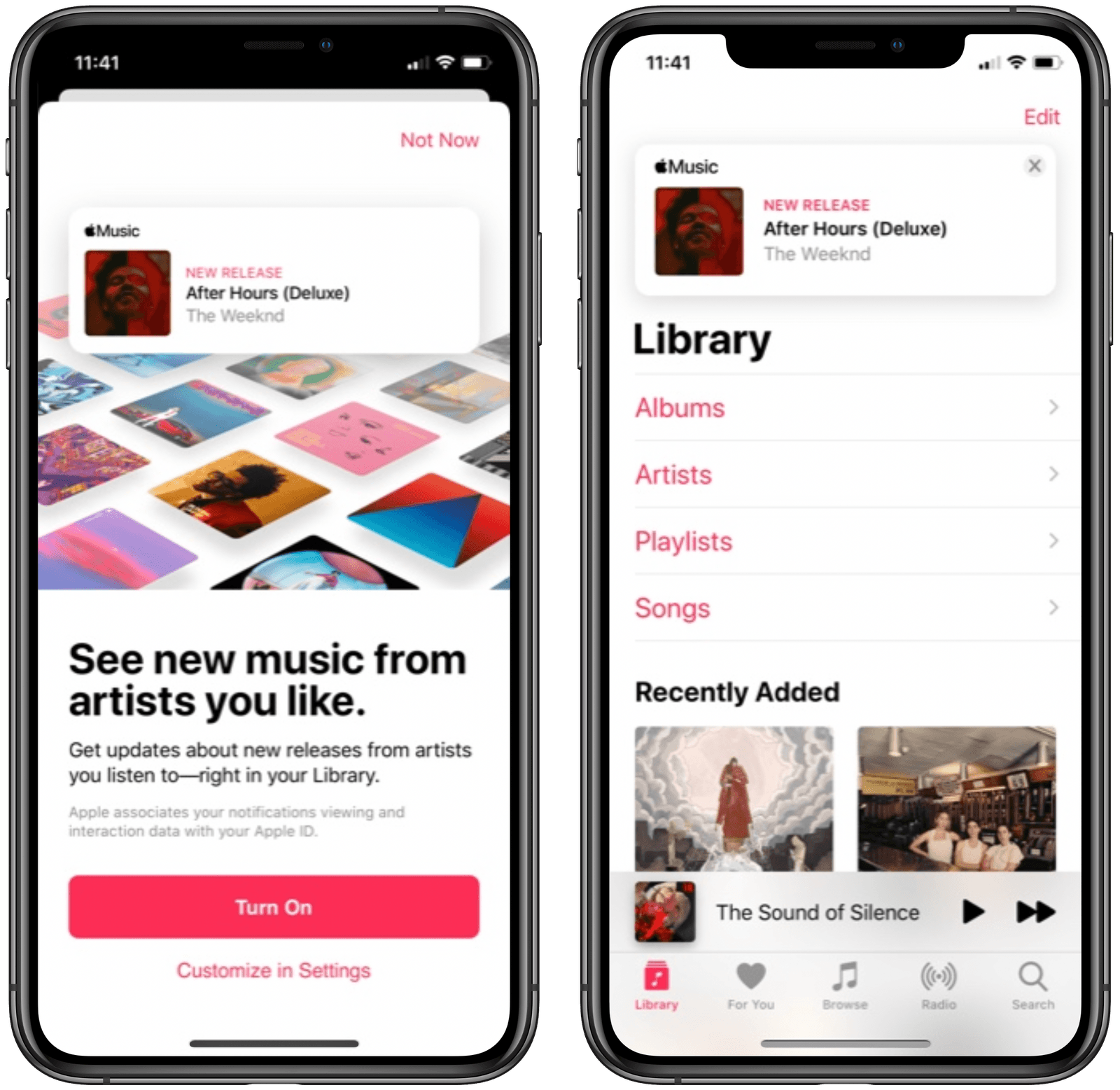
Mitchel Broussard at MacRumors reports on a new Apple Music feature that’s been spotted rolling out to a limited set of users:
Apple today is rolling out a new feature to Apple Music users, prominently displaying new albums, EPs, and videos from their favorite artists at the top of the Library tab in iOS.
The new feature first appears as a splash page in Apple Music on iOS, telling users that they can “see new music from artists you like.” This will let you get updates about new releases from artists you listen to, with notifications appearing above your library of albums and playlists.
Apple Music has long offered push notifications for new releases from artists you enjoy, but for me and everyone else I know, those are wildly inconsistent. Because of that, I’ve grown to depend on the excellent app MusicHarbor instead, which is much more trustworthy.
I like the idea of seeing new releases right inside the Library tab, but will wait and see whether they prove reliable or not. Based on my prior experience with Apple Music notifications, I wouldn’t be surprised to see banners for new albums show up even after I’ve saved those albums to my library. I’d happily be proven wrong, though, so here’s hoping this new method of music updates means Apple has also paid attention to the engine running the feature.
Connected, Episode 287: Rub a Dub Dub, My Friend→
On this week’s episode of Connected:
The early reviews of the 2020 iPad Pro and new MacBook Air are in, and Myke treats the group with an unboxing experience. Federico asks the world for help, while Stephen is bringing joy — and pain — to the Mac community. Also, our impressions of iOS 13.4 and some media we’re enjoying while being stuck at home.
You can listen below (and find the show notes here).





Sponsored by:
- Pingdom: Start monitoring your website performance and availability today, and get instant alerts when an outage occurs or a site transaction fails. Use offer code CONNECTED to get 30% off. Offer expires on January 31, 2021.
- TextExpander, from Smile: Unlock your productivity with TextExpander. Get 20% off with your first year.
- Hover: Make a name for yourself. Get 10% off any domain name.
- Mack Weldon: Smart underwear for smart guys. Get 20% off your first order with the code WEIRDFISH.
AppStories, Episode 155 – Stuck at Home
This week on AppStories, we talk about how the global COVID-19 pandemic has changed the way we relax, work, and approach their days.
Sponsored by:
- Linode – Cloud Hosting & Linux Servers. Get a $20 credit.
- Metrical – Build habits, stay productive, be in charge! Use the code APPSTORIES in the app to try Metrical’s pro features free for 30 days.


Arcade Highlights: Crossy Road Castle

Anti-gravity rainbows, cute animal characters, prize machines, co-operative play, and endless tower platforming: if this all sounds like the perfect diversion during a long stay indoors, you’re absolutely right.
Crossy Road Castle is a long-awaited sequel to the original Crossy Road and one of the newest Apple Arcade titles. But don’t let the word ‘sequel’ mislead you – Crossy Road Castle offers an entirely different gaming experience than its predecessor. Think less “crossing the road” and more “climbing an endless tower, one micro-level at a time.”
Apple’s Human Interface Guidelines on Pointers for iPadOS→
Speaking of the design considerations that went into iPadOS’ cursor, I suggest reading Apple’s new HIG document on the dynamic/adaptive pointer:
iPadOS 13.4 introduces dynamic pointer effects and behaviors that enhance the experience of using a pointing device with iPad. As people use a pointing device, iPadOS automatically adapts the pointer to the current context, providing rich visual feedback and just the right level of precision needed to enhance productivity and simplify common tasks.
The iPadOS pointing system gives people an additional way to interact with apps and content — it doesn’t replace touch. Some people may continue to use touch only, while others may prefer to use the pointer or a combination of both. Let people choose how to interact with your app, and avoid condensing your interface or making changes that require them to use the pointer.
And this part on “pointer magnetism”:
In addition to bringing focus to elements through pointer transformations and content effects, iPadOS can also help people target an element by making the element appear to attract the pointer. People can experience this magnetic effect when they move the pointer close to an element and when they flick the pointer toward an element.
When people move the pointer close to an element, the system starts transforming the pointer’s shape as soon as it reaches an element’s hit region. Because the hit region typically extends beyond an element’s visible boundaries, the pointer begins to transform before it appears to touch the element, creating the illusion that the element is pulling the pointer toward it.
Thoughtful, detailed read (as usual per Apple’s HIG) with illustrations that help get a sense of what’s possible with pointer customization (it doesn’t look like the Keynote update with cursor support mentioned in the document is out yet). Reading this, it’s clear that Apple didn’t simply bring the Mac’s cursor to the iPad – they started from the basic idea and redesigned it around a different platform.
In Praise of the iPadOS 13.4 Cursor→
I want to take a moment to appreciate the delicate and whimsical animated appearance of the cursor in iPadOS 13.4, which was released today.
It’s delightful. It’s like a little cartoon character, the plucky dot who is up to any challenge, even if it means contorting itself into whatever form is required.
Consider the animation when it enters and exits an existing button. The circle oozes out into a curved rectangle, like it’s some sort of sticky blob. When it’s over the active area, the whole button tilts as if the blob is pulling it around. Move far enough, though, and the blob breaks back off of the button and returns to its traditional shape as a simple circle.
After playing around with the cursor for a few hours last week, I noted that it felt instantly natural – like it had been part of UIKit for years. Those first impressions still hold true. The iPad’s new cursor is whimsical and useful at the same time – a rare combination these days. And like all feature additions that feel “obvious” in hindsight, it’s clear that a lot of consideration went into rethinking the traditional cursor for a platform where touch control also exists.
Apple Releases iOS and iPadOS 13.4 with iPad Cursor Support and Keyboard Improvements, iCloud Drive Shared Folders, and More
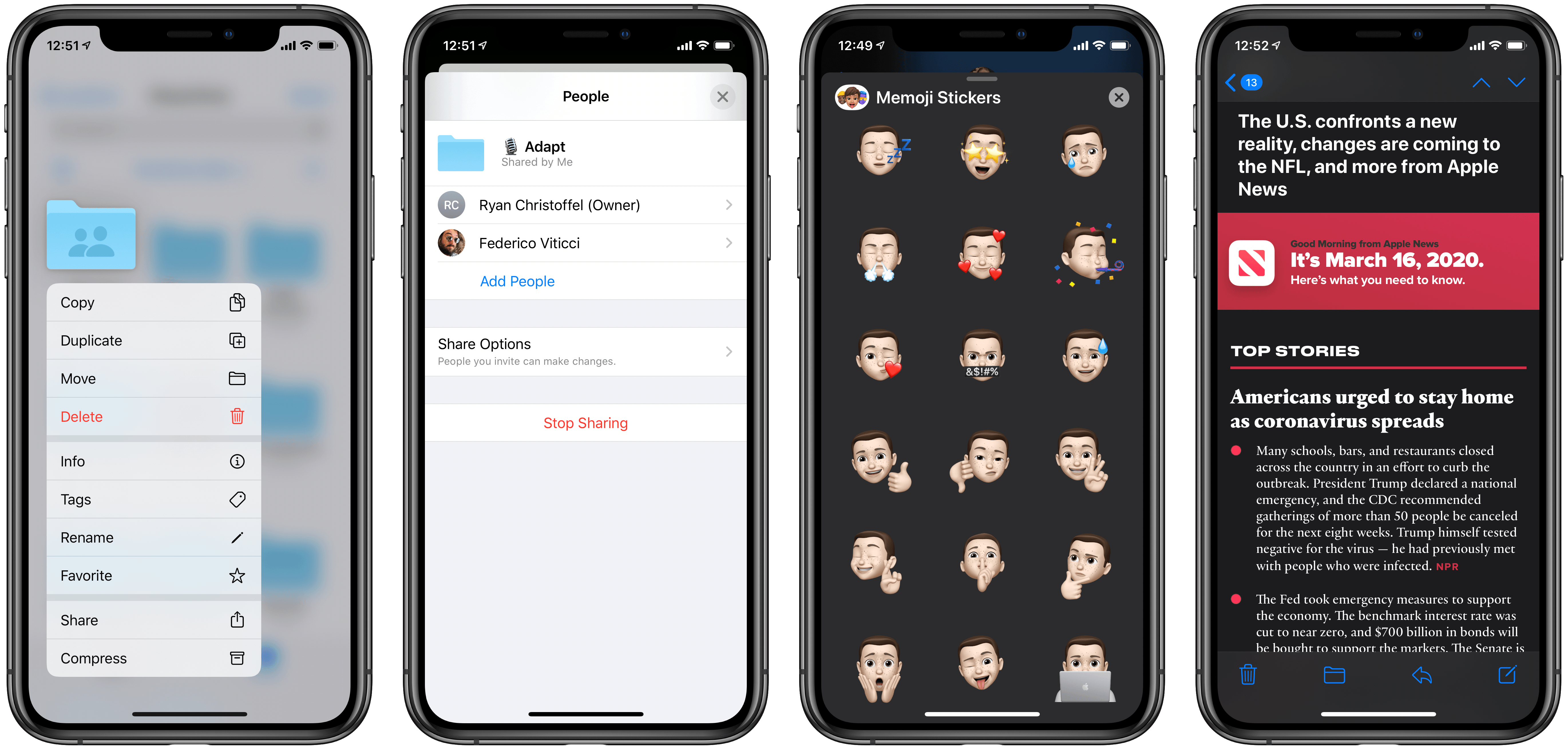
Today Apple released the latest updates for its suite of software platforms, most notable of which are iOS and iPadOS 13.4. Timed with the release of the latest iPad Pro models, the hallmark features include brand new systemwide support for mouse and trackpad on iPad, plus a handful of external keyboard enhancements. Shared folders for iCloud Drive is the other big addition – first announced at WWDC last June then delayed out of the initial 13.0 release, iCloud users may finally be able to consider reducing their Dropbox dependency. Beyond those highlights, Apple has also included smaller OS tweaks in a variety of areas.
2020 iPad Pro Review Roundup
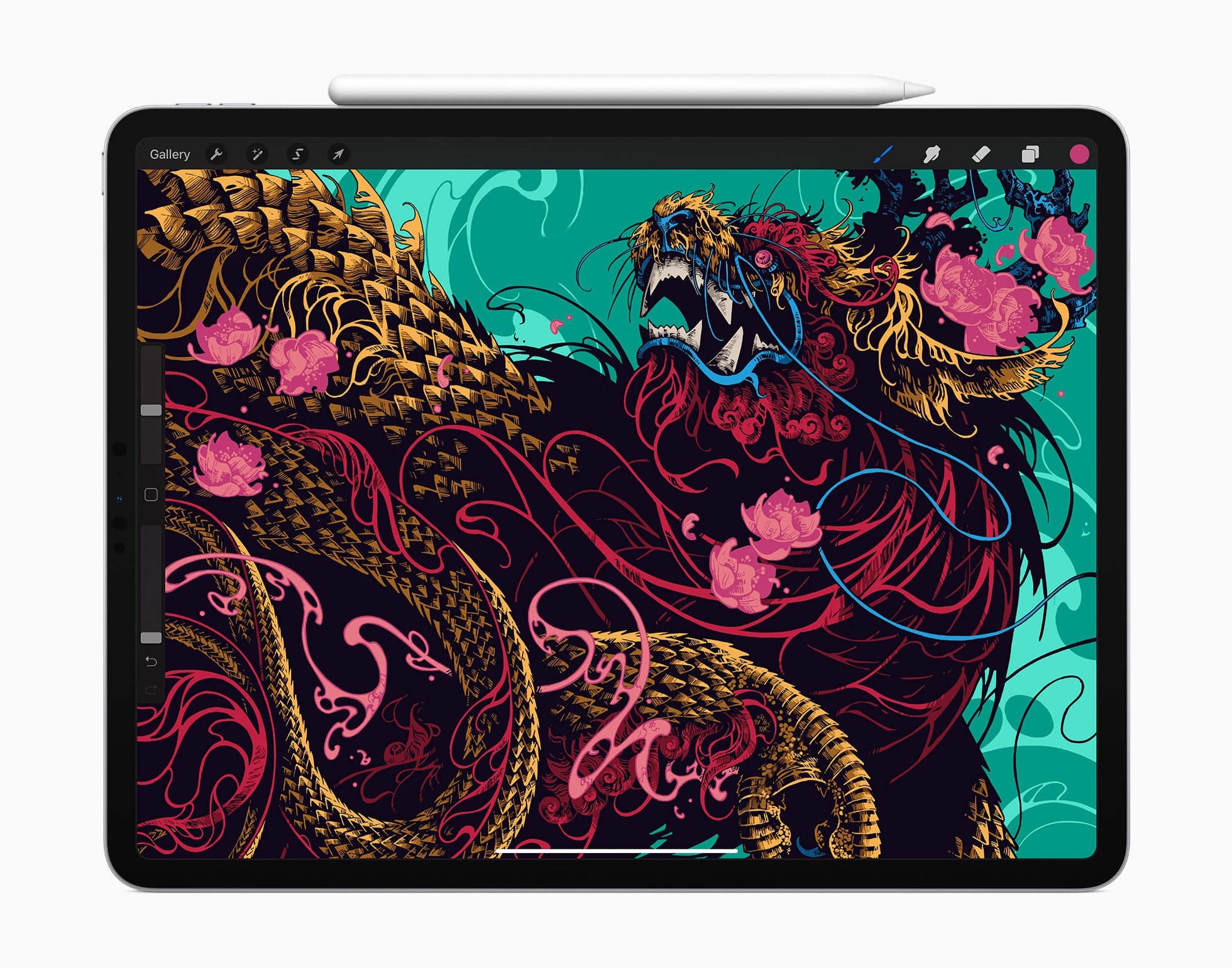
Ahead of its release Wednesday, the first reviews for the latest iPad Pro models went live today. Apple’s marketing for the new device has centered around its forthcoming accessory, the Magic Keyboard. Unfortunately, reviewers didn’t receive an advance version of the Magic Keyboard for testing, so the reviews have to focus on what’s available today.
The general consensus is that while the 2020 iPad Pro is a fantastic device in many ways, it doesn’t offer much improvement over the 2018 models.