Apple Refreshes the 13-inch MacBook Pro with a New Keyboard, More Storage, and Updated Processors and RAM

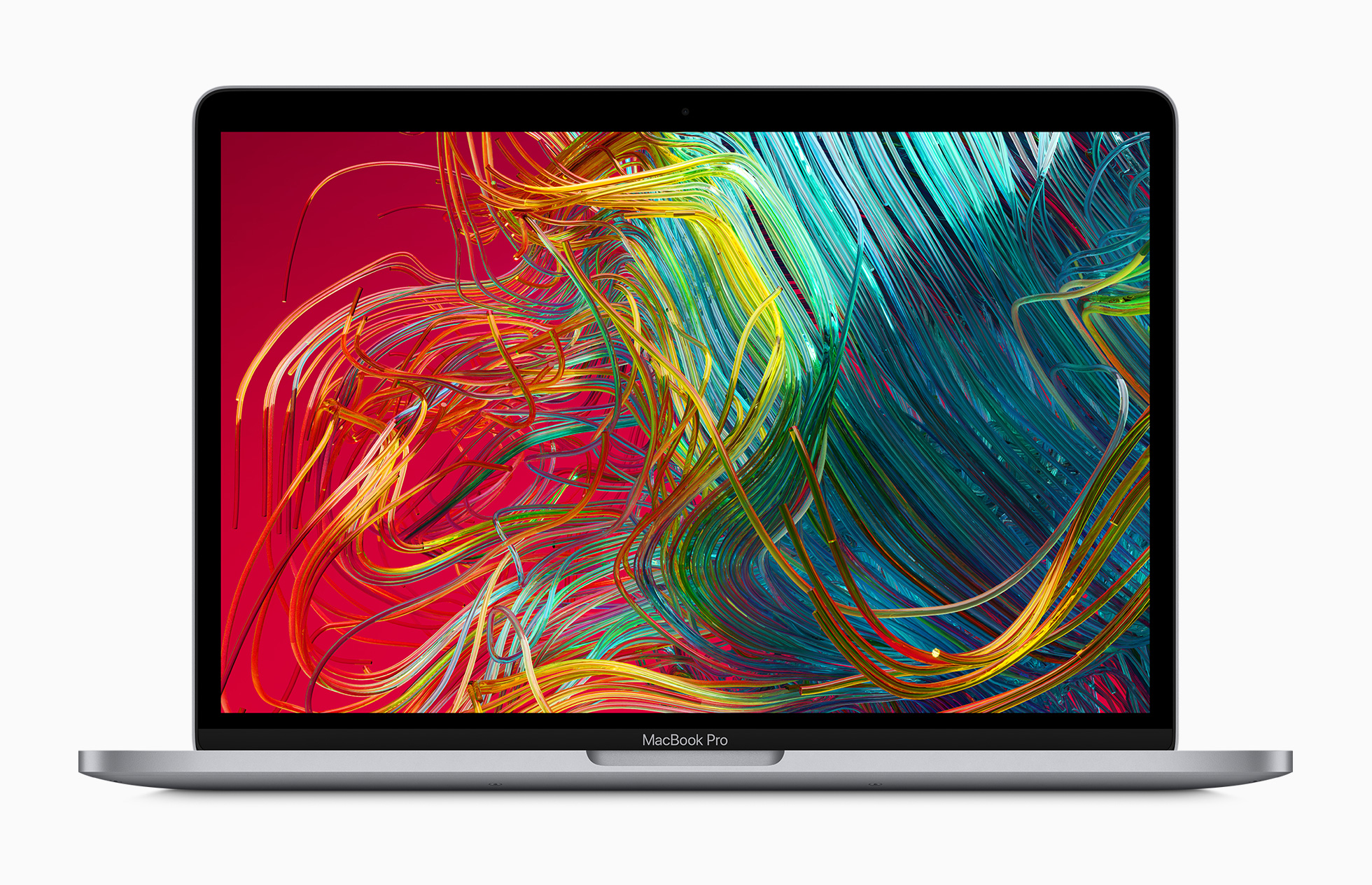
Apple has updated the 13-inch MacBook Pro with a redesigned keyboard, more storage, and updated processors and RAM. The new model replaces the existing 13-inch MacBook Pro and starts at $1299 like its predecessor and is available in the education market beginning at $1199.

In a press release, the company said:

Apple today updated the 13-inch MacBook Pro with the new Magic Keyboard for the best typing experience ever on a Mac notebook and doubled the storage across all standard configurations, delivering even more value to the most popular MacBook Pro. The new lineup also offers 10th-generation processors for up to 80 percent faster graphics performance1 and makes 16GB of faster 3733MHz memory standard on select configurations. With powerful quad-core processors, the brilliant 13-inch Retina display, Touch Bar and Touch ID, immersive stereo speakers, all-day battery life, and the power of macOS, all in an incredibly portable design, the new 13-inch MacBook Pro is available to order today, starting at $1,299, and $1,199 for education.

The new MacBook Pro comes in new CPU configurations and improved graphics capabilities. According to Apple:

The 13-inch MacBook Pro lineup now offers up to 10th-generation quad-core Intel Core processors with Turbo Boost speeds of up to 4.1GHz. Customers who are upgrading from a 13-inch MacBook Pro with a dual-core processor will see up to 2.8 times faster performance. The integrated Intel Iris Plus Graphics deliver up to 80 percent faster performance over the previous generation 13-inch MacBook Pro for 4K video editing, faster rendering, and smoother gameplay. The new graphics also enable users to connect to Pro Display XDR at full 6K resolution.

The MacBook Pros that today’s machines replace had base configurations with a 1.4GHz quad‑core Intel Core i5 and 2.4GHz quad‑core Intel Core i5, both of which supported Turbo Boost and had 128MB of eDRAM.
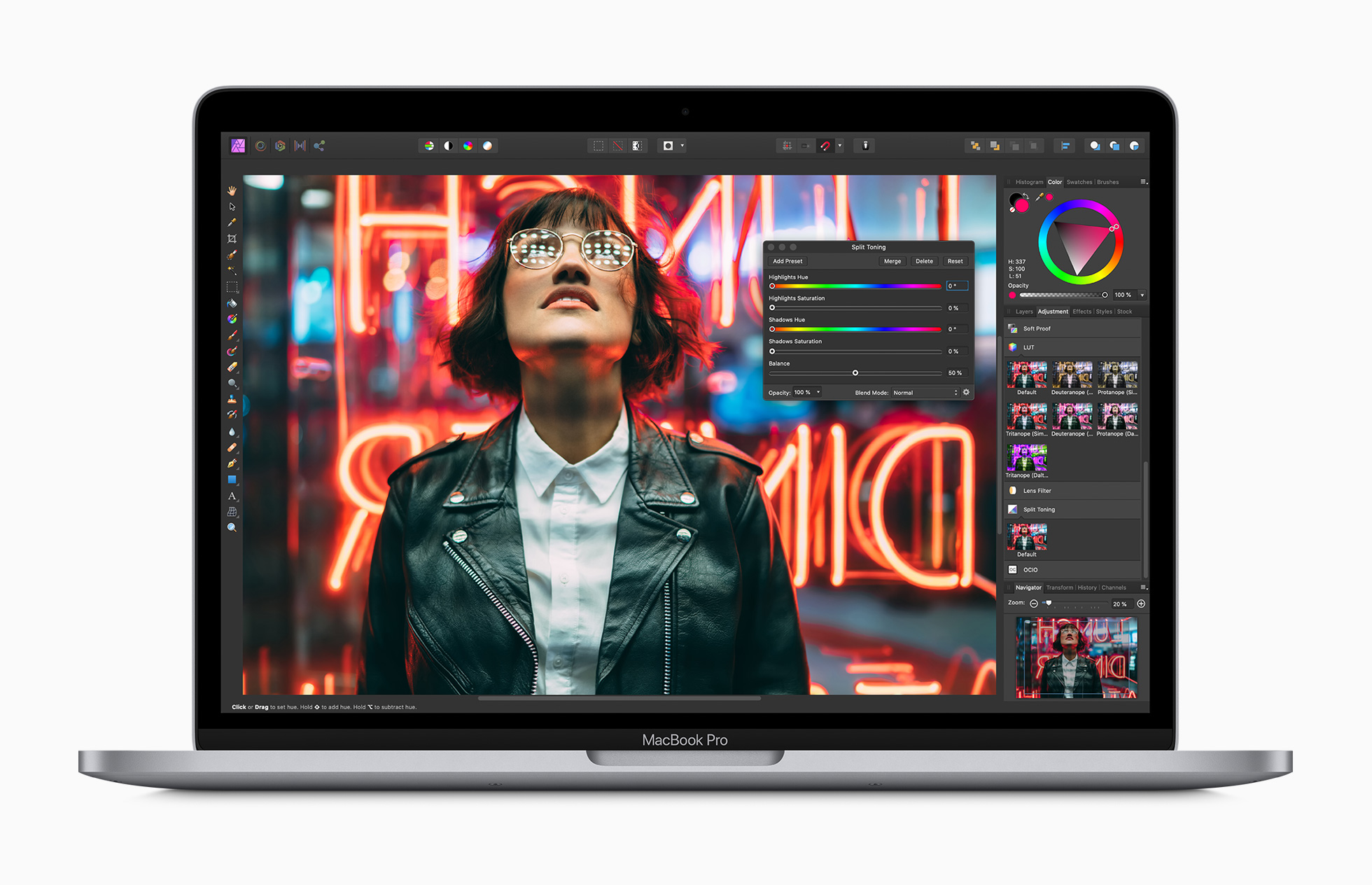
Source: Apple.

Source: Apple.

Like its predecessor, the new MacBook Pro has a 13.3-inch diagonal display that uses IPS technology that supports 2560‑by‑1600 native resolution at 227 pixels per inch. The display also supports P3 wide color, Apple True Tone technology, and 500 nits of brightness.

The new model follows in the footsteps of the 16-inch model with a new keyboard too. In addition to using a scissor mechanism like its 16-inch sibling, the new 13-inch model also includes an inverted-T arrow key layout and a physical Escape key.
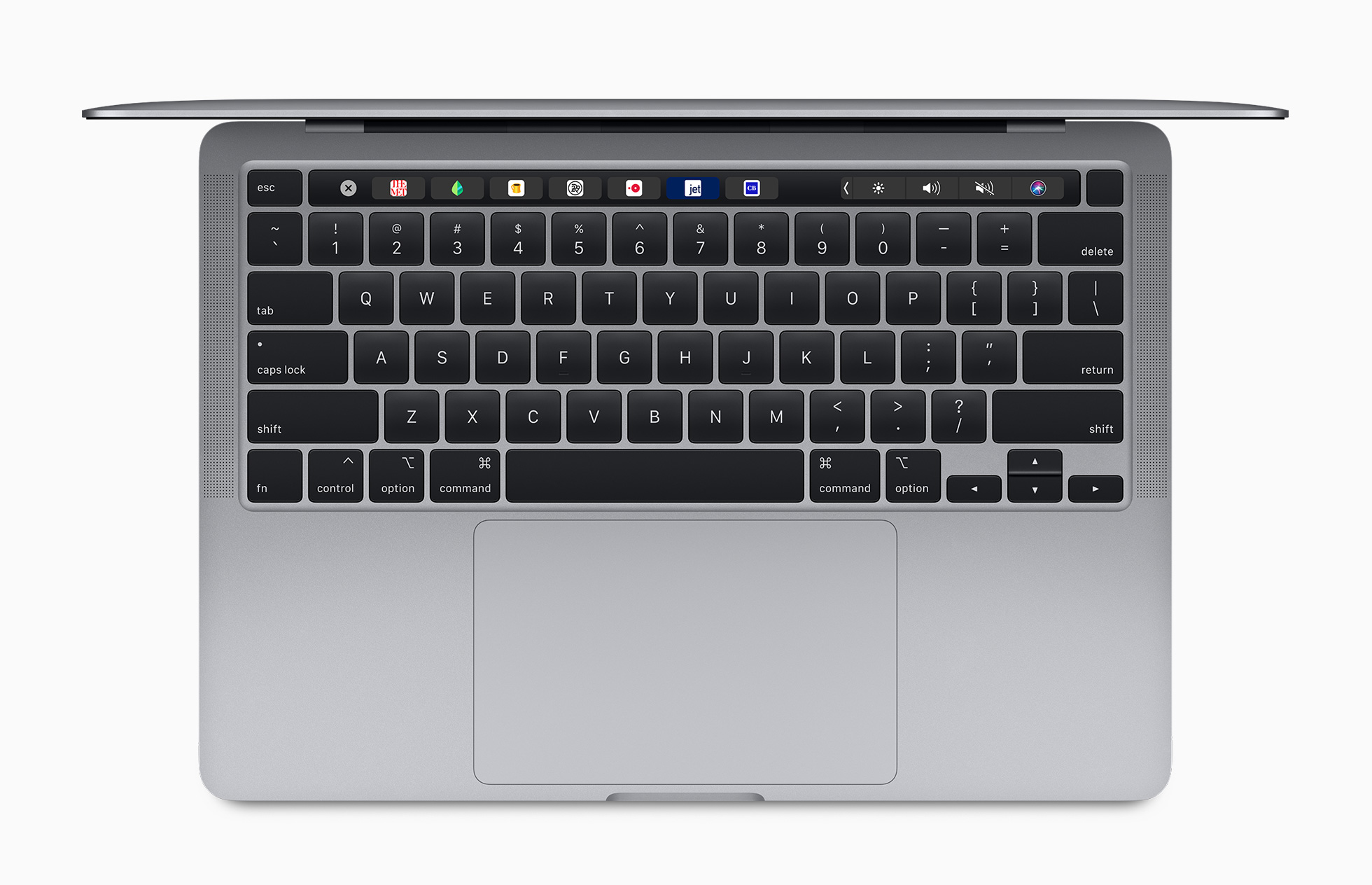
Source: Apple.

Source: Apple.

Storage has been doubled across all configurations, starting at 256GB and offering up to a 4TB SSD. RAM is faster too. Some base-models of the updated laptop start at 16GB of 3733MHz memory, which can be upgraded to as much as 32GB.

As for ports, the new MacBook Pro hasn’t changed. The computer has two or four Thunderbolt 3 ports that also support USB-C 3.1 Gen 2 depending on which model you buy, plus a headphone jack. The speakers and microphone array appear to have been upgraded to something similar to the 16-inch model too.

Also, weight and battery life remain nearly identical. The new MacBook Pro weighs a slightly heavier 3.1 pounds compared to the model it replaces which was 3.01 pounds. Regarding the battery, Apple says users can expect similar performance compared to the models that the new laptops replace.

It’s nice to see the 13-inch MacBook Pro updated in line with what we saw when the larger model was updated last November. The keyboard update is especially welcome. I’ve been using a 2016 13-inch MacBook Pro and the keyboard has been a constant source of frustration. With this update, I expect Apple’s most portable pro laptop to serve users that need its power well.
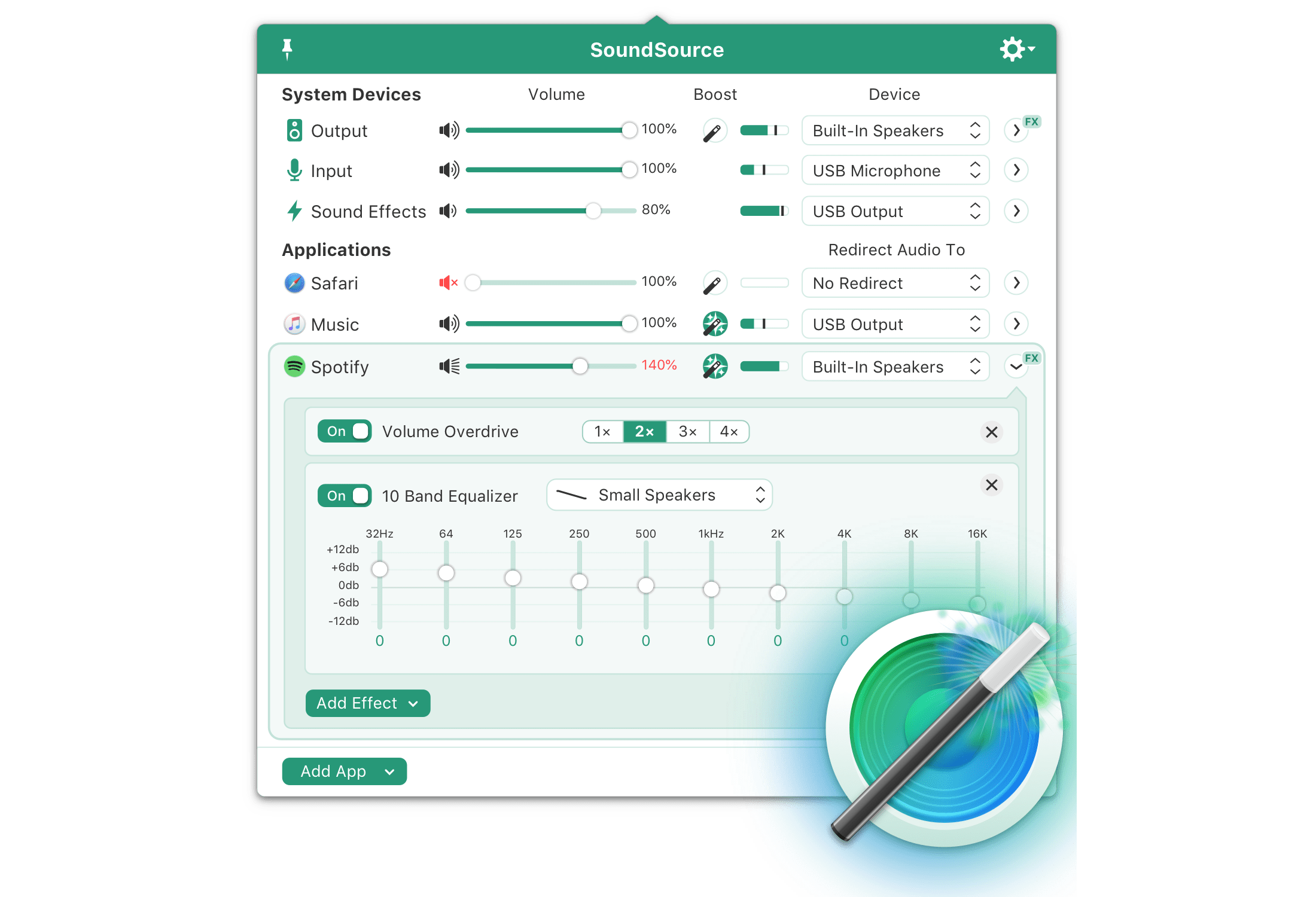


SoundSource: Superior Sound Control from Rogue Amoeba [Sponsor]

SoundSource from Rogue Amoeba puts fine-tuned sound control at your fingertips whenever you’re using your Mac. The app sits within easy reach in the menu bar, ready to tweak the inputs and outputs of system sounds and even individual apps. Plus, SoundSource includes an equalizer, single-click volume Boost, and preset effects to tailor the sounds to your tastes and setup.

The power of SoundSource starts with the control it provides over both system and app-level sound. That allows you to do things like set the volume of macOS sound effects independent of the music you’re listening to over connected speakers. That way, if you were recently listening to loud music, you won’t be startled by loud system effects ever again.

System sound settings can be overridden on a per-application basis too. For example, you can ensure that sound from a Skype call or Zoom video conference is always routed through the headphones connected to your Mac instead of your speakers. You can also set the volume on a per-app basis, add audio effect presets like Spoken Word for FaceTime or Skype calls or Rock for music, and even use Audio Unit effects.

Another great feature is Super Volume. It gives you control over HDMI or DisplayPort-connected audio devices that macOS doesn’t. The functionality is perfect for speakers and soundbars connected to displays.

The Mac’s one-size-fits-all approach to sound isn’t sufficient in a computing world where audio is part of so many different apps and workflows. Visit Rogue Amoeba today to learn more about SoundSource, download a free trial, and through May 15, 2020, save 20% when you purchase SoundSource by using the promo code MS2020.

Our thanks to SoundSource by Rogue Amoeba for sponsoring MacStories this week.


MacStories Unwind – The Week of April 27, 2020

AppStories+ Deeper into the world of apps
0:00
30:40

AppStories+ Deeper into the world of apps


This week on MacStories Unwind:

MacStories

AppStories

Club MacStories

  • MacStories Weekly
    • Mac Utilities Grab Bag Vol. 2
    • Shortcut Essentials
      • Adding Tasks to OmniFocus’ Inbox with Intelligent Cleanup Reminders by Federico
      • Amazon to Deliveries by John
    • MacStories Interview with John Brayton, the developer of Unread
  • Monthly Log for April 2020

Unwind


Apple Q2 2020 Results - $58.3 Billion Revenue 

Apple has just published its financial results for Q2 2020. The company posted revenue of $58.3 billion. Apple CEO Tim Cook said:

“Despite COVID-19’s unprecedented global impact, we’re proud to report that Apple grew for the quarter, driven by an all-time record in Services and a quarterly record for Wearables,” said Tim Cook, Apple’s CEO. “In this difficult environment, our users are depending on Apple products in renewed ways to stay connected, informed, creative, and productive. We feel motivated and inspired to not only keep meeting these needs in innovative ways, but to continue giving back to support the global response, from the tens of millions of face masks and custom-built face shields we’ve sent to medical professionals around the world, to the millions we’ve donated to organizations like Global Citizen and America’s Food Fund.”

Estimates and Expectations for Q2 2020 and the Year-Ago Quarter (Q2 2019)

Apple’s revenue guidance for Q2 2020 originally fell between $63.0 billion and $67.0 billion, with gross margin estimated to be between 38.0% and 39.0%, but in a press release issued on February 17, 2020, the company said it expected to miss that guidance due to iPhone supply constraints and lower demand in China resulting from the COVID-19 pandemic.

Going into today’s earnings call, Barron’s said:

The current Wall Street analyst consensus revenue forecast is $54.6 billion, but the estimates vary dramatically, with the low end of the Street range at $45.6 billion. The consensus profit forecast is $2.27 a share, but again, the range is wide, with estimates running from $1.73 to $2.73 a share.

In the year-ago quarter (Q2 2019), Apple earned $58 billion in revenue.

Graphical Visualization

After the break, we’ve compiled a graphical visualization of Apple’s Q1 2020 financial results.

Read more


iOS and iPadOS 13.5 Betas Released with COVID-19 Exposure Notification Tools and Face ID Skipping Feature

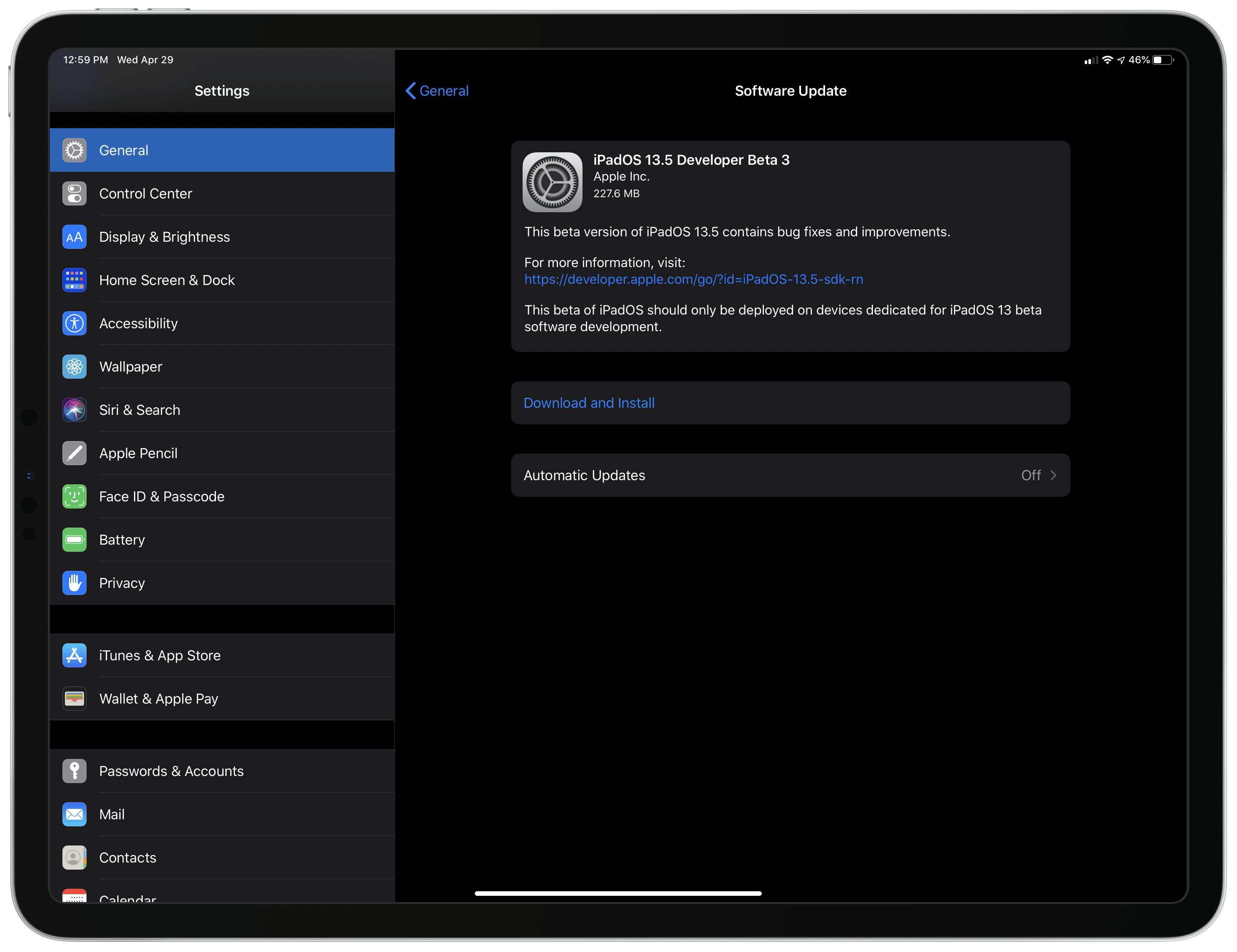
Apple has released version 13.5 Developer Beta 3 for iOS and iPadOS, which includes the COVID-19 exposure notification API that it is developing with Google. A beta of Xcode 11.5 was released alongside the OSes too.

According to a story published by Mark Gurman of Bloomberg:

The tool set is a combination of software updates for iOS and Android, and software development kits to help developers build and test their apps. Apple released an early beta version of its software update that incorporates the technology, iOS 13.5, while Google is rolling out an update via its Google Play app store.

The first phase of the system will let health agencies build apps that allow a person who tests positive for Covid-19 to input their diagnosis. The system will then use Bluetooth technology to learn who the person has come into contact with and then notify those people of a possible exposure.

Additional details and sample code are set to be released by Apple and Google on Friday.

As reported by 9to5Mac, the update to iOS and iPadOS also adds a change to Face ID that detects if you are wearing a face mask, skipping directly to the screen for entering your passcode. It’s a small but useful change that will hopefully help prevent iPhone owners from pulling down face masks in public to unlock their devices.


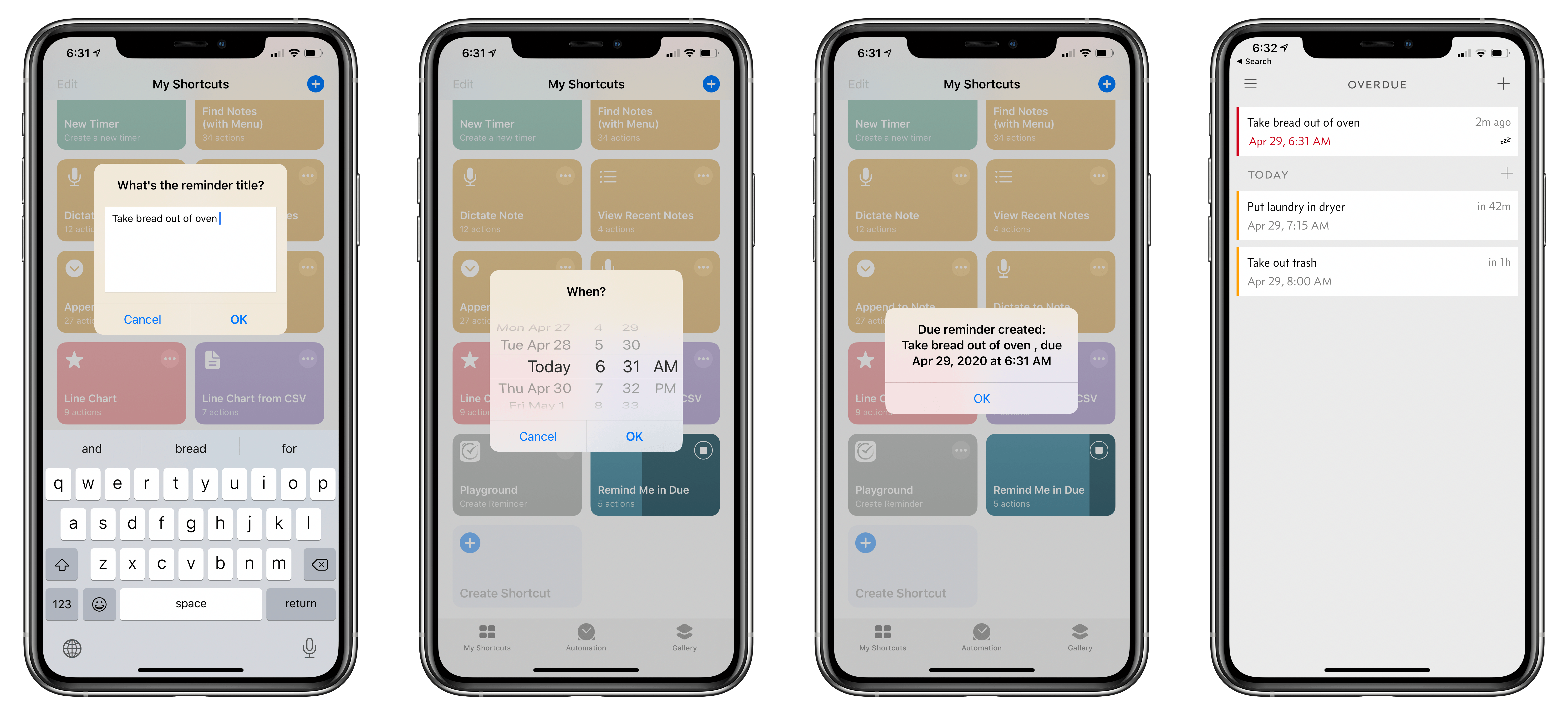
Due Adds Modern Shortcuts Support with New Reminder Creation Parameters

At some point, I think everyone who manages their work and personal lives in a task manager runs into a clutter problem. With everything from reminders to move my laundry from the washer to the dryer to another to publish our latest MacStories project, it often feels like my list of tasks never gets shorter.

If you’ve ever experienced that feeling yourself, or just want a lightweight way to quickly manage your life, Due is a fantastic option that Federico and I have both covered since it first debuted in the earliest days of the App Store. What I like so much about Due is that by moving short-term, smaller tasks out of my main task manager to it, my primary task manager becomes more focused and easier to use. It’s also so simple to add reminders and timers to Due that I’m far more likely to use the app for ephemeral to-dos, reducing day-to-day mental overhead.

The core functionality of Due has remained the same since Federico’s review of version 2.0 and my review of version 3.0, which are great places to start if you’re unfamiliar with the app. What I said in my review of 3.0 is as true today as ever:

Due is a pro-user implementation of reminders and timers. The app has one of the best quick-entry UIs I’ve used in an app. Picking dates and times is a clunky, laborious process in most apps, but Due gets it right making it simple to add a date and time to a reminder with a combination of natural language recognition and a unique date and time grid.

With today’s release of version 20.5 of Due, the app adds updated Shortcuts support complete with actions with parameters, which I expect will make Due an integral component of many users’ shortcuts. The app’s numbering scheme changed earlier this year, too, jumping from version 3 to 20 to indicate the release year.

Read more


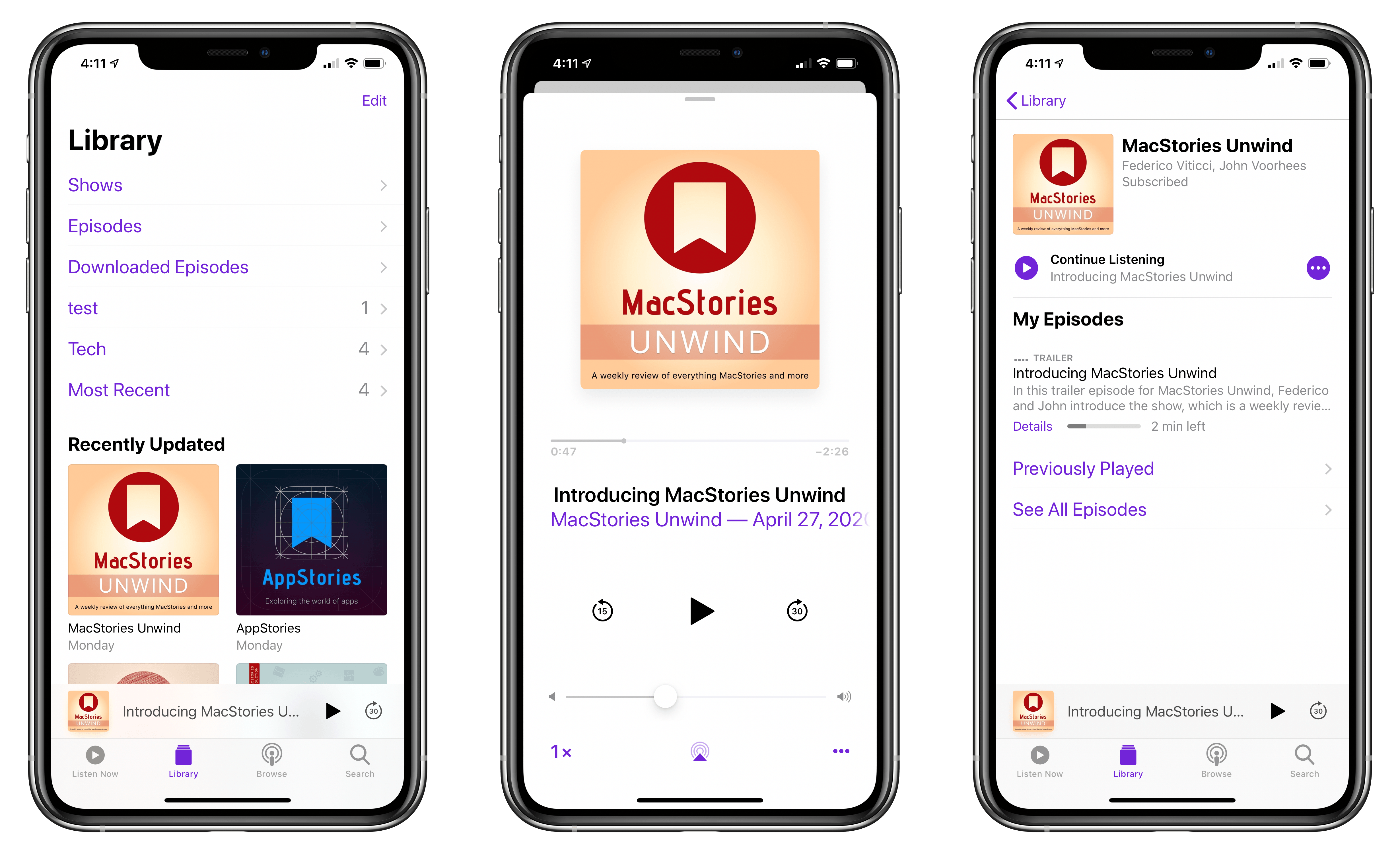
Introducing MacStories Unwind: A Weekly Podcast Review of Everything MacStories and More

We’re excited to announce Unwind, a new MacStories podcast recapping everything happening at MacStories and more. Every Friday, the new show will run down the stories, reviews, and other posts published on MacStories, the topics covered on AppStories, and what’s new with Club MacStories, plus a couple of media picks for unwinding over the weekend.

You can subscribe to Unwind in all the usual places using the buttons below and listen to the trailer introducing the show right here:

AppStories+ Deeper into the world of apps
0:00
3:13

MacStories Unwind Trailer

AppStories+ Deeper into the world of apps

Unwind

We publish a lot every week between the site, our podcasts, and the Club, and we know that sometimes it can be hard to keep up. With Unwind, you’ll get a short, fun guide to everything going on at MacStories, along with links, so it’s easy to jump to what interests you most.

Each week, we’ll also highlight the media we’re enjoying when we take time to unwind ourselves. Every episode will feature a couple of picks including the movies, TV shows, albums, books, articles, and video games we love. Especially with so many readers and listeners stuck at home, now felt like the perfect time to share more of how we spend our downtime.

Of course, we have a new page dedicated to Unwind on MacStories, and you can always access the full catalog of episodes at MacStories.net/tag/unwind.

Helping MacStories’ Sponsors During Uncertain Times

Sponsorships are a big part of what allows us to continue to produce MacStories and each of its properties. We’re fortunate to work with top-notch companies that make terrific products that we’re delighted to promote to readers and listeners.

We plan to offer Unwind as a separately-sponsored podcast like AppStories eventually. However, as we developed Unwind, it didn’t feel appropriate to ask companies already facing uncertainty from the COVID-19 pandemic to take a chance on a new show too. So, for the time being, Unwind will be part of the MacStories homepage sponsorship at no additional cost. Our hope is that including Unwind will help the companies that have been so good to MacStories over the years by providing them with additional exposure.


Working with sponsors to promote products to our readers and listeners in a manner that doesn’t ruin the reading or listening experience and allows us to continue to produce the content you love and the quality you expect has always been of utmost importance to us. To the sponsors with whom we’ve worked in the past and will work with in the future, we hope Unwind adds some value to a MacStories sponsorship that helps make these uncertain times a little less difficult. To our readers and listeners, we hope you enjoy the new show.

– Federico and John