Downie: Easily Download Videos From YouTube and Thousands of Different Sites [Sponsor]

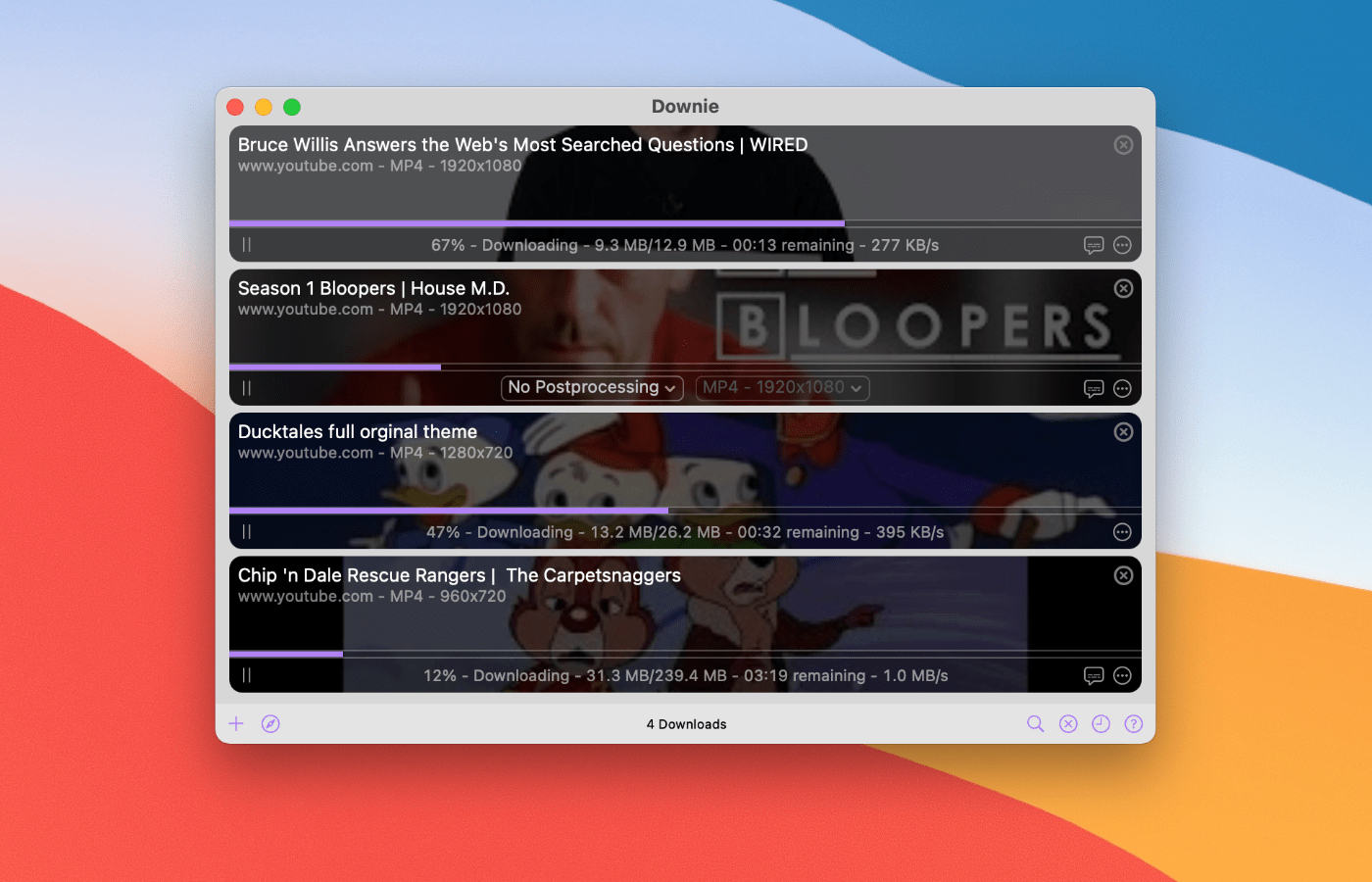
Downie for Mac is a simple yet powerful app that allows you to save content from YouTube, Youku, Bilibili, QQ, Facebook, TikTok, Instagram, Vimeo, and thousands of other sites. Just click on a button in your browser’s toolbar, and Downie will start downloading the content.

Downie can also be set up to extract just the audio, which is ideal for downloading podcasts and other audio material that you listen to when traveling or just commuting.

By default, Downie will take care of most of the workflow for you, selecting the best quality available, sorting downloads by the site they originate from, sorting downloads by playlists, converting the downloaded files into commonly used formats if needed (MP4, MP3), setting the metadata, and more.

But if you are a power user, you will be delighted to know that Downie also has even more powerful features, such as Permute integration, CSV import, an automated mode for uninterrupted downloads while you are not at the computer (or if you run Downie on a server), custom post-processing scripts, custom site integrations via JavaScript, saving extracted metadata into a separate JSON file, and so much more.

Using Transloader by Matthias Gansrigler from Eternal Storms Software, you can also send links from your iOS device to Downie on your Mac.

For a limited time only, MacStories readers can buy Downie with a 25% discount by using on this link or manually entering the discount coupon “MACSTORIES2021” during checkout.

This discount can also be used for the already-discounted Downie + Permute bundle. See Downie’s webpage for more information.

Our thanks to Downie for sponsoring MacStories this week.


MacStories Unwind: macOS Monterey and iOS and iPadOS 15.1 Are Here, Plus Shortcuts for Mac, and a MacBook Pro Review

AppStories+ Deeper into the world of apps
0:00
26:53

AppStories+ Deeper into the world of apps


Sponsored by: Daylite – It’s Monterey Ready!

This week on MacStories Unwind:

MacStories

Club MacStories

  • MacStories Weekly
    • A collection of John’s favorite XL widgets
    • Federico on the gap between Apple system apps and their Shortcuts actions
    • An all-new MacStories Unplugged that take a behind-the-scenes look at the making of John’s macOS Monterey review.

AppStories

Unwind


Austin Mann on the M1 MacBook Pros

Pro photographer Austin Mann has been testing a new MacBook Pro M1 Max with 64GB RAM and an 8TB SSD in Arizona. As always, his review includes beautiful images that required substantial computer power to create. After running the highest-end version of the MacBook Pro through its paces, Mann came away impressed by the laptop’s fast charging and power efficiency, as well as its overall performance:

In summary, the most impressive performance from the new MacBook Pro M1 Max wasn’t just speed (it was about twice as fast), but it was insanely efficient in how it managed both its power and heat, which matters as much or more than pure speed.

Mann’s review does an excellent job capturing how the new MacBook Pros work as a package. It’s not just that they are power efficient or fast, but the combination of multiple advances that has enabled such a substantial leap forward over previous models.

Permalink

Shortcuts for Mac: 27 of Our Favorite Third-Party Integrations

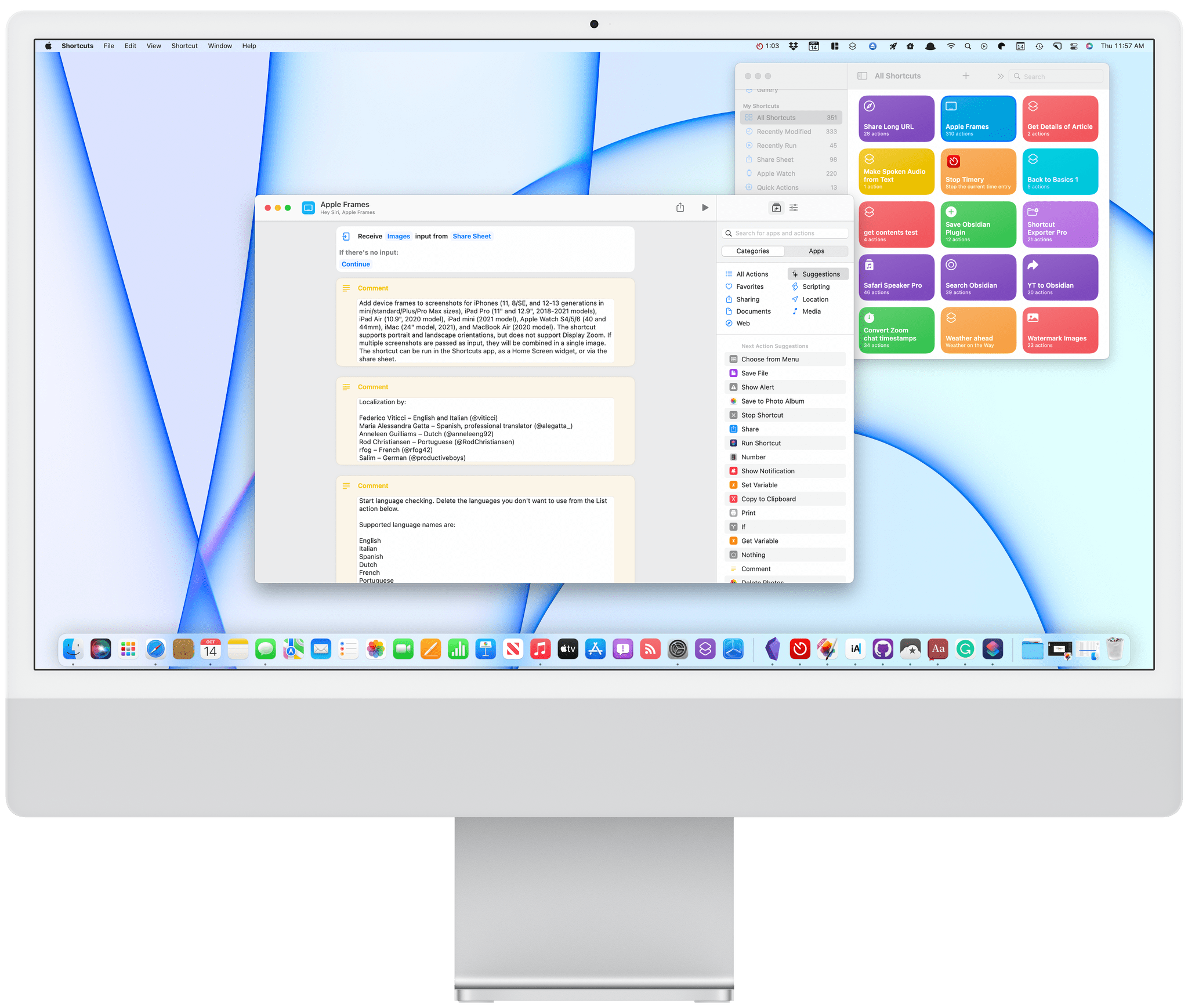
One of the strengths of Shortcuts on the Mac is that it isn’t limited by the way an app is built. That’s reflected in the first wave of apps I’ve tried that support Shortcuts. There’s an excellent mix of apps built with everything from AppKit and Mac Catalyst, as well as apps available on and off the Mac App Store.

As I explained in my Monterey review, Shortcuts is still rough around the edges, but that’s not to say its unusable. If you go into it with reasonable expectations, start off simple, and are patient, there’s a lot that can be accomplished. That’s especially true now because there is a long list of third-party apps that have added support for Shortcuts on the Mac. Apple added a lot of built-in system actions that it brought over from Automator, with which you can build some interesting shortcuts, but the diversity of options has grown exponentially with the release of updated third-party apps.

To get you started, I’ve rounded up some of the most interesting Shortcuts integrations I’ve found so far. Some of these will be familiar if you’ve used these apps’ counterparts on the iPhone or iPad, but many are brand new to any platform, while others are Mac-exclusive. It’s early days for Shortcuts on the Mac, and I’m sure we’ll see even more of our favorite apps jump on board, which we’ll continue to cover here and for Club MacStories members.

Task Managers

Things:

Things.

Things.

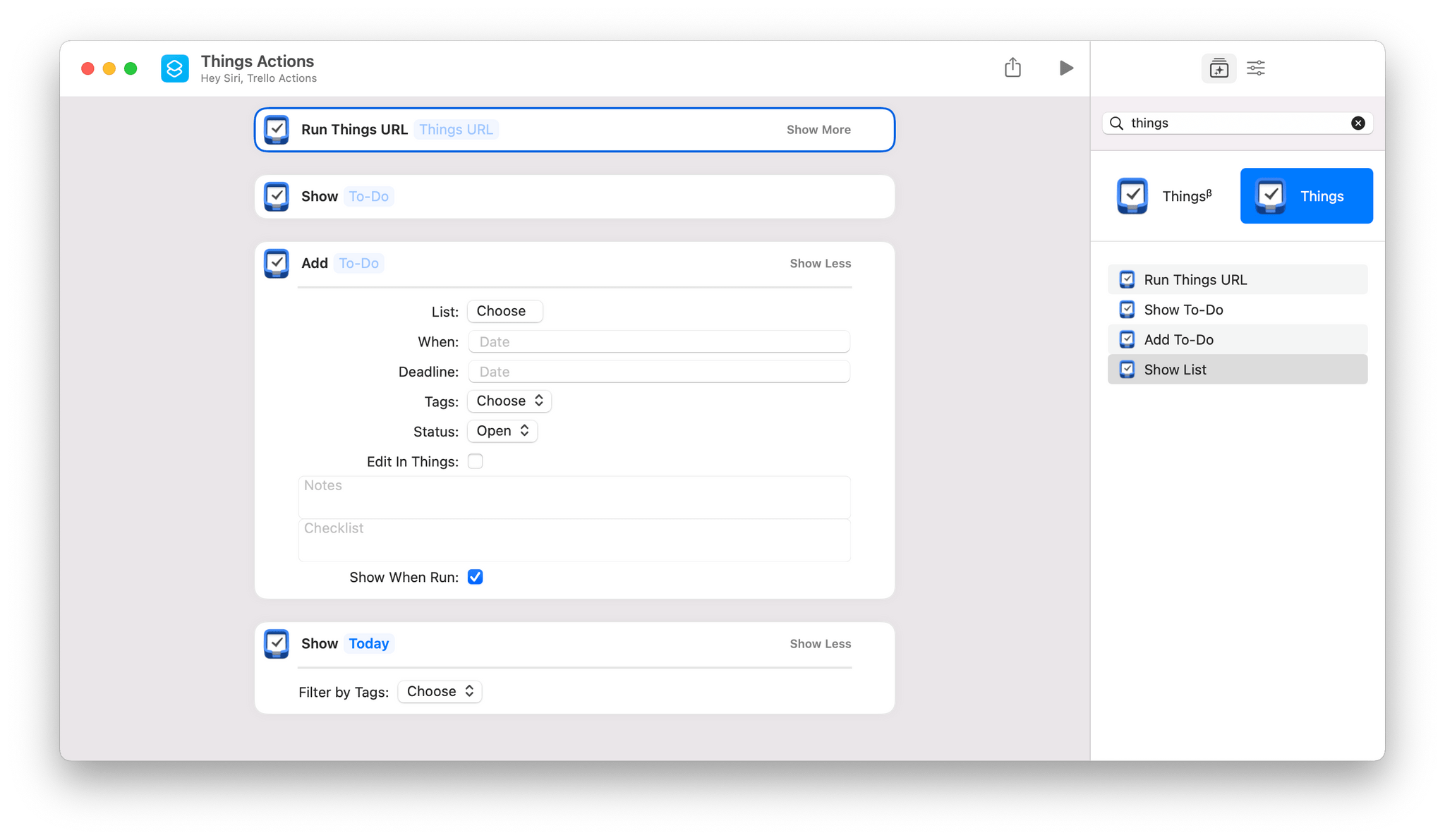
Things offers the same set of four Shortcuts actions that you’ll find on iOS and iPadOS:

  • Add To-Do
  • Run Things URL
  • Show List
  • Show To-Do

The two most notable actions are Add To-Do and Run Things URL. Add To-Do includes parameters to add a task to a particular list, with a start date and deadline, tags, a status, notes, and a checklist. There’s also a toggle to open the task in Things to process it further in-app.

Run Things URL is a fantastic power-user action that takes advantage of Things’ URL scheme, which the action runs in the background. Things’ support website has one of the best explanations of its URL scheme of any app I’ve used, allowing you to fill in a web form to construct the URL you need.

Read more


AppStories, Episode 246 – macOS Monterey: The MacStories Review

This week on AppStories, we dive into John’s review of macOS Monterey and what it means for users and the future of the platform.

On AppStories+, John explains how he and Silvia helped James Thomson and Jason Snell pull off a prank on Relay FM’s Connected.


On AppStories+, John explains how he and Silvia helped James Thomson and Jason Snell pull off a prank on Relay FM’s Connected.

We deliver AppStories+ to subscribers with bonus content, ad-free, and at a high bitrate early every week.

To learn more about the benefits included with an AppStories+ subscription, visit our Plans page, or read the AppStories+ FAQ.

Permalink

Apple Releases iOS and iPadOS 15.1 with SharePlay, Safari for iPad Fixes, Shortcuts Improvements, and More

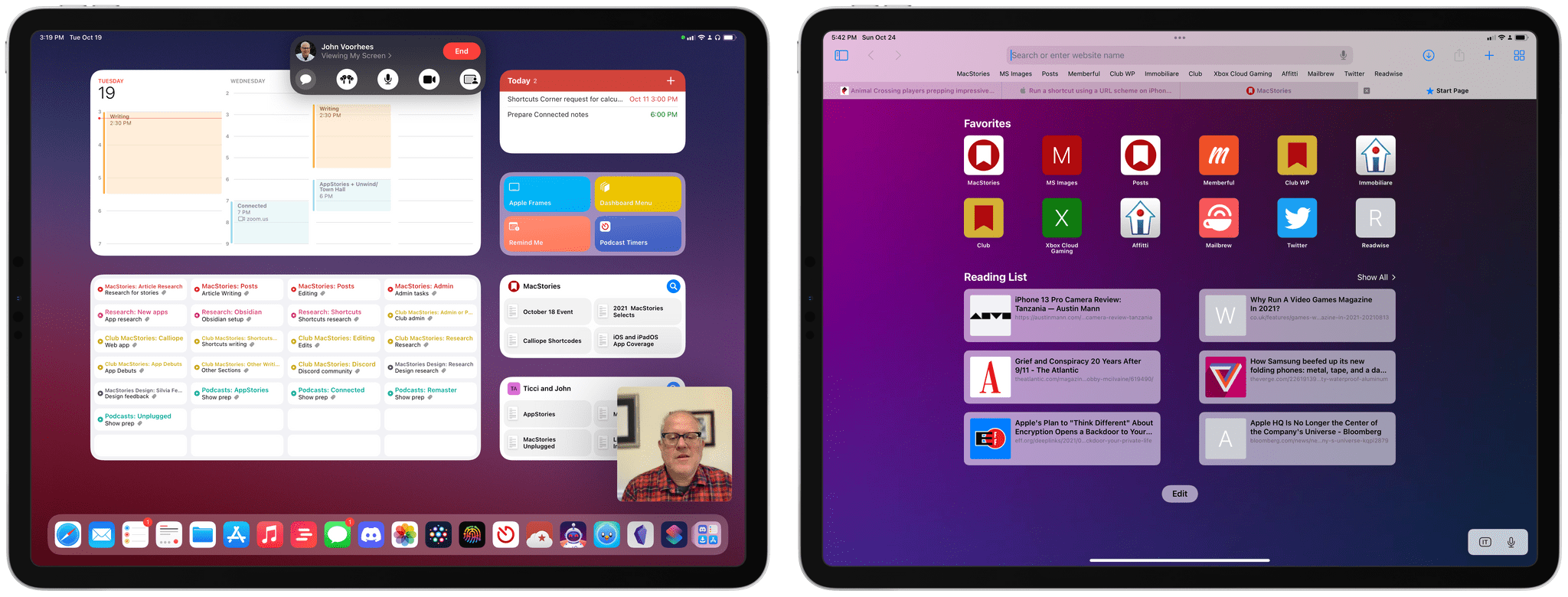
Screen sharing in FaceTime with SharePlay (left) and the updated Safari for iPad.

Screen sharing in FaceTime with SharePlay (left) and the updated Safari for iPad.

Alongside macOS Monterey, Apple today released iOS and iPadOS 15.1 – the first major updates to the operating systems introduced last month. Don’t expect a large collection of changes from this release, though: 15.1 mostly focuses on enabling SharePlay (which was announced at WWDC, then postponed to a later release a few months ago), rolling Safari back to a reasonable design, and bringing a few tweaks for the Camera app and spatial audio. Let’s take a look.

Read more


macOS Monterey: The MacStories Review

Conclusion

I have mixed feelings about macOS Monterey.

On the one hand, Apple has come a long way from 2018 to reposition macOS so that it’s in step with iOS and iPadOS. Many of the areas where macOS differed from Apple’s other OSes for historical rather than substantive reasons have been eliminated. I’m also a fan of most of the design changes ushered in with Big Sur last year.

On the other hand though, Shortcuts is a big disappointment. I’m all for the vision of a singular approach to automation across Apple platforms, but I’m concerned that too many people will be turned off by how frustrating Shortcuts can be to use. Still, I’m encouraged by the progress that has been made in the last couple of beta turns of Monterey. The app’s crashing has stopped and although the interface remains awkward in places, it’s improving. Even so, adoption by third-party developers has been more limited than I had hoped because of the issues with the app during the beta period, and despite the admirable addition of a long list of Automator actions, the beta cycle didn’t see much else added to the app.

That said, Shortcuts still has an incredible amount of potential to be the glue that holds together automation across the iPhone, iPad, and Mac. Some of that is possible now, but we’re still in the early stages. My hope for Shortcuts is that it continues to receive substantial improvements in point updates over the next year that fix issues but also introduces new actions. That’s certainly been something we’ve seen on iOS and iPadOS, so there’s no reason why it can’t also happen on the Mac. Waiting until the next major update to macOS would simply be too long.


When Apple revealed the first details of what would become Mac Catalyst in 2018, the Mac, its OS, and the Mac App Store felt out of step and sleepy compared to the iPhone or iPad. That’s not entirely surprising for a mature platform, but it also posed risks for the Mac, especially in a mobile-first computing world.

There are lots of good reasons for the Mac to be different from iPhones and iPads. The Mac is better suited to some tasks than an iPhone or iPad. The trouble in 2018 was that too many of the differences between macOS and Apple’s other computing platforms were the result of their development along separate paths using different tools.

Over the span of three updates, macOS has made incredible strides. It’s not surprising that not everything Apple has tried has worked. There’s still work to be done especially with young technologies like SwiftUI, which seems to be the root of at least some of Shortcuts’ problems. That doesn’t mean SwiftUI isn’t still the future for apps on Apple’s platforms – it just means the framework still needs time before it’s developed to the point where it’s the right solution for most apps.

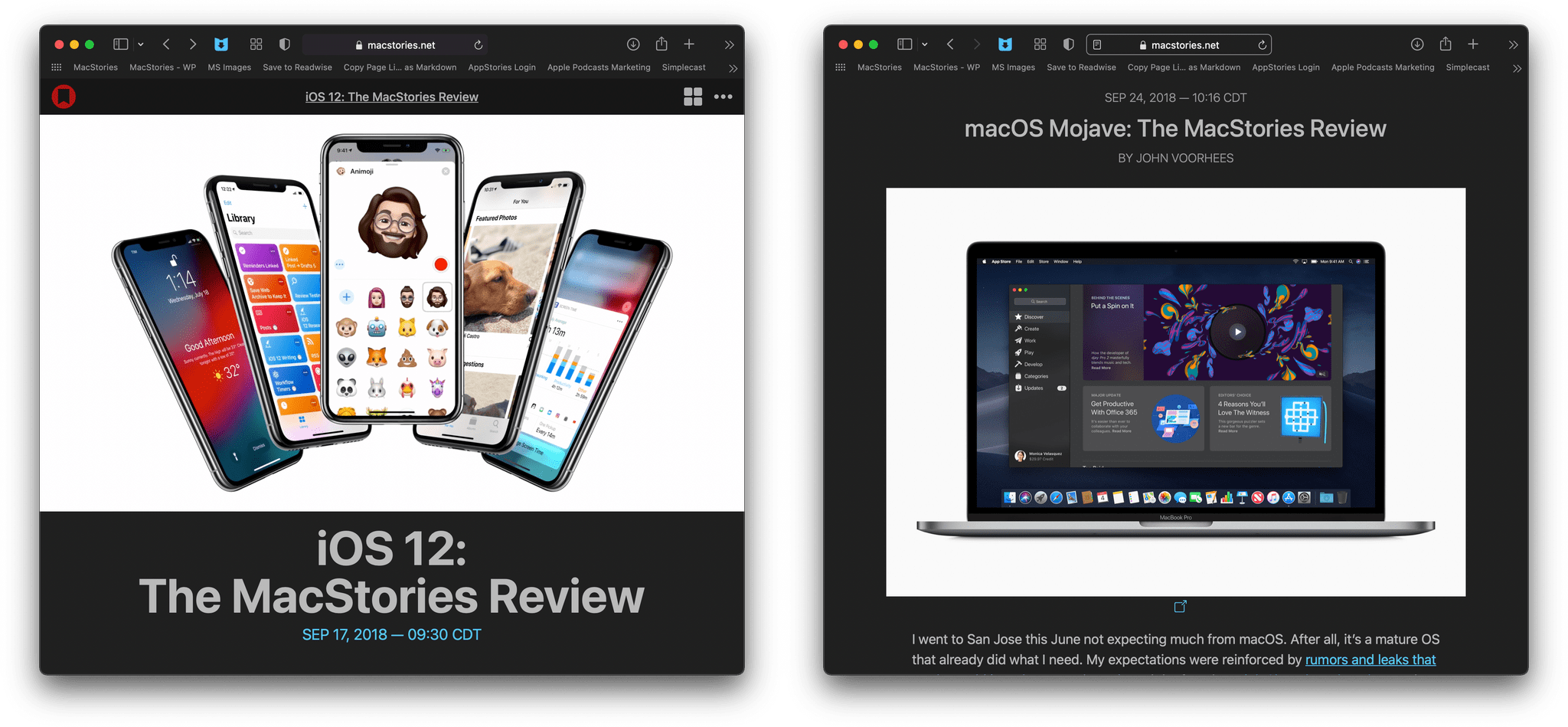
In 2018, there was virtually no overlap between our iOS and macOS reviews. Today, Apple's system apps are being developed in sync.

In 2018, there was virtually no overlap between our iOS and macOS reviews. Today, Apple’s system apps are being developed in sync.

What I hope, though, is that Apple listens to critiques of the past few years and spends 2022 addressing the places where macOS doesn’t yet live up to its promises. The Mac is on an exciting path and, I think, the right one. With the most powerful Apple silicon Macs on their way to customers for delivery tomorrow, the next year is a perfect time to refine macOS, correct course as needed, and further harmonize the integration of Apple’s OSes and hardware.

And while the remaining issues mean that it’s not possible to close the book on Apple’s realignment of its OSes quite yet, there’s a very simple indicator of just how far Apple has come. Look at the system apps Federico and I covered in 2018 in his review of iOS 12, compared to my macOS Mojave review, and then look at our reviews this year. In 2018, there was virtually no overlap because updates to an iOS app often took a year or more to come to the equivalent Mac app. This year, the overlap is striking, not just in the apps that have been updated but down to the individual features. It’s not that the platforms are merging: for the first time, they’re moving forward together.