This Week's Sponsor:

Halide

Unlock Your iPhone Camera


How To: Launch Login Items Via Applescript and Avoid Login Delays

I stumbled upon this cool trick on MacOSXHints yesterday, and I believe it’s amazing: basically, it lets you open all your login items via applescript instead of saving them into your account Preferences. Many people reported issues with login items in Snow Leopard - me too - so this is just perfect.

Fire up Applescript editor and type:

tell application “Notify” to launch

delay3

Obviously, you can replace Notify with the app you like, be sure to write it between the quotes. Then, simply repeat those two strings for all your login items.

Here’s mine:

tell application “ClipMenu” to launch

delay 3

tell application “Caffeine” to launch

delay 3

tell application “Cloud” to launch

delay 3

tell application “Notify” to launch

delay 3

tell application “FastScripts” to launch

delay 3

Delay3 is useful for preventing the applications to launch at the same time. You can replace to launch with to activate if you’d like to bring the app to front.

And last, you can save the script as an application bundle and add it to your login items. But if you have problems with your login items (as I said before) you can put the app in your dock, or in a stack. It’s up to you.
BetaKit - Helps You Prepare Your App Before App Store.

Link

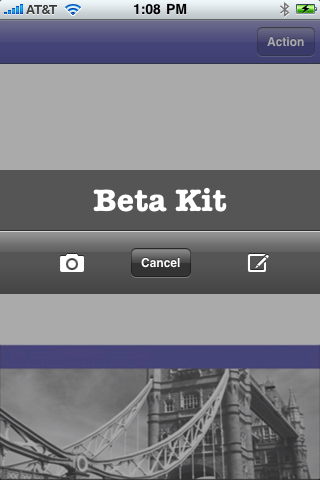
“The whole idea behind DemoKit and the bit I’m working on now, which is BetaKit, is a suite of developer libraries that help you prepare your application before app store. BetaKit, which I’m still writing consists of a floating invisible windows with buttons at the corners that let your beta testers send in screen shots, console logs, device details, feedback, etc. directly from within the application.

The idea is that you add this to any app you’re sending out for beta testing, allowing users to send you screen shots and feedback while they are using the app.”

If you’re a developer, or you simply beta test a lot of apps, you know how much this is important. The problem is, Apple completely ignores the “beta apps before the AppStore” scene.

The cool thing is, the make money with them later.


Parachute: Automated Backups the Easy Way

I’ve never used Time Machine.

Ok, this can sound crazy, but I never felt the need of goin’ through the whole Time Machine process to backup files I can manually backup when I want. But you know, everyone has his favorite tools, so the choice it’s up to you.

Anyway, I think developing a backup utility for Mac should be a very hard task: I mean, even if I don’t use Time Machine, the rest of the world seems to love it. For this reason, creating from scratch an application to backup your Mac files it’s definitely difficult: you have to create something unique and make people want it.

Today I’d like to talk about a beta application I discovered yesterday, Parachute.

Read more


Twitter Client Comes to Mac OS 9. Retroapps.

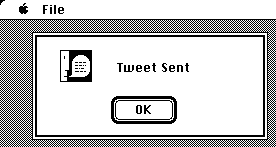
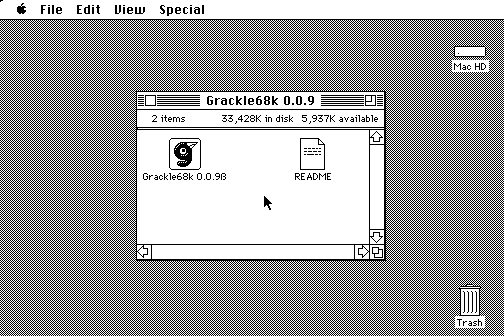
Grackle68k is a Twitter client which supports Mac OS 6 to Mac OS 9. Here are some screenshots:

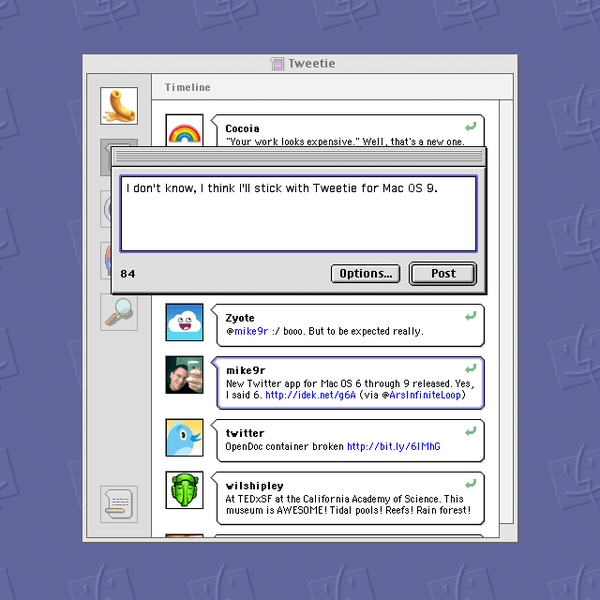
And here’s a mockup of Tweetie running on Mac OS 9:

I remember I heard of someone many years ago who was tryin’ to port Nintendo GC games to the old NES. They called him “crazy”.

Is this the beginning of retroapps?


MacRuby

Link

MacRuby is a version of Ruby 1.9, ported to run directly on top of Mac OS X core technologies such as the Objective-C common runtime and garbage collector, and the CoreFoundation framework. While still a work in progress, it is the goal of MacRuby to enable the creation of full-fledged Mac OS X applications which do not sacrifice performance in order to enjoy the benefits of using Ruby.

Hey developers, this seems interesting.


Camino 2.0 Available

Link

Firefox little brother for Mac, Camino, has finally reached version 2.0. There are many improvements, including a tab overview feature and a better Applescript support. I never used Camino for more than 2 hours, mostly beacuse it was just a little copy of its older brother.

I’m curious about this 2.0 update.

If you use Camino, be sure to check out these beautiful toolbar icons by Matthew Rex.


iTunes Pro

Link

“They can keep growing the free iTunes in other directions if they want to, such as the App Store, movies, etc. But for serious music lovers with an appetite for pro-level music library management software, there needs to be an alternative.”

Great post from Betalogue, though I believe Apple won’t release such a thing anytime soon.

The problem is, music library organising isn’t seen as “professional task” (it is for me, I’d pay for someone to organise my music library. God knows how many times I wished I had a well sorted iTunes while recording with my band) and for this reason Cupertino doesn’t think people would ever need a pro version of iTunes. More important, they don’t care about the fact that iTunes has many problems and needs serious fixes, so it’s not all about “more actions”.

It’s about more stability. And of course, a pro look.

I’d love to have my own music encyclopedia.