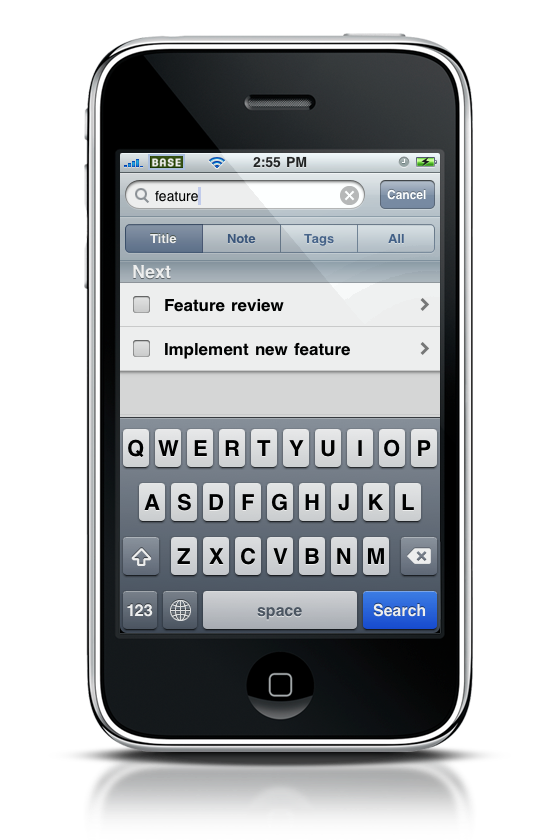
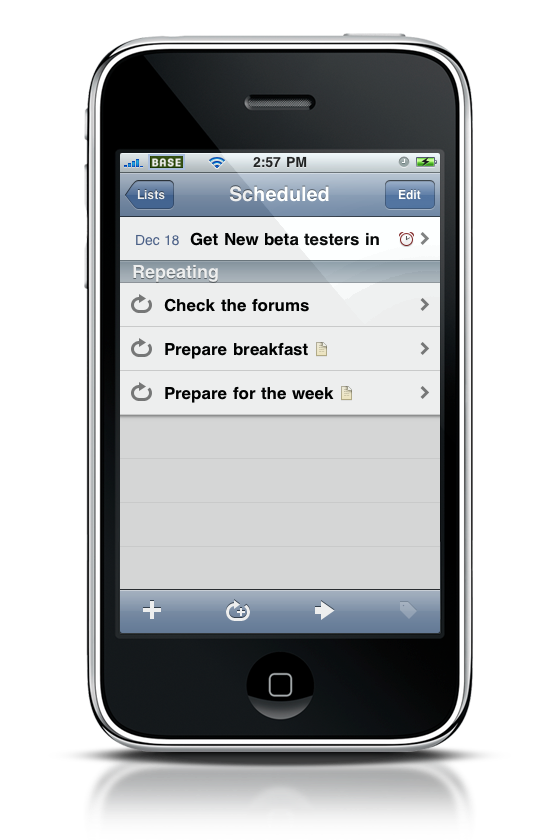
Cultured Code announced yesterday they’ve launched a new beta of Things Touch, 1.4 version. This new update will include support for repeating tasks, landscape support and global search.
Here are two screenshots from the upcoming Things 1.4.

Cultured Code announced yesterday they’ve launched a new beta of Things Touch, 1.4 version. This new update will include support for repeating tasks, landscape support and global search.
Here are two screenshots from the upcoming Things 1.4.
As a part of the MacStories Apps Tree event (where you’ll find a huge giveaway worth $10.000 of 450 Mac and iPhone apps licenses), I had the chance to interview the team of GoSquared. GoSquared provides the amazing tool called LiveStats (which I use on daily base) that enables you to watch your website’s traffic flow in real time. I heard they were also working on new stuff, so I decided to send them some questions and they’ve been so kind to reply with long and interesting responses, for one of the best interviews I’ve had in a long time.
This is the 5th of many interviews and guest posts I’ll publish on MacStories during this week.
Enjoy!
As a part of the MacStories Apps Tree event (where you’ll find a huge giveaway worth $10.000 of 450 Mac and iPhone apps licenses), I thought it would be interesting to hear the voice of Mac designers and developers about the steps that go into desigining and developing an application for Mac OS X. Or an application’s icon.
This is a guest post by Anthony Piraino, designer at the Iconfactory.
Have a good read.
Applescript, that amazing resource many Mac users ignore because they think it’s too complex. Guys, Applescript is an amazing tool to get things done automatically, though I recognize many of you just don’t want to get started because you don’t have the right motivation, or you just don’t know enough about it. I wrote a post which collected the best examples of Applescript but still, there wasn’t a real introduction.
That’s why I asked my friend Jesse from iScript Netcast to get started on a posts series about Applescript. This is the second part of the series, be sure to read the first part “The Ultimate Introduction to Applescript” if you missed it. You can also get in touch with iScript Netcast on Twitter here.
Enjoy!
Though a few months ago I wrote a huge roundup about the ultimate list of browsers for Mac which featured more than 40 of them, there are actually 4 main browers: Safari, Firefox, Opera and Chrome. The rest is either made of variations / beta versions or just shit. That said, if you’re a designer or a developer it’s very likely that you need to test the websites you’re creating under different rendering engines. But what a pain can be to manually open overtime a different link in a different browser? A huge pain.
Here’s where Choosy comes in.
As a part of the MacStories Apps Tree event (where you’ll find a huge giveaway worth $10.000 of 300 Mac and iPhone apps licenses), I thought it would be nice to hear the voice of Mac developers about the steps that go into desigining and developing an application for Mac OS X.
This is the first guest post by Pieter Omvlee, developer of Fontcase. Fontcase is a beautiful font manager that enables the users to manage a font library with elegance. Read my review if you missed it.
Enjoy!
This is one of the most interesting “I would make the Apple Tablet like this” post I’ve recently stumbled upon. Kyle Baxter from TightWind shares his thoughts about what he would like to see most in the tablet: newspapers. But instead of just converting the current newspapers layouts to the tablet screen, Kyle designed two mockups which show a revamped interface for the NYT, made of a top toolbar for easy navigation and a very few UI elements. I personally don’t think the Apple Tablet will be exclusively focused on saving the press industry, I believe there will be a built-in News.app, which will actually save both the press and RSS industry.
And if there’ll be a News app, I’d like to see a similar interface.
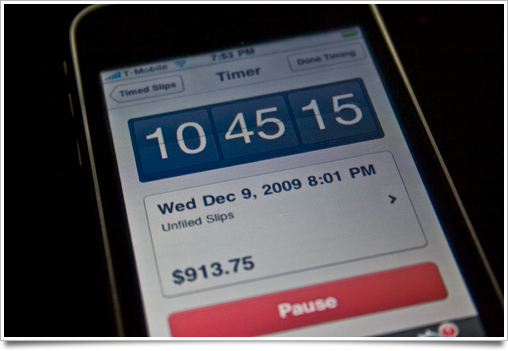
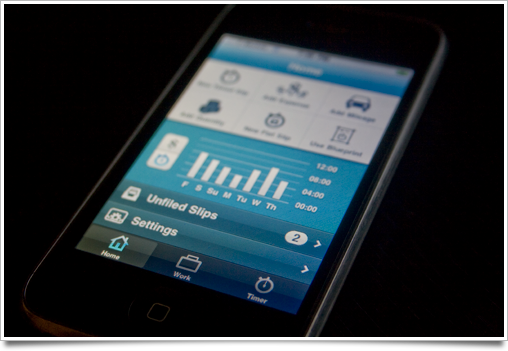
Sebastian de With of Cocoia has just posted an exclusive sneak peek of the upcoming Billings Touch for iPhone.
Here are some screenshots from his blog:
And a brief description:
“I can’t divulge much about it yet, but the app does pretty much everything I ever dreamed of having in my pocket for my on-the-go demands. I’ve even come to use its timer as a punch clock next to my computer so I can even more effortlessly pause or resume my time tracking when I go off to brew a nice cappuccino.
In short: the app syncs with your Mac database of Billings (and vice-versa, new slips and invoices you created and tick off on your iPhone get synced back to your Mac over the air), and every single nook and cranny is wonderfully designed, as I’ve come to expect from Marketcircle.
It also works great without the desktop app: as a standalone app, it’s already a very powerful set of tools to add to your workflow.”
It’s looking great.