Apple Announces Upcoming Apple Music Sing Feature

Source: Apple.

Source: Apple.

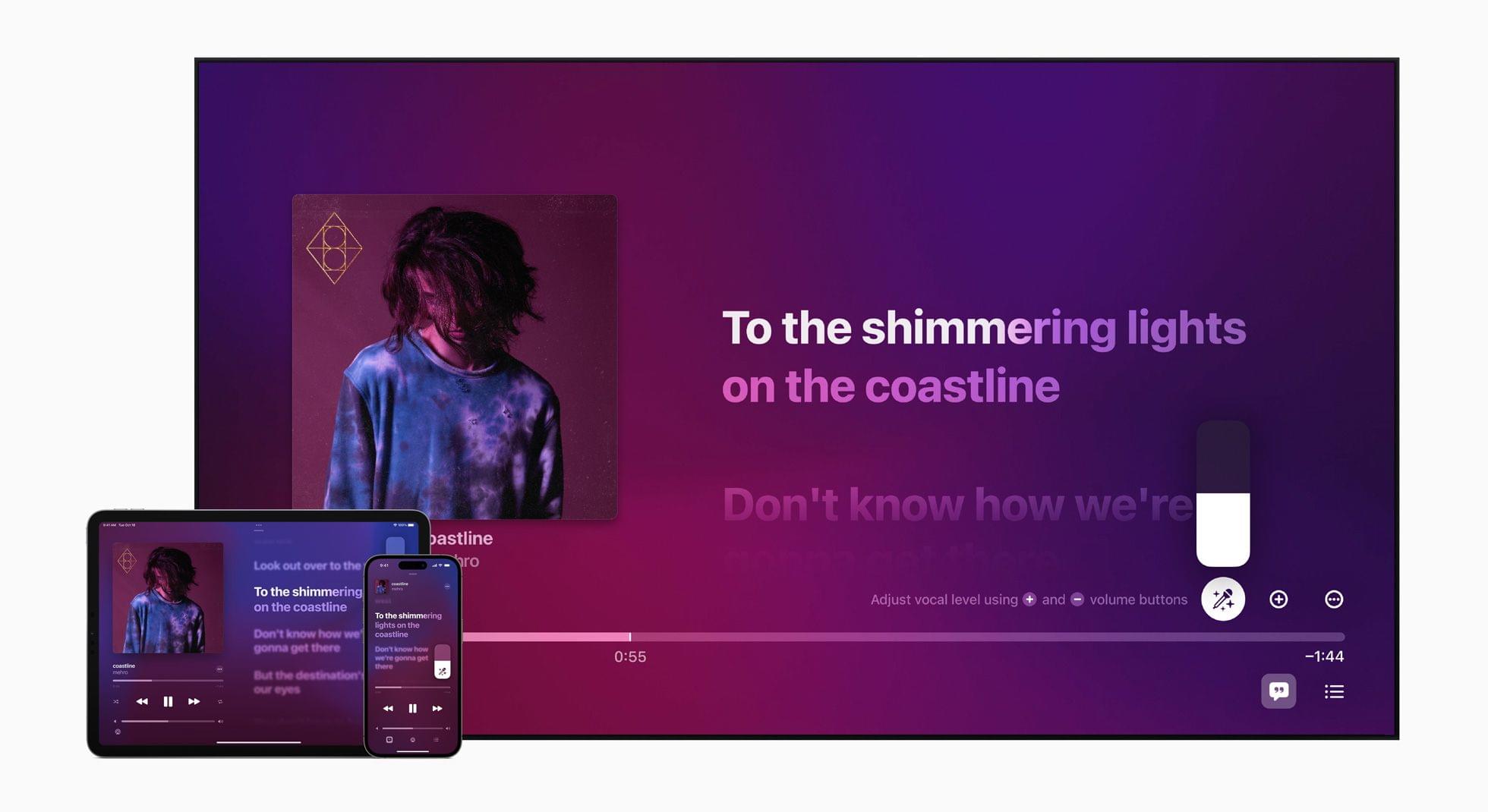
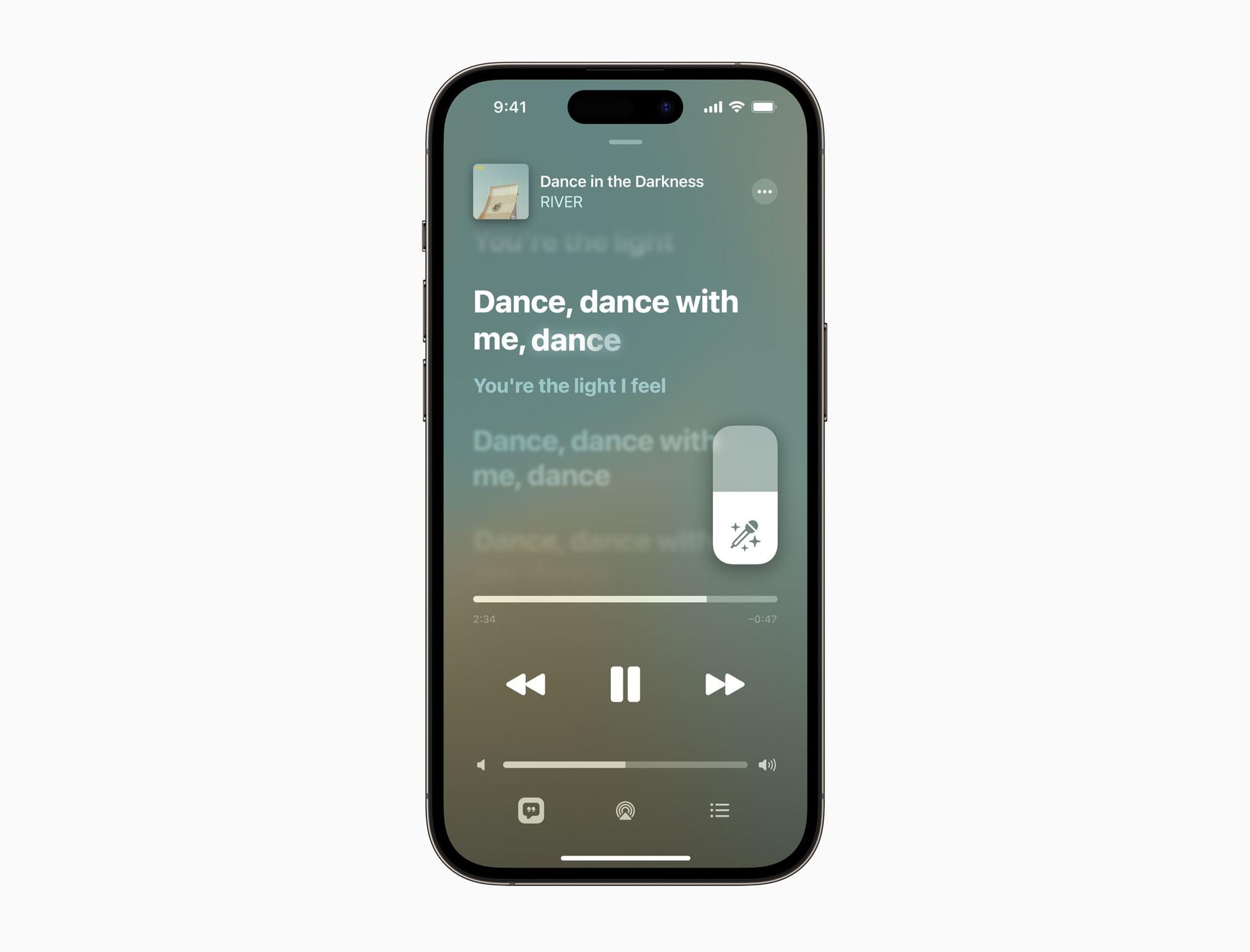
Apple announced today that later this month, it will update its Music app with a new feature called Apple Music Sing.

According to Apple’s Oliver Schusser, its vice president of Apple Music and Beats:

Apple Music’s lyrics experience is consistently one of the most popular features on our service. We already know our users all over the world love to follow along to their favorite songs, so we wanted to evolve this offering even further to enable even more engagement around music through singing. It’s really a lot of fun, our customers are going to love it.
Source: Apple.

Source: Apple.

The feature is an extension of Music’s existing real-time lyrics. With real time lyrics playing on an iPhone, iPad, or latest-generation Apple TV 4K, users can adjust the lyric mix of a song, taking over the lead or backup vocals or singing along with the artist’s vocals. There’s even a duet view that takes up opposite sides of a screen for duets and multi-singer tracks.

Apple says it will be launching the new feature later this month with more than 50 dedicated playlists for users to use with Apple Music Sing.
CARROT Weather 5.9: A Robot Relationship and Layouts

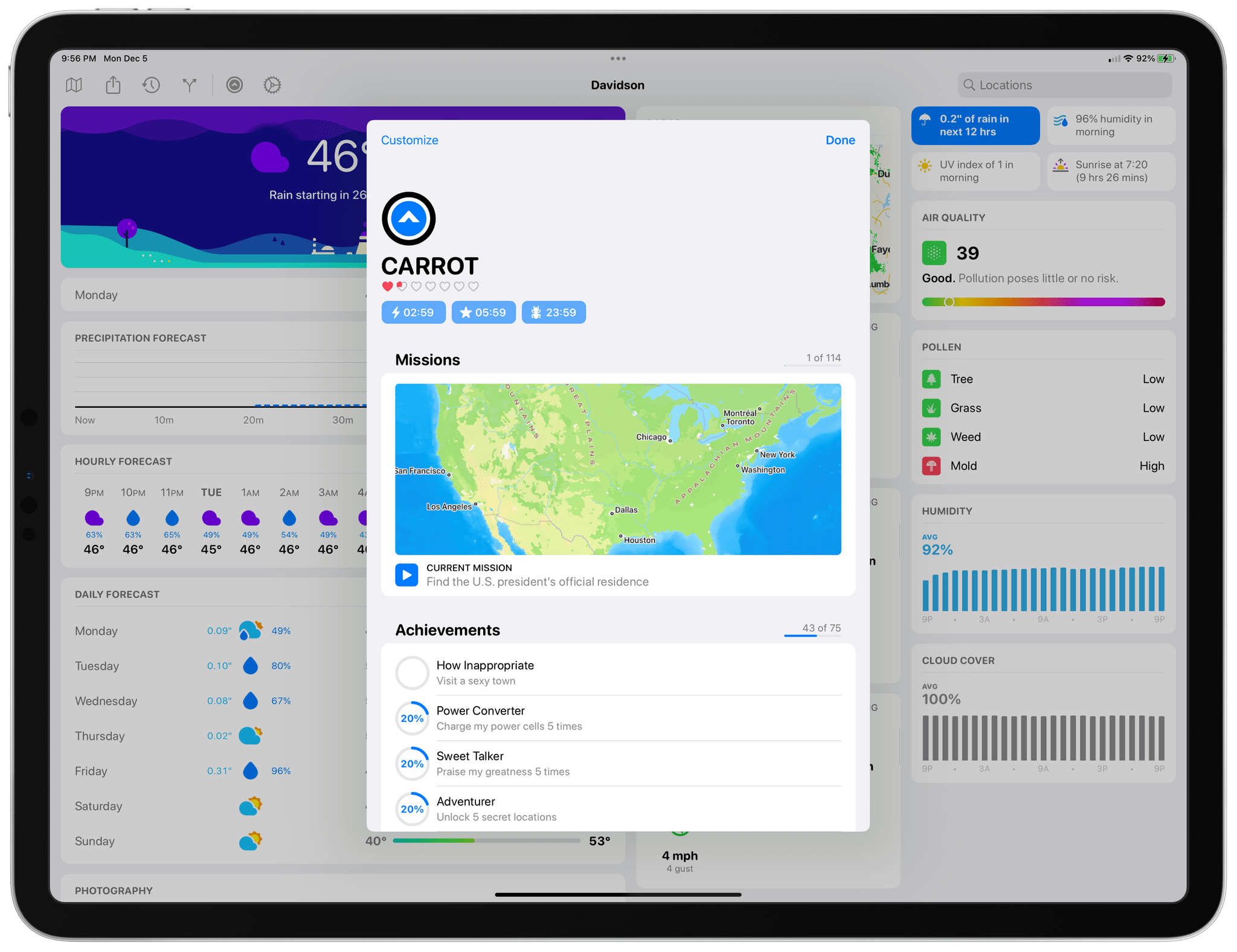
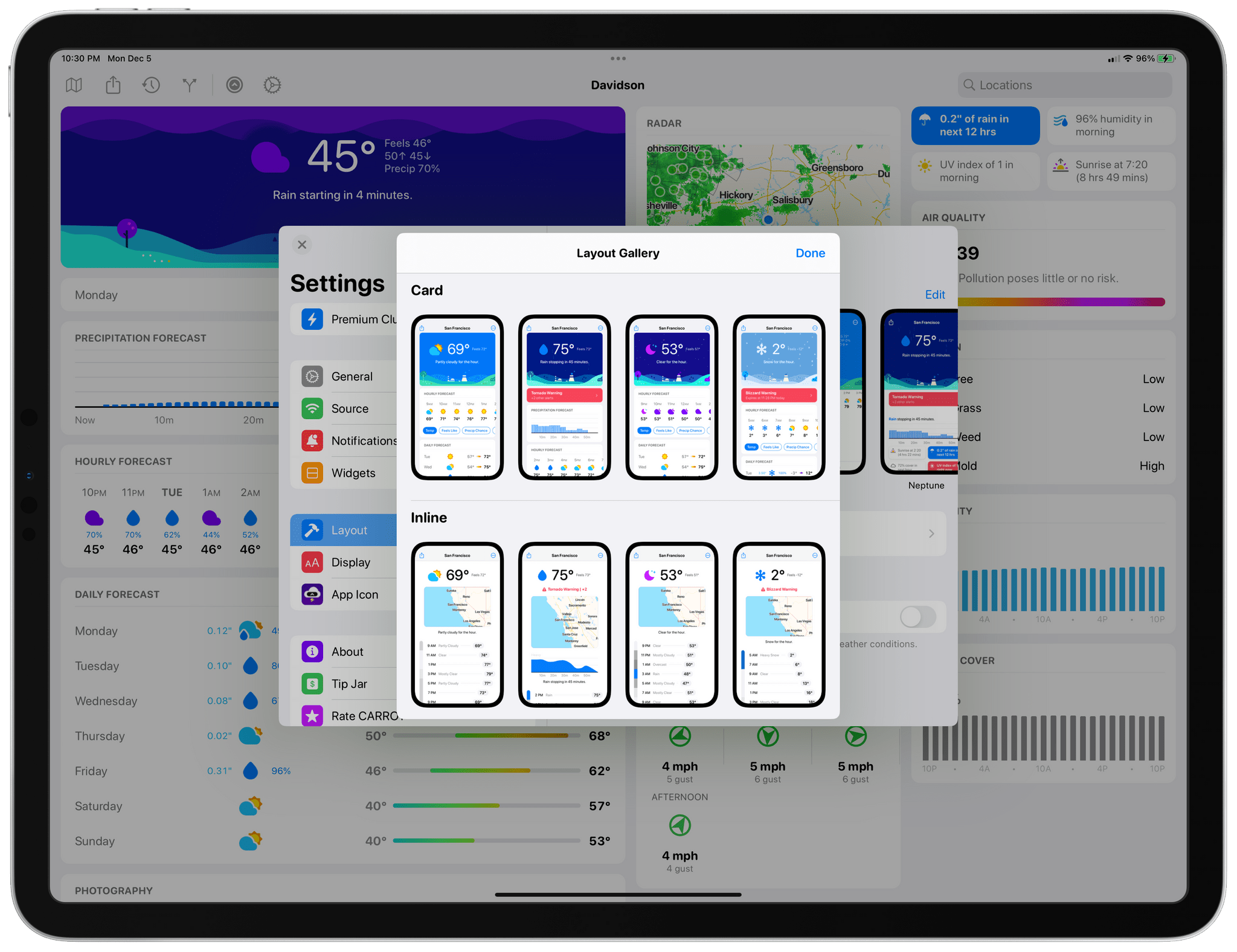
It’s never been about just the weather when it comes to CARROT Weather, and version 5.9 of Brian Mueller’s app is no exception. With the latest update, you can participate in bonding activities with CARROT. Yes, it’s as strange as it sounds, and a lot of fun too. Still, if getting to know CARROT better isn’t your thing, the update has also expanded Live Activities, updated the app’s layout UI, and more.

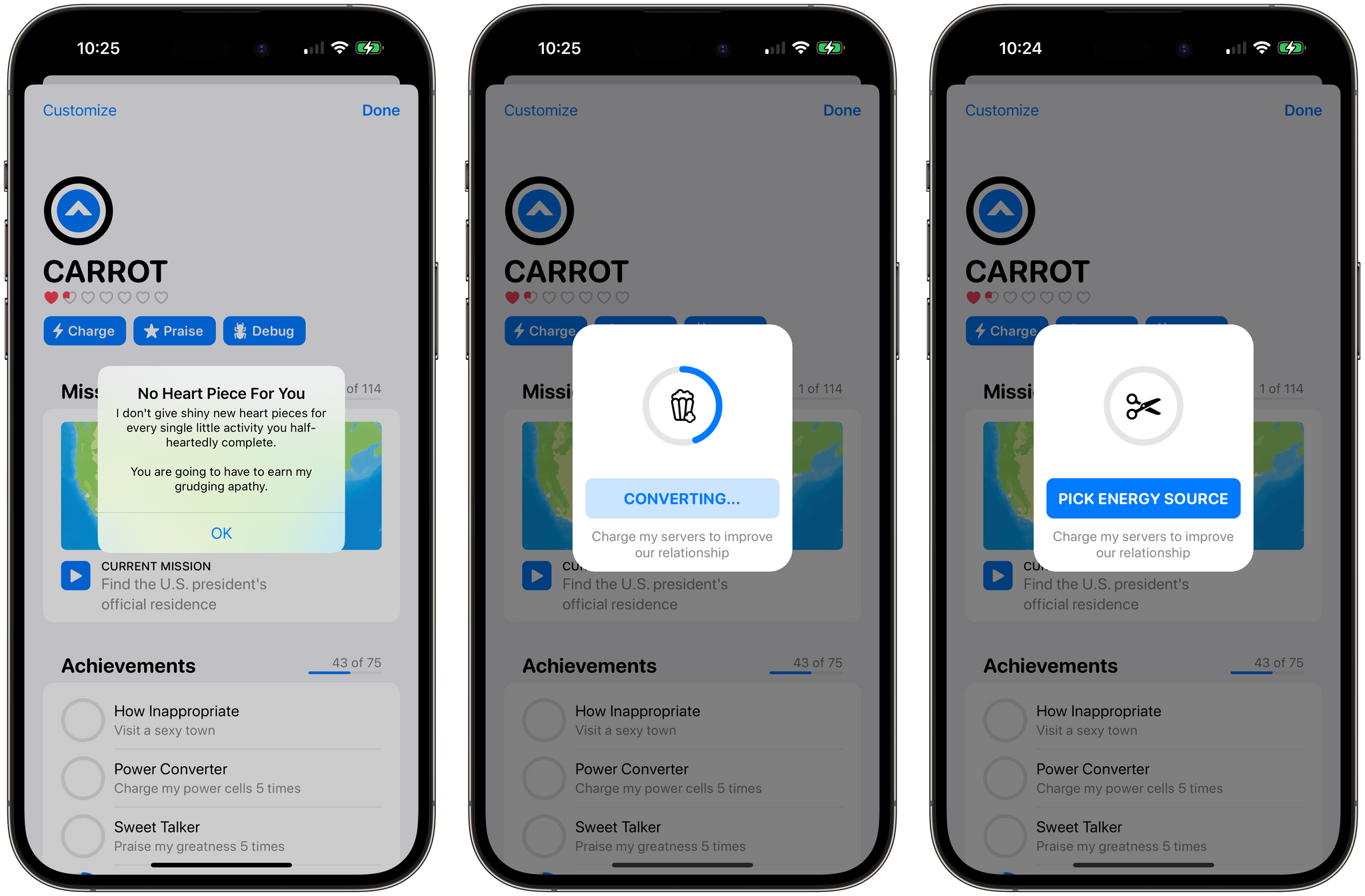
Charging up CARROT to earn hearts.

Charging up CARROT to earn hearts.

Tap the CARROT icon in the toolbar to get to know her better through a series of mini-games. At the outset there are three games:

  • Charging CARROT’s batteries by feeding her an assortment of objects that rotate roulette-wheel-style onscreen until you tap a button
  • Stroking her ego by repeating nice things to CARROT, which uses speech recognition to make sure you get the compliments right
  • Debugging CARROT’s code by shaking your device

But relationships take time, so you’ll find that after a while, you’ll stop earning hearts and have to wait before you can continue earning your way into CARROT’s good graces.

Complete enough bonding activities with CARROT and you can start a romance with her.

Complete enough bonding activities with CARROT and you can start a romance with her.

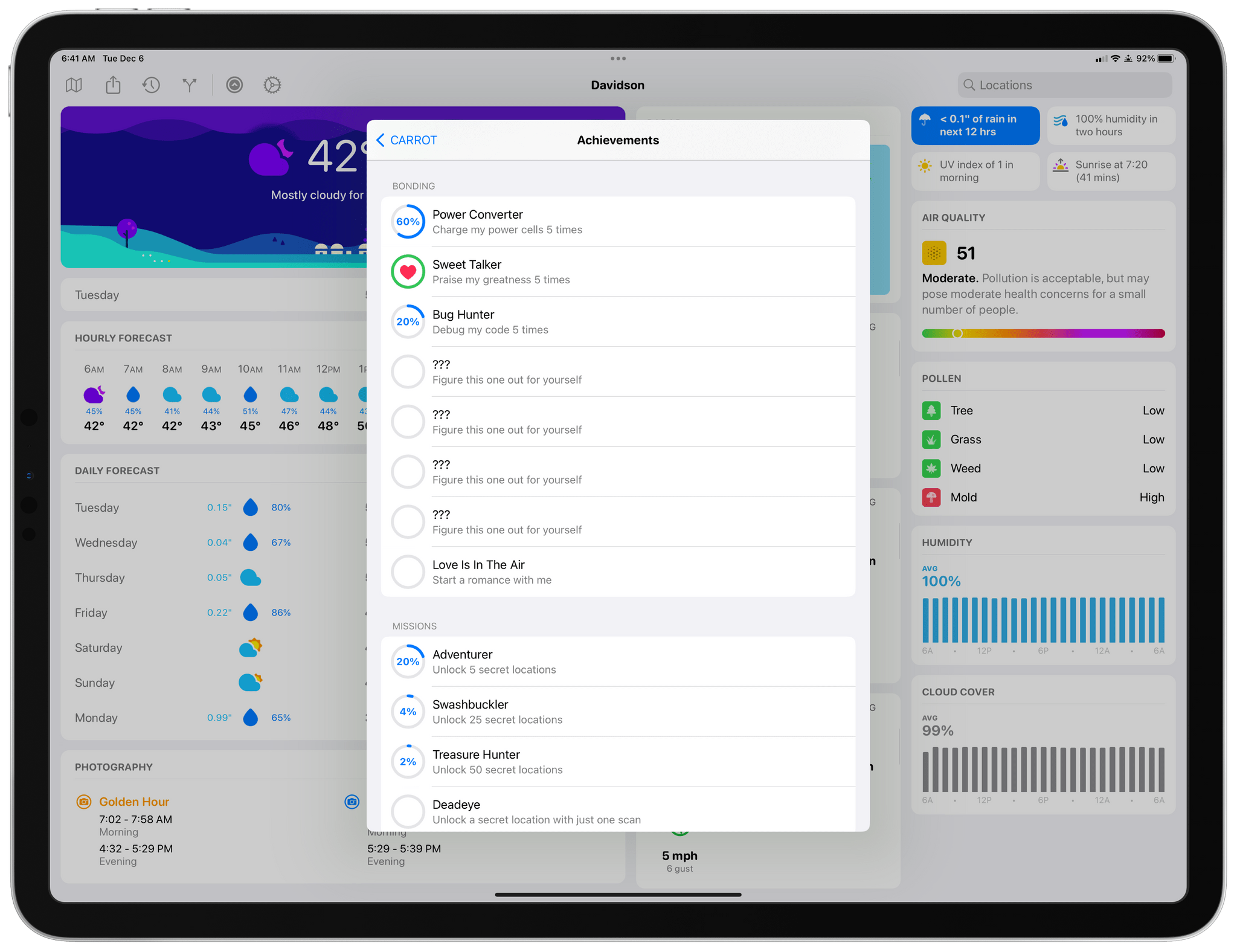
Bonding with CARROT is part of the app’s Achievements system, and you’ll see if you visit that section of the CARROT menu that there are additional mystery tasks available to complete once you fill op the rings of the first set. Fill enough rings, and you can even start a romance with CARROT.

Tracking your CARROT achievements.

Tracking your CARROT achievements.

I love CARROT’s new bonding activities. They’re fun and breathe new life and personality into the character that’s been abusing users for years as they check the weather. I’ve only begun earning hearts, so it remains to be seen where this all will lead, so stay tuned to MacStories for updates on that, I guess.

Read more


Pixelmator Pro 3.2 Moves into Video Editing

Pixelmator Pro 3.2 adds a new dimension to the Pixelmator team’s flagship app: video. I have yet to spend much time with the app’s new video features yet, but anyone familiar with Pixelmator Pro should feel right at home because working with video works a lot like editing still images.

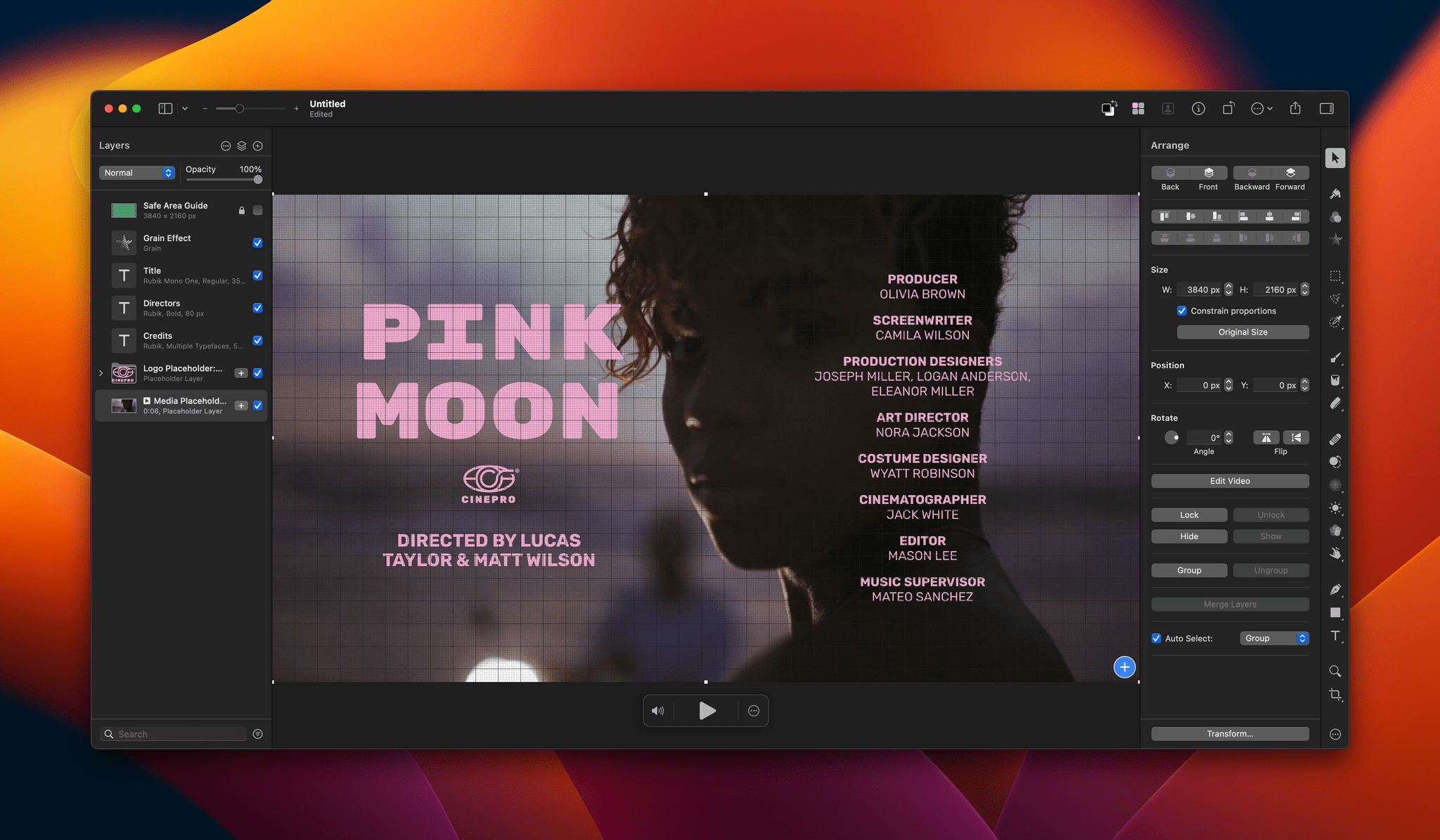
Pixelmator Pro adds new video templates.

Pixelmator Pro adds new video templates.

To get you started, Pixelmator Pro includes templates, a feature that was added in version 3.0. There are templates for a movie title clip, a YouTube thumbnail, YouTube channel art, and story-style vertical video. Only some templates incorporate placeholder video clips, but those that do are a great way to get a better feel of the video features added to the app.

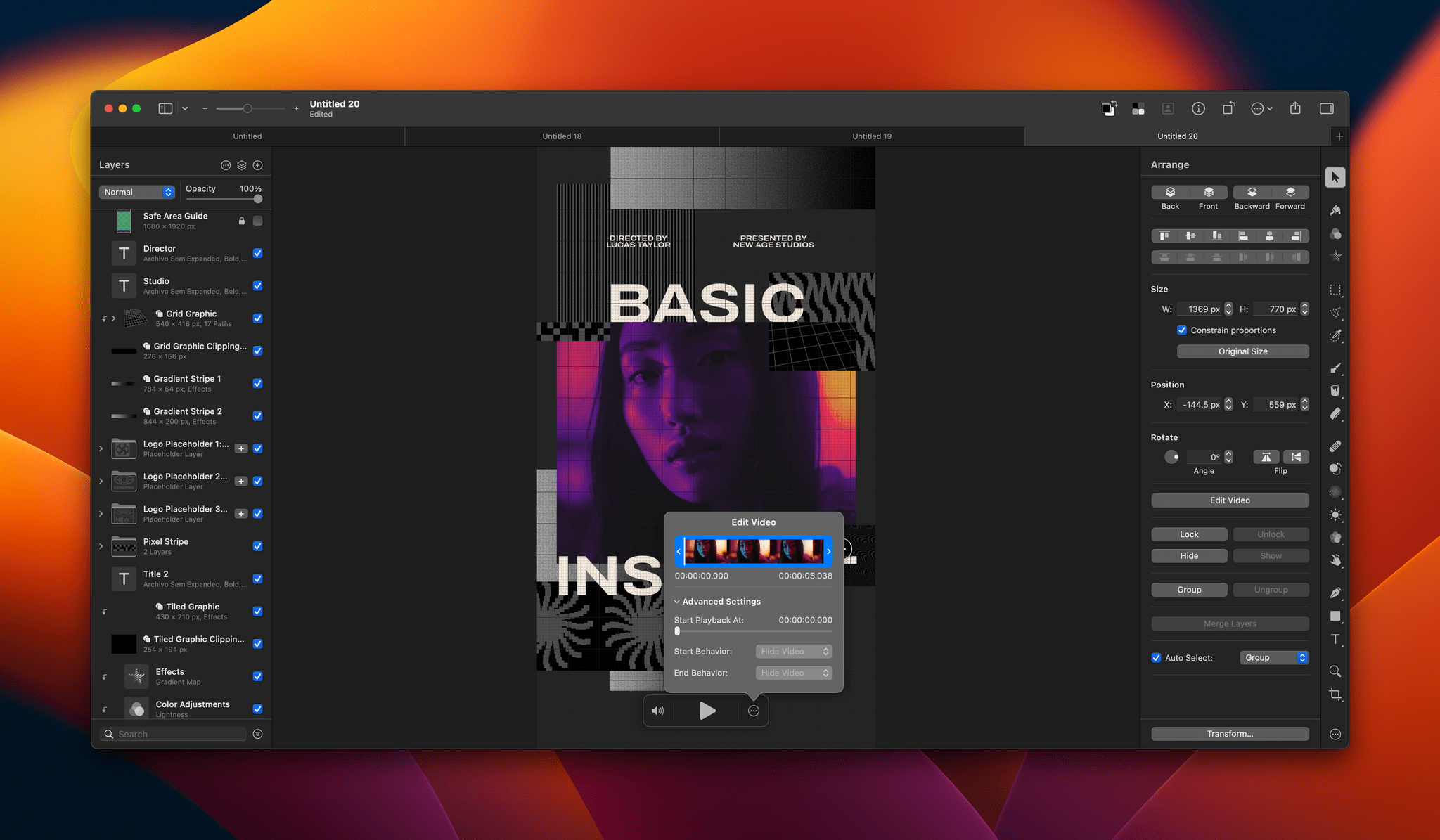
Pixelmator Pro's editing controls.

Pixelmator Pro’s editing controls.

Editing a video isn’t much different from working with still images, except you’ll notice playback controls at the bottom of the clip you’re editing for controlling sound and playing back the clip. Also, a three-dot ‘more’ button reveals a scrubber with clip trimming controls and other advanced options when clicked. Other than that, video layers work just like other layers. You can adjust brightness, exposure, colors, and other aspects of a clip, apply filters, crop your video, overlay text, and more.

Video can be exported as MP4 files, QuickTime movies, animated GIFs, or PNGs. The Pixelmator team also says it has improved support for Motion projects.

Pixelmator Pro isn’t a replacement for a timeline-based video editor that lets you build a video from multiple clips. However, for clips like title segments and short-form social media posts, Pixelmator Pro strikes me as a far simpler solution than a more complex video editor like Final Cut Pro.

Pixelmator Pro 3.2 is available on the Mac App Store and is a free update to existing users. New users can purchase currently purchase Pixelmator Pro for $19.99, a 50% discount of its usual price.


Last Week, on Club MacStories: Anybox, Music Tips, A Universal and VNC Desk Setup, and Lessons Learned From Going Indie

Because Club MacStories now encompasses more than just newsletters, we’ve created a guide to the past week’s happenings along with a look at what’s coming up next:

MacStories Weekly: Issue 347

Anybox.

Anybox.

The Monthly Log, November 2022


Kolide: Endpoint Security for Teams That Want to Meet Compliance Goals without Sacrificing Privacy [Sponsor]

In 2021, Kolide went through the SOC 2 Type 1 audit, and they found out just how challenging it can be to prove compliance to a third-party auditor. They also learned firsthand something their customers had been telling them for a while: that they couldn’t have gotten their SOC certification without using their own product.

That product is Kolide, an endpoint security solution for Mac, Windows, and Linux devices. Kolide gives IT admins a single dashboard, through which you can prove that your fleet has the security measures that auditors care about.

With Kolide, you can instantly see whether:

  • Firewalls and screen lock are enabled
  • Operating systems are up-to-date
  • Password managers are installed

Kolide also provides visibility into nuanced issues that MDMs can’t address, like whether developers have unencrypted SSH keys or plain text 2FA backup codes.

Moreover, Kolide balances this visibility with respect for user privacy and autonomy. Users can visit the Privacy Center to see what device data is being collected and why. And when Kolide detects a vulnerability on a user’s device, it reaches out via Slack to notify them of the problem and provides step-by-step instructions on how to solve it. 

At Kolide, they’ve helped hundreds of customers achieve compliance–for SOC 2, ISO27001, or their own internal security goals. And they’ve done so in ways that go beyond “checking the boxes” and actually increase transparency and collaboration between IT and end users.

If you want to know how you can get compliant without compromising your values, then Kolide wants to talk to you.

Try Kolide for 14 days free; no credit card required.

Our thanks to Kolide for sponsoring MacStories this week.


MacStories Unwind: The Best Music of 2022

AppStories+ Deeper into the world of apps
0:00
37:06

AppStories+ Deeper into the world of apps


This week on MacStories Unwind, we kick off the first of our annual ‘best of’ Unwind recaps with the best music releases of 2022.

The Best Music of 2022

Federico’s Pick:

John’s Pick:


Stable Diffusion Optimizations Are Coming to iOS and iPadOS 16.2 and macOS 13.1 Via Core ML

Today, Apple announced on its Machine Learning Research website that iOS and iPadOS 16.2 and macOS 13.1 will gain optimizations to its Core ML framework for Stable Diffusion, the model that powers a wide variety of tools that allow users to do things like generate an image from text prompts and more. The post explains the advantages of running Stable Diffusion locally on Apple silicon devices:

One of the key questions for Stable Diffusion in any app is where the model is running. There are a number of reasons why on-device deployment of Stable Diffusion in an app is preferable to a server-based approach. First, the privacy of the end user is protected because any data the user provided as input to the model stays on the user’s device. Second, after initial download, users don’t require an internet connection to use the model. Finally, locally deploying this model enables developers to reduce or eliminate their server-related costs.

The optimizations to the Core ML framework are designed to simplify the process of incorporating Stable Diffusion into developers’ apps:

Optimizing Core ML for Stable Diffusion and simplifying model conversion makes it easier for developers to incorporate this technology in their apps in a privacy-preserving and economically feasible way, while getting the best performance on Apple Silicon.

The development of Stable Diffusion’s has been rapid since it became publicly available in August. I expect the optimizations to Core ML will only accelerate that trend in the Apple community and have the added benefit to Apple of enticing more developers to try Core ML.

If you want to take a look at the Core ML optimizations, they’re available on GitHub here and include “a Python package for converting Stable Diffusion models from PyTorch to Core ML using diffusers and coremltools, as well as a Swift package to deploy the models.”

Permalink