

It seems like something’s going on around the “AirPlay button working everywhere” so many people were excited about: specifically, we just noticed Apple removed AirPlay support in the native Youtube app on iOS 4.2 Beta 3. Read more
Apple Removes AirPlay From Youtube App In Latest iOS Beta
Ten Theses on Tablets→
Ten Theses on Tablets
As cameras , tablets suck. I feel like a complete idiot brandishing these things at startled potential subjects. They need to have cameras, for augmented-reality and a few other kinds of apps, but when you say “cameraphone” you’re talking about something that fits in a jeans pocket.
I was one of those who, when the iPad arrived, dissed it as a consume-only platform, saying: For creative people, this device is nothing.
Clearly, I was at least partially wrong. There are now successful drawing and painting apps, good enough to get on magazine covers. I’ve also read pieces by bloggers I respect, saying they were able to write this or that on their iPad.
Good overview of the iPad and Samsung Galaxy Tab by Tim Bray. He’s the same guy that ditched the iPad back in January, so it’s good to see he’s revising his position after some “real” usage. I’m really looking forward to trying Samsung 7-inch form factor.
HyperDock Keeps On Getting Better with Spotify & VLC Media Controls
iTunes 10.1 Beta 2 Available

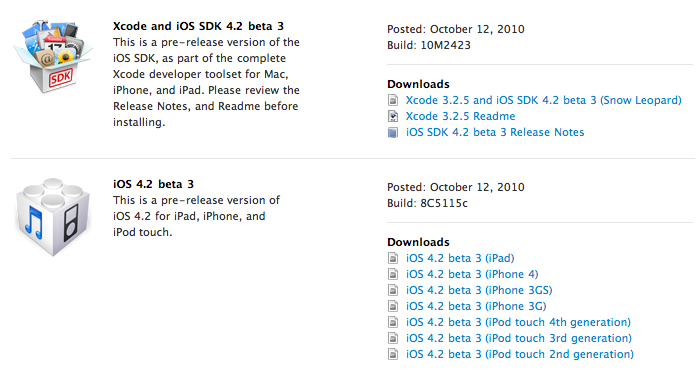
Apple Releases iOS 4.2 Beta 3, Here’s What’s New
Apple just posted iOS 4.2 Beta 3 for iPhone, iPad and iPod Touch. As usual, it’s available at the Developer portal on Apple.com.
Making Gmail Play Nice With Mac OS X Mail→
Making Gmail Play Nice With Mac OS X Mail
So, you want to use Mac OS X Mail with Gmail, which is an excellent, free webmail service from Google? While Snow Leopard makes the default setup is very easy, there are some rough edges of Google’s somewhat-wonky IMAP setup that need to be smoothed off for a better experience.
I’ve written out the steps to reach “Gmail IMAP in Mac OS X Mail” nirvana. While that doesn’t roll of the tongue, it does soothe the soul of the Gmail-using Mac lover.
Great guide. Some neat tricks I didn’t know about in there. [via Brooks Review]
Posterous Releases Official iPhone App
Posterous, the popular free blogging platform that’s been called many times in the past the “real alternative to Tumblr”, just got an official iPhone client. The app, simply called Posterous and free in the App Store, allows you to send posts with any kind of text and media in it to your Posterous powered blog. The app is meant to be running on devices with iOS 4 multitasking: you can select material to upload to your blog, close the app and open another one, the upload will continue in the background. Read more
Incognito Protects Your Internet Privacy
When you’re browsing the web, do you ever feel like someone is looking over your shoulder? If you do, it might not be your girlfriend/boyfriend peeking at what you’re looking at, it could be a company following your internet trail! How do you stop this I hear you cry? Incognito. That’s how.
Twitter Curation: On The Web and iPad, My Weapon Is Curated.by
Last week I reviewed an application called “Tweet Library” which lets you archive and organize tweets in collections directly from your iPad. It’s a well-designed piece of software that’s surely the best (and only, I assume) way to “curate” content from Twitter on the tablet. Like I also wrote in my review, though, there’s this neat and invite-only online service that I’ve been using for quite some time now to aggregate great material from Twitter and give it proper context for future reference: Curated.by.
Curated.by is still in the closed beta stage, so I’m not going to spoil all the details here. If you happen to have an account, feel free to follow me as viticci. I just wanted to give you a brief insight into Curated.by, which - yes - is a great online platform that plugs into Twitter but also comes with a dedicated iPad web view. Of course the iPad webapp isn’t as polished and “native” as an App Store app would be, but I’m not afraid to say it’s one of the best looking, most powerful webapps I’ve seen on the iPad so far. Read more