

Let’s hope Steve Jobs’ health improves quickly! Here’s today’s deals on iOS, Mac, and Mac App Store apps that are on sale for a limited time, so get ‘em while they’re hot! Read more
#MacStoriesDeals - Tuesday
Ahead of 10 Billion Downloads, Apple Updates “All-Time Top Apps” Page
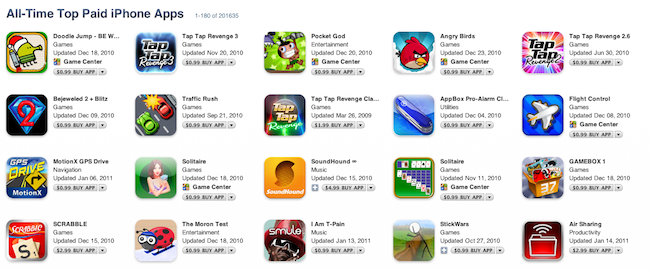
The clock’s ticking on the 10 billion app downloads countdown, and Apple has updated its “All-Time Top Apps” page to reflect the changes that have occurred in the App Store in the past 12 months. The iTunes pages that showcase “All-Time Top Paid iPhone Apps” and “All-Time Free iPhone Apps” are available here and here, respectively.
Unsurprisingly, games are among the top paid apps. And by games, we mean Doodle Jump, Angry Birds, Pocket God and Flight Control. Actual “apps” in the top paid list include SoundHound (the music scanning / discovery tool), I Am T-Pain from Smule, Air Sharing from Avatron and Awesome Note. The list is huge as it basically sorts any iPhone app ever released by popularity and sales in the App Store. It is nice, however, to see gems like 1Password, Convertbot and Hipstamatic in the first page.
As for free apps, the usual Facebook, Pandora, Google and Shazam are the most downloaded apps of all time. Paper Toss, Bump, Skype and AroundMe are in there, too, together with dozens of other games in the first page.
These charts give us an idea of the trends in the App Store, and the kinds of apps that people want to buy or download for free. Where by “apps” we mean games. [via iSpazio]
iPad Pinches Almost 90% of Third Quarter Tablet Shipments
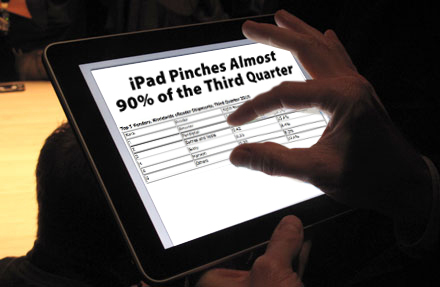
The world’s media tablet market grew an astounding 45% in the third quarter of 2010, says the International Data Corporation (IDC). And what magical device is getting the credit? The iPad of course. Apple’s iPad was the force behind the growing demand.
According to IDC’s figures, vendors shipped almost 5 million units worldwide in the third quarter of 2010. The second quarter shipped over 3 million units, with the iPad steering almost 88% of tablets shipped. Read more
White iPhone 4 To Make Its Debut Feb. 27th? Best Buy May Be Telling

The White iPhone 4 was at first rumored to suffer from a series of problems with color, but it was later rumored to be delayed thanks to issues with the camera sensor. As the glass is white, light leakage was affecting the camera sensor. While Apple has kept quiet about the latest White iPhone 4 developments, there were some signs of life in Apple Stores thanks to a 9 to 5 Mac reader spotting a Spring 2011 launch date. Today, MacRumors has a sneak peek at Best Buy’s inventory system (which has been a leaky faucet for numerous tech rumors).
The white iPhone is speculated to have a launch date of February 27th, and the SKUs are identical to the previous white iPhone listings last year before they were pulled. There’s no doubt that there will eventually be a white iPhone, and the question of when may be sooner than later. With a large pool of white iPhones on hand, however, would Apple launch a new series of white iPhone 4s with the next generation iPhone arriving in the Summer on AT&T? Or is this an early indication that Verizon will feature the iPhone 4 for the next year? (And let’s not forget the White iPhone 4 on Verizon snafu.)
[via MacRumors]
Happy Politicians with iPads In German Parliament [Photos]
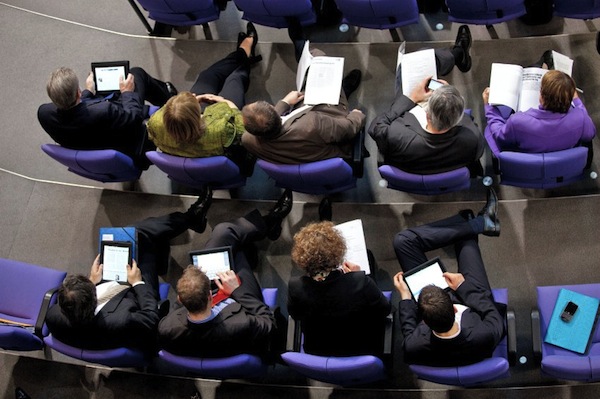
In October, we reported that the German parliament lifted the ban on tablets and announced members were allowed to replace papers with Apple’s iPad. Today, German newspaper Spiegel posted photos of iPads in action in the Bundestag, and is reporting nearly every member of the Parliament has adopted an Apple iPad. Chancellor Angela Merkel was the first one to get an iPad during her trip to California last year, and after her several others got one, which comes free of charge with refunds from the German government. Sounds like a deal.
Unsurprisingly, the iPad’s form factor seems to be the most important aspect among members of the Bundestag: the screen makes it easy to send and read emails, browse the web and quickly check on documents. According to the Spiegel, the iPad “looks like it was made for the Parliament”.
The fact that Saarland’s premier Peter Müller was spotted playing chess on his tablet during a meeting doesn’t come as a surprise either. With an iPad in your hands and access to thousands of apps, it’s hard to resist the temptation of games, like Angry Birds and well, chess. Check out more pics of happy politicians with iPads in the Parliament below. Read more
Quick! Download AirView Now, It Turns Your iOS Device Into An AirPlay Receiver
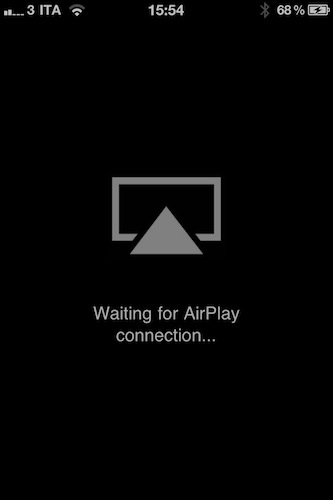
AirView is a universal application available for free in the App Store that does something iOS users have been asking since the original release of AirPlay: it turns any iPhone, iPad or iPod touch into AirPlay receivers capable of playing videos streamed from another device. With AirView, in fact, video can be streamed from iOS device to iOS device (iPhone to iPad, iPhone to iPhone) or from iTunes, something that Apple only does with the Apple TV 2nd generation.
AirView must be running on a device in order to show up as receiver on a local network. The app doesn’t enable music streaming, a feature we managed to activate in the past with a jailbreak hack. Photos aren’t supported either.
AirView is a neat little app that we guess Apple will soon remove from the App Store. When used in combination with Erica Sadun’s apps that extend AirPlay’s functionalities, it can become a quite powerful tool. Go grab it here now.
TV Show Tracker 2.0 for iPhone: One To Add To Your Homescreen
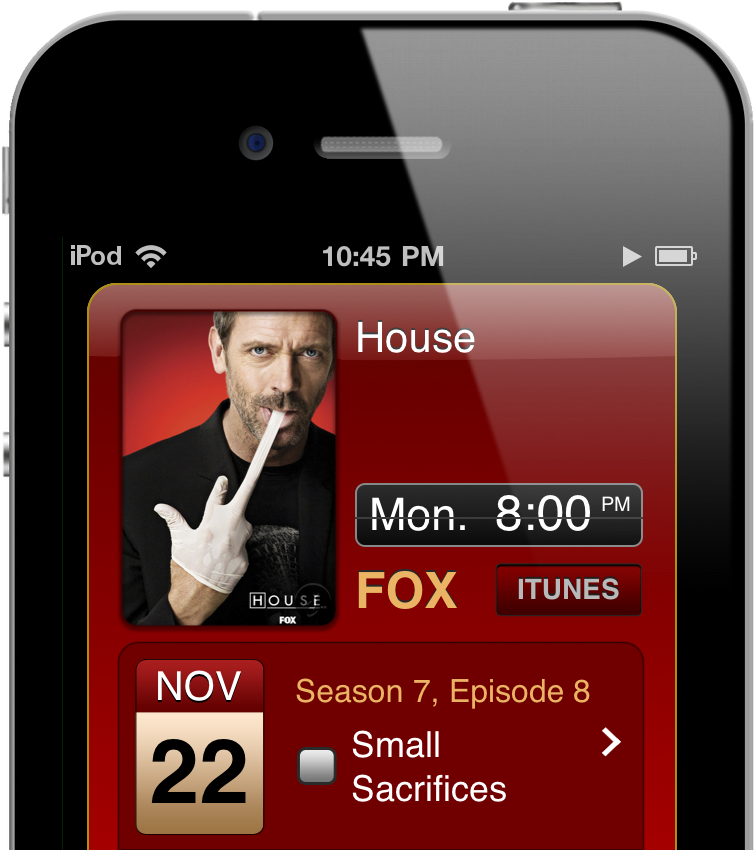
Not having cable, keeping tabs on the shows that appear on cable TV bites because I have to constantly check in on online schedules (all on different networks) just to see when the next episode of House is going to air. What sucks is that when having only Hulu as my prime source of entertainment, December was a month devoid of any content as weekly shows began to grind to a halt. With the exception of Saturday Night Live and a maybe two other shows, I’m paying for nothing. Shows will come back, but when?
We’ve already covered TV Show Tracker on MacStories, but the 2.0 update is worth mentioning since it delivers a much improved interface, a notification system alerting you before or after a show ends, inline video previews of episodes, and quick iTunes links so you can rent those shows quickly from the interface. TV Show Tracker consolidates all of the shows you watch into an instant access panel where you simply search for the popular program you watch and add it to your list of shows. TV Show Tracker displays the artwork for the program’s season, displays previous and upcoming showtimes, and keeps tabs on what episodes you’ve already seen. This is an app to add to your homescreen if you’re at all interested on keeping track of your favorite shows – it’s super convenient to have only the show listings you care about all in one place.
More Alleged iPad 2 Cases Appear, Hint at Mini DisplayPort
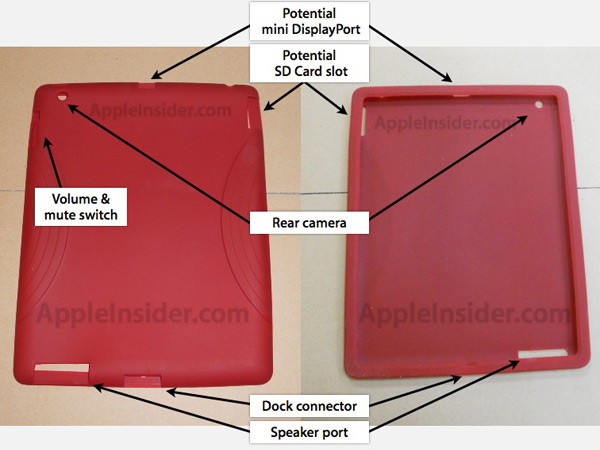
Rumors and leaks surrounding the forthcoming second generation iPad continue to spread like wildfire across the blogosphere with the latest coming from AppleInsider and MIC Gadget. Both received photos of iPad 2 cases that had openings that would suggest the addition of a rear facing camera, larger speaker, possible SD card slot and most intriguingly a small port at the top of the device that could be for a Mini DisplayPort receptacle.
The two tech blogs received photo’s of cases from China that whilst different had virtually identical port openings and further back up reports by Engadget that the second generation iPad would have an SD card slot and rear facing camera. The larger opening on cases around the speaker is also a recurring feature of such leaked iPad 2 cases and seems to be a likely improvement on the iPad 2.
Analysts and Bloggers Share Q1 2011 Predictions
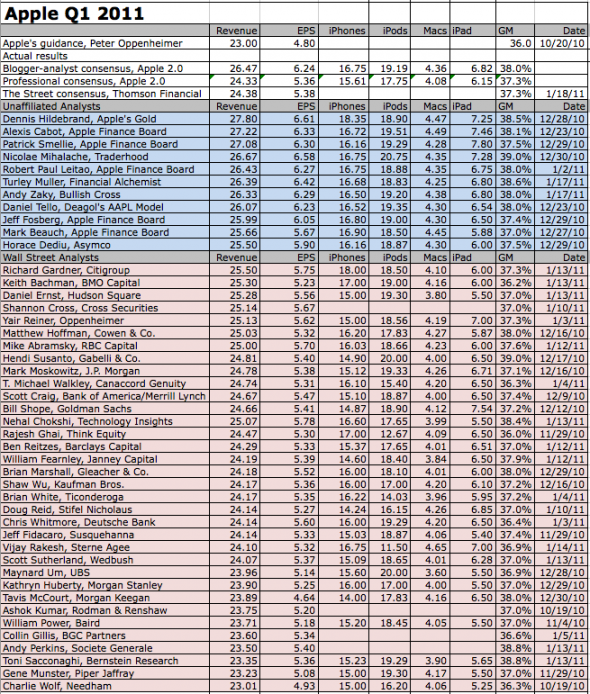
With Apple’s financial results for Q1 2011 only a few hours away, Fortune has posted its usual chart of predictions from professional and amateur analysts regarding Apple’s sales for the last quarter. To give it a bit of context, in the last quarter (pre-holiday season) Apple sold 3.89 million Macs, 14.1 million iPhones, 4.19 million iPads, 9.05 million iPods. The company posted record revenue of $20.34 billion and net quarterly profit of $4.31 billion.
Looking at Fortune’s chart, it appears that most analysts are predicting revenue between $23 and $27 billion, 14 to 16 million iPhones sold and 6 to 7 million iPads sold. Horace Dediu from Asymco, for instance, is predicting $25.50 billion revenue, 16.16 million iPhones sold, 18.87 million iPods, 4.30 million Macs and 6 million iPads.
Official numbers will be provided by Apple later today. An audio-only webcast of the conference call will be available here.