Verizon iPhone To Launch February 3rd?

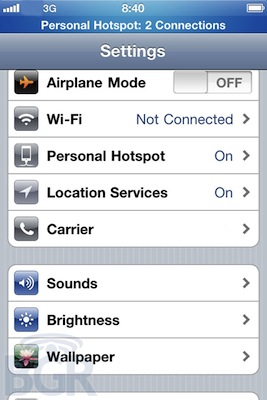
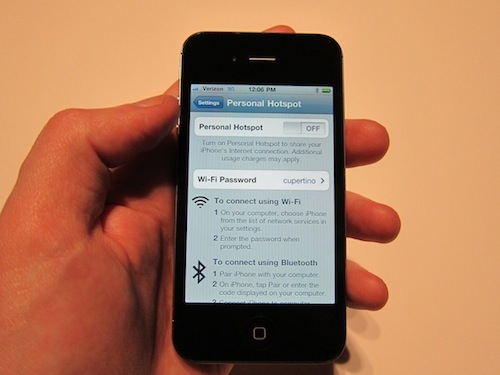
The Boy Genius Report suspects that an impending vacation freeze at Apple from February 3rd to the 6th indicates an important first four day weekend to focus on sales of a new handset. Coinciding with last year’s similar June 24th through June 27th, also a Thursday through Friday, and Verizon’s typical Thursday launch days, the rumored release of a Verizon iPhone during this period is plausible.

In addition, Verizon Wireless typically launches new devices on Thursdays. WhileBGR has not yet confirmed that the Verizon iPhone is the device we’ll see debut on the 3rd, the timing lines up very well with previous reports; no other Apple products have been rumored to be launching in this time frame.

I’m of two thoughts when it comes to a Verizon iPhone selling before the AT&T phone, but this is my main issue: Would Apple launch an iPhone 4 now only to release a new one on AT&T in a few months?

[via BGR]

Update: Verizon just sent out invitations for a special event they will hold on January 11. Maybe the Verizon iPhone is really happening this time.


Mac App Store: 1 Million Apps Downloaded on Day One

This morning Apple announced that more than 1 million apps were downloaded from the Mac App Store on Day One. The Mac App Store was launched yesterday with around 1,000 apps available for OS X computers. According to Steve Jobs, “Developers have done a great job bringing apps to the store and users are loving how easy and fun the Mac App Store is”. The Mac App Store indeed offers an easy and fun purchase experience, although it’s pretty clear that some apps don’t exactly follow Apple’s own interface guidelines or aren’t exactly “best of the breed” of Mac software.

The Mac App Store undoubtedly changes the landscape of independent development for the Mac and software installation on OS X. One million downloads in 24 hours isn’t too bad, and we’ll see how these stats will pan out in the next weeks.

Read more


Mac App Store Review: Contacts Cleaner

Developed by Spanning Sync and available in the Mac App Store at $4.99, Contacts Cleaner is a simple utility aimed at fixing the little problems that can slowly take over your state-of-the-art Address Book organization. I’m talking about unrecognized Unicode characters (because admit it, you tried to paste weird symbols next to your boss’ phone number), missing info and extra spaces between names that shouldn’t be there. Contacts Cleaner can fix these issues thanks to a minimal and simple interface that makes it easy to go through the most scary list of broken contacts. Read more


How Do You Like These iPad 2 Mockups?

In the shadow of today’s big announcements regarding the Mac App Store, some leaks, I mean mockups, showed up. Not to detour you from downloading lots of new Mac Apps, but don’t forget the iPad 2 is still hot news.

So MIC Gadget actually thought they had leaked pictures of the next gen iPad (updated with “mockups”). If a small blog can get screenshots of the Mac App Store (and post them), why can’t MIC Gadget get iPad 2 pictures? Well, they’re obviously fake. Anyway, here’s some interesting mockups of the upcoming iPad 2 for your enjoyment and we even included Joy of Tech’s list of iPad 2 “dreamy” expectations (and maybe ours). More after the break. Read more


Mac App Store: Easy Installation of Apps On All Your Macs. Goodbye, DMG.

With the Mac App Store, as promised by Apple, you can buy apps once and install everywhere. As long as you make sure all the computers you’re willing to install apps on are your personal Macs (and you’re not trying to pirate apps that don’t come with proper receipt validation), you can purchase apps on your first Mac, and then pass them along to as many machines as you want. From a user perspective, this is just great – although it sort of kills the concept of “family licenses” we were used to in pre-App Store days. Read more


CoverSutra 2.5 Released, Exclusive to Mac App Store

A major new version of popular music controller CoverSutra by Sophiestication was released today, and it’s available exclusively on the Mac App Store at $4.99. For those who are not familiar with the app (which we last reviewed here in January 2009), CoverSutra is a desktop controller for music coming from iTunes. Unlike Ecoute, which is more like a lightweight music player, CoverSutra only display songs information by plugging directly into Apple’s software.

CoverSutra, however, doesn’t only come with a neat desktop widget that displays the artwork for the album that’s playing. Although that option got even bigger with the latest 2.5 update (it now supports artworks up to 256px on the desktop), what’s cool about the app is that you can assign keyboard shortcuts to almost any function supported by CoverSutra. You can choose to invoke a heads-up display window with music control through a hotkey, or assign multiple shortcuts to dozens of commands like volume up and down, next track, search and so forth. Search, for instance, happens in a popup coming down from CoverSutra’s menubar icon; you can search for any song, album or artist you want and navigate with the keyboard through the results to start playing.

The Mac App Store 2.5 also includes a new keyboard bezel display style, and an option to let the app automatically start and quit with iTunes. Now this is nice, as it’s an iTunes controller and it depends on it. CoverSutra 2.5 is available as Mac App Store-only here.


Mac App Store Review: RemoteSnap

RemoteSnap is the first app I downloaded from the Mac App Store as I managed to go past the “Error 100” the store was returning minutes after its launch. RemoteSnap has one and only purpose: it acts a server on your Mac capable of receiving photos from your iPhone and iPod touch wirelessly, as you take them. RemoteSnap for Mac is available for free here.

To use the Mac app, though, you’ll need to download the iOS counterpart. RemoteSnap for iOS is available in the App Store for free or at $0.99. The free version will apply a watermark to your photos. Once you download and run the app on your Mac (you just have to click on the icon that will jump from the Mac App Store to your dock), start the app on your iPhone and wait as it connects to the Mac’s server. It should take less than 2 seconds. After that, you’ll see a camera interface saying “connected to computer name” in the upper left corner. Once you’re connected and you’ve chosen the destination folder for photos on your computer, you can start snapping pictures. Within seconds, they’ll be transferred onto your Mac via WiFi. No passwords or manual copy needed.

RemoteSnap is that kind of simple utility that we’re sure we’ll do very well in the Mac App Store. It’s not an app for the most sophisticated photographers, but it can come in handy for when you need some pictures to quickly end up on your Mac. Go download RemoteSnap on the Mac App Store here.


Mac App Store Now Open On The Web

Remember how Mac App Store links wouldn’t redirect to the web, instead opening the app? Now they do. It’s official folks: You can share links with your friends without having them worry about whether they have a Mac or a PC. Just in case the web preview annoys you by opening the actual app, you download the NoMoreiTunes Safari extension. On Google Chrome, just deny the pop-up message.