Mac App Store Impressions: Elegant, Some Apps Are Expensive, Others Suck

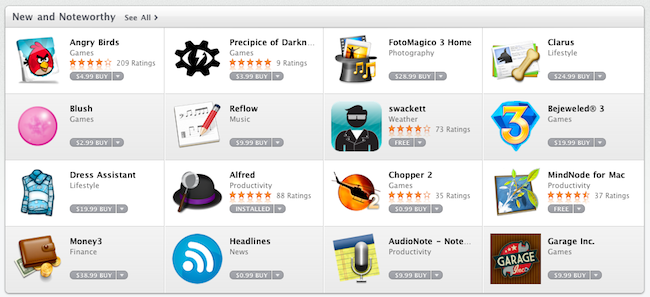
Today’s a pretty hectic day. Apple officially launched the Mac App Store as part of OS X 10.6.6 a few hours ago and mostly everyone in the Mac community is now playing around with the new Store, busy installing paid and free apps, trying to find what’s already good and what could have been done a lot better.

After a few purchases, free downloads and some minutes spent to get used to the new UI brought by the Mac App Store, we have some first impressions to share. Read more


Promises Kept: MacHeist Offers Exclusive Access To Secret Twitter Features

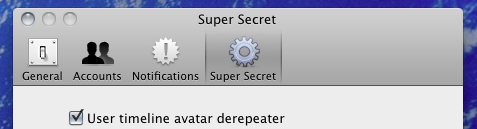
Purchased the second nanoBundle from MacHeist? You were promised a beta of Tweetie 2, but since that never happened, Twitter for Mac arrived with no signs of exclusive benefits right? Think again. MacHeist has kept their promise by giving purchasers exclusive access to beta, or features in progress for Twitter for Mac. Users who didn’t buy the nanoBundle cannot have access due to the how enabling the secret features work. MacHeist members, keep an eye on your email for how to activate your beta features for Twitter for Mac.

[via MacHeist]


Twitter for Mac Review: Love It, Hate It, Tweet It

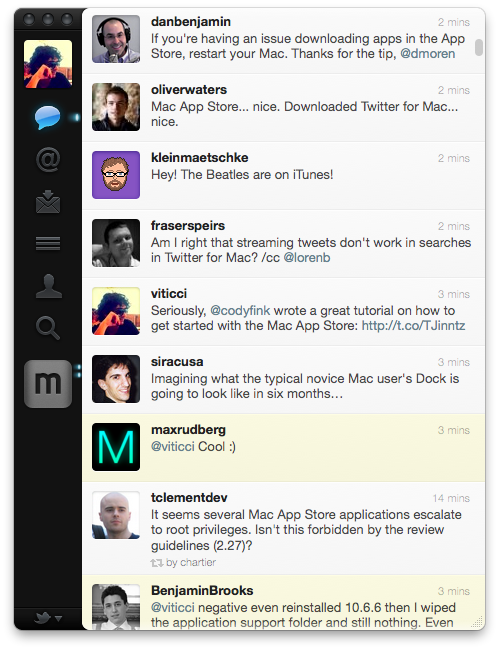
At some point in the past months, I thought I would never had the chance to write this review. But it’s happening. Twitter for Mac, what you expected to be called Tweetie 2.0 before Atebits became part of Twitter, is now live in the Mac App Store. It’s available for free here.

Like I said, months ago an idea started to grow on me: Tweetie 2.0 for Mac, the way I saw it back then, was never going to happen. Kaput. Vaporware. Twitter killed it, and with it – Loren Brichter’s enthusiasm and passion and willingness to provide millions of Mac users out there the sequel to what I think it’s still one of the finest Twitter clients ever created for the platform. And it’s not that the term “sequel” doesn’t apply really well to this whole saga: Twitter acquired Atebits but Loren had promised that MacHeist customers would get early access to Tweetie 2; Tweetie for iPhone was rebranded; the guy even started making promises and interviews about an app that “was coming”. Just like in the best stories of sequels that seem to never happen, people began to lose faith in Brichter, Twitter and Tweetie 2.0. They moved on. Read more


Developer Heads Up: Don’t Forget About Receipt Validation In The Mac App Store

Developer Heads Up: Don’t Forget About Receipt Validation In The Mac App Store

You can add receipt validation code to your application to prevent unauthorized copies of your application from running. Refer to the license agreement and the review guidelines for specific information about what your application may and may not do to implement copy protection.

Receipt validation requires an understanding of cryptography and a variety of secure coding techniques. It’s important that you employ a solution that is unique to your application.

You should perform receipt validation immediately after your application is launched, before displaying any user interface or spawning any child processes. Ideally, this check should happen in main, before NSApplicationMain is called. For additional security, you may repeat this check periodically while your application is running.

Otherwise, you could just download a paid application from the App Store, and freely distribute it to your friends. We want to make developers aware of the issue before you sell your app: Apple does not take care of this for you.

Permalink

iPhone 3GS To Drop Price, $49 Tomorrow At AT&T

Will the iPhone drop price to compete with Android? Well maybe not for those reasons, but the last generation iPhone 3GS will be on the shelves for $49 tomorrow on contract. The last generation iPhone is still an excellent choice if you’re looking to save a buck: you still get all the fancy features of the latest iOS sans only the best smartphone camera around. The new price applies to both new customers and those looking to upgrade from their previous phone – I find this to be especially appealing to teenagers and college students wanting to get a head start on a good smartphone at an affordable price.

[via MobileCrunch]


Everything You Need To Know About The Mac App Store

You’ll find that the coolest thing about the Mac App Store is simply how easy it is to find great software. Upon updating to 10.6.6, a new Mac App Store icon is presented next to the Finder. We can’t promise you’ll like the icon if you were disappointed with iTunes 10, but I think you’ll definitely like what’s inside. This morning we’ve got a quick walkthrough so everyone can see what all the hype is about, and how great it is to have an App Store outside of iTunes.

Read more


Apple Releases Remote Desktop In The Mac App Store and 3.4 Update

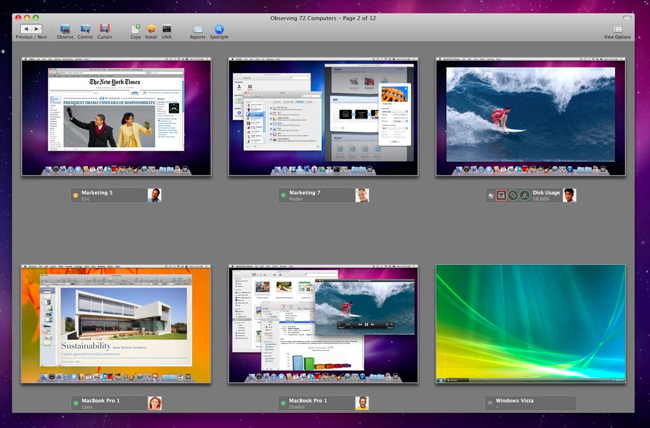
Earlier today, Apple released its VNC app / remote administration and assistance software Apple Remote Desktop in the Mac App Store. The app is available here at $79.99 (Mac App Store link) and, together with Aperture, it’s one of the “pro apps” that Apple decided to feature for the Mac App Store grand opening.The app, specifically tailored for network admins and users who need to manage a series of OS X machines in a local network, offers a huge feature set with functionalities such as software distribution, task server for package installations, UNIX shell scripts execution on clients and remote Automator tasks.

Today Apple also released an update to Remote Desktop, which reaches version 3.4 and it’s the same version that’s being sold in the Mac App Store. There’s no real changelog for this update just yet, except that Apple marks it as “recommended” for all Apple Remote Desktop users and addresses compatibility issues. More information are available here.

You can buy Apple Remote Desktop in the Mac App Store here.


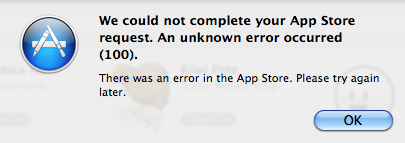
How To Fix Mac App Store “Error 100”

The Mac App Store went live less than an hour ago and as I installed the OS X 10.6.6 update required to use the new Store, I rebooted my computer and logged in the Mac App Store using my Apple ID. As I tried to download a free app, the Mac App Store returned Error 100, saying:

We could not complete your App Store request. An unknown error occurred.

We’re also getting several reports from users still unable to download apps from the Mac App Store because of this error. The cause seems to be lying in the fact that in the first minutes the Mac App Store went live and Apple let users log in with Apple IDs, they didn’t include the updated Terms and Conditions to accept before start using the Store. Thus many users, including me, logged in without accepting the Terms and were unable to download apps because they were stuck in some sort of “limbo”.

Here’s how you can fix it:

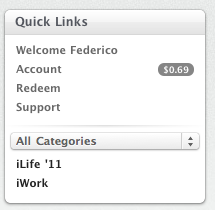
  • Sign out from the Mac App Store. You can do it by accessing the “Quick Links” section in the Mac App Store homepage and clicking on “Account”. Sign out.

  • Quit the Mac App Store app.
  • Log out from your computer; log in again.

  • Open the Mac App Store, sign in with your Apple ID, try to download a free app and accept the Terms and Conditions when asked. After that, the download should start.

  • If a logout doesn’t fix the issue, restart your Mac instead. We’re hearing that a reboot fixed the problem for many users.

If you’re still experiencing the issue, please let us know in the comments.


Twitter for Mac Is Live In The Mac App Store

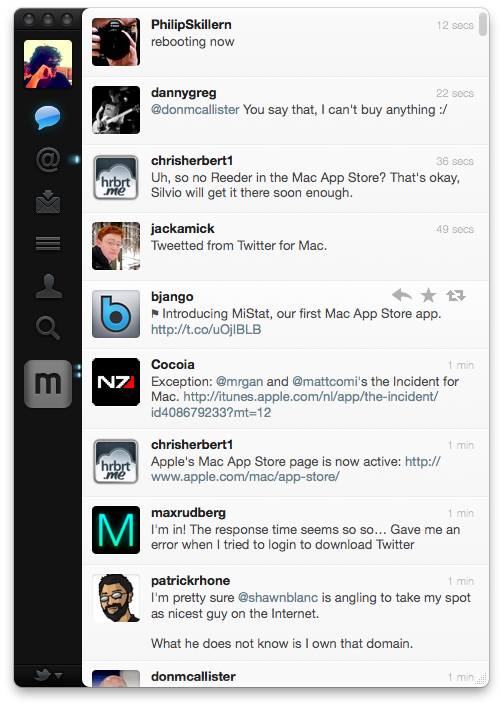
Finally, it happened. Twitter for Mac, a.k.a Tweetie 2, is now available in the Mac App Store. It’s available here, for free. The long anticipated sequel to the original Tweetie for Mac marks a huge milestone for Twitter, and we’ll have a in-depth review later today.

In  the meantime, go download the app here and enjoy.