Microsoft Tries to Convince Enterprise that the iPad is Inadequate

So with Microsoft previous attempts at a tablet/slate/UMPC/pad not going so well and with Ballmer unhappy about how successful the iPad has been, Microsoft has started a new strategy. This strategy involves putting together a marketing campaign targeting the enterprise market and claiming the iPad is not secure or flexible enough to be deployed in the enterprise.

Undoubtedly this is an attempt to try and stop or slow the iPad penetration into the enterprise after it was revealed 80% of the Fortune 500 companies were deploying iPads. The 10 page PowerPoint presentation also encourages Microsoft’s partners to position Windows 7 tablets against the iPad.
Read more


BootXChanger Revitalizes Your Mac Boot Screen

Apple’s default boot screen is an admittedly bland and very grey affair, luckily BootXChanger (which has had more than three years of development) offers a simple drag and drop way to add your own image and change the background color.

It’s recommended that the image you use to replace the Apple logo should be 90x90 pixels, any larger and depending on your Mac it may be resized or not show up at all. Images can have transparency and this is a good way to ensure the image matches the background. As a nice extra touch, BootXChanger comes with some sample images such as the old rainbow Apple logo and the Finder logo.

Read more


iOS 4.3 Apps Already Being Approved

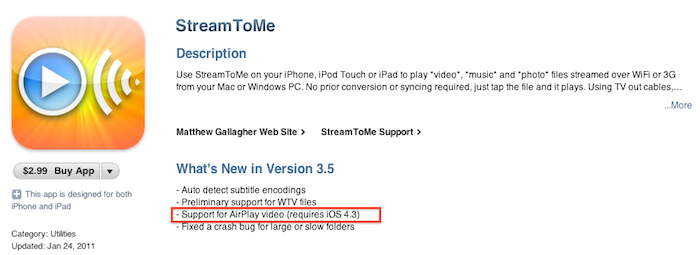
It appears that Apple has started approving applications that use features that will officially be introduced in the upcoming iOS 4.3 software update. StreamToMe, an app we previously reviewed here, has been updated a few hours ago with support for AirPlay video streaming, a functionality that’s not available on the current iOS 4.2. Being the feature exclusive to iOS 4.3, you won’t be able to try it unless you’re a developer. An Apple TV running the latest pre-release software is also required.

Does this mean iOS 4.3 is just around the corner? Beta 2 was shipped last week and we’ll likely see Beta 3 this Wednesday. Apple usually goes into 4-5 betas and a GM seed before public release, so we speculate we might see the final version of iOS 4.3 in late February. But then again, issues may come up in iOS betas at any time.


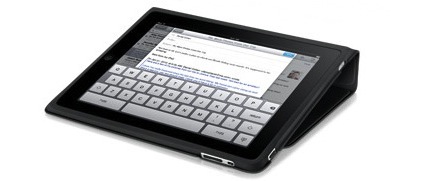
iPad “Best Thing to Happen to Meetings Since the 1960s”

iPad “Best Thing to Happen to Meetings Since the 1960s”

Ben Brooks is right about the iPad as a device for meetings:

There is an artificial barrier between you and everyone else because of those damned laptop screens.

The iPad changes all of this, it can sit slightly angled on the table and not be a a barrier to anyone, or even completely flat on the table mimicking a notepad. Further, because the screen is not staring you in the face, participants get a more open sense about how you are using it — that is people can see what you are doing on it. This is crucial to making the other meeting attendees feel like you are actually paying attention.

The real difference, though, is once again made by apps: easy-to-use yet powerful software like Screens, iFiles, Omnifocus, Dropbox and FileBrowser can turn the tablet into a killer machine for business purposes. “Apps” is where the competitors will need to catch up with.

Permalink

App Store Gets Official Twitter Account

It looks like Apple has just started sharing status updates with an official @AppStore account on Twitter. The account isn’t verified yet but its first tweet has been retweeted by the already verified @iTunesMusic. So why is the App Store on Twitter? Well, according to the first public message:

Welcome to App Store on Twitter! Follow us to discover new apps, get exclusive offers, and share with friends.

It will be interesting to follow the tweets from this account closely and see if they mirror the apps Apple features every Friday on the App Store homepage. This new account expands the set of official Apple services and personalities on Twitter.com: @iTunesMusic and @iTunesTrailers tweet new material from the iTunes Store on a daily basis and @pschiller has been busy sharing Instagram pictures lately. Apple is also active on Facebook and Youtube, where all the commercials and keynotes end up in HD.

On a side note, Scott Forstall hasn’t tweeted yet.

Update: the account is verified now. [Thanks, Florian]


Free “Plus” Widget Turns Dashboard Into A Launchpad

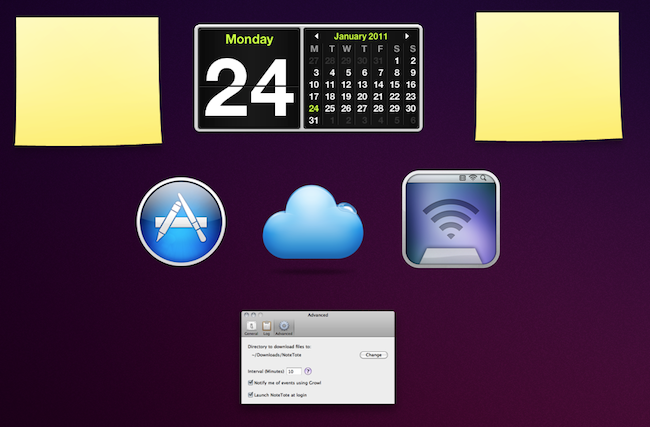
Launchpad is a feature of the upcoming Lion operating system that will allow users to have quick access to all their apps and folders through an iPad-like overlay interface. A few weeks ago, we saw developers already trying to imitate this functionality on Snow Leopard as I covered QuickPick, an app that brings a Launchpad-like UI to OS X 10.6. Plus, a new widget by Junecloud, takes a similar approach to QuickPick but it’s free and works with the system’s Dashboard.

Plus can turn anything into a Dashboard widget. That’s right: a widget to create other widgets; sort of meta, and it works. You can in fact drop multiple instances of Plus on to the Dashboard, and make each one a different shortcut to something else. Like an app, a screenshot, a document, a web address or a folder. Anything that you can drag out of the Finder can be dropped into Plus and become a widget of its own; Plus even lets you decide the size of the item’s preview. With a bit of organization and time, you can thus turn the Dashboard into a grid of most used apps and shortcuts, although you won’t be able to expand folders within the overlay the way we’ve seen in the Launchpad preview.

All things considered, Plus is a cool widget that’s being given away for free and definitely works as expected. Give it a try.


NoteTote: Download Files Remotely Using Simplenote

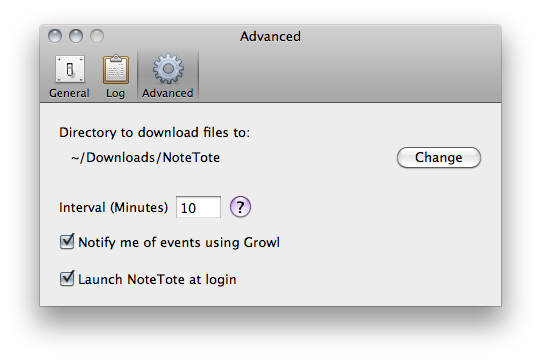
Previously known as MobileDL and now available at $8.99 in the Mac App Store, NoteTote is an interesting solution to trigger downloads remotely on your Mac using the iPhone, iPad or any other device that has access to Simplenote. For as simple as it sounds, all you have to do to start a download on your Mac is paste a URL into a specific note. NoteTote, in fact, upon logging into the service with your credentials will create a “special” NoteTote_Downloads note that will always stay there, monitored by the app running on your Mac’s menubar. While you’re away from your Mac and you want to start a download remotely, open the Simplenote app, paste the link and that’s it. On a regular interval (which can be adjusted in the Preferences) NoteTote will look for URLs inserted in the special note and try to download them. All of this while you don’t have access to your Mac. Read more