

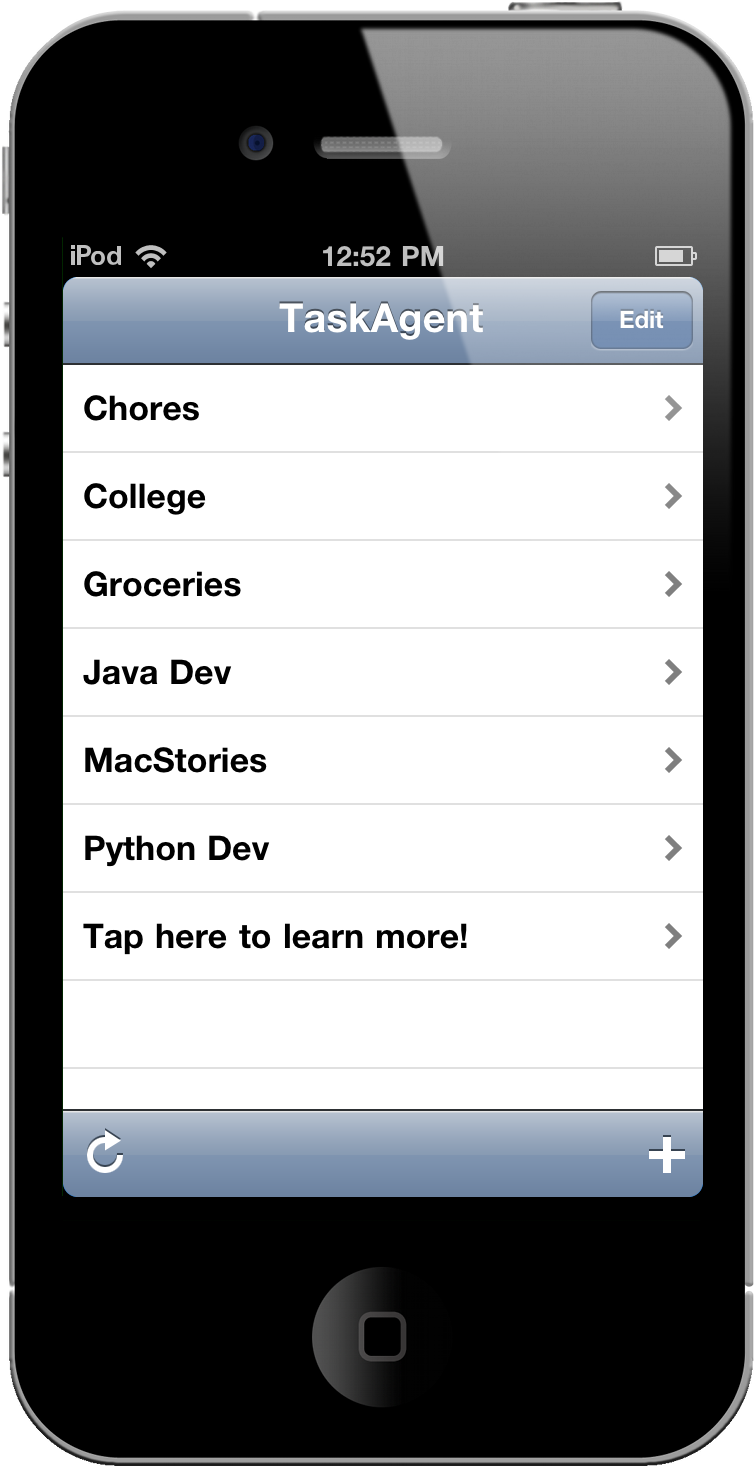
TaskAgent is pretty slick for being so simple, and the developer has already promised an update to improve compatibilities with formatting notes on the Mac side of things (and it’s pretty stupid easy already). With such ease, you’re more likely to get things done than organizing lists of to-dos or burying important items in sub-categories of a master-category. For work or at home, those who want the bare essentials may want to check out our previous coverage of TaskAgent before entering our latest giveaway.
A Minimalist Task Manager Could Be Yours: TaskAgent Giveaway
MacStories Product Review: Joby GorillaMobile For iPod Touch

Joby has an affliction for legs and we wonder if it’s become a fetish. Their trademark product styling involves those signature curvy, twisting joints that allow cameras of all kinds to stabilize on a variety of uneven surfaces, including from the back of car seats, refrigerators, poles, or a rocky mountain landscape. All of their tripods are incredibly versatile, but I got to go hands on with one specifically made for the iPod touch, a variant of the GorillaMobile series. Check past the break for this clingy review!
First Lion App Compatibility List Is Here, You Can Contribute Too

With the first developer beta of Lion “out in the wild”, it’s no secret people want to know which apps are working on the new OS, and experimenting with ways to let incompatible software run just fine on 10.7. Website RoaringApps has put together the first unofficial app compatibility list for OS X Lion, and it’s already a pretty huge one.
Anyone can contribute to the Wiki by sharing details of an app that’s working on Lion or has issues, or you can join the community to discuss the list with fellow Mac testers and developers.
Again, the list is very useful and available here. Check it out.
Boot Camp Only Supports Windows 7 For New MacBook Pros
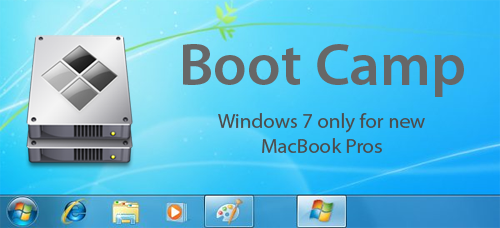
An Apple support note released on Friday has revealed that Boot Camp will only work with Windows 7 on the new MacBook Pros that were released last week, with drivers for Windows XP and Vista not supplied.
This follows a trend that was set by the Late 2010 MacBook Air that likewise didn’t include drivers for Windows XP and Vista. It would be assumed that Apple has stopped developing Boot Camp drivers for XP and Vista and all new Macs will solely support Windows 7.
[Via ZDNet]
Lion’s Podcast Publisher Is Podcasting Made Dead Simple
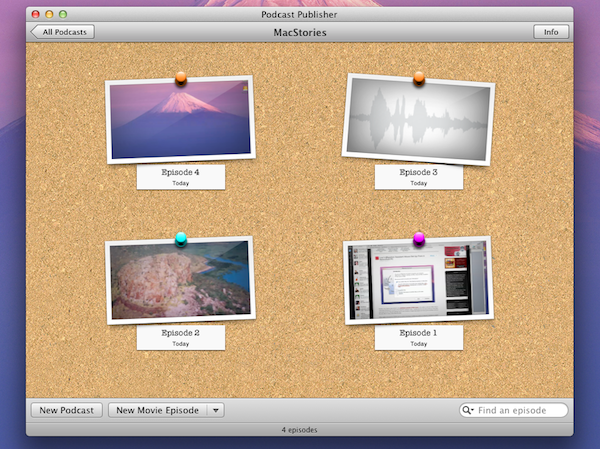
Apple has a pretty diverse set of content creation applications from the much loved iLife consumer suite of applications to the more professional packages such as Final Cut Pro and Logic Studio. In OS X Lion, they have added Podcast Publisher, it’s a really simple and handy utility that will allow anyone to quickly make an audio or video Podcast and share it with the world.
Podcast Publisher lets you create video or audio podcasts; you can either import the audio or video or choose to record it from within the app. If you choose to record from within the app it gives you the options of recording from your Mac’s iSight camera, recording a screencast or recording audio from a microphone. Once the video or audio is captured you have the basic ability to trim the audio or video.
Once an episode of the Podcast has been completed it can be exported to your desktop, iTunes library, shared through Mail or sent to a Podcast library server or remote workflow. Jump the break for some more pictures of Podcast Producer.
[Via 9to5 Mac]
Lion’s Migration Assistant Allows Set Up From A Networked PC
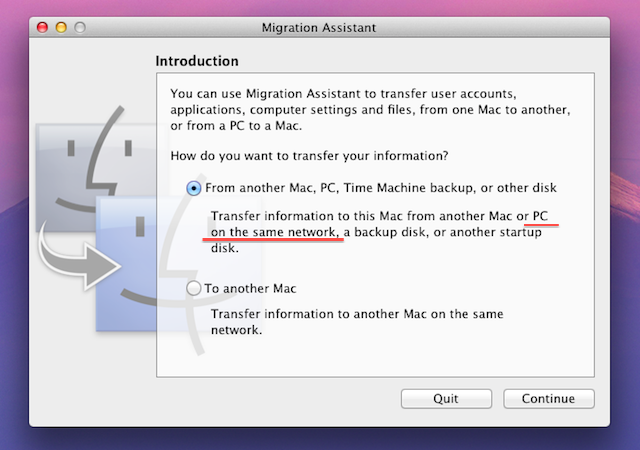
Another new feature discovered in the developer preview of OS X Lion is the ability to set up a Mac from a networked Windows PC as part of the Migration Assistant utility. Traditionally the only way to set up a new Mac and import all your files and settings was to use FireWire’s Target Disk Mode and hook up the old Mac or PC to the new Mac or use a Time Machine disk.
When Apple removed the FireWire port on some of its Macs it added the ability for Migration Assistant to import from a networked Mac, but not a PC. The Migration Assistant in the developer preview of OS X 10.7 Lion now brings the ability for new Mac users to set up Lion with data and settings from an existing Windows-based PC. The only caveat being that it requires a Migration Assistant helper client to be running on the Windows machine. For developers wishing to test this out, you’ll need to download that helper client from Apple’s developer site.
[Via AppleInsider]
Turn Twitter Noise Into Signal With Our Smartr For iPhone Giveaway!

MacStorians are incredibly Twitter savvy (most of them - we won’t discriminate if you don’t use Twitter), and for the power users who want to turn Twitter into a pure information feed, Smartr is a super client for getting micro-information on the go. Remove annoying Foursquare checkins, save articles for later reading, show page previews instead of links, and do it all with multiple Twitter accounts for business and personal use. We’re giving away five copies of Smartr to our delicious readers, and it’s incredibly simple to join in on the fun. Beforehand you might want to check out Federico’s glowing review, naming Smartr as, “Flipboard for the iPhone.”
First iPhone 5 Part Surfaces, Shows Larger Screen
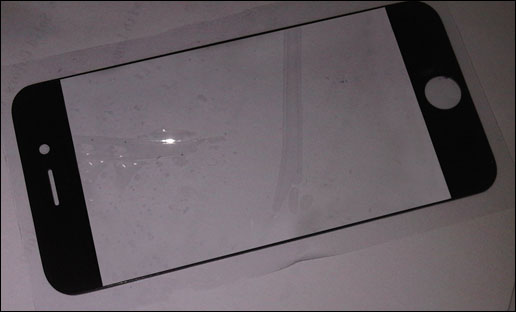
9to5mac has posted a photo from Chinese reseller of Apple parts iDealsChina showing a a purported digitizer panel for the next-generation iPhone, dubbed iPhone 5. The front panel shows a bigger display with an “edge-to-edge” screen that reduces the size of the bezels, especially at the sides. iDealsChina writes:
China’s 1st iPhone 5 photo has surfaced! From this photo it seems that the screen size will be larger than iPhone 4. There has been a lot of specualtion about a larger screen and maybe this will be one of the upgrades we will see when iPhone 5 is released this summer.
We heard that more photos of parts for iPhone 5 may be available soon. The part we would like to see is the back of iPhone 5 to verify if the rumored tapered back is true.
Several readers have pointed out that the image could be easily modified in Photoshop, but it also appears to back up the rumors surfaced in the past weeks about a new iPhone with a 4-inch screen “edge-to-edge” buit to face the competition of Android handsets sporting bigger and larger displays. In spite of the problems with a new iPhone resolution happening this year, we heard a few months ago that the iPhone 5 would be a “complete redesign” with major new features, like NFC support. It’s not clear from the photo whether or not Apple could keep the iPhone form factor at the same size and increase the size of the display at the same time.
2x Graphic Files Found in Lion May Hint at “Retina Display” for Macs
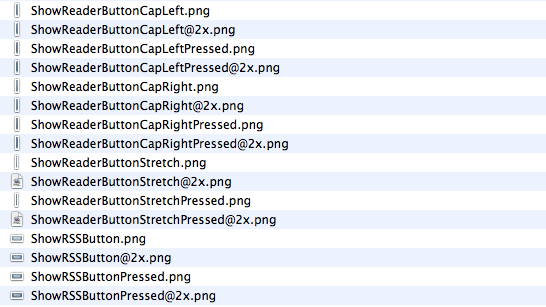
A report surfaced earlier this week suggested Apple may soon start building support for “HiDPI display modes” in Mac OS X to allow developers to take advantage of high-resolution displays and provide graphic files for apps at much greater detail. The HiDPI mode, from what MacRumors managed to gather taking a look at Lion’s Quartz Debug, would let developers save different sets of graphic elements into an application bundle, standard ones and 2x-enlarged ones that will have the same physical size on a display, but more detail thanks to the high-resolution mode. A 15” MacBook Pro with a standard 1440x900 display, for example, could go to 2880x1800 and have the same 15-inch size, but more detail because of its pixel density. Just like on the iPhone 4’s Retina Display, 2x files would be automatically used for the hi-res display.
While the HiDPI mode needs to be manually enabled for now, we have found a series of 2x-enlarged files in the current version of Safari for OS X Lion, version 5.1. The files carry the same “@2x” suffix of those seen on iPhone 4 apps, and are twice the size of those saved without 2x mode. The “HideReaderButtonCapLeft” file, for instance, is 6x30 in 2x mode and 3x15 in standard mode. Same applies for all the other files in Safari 5.1.
This isn’t the first time we discover 2x files hidden in Apple’s applications, and while they don’t really confirm high-res displays are coming in the near future (remember the @2x files we found in iBooks for iPad last year), they should be a good indication of the method Apple is testing to let Macs run more detailed applications on higher resolution displays. It doesn’t come as a surprise that the method is the same of the iPhone 4, and likely the same that will be adopted on the iPad as well. With next year’s MacBook Pro refresh rumored to be a complete redesign of the line, Apple may implement a “Retina display” to leverage 2x-mode for apps.