MacStories Weekly: Issue 390

Read more


MacStories Unwind: A Nintendo Boy at Heart

AppStories+ Deeper into the world of apps
0:00
21:30

AppStories+ Deeper into the world of apps


This week on MacStories Unwind, creative people we’d love to interview, desert island game systems, a brainy puzzle game and a TV show about an equally brainy chemist.

  • Kolide – It ensures that if a device isn’t secure it can’t access your apps.  It’s Device Trust for Okta. Watch the demo today!

Unplugged

Media Picks

MacStories Unwind+

We deliver MacStories Unwind+ to Club MacStories subscribers ad-free and early with high bitrate audio every week.

To learn more about the benefits of a Club MacStories subscription, visit our Plans page.


Automation Academy: Leveraging Reminders to Make Saving Tasks to Things More Reliable On-the-Go

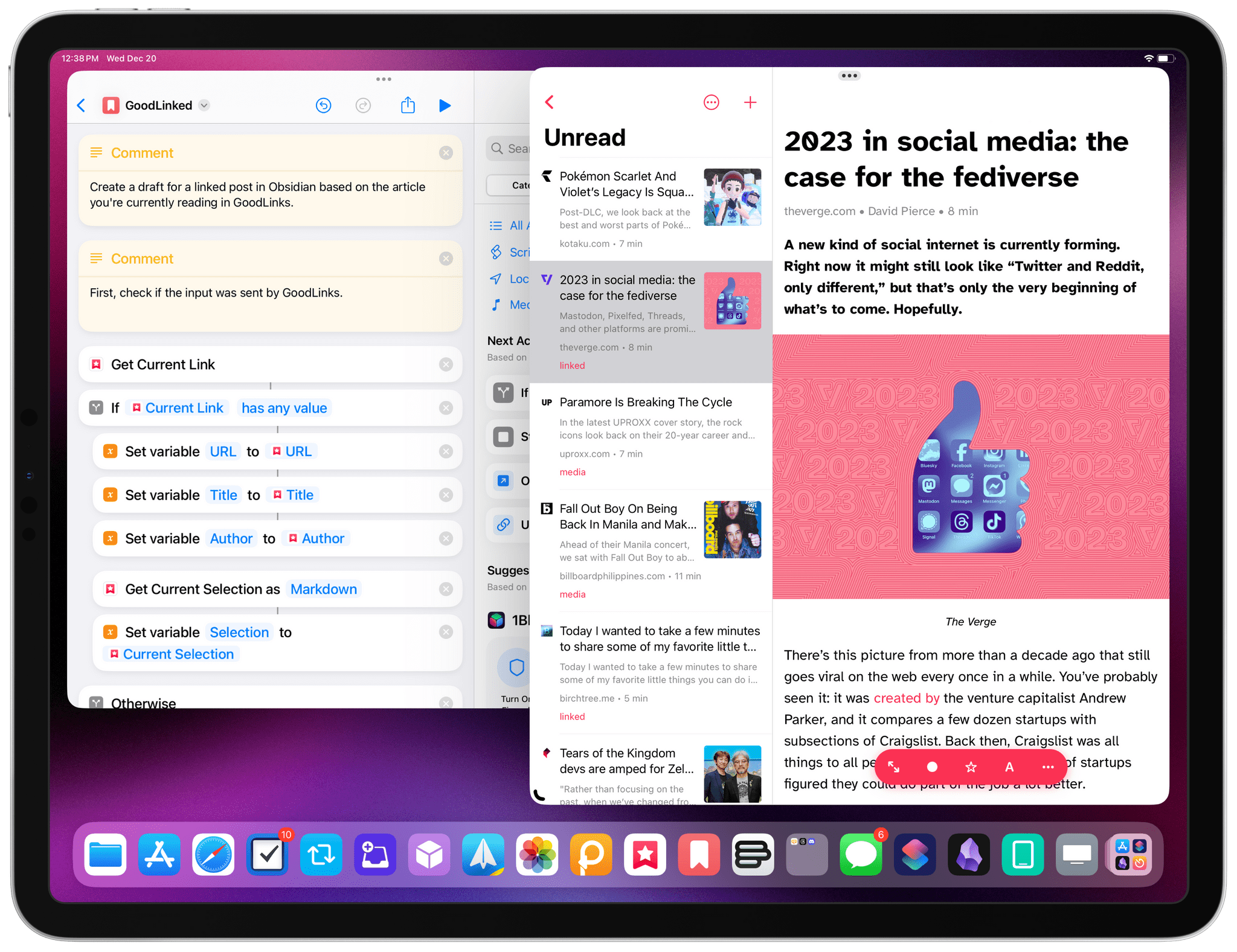
One of the perks of a Club MacStories+ and Club Premier membership are special columns published periodically by Federico and John. In today’s Automation Academy, which debuted a refreshed format, Federico explains how he leveraged the tight integration of Reminders and Siri with Things by Cultured Code to improve the experience of saving tasks to Things on the go.

As Federico explains:

One of the features I missed from Reminders was its deep integration with Siri and background sync privileges. Whether you’re using Siri on the iPhone or Apple Watch, you can quickly dictate a new task with natural language and rest assured you’ll find it a few seconds later on any other device signed into your iCloud account. For instance, I can’t tell you how many times I added a reminder (with dates and times) using Siri while driving via my Apple Watch and immediately found it on my iPad once I got home. You just don’t have to worry about sync if you’re using iCloud and Reminders, which is one of the most important advantages of the app.

Among other techniques, the post explains how to use ‘Repeat for Each’ blocks with magic variables and an always-on Mac running Lingon X, which is available for 20% off on the Club MacStories Discount page, to create a rock-solid way of creating new tasks from an Apple Watch or other device using Siri.

Automation Academy is one of the many perks of a Club MacStories+ and Club Premier membership and an excellent way to learn advanced Shortcuts techniques that are explained in the context of solutions to everyday problems.

Join Club MacStories+:

Join Club Premier:

Permalink

Home+ 6.2 Adds a Battery Smart Section and Widget

Matthias Hochgatterer’s Home+ 6 for the iPhone, iPad, and Apple Watch is one of the most powerful HomeKit apps around, offering automation based on functionality exposed by Apple’s HomeKit framework that its own Home app doesn’t even use. The app also does a terrific job of surfacing sensor data that is buried deep in the Home app, like details about the air quality in your home if you have a sensor that monitors that.

Home+ 6.2 includes a new Smart Group dedicated to battery health.

Home+ 6.2 includes a new Smart Group dedicated to battery health.

With version 6.2 of Home+, Hochgatterer has added a new section to the app that reports the remaining charge for any battery-operated HomeKit accessories, such as window and door sensors. The new section, which color codes its battery icons according to the remaining charge, is accompanied by a new set of small, medium, and large-sized widgets that can be customized to show all of your battery-operated devices or a subset picked by you. Like the smart section in the main app, the rings around each device icon are color-coded, making it easy to pick out any with low batteries.

The accessories and scenes widget has added room identifiers.

The accessories and scenes widget has added room identifiers.

Home+ also offers device widgets that have added the name of the room to which they’re assigned, making it simple to tell accessories apart in the widget. However, the accessory and scene widgets are not compatible with iOS and iPadOS 17’s new interactivity. Tapping an accessory or scene will trigger it, but the Home+ app opens in the process. Having gotten used to iOS and iPadOS 17’s interactivity, I hope Home+ adds support for it in the future.

Version 6.2 is a small update for Home+, but one I appreciate all the same. Battery data is too buried in the Home app, and with Home+’s new widget and smart section, I now know I have a Hue dimmer switch that needs my attention. Plus, if you haven’t checked out Home+ in a while, it’s worth exploring its automation tools, which are some of the best available in any HomeKit-based app.

Home+ 6.2 is available on the App Store for $9.99, which is a 30% discount from its usual price.


Is Apple’s Translate App Still Getting Lost in Translation?

Apple first introduced the Translate app in iOS 14. Although it was a welcomed addition to the language translation space, I stopped using it a couple of months after its release. Many languages were still missing, its interface was lackluster at best, and I found that its French translations were not great. I would also still often rely on Google Translate to translate text in the real world using the iPhone camera — a feature that was initially missing from Apple’s app. This year, however, the Translate app received a substantial makeover and a handful of new features in iOS 17.

Let’s see how Translate fares in 2023.

Read more


Apple Announces a New, More Affordable Apple Pencil That’s Coming in November

Source: Apple.

Source: Apple.

Today, Apple unveiled a new, more affordable Apple Pencil that charges via USB-C and supports many of the features of the two previous-generation Apple Pencils, but not all of them.

The new USB-C model looks a lot like the second-generation model, except it doesn’t charge wirelessly. Instead, the end of the Pencil can be pulled back to reveal a USB-C port for charging. However, like the second-generation Pencil, the new model attaches magnetically to the side of compatible iPads, which puts the Pencil into sleep mode to preserve battery power.

The latest Pencil also supports tilt sensitivity and hover, which was introduced with the latest iPad Pro models, but pressure sensitivity and double-tap to switch tools are not supported. Apple isn’t offering free engraving, either.

The new Apple Pencil is $79 ($69 for education) and will be available beginning in early November. According to Apple’s press release, the accessory is compatible with all iPad models that have a USB-C port, including iPad (10th generation), iPad Air (4th and 5th generations), iPad Pro 11-inch (1st, 2nd, 3rd, and 4th generations), iPad Pro 12.9-inch (3rd, 4th, 5th, and 6th generations), and iPad mini (6th generation).