Automation Academy: Leveraging Reminders to Make Saving Tasks to Things More Reliable On-the-Go

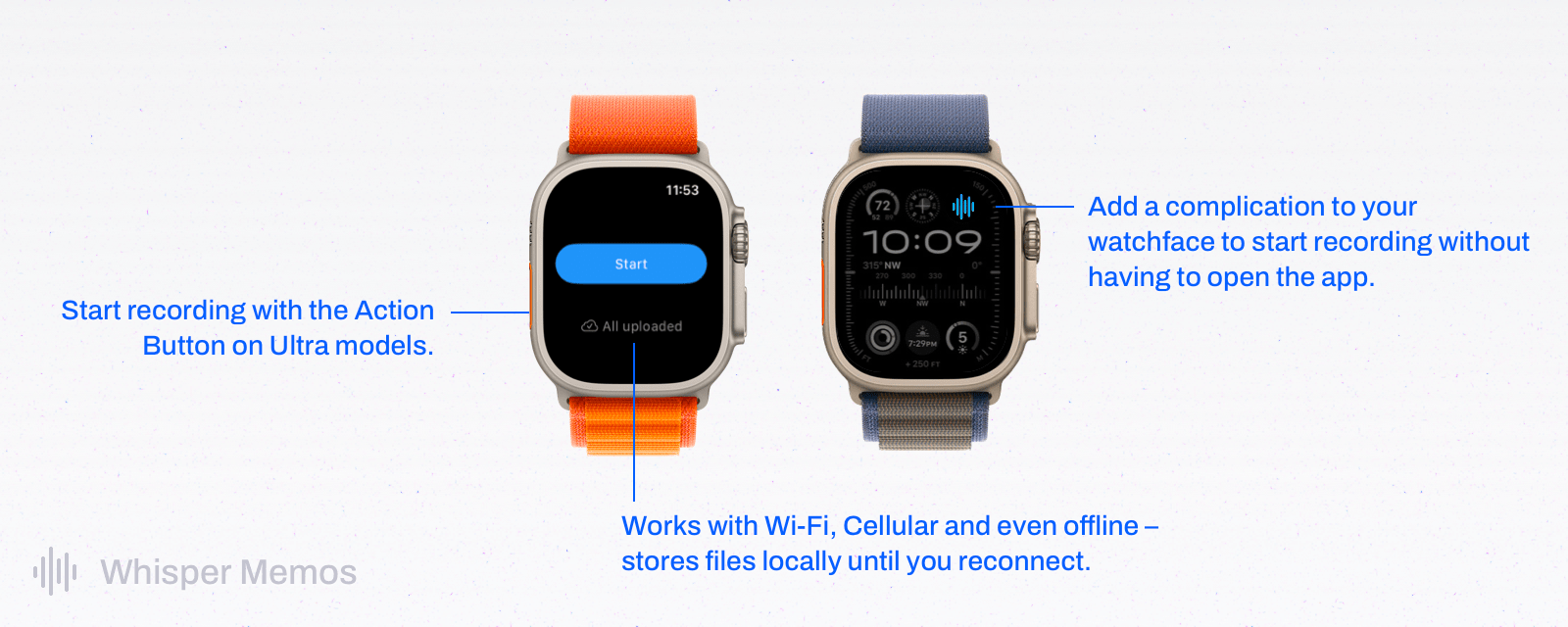
One of the perks of a Club MacStories+ and Club Premier membership are special columns published periodically by Federico and John. In today’s Automation Academy, which debuted a refreshed format, Federico explains how he leveraged the tight integration of Reminders and Siri with Things by Cultured Code to improve the experience of saving tasks to Things on the go.

As Federico explains:

One of the features I missed from Reminders was its deep integration with Siri and background sync privileges. Whether you’re using Siri on the iPhone or Apple Watch, you can quickly dictate a new task with natural language and rest assured you’ll find it a few seconds later on any other device signed into your iCloud account. For instance, I can’t tell you how many times I added a reminder (with dates and times) using Siri while driving via my Apple Watch and immediately found it on my iPad once I got home. You just don’t have to worry about sync if you’re using iCloud and Reminders, which is one of the most important advantages of the app.

Among other techniques, the post explains how to use ‘Repeat for Each’ blocks with magic variables and an always-on Mac running Lingon X, which is available for 20% off on the Club MacStories Discount page, to create a rock-solid way of creating new tasks from an Apple Watch or other device using Siri.

Automation Academy is one of the many perks of a Club MacStories+ and Club Premier membership and an excellent way to learn advanced Shortcuts techniques that are explained in the context of solutions to everyday problems.

Join Club MacStories+:

Join Club Premier:

Permalink

Home+ 6.2 Adds a Battery Smart Section and Widget

Matthias Hochgatterer’s Home+ 6 for the iPhone, iPad, and Apple Watch is one of the most powerful HomeKit apps around, offering automation based on functionality exposed by Apple’s HomeKit framework that its own Home app doesn’t even use. The app also does a terrific job of surfacing sensor data that is buried deep in the Home app, like details about the air quality in your home if you have a sensor that monitors that.

Home+ 6.2 includes a new Smart Group dedicated to battery health.

Home+ 6.2 includes a new Smart Group dedicated to battery health.

With version 6.2 of Home+, Hochgatterer has added a new section to the app that reports the remaining charge for any battery-operated HomeKit accessories, such as window and door sensors. The new section, which color codes its battery icons according to the remaining charge, is accompanied by a new set of small, medium, and large-sized widgets that can be customized to show all of your battery-operated devices or a subset picked by you. Like the smart section in the main app, the rings around each device icon are color-coded, making it easy to pick out any with low batteries.

The accessories and scenes widget has added room identifiers.

The accessories and scenes widget has added room identifiers.

Home+ also offers device widgets that have added the name of the room to which they’re assigned, making it simple to tell accessories apart in the widget. However, the accessory and scene widgets are not compatible with iOS and iPadOS 17’s new interactivity. Tapping an accessory or scene will trigger it, but the Home+ app opens in the process. Having gotten used to iOS and iPadOS 17’s interactivity, I hope Home+ adds support for it in the future.

Version 6.2 is a small update for Home+, but one I appreciate all the same. Battery data is too buried in the Home app, and with Home+’s new widget and smart section, I now know I have a Hue dimmer switch that needs my attention. Plus, if you haven’t checked out Home+ in a while, it’s worth exploring its automation tools, which are some of the best available in any HomeKit-based app.

Home+ 6.2 is available on the App Store for $9.99, which is a 30% discount from its usual price.


Is Apple’s Translate App Still Getting Lost in Translation?

Apple first introduced the Translate app in iOS 14. Although it was a welcomed addition to the language translation space, I stopped using it a couple of months after its release. Many languages were still missing, its interface was lackluster at best, and I found that its French translations were not great. I would also still often rely on Google Translate to translate text in the real world using the iPhone camera — a feature that was initially missing from Apple’s app. This year, however, the Translate app received a substantial makeover and a handful of new features in iOS 17.

Let’s see how Translate fares in 2023.

Read more


Apple Announces a New, More Affordable Apple Pencil That’s Coming in November

Source: Apple.

Source: Apple.

Today, Apple unveiled a new, more affordable Apple Pencil that charges via USB-C and supports many of the features of the two previous-generation Apple Pencils, but not all of them.

The new USB-C model looks a lot like the second-generation model, except it doesn’t charge wirelessly. Instead, the end of the Pencil can be pulled back to reveal a USB-C port for charging. However, like the second-generation Pencil, the new model attaches magnetically to the side of compatible iPads, which puts the Pencil into sleep mode to preserve battery power.

The latest Pencil also supports tilt sensitivity and hover, which was introduced with the latest iPad Pro models, but pressure sensitivity and double-tap to switch tools are not supported. Apple isn’t offering free engraving, either.

The new Apple Pencil is $79 ($69 for education) and will be available beginning in early November. According to Apple’s press release, the accessory is compatible with all iPad models that have a USB-C port, including iPad (10th generation), iPad Air (4th and 5th generations), iPad Pro 11-inch (1st, 2nd, 3rd, and 4th generations), iPad Pro 12.9-inch (3rd, 4th, 5th, and 6th generations), and iPad mini (6th generation).


AppStories, Episode 355 – Building a Link Gathering Machine

This week on AppStories, I surprise Federico with a link gathering machine I designed for processing and reading the web.

Sponsored by:

  • CleanMyMac X – Your Mac. As good as new. Get 5% off today.

On AppStories+, Federico tests more AR glasses and reports back on his experience with the XREAL Air after a week, plus I joins in on the fun.

We deliver AppStories+ to subscribers with bonus content, ad-free, and at a high bitrate early every week.

To learn more about the benefits included with an AppStories+ subscription, visit our Plans page, or read the AppStories+ FAQ.

Permalink

Announcing the Club MacStories Fall Membership Event and Discount

Today, we’re announcing our first-ever Club MacStories Membership Event and Discount. I’ve got more details below, but the highlights include 20% off on all annual Club MacStories plans plus special columns, a live Discord event, giveaways, deals, downloadable content, and more every day through October 31st. There’s a lot going on, so let’s look at the details.

To take advantage of the discounted plans, please use the coupon code CLUB2023 at checkout or click on one of the buttons below.

Join Club MacStories:

Join Club MacStories+:

Join Club Premier:

Visit our [Plans page](https://www.macstories.net/club/plans) for more details on each Club option.

Visit our Plans page for more details on each Club option.

Club MacStories has become a big part of MacStories. The Club has grown steadily every year since it was started in 2015, and every plan is packed with more of what you love about MacStories. With this month’s event, we want to accomplish two things:

  • Thank our current members with two weeks packed with what makes the Club special
  • Offer a special 20% off on annual plans to grow the Club further and make switching to a higher-tier membership more affordable for existing members.

The support of Club MacStories members is the foundation of MacStories. It’s given us the freedom to expand, focus on our in-depth stories and reviews, and build a closer relationship with readers. And most recently, while websites are shutting down and laying off staff due to plummeting ad revenue, we’re growing and have plans to do even more in the coming year. That wouldn’t have been possible without the Club.

What’s unique about Club MacStories is that it’s the perfect complement to MacStories.net. If you’re a fan of the site, you’ll find that the Club is a natural extension of what you already love, with more of everything.

Our Club Discord community has become a fantastic resource for Club MacStories+ and Premier members.

Our Club Discord community has become a fantastic resource for Club MacStories+ and Premier members.

That’s been the case since the Club launched over eight years ago. We didn’t hide MacStories content behind a paywall when the Club was started. Instead, the Club has always been designed to supplement MacStories with more app coverage and complex automations, longer podcast episodes, and more. Then, with the introduction of Club MacStories+ and Club Premier, we built on that model further with a vibrant, respectful Discord community of app and automation fans who help each other get the most out of their technology.

Club newsletters are available in our fully-searchable web app for Club MacStories+ and Premier members.

Club newsletters are available in our fully-searchable web app for Club MacStories+ and Premier members.

We know that folks are inundated with subscriptions these days, which is why we work hard to offer what we think is a great value at every tier of the Club. Our eight-year track record of consistency and content, which includes nearly 500 issues of our newsletters, speaks for itself, but we also realize that committing to an annual plan is still a lot. So that is why we’re excited to offer the biggest discount on Club MacStories plans we’ve ever done. Here’s a breakdown of each tier and the discounts we’re offering through October 31, 2023:

Normally Through Oct. 31
Club MacStories $50/year $40
Club MacStories+ $100/year $80
Club Premier $120/year $96

If you’re not familiar with the Club, you can learn more and compare plans side-by-side here and read our FAQ page.

These discounts are available to anyone signing up for one annual Club membership for the first time, reactivating an expired plan, or upgrading a current plan.

To take advantage of the discounted plans, please use the coupon code CLUB2023 at checkout or click on one of the buttons below.

When you change a monthly plan to an annual one, you'll get credit for the remainder of your current month's subscription.

When you change a monthly plan to an annual one, you’ll get credit for the remainder of your current month’s subscription.

Join Club MacStories:

Join Club MacStories+:

Join Club Premier:

As a thank you to members, we’re also rolling out daily content, giveaways, deals, and more over the next two weeks, starting with a new addition to our Club MacStories+ and Club Premier app discounts page, which we’ll reveal tomorrow on Mastodon and Threads. Then on each day for the next two weeks, we’ll have columns, giveaways, a special Discord audio event, eBooks, and more, so keep an eye on the MacStories and Club MacStories Mastodon accounts and the MacStories Threads account every day to hear what’s coming next. We’ll be sure to keep any giveaway entries open throughout the fall Membership Event, too, so no matter when you join, they’ll be available.

Thanks again to our many loyal Club MacStories members, and welcome to everyone joining for the first time. You’ve all helped us grow MacStories, launch new projects, and build MacStories on a strong foundation while staying independent and true to our editorial values. We look forward to bringing you even more of what makes MacStories special for a long time to come.


Stupid Companies Make AI Promises. Smart Companies Have AI Policies [Sponsor]

It seems like every company is scrambling to stake their claim in the AI goldrush–check out the CEO of Kroger promising to bring LLMs into the dairy aisle. And front line workers are following suit–experimenting with AI so they can work faster and do more.

In the few short months since ChatGPT debuted, hundreds of AI-powered tools have come on the market. But while AI-based tools have genuinely helpful applications, they also pose profound security risks. Unfortunately, most companies still haven’t come up with policies to manage those risks. In the absence of clear guidance around responsible AI use, employees are blithely handing over sensitive data to untrustworthy tools. 

AI-based browser extensions offer the clearest illustration of this phenomenon. The Chrome store is overflowing with extensions that (claim to) harness ChatGPT to do all manner of tasks: punching up emails, designing graphics, transcribing meetings, and writing code. But these tools are prone to at least three types of risk.

  1. Malware: Security researchers keep uncovering AI-based extensions that steal user data. These extensions play on users’ trust of the big tech platforms (“it can’t be dangerous if Google lets it on the Chrome store!”) and they often appear to work, by hooking up to ChatGPT et al’s APIs. 
  2. Data Governance: Companies including Apple and Verizon have banned their employees from using LLMs because these products rarely offer a guarantee that a user’s inputs won’t be used as training data.
  3. Prompt Injection Attacks: In this little known but potentially unsolvable attack, hidden text on a webpage directs an AI tool to perform malicious actions–such as exfiltrate data and then delete the records. 

Up until now, most companies have been caught flat-footed by AI, but these risks are too serious to ignore. 

At Kolide, we’re taking a two-part approach to governing AI use.

  1. Draft AI policies as a team. We don’t want to totally ban our team from using AI, we just want to use it safely. So our first step is meeting with representatives from multiple teams to figure out what they’re getting out of AI-based tools, and how we can provide them with secure options that don’t expose critical data or infrastructure.
  2. Use Kolide to block malicious tools. Kolide lets IT and security teams write Checks that detect device compliance issues, and we’ve already started creating Checks for malicious (or dubious) AI-based tools. Now if an employee accidentally downloads malware, they’ll be prevented from logging into our cloud apps until they’ve removed it.

Every company will have to craft policies based on their unique needs and concerns, but the important thing is to start now. There’s still time to seize the reins of AI, before it gallops away with your company’s data.

To learn more about how Kolide enforces device compliance for companies with Okta, click here to watch an on-demand demo.

Our thank to Kolide for sponsoring MacStories this week.