

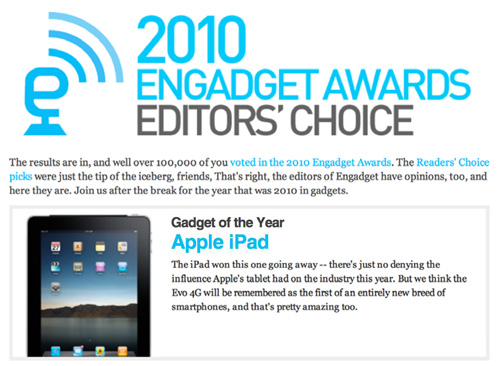
Does it really surprise anyone that Apple’s iPad keeps winning awards? No, not really but it means Apple really knows how to make great products. Today, Engadget announced the winners of their 2010 Editors’ Choice Awards. Just a few days ago, Engadget posted their Reader’s Awards and the iPad also won ‘Gadget of the Year’ there too. Readers’ opinions are just as important as editors’ ones but it’s the editors’ decisions that more people see. Engadget is one of the most popular tech sites out there, besides us, so it’s cool to see the iPad standout from the crowd there as well. Read more
Engadget Awards iPad ‘Gadget of the Year’
Consumer Reports Can’t Recommend the Verizon iPhone
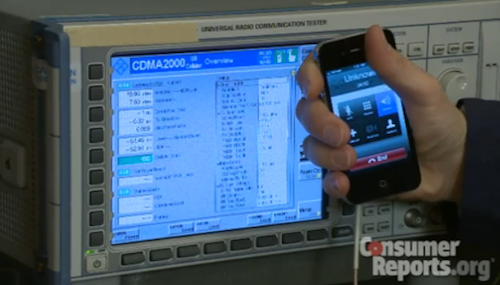
In spite of earlier reports that suggested ratings and reviews publication Consumer Reports would give a thumbs up to the Verizon iPhone (and debates on its testing methods), this is clearly not happening. For the second time since Consumer Reports smacked the AT&T iPhone 4 in July due to signal degradation issues (and eventually confirmed they could be easily fixed with duct tape, a free bumper or a better holding of the phone), the iPhone 4 can’t be recommended.
The Verizon iPhone 4 has a problem that could cause the phone to drop calls, or be unable to place calls, in weak signal conditions, Consumer Reports engineers have found in lab tests.
The problem is similar to the one we confirmed in July with the AT&T version of Apple’s newest smart phone. It can occur when you hold either version of the phone in a specific but quite natural way in which a gap in the phone’s external casing is covered. The phone performs superbly in most other respects, and using the iPhone 4 with a case can alleviate the problem.
Consumer Reports has performed its usual set of tests to determine whether or not the iPhone 4 on Verizon could be inserted into the list of recommended products. The iPhone 4 is among Consumer Reports’ highest rated smartphones, but can’t be recommended by Consumer Reports itself. Verizon, on the other hand, is widely recognized as America’s most reliable and recommended network. The Verizon iPhone has collected very positive reviews from all around the web.
With the iPhone 4, we placed a finger in contact with the lower-left-side gap. Reception typically dropped notably within 15 seconds or so of the gap being bridged. The iPhone eventually dropped calls when touched at very low signal strength—that is, at levels of around one bar in the phone’s signal-strength meter.
For those interested, video is embedded below. For those running a Verizon iPhone: sorry it can’t be recommended, but enjoy your phone.
#MacStoriesDeals - Super Friday!

Sorry for not having Deals yesterday, it was hectic around MSHQ! But don’t worry, today will make up for it! Here are all of today’s deals on iOS, Mac, and Mac App Store apps that are on sale for a limited time, so get ‘em while they’re hot!
DropPhox: The Easiest Way From Your iPhone’s Camera to Dropbox
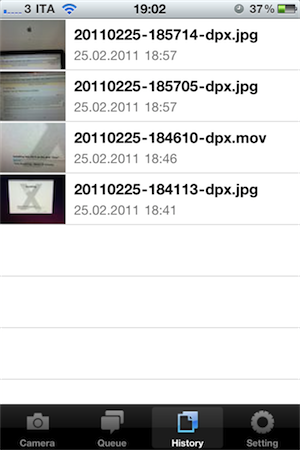
DropPhox, a $1.99 app by DaVinciWare, provides an easy solution to take pictures and videos on your iPhone, and instantly upload them to the popular service Dropbox, used these days by a plethora of applications and external services. The app’s tagline, in fact, is “Snap and send to Dropbox”.
Once authenticated with your Dropbox credentials in the settings, the app will create a folder in your Dropbox to save photos and videos shot on the iPhone. By default, the path is /DropPhox. In the in-app settings you can also choose to keep GeoTags while uploading, whilst you’ll have to head over the Settings app to modify other preferences. The selection here is pretty rich: you can edit the date format (International, US, Japan), choose the photo size (keep original, or automatically scale to 600x800, 960x1280, 1200x1600) and select the badges you’d like to see on the homescreen and tab bar. I particularly appreciate the possibility to choose photo size as most of my iPhone 4 pictures will end up being resized at 600x800 anyway.
With DropPhox set up to upload to Dropbox correctly, there really isn’t much else to say: open the app and start shooting. As you take pictures and videos, the queue will upload them to Dropbox in the background. It’s very nice. After taking a photo or video, you’ll only have to tap on an additional “Use” button to send stuff to Dropbox.
DropPhox could use some additional UI refinements, but it works well as a way to get photos and videos on to Dropbox in seconds. Sure, everything will depend on the speed of your Internet connection, and that’s why the size settings are very welcome (especially when using an iPhone 4 on 3G). Go download it here.
Apple Gets Back To Basics with Lion→
Apple Gets Back To Basics with Lion
Great post by David Chartier at Macworld:
iOS and Mac OS X are symbiotic entities. When designing iOS, Apple distilled the Mac down to something pocketable, but the core concepts are there, such as an app-centric workflow, an always-accessible “home base” Dock, and a fierce pursuit of intuitive interfaces. After gaining knowledge and experience from nearly five years and four versions of iOS, Apple clearly felt that it’s time to return the favor in Lion. Apple is incorporating some of the fresh simplicity of iOS back into its point-and-click desktop computing platform that, at its conceptual core, is almost three decades old.
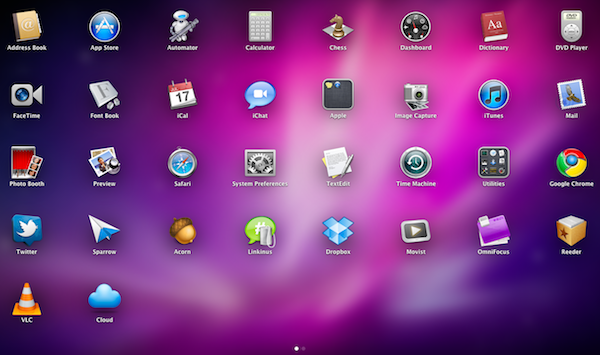
It’s all there in the first beta: AirDrop lets you share files in your local network with one click (and I wonder if iOS 5 will gain support for this feature). The Finder is streamlined, redesigned and it’s got Coverflow-like navigation in the icon view. There is a unified UI for managing Mail and Calendar accounts. The Launchpad really looks like an iOS homescreen. Mission Control, one of my favorites, brings Spaces, Exposè and full-screen apps all together into a simpler interface.
We only have one beta of Lion, but the future points in this direction: simplification.
Apple Internal Document Confirms MobileMe Available Online Only
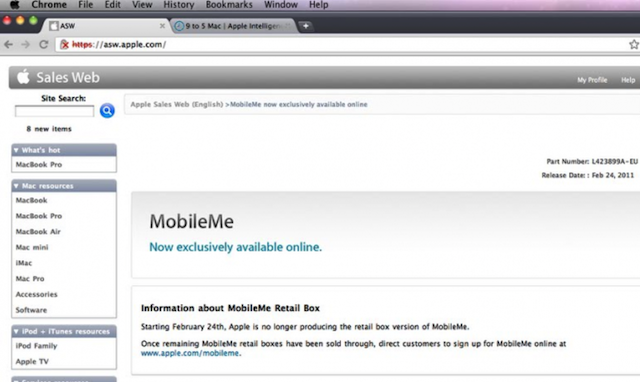
Apple has notified its retail staff that it will no longer be producing the physical MobileMe boxes and moving sales of the product solely online. This has all but confirmed what was was reported yesterday with customers to be directed to apple.com/mobileme to purchase the product once all existing stocks of the MobileMe boxes are sold.
The question still remains whether MobileMe will soon get a major revamp and possibly become a free product.
[Via 9to5 Mac]
Apple Prepares For Retina Monitors With HiDPI Mode in OS X Lion
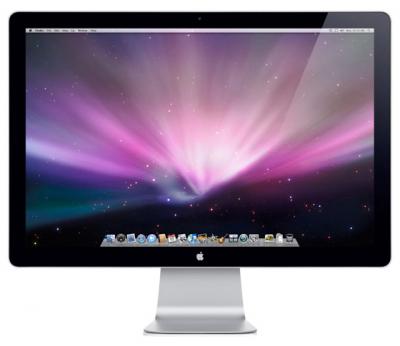
Digging through the build of Mac OS X Lion that was seeded to developers yesterday, MacRumors discovered the presence of “HiDPI display modes” which suggests that Apple is planning for the possibility of Mac displays running something similar to a Retina display sometime in the near future.
Developers would, as they have done on the iPhone, provide each UI element in two sizes, one in the size they currently are and then one at twice the resolution. It would work virtually identically to how Apple implemented the Retina display for the iPhone, with the high-resolution displays using the double sized UI elements so that physically the size of the elements would stay the same.
MacRumors gives the example of a 15” MacBook Pro that has a resolution of 1440x900 that could be doubled to 2880x1800 and then use an app’s UI 2X elements and which would leave the application’s UI elements the same physical size, but with much greater detail. Apple had previously dabbled in the notion of creating OS X a resolution independent OS through a number of methods from using vector graphics to providing bitmaps for multiple screen resolutions, but none had previously eventuated.
The HiDPI mode is not turned on by default and must be done so through Lion’s Quartz debug in Xcode.
[Via MacRumors]
Sparrow Lite Available in the Mac App Store
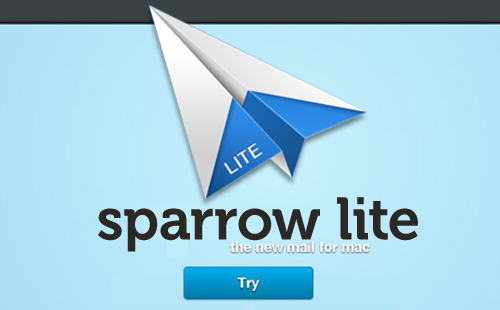
Sparrow, one of our favorite mail clients for the Mac, has just realeased Sparrow Lite via the Mac App Store. The Lite version integrates all the features of Sparrow but you can only use one Gmail mail account, it has ads by Carbon (very nice by the way), and your signature adds ‘Sent with Sparrow’ after your name.
Sparrow Lite is a great way to give it a try before deciding if you are interested in buying the full version for $9.99. Sparrow Lite is FREE and is now available in the Mac App Store.
OS X Lion Adds TRIM Support for SSDs
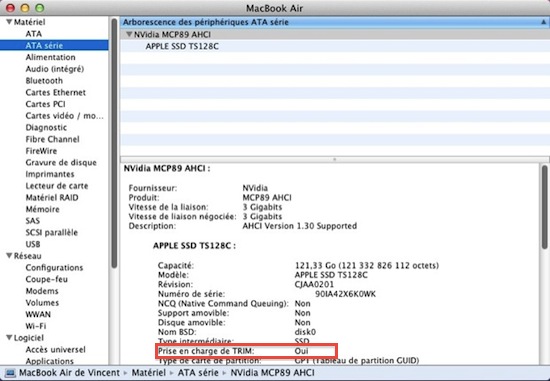
Here’s some great news for SSD owners like me (on a 2008 unibody MacBook Pro) or people that bought a new shiny MacBook Air with integrated Flash storage earlier this year: the developer beta of Mac OS X Lion adds support for the TRIM command on SSD. As you can see in the screenshot above captured by MacGeneration, there’s a “Oui” (yes) next to TRIM command info.
What’s the big deal with TRIM support? To put it simply, operating systems like Snow Leopard that don’t have TRIM support will treat solid state drives as regular, spinning drives when writing and deleting blocks of data. Snow Leopard doesn’t exactly know it’s dealing with an SSD, and while you’ll notice incredible performance improvements in daily usage, the same performances will slowly degrade over time without TRIM support. TRIM correctly tells the operating system which blocks of data are no longer in use in the solid state unit, and the OS passes the information along to the SSD controller so it can wipe blocks internally.
Basically: this is great news for SSD aficionados and, looking forward, a smart move from Apple as the move to solid state drives in all Mac computers seems inevitable.