

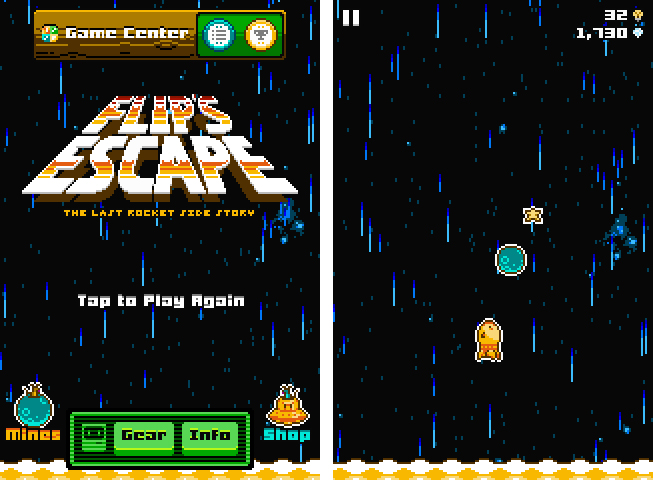
Last week, Shaun Inman (creator of the popular statistics and RSS server software Mint and Fever)’s newest game, Flip’s Escape, got approved by Apple. It ties in with the loose storyline of The Last Rocket after escaping from the collapsing factory. Flip, the rocket you play the game as, needs to flee from the shockwave which resulted from a large explosion. At the same time Flip has to avoid colliding with asteroids during his epic escape. Read more
Flip’s Escape Offers Tons Of Pixel Fun For iOS
Review: Things 2 With Cloud Sync
Things by Cultured Code, a developer company based in Stuttgart, Germany, has been around since the day the App Store and iOS 2.0 were unveiled. The app is famous for its minimalist, iconic interface and features which are a perfect mix of simplicity and serious business from the very first version on. It’s the perfect example for the ethos of “If 1.0 sucks, all other versions will suck as well”, it was done right the day it came out.
Yet, the first Things just didn’t work for me — I don’t know why, but it didn’t stick. I’ve never tried out other solutions, neither complex workhorse that is OmniFocus, nor have I tried a basic to-do app like Remember The Milk. The last three years, I was a Simplenote guy. I’m really into minimalism; in fact, that’s the reason why I initially desperately wanted to try out Things. But Simplenote worked better than Things for me. You could paste anything into it and the new content would be immediately available across all your devices, and on the web. My notes were always with me. And after I found Notational Velocity for Mac, a Simplenote desktop client, I completely stopped searching for other solutions.
But now, Things have changed. After over a year of beta testing, Things 2 with Cloud sync has finally arrived, and besides its big syncing feature, it’s got a bunch of other cool refinements and new possibilities along the way. Read more
#MacStoriesDeals - Thursday

If you missed our Mountain Lion coverage, be sure to check it out. Here are today’s @MacStoriesDeals on hardware, iOS, and Mac apps that are on sale for a limited time, so get them before they end!
Read more
Drafts 2.0: New Fonts, New Look, A Brand New Kind of Sync, And Now On iPad
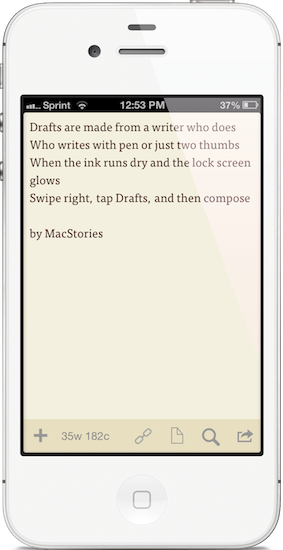
“Drafts are made for a writer who does. Who writes with pen or just two thumbs. When the ink runs dry and the lock screen glows. Swipe right, tap Drafts, and then compose.”
I like to think of Drafts as the Field Notes of iOS. It’s inexpensive yet of high quality, unassuming but sharp, highly portable and convenient. While the icon, a simple white chiclet key, doesn’t emphasize Draft’s suave user interface, it is symbolic of the keyboard shortcut for Safari and other browsers, where ‘command + D’ adds the open webpage as a bookmark. The name Drafts itself may curtail ideas of long-form note-taking, although it’s not antagonistic towards writers feeling inspired to write more than a few sentences. Drafts is considerably the everyman’s notebook, unfraught with bindings and covers, instead fitted between two panes of glass in Apple’s iPhones.
Drafts, for those whom haven’t read the original review, is simply a digital notebook for capturing thoughts, lists, and ideas in plain text or Markdown. Those ideas can then be shared with social networks like Twitter or Facebook, your email or calendar, with friends on Messages, to a capturing tool like Evernote, or into a folder on Dropbox. If you’d like, you can use it like Birdhouse for drafting Tweets, or you can use it like Notes for grocery lists and reminders. No matter how you use it, your journal is held together in a simple list, organized by date last accessed, and is quickly searchable.
OS X Mountain Lion Updated to 10.8.1

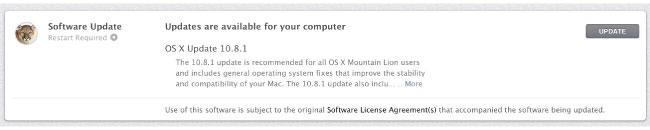
Apple just released OS X 10.8.1, maybe your Mac already told you via Notification Center, but Mountain Lion’s first public update is out. The update includes general operating system fixes that improve the stability and compatibility of your Mac. The delta update appears to be less than 8MB is size.
• Resolve an issue that may cause Migration Assistant to unexpectedly quit
• Improve compatibility when connecting to a Microsoft Exchange server in Mail
• Address an issue playing audio through a Thunderbolt display
• Resolve an issue that prevents iMessages from being sent
• Resolve an issue when connecting to SMB servers with long names
• Address an issue that may cause the system to become unresponsive when using Pinyin input
If you still haven’t updated to OS X Mountain Lion, now would be an excellent time since the first ‘bug fix’ update is out. You can download it here via the Mac App Store.
UPDATE: Apple has released the support document for the update with more details.You can find it here.
Shuffler.fm Is The Perfect Tool For Genre-Specific Music Discovery

About a month and a half ago, I published a post about the current state of music making and discovery on the iPad. In the first part of that post I listed, described, and analyzed some prominent apps for discovering new music on the iPad. I concluded that these apps are state of the art when it comes to discovering music. Last week, while searching for music integration features for a music blog I run as a side project, I stumbled upon shuffler.fm. And after using it for some days now, I wish I could rewind time and add this service to the list in my music editorial, because it does something the other apps like Aweditorium or even radio apps like Tuner do not offer: it combines genre-specific music discovery with reviews and critical opinion. Read more
Sprinkle a Dash of Cocoa in Your AppleScripts
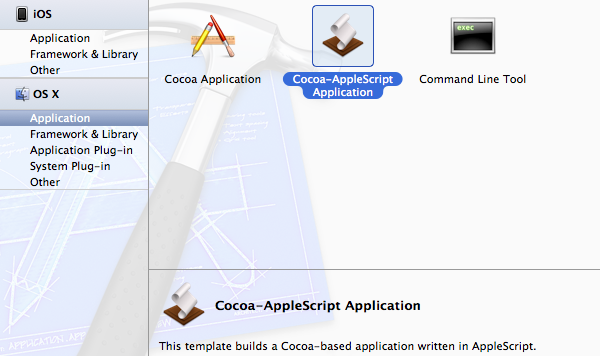
The framework AppleScriptObjC allows users to write scripts with an interesting fusion of the AppleScript and Objective-C languages. Specifically, Apple describes the framework as:
AppleScriptObjC lets AppleScript objects serve as Objective-C objects in the Cocoa runtime
Basically this means that you can use simplistic Objective-C code in an AppleScript with the seemingly easier to grasp syntax of AppleScript. If none of this makes any sense yet then just hang in there and I will explain in a very visual tutorial in which I will build a sample Cocoa-AppleScript app that simply sends a notification to the Notification Center and quits.
#MacStoriesDeals - Tuesday

If you missed our Mountain Lion coverage, be sure to check it out. Here are today’s @MacStoriesDeals on hardware, iOS, and Mac apps that are on sale for a limited time, so get them before they end!
Read more
Ecoute Is The Best Music Player For iOS. Period.
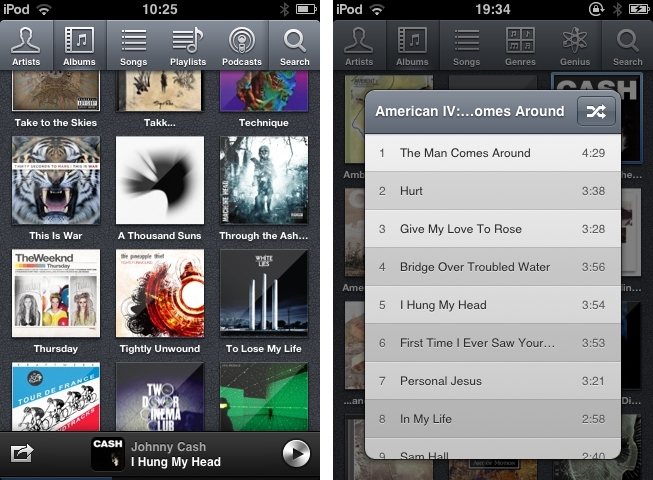
Since I started to write about UI design and iOS apps again 5 months ago, I became more and more disappointed with the native music player on my iPod touch. During my research, I found many innovative modifications of the iOS table view, and I often wished that Apple will integrate some of them into their system apps, especially their music player. But since Apple is a company that believes in radical minimalism and coherence throughout its ecosystem, this never happened and also won’t likely happen in the future. I tried out many alternatives like GoodMusic, but no app was able to satisfy both my design and usability needs on my iPod touch. Until yesterday. Yesterday, Pixiapps released Ecoute for iOS.
Ecoute for Mac has been the app Pixiapps focused on during the last years. It is a minimalist, easy to use iTunes replacement with iconic UI and many cool hotkey and playback features. I’m still an iTunes guy, because I need a reliable solution for managing my over-1100-record digital music collection. But Ecoute for Mac was the first app which really made me think about switching my desktop music player. And now, Ecoute debuts on the iPhone. Although the app is promoted as “Ecoute for iOS”, there is no iPad version available yet. For me this is not really a problem — I like the semi-skeuomorphic design of the iPad music player very much and was never seriously thinking about replacing it. But when I opened up Ecoute on my iPod for the first time, I immediately knew that this was exactly what I’ve been searching for. I basically want three things in a mobile music player: easy navigation, intelligent gesture integration for flawless in-app movement, and a focus on album artwork. Except for some flaws in terms of navigation, Ecoute measures up to all these requirements. Read more