Wingman – Your GitHub Code Concierge

On the surface Wingman is a simple menu bar application that integrates with a Github account to manage projects. As you dive deeper into the app you will find more robust features that help accomplish routine tasks such as the ability to create separate branches for features, bugs, hotfixes, and releases. What makes Wingman so simple to use is not the minimal interface, actually it is the “Task Driven Workflow” that is easy to understand for developers and non-developers alike.

All actions in Wingman start with a task. For example, if you have a bug in your project you would like to work on, you would start by clicking the Wingman icon in the menu bar (or by hitting command+enter on the keyboard) and arrowing down to your repo for that project. If you have already loaded the project then a sub menu will display the available tasks you can perform for that project (e.g. Work on a new bug fix or Work on a new feature). As an example, I chose Work on a new bug fix. Wingman will ask for a name to associate with the bug fix and it even allows you to select a pre-existing GitHub Issue or create a new one at that time. Wingman then goes in to action doing all the work required to create a separate branch for the bug fix as well as cloning it to your local computer. The automated tasks are quick and reliable in my experience. The integration with GitHub Issues is perhaps my favorite part of Wingman. Having a paid account with GitHub for a while now, I love tools that really help me get my moneys worth out of the service. I have been using Wingman with a couple of projects in private repos associated with a GitHub organization account and it has worked flawlessly.

Read more


FlightPath, TestFlight’s New Mobile Analytics Tool, Launches as a Private Beta

Today TestFlight is announcing FlightPath, a new mobile analytics tool that makes it easy for developers to gain insights on how their customers are using their apps in real-time.

Launching as a private beta, FlightPath shows what you care about on a single, easy-to-read living page. A simple chart provides a high-level overview of an app’s status and usage in real-time. Developers can click on various points to filter data into specific metrics, such as session length, that can be combined with other data points and saved off as preset segments for easier tracking. Preset segments, such as Loyal Users and Flight Risks, give developers a head start on gaining valuable insights. Developers already using the TestFlight SDK can easily take advantage of FlightPath by adding a single line of code.

FlightPath appears to be the Squarespace of analytics tools: it’s easy to get started, everything is a click away, and more nuanced data is available if developers want it. FlightPath aims to solve common frustrations with analytics tools by reducing complexity and by delivering up-to-date information now, not later.

Developers can sign up for the FlightPath beta by signing up at www.flightpathapp.com.


Quantifying The Australian “Apple Tax”

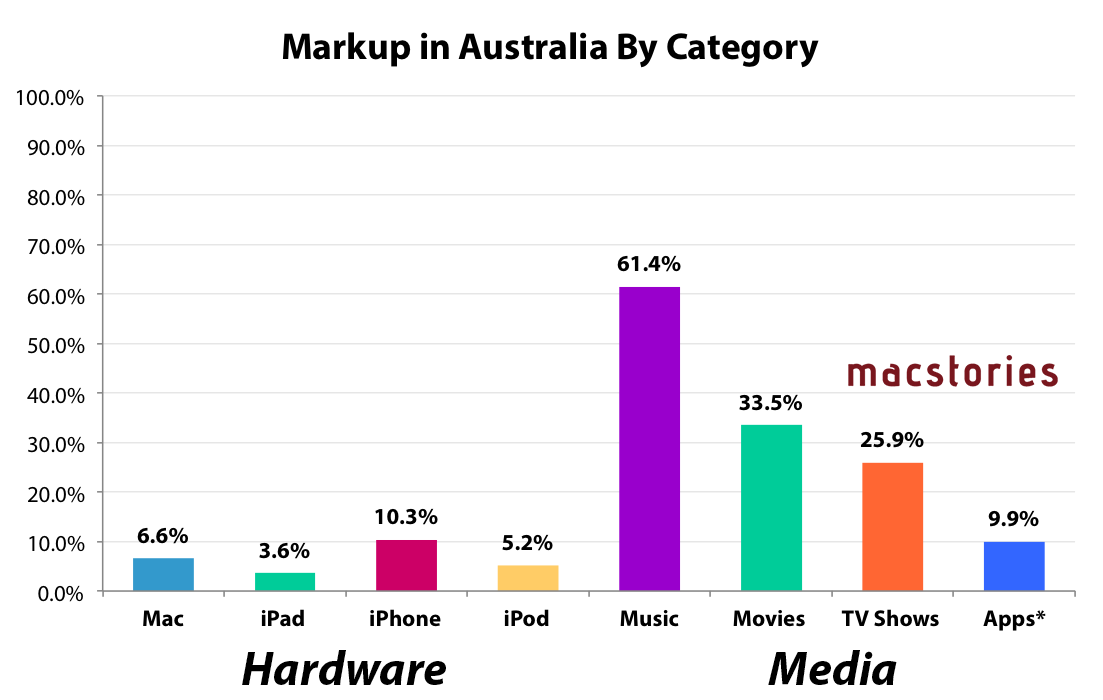
On Friday, Apple (along with Microsoft and Adobe) will front the Federal Australian Parliament’s inquiry into IT Pricing. You may recall that after failing to voluntarily appear, the committee in February of this year summonsed the three, effectively forcing them to appear. Given Apple’s appearance, I wanted to take a closer look to see what Apple actually charges for their products (both hardware and media from their iTunes and App Stores) and see how it compares to the US.

Methodology

Doing this kind of analysis can be fairly contentious given there are a few ways to do it, various assumptions you have to make, and different ways of presenting the information. To be clear, here is how I have constructed the data presented in the graphs in this article.

  • I collected from Apple’s website, the Australian and US prices of all their key products and main models (but not built-to-order models).
  • GST is removed from Australian price: The Australian price includes a 10% GST (goods and services tax), so I removed that from the Australian price because US prices do not include a sales tax, that is added at checkout based on which US state the customer is from (sales taxes varies across US states).
  • Now that both prices don’t include sales taxes, I convert the Australian price from Australian dollars (AUD) to US dollars (USD). I use a 3 month average of the exchange rate. The 3 month average smoothes out any temporary peaks or troughs in the exchange rate and gives Apple a fairly lengthy period of time to alter prices if there was a significant change in the exchange rate.
  • This now gives me the price of the Australian good in USD and without GST, a figure that can now be compared with the US price. So I calculate the percentage markup of the Australian price based on the original US price.
  • NOTE: Methodology for the Media calculations do vary a bit, read the notes I include with them.
  • I encourage you to scrutinise my calculations by taking a look at the Excel document I created, linked below.

Sponsor: Smile

Our thanks to Smile for sponsoring MacStories this week with PDFpen 6.

PDFpen makes it easy to sign PDFs, make edits to text and images, and perform OCR on scanned documents. Fill out interactive forms, adjust resolution and contrast for better legibility, and mark up PDFs for proofreading and note-taking. Export documents to Evernote and share PDFs through iCloud or Dropbox to edit your files on the go with PDFpen on the iPhone and iPad.

PDFpen 6 is optimized for the Retina Display and now takes advantage of Versions and Auto Save available in Lion and Mountain Lion, which better saves your edits from accidental loss. Take advantage of the improved resolution with the easier to use editing bar. Lastly, export your PDFs to Word documents for convenient sharing with coworkers.

PDFpen 6 is now available on the Smile Store and the Mac App Store. For a limited time, PDFpen 6 is available for only $29.99, normally retailing for $59.95.

Learn more about PDFpen 6 here.


Apple Releases iOS 6.1.3 With Passcode Bypass Fix

iOS 6.1.3 Update

iOS 6.1.3 Update

Today Apple released iOS 6.1.3. It is an incremental improvement to iOS that includes a security patch for the previously publicized vulnerability that allowed access to the Phone app even when the screen was locked. The release notes also mention improvements to the Maps app for users in Japan. Perhaps some of our kind Japanese readers can give us some insight in to the changes Apple might have made to the Maps app. Finally The Next Web is reporting that some of the vulnerabilities required to jailbreak iOS devices have in fact been patched which means that the cat and mouse game between Apple and the jailbreak community continues.

The update is now available through iTunes and iOS’ Software Update panel and it is assumed that the update will ship to all iOS devices that are iOS 6 compatible.


A Month with Mailbox

Mailbox, Inbox Zero

Mailbox, Inbox Zero

Orchestra, the company originally behind Mailbox, set out to redesign the traditional mobile email app by transforming the inbox into a to-do list. Recently acquired by Dropbox to the tune of $100 million, Mailbox has been making waves in the media on the promise of helping people act-on their email more quickly and efficiently. Anticipation for the free email app began late 2012 and came to boil over as the app launched in February, thanks to an incredible amount of press attention and clever marketing through Twitter.

Questionably, Mailbox launched with a reservation system to cope with demand. Available on a first come, first served basis, Mailbox was initially only available to those who signed up for the service early-on. So far, over a million people have signed up to use the app, and the company has filled over 500,000 reservations according to a recent TechCrunch interview with Mailbox founder Gentry Underwood.

Mailbox has had its fair share of both praise and criticism. Understandably there’s a healthy amount of skepticism over whether Mailbox actually helps you deal with the bulk of email people receive in their inboxes.

I gave Mailbox my phone number before much of the recent press, leaving me with a reservation somewhere in the early 20,000s. My reservation was filled relatively quickly. As I downloaded the app, I decided I’d pass on early impressions to get a good feel for whether Mailbox could be my daily driver on the iPhone.

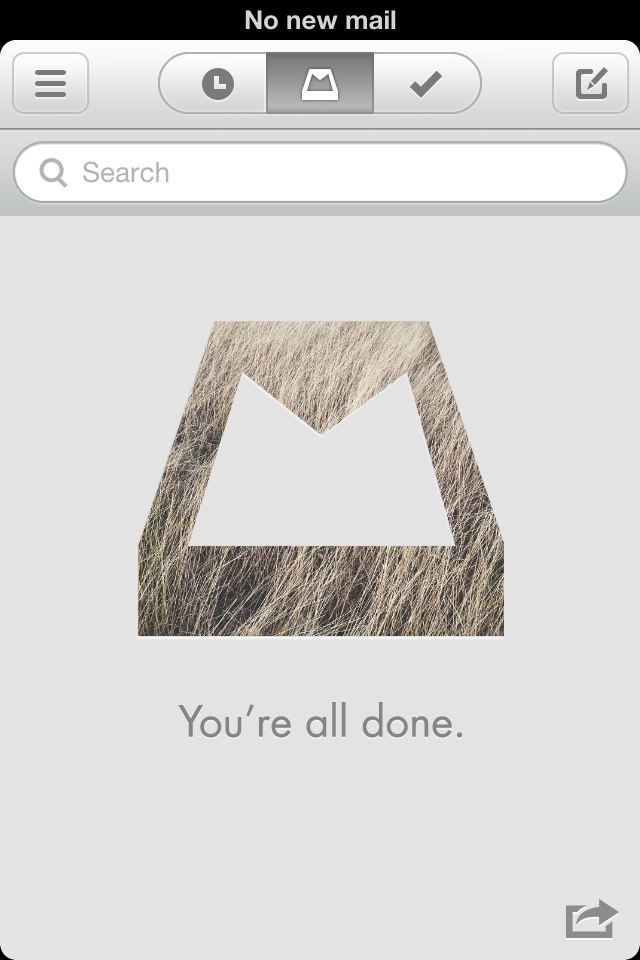
As Mailbox is structured around the principles of Inbox Zero, the actions that can be performed are built on top of making quick decisions about what’s necessary to keep. With mobile in mind, Mailbox is designed to help people quickly archive, delete, snooze, or put email in a “do someday” list. People are always checking their phones throughout the day, so why not give people an easier way to weed out the things that don’t matter?

Read more


Acknowledging The Threat Of Samsung


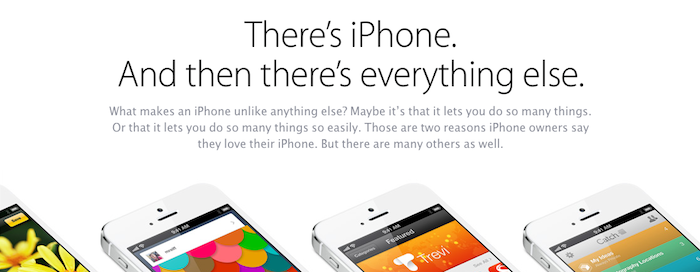
In the past week Apple’s marketing chief, Phil Schiller, gave three interviews and the company sent out a new “Why iPhone” email campaign - both timed perfectly around the announcement of Samsung’s new flagship smartphone, the Galaxy S4. Some have called it out as Apple going on the defensive, others have said it’s Apple on the offensive. I’m not sure that you can categorically say it’s one or the other – it doesn’t really matter much.

Read more