Introducing The Prompt Podcast


A few months ago, my friend Myke Hurley asked me if I wanted to launch a new podcast. There are many tech podcasts these days – maybe too many – and, back then, I didn’t know what I wanted to do. I have thought about this very deeply, and I’ve come to this conclusion: the great thing about the Internet is that everyone is free to produce their own content, because the readers will eventually decide what they like and what they don’t. Or, in our case, the listeners: today, Myke, Stephen, and I are announcing The Prompt.

From Stephen’s blog post:

Each week, we’ll be looking at not only the news, but the ecosystem and culture around Apple and its products.

The real twist is what we do with guests. Instead of the three of us running around trying to cover everything, we’re building an army of correspondents.

I am extremely grateful for the opportunity, and I look forward to beginning this new adventure with Myke and Stephen. I realize that there are several podcasts about Apple and technology nowadays; my hope is that, like MacStories, 512 Pixels, and 70Decibels, The Prompt will distinguish itself because of quality, not trends. Our listeners will decide.

We haven’t recorded the first episode of The Prompt yet, but, when we’ll do after WWDC, you’ll find it on the 5by5 network. Here’s something cool: if you subscribe to the 512 Podcast today, you’ll be automatically migrated over to The Prompt feed when it launches. And, to kick off things properly, you can listen to the just-posted penultimate episode of the 512 Podcast, where I was invited to announce The Prompt and discuss iOS 7 and WWDC predictions.

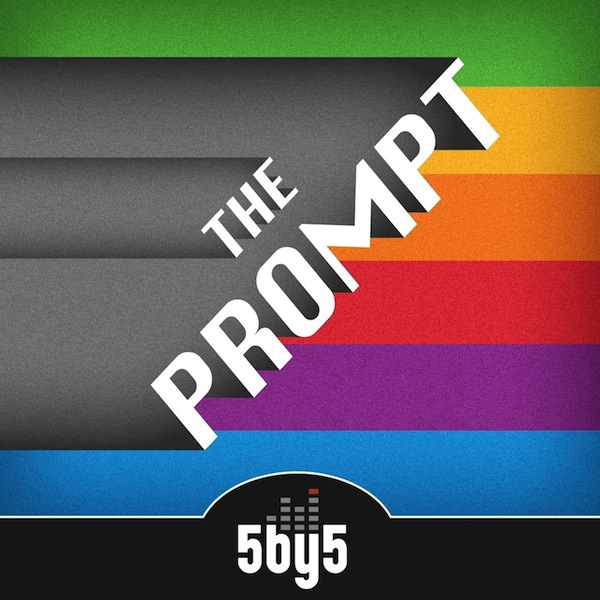
I have big expectations for The Prompt, and I hope that you’ll pardon my accent. You can follow @_theprompt on Twitter, and check out the beautiful artwork by Jory Raphael above.

Camera Noir

I bought Pacific Helm’s new app yesterday following Gruber’s recommendation, and I like it. Camera Noir’s purpose is to take “beautiful black & white photos” with three brightness adjustments. I have been taking some photos today, and I’m a fan of the high-contrast choices and the way photos taken with Camera Noir look. I think Camera Noir’s three filters are far superior to Instagram’s Willow and Inkwell.

The best part, however, is the attention to details. The camera UI is minimal and functional; I love how the app shows a green horizon line when you’re level, and I think using the native iOS share sheet for sharing photos is a good idea. And, the app’s website is just great.

Camera Noir is $1.99 on the App Store.

Permalink

Why the Studio Behind Civilization is Embracing Mobile

Revision3’s Adam Sessler visits Firaxis Games and chats with Sid Meier, Jake Solomon, and Steve Martin (among others). Firaxis is the development house behind franchises like Civilization and Pirates, and they’re bringing their 2012 hit XCOM: Enemy Unknown to iOS this year.

It’s a good interview (as usual with Sessler’s video content). I like how Firaxis has its own skunkworks to experiment with mobile games for iOS. You can watch the video below.

Permalink

A New ProductiveMacs Bundle: 9 Great Mac Apps for $29.99

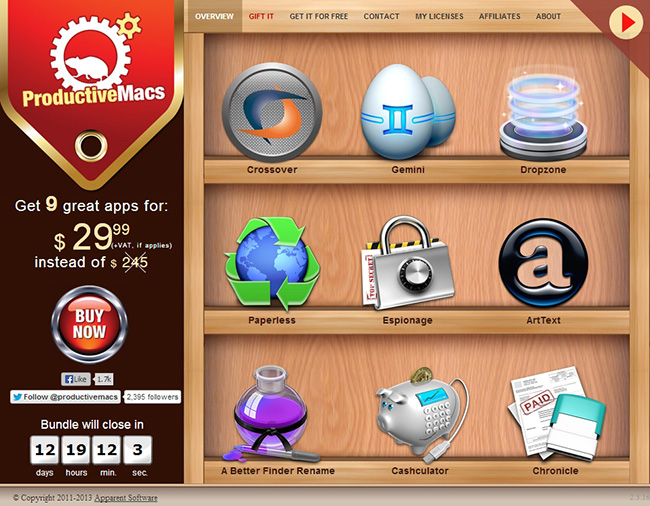
Last November Apparent Software had a fantastic and successful bundle sale. Now, they’re back with another great ProductiveMacs bundle that contains some even more excellent utilities that will help you get work done. Some of the highlights of the bundle are Dropzone (our coverage), Gemini (our review), Paperless, and Crossover. If you had to purchase all nine of these productive goodies separately they would cost $245 but this new bundle is priced at the super-low total of $29.99.

Read more


PlexConnect for Apple TV

A clever little hack to display Plex content on an Apple TV with no jailbreak required:

Essentially, you run a program on your computer which masquerades as the Trailer app. Next, change one setting on the ATV, and you’re up and running. It took me less than 2 minutes to install and get it running. It already uses the new transcoder (which means great support for subtitles), and I suspect it’ll support myPlex soon as well.

There’s a bit of manual configuration to do with this first version of PlexConnect. You can find an official discussion board, check out the FAQ, roadmap, or grab the source code here.

Permalink

Apple Starts Decorating Moscone West with WWDC 2013 Banners

With WWDC 2013 kicking off in San Francisco on Monday, Apple has today started decorating Moscone West for its five-day event. Last year, with WWDC starting on June 11, Apple began Moscone preparations on June 5, showing off colorful banners with app icons and, in the process, confirming iOS 6’s official new icon ahead of the conference.

So far, banners put up by Apple at Moscone West are showing the same colorful graphics of the official WWDC 2013 logo that Apple unveiled in late April. While much has been said about whether the WWDC logo may hint at a visual refresh in the next versions of iOS and OS X, the shape used by Apple is simply reminiscent of iOS app icons – something that Apple has often used for WWDC banners.

This year, Apple is using the “Where a whole new world is developing” tagline for the initial set of banners.

We’re receiving the first photos from Moscone West, and we’re including them after the break. We will update this post with more photos as we receive them throughout the week. Read more


Apple Releases OS X 10.8.4

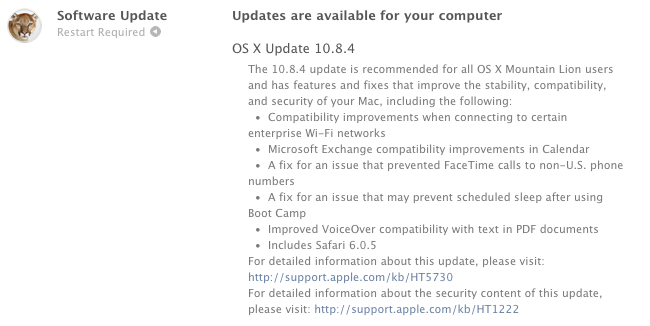
Apple today released version 10.8.4 of OS X Mountain Lion. The update, which is available now through Software Update on the Mac App Store, brings bug fixes and improvements. Notably, 10.8.4 includes Safari 6.0.5, a fix for connecting to enterprise WiFi networks, improved FaceTime calls to non-US phone numbers, and Exchange improvements in Calendar.

On a dedicated webpage, Apple mentions that a popular issue of iMessage and the Messages app has been fixed with today’s update: “A fix for an issue that may cause iMessages to display out of order in Messages”.

Apple has posted direct links for the 10.8.4 update – as usual, both in standard and Combo versions. You can get them through the links below.


Gmail for iOS Gets New Inbox, Improved Notification Settings

Announced last week, Google has today released an update to its official Gmail app for iOS that adds support to the new inbox and brings finer controls for push notifications.

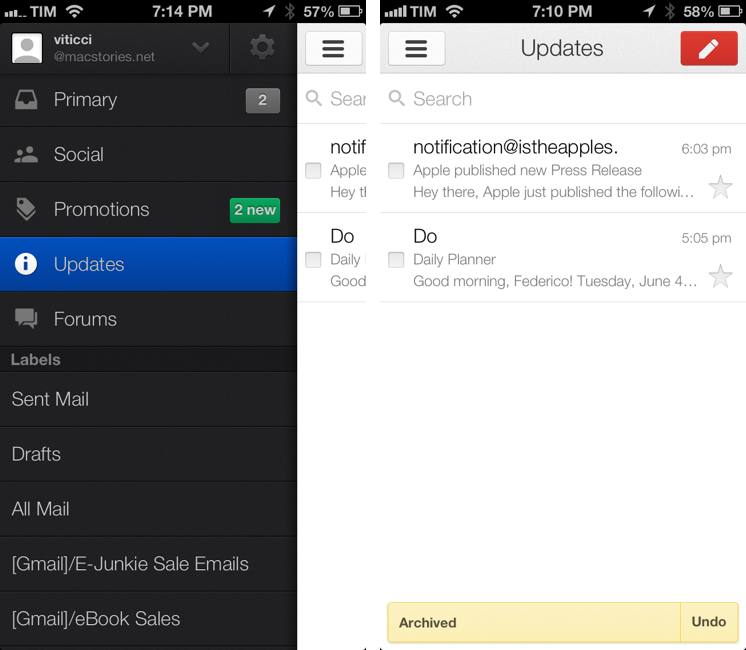
The new inbox, configurable from Gmail’s desktop website, allows you to enable different categories for “primary” emails and other messages such as promotions, social updates, or notifications from online forums. As we described the feature last week, “categories and tabs are basically pre-defined filters and labels with training wheels”. Messages can be moved from a tab to another to train Gmail’s algorithm in better automatic organization; currently, Gmail will try its best to automatically sort an incoming message into the appropriate category, but there isn’t an option to create new custom categories from scratch.

The Gmail app now shows Inbox categories in the account sidebar, where they’re listed with custom icons and colored badges for unread emails in each category. Like the desktop website, you can move messages across categories, but you can’t configure the Inbox directly on iOS (the app will remind you to open Gmail “on a computer” to do that).

Gmail’s notifications have been updated to reflect the change. With today’s update, you can set notifications for all new mail, none, or only messages that are marked as “primary”. Notification settings are available inside each account, where you can also activate your mobile signature and vacation responder.

Gmail for iOS is available on the App Store. For a refresher on the new Inbox, here’s Google’s blog post from last week.