Bradley Chambers’ App Idea For Grocery Stores

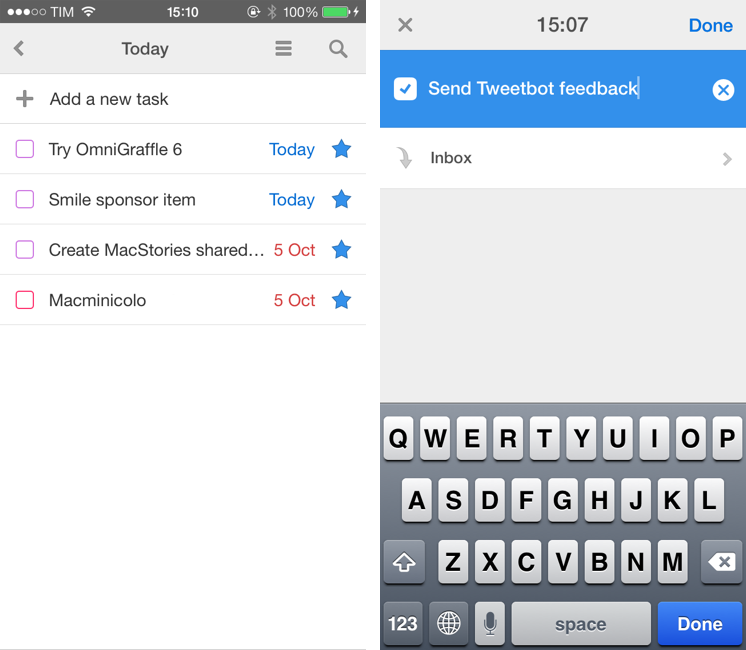
This is the same idea that I discuss with my girlfriend every time we go grocery shopping: a grocery store app that is integrated with the store’s inventory system and that can guide me to the correct aisle for an item I need to buy:

Use your WiFi to determine my location and use that information to help me find the items on my list. This might be by organizing my list based on the order I will come across items or simply alerting me when I am on an aisle that has something on my list.

Imagine if the app could show you an indoor map of the store, plug into iOS’ Reminders list, learn from your shopping habits, and tell you when a product you usually buy and like is on sale. One can dream, right?

While such an idea may sound futuristic, it’s actually something that has been going around for years, only now we have better technology, more powerful devices, and more advanced software development kits. I wonder if iBeacons and iOS 7 will accelerate the development of smarter indoor location apps – supposedly, Apple is exploring this area as well.

Permalink

The Editorial Workflow Directory

After the launch of Editorial, several readers have asked me whether there was a good way to browse workflows shared by other Editorial users. While Pinboard has provided a good temporary solution with bookmarks and tags, you’ll be happy to know that developer Ole Zorn has launched a beta of the Workflow Directory, which will be deeply integrated with the next version of Editorial.

Right now, you can search for specific workflows in the Directory or view Staff Picks and Recently Added workflows; select a workflow, and you’ll get the usual preview page where you can tap a button to add someone else’s workflow to your Editorial library.

With the Workflow Directory, the default behavior of Editorial’s sharing feature is changing: shared workflows will be posted online but won’t be listed in the Workflow Directory unless you manually publish them there. This means that, when unlisted, only people knowing the direct URLs to the shared workflows will be able to find them. This is exactly what I’m doing with the extra workflows included in my Editorial book.

The best part of the Workflow Directory is that it’s got an API to programmatically search workflows, download them, and get descriptions. It returns data in JSON, so, if you bought Writing On The iPad, you should be able to adapt one of my existing workflows that use the request module to work with the Workflow Directory API. Zorn has already made a workflow to search and download workflows (as usual, meta).

Permalink

Introducing “Writing On The iPad: Text Automation with Editorial”

Short version

My first book is now available on the iBookstore. It’s an extended edition of my Editorial review that comes with:

  • Completely reformatted layout and design with Retina screenshots, annotated videos, interactive graphics, and more
  • 20 exclusive new workflows
  • 5 new videos
  • 10,000 additional words
  • A photo of yours truly in the Introduction

You can read the book on your iPad, and it’s $2.99 for a limited time.

Get it here.

Longer version (based on the book’s Preface)

Editorial is a text editor for the iPad that supports Markdown, syncs documents with Dropbox, comes with a snippet system to speed up typing, and – a feature that truly makes it stand out from similar apps – is powered by workflows and scripts to automate writing, editing, and publishing. Editorial is developed by Ole Zorn, an independent software developer based in Germany. Editorial was released on August 15th, 2013; prior to the public release, I had been testing the app since late November 2012.

“Writing On The iPad: Text Automation with Editorial” contains my review of Editorial with an in-depth explanation and critique of the app’s numerous features and workflow tools. My goal with this book is to provide a convenient, portable resource to learn more about Editorial, how the app changed the way I work on iOS, and how, through Editorial’s automation, scripts, and workflows, it’s possible to turn an iPad into a powerful tool for writers.

Originally, my Editorial review was here published at MacStories.net on August 15th, 2013, when Editorial for iPad was released on the App Store. However, following many readers’ suggestions due to the length and scope of the review, I decided to offer an iBooks version of it. “Writing On The iPad: Text Automation with Editorial” contains the original review reformatted for iBooks, plus 20 extra workflows and 5 additional videos. You can consider it a “Director’s Cut” edition of my Editorial review, now available in a multi-touch interactive book made exclusively for the iPad and iBooks.

The exclusive workflows included in the Extras chapter are:

  • Show Word Definition
  • Sort Lines Alphabetically
  • Convert Selection To HTML
  • Markdown Link from Clipboard
  • Markdown Image From Clipboard URL
  • Reference Link from Clipboard
  • Count Occurrences of Word
  • Count Links and Footnotes
  • Fill Login
  • Get RSS Feeds
  • URL Sharing Tools
  • Get Pinboard Bookmarks
  • Feed Wrangler
  • “Mark As…” On Feed Wrangler
  • Clean and Flip
  • Rich Text To Evernote
  • Save Tab
  • Reopen Tab
  • Manage Tabs
  • Clip Webpage

Alongside converting the review to the iBooks format and including new content, I also updated screenshots for Retina displays, created galleries to group multiple screenshots together, and annotated some screenshots to better describe the user interface of Editorial. The videos have been enhanced with textual overlays for comments, and I’ve created a glossary for common terms used throughout the book.

I consider this the best version of my Editorial review. Thanks to iBooks’ interactivity, clean layout, and embedded rich content, I hope that you will enjoy a pleasant and convenient reading experience that should help you in getting started with Editorial and understanding the capabilities of advanced workflows and iOS automation – an area that is often underestimated, but quickly growing among the iOS power user community.

I hope that you’ll like what I’ve done. This is a new experience for me, and I would love to receive your feedback either via email or Twitter.

Once again: my new book is available here, and it’s $2.99 for a limited time.


On The Possibilities of an iPhone Fingerprint Sensor

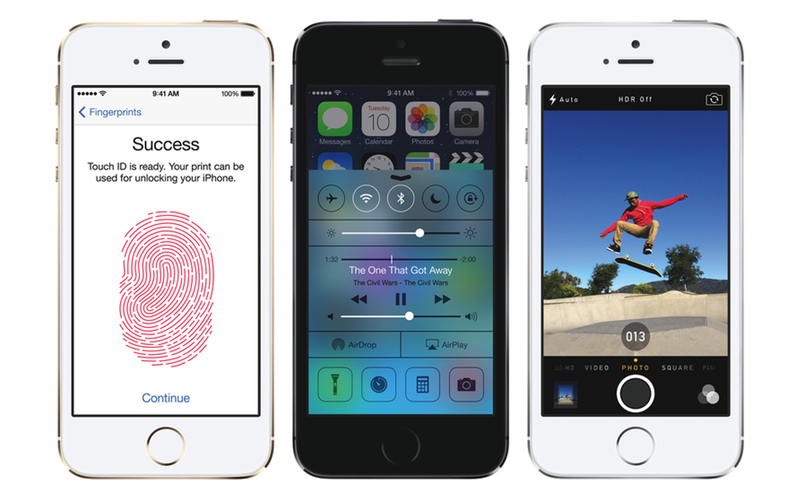
Between rampant rumors and speculation, there’s little we don’t know about Apple’s upcoming smartphones. One of the features expected for the iPhone 5S, the expected iteration of the iPhone 5, is a fingerprint sensor built into the home button. Craig Hockenberry, on his personal blog, talks about how that fingerprint sensor might change the way we interact with our iPhones.

 From the beginning, I’ve wanted a way to protect my personal information when sharing a device with friends and family. But any secure solution to that problem would be a pain in the butt. Typing a password before launching an app? No thanks!

Craig is thinking big, beyond the possibilities of bypassing a password or swipe-to-unlock on the lock screen. Those are the obvious things, but what about some of the unobvious things we do with our iPhones, especially with other people?

Permalink

iBooks Author Support For The iPhone

Macworld’s Serenity Caldwell noticed a change in the wording that lists software requirements for iBooks Author books on iTunes, and she thinks that may suggest iPhone support is coming next week:

To my mind, it’s likely that we’ll see iBooks Author support on the iPhone when iOS 7 is released. The groundwork, after all, has already been laid. As I mentioned in my critique of the program last year, iBooks Author already has a potentially viable option for iPhone and iPod touch users—its reflowable portrait mode. In it, interactive elements float alongside the text, which itself can be resized by the reader. In addition, current iPhone models (and any that might get announced next week) will have more than enough power to display videos and other interactive content.

I submitted a book made with iBooks Author to Apple a few days ago, and I completely agree with Serenity. Recent iPhone models (with Retina displays and taller screens) could work well with iBooks Author’s portrait mode (where font size can be adjusted) and it seems strange that Apple still hasn’t done this. I hope that we’ll see iPhone support for iBooks Author books next week, as that would lead to a terrific boost in addressable audience for publishers.

Permalink

On OmniKeyMaster’s Shutdown

Two weeks ago, The Omni Group announced an app called OmniKeyMaster aimed at letting customers migrate from Mac App Store licenses to standalone ones that supported upgrade pricing:

OmniKeyMaster is a simple app that finds App Store copies of Omni apps installed on your Mac, then generates equivalent licenses from our store – for free. This gives Mac App Store customers access to discounted pricing when upgrading from the Standard edition to Professional, or when upgrading from one major version to the next. Another benefit: since they don’t have to wait in an approval queue, our direct releases sometimes get earlier access to new features and bug fixes. OmniKeyMaster lets App Store customers access those builds, as well.

Today, The Omni Group had to remove the app, presumably after pressure from Apple:

My apologies: I’m afraid we will not be able to offer upgrade pricing to our Mac App Store customers after all. So long as we continue to sell our apps through the Mac App Store, we are not allowed to distribute updates through other channels to apps which were purchased from the App Store.

This is strange, because a number of similar tools (made by other independent developers) already exist on the Internet and they have been letting customers generate standalone licenses for several months. Perhaps Apple just didn’t like that a name such as The Omni Group had found a way to make the process so easy? Was The Omni Group’s tool built in such a way that it broke some Apple rules? Did The Omni Group think OmniKeyMaster would be okay because other solutions existed? Is Apple going after similar solutions as well?

Stephen Hackett argues that The Omni Group should have foreseen this, but that the Mac App Store is, overall, good for most third-party developers:

While The Omni Group is probably big enough to walk away from the Mac App Store, a lot of developers are enjoying a level of success in the Store that they couldn’t enjoy without it. Apple shouldn’t use that to strong-arm developers from trying to workaround the system. That puts both Apple and third-party developers in a pretty crappy spot.

I see both points. The Mac App Store is good for some developers and end customers, but it could be improved in so many ways. Is it a surprise that, after an initial rush to sell apps on the Mac App Store, more and more developers of apps above the $2.99 threshold (read: not games and utilities) have gone back to selling both App Store and “regular” versions?

The Omni Group wanted to do the right thing and offer upgrade pricing for customers who bought an app on the App Store. Apple doesn’t like the idea and leads by example with a new version of Logic Pro sold as a new app, without upgrade pricing. If my assumption is right and Apple is behind OmniKeyMaster’s premature demise – how could they not be? – that’s really sad.

Apple shouldn’t put pressure on developers who tried the Mac App Store model and didn’t like some parts of it. Instead of burying their head in the sand and pretending that developers who want upgrade pricing don’t exist, they should work with those developers to resolve their issues. The App Store launched in January 2011 and these aren’t new problems. If Apple doesn’t really care about upgrade pricing, it seems curious – to me, utterly wrong – that they’re going after a clever tool like OmniKeyMaster.

And if you think that it’s in Apple’s right to shut down OmniKeyMaster1, then I guess it won’t be a surprise if more developers will keep offering standalone versions of their apps in the future, possibly even eschewing the Mac App Store if necessary.

Most people don’t have time to care about these issues, because they like the convenience of the Mac App Store. But I do, and therefore, whenever possible, I try to buy Mac apps from a developer’s website. It’s worth the extra effort.


  1. In the way that OmniKeyMaster worked – as a separate app that wasn’t built into Omni’s App Store apps – I don’t think The Omni Group was violating Apple’s 7.1, 7.2, and 7.15 Mac App Store guidelines in any way. But, based on this tweet by Ken Case, it sounds like Apple has changed its mind. 

Sony’s QX Portable Lens

I am intrigued by this new product line from Sony: it’s essentially a lens that uses a paired mobile device as viewfinder, leaving you with just the lens to operate. The lens is the camera.

I see some nice advantages: you don’t have to carry a full-size additional device alongside your phone and tablet, but you retain the higher quality of photos shot with Sony’s camera. Not to mention the fact that this approach eschews the need of having to deal with the poor software and controls that are often cited as drawbacks of modern portable cameras (that is, assuming that the app for iOS and Android devices is better than what could be possible on an embedded viewfinder with LCD display).

The possibility of not attaching the lens to an iPhone makes this particularly appealing to me as I’ve never liked those ugly accessories that turn iPhones into tiny telescopes with external lenses.

Vlad Savov has more details at The Verge:

Both camera modules will pair with your phone via NFC, if you have it, and will then transfer data over Wi-Fi to Sony’s PlayMemories app. The QX Smart Lenses are compatible with Android and iOS devices, will accept microSD and Memory Stick storage cards, include optional clips for attaching to the back of a phone, and also have tripod mounts for those users who want to get really serious with their mobile photography.

Permalink

Keyboard Maestro 6.2

Keyboard Maestro 6.2 was released a few weeks ago and it includes some interesting additions. The Mail integration has been substantially improved with new actions to send email messages and set statuses, as well as tokens plus date, status, and action functions. Working with AppleScript and Mail has always been a problem for me, and I welcome Keyboard Maestro’s built-in support that makes things incredibly easier.

Also of note: JavaScript can now access Keyboard Maestro variables (good for bookmarklets integrated with the app) and Andreas Zeitler’s excellent new Markdown Library is now built into the app itself.

For more Keyboard Maestro coverage, see my original post on version 6.0 and subsequent articles based on it.

Permalink

Apple Confirms: Media Event On September 10

As first reported by The Loop’s Jim Dalrymple, Apple has today sent invitations to selected members of the press for a September 10th media event on Apple’s campus in Cupertino. The date of the event was also reported by AllThingsD’s Ina Fried last month.

According to speculation from the past few months, Apple’s event will focus on the introduction of new iPhone models, namely the successor to the iPhone 5 (so far unofficially called the “iPhone 5S”) and a possible new lower-price entry in the iPhone line – the “iPhone 5C”. Our Cody Fink shared his thoughts on the possibility of an entry-level iPhone back in July; as for the iPhone 5S, recent rumors have suggested that the device may include a fingerprint sensor, improved camera, and a golden color option.

Apple’s new major iOS update, iOS 7, is also expected to make its formal debut at the media event. Originally announced at Apple’s developer conference in June, iOS 7 has seen six beta releases for registered developers throughout the summer with changes and improvements to the redesign and new features that Apple unveiled in June. Typically, Apple releases “golden master” builds of iOS updates at its September media event, so an iOS 7 GM is to be expected on September 10, with Apple asking developers to start submitting iOS 7 apps to the App Store shortly after. Other software releases that may make an appearance on September 10 include OS X Mavericks, a new version of iTunes with iTunes Radio support, redesigned Apple apps (such as iWork) for iOS 7, and a new version of iCloud.com with an iOS 7-matching redesign.

As shared by Tim Bradshaw, the event’s invitation reads “This should brighten everyone’s day”, possibly hinting at the new iOS 7 and (rumored) iPhone 5C colors.

We’ll be covering Apple’s September 10 announcements with a dedicated hub on MacStories. You can subscribe to this tag page via RSS to receive every update for Apple’s September 10 media event.