Posts in news

John Giannandrea’s Retirement From Apple Announced

Today Apple announced the retirement of John Giannandrea, the company’s senior vice president for Machine Learning and AI Strategy. Giannandrea will remain at Apple as an advisor until next spring.

News of Giannandrea’s retirement was paired with an announcement that Apple has hired Amar Subramanya as vice president of AI. Subramanya, who worked at Microsoft since this past summer, previously worked at Google for 16 years on projects including the company’s Gemini Assistant. Subramanya will take the lead on Apple Foundation Models, ML research, and AI Safety and Evaluation, while other areas of Giannandrea’s work will be inherited by Sabih Khan and Eddy Cue.

Apple CEO Tim Cook thanked Giannandrea for his tenure at the company:

We are thankful for the role John played in building and advancing our AI work, helping Apple continue to innovate and enrich the lives of our users. AI has long been central to Apple’s strategy, and we are pleased to welcome Amar to Craig’s leadership team and to bring his extraordinary AI expertise to Apple. In addition to growing his leadership team and AI responsibilities with Amar’s joining, Craig has been instrumental in driving our AI efforts, including overseeing our work to bring a more personalized Siri to users next year.

Given the troubled history of Apple’s AI efforts, the retirement of Giannandrea isn’t surprising. It will be interesting to see if Subramanya settles into his new role given the frequency with which top AI talent tends to turn over in the tech industry.


Podcast Rewind: App Evolution, Odin 3 Emulation, Window Management, and TV Affiliates

Enjoy the latest episodes from MacStories’ family of podcasts:

AppStories

This week, Federico and John explore current changes to the world of apps through the lens of its past evolution.

On AppStories+, we build “money’s no object” holiday wish lists for ourselves.

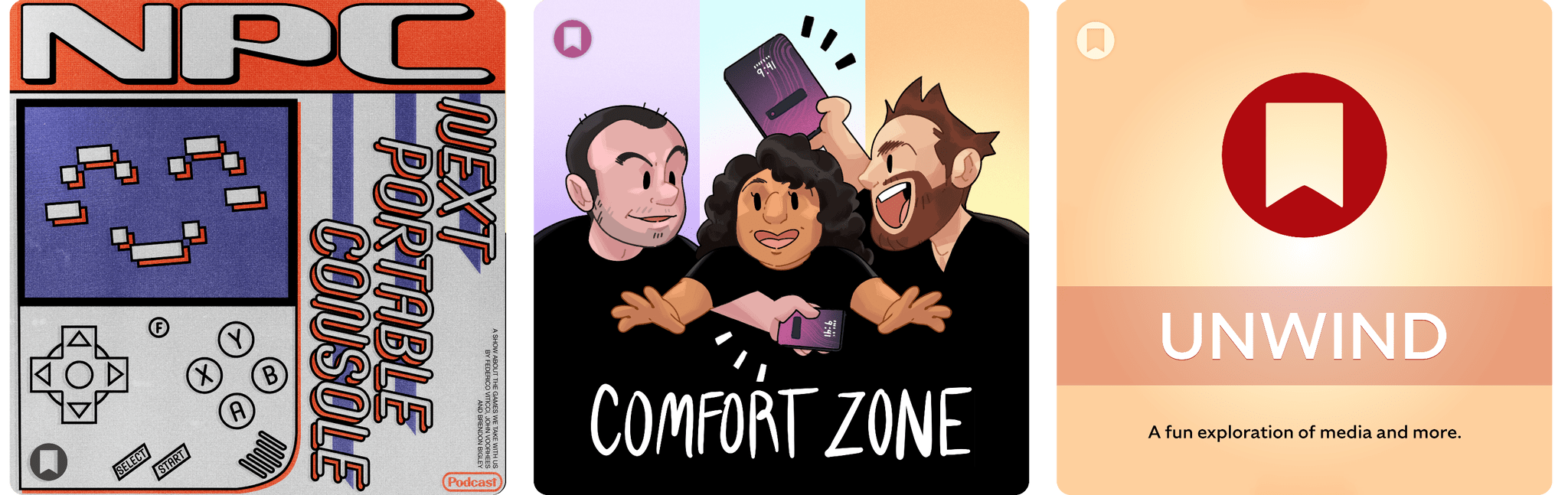
NPC: Next Portable Console

This week, Brendon, Federico, and John catch up on a grab bag of news before diving deeper into the Ayn Odin 3’s emulation and streaming potential, the possibility that the rumored TrimUI Smart Pro S could become the default budget recommendation for horizontal handhelds, and the 11” 3D Abxylute 3D One.

Then on NPC XL, John and Federico are tempted to build their own Steam Machines, while Brendon went ahead and did it already by converting his Windows Mini PC.

Comfort Zone

It’s the window management episode! Chris has even more iPad news, and AeroSpace nearly tears the gang apart.

This week’s Cozy Zone is an Apple accessory tier list, and dear listener, the knives come out.

MacStories Unwind

This week, the Macy’s Thanksgiving Parade, Federico is curious about American TV and has a TV pick, while John follows up on a couple of TV shows and other media he’s looking forward to in the coming weeks.

Read more


Black Friday 2025 App Deals

There’s more than just gadgets on sale this Black Friday. There are also hundreds of excellent app deals from collections and bundles to one-off sales. We’ve gathered some of our favorites for you here, which are generally available through Monday, December 1, but check for details on the websites linked below:

The biggest collection I’ve seen is from Indie App Sales with ouver 475 app deals. Indie App Sales has been curating a list of apps from indie developers for years now, and there are always a bunch of gems on this list. Be sure to check it out for deals on apps like:

There are hundreds more deals in the Indie App Sale, so be sure to visit the site to browse through them all.


There are other great sales happening elsewhere too, including the following:

Happy deal hunting!


Podcast Rewind: Experiment Season, A Plain Text Challenge, Tech Nostalgia, and Audiobooks

Enjoy the latest episodes from MacStories’ family of podcasts:

AppStories

This week, Federico and John kick off their holiday app and automation experimentation season a little earlier than usual with a mix of apps, automations, and services.

On AppStories+, they look ahead, considering the future of Shortcuts and automation.

Comfort Zone

Niléane is getting bold with laptop appendages, Chris is nostalgic about the iPad Pro, and everyone gets weird with text files.

This week’s Cozy Zone is a deep dive into 2012’s Les Misérables film.

MacStories Unwind

This week, Federico and John explore tech nostalgia and the importance of tech history before picking a new TV series and music artist.

Magic Rays of Light

Sigmund and Devon discuss Devon’s new audiobook listening habit and what it’s taught him about adaptations. Then, they share gift ideas for the Apple TV fan in your life.

Read more


Apple Announces 45 App Store Awards Finalists for 2025

Source: Apple.

Source: Apple.

Today, Apple announced the finalists for the 2025 App Store Awards. The App Store Awards are Apple’s annual celebration of exceptional apps and games across 12 categories spanning the company’s platforms. It’s an excellent collection that includes solo developers, small indie teams, big companies, and many MacStories favorites.

Here’s the complete list of finalists.

iPhone App of the Year Finalists:

iPhone Game of the Year Finalists:

iPad App of the Year Finalists:

iPad Game of the Year Finalists:

Read more


Podcast Rewind: Dream Apps, Steam Hardware Announcements, Planning Weekend Excursions, and Come See Me in the Good Light

Enjoy the latest episodes from MacStories’ family of podcasts:

Comfort Zone

Matt has a mouse that looks like a zebra, Niléane quotes some cool new stuff in the Mastodon world, and everyone pitches their dream app. (One of them may already exist!)

On Cozy Zone, the gang roasts their very lovely listeners’ desk setups.


NPC: Next Portable Console

This week in a special early release of NPC, the guys dig into Valve’s announcement of the Steam Machine, Steam Frame, and Stream Controller, a trio of SteamOS devices poised to make a big splash in 2026.

On NPC XL, Federico, John, and Brendon cover the Steam Frame but are mostly excited about it means for Windows gaming on ARM.


MacStories Unwind

This week, John shares how he plans weekend activities with Instagram and Apple Maps, Federico tests dictation apps, and both share their first impressions of the new Apple TV show Pluribus.


Magic Rays of Light

Sigmund and Devon highlight Apple Original documentary Come See Me in the Good Light and return to Palm Beach for the second season of Palm Royale. Then, they discuss changes coming to profiles in tvOS 26.2.

Read more


Apple Introduces a Mini App Partner Program Featuring a Reduced Commission

Today on its news site for developers, Apple announced a new Mini Apps Partner Program for the App Store. The announcement is brief but backed by a more detailed explanation about the eligibility requirements. Here’s how it works.

As Apple explains, mini apps are “self-contained experiences that are built using web technologies like HTML5 and JavaScript” that are hosted within a native app. That’s not something new. Companies like WeChat and Line have offered this sort of thing for a long time, and Apple has supported mini apps officially since 2017. What’s different is that now, developers who meet Apple’s eligibility requirements can offer those mini apps at a reduced commission. That means for any mini app not made by the developer of the native app that hosts them, the hosting developer will pay Apple a flat 15% commission.

To be eligible for the program, developers must ensure that the mini apps they host support certain APIs, including the Declared Age Range API and the Advanced Commerce API, the In-App Purchase system, and the Send Consumption Information endpoint that enables the processing of refunds. In other words, native app developers who do the work to ensure that mini apps meet the program requirements will pay Apple a reduced commission on mini app sales in return.

If you’re wondering what constitutes a mini app, Apple has provided some examples. Mini apps are “software packages, scripts, or game content that are added after app installation and executed on the device, provided such code is written in HTML5 or JavaScript, or another language approved by Apple”, such as mini games, streaming games, chatbots, plug-ins, and game emulators. As I mentioned above, it’s also important to keep in mind that mini apps are apps that are not controlled by the developer of the native app that hosts them.

Also, to participate in the Mini App Partner program, developers must apply – that link takes you to a form requesting information about the mini apps a developer wants to offer, so eligibility can be determined.

App Store users stand to benefit from the program, too. APIs like the Declared Age Rating API will help ensure that only age-appropriate mini apps are available to kids. Plus, by supporting the Advanced Commerce API, mini apps will include more metadata, providing users with a richer experience in places like their App Store purchase history.

Mini apps based on web technologies are a growing part of the App Store. The App Review Guidelines have accounted for mini apps since 2017 and the rules around them have continued to adapt to the market ever since. The Mini App Partner Program reflects the further evolution of the category, promoting privacy and transparency for users, while offering the carrot of lower commissions to developers.

What will be interesting to watch is the extent to which developers sign up for this new program. The program isn’t required (although compliance with App Review Guideline 4.7 still applies), so it will come down to whether the reduced commission provides sufficient incentive for developers to further police the mini apps they host.


Edge Light Brightens Your Video Calls in the macOS Tahoe 26.2 Beta

Edge Light doesn't show up in screenshots.

Edge Light doesn’t show up in screenshots.

The latest macOS Tahoe beta 26.2 includes a new video-calling feature called Edge Light, coming to Apple silicon Macs later this year. It’s a video effect that you can access from the menu bar, just like Backgrounds, Center Stage, and Portrait mode, that creates a virtual ring light on your Mac’s screen, helping to light your face on FaceTime, Zoom, and other video calls as the days grow shorter.

The idea is simple, and the implementation is clever. When you enable Edge Light, the outer edge of your Desktop is replaced with a bright, adjustable border. The brightness of Edge Light is adjustable, as is its color temperature, allowing for a range from warmer to cooler colors, just like many physical LED lights designed specifically for video production. The virtual ring light sits on top of your Desktop and windows, but it fades away as your pointer approaches, allowing you to see everything on your screen.

Edge Light's brightness, temperature, and other controls, including the Automatic option available on Macs released in 2024 and after.

Edge Light’s brightness, temperature, and other controls, including the Automatic option available on Macs released in 2024 and after.

Edge Light is made possible by Apple silicon, using a combination of the Mac’s Neural Engine, which detects your face, and the Image Signal Processor, which measures and adjusts Edge Light’s brightness based on surrounding lighting. Edge Light will work on all Apple silicon Macs when Tahoe 26.2 is released, but Mac models released in 2024 or later will also have the option to turn the feature on automatically when low light is detected.

Edge Light off. Note, Edge Light isn't captured in screenshots.

Edge Light off. Note, Edge Light isn’t captured in screenshots.

Edge Light on. Note, Edge Light isn't captured in screenshots.

Edge Light on. Note, Edge Light isn’t captured in screenshots.

In my brief testing of Edge Light, I noticed that the effect is noticeable in a very dim room, but as you’d expect, less so as the room brightens. I also noticed that Edge Light was brighter when set to turn on automatically rather than manually, even though switching between the two didn’t move the brightness slider. I’m not sure what’s going on there, but it’s a beta, so that may change. I also enjoyed how the virtual ring light widened as I increased the brightness.

I have a couple of lights set up along the back edge of my desk because we record video for our podcasts, but most people don’t have that setup. For them, Edge Light will be a nice addition, reducing those early-morning and late-afternoon shadows. And despite the lights I have installed, sometimes it’s just easier to turn on something like Edge Light, so I expect to get use out of it too, whether I’m away from my desk on a laptop or sitting at my desk.

We’ll have more macOS Tahoe 26.2 coverage when it and Apple’s other 26.2 releases exit beta.


Podcast Rewind: Digital Decluttering and Liquid-Cooled Mobile Gaming

Enjoy the latest episodes from MacStories’ family of podcasts:

AppStories

This week, John and Federico spin a Saturday morning of iPhone app cleanup into a full blown digital declutter across all devices with the help of some of their favorite apps.

Then on AppStories+, Federico has more to share from his ongoing Typing Mind experiments, and John explains how he’s using Claude Code to crunch spreadsheets with one million rows.


NPC: Next Portable Console

This week on NPC, Brendon, Federico, and John explore where mobile phone gaming is heading and reflect on what Nintendo’s latest earnings report means for the Switch 2, before Brendon shares his first impressions of the Miyoo Mini Flip

On NPC XL, Federico, John, and Brendon explore what’s behind the sudden surge of innovation in mobile phone controllers and where mobile gaming may be heading.

Read more