
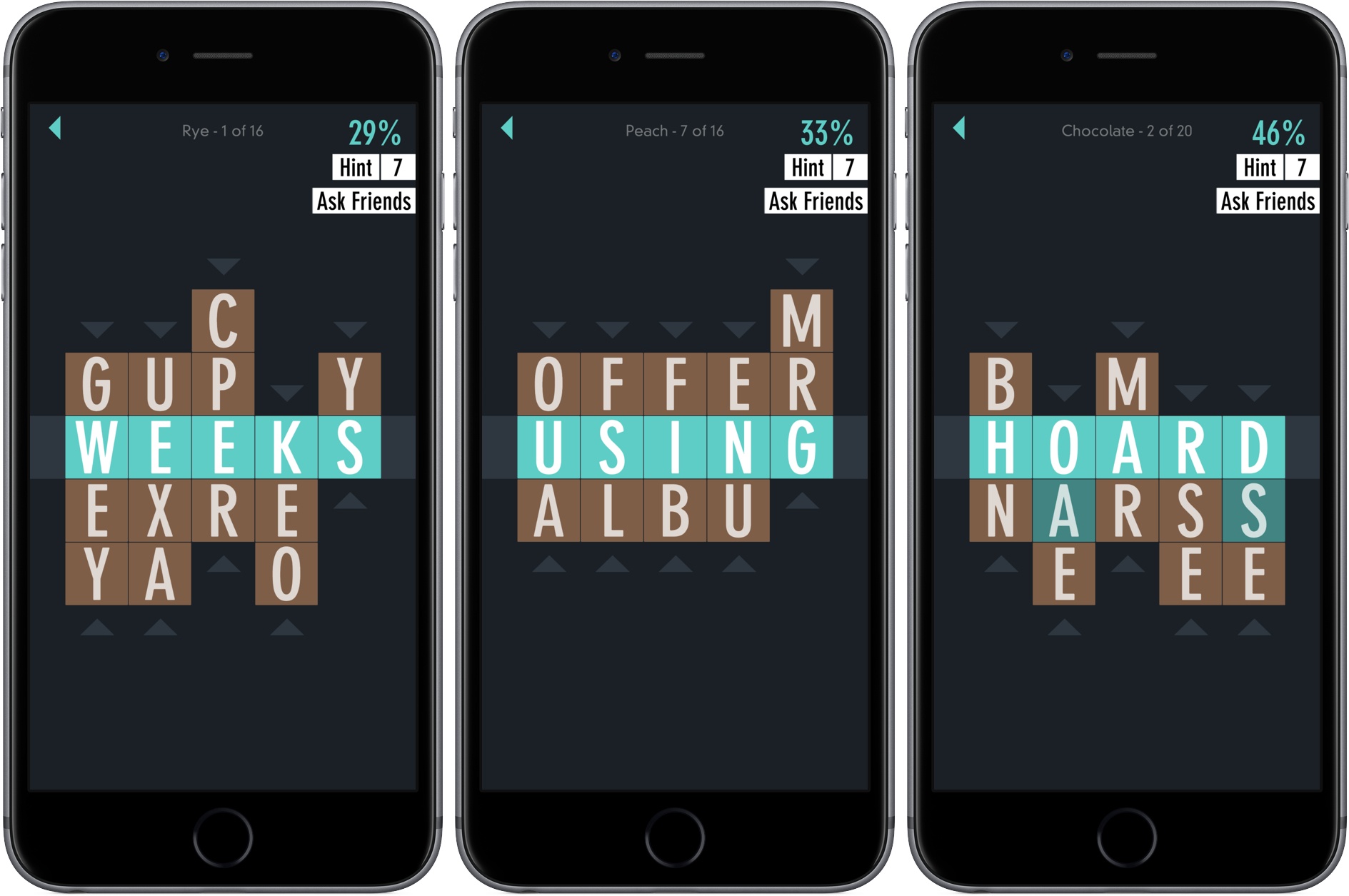
Developer Zach Gage describes Typeshift as ‘Anagrams meets Word Search, with a sprinkle of Crosswords,’ which fits well. Gage is the creator of SpellTower and other excellent iOS games. It’s a clever mashup of the familiar in an unconventional way. With an extensive library of free puzzles, new daily puzzles, and puzzle packs that are available as In-App Purchases, TypeShift is a thoroughly addicting, seemingly bottomless pit of word game fun.
Posts in reviews
Game Day: Typeshift

Access Extra Content and Perks
Founded in 2015, Club MacStories has delivered exclusive content every week for nearly a decade.
What started with weekly and monthly email newsletters has blossomed into a family of memberships designed for every MacStories fan.
Club MacStories: Weekly and monthly newsletters via email and the web that are brimming with apps, tips, automation workflows, longform writing, early access to the MacStories Unwind podcast, periodic giveaways, and more;
Club MacStories+: Everything that Club MacStories offers, plus an active Discord community, advanced search and custom RSS features for exploring the Club’s entire back catalog, bonus columns, and dozens of app discounts;
Club Premier: All of the above and AppStories+, an extended version of our flagship podcast that’s delivered early, ad-free, and in high-bitrate audio.
Interact Scratchpad for Mac Takes the Pain Out of Adding Contacts
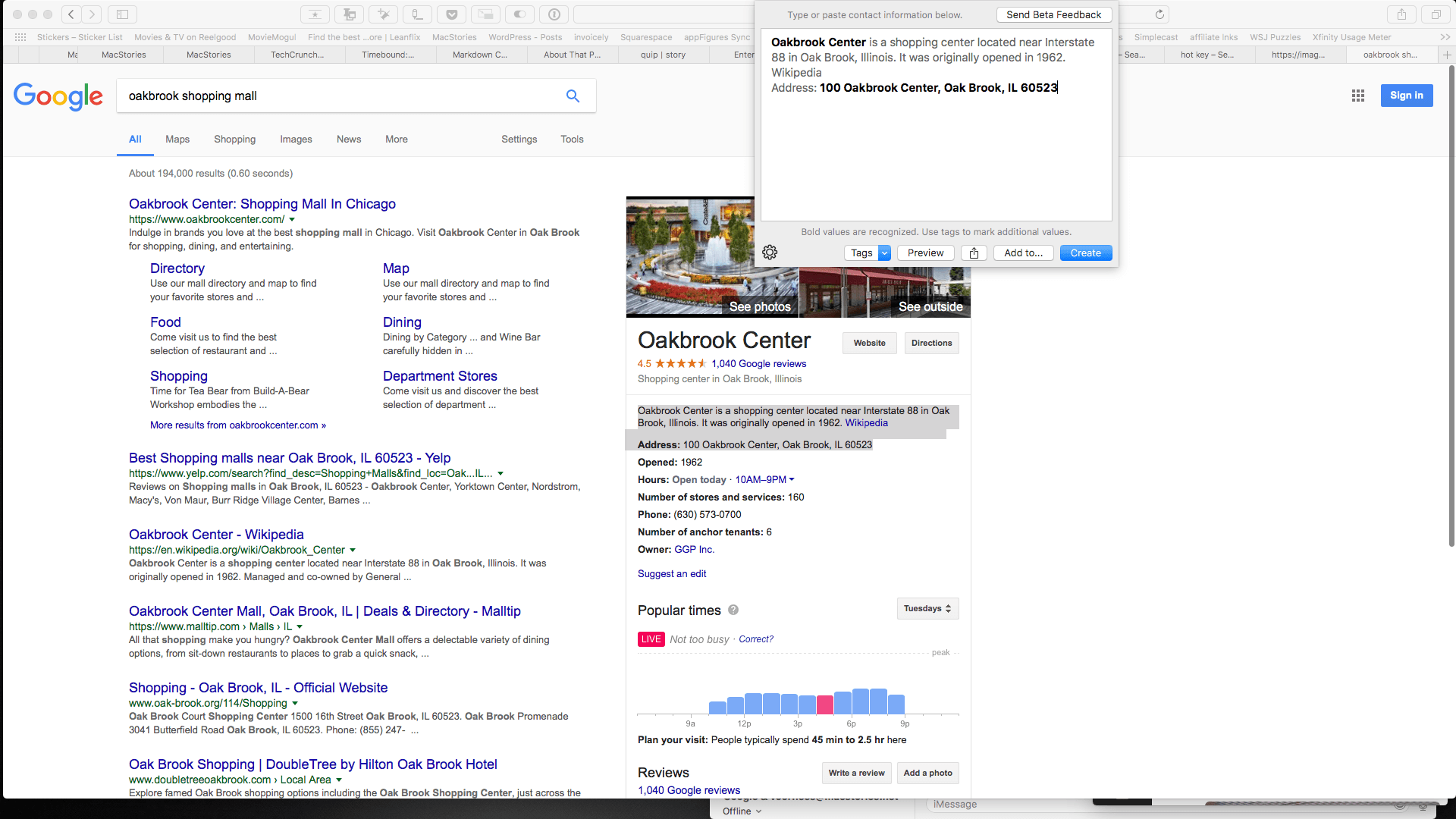
Last year, Agile Tortoise introduced Interact for iOS, a powerful app for managing contacts. One of the most popular features of that app is the scratchpad that parses contact information, making quick work of turning a block of text into a new contact. Agile Tortoise has ported that functionality to the Mac in the form of a menu bar app called Interact Scratchpad.
Adding information to contacts is tedious. Too often I find myself switching back and forth between a webpage and the Contacts app typing information into field after field or copying little bits of text and pasting them into those fields. Scratchpad does the monotonous part for you by automatically recognizing all kinds of contact information.
Access Extra Content and Perks
Founded in 2015, Club MacStories has delivered exclusive content every week for nearly a decade.
What started with weekly and monthly email newsletters has blossomed into a family of memberships designed for every MacStories fan.
Club MacStories: Weekly and monthly newsletters via email and the web that are brimming with apps, tips, automation workflows, longform writing, early access to the MacStories Unwind podcast, periodic giveaways, and more;
Club MacStories+: Everything that Club MacStories offers, plus an active Discord community, advanced search and custom RSS features for exploring the Club’s entire back catalog, bonus columns, and dozens of app discounts;
Club Premier: All of the above and AppStories+, an extended version of our flagship podcast that’s delivered early, ad-free, and in high-bitrate audio.
Game Day: Mushroom 11
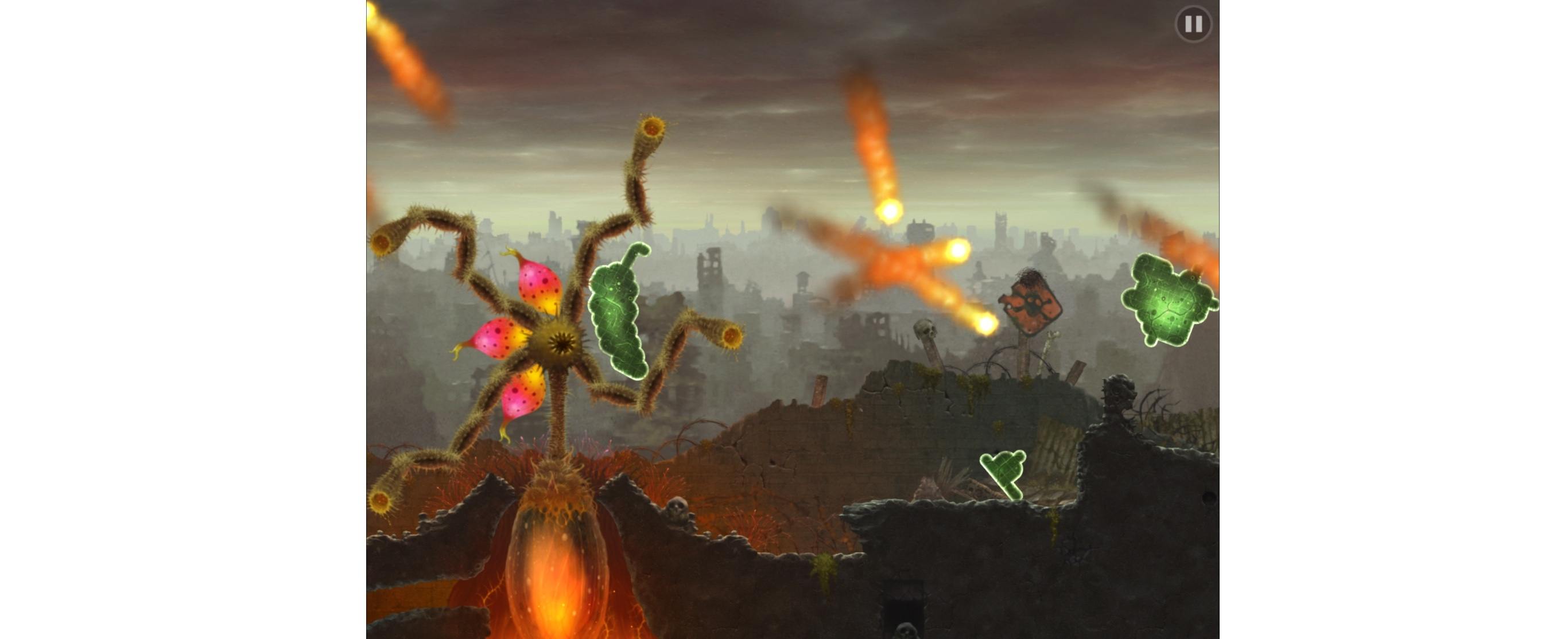
Chicago-based Untame released Mushroom 11 on iOS this week as part of Apple’s Celebrating Indie Games promotion. Mushroom 11 started as a PC game, but its unique gameplay works especially well in a touch environment. You play as a green blob of goo in a post-apocalyptic world populated by mushrooms, glowing jellyfish-like creatures, and the ruins of the present world. To get around you erase behind the blob, which regenerates on the opposite side. It’s a novel mechanic that forces you to approach the game’s challenges in a different way. The result is perplexing and fun.
Access Extra Content and Perks
Founded in 2015, Club MacStories has delivered exclusive content every week for nearly a decade.
What started with weekly and monthly email newsletters has blossomed into a family of memberships designed for every MacStories fan.
Club MacStories: Weekly and monthly newsletters via email and the web that are brimming with apps, tips, automation workflows, longform writing, early access to the MacStories Unwind podcast, periodic giveaways, and more;
Club MacStories+: Everything that Club MacStories offers, plus an active Discord community, advanced search and custom RSS features for exploring the Club’s entire back catalog, bonus columns, and dozens of app discounts;
Club Premier: All of the above and AppStories+, an extended version of our flagship podcast that’s delivered early, ad-free, and in high-bitrate audio.
Organizing Windows with Magnet
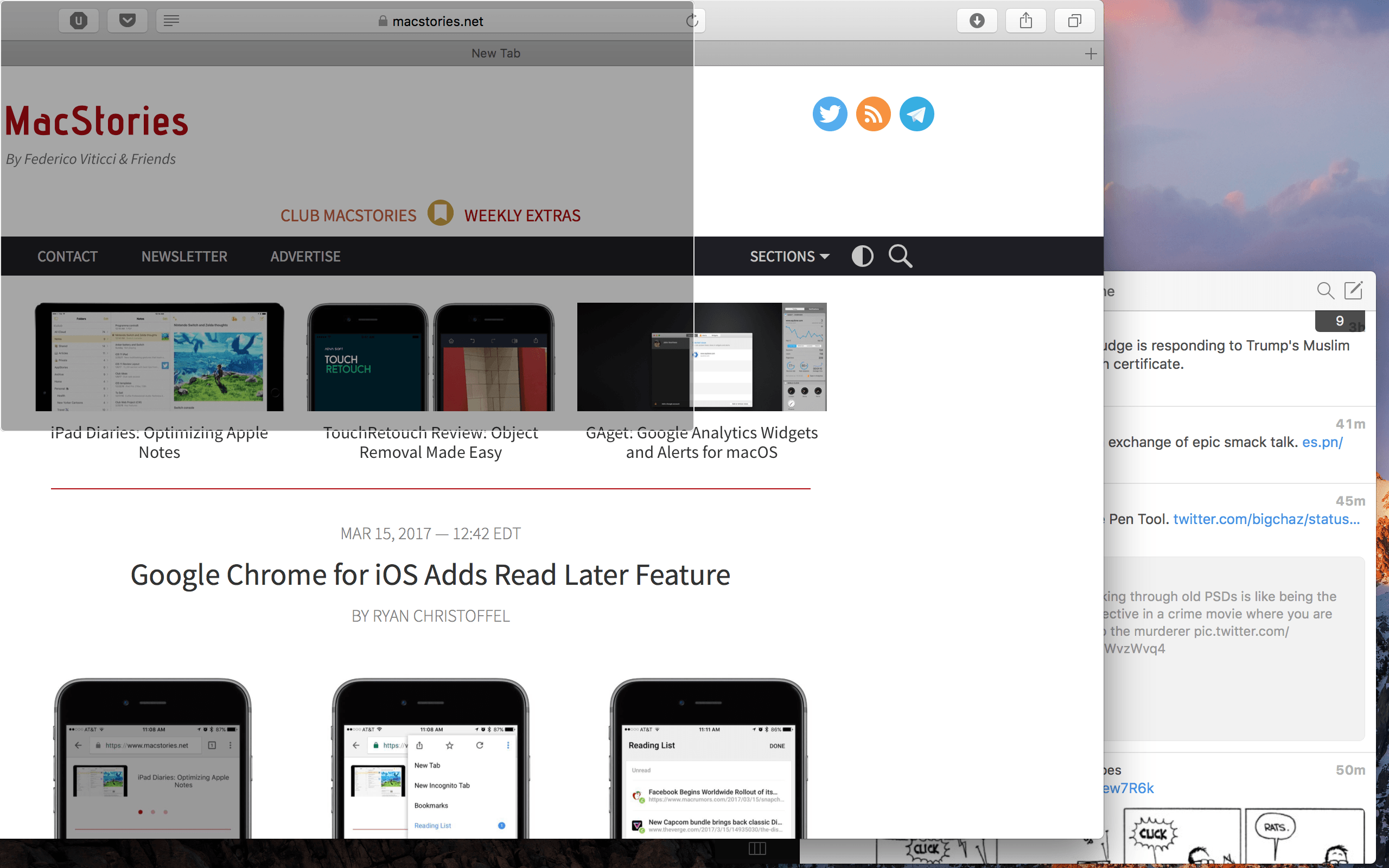
When I switched back to the Mac for most of my work a couple of months ago, one of the biggest selling points of macOS was window management. The differences between macOS and iOS make comparing them difficult, but I’ve learned to prefer the way the Mac presents information to the iPad’s split screen functionality.
That’s not to say, however, that managing windows in macOS is perfect. While macOS’s Split View makes for a better multitasking experience, it can fall flat when working in three, four, or five apps at once.
Magnet, a Mac app by developer CrowdCafé, is what built-in window management should be like on the Mac. It’s a smart, robust tool that will make your desktop look better than ever.
Access Extra Content and Perks
Founded in 2015, Club MacStories has delivered exclusive content every week for nearly a decade.
What started with weekly and monthly email newsletters has blossomed into a family of memberships designed for every MacStories fan.
Club MacStories: Weekly and monthly newsletters via email and the web that are brimming with apps, tips, automation workflows, longform writing, early access to the MacStories Unwind podcast, periodic giveaways, and more;
Club MacStories+: Everything that Club MacStories offers, plus an active Discord community, advanced search and custom RSS features for exploring the Club’s entire back catalog, bonus columns, and dozens of app discounts;
Club Premier: All of the above and AppStories+, an extended version of our flagship podcast that’s delivered early, ad-free, and in high-bitrate audio.
Game Day: Cosmic Express
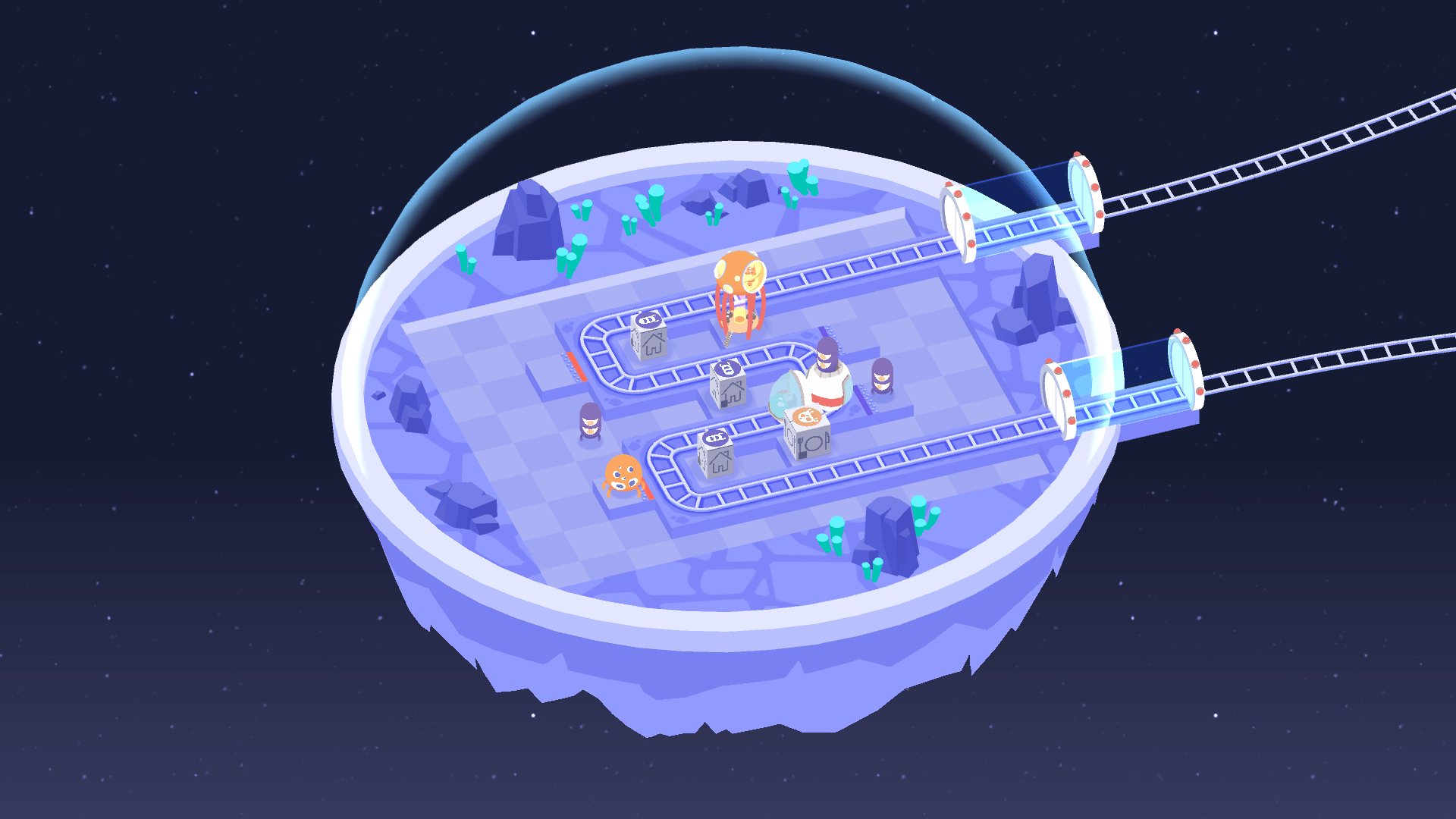
The first game review I ever wrote on MacStories was for a delightful puzzle game called A Good Snowman is Hard to Build. The team behind Snowman is back with a new game called Cosmic Express that brings toy-like charm to this challenging puzzle game through playful animation, bright colors, and sound design that perfectly complements the artwork.
Access Extra Content and Perks
Founded in 2015, Club MacStories has delivered exclusive content every week for nearly a decade.
What started with weekly and monthly email newsletters has blossomed into a family of memberships designed for every MacStories fan.
Club MacStories: Weekly and monthly newsletters via email and the web that are brimming with apps, tips, automation workflows, longform writing, early access to the MacStories Unwind podcast, periodic giveaways, and more;
Club MacStories+: Everything that Club MacStories offers, plus an active Discord community, advanced search and custom RSS features for exploring the Club’s entire back catalog, bonus columns, and dozens of app discounts;
Club Premier: All of the above and AppStories+, an extended version of our flagship podcast that’s delivered early, ad-free, and in high-bitrate audio.
Game Day: Euclidean Lands

Every so often the mashup of familiar game styles results in something unexpected and delightful, which is precisely what Vienna-based Miro Straka and kunabi brother have created with Euclidean Lands. The game has been compared favorably to Monument Valley and Square Enix’s Hitman GO from a design and gameplay perspective. The comparison is apt but doesn’t capture the uniqueness of Euclidean Lands.
Access Extra Content and Perks
Founded in 2015, Club MacStories has delivered exclusive content every week for nearly a decade.
What started with weekly and monthly email newsletters has blossomed into a family of memberships designed for every MacStories fan.
Club MacStories: Weekly and monthly newsletters via email and the web that are brimming with apps, tips, automation workflows, longform writing, early access to the MacStories Unwind podcast, periodic giveaways, and more;
Club MacStories+: Everything that Club MacStories offers, plus an active Discord community, advanced search and custom RSS features for exploring the Club’s entire back catalog, bonus columns, and dozens of app discounts;
Club Premier: All of the above and AppStories+, an extended version of our flagship podcast that’s delivered early, ad-free, and in high-bitrate audio.
Spark for macOS Adds Email Management Features
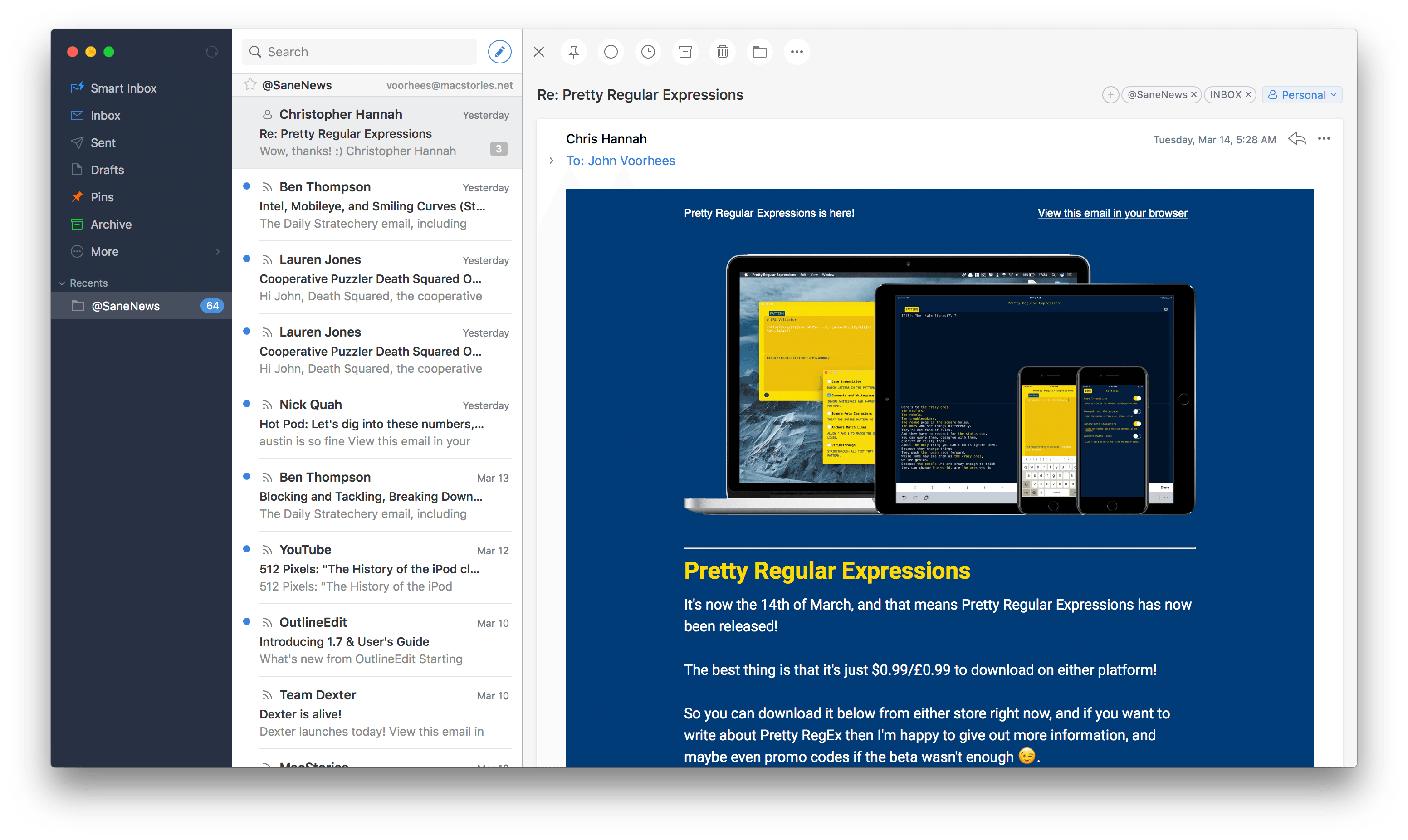
The hallmark feature of Readdle’s Spark email client for macOS is its Smart Inbox, which is designed to surface important email messages intelligently. That feature, along with a unified inbox and swipe gestures for common actions, goes a long way to simplifying email management. Nonetheless, email is one of those areas where personal preferences matter a lot. People are particular about how their email is organized, an area that was underserved by Spark. With version 1.2 for macOS, Readdle has begun to tackle email organization, which should make Spark a more attractive option for people who like Spark’s approach to email but want a little more control over how their messages are managed.
Access Extra Content and Perks
Founded in 2015, Club MacStories has delivered exclusive content every week for nearly a decade.
What started with weekly and monthly email newsletters has blossomed into a family of memberships designed for every MacStories fan.
Club MacStories: Weekly and monthly newsletters via email and the web that are brimming with apps, tips, automation workflows, longform writing, early access to the MacStories Unwind podcast, periodic giveaways, and more;
Club MacStories+: Everything that Club MacStories offers, plus an active Discord community, advanced search and custom RSS features for exploring the Club’s entire back catalog, bonus columns, and dozens of app discounts;
Club Premier: All of the above and AppStories+, an extended version of our flagship podcast that’s delivered early, ad-free, and in high-bitrate audio.
Game Day: Link Twin
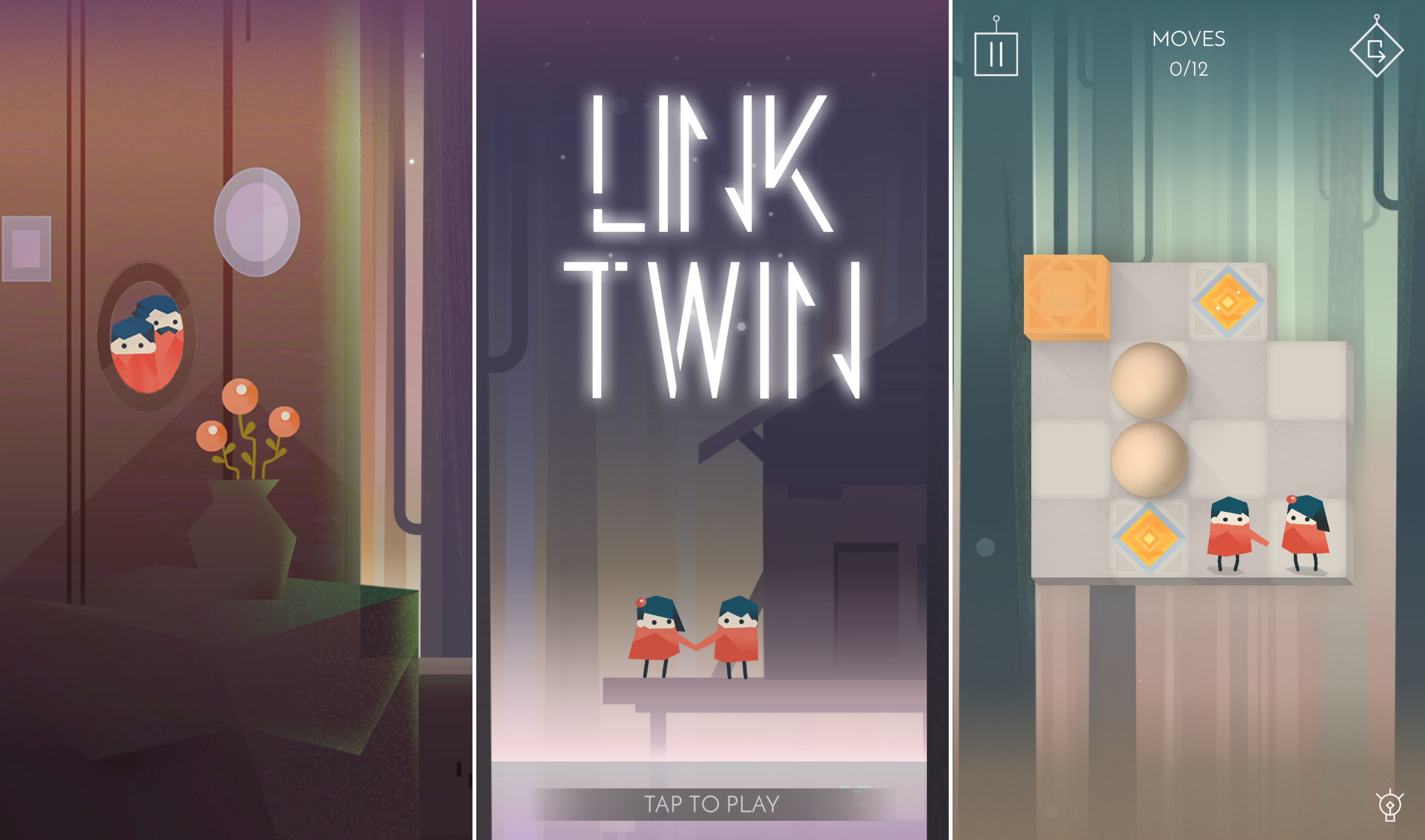
Link Twin is an atmospheric puzzle game from Bucharest-based indie development studio Lorraine that follows the story of Lily and Tom, twins in search of their lost parents. The constraint that defines the way each puzzle works is that Lily and Tom can only move through their world in tandem - moving one character forward necessitates moving both forward. It’s a simple mechanic that’s beautifully implemented through great art and sound direction combined with challenging puzzles that evolve over the course of the game to keep it intriguing.
Access Extra Content and Perks
Founded in 2015, Club MacStories has delivered exclusive content every week for nearly a decade.
What started with weekly and monthly email newsletters has blossomed into a family of memberships designed for every MacStories fan.
Club MacStories: Weekly and monthly newsletters via email and the web that are brimming with apps, tips, automation workflows, longform writing, early access to the MacStories Unwind podcast, periodic giveaways, and more;
Club MacStories+: Everything that Club MacStories offers, plus an active Discord community, advanced search and custom RSS features for exploring the Club’s entire back catalog, bonus columns, and dozens of app discounts;
Club Premier: All of the above and AppStories+, an extended version of our flagship podcast that’s delivered early, ad-free, and in high-bitrate audio.
Food Genie Review: The Perfect Restaurant Selection Tool
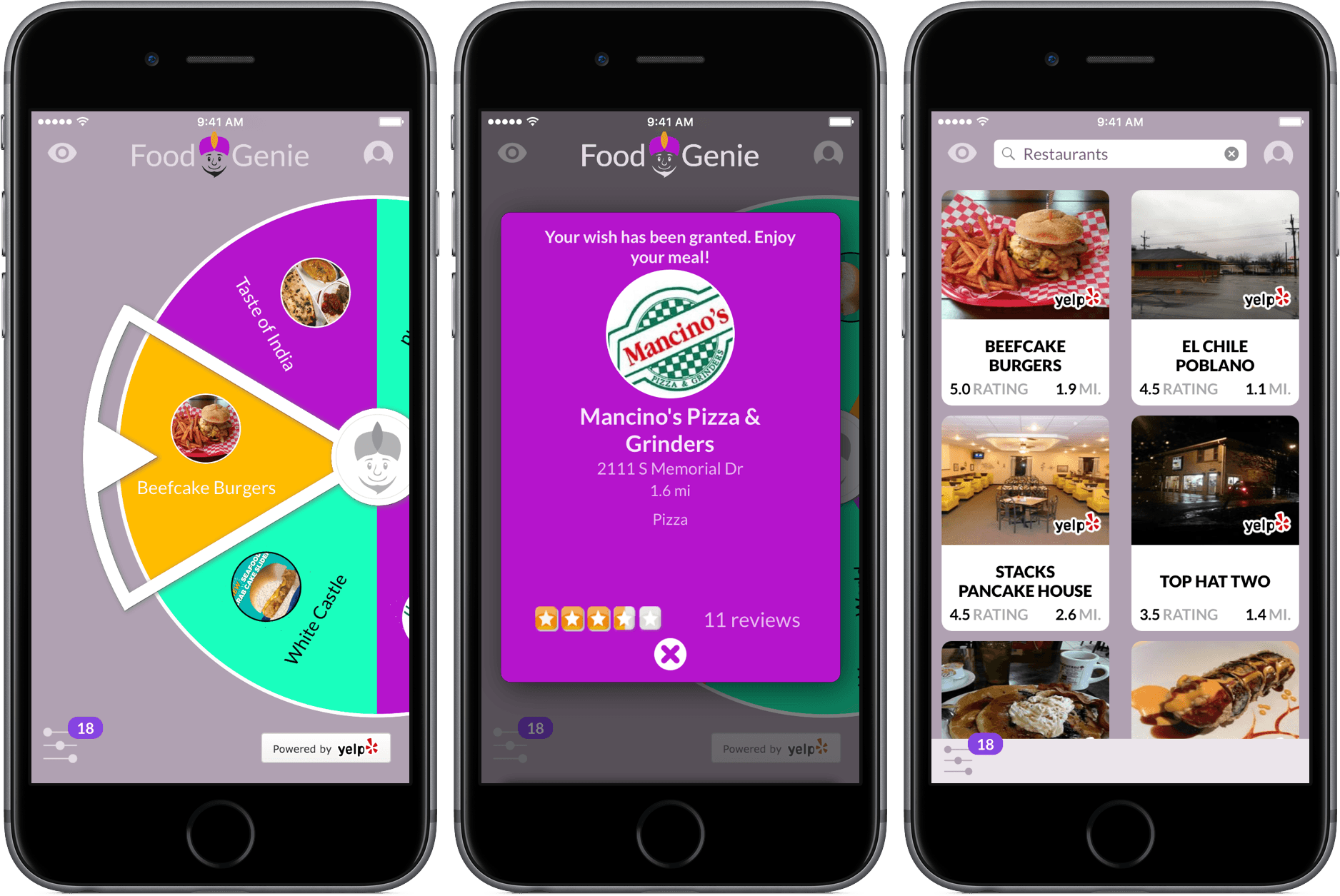
When I’m going out to eat on the weekends, I often run into the same dilemma: my friends and I can’t decide where we want to eat. For the most part, we are all pretty flexible, but narrowing down a wide range of options takes more time and causes more frustration than we’d prefer.
Food Genie cuts the unnecessary back-and-forth by offering random suggestions based on criteria set by the user. Through location data, restaurant identification and a spinning wheel of food, your next set of weekend dinner plans can be a lot less stressful.
Access Extra Content and Perks
Founded in 2015, Club MacStories has delivered exclusive content every week for nearly a decade.
What started with weekly and monthly email newsletters has blossomed into a family of memberships designed for every MacStories fan.
Club MacStories: Weekly and monthly newsletters via email and the web that are brimming with apps, tips, automation workflows, longform writing, early access to the MacStories Unwind podcast, periodic giveaways, and more;
Club MacStories+: Everything that Club MacStories offers, plus an active Discord community, advanced search and custom RSS features for exploring the Club’s entire back catalog, bonus columns, and dozens of app discounts;
Club Premier: All of the above and AppStories+, an extended version of our flagship podcast that’s delivered early, ad-free, and in high-bitrate audio.