Posts in reviews

Croissant: A Beautifully-Designed App for Cross-Posting to Multiple Social Media Accounts

Social media has splintered across multiple services since the decline of Twitter. I’ve always managed a lot of social media accounts between my own and ones for MacStories, but today the situation is worse than ever. There have always been services like Buffer that make it easier to juggle multiple accounts and services, but they are more expensive than most indie developers, artists, websites, and other creators can afford and offer more features than most need.

That’s where Croissant comes in. It’s a new iPhone app from Ben McCarthy and Aaron Vegh that simplifies cross-posting to Mastodon, Bluesky, and Threads at an indie-friendly price. The app doesn’t try to replicate the many features you’ll find in services like Buffer. Instead, it’s focused on making it easier for indie creators or anyone with multiple social accounts to post on multiple platforms at once.
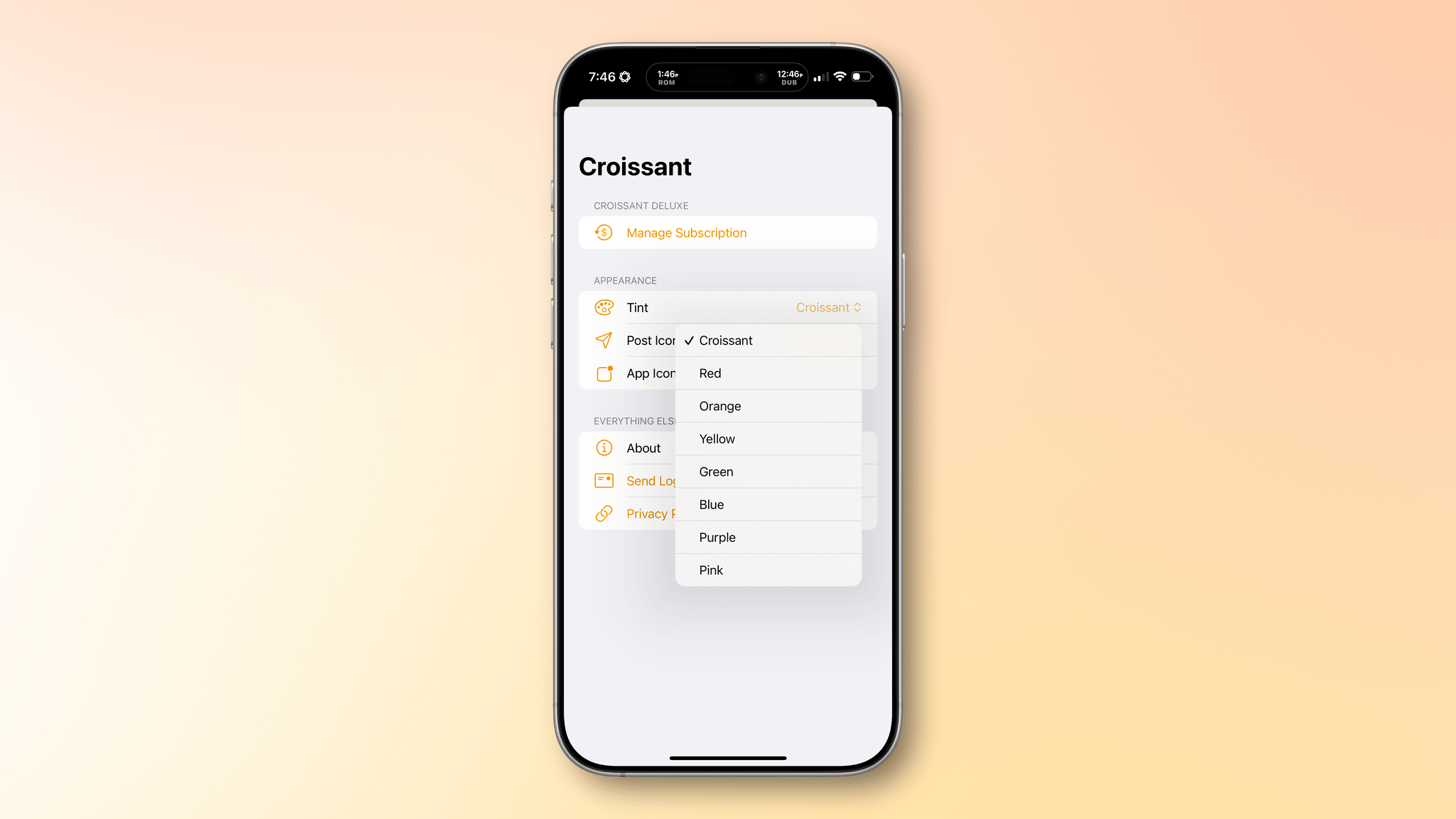
Croissant's tint color, app icon, and posting button icon are all customizable.

Croissant’s tint color, app icon, and posting button icon are all customizable.

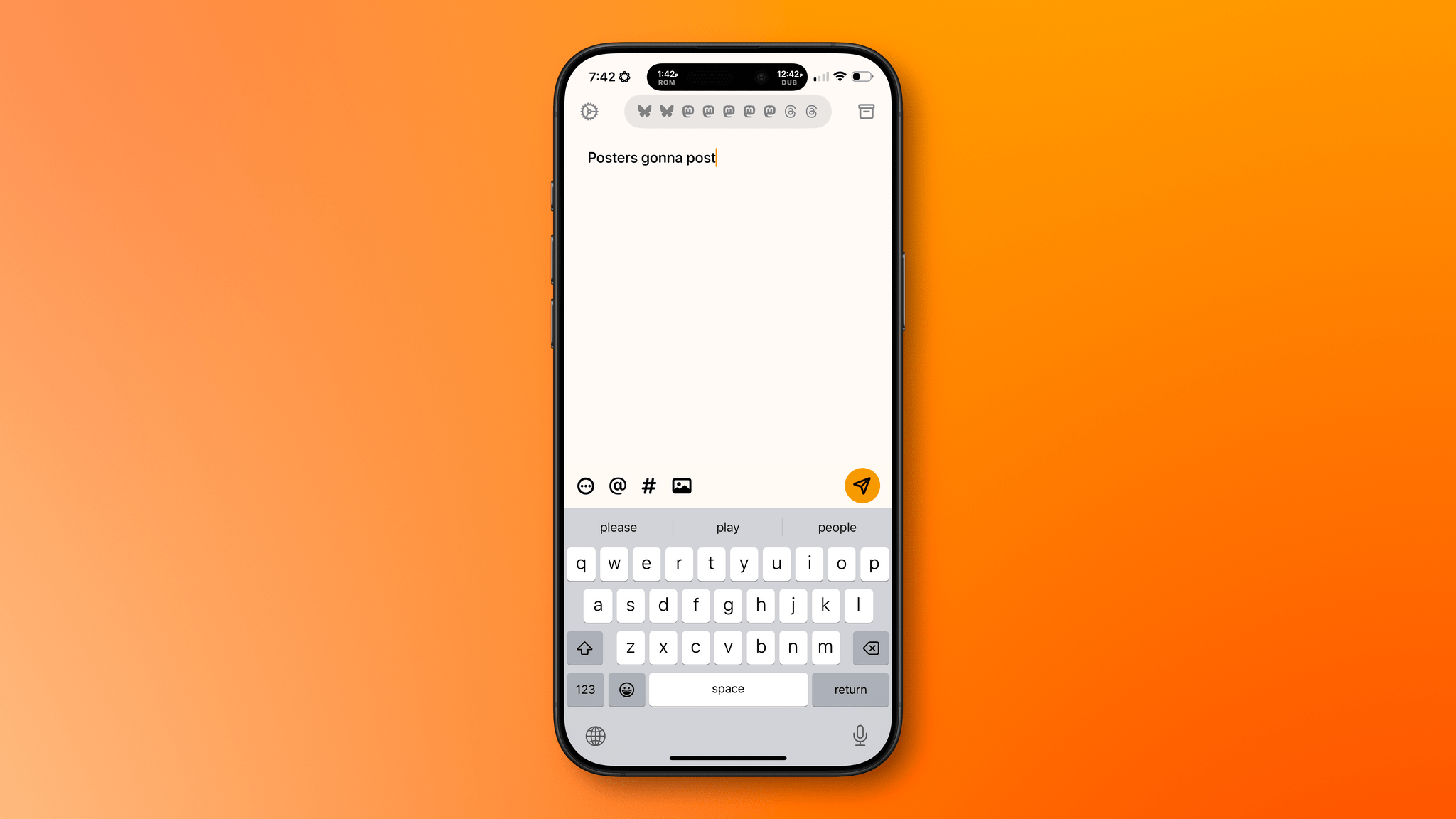
I’ve been testing Croissant over the past week, connecting it to two Bluesky accounts, two Threads accounts, and five Mastodon accounts, and I’ve been loving it. First off, the design is top-tier, as you’d expect from one of Ben’s apps. The UI’s focus is on drafting your posts, and it’s accented with a deep yellow/orange hue that I love. However, the app offers seven other color options to choose from. There are also a total of seven app icon options and three icons to pick from for the button that publishes a post.
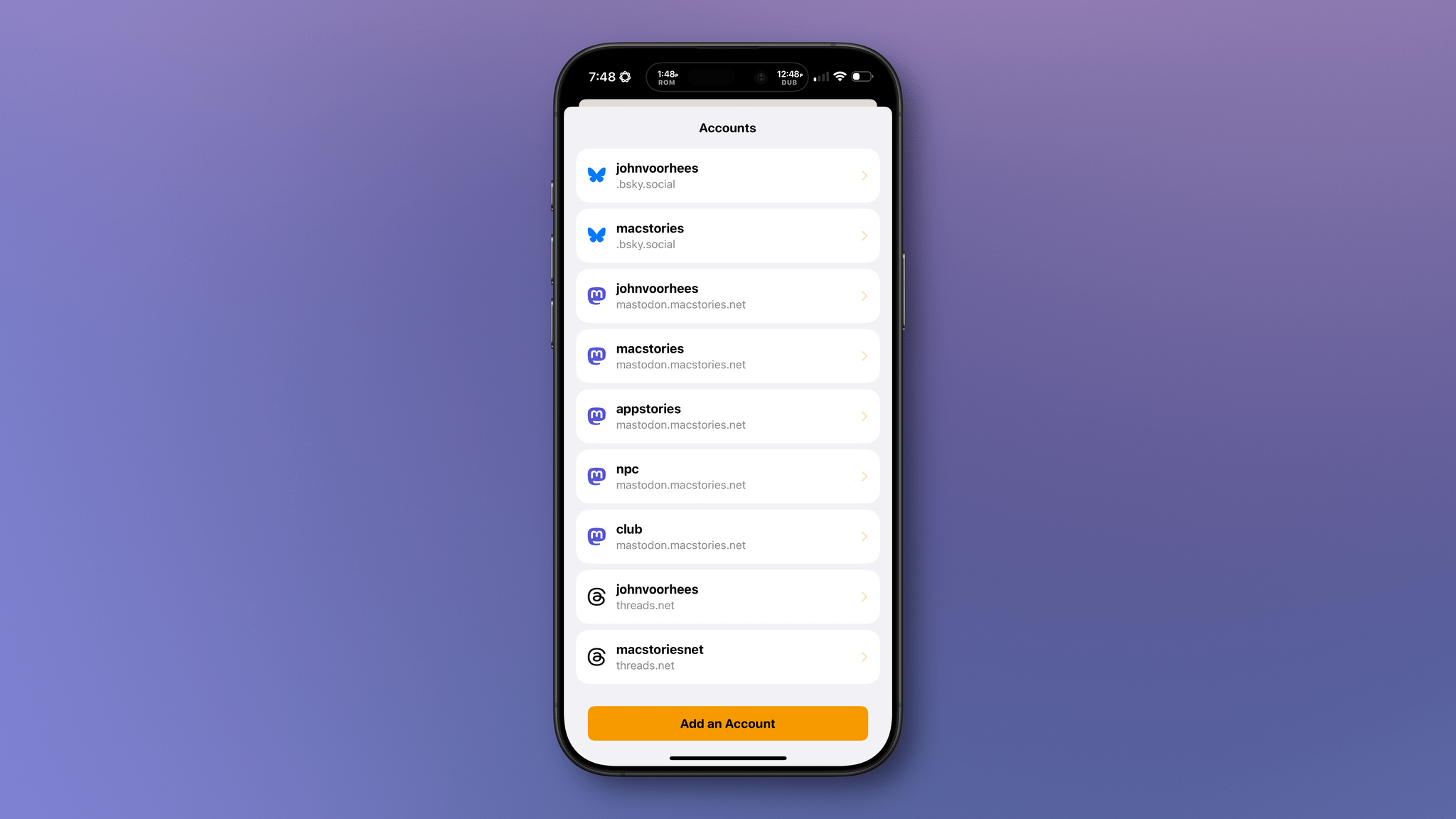
Managing accounts in Croissant.

Managing accounts in Croissant.

If you have a lot of accounts you want to use with Croissant, you’ll need to start by signing into each, which requires a little patience. However, once you’re set up and ready to go, the rest is smooth sailing. You’ll see icons for each of the accounts you’ve signed into at the top of the app’s compose view. Tap on the row of icons to manage your accounts, removing any you no longer use and adding any new ones. The gear icon in the top-left corner of the view reveals tint, post icon, and app icon settings, and the box icon at the top-right is used to access draft posts that you can save using the app’s Menu button at the bottom of the compose field.

That same Menu button also allows you to delete a post, add to an existing thread, add a content warning, and pick from various audience options. Plus, there are buttons to tag someone, add hashtags, and attach photos or videos to a post. Croissant displays a character counter at the top of each draft post, too.
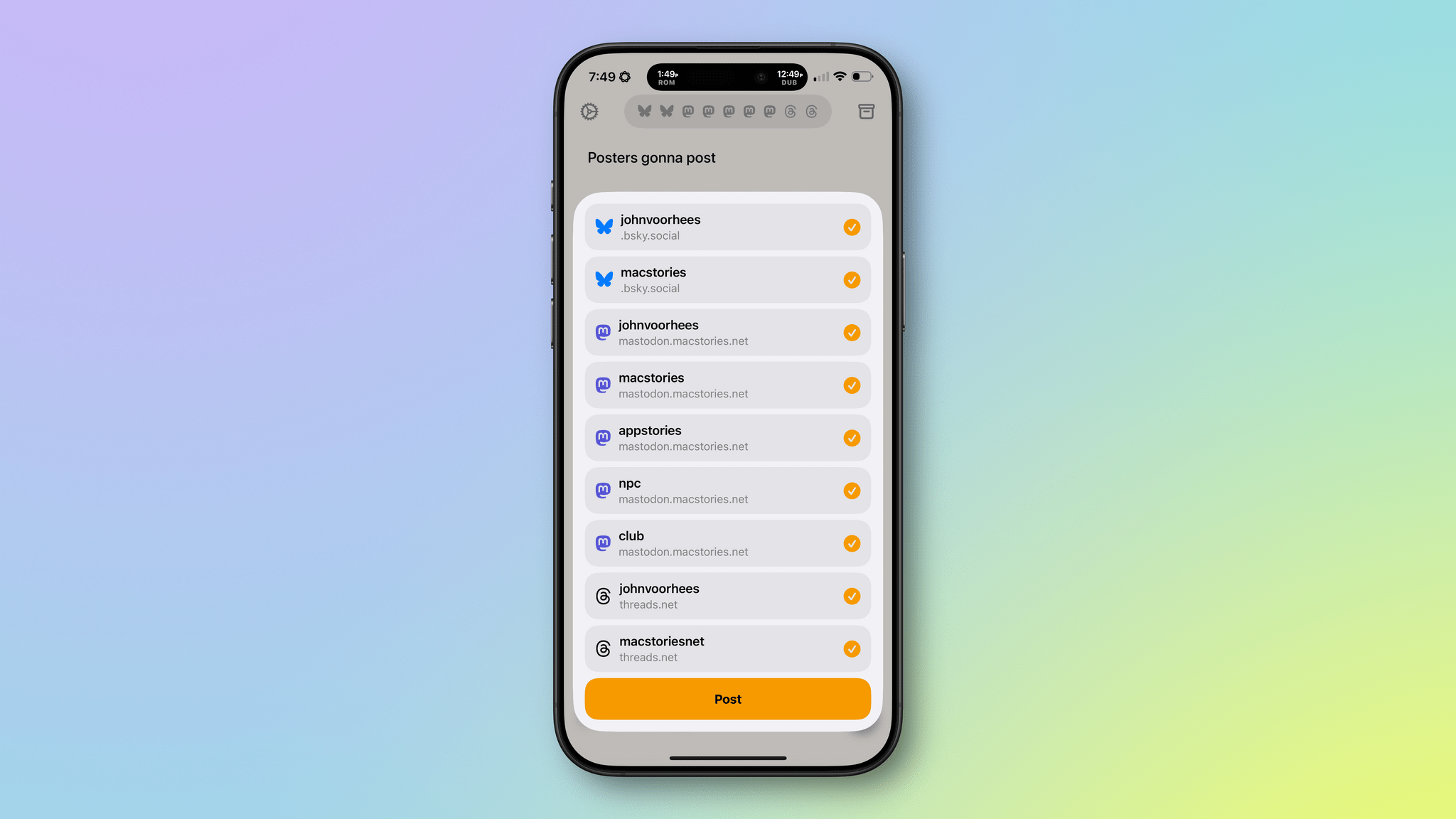
I appreciate the 'Do you really want to post this everywhere?' step.

I appreciate the ‘Do you really want to post this everywhere?’ step.

My favorite part of Croissant is the interaction that takes place when you’re ready to launch your latest hot take into the social media wilderness. Before you post, a list of every account you’ve connected to Croissant slides up from the bottom of the screen. By default, all of your accounts are selected. Tap the big Post button at the bottom of the list, and you’ll launch your words of wisdom into the world across every service you’ve configured. Before you post, you can also de-select any of the accounts listed. That’s great because, although I could fairly be accused of being a chronic cross-poster, even I rarely post everywhere all at once, so I appreciate the chance to fine-tune where my posts will be published.

I like the simplicity of Croissant a lot, but there are a couple of things I’d love to see added in future updates. The first is Shortcuts support. An action that allows me to pick the accounts to send a post from, coupled with Shortcuts’ ability to pull items from RSS feeds, would make publicizing new MacStories articles and podcast episodes a lot easier. Second, a scheduling feature would go a long way toward completely eliminating the need for services like Buffer for a lot of people. Of course, an iPad and Mac version of Croissant would be great too, but I’ve found using the iPhone app on my iPad and on my Mac with iPhone Mirroring to fill that need well so far – except that on the iPad it means logging into all of my accounts a second time, which is a little tedious.
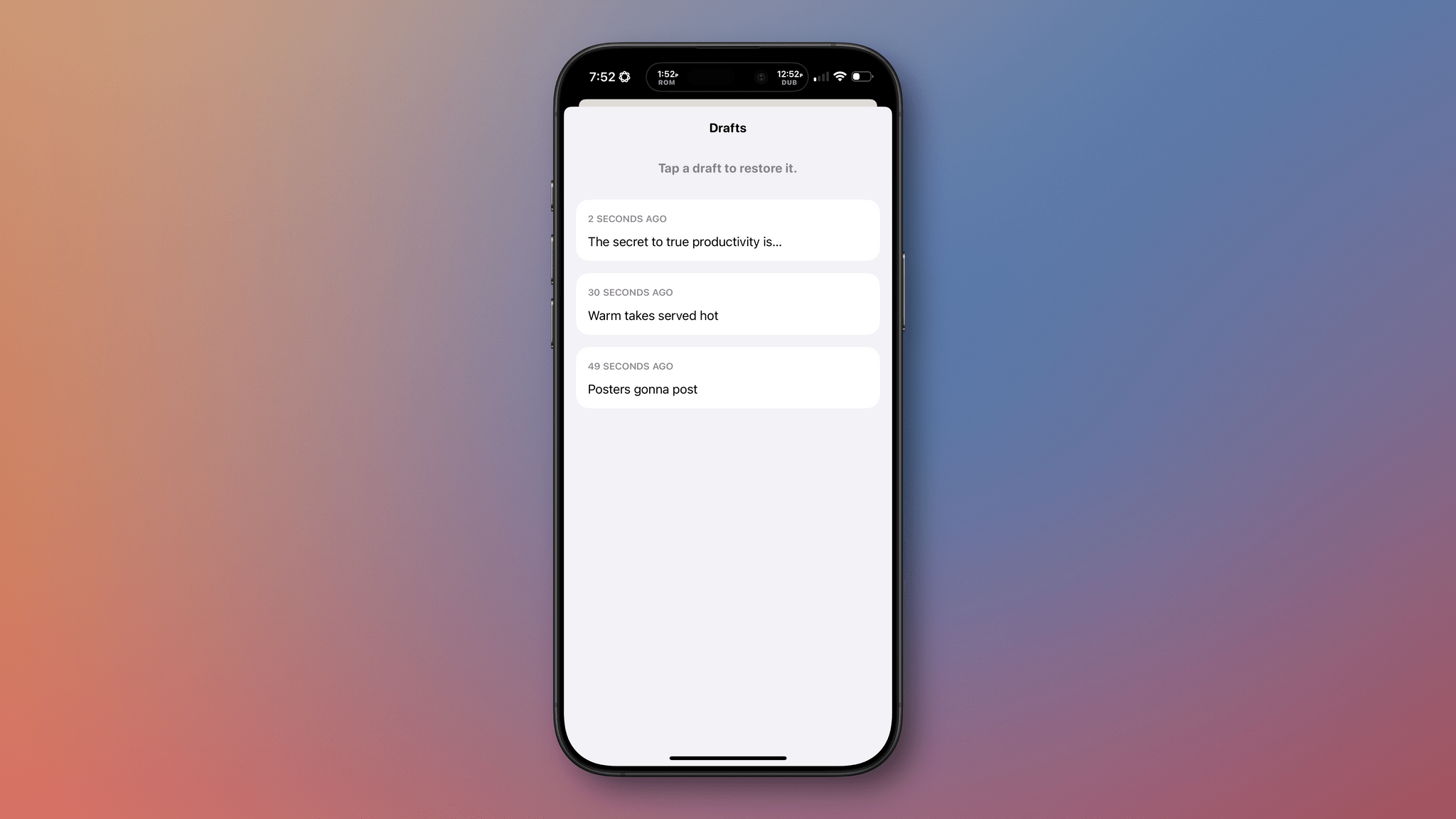
Sometimes the hottest takes cool after a few days in the drafts box.

Sometimes the hottest takes cool after a few days in the drafts box.

There’s an added side benefit to using Croissant that I didn’t realize at first but Brendon pointed out to me. Croissant lets you post without the distraction or stress of getting sucked into your timelines. I’ve often had times where I felt like I needed a break from social media but felt compelled to jump back in to make sure we were promoting everything happening at MacStories. With Croissant, you can have it both ways, letting the world know what you’re up to without needing to scroll your timeline.


Croissant, which is available on the App Store for free but requires a subscription for some features, is a clear win for anyone who works online and wants to promote what they make or who maintains active accounts across several services. Neither group is a good fit for expensive social media management services, but for $2.99/month, $19.99/year, or a one-time payment of $59.99, Croissant is a no-brainer.
Access Extra Content and Perks

Founded in 2015, Club MacStories has delivered exclusive content every week for nearly a decade.

What started with weekly and monthly email newsletters has blossomed into a family of memberships designed for every MacStories fan.

Learn more here and from our Club FAQs.

Club MacStories: Weekly and monthly newsletters via email and the web that are brimming with apps, tips, automation workflows, longform writing, early access to the MacStories Unwind podcast, periodic giveaways, and more;

Club MacStories+: Everything that Club MacStories offers, plus an active Discord community, advanced search and custom RSS features for exploring the Club’s entire back catalog, bonus columns, and dozens of app discounts;

Club Premier: All of the above and AppStories+, an extended version of our flagship podcast that’s delivered early, ad-free, and in high-bitrate audio.

Learn more here and from our Club FAQs.


Reeder: A New Approach to Following Feeds

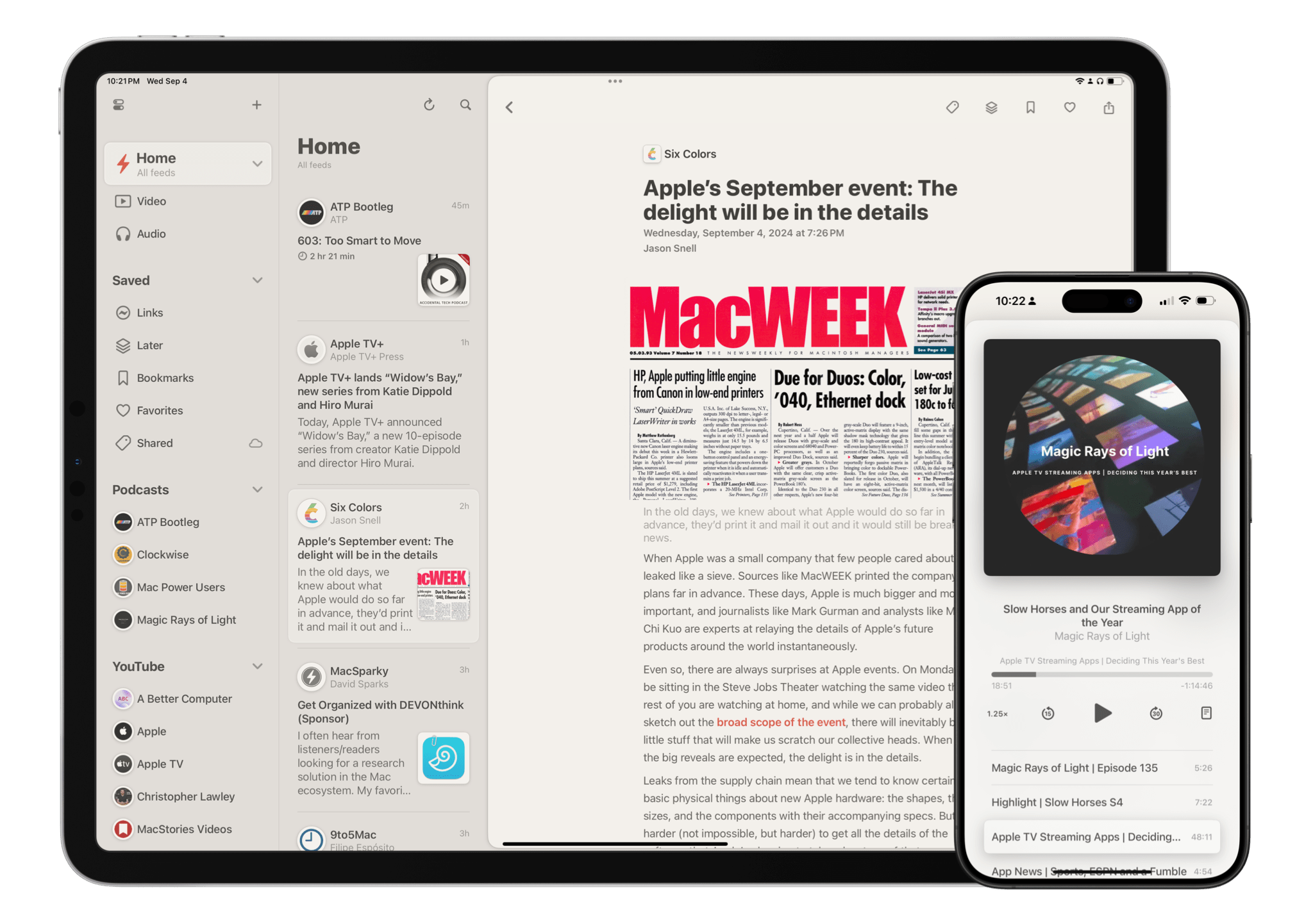
15 years into its life, Reeder is one of the most popular and beloved RSS readers available on Apple’s platforms. You can’t have a discussion about the best way to follow RSS feeds without Reeder coming up as a contender – and believe me, we’ve had many such discussions here at MacStories and on the Club MacStories+ Discord. It’s an institution, and one that many people have very strong feelings about.

With a product as successful and engrained as Reeder, it would be easy for the app’s developer Silvio Rizzi to stick to what works and keep it the same without rocking the boat. But to Rizzi’s credit, that’s absolutely not the case with the new version of Reeder, which is available today. Instead, the new Reeder expands the app’s scope far beyond that of a typical RSS reader and fundamentally rethinks the traditional approach to keeping up with feeds. It’s a massive break from the past that will likely prove divisive among Reeder’s longtime user base. At the same time, it has the potential to appeal to a whole new audience of users who’ve never tried RSS readers before.

Reeder Classic (formerly Reeder 5) is here to stay.

Reeder Classic (formerly Reeder 5) is here to stay.

There’s a lot to cover in this update, but first, a word of reassurance for fans of Reeder as we know it: it isn’t going anywhere. The previous version, Reeder 5, has been renamed Reeder Classic and remains available on the App Store. In fact, Rizzi intends to continue developing Reeder Classic in conjunction with the new version. If you want to stick with the Reeder you know and love, you certainly can, and I think offering both versions is the right call given the huge change in direction Rizzi has gone with this update.

The best word to describe the new Reeder is “ambitious.” Its purpose is not just to be your RSS reader, but your inbox for keeping up with feeds of many different kinds from various sources across the Internet – text from websites, sure, but also videos on YouTube, audio from podcasts, posts on social media, and more. It’s a one-stop shop for the feeds you follow online, collecting them together into a single timeline that you can seamlessly browse across all of your devices. As I said, it’s a lofty goal.

It’s also quite different from what previous versions of Reeder were trying to do. In order to take on this new role as an inbox for all of your feeds, Reeder has been rebuilt from the ground up, a characteristic that shows both in its design and functionality. Many new features have been added, but nearly as many have been removed. Whether this update looks like a streamlined evolution or a stripped-down regression depends largely on if you’re interested in this sort of catch-all tool at all, but that’s the risk one takes when reimagining an established product in such a substantial way.

Read more

Access Extra Content and Perks

Founded in 2015, Club MacStories has delivered exclusive content every week for nearly a decade.

What started with weekly and monthly email newsletters has blossomed into a family of memberships designed for every MacStories fan.

Learn more here and from our Club FAQs.

Club MacStories: Weekly and monthly newsletters via email and the web that are brimming with apps, tips, automation workflows, longform writing, early access to the MacStories Unwind podcast, periodic giveaways, and more;

Club MacStories+: Everything that Club MacStories offers, plus an active Discord community, advanced search and custom RSS features for exploring the Club’s entire back catalog, bonus columns, and dozens of app discounts;

Club Premier: All of the above and AppStories+, an extended version of our flagship podcast that’s delivered early, ad-free, and in high-bitrate audio.

Learn more here and from our Club FAQs.


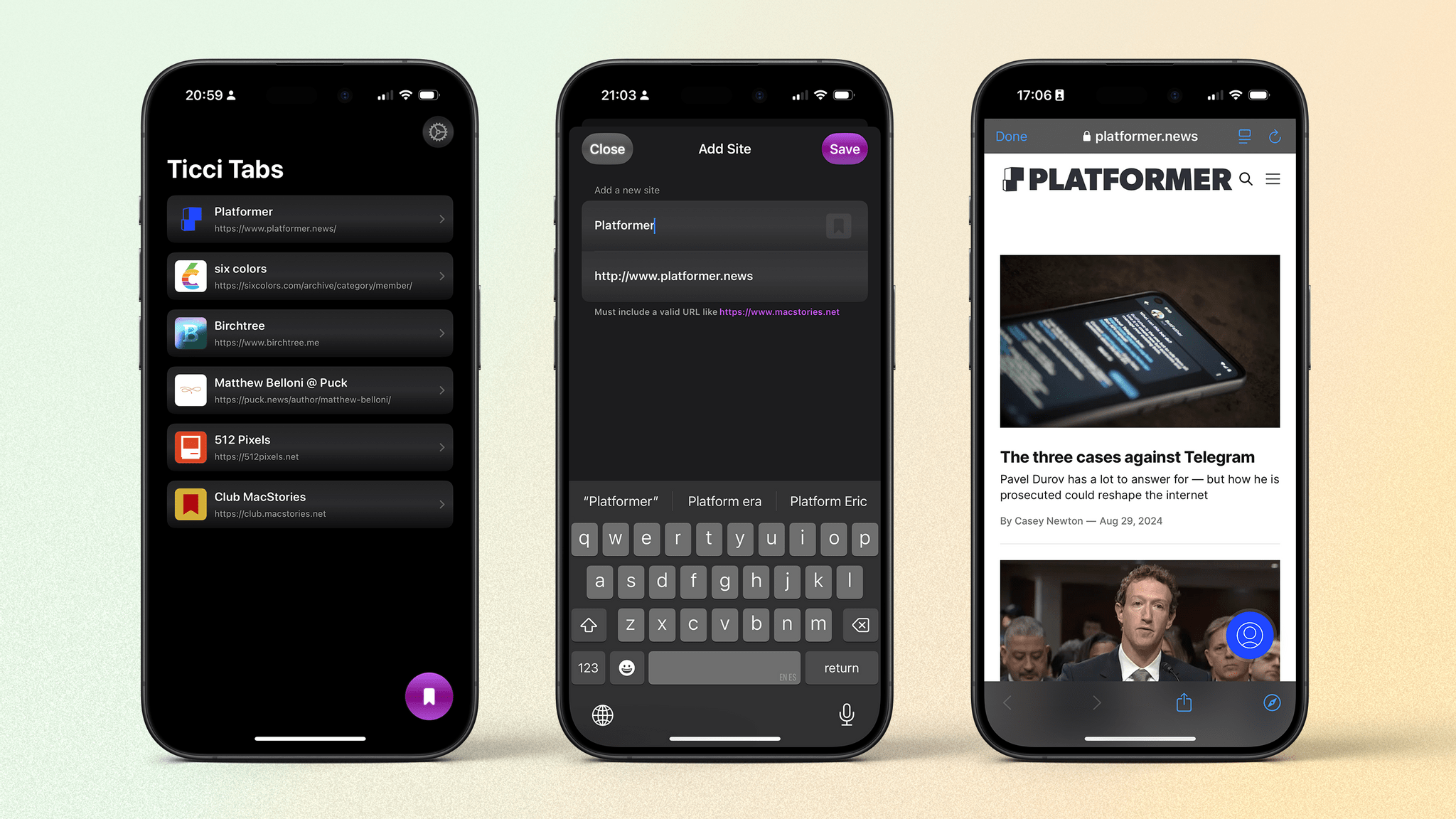
Ticci Tabs: A Simple Way to Keep Up With Your Favorite Six or Seven Websites

It seems the tech community’s search for the perfect reading setup continues unabated. Just this week on AppStories, Federico and John discussed which RSS readers have stood the test of time. Between text-to-speech apps, RSS readers, eReaders, and more, surely there’s no room left for another approach to catching up on articles? Apparently, there is. Enter Ticci Tabs with a straightforward but specific solution.

You may have noticed something familiar about the name of this app: it contains the nickname of our venerable Editor-in-Chief here at MacStories, Federico Viticci. That’s because Ticci Tabs has an amusing backstory. Several weeks ago on Connected, Federico lamented that there wasn’t an app that allowed him to browse his favorite “six or seven” websites in their original form, separate from a browser or RSS reader in a stripped down version of Safari. Less than a week later, developer Jonathan Ruiz released a beta version of Ticci Tabs on TestFlight, and it did just what Federico described. What might have seemed at first like a fun app carrying out a function requested by one specific person has blossomed into an intriguing and well-thought-out utility. Let’s take a closer look.

Read more

Access Extra Content and Perks

Founded in 2015, Club MacStories has delivered exclusive content every week for nearly a decade.

What started with weekly and monthly email newsletters has blossomed into a family of memberships designed for every MacStories fan.

Learn more here and from our Club FAQs.

Club MacStories: Weekly and monthly newsletters via email and the web that are brimming with apps, tips, automation workflows, longform writing, early access to the MacStories Unwind podcast, periodic giveaways, and more;

Club MacStories+: Everything that Club MacStories offers, plus an active Discord community, advanced search and custom RSS features for exploring the Club’s entire back catalog, bonus columns, and dozens of app discounts;

Club Premier: All of the above and AppStories+, an extended version of our flagship podcast that’s delivered early, ad-free, and in high-bitrate audio.

Learn more here and from our Club FAQs.


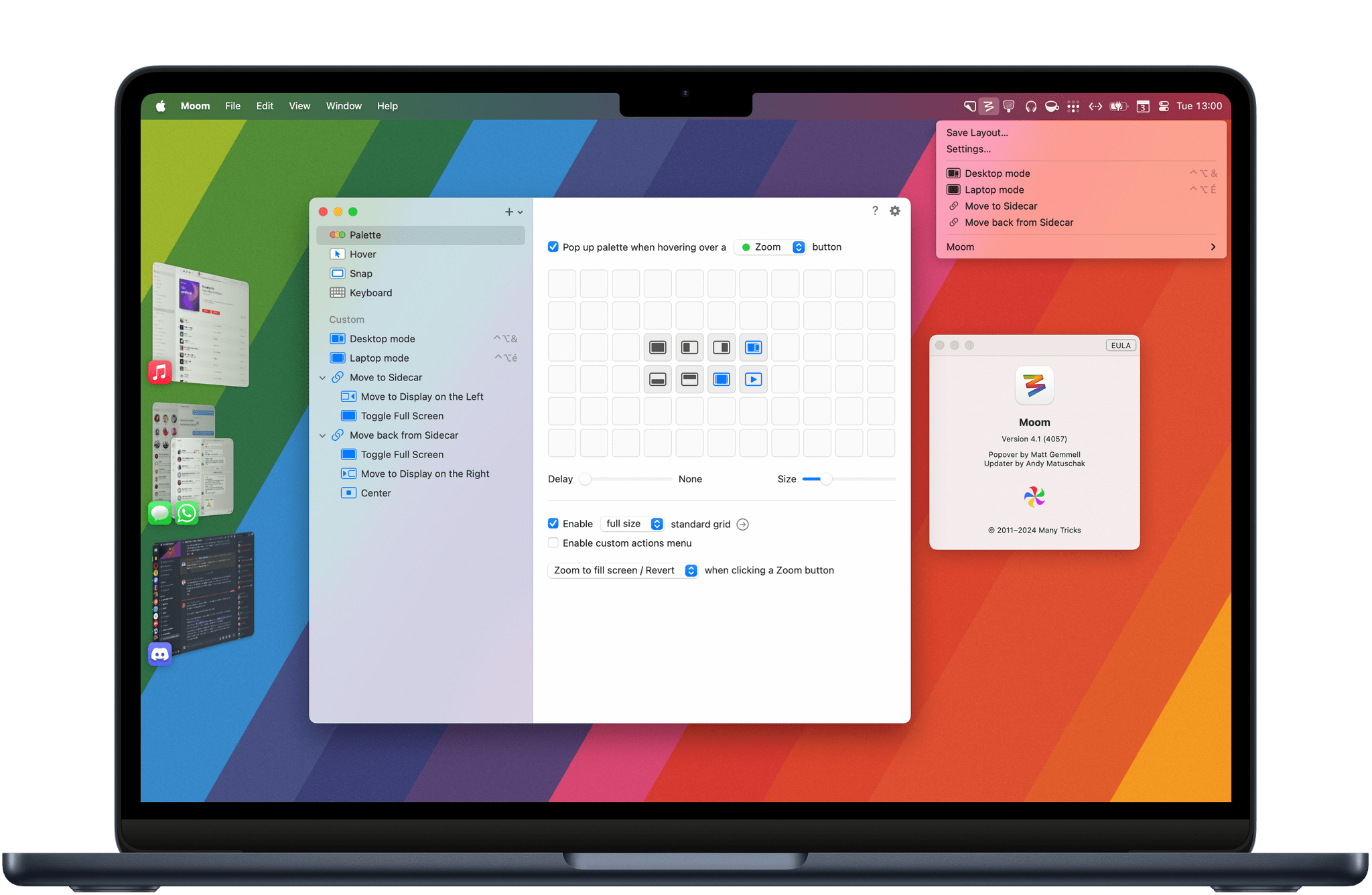
Moom 4: Mac Window Management, Upgraded

This summer, my all-time favorite window management utility Moom received a major 4.0 upgrade more than 12 years after the initial release of Moom 3. Ever since I went back to the Mac as my main computer, Moom has allowed me to create automations to arrange my windows and easily save and restore specific window layouts. From a fully customizable palette to new keyboard shortcut options to the ability to chain custom commands, Moom 4 offers a wide range of new features that make it an even more advanced utility that will appeal to anyone looking for more flexibility than Apple’s new window tiling feature, which is coming in macOS Sequoia.

Let’s check out the main new features in Moom 4.

Read more

Access Extra Content and Perks

Founded in 2015, Club MacStories has delivered exclusive content every week for nearly a decade.

What started with weekly and monthly email newsletters has blossomed into a family of memberships designed for every MacStories fan.

Learn more here and from our Club FAQs.

Club MacStories: Weekly and monthly newsletters via email and the web that are brimming with apps, tips, automation workflows, longform writing, early access to the MacStories Unwind podcast, periodic giveaways, and more;

Club MacStories+: Everything that Club MacStories offers, plus an active Discord community, advanced search and custom RSS features for exploring the Club’s entire back catalog, bonus columns, and dozens of app discounts;

Club Premier: All of the above and AppStories+, an extended version of our flagship podcast that’s delivered early, ad-free, and in high-bitrate audio.

Learn more here and from our Club FAQs.


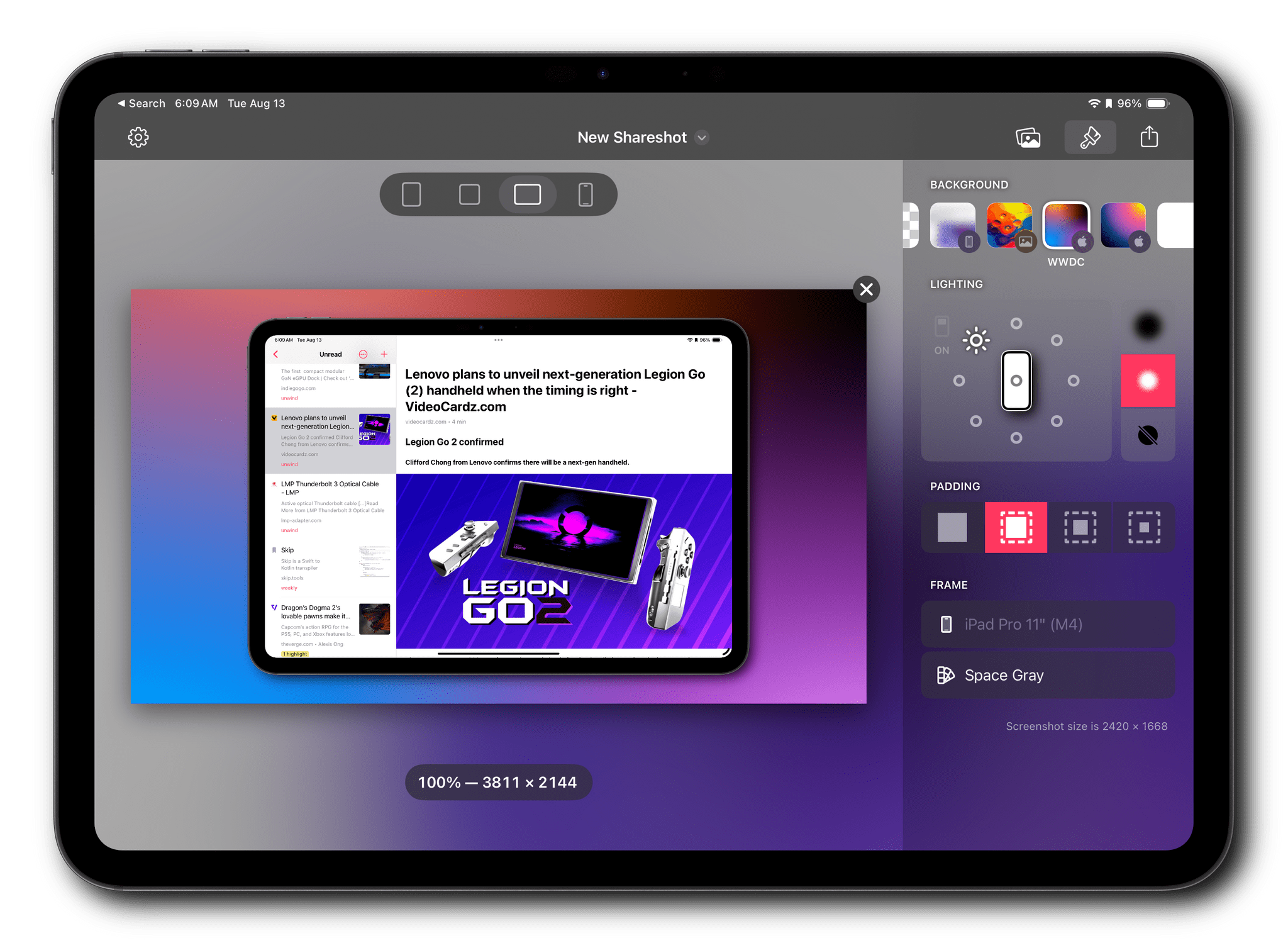
Shareshot 1.0: Pixel Perfect Screenshots, Beautifully Presented

I’ve used Federico’s Apple Frames shortcut to add device frames to screenshots for years. It’s a great way to quickly process multiple screenshots and upload them to the MacStories CDN with minimal effort. But as great as Shortcuts is for simplifying this sort of task, there are advantages to using a native app instead.

Editing screenshots on the iPad.

Editing screenshots on the iPad.

Shareshot is an app for iPhone, iPad, and Vision Pro that occupies a lot of the same feature space as Apple Frames, using Apple hardware to frame screenshots. However, the app simultaneously does more and a little less than Federico’s shortcut. That one missing feature means that I won’t be abandoning Apple Frames, but because of the things the app can do that Apple Frames can’t, Shareshot will be joining the shortcut as a utility I expect to use a lot.

Let’s dig into what makes Shareshot shine.

Read more

Access Extra Content and Perks

Founded in 2015, Club MacStories has delivered exclusive content every week for nearly a decade.

What started with weekly and monthly email newsletters has blossomed into a family of memberships designed for every MacStories fan.

Learn more here and from our Club FAQs.

Club MacStories: Weekly and monthly newsletters via email and the web that are brimming with apps, tips, automation workflows, longform writing, early access to the MacStories Unwind podcast, periodic giveaways, and more;

Club MacStories+: Everything that Club MacStories offers, plus an active Discord community, advanced search and custom RSS features for exploring the Club’s entire back catalog, bonus columns, and dozens of app discounts;

Club Premier: All of the above and AppStories+, an extended version of our flagship podcast that’s delivered early, ad-free, and in high-bitrate audio.

Learn more here and from our Club FAQs.


GoodLinks 2.0: The Automation-Focused Read-Later App I’ve Always Wanted

One of my greatest frustrations with read-later apps is how hard most make it to get your data out on your terms. Few allow you to export links using Shortcuts or some other system, and even fewer offer to do the same with highlights – until now. With version 2.0, GoodLinks adds highlighting and note-taking combined with excellent Shortcuts support, giving users full access and flexibility to incorporate saved URLs, highlights, and notes into their workflows however they want.

Thanks to Obsidian’s deep catalog of plugins from third-party developers, it’s been possible to import highlights from read-later apps like Readwise Reader and Amazon’s Kindle app for some time. Those are good solutions when I’m working in Obsidian, but both I and our readers use lots of different apps. That’s why I was so glad to see GoodLinks (available for the iPhone, iPad, and Mac) get this major 2.0 revision that transforms it from a place to save links and articles to a more well-rounded research tool, thanks to highlighting and notes.

Read more

Access Extra Content and Perks

Founded in 2015, Club MacStories has delivered exclusive content every week for nearly a decade.

What started with weekly and monthly email newsletters has blossomed into a family of memberships designed for every MacStories fan.

Learn more here and from our Club FAQs.

Club MacStories: Weekly and monthly newsletters via email and the web that are brimming with apps, tips, automation workflows, longform writing, early access to the MacStories Unwind podcast, periodic giveaways, and more;

Club MacStories+: Everything that Club MacStories offers, plus an active Discord community, advanced search and custom RSS features for exploring the Club’s entire back catalog, bonus columns, and dozens of app discounts;

Club Premier: All of the above and AppStories+, an extended version of our flagship podcast that’s delivered early, ad-free, and in high-bitrate audio.

Learn more here and from our Club FAQs.


NotchNook and MediaMate: Two Apps to Add a Dynamic Island to the Mac

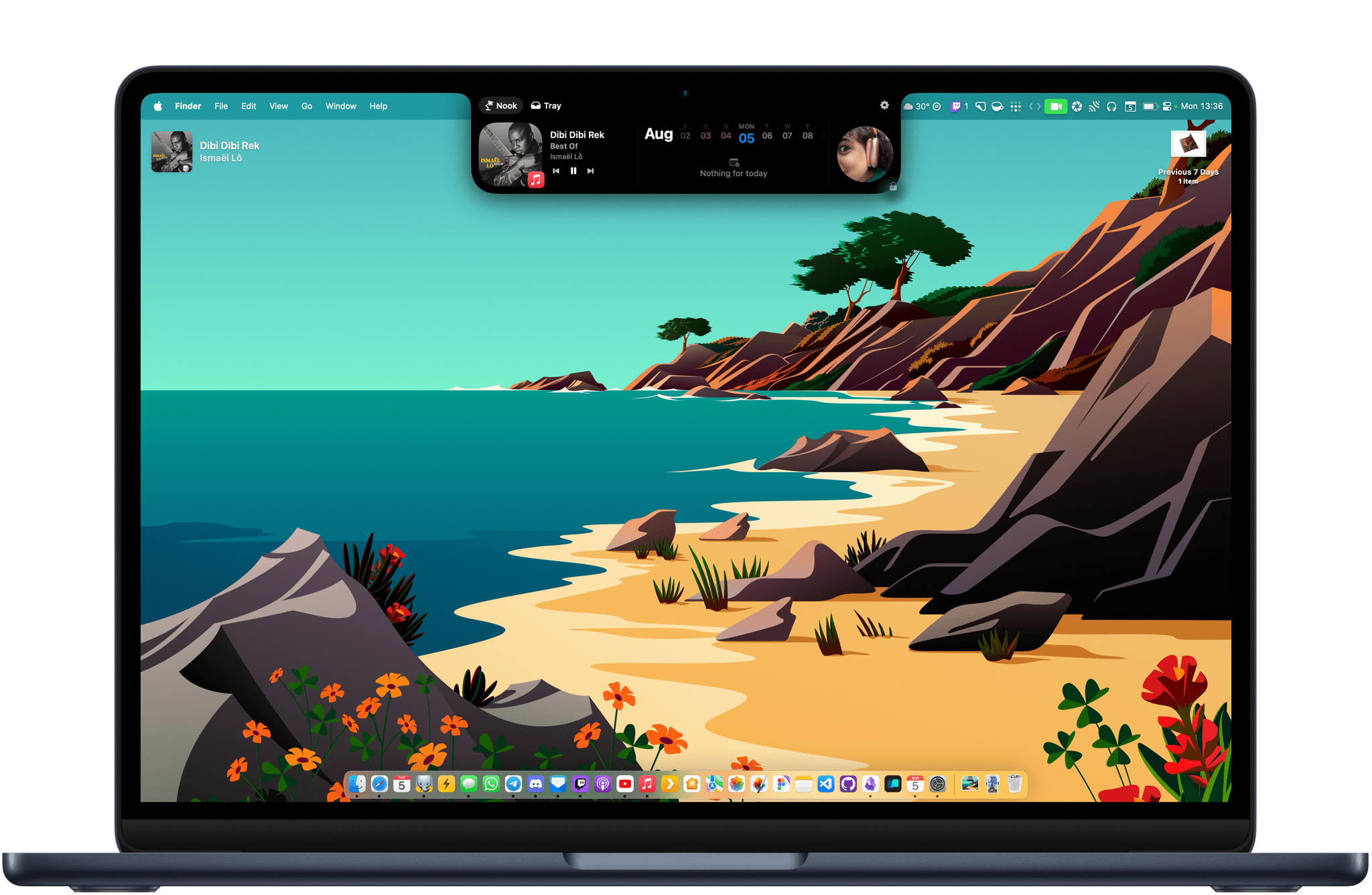
The Dynamic Island has been one of my favorite software additions to the iPhone since it was introduced with the iPhone 14 Pro lineup. The feature is a fun blend of hardware and software that turns the new pill-shaped TrueDepth camera array into a status bar that can collapse and expand to display media controls, Live Activities, and more.

While Live Activities are now also available on iPadOS, neither the iPad nor the Mac have gotten a Dynamic Island following their latest hardware and software revisions. I would argue that the latest generations of Apple silicon MacBook Air and MacBook Pro are pretty good candidates for a Dynamic Island. Both lineups feature a notched screen that currently doesn’t serve any purpose apart from expanding the display to the top edges of the laptop’s aluminum case and limiting the amount of space available for Mac menu bar apps.

Today, I’m taking a look at two Mac apps that add functionality to the notch to make it more Dynamic Island-like. Both have made me realize that, while not absolutely essential, the Dynamic Island definitely has a place on the Mac.

Read more

Access Extra Content and Perks

Founded in 2015, Club MacStories has delivered exclusive content every week for nearly a decade.

What started with weekly and monthly email newsletters has blossomed into a family of memberships designed for every MacStories fan.

Learn more here and from our Club FAQs.

Club MacStories: Weekly and monthly newsletters via email and the web that are brimming with apps, tips, automation workflows, longform writing, early access to the MacStories Unwind podcast, periodic giveaways, and more;

Club MacStories+: Everything that Club MacStories offers, plus an active Discord community, advanced search and custom RSS features for exploring the Club’s entire back catalog, bonus columns, and dozens of app discounts;

Club Premier: All of the above and AppStories+, an extended version of our flagship podcast that’s delivered early, ad-free, and in high-bitrate audio.

Learn more here and from our Club FAQs.


Unread 4.0 Brings a Fast and Native RSS Reader to the Mac

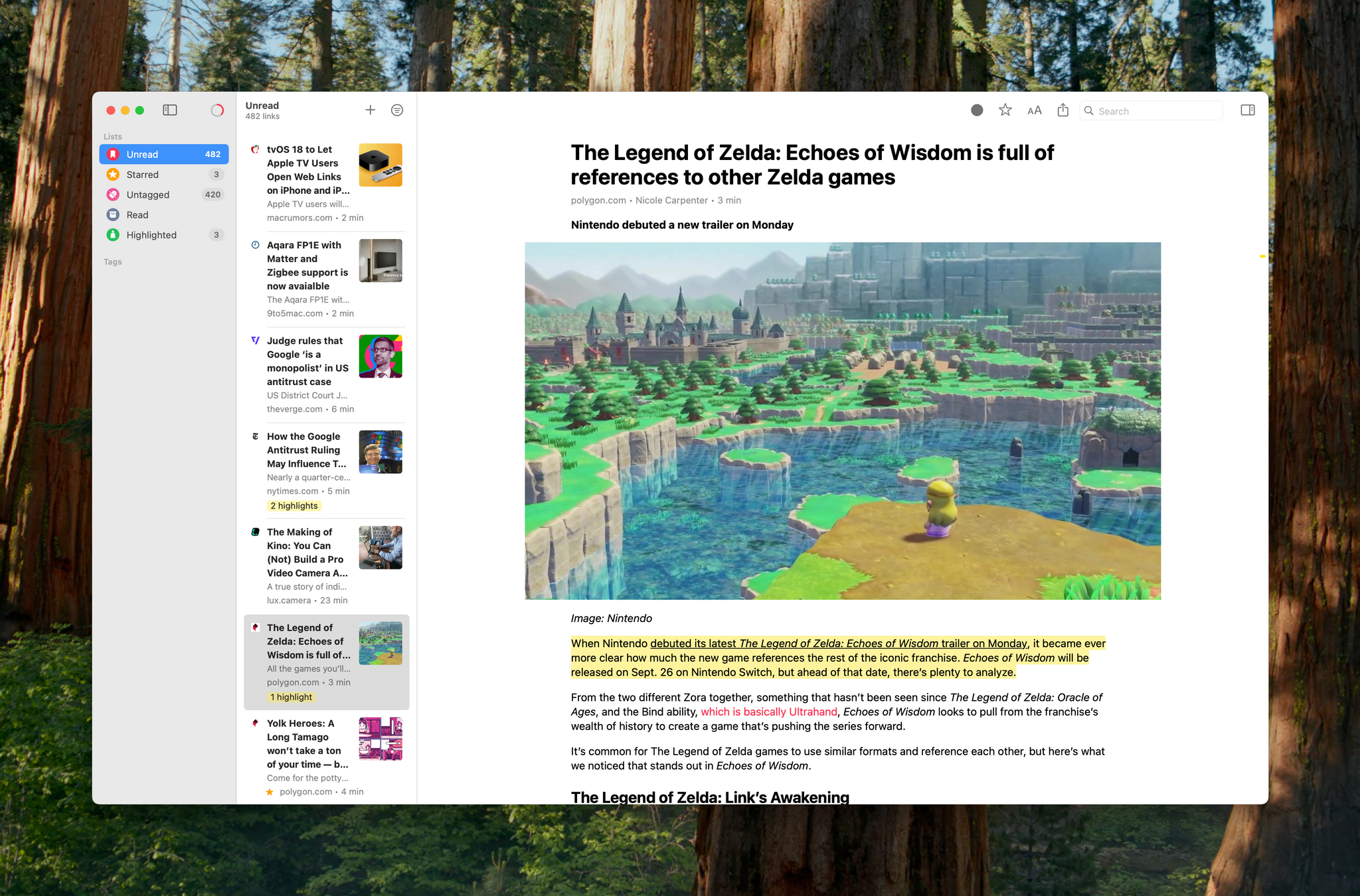
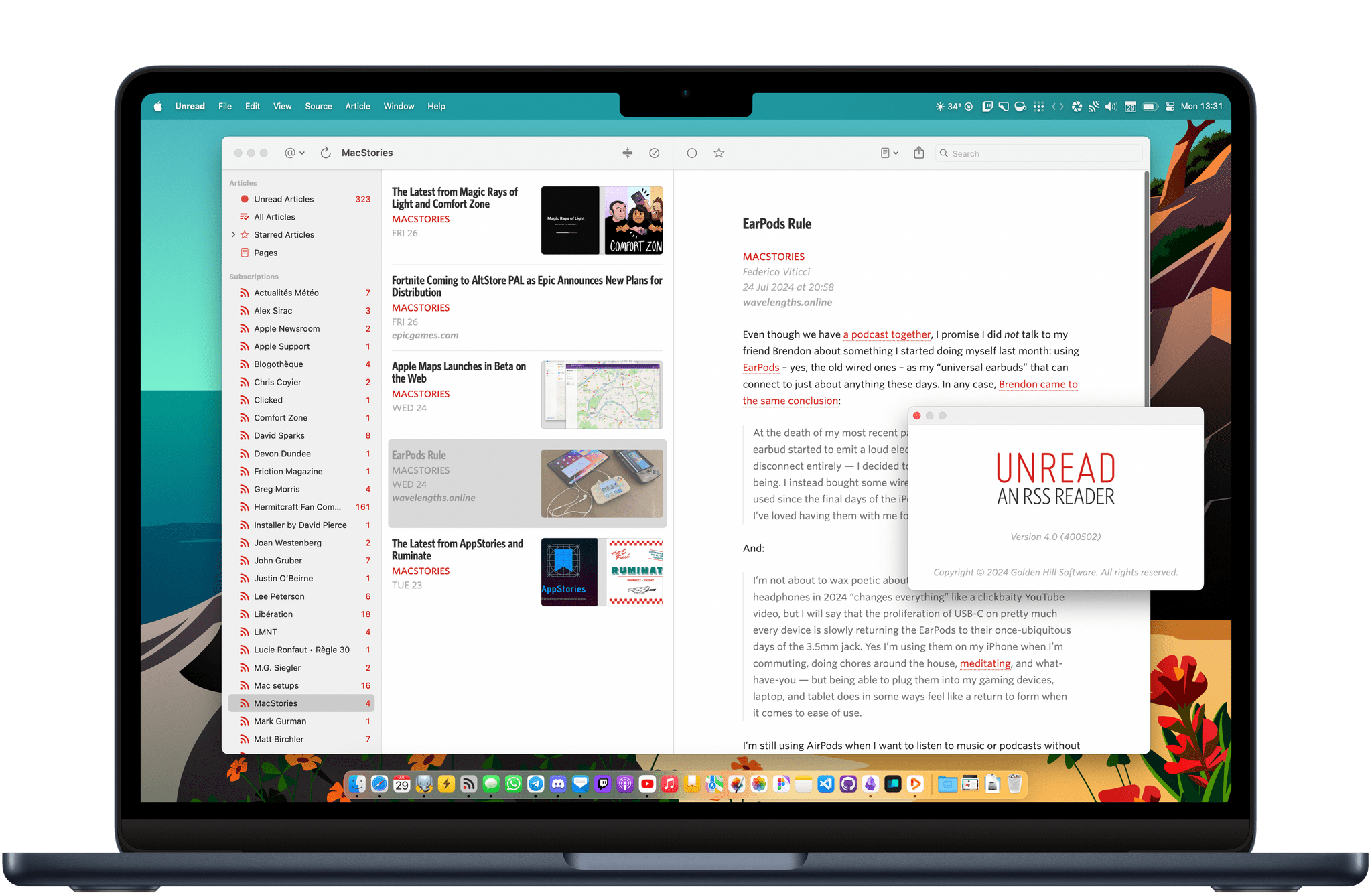
Unread by Golden Hill Software has long been an excellent and elegant RSS client for iOS and iPadOS. Today, it arrives on macOS with version 4.0. While I have been exploring new ways to keep up with my favorite feeds as the web enters its federated era, using Unread on the Mac hasn’t felt like a step backwards. Unread 4.0 is a fully native, fully-featured app built using AppKit and SwiftUI that feels modern and performs incredibly quickly.

Let’s check it out.

Read more

Access Extra Content and Perks

Founded in 2015, Club MacStories has delivered exclusive content every week for nearly a decade.

What started with weekly and monthly email newsletters has blossomed into a family of memberships designed for every MacStories fan.

Learn more here and from our Club FAQs.

Club MacStories: Weekly and monthly newsletters via email and the web that are brimming with apps, tips, automation workflows, longform writing, early access to the MacStories Unwind podcast, periodic giveaways, and more;

Club MacStories+: Everything that Club MacStories offers, plus an active Discord community, advanced search and custom RSS features for exploring the Club’s entire back catalog, bonus columns, and dozens of app discounts;

Club Premier: All of the above and AppStories+, an extended version of our flagship podcast that’s delivered early, ad-free, and in high-bitrate audio.

Learn more here and from our Club FAQs.


Overcast Celebrates Its Tenth Anniversary with a Redesigned Interface

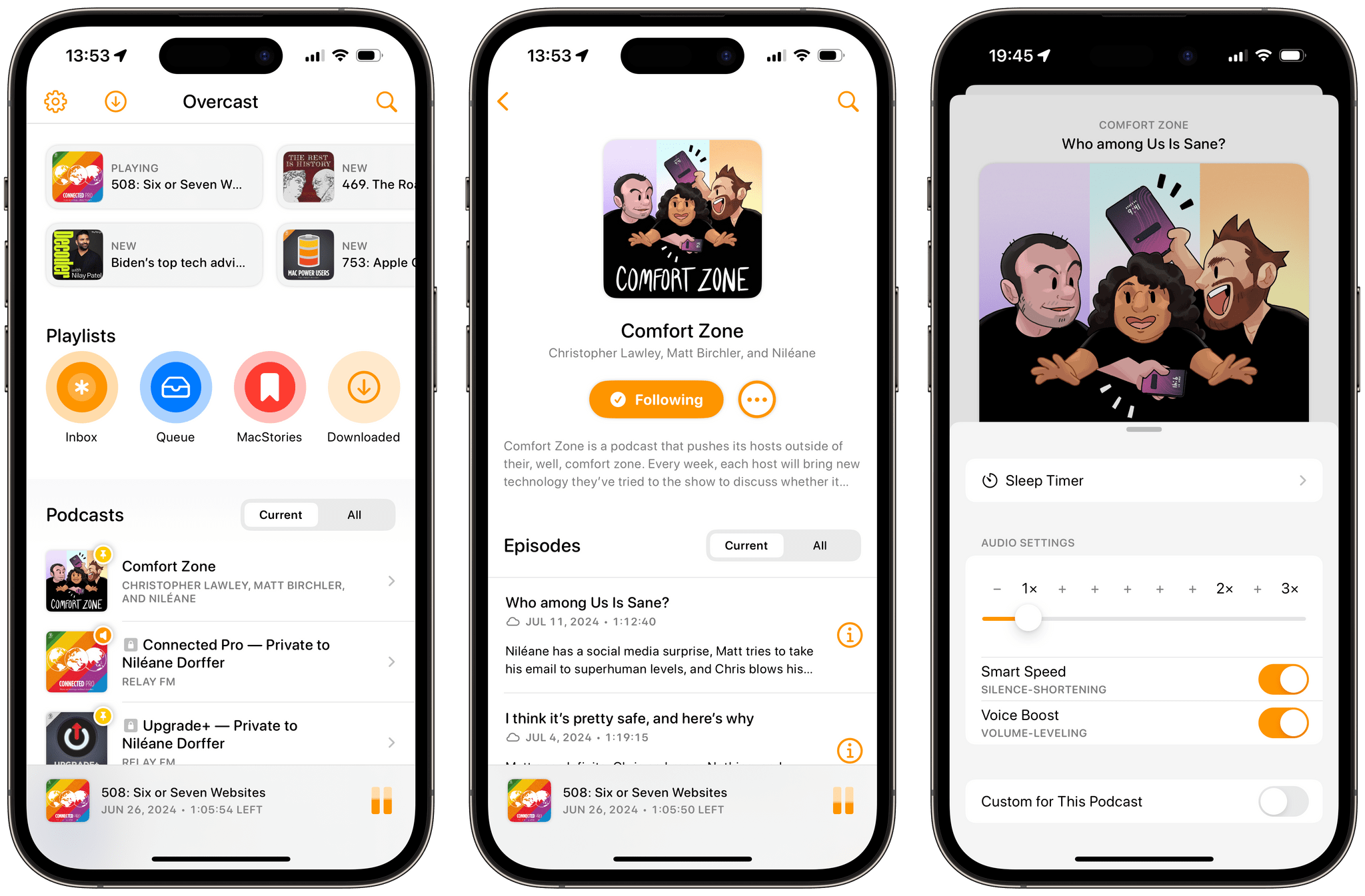
Overcast has long been my favorite podcast player on iOS and iPadOS with its beautifully simple user interface that complements a great audio engine. Today, developer Marco Arment is celebrating Overcast’s tenth anniversary with the release of a new version featuring a user interface that’s been rewritten from the ground up.

From the app’s main screen to playlist and podcast pages, show notes, chapters, and search, this new version of Overcast looks completely modern, and it feels fast. But at the same time, the app remains true to itself and retains a familiar look, with no drastic visual changes that would disorient its long-time users.

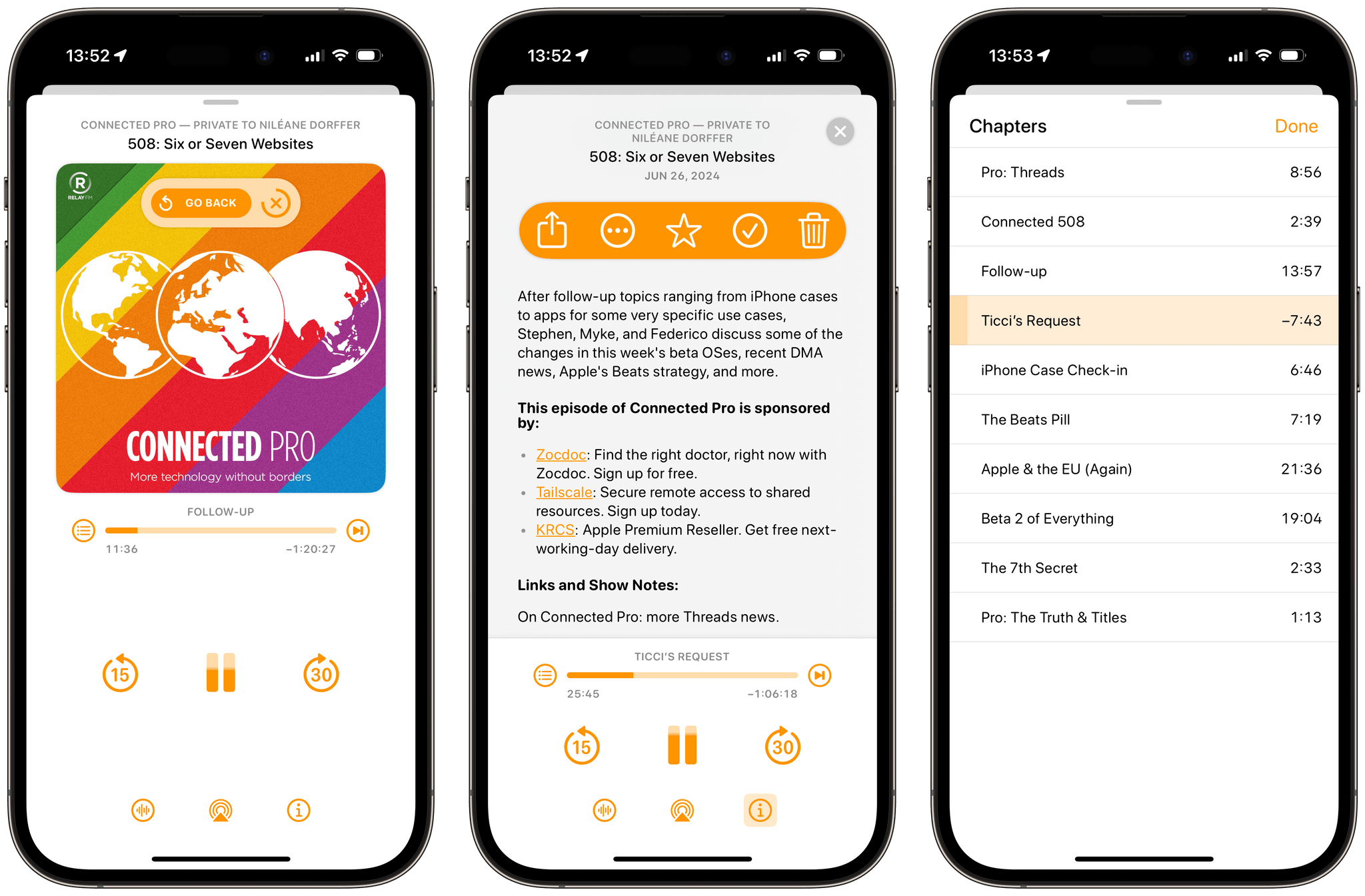
The app’s revamped player is perhaps my favorite aspect of this fresh coat of paint. There, you can still find the app’s landmark audio features, Voice Boost and Smart Speed, but the player’s sections have been reorganized to create a clearer overall layout. Chapters have been moved to a separate view, with more space on each line for longer chapter titles. Episode notes, on the other hand, can be toggled on and browsed through with the player controls still accessible at the bottom of the screen.

The new player also comes with a great quality-of-life addition: when skipping chapters or seeking through an episode, a ‘Go Back’ button now appears briefly on top of the podcast artwork. Tapping this button immediately returns you to your previous position. This is essentially an ‘undo’ function for accidental taps within the player view. (If you unintentionally scrub the player on your iPhone Lock Screen, you can quickly open the app and go back as well.) I never realized that I needed this feature in a podcast player until now.

Overcast's new player. Notice the 'Go Back' button (left) that appears when skipping chapters or seeking through an episode.

Overcast’s new player. Notice the ‘Go Back’ button (left) that appears when skipping chapters or seeking through an episode.

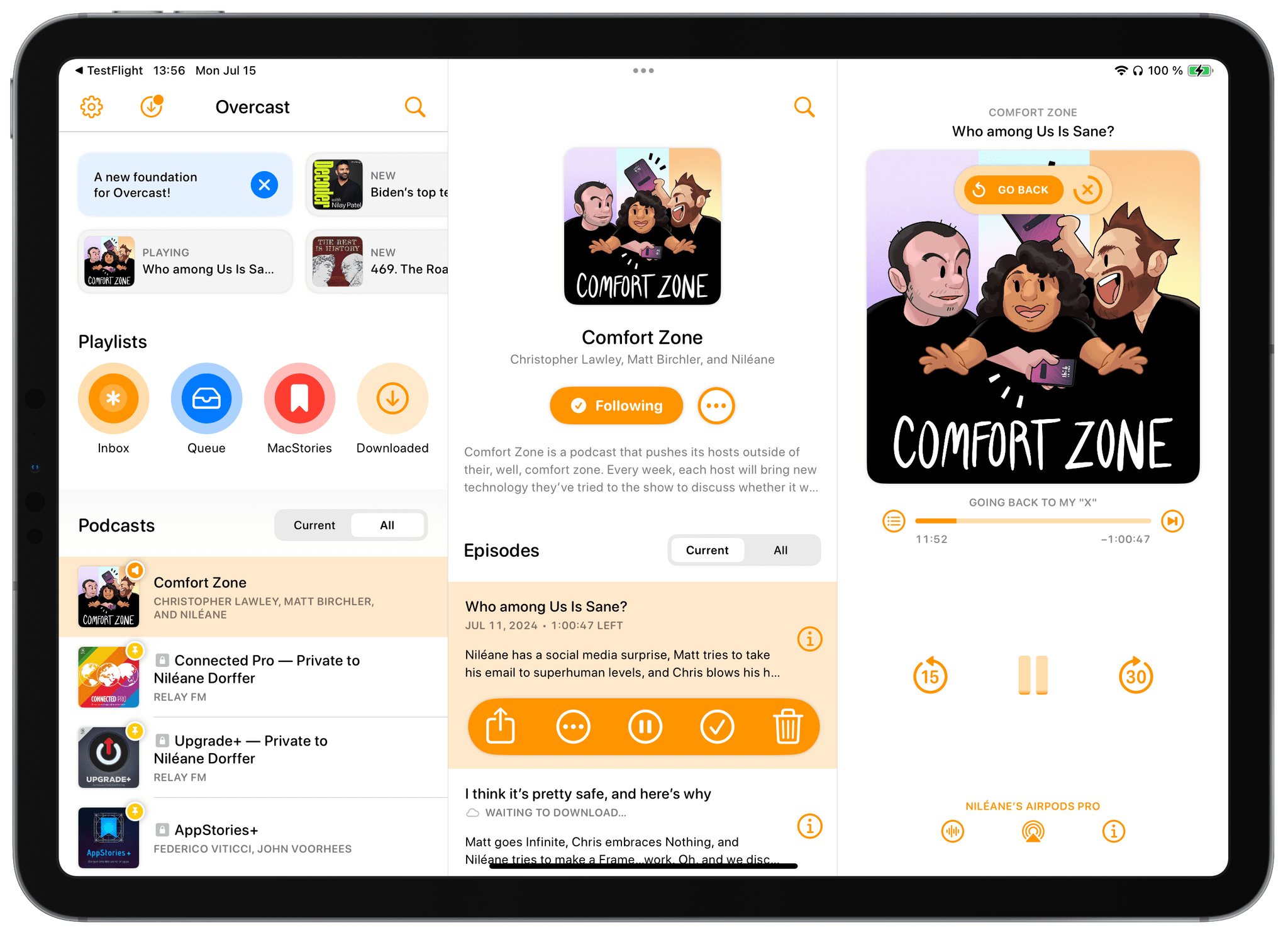
In addition to iOS, Overcast shines on iPadOS. The app now utilizes the iPad’s wider screen in a way that I wish more iPad apps would: by presenting a great three-pane layout. The app’s main screen resides in the leftmost pane, the middle section is reserved for subsections like podcast pages, and the player can be found on the right. This left-to-right hierarchical layout subtly reminds me of the official Twitter app that launched on the iPad about 14 years ago.

The new Overcast on iPad.

The new Overcast on iPad.

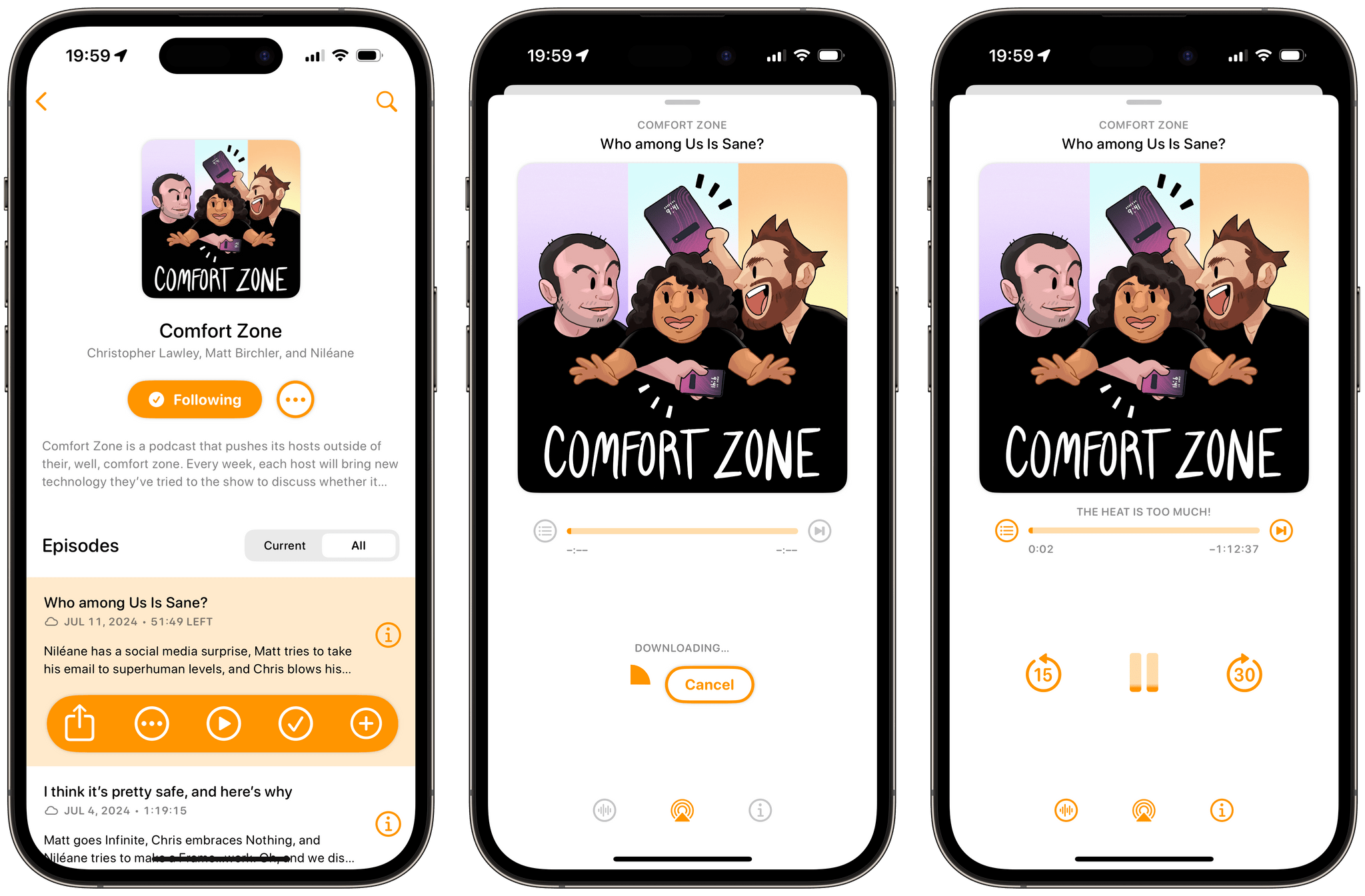
With this release, Overcast no longer has the ability to stream podcast episodes. Instead, episodes must be downloaded before you can start listening to them. In my experience using the new version of the app, this hasn’t bothered me. Most of the time, I only need to wait a couple of seconds before Overcast finishes downloading an episode, and when it does, the episode automatically starts playing.

Combined with the option to automatically remove downloaded episodes (either when completed or 24 hours after completion), I don’t think this change will be noticeable, even to users who previously chose to stream their podcasts.

Rather than streaming episodes, Overcast will always download them before you can start listening.

Rather than streaming episodes, Overcast will always download them before you can start listening.

Aside from the ability to create priority rules for sorting podcasts within playlists, there aren’t any other notable new features in this release. And with the recent introduction of transcripts in Apple Podcasts recapturing some listeners’ attention (including my own), there’s certainly room for new features to come to the app. Still, I’m glad to see Overcast gain a brand-new foundation on top of which it will hopefully keep evolving in the near future.

This is an exciting new start for my favorite podcast player.


Overcast is available to download for free on the App Store. Subscribing to Overcast Premium for $9.99/year removes banner ads from the app’s playback screens and allows users to upload their own audio files for listening.

Access Extra Content and Perks

Founded in 2015, Club MacStories has delivered exclusive content every week for nearly a decade.

What started with weekly and monthly email newsletters has blossomed into a family of memberships designed for every MacStories fan.

Learn more here and from our Club FAQs.

Club MacStories: Weekly and monthly newsletters via email and the web that are brimming with apps, tips, automation workflows, longform writing, early access to the MacStories Unwind podcast, periodic giveaways, and more;

Club MacStories+: Everything that Club MacStories offers, plus an active Discord community, advanced search and custom RSS features for exploring the Club’s entire back catalog, bonus columns, and dozens of app discounts;

Club Premier: All of the above and AppStories+, an extended version of our flagship podcast that’s delivered early, ad-free, and in high-bitrate audio.

Learn more here and from our Club FAQs.