This Week's Sponsor:

Hello Weather

Half Off for WWDC Week, Just in Time for Summer.


Posts in reviews

Pretext: Files-Rooted Simple Markdown for iOS

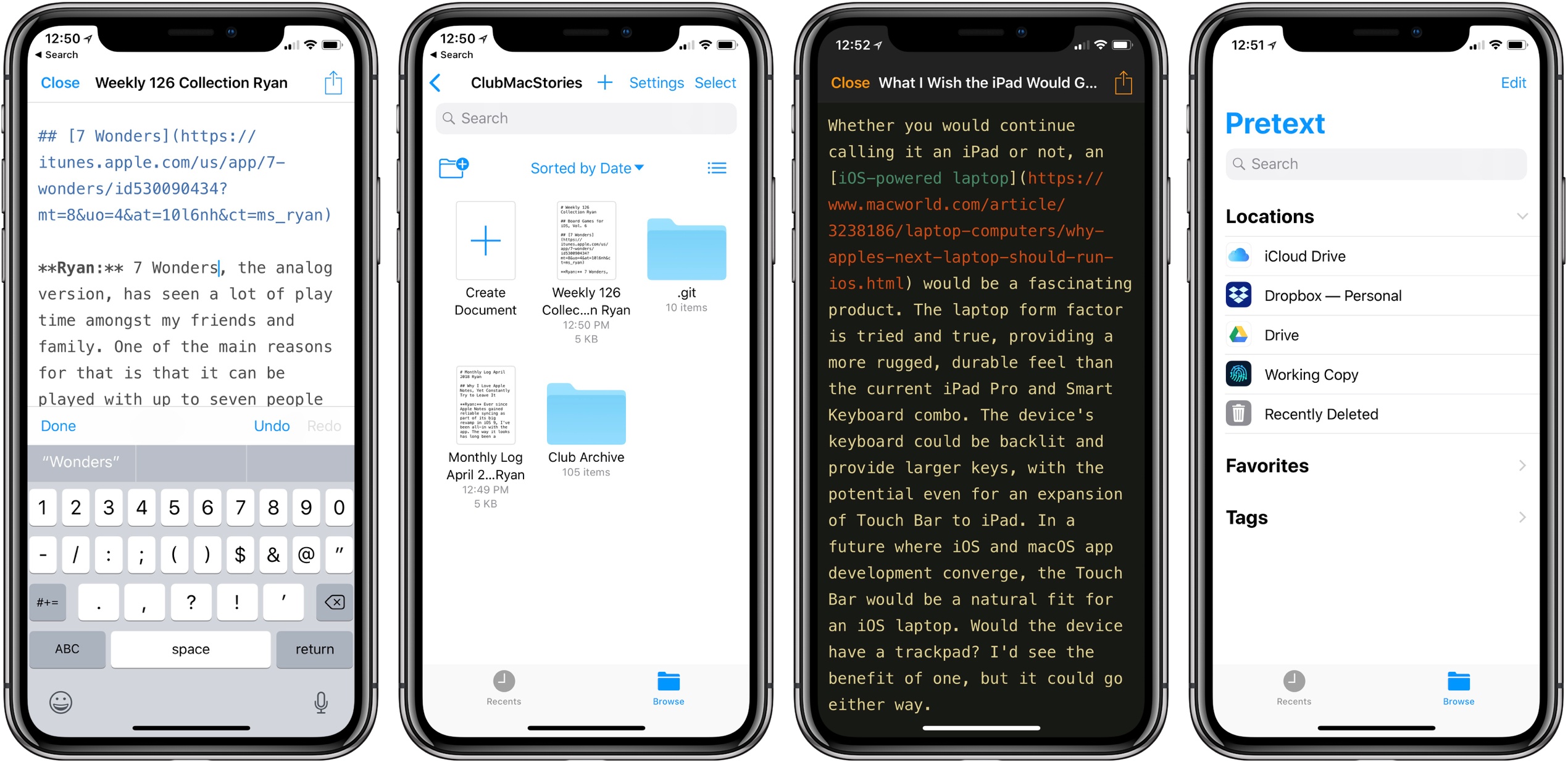
Last month I was delighted to discover a new plain text editor for iOS, Textor, that focused simply on the basics of text editing. Though I valued Textor’s minimalism, one feature I did miss was support for Markdown styling. This hasn’t been added to the app since then, but fortunately, I no longer have to wait for it; a new app just launched that’s essentially Textor with Markdown, and its name is Pretext.

Pretext integrates directly with iOS 11’s Files app, making it easy to create or edit Markdown and plain text files stored across any of your file providers. Open the app and you’ll see a document browser for choosing a file to edit; alternately, you can create a new file by hitting the plus button in the top-right. If you’re creating a new file, Pretext asks you to set a file name, with the option of automatically prepending the date to it, and you can choose to make it either a .md or .txt file.

While the simplicity of Pretext’s “just you and the text” environment is its greatest strength, the app does offer a few specific features that are of benefit to Markdown writers especially. First is the great keyboard shortcut support: all the basics of Markdown syntax can be done with a quick shortcut, including tasks like link insertion; because of this, Pretext offers one of the most efficient means of adding links to an article. The remaining few features of the app are found by hitting the share icon during editing, which offers access to the share sheet, the app’s settings screen, and previewing your Markdown file as HTML – the latter is especially useful for anyone who publishes their work online. Options in settings include tweaking the text size, switching themes from light to dark, and a couple alternate app icons.

I’ve been using Pretext in beta for the last few weeks to edit Markdown files shared by other MacStories collaborators in Working Copy, and the app has been exactly what I need. I can open Pretext, make my edits aided by visual Markdown styling and keyboard shortcuts, and preview the finished product as HTML. All changes are then saved directly in the file’s source.

Pretext is a simple utility, and isn’t going to replace Ulysses for me as a daily driver, but for some people it legitimately could. Too often writing apps are overly complicated, and Pretext focuses on offering just what a writer needs: space, and a few key tools to aid the writing process.

Pretext is available as a free download, with a $0.99 In-App Purchase unlocking the app’s dark theme and alternate icons.


Microcasting on Micro.blog with Wavelength

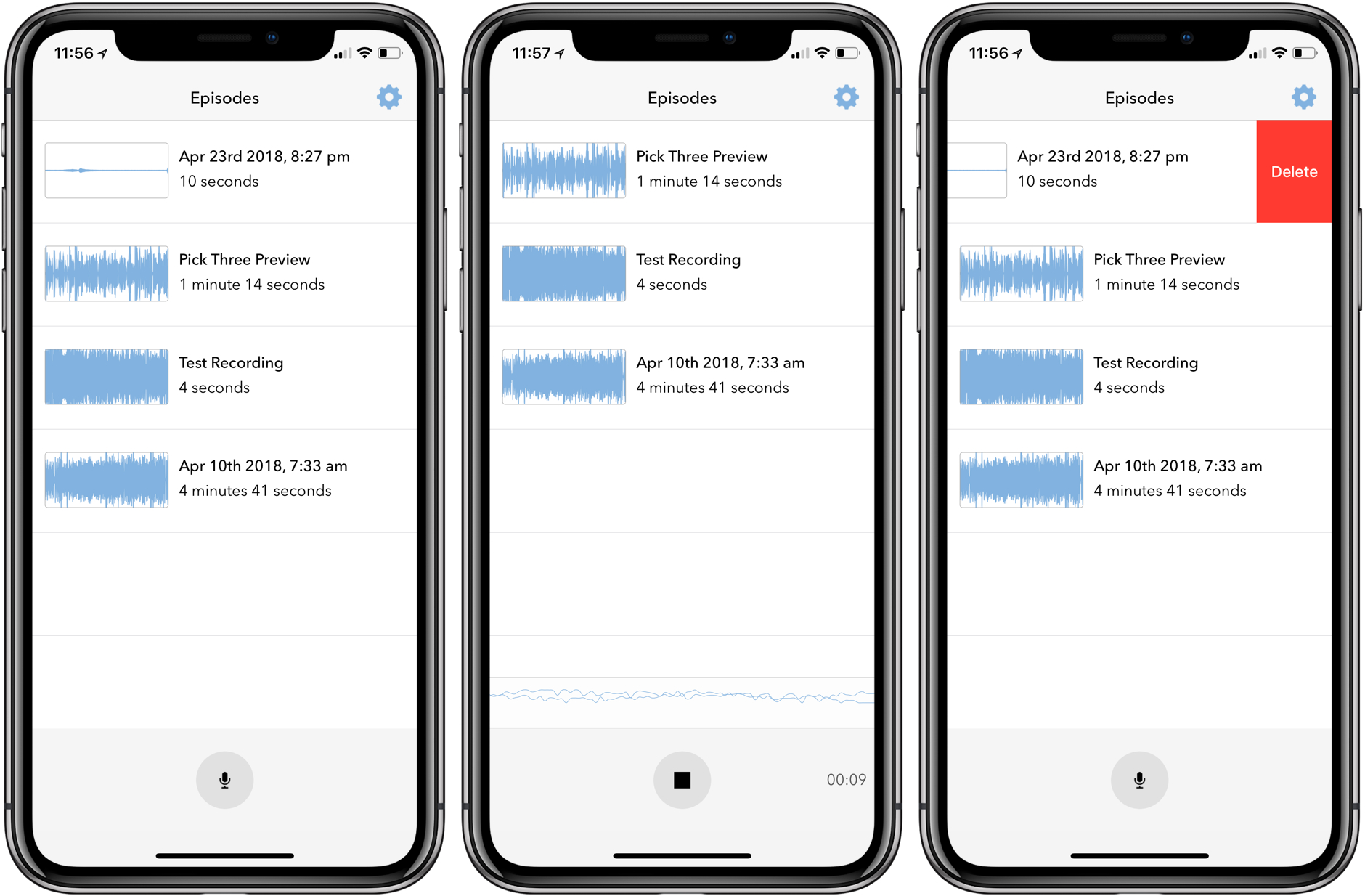
Last month I covered the return of Sunlit, the iOS photo blogging app from Manton Reece that works with Micro.blog and blogging platforms like WordPress. Reece is back with another iOS app that’s aimed at bringing microcasting, which is short-form podcasting, to Micro.blog. Wavelength is an end-to-end solution for recording, editing, and publishing audio using nothing but an iPhone. It’s an interesting approach to podcasting designed to lower the barriers to entry by simplifying the workflow, while also creating new uses for Micro.blog.

Read more


Game Day: Trick Shot 2

Trick Shot 2 is a physics puzzle game from Jonathan Topf, the lead designer of Monument Valley 2. This isn’t a game that breaks new ground, but it’s one that is executed wonderfully on all levels and has some great extras, instantly endearing itself as a fun diversion.

The goal is simple: shoot a ball into a box. You launch the ball by sliding your finger back inside an outlined launch area and releasing. The action is similar to the slingshot mechanic used in Angry Birds. The trick is to get the perfect angle, velocity, and timing to land the ball in the box. The process is complicated by the fact that the ball is incredibly bouncy and there is often a maze of household and other objects between you and the ball’s destination.

Trick Shot 2 is one of those casual games that works extremely well on a mobile device. The game is easy to play in short spurts, and it can serve as a way to pass idle time, like a sort of digital fidget spinner. However, that sells Trick Shot short because it has more to offer than similar games.

First, Trick Shot looks and sounds fantastic. Everything from the beautifully rendered 3D obstacles and smooth animations to the jazzy soundtrack is top notch. The game is split across 9 chapters each of which are made up of multiple levels. As the chapters unfold, the game introduces new mechanics like switches and teleportation machines that keep the gameplay challenging. If you get stuck, you can spend coins to get a hint from a helpful robot. When you run out of the coins that come with the game, you can purchase more as an In-App Purchase, but they aren’t necessary to complete the game.

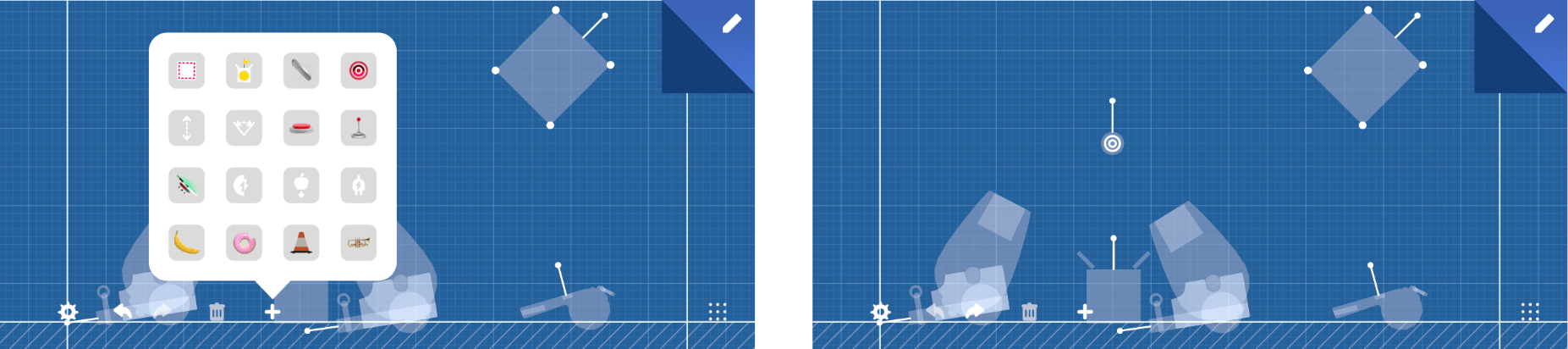
Second, and most critical, is that you can build your own levels. The level builder drops you into a blueprint-style view where you can place, move, and rotate all 48 game elements into your own Rube Goldberg creation. If starting with a blank slate is too intimidating, you can copy and adapt an existing level. It’s a wonderful addition that creates an extra dimension and sophistication to the game.

I imagine that almost anyone who’s played iOS games has tried physics-based games like Trick Shot 2, but not all such games are created equal. The trouble is finding the best examples of the genre. Trick Shot 2 qualifies hands down as one of my favorites and one I recommend to anyone looking for a new low-key iOS game to try.

Trick Shot 2 is available on the App Store.


Drafts 5: The MacStories Review

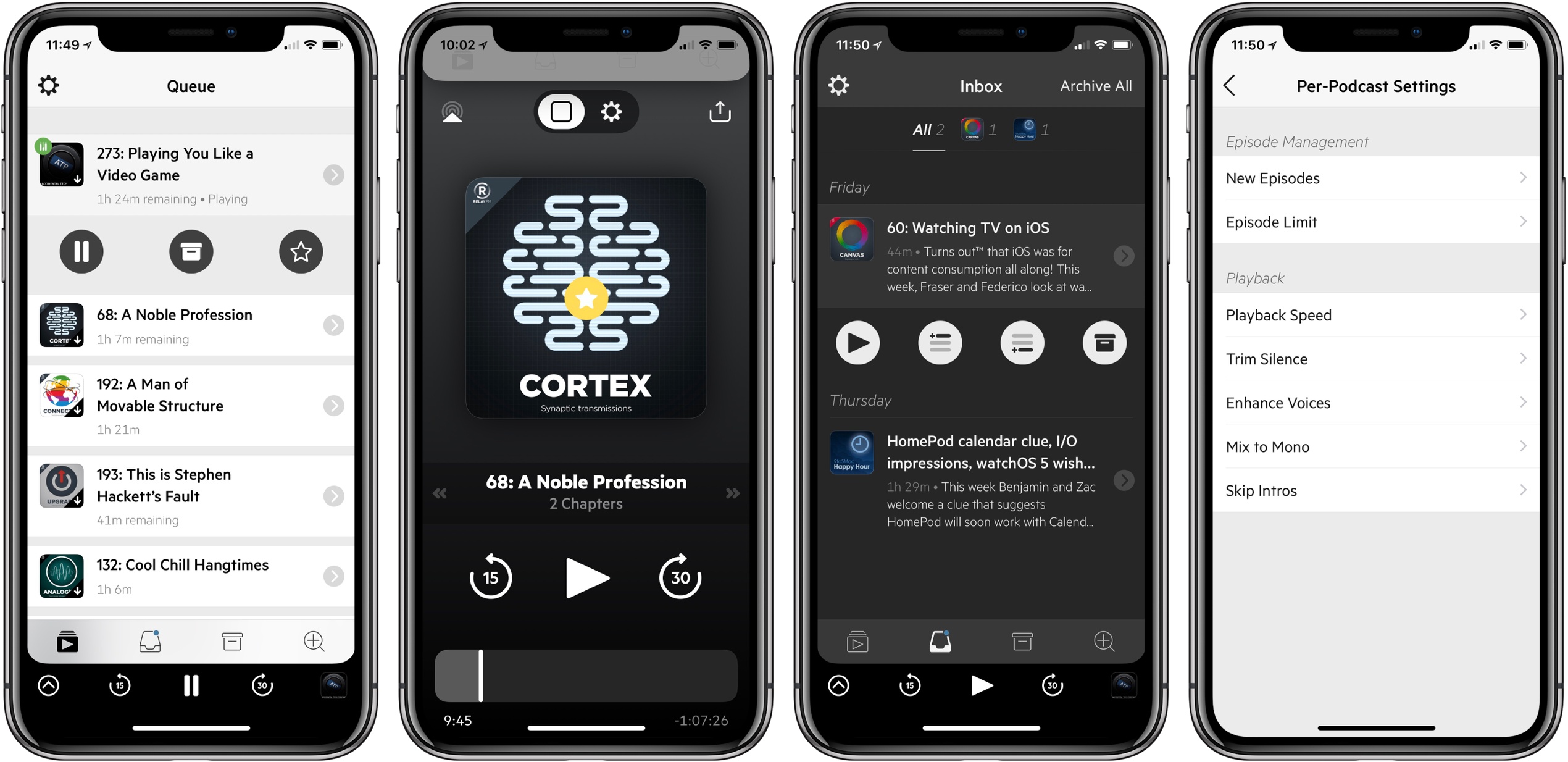
There are few apps I’ve ever used which made a lasting impact on my daily workflow. But for years now, the singular app that’s been the foundation of my iOS use has been Drafts. The app has lived in my dock since I first picked it up, it’s the single most important app I use on the platform, and it’s the only paid app I mandate to anyone looking for must-have apps on iOS.

Drafts is the bedrock app from which I build all my productivity. It’s the single point of text entry that shares to any app, whether through the share sheet, a simple action, or a custom and complex action. Any time I have an idea, I put it in Drafts. Tasks to add to my task manager? I do that from Drafts. Something I want to write about on my blog? That idea starts in Drafts too. It’s the focal point for everything I do.

But times change. Apps age. New features are added in the OS that need to be integrated, which cause some developers to pull the plug. So today, I’m saying goodbye to Drafts 4. And it’s getting replaced by the only app that could possibly replace it: Drafts 5.

Read more


    Burst: A Reddit Client to Pop Your Filter Bubble

    Burst is a new Reddit client for iPhone with a unique goal: bursting the filter bubbles we can all find ourselves in.

    Recent political events around the globe highlight how harmful it can be to society when people are only exposed to news from one perspective. The same piece of news can be spun into two polar opposite stories by differing political parties, leading each opposing side to remain, at best, misunderstood, and at worst, demonized. To lesser degrees these divisions extend to other areas of life too, such as technology debates between iOS and Android users, or even, to get a little more relevant to our audience, iPad and Mac users. In all these cases, Burst makes it easier to see the thoughts of people outside your normal online circles in an effort to broaden the array of perspectives you’re exposed to.

    Read more


    Medical ID Record Provides an Extended, More Flexible Solution to Storing Medical Data

    Many of the stock system apps installed with iOS are designed to meet the needs of most people, but they rarely satisfy everyone. Apple leaves it to third-party developers to fill in the gaps. That comes with the risk of being ‘Sherlocked’ in the future, but it’s also an opportunity for developers to attract users who want more than Apple provides.

    Medical ID Record is a perfect example of such an app. It takes a feature of the Health app and extends it. The depth of functionality in Medical ID Record may not be needed by everyone, but it’s an excellent option for anyone who has felt constrained by the Health app’s Medical ID feature.

    Read more


    Scanbot 7 Adds Customizable Filters, Document Merging, Improved Search, and New Themes

    Scanbot 7 was released today, the latest update to the popular document scanning app for iOS. This is the first major version bump for Scanbot since Apple introduced its own scanning feature into the built-in Notes app, making it especially of interest. Every time Apple introduces a free app or feature that competes with existing third-party options, the impetus falls on those developers to prove their app’s continued value. Scanbot already offered a variety of features that Notes’ scanning doesn’t, but it adds to those in today’s update with a handful of thoughtful enhancements that make a great app even better.

    In Scanbot 7, each of the app’s five color filters for scans can be tweaked to your exact preferences. There are sliders included to make three types of adjustments for each filter. On most filters, those options are Brightness, Color, and Contrast, and with the Gray filter they’re Brighter, Darker, and Color. Not every scan is the same; a good scan depends on the type of document being captured and your lighting conditions, so it’s great having more control over filters to make every scan look as good as possible.

    A second new feature is the ability to merge multiple existing scans into a single PDF. This is done by hitting the checkmark in the top-right corner when browsing previous scans, then selecting multiple scans and hitting Merge. You’ll then be able to rearrange the page order of the soon-to-be-merged documents, and choose whether to replace the original documents altogether, or keep them intact post-merge. This kind of task can be accomplished in other apps, such as PDF Expert, but it’s nice to bring it in-app, especially in situations when you need to consolidate scans to send to someone else.

    Search has been upgraded in Scanbot 7, with auto-complete suggestions that appear even before you’ve typed a single character. These make Scanbot’s search screen one of the best I’ve used in any app. Also added in today’s update are five new theme options, my favorite of which is High Contrast: it uses true black and white to provide beautiful contrast in the interface, especially on the iPhone X’s OLED display.

    If you’re in the market for a scanning solution, and want more power and customizability that Apple Notes provides, Scanbot 7 makes the app a better option than ever. All its power features are easy to use, and the app is full of thoughtful design touches that make for a delightful experience.

    Scanbot 7 is available on the App Store.


    Linea Sketch 2.0: Elegant, Approachable Sketching for the iPad

    Today, The Iconfactory released a major update to its iPad sketching app, Linea. Version 2.0, which has been renamed Linea Sketch, takes what was already one of my favorite Apple Pencil-enabled drawing apps and has extended it with new features that make it more powerful than ever before. Most importantly though, the new features don’t come at the expense of the app’s usability.

    When I reviewed Linea 1.0 last year, I was struck by how approachable yet capable the app was. That’s still the case, but The Iconfactory has added several new features that should make it appeal to an even broader audience.

    Read more