
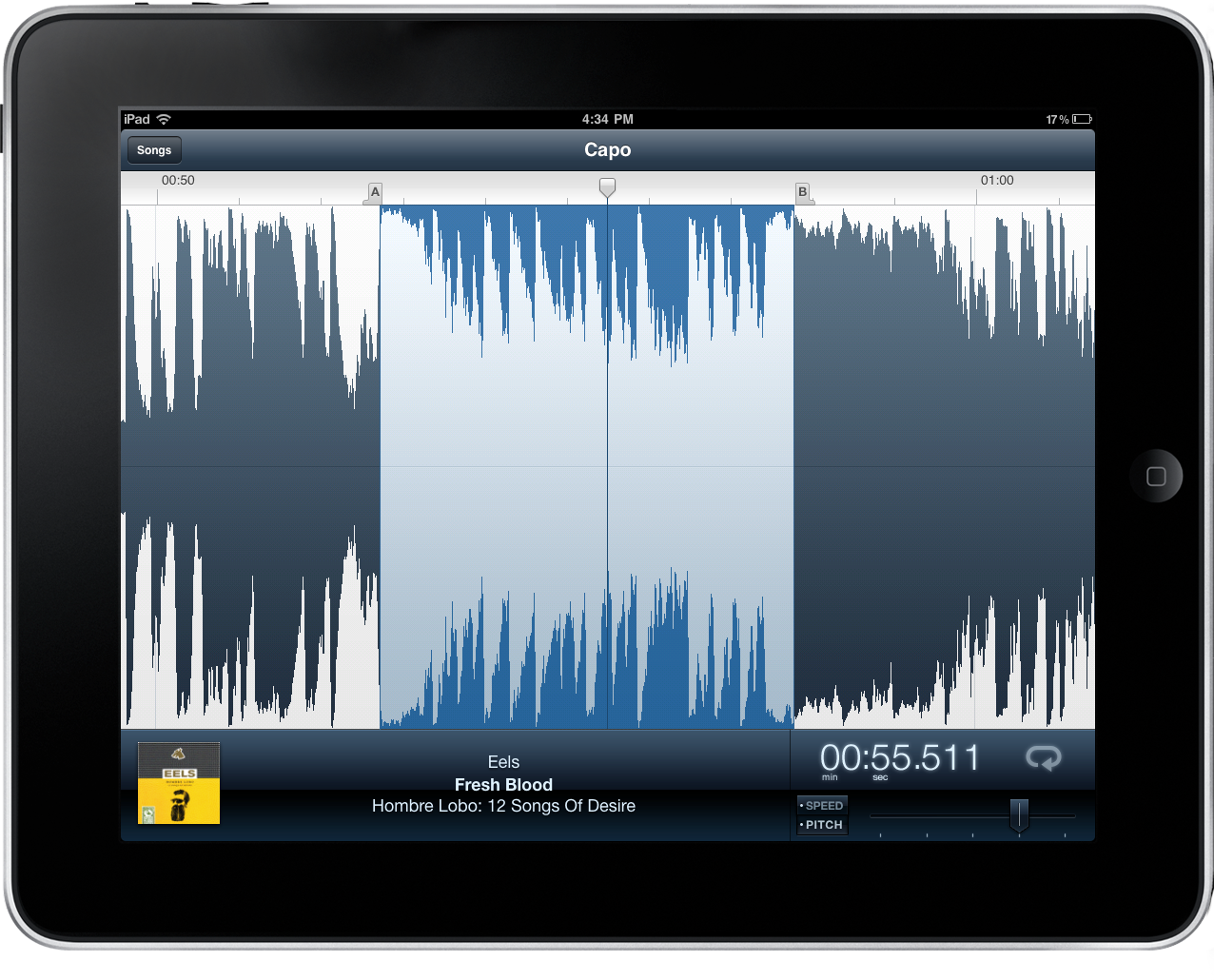
Capo is one of the brilliant Mac apps that often gets overlooked because of its niche value for musicians that have the will to not just follow tabs on a reading sheet, but to actually tear apart songs and learn them by ear. Capo intrinsically is an odd product in this respect – if you’re learning music by ear, why do you need an aid? I’ll tell ya: there’s nothing like being able to scribble all over a song, create your own tabs, and actually study what’s in front of you. You might want to fondle iTunes as you replay parts and study tracks, but you can ditch the pen and paper as you mark an important bridge, analyze the song’s chord progression, and figure out new riffs.
Posts in reviews
An Artist’s Tool: Learn Music & Train Your Ear With Capo
Pocket Casts: A Full-Featured Podcast App That Doesn’t Need iTunes
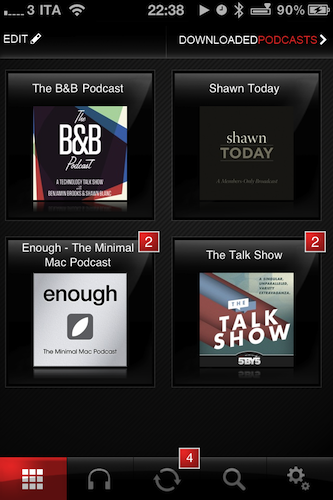
Last week I decided it was about time for me to subscribe to some podcasts I had been keeping an eye on, but never really considered as an option for my free time. Podcasts are so 2001, I know, but I’ve never subscribed regularly to any of them. Plus, I have noticed a dramatic increase in the quality of tech podcasts lately, mainly thanks to the empire built by 5by5’s Dan Benjamin and a few other gems like Minimal Mac’s Enough or Shawn Blanc’s Today. I have to admit, though, that it was the B&B Podcast (also by Shawn Blanc and Benjamin Brooks) to convince me to go ahead and finally enter the podcasting scene as an active listener. Read more
Create an iTunes Music Queue with “Next”
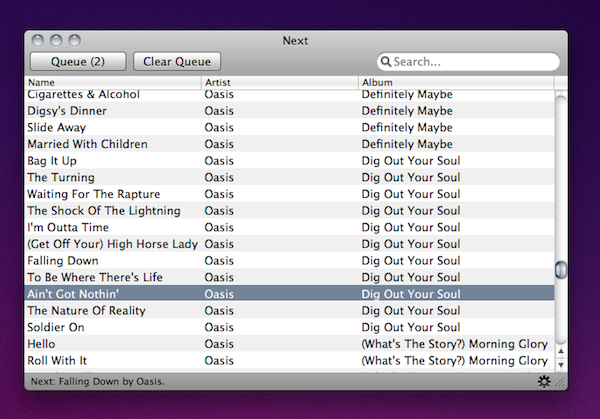
If you’re anything like me, you’re browsing through iTunes or Spotify all day searching for some music in your collection to send to your room’s speakers. Sometimes you spend so much time browsing albums and singles you own you even forget about the songs you wanted to play. Next, a $2.99 utility available in the Mac App Store, aims at solving this issue by providing a way to create a queue for your iTunes library so you’ll never forget about songs you want to listen to again. At the same time, it offers a neat solution to build a queue for artists and songs you’d like to check out in a specific orders.
The app plugs into your iTunes library with no setup required. It also looks very simple (perhaps a little too much) with only a list view being provided and that’s it. You can pick a song from iTunes and hit the Queue button to play it “next”. Another button lets you clear the queue entirely and Next can run in the menubar as well. The menubar icon has a shortcut to the song you’ve selected to play next, and if no song was picked the menu will display a “Random” button.
Next is a very easy way to manage songs in your iTunes queue, but I wish there was more attention to detail and UI design to make the app look better next to beautiful software like Ecoute or Spotify. Anyway, it does exactly what it’s supposed to, so you should give it a try.
Socialcam, The “Instagram for Video”, Now Available. Our Review

A few weeks ago we talked about Socialcam, a new iOS and Android app from the creators of Justin.tv that’s aimed at revolutionizing the mobile video sharing space by offering a friendly user-experience heavily inspired by the current winner of mobile photo sharing apps, Instagram. Socialcam is finally available for free in the App Store and, after some quick tests, I can say this new app / service has a lot of potentialities to become the “Instagram for video”, but it needs a series of refinements in the settings to allow users to upload videos at the quality they want.
The strongest selling point of Instagram, in fact, is that it’s easy to use and, while images get compressed to enable faster uploading times on WiFi and 3G, users won’t notice the decrease in quality thanks to the filters provided by the app. Filters in Instagram are both a nice photographic addition and a way to “hide” the fact that photos are compressed at lower quality. Socialcam, however, doesn’t come with filters and videos are heavily compressed even when uploaded through WiFi. From what I’ve seen so far, this will make most videos look crappy on the iPhone 4 which, by the way, can actually do HD video recording. Socialcam should definitely offer some settings to allow users to upload and wait for the quality they want, as this could be great for videographers willing to share their creations on the go. Read more
TinyVox Is A Social Tape Deck For Your iPhone
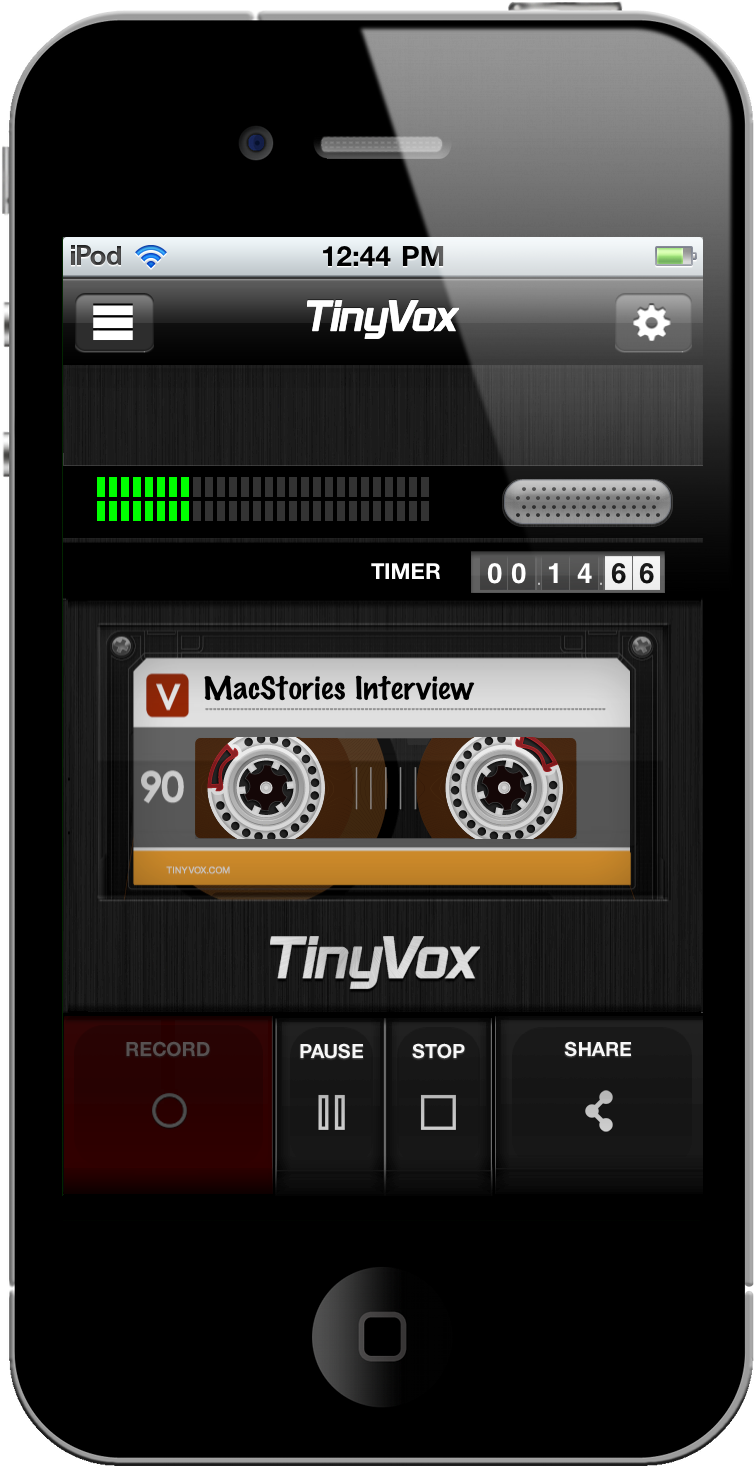
We typically don’t do audio recordings in replacement or in conjunction with our written reviews, but I’ll make an exception. TinyVox is a very cool social tape deck for your iPhone or iPod touch that enables you to record audio in high or low quality, then publish those audio bits to social networking sites like Facebook, Tumblr, and Twitter.
Put Screenshots In Your Sights With Crosshairs For Mac

Want to take screenshots with precision and adjustable controls? Crosshairs for Mac is what you’ll need if you want a friendly menubar utility that slaps screenshots right onto the desktop. Crosshairs is really simple to use:
- Click on the menubar icon to activate Crosshairs
- Drag the overlay anywhere and achieve a pixel-perfect with the graphic counter
- Press the spacebar to take the screenshot
- Press the escape key to deactivate Crosshairs
Simple, no? You might be wondering why you’d use Crosshairs over Snow Leopard’s built in screenshot utility, and the answer is simple. With Crosshairs, you can readjust and take multiple snaps consecutively in one row, making readjustments as needed.
There’s quite a few keyboard commands for Crosshairs, and its main purpose is to get dimensions of anything on screen. For pixel pushers measuring apps or windows for Photoshop, Crosshairs conveniently sits above your workspace so you can quickly rule what you need. If you’re working with a dark background, you could always change that overlay from black to white.
You’ll be set back a meager $4.99 in the Mac App Store for an aiming cursor with mad screenshot & measuring skills. Check it out at Giant Comet for more information.
BIT.TRIP BEAT For Mac Is Trip-Tastic

CommanderVideo has given you a paddle, and you’ll have to keep up with the beat in order to succeed in BIT.TRIP BEAT on the Mac App Store. It’s like pong and maybe like brick breaker, where you bounce back various “beats” that are streamed across your display in conjunction with the level’s vibe. These aren’t your traditional ping pong bits either – they’re high intensity, moving bullets that bounce and force players to return a variety of patterns without missing. The more beats you return consecutively, the more rewarding the game gets with higher intensity tunes and occasionally trippier visuals. But like Guitar Hero, if you miss a beat, you’ll face the bleak reality of failure. Color fades into monochrome, and the screen beat is reduced to mere 8-bit blips. If you’re not getting those additional bonus points by chaining those high-pitched returns, it’s game over for CommanderVideo.
Snap for Mac Assigns Keyboard Shortcuts to Apps In Your Dock

If you use the OS X Dock as much as I do, then it’s likely that you’ve always wondered why there’s no easy way to assign a keyboard shortcut for apps placed in the Dock. Snap, a $0.99 app available in the Mac App Store, solves this problem by providing an easy solution to cycle through Dock apps using the keyboard.
Once downloaded, Snap will let you assign numeric shortcuts to Dock apps starting from the Finder and the app right next to it. All you have to do is choose a modifier key that, together with the numbers, will enable you to switch between apps in seconds. The modifier key can be Command, Control, Shift or Option. Personally, I chose Option so I can switch between tabs in Chrome using CMD. If you don’t want to have shortcuts for Dock apps, however, you can also manually pick an app from the “Other” menu and virtually create shortcuts for any app on your Mac.
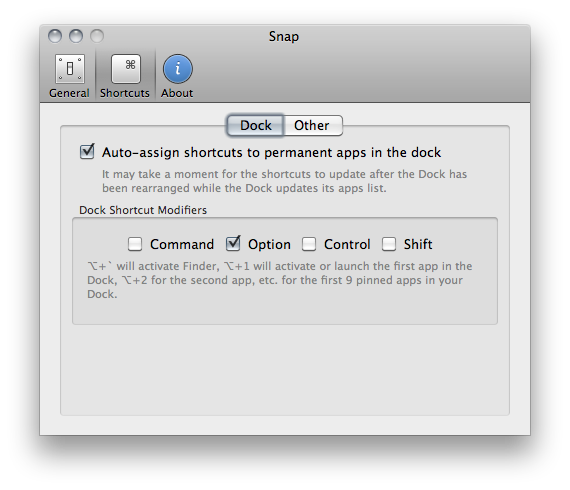
I like Snap because it’s simple and allows me to quickly open apps using easy to remember shortcuts – always faster than heading over an icon with your mouse cursor. Go download it here.
To-Do App Dropkick Gets Even Better with Lists Support - All In The Cloud

Dropkick is a simple, elegant iPhone app we covered a while ago that lets you manage to-dos and sync them back through the cloud to a free Mac companion application. Dropkick, in fact, is free if you want to enter up to 10 tasks, and it goes paid to unlock unlimited access to task management. The app is really minimal and focused on entering new tasks, and completing them. Cloud sync happens through a free Dropkick account, and it’s really fast. For many, Dropkick has become the best way to quickly capture and manage to-dos, keeping them always available thanks to the comfort and reliability of online sync. Read more