This Week's Sponsor:

LookAway

It helps you take regular breaks from your Mac to rest your eyes, without breaking your flow.


Posts in reviews

Resolve and Clean URLs with Clean Links for iOS

Clean Links

Clean Links

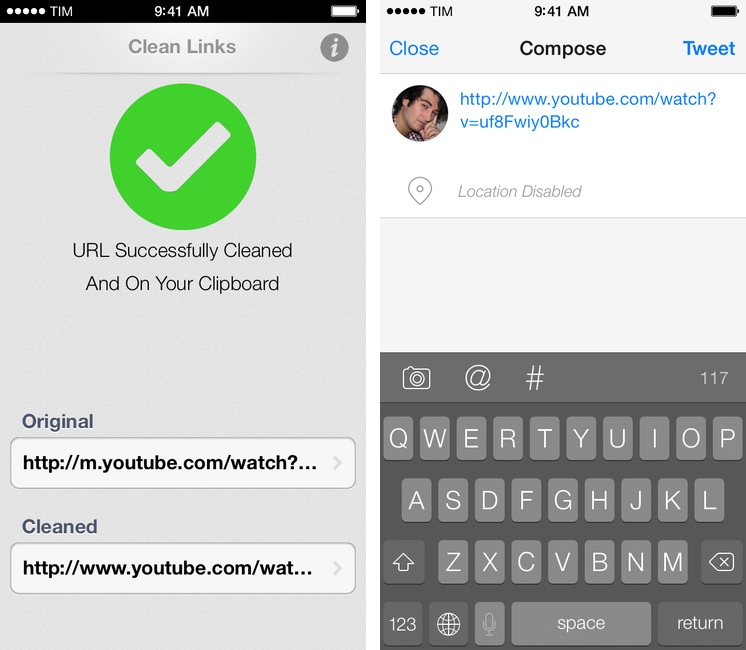
In July, I wrote about my Pythonista script to resolve and clean URLs copied from apps that used shortening services. Clean Links, developed by Griffin Caprio, is a free iOS app that does more than my script as it resolves URLs, removes useless parameters, and supports x-callback-url for inter-app communication.

Clean Links’ sole purpose is to receive a URL that was shortened, put behind a proxy, or cluttered with parameters/tokens and turn it into the clean, basic version that’s the one you want to share with your friends and followers.1 Clean Links can resolve YouTube URLs, links to blog posts generated by FeedBurner, classic Bitly URLs, and more. In my tests, Clean Links never failed to clean up a URL that I gave to it – the recent addition of YouTube URL support is extremely welcome as YouTube mobile redirects are particularly annoying. By default, Clean Links cleans a URL you’ve copied and puts the cleaned version back in the iOS clipboard.

With callbacks, Clean Links can be used with other apps as a “URL cleaning service” in the middle of a workflow. Here’s an example: I’ve found a link in Tweetbot and I want to tweet it, but the URL is ugly. With Clean Links, I can copy the URL and launch this Launch Center Pro action to have it cleaned up and return to Tweetbot’s Compose screen automatically. Or, with this action, you can resolve a URL and automatically add it to the “URL” field of a new event in Fantastical 2.

A tip for x-callback-url power users: when chained to other apps, Clean Links can automatically insert text not by using clipboard hacks, but through a “return parameter” called retParam. If you take a look at the URL schemes that power the actions above, you’ll see that, for Tweetbot, the text parameter is omitted from the Tweetbot URL scheme and given to retParam (same concept for Fantastical). If you want to pass along cleaned URLs with x-callback-url keep this in mind and take a look at the app’s documentation.

Clean Links has a very utilitarian approach to the problem it solves: it’s powerful, but it doesn’t come with a pretty UI for iOS 7. You’re not supposed to be looking at Clean Links all the time though, and the app’s functionality makes it the best solution to clean URLs and send them to other apps I’ve found. Clean Links is Universal and available for free on the App Store.

  1. Tweeting URLs with “mobile.” domains and UTM tokens is comparable to this. ↩

Banca: A Simple Currency Converter Reimagined for iOS 7


You need no introduction to Banca, a beautiful converter that lets you quickly get the exchange rate between any currency currently in use. Redesigned from the ground up, Banca repurposes the best parts from apps like Convert and marries them with the functionality of a basic calculator for quick conversions. Fluid animations, a stowaway units pad, and thoughtful touches such as the option to flip conversions with a tap of the arrow reveals an app made with care. The app refreshes the world’s exchange rates automatically, providing up to date information in a simple, customizable interface. A free update on the App Store for previous customers, Banca can currently be downloaded for $1.99.


Plex Cloud Sync

I like Plex. I mostly listen to music on Rdio, but I like to keep Plex on my Mac mini for albums that aren’t available for streaming[1], movies, and TV shows. I’ve reviewed the Plex apps for iOS over the years, and the improvements Plex has made to the media server for OS X are impressive both visually (I use Plex/Web every day) and technically.

Last week, Plex released a public beta of Cloud Sync, a feature for PlexPass subscribers that, essentially, lets Plex users turn online storage services like Dropbox and Google Drive into Plex servers for those times when a primary Plex server is offline. In short: if your Mac is your Plex server but you can’t a) keep it always online or b) access it outside of your local network, now you can sync content to other sources and stream it with Plex clients even if your main server is unavailable. Read more


Fantastical 2 Review

Fantastical 2 for iPhone

Fantastical 2 for iPhone

Last month, I was discussing my schedule for this Fall’s check-ups with my oncologist. During our conversation, she asked me if I had a list of all the appointments and todos that I had saved for the next weeks because she couldn’t find the department’s calendar and she doesn’t save patients’ information in her personal one.

I know that my doctor has an iPhone, and I know that she uses Apple’s Calendar and Reminders apps to manage her own schedule, so I showed her the beta of Fantastical 2 that I had on my iPhone.[1] “You can search for events and reminders that match a keyword or location and get a single list showing all results”. She was intrigued. “For my appointments here, I save them with the hospital’s name, so I can just look for that if I want to see them all at once”. At that point, I’m pretty sure she was sold on the app. “But you can’t buy it yet”, I added with a subtle smirk.

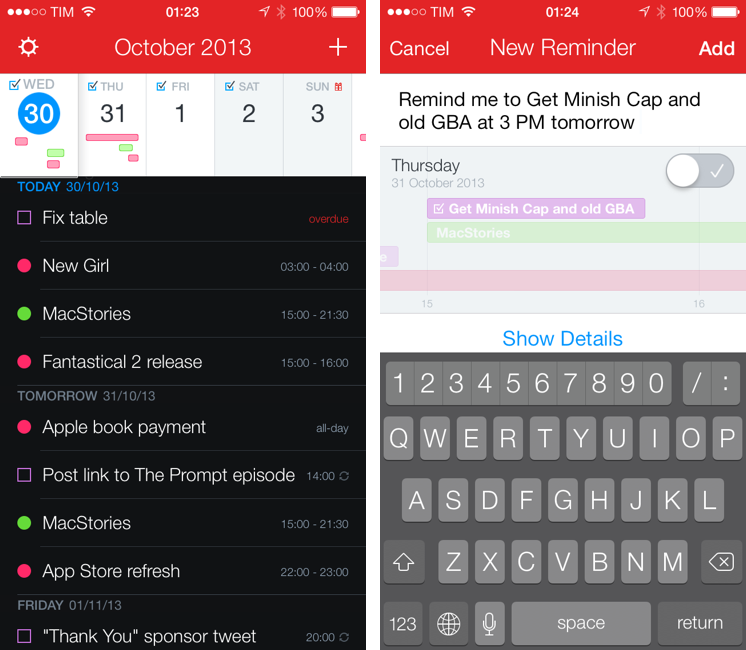
Fantastical 2 for iPhone, released today on the App Store and on sale at $2.99 for a limited time, is one of the best iOS 7 apps I’ve tried so far and the best calendar and reminder client for iPhone, period. It improves upon several aspects of the original app and it introduces powerful new features while sporting a complete redesign that makes the app feel at home on iOS 7 without compromising its identity.

Fantastical 2 is, for my workflow, better than Apple’s built-in apps, and it builds upon the solid foundation of the original Fantastical to offer new functionalities and more flexibility. Read more


Tweetbot 3 Review: Human After All

Tweetbot 3 for iPhone

Tweetbot 3 for iPhone

Tweetbot is, by far, the iPhone app that I use the most on a daily basis. It’s not just that I keep Twitter open essentially all day to check for news, talk to friends, or post GIFs: since I got the first beta of the original Tweetbot three years ago, the app has become so ingrained in my workflow that I wouldn’t be able to switch back to any other client that doesn’t have the same capabilities. What started as a moderately advanced take on Twitter clients by Tapbots has evolved with time into a powerful app that spans three platforms and that comes with dozens of unique features and a solid engine that, for me, has no equal. I don’t say it lightly: because of Tweetbot’s feature set, I have been able to reliably communicate with other people (via DM or Mentions), reference tweets for articles, or build complex workflows that have allowed me to be more efficient, faster, and generally happier with Twitter.

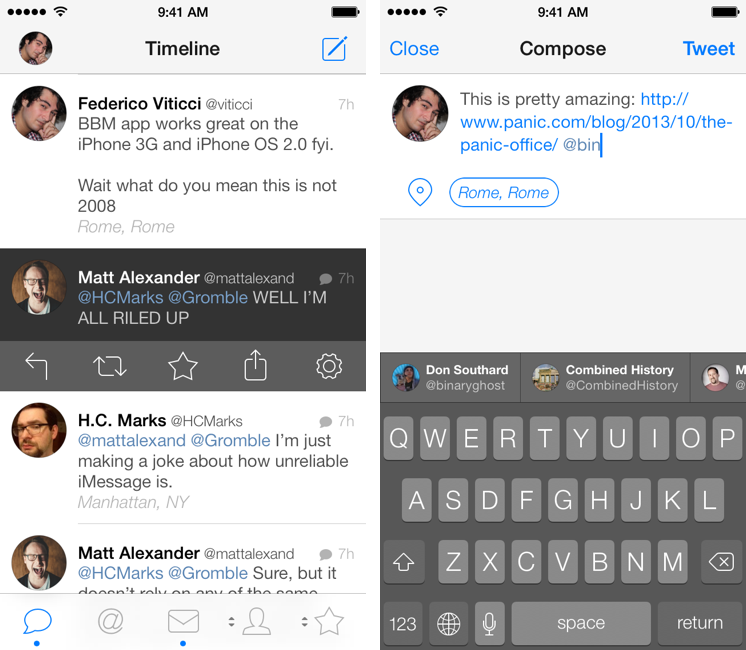
That’s why I take major changes to Tweetbot’s overall structure and design, such as Tweetbot 3 for iOS 7, very seriously. Tweetbot 3, released today as a new app sold at $2.99 on the App Store (launch sale), is many things at once: it’s Tapbots’ first foray into the iOS 7 design aesthetic, which marks a radical departure from the small studio’s former visual style; it’s a profound reimagination of Tweetbot’s looks, animations, and sounds, which had gone largely unchanged since 2011; and it’s a confirmation of Tweetbot’s existing feature set with changes aimed at further enhancing the app’s functionality and making room for future additions. It’s iPhone-only, with a new version for iPad coming next.

I have been using Tweetbot 3 every day on my iPhone 5 for the past couple of months. I think that I have a good understanding of the decisions behind the app’s redesign, feature changes, and complete embrace of iOS 7’s visual and hierarchical approach to building interfaces. With version 3.0, Tweetbot, the robotic toy for your Twitter stream, eschews its mechanical roots and graduates to a modern, fluid, and fun assistant that, in the process, is still Tweetbot. I wouldn’t be able to go back to the old Tweetbot now, but I also think that getting used to the new app will take some time. Read more


Review: Automatic, Connecting Your Car to Your Smartphone

My daily drive should ideally be a twenty five minute drive with light traffic and usual stop lights. It’s not. It’s a route filled with heavy traffic, other drivers doing dumb things, and constant stop-and-go rigamarole. Until you start quantifying it with hard data, how much time we really spend in our vehicles doesn’t sink in. Tired, coffee fueled, and addled by our daily commutes, it also isn’t immediately apparent how much we forgo basic considerations that benefit our vehicles and other drivers.

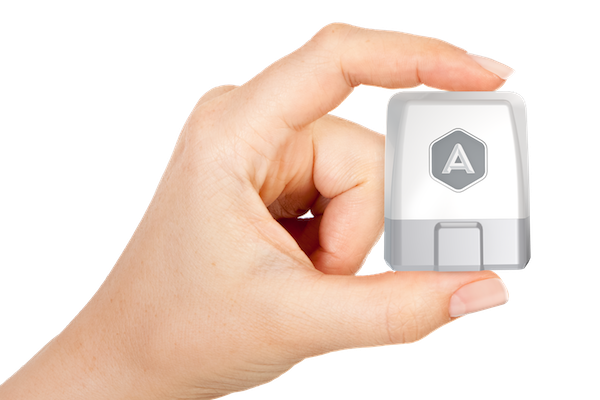
The Automatic Link, a white and silver dongle that plugs into the on-board diagnostics port of your vehicle, tries to make accessible driving data that’s otherwise reserved for black boxes. It turns any car into a smart car, which chimes when you commit various driving faults while gathering data during your commute.

What companies like Nest are doing for the home, Automatic is trying to do the for the car.

Read more


iPad Air and Retina iPad mini: Our Complete Overview

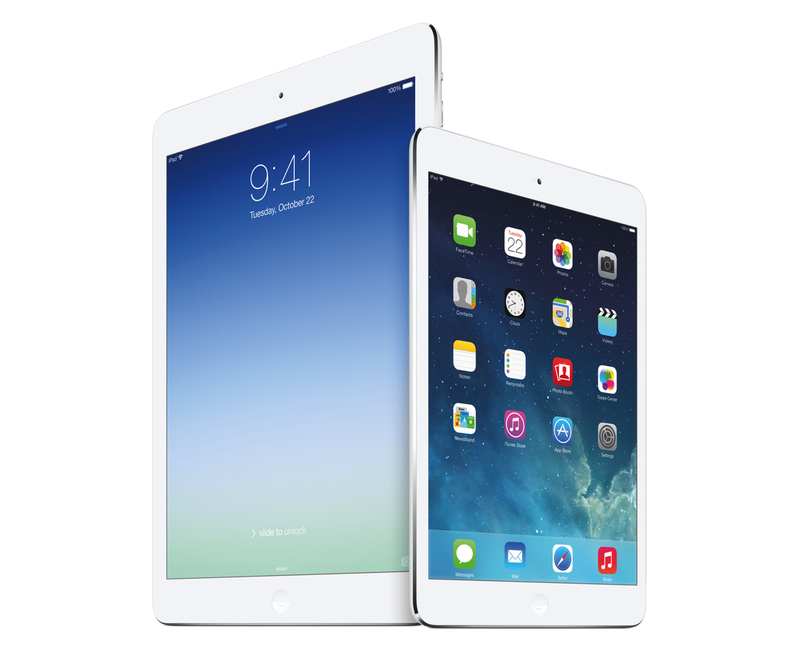
Phil Schiller took the stage today at Apple’s media event at the Yerba Buena Center for the Arts in San Francisco to officially unveil the iPad mini with Retina Display – the long-rumored successor to last year’s iPad mini – and the iPad Air, Apple’s new full-size iPad that replaces the old 4th generation iPad. Read more


Boxie Review: An Alternative Dropbox Client for Power Users

Boxie for iPhone

Boxie for iPhone

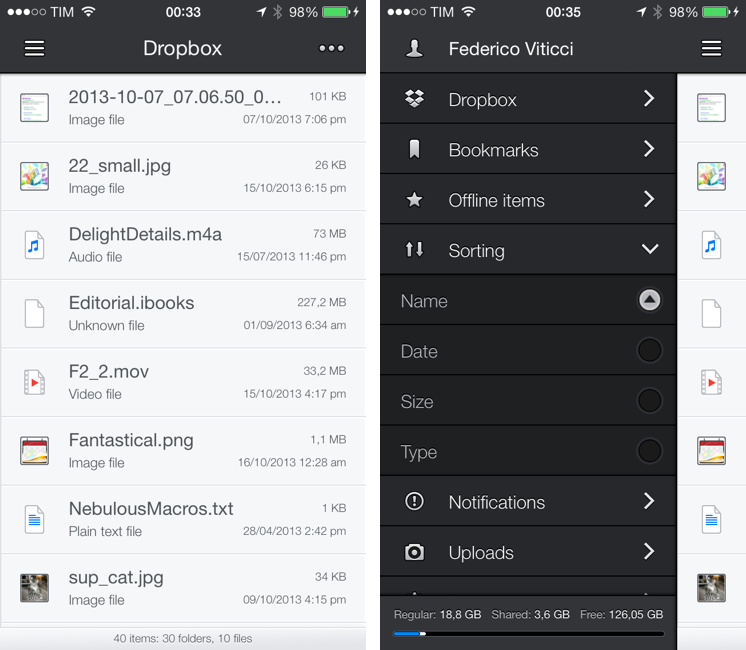
Dropbox is my filesystem. Every file that I need to have available across devices and that doesn’t require the rich text and search capabilities of Evernote goes into my Dropbox account: screenshots that I share with coworkers; PDF copies of my receipts and invoices; articles written in Editorial are stored in Dropbox. Even my photo backup workflow relies on Dropbox as an archival system that’s always in the cloud, readily available and easily shareable. With the Packrat feature, a $39 yearly add-on, I get access to the full history of my deleted files and file revisions, which have saved me on several occasions in the past.

The official Dropbox app for iOS is good, but it’s not great for power users and it hasn’t been substantially enhanced for iOS 7 yet. That’s what Italian developers Matteo Lallone and Gianluca Divisi (together, Tapwings) want to fix with Boxie, a $1.99 third-party Dropbox client for iPhone packed with advanced features and navigation options. I’ve been testing Boxie for the past month, and I think that it’s off to a solid start. Read more


Weather Line Review

Weather Line

Weather Line

I am not a weather nerd. I don’t commute to work[1] and I don’t need to know the percentage of precipitation and humidity for the next three weeks. I spend most of my days in Viterbo and Rome, where the weather isn’t particularly crazy; I never get to try the fancy weather apps with Dark Sky integration and “radars” because those features don’t work here. You may argue that I’m forced to be a casual user of weather apps; I honestly believe that I don’t need to know everything about the weather to have a good day. I don’t travel much, and therefore I rarely need to plan my trips according to weather conditions. I enjoy simple weather apps like Today, Yahoo Weather, and even Apple’s built-in Weather app for iOS 7 because they display all the data I need without overwhelming me with terminology I don’t understand.

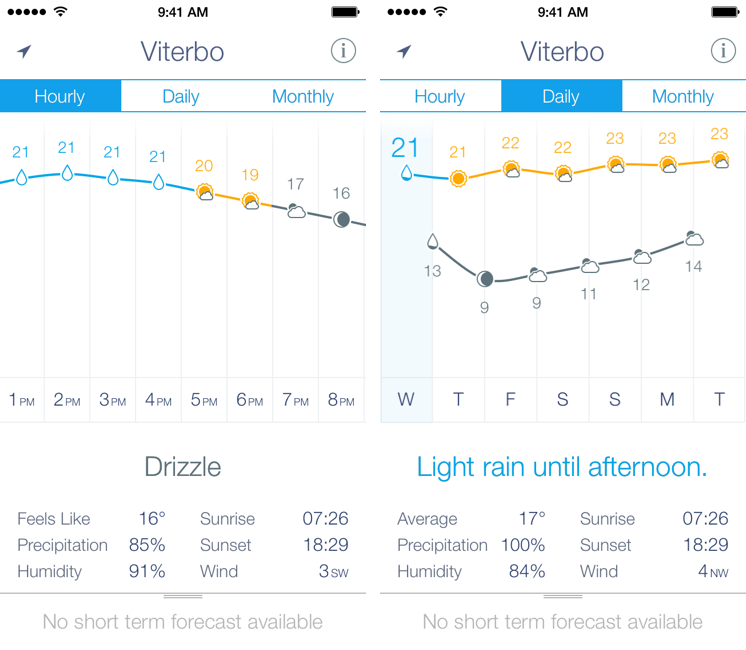
This is why I was curious to try Ryan Jones’ Weather Line when he emailed me a few weeks back. His pitch was simple: “I had this idea for a weather app, and I’m great at making charts”. Sure enough, I remembered Jones’ work on the iPad mini “price umbrella” chart from last year, and he seemed confident enough in his app to convince me to try it. Weather Line is available today at $2.99 on the App Store, it’s iPhone-only, and it is one of the nicest and most unique weather apps I’ve tried lately. Read more