This Week's Sponsor:

Copilot Money

Copilot Money, The Best Money Tracker, Launches on the Web – Limited-Time: Get 26% Off + 2 Months Free


Posts in reviews

DaisyDisk 3

DaisyDisk

DaisyDisk

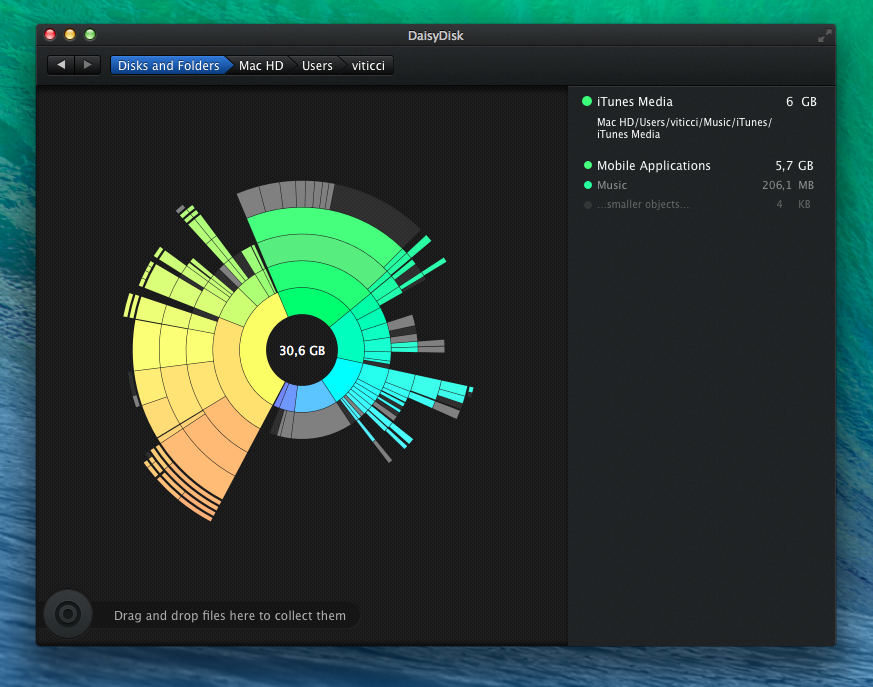
I’ve been using DaisyDisk for years now. Developed by a small team, DaisyDisk is a disk analyzer tool that manages to make the boring process of understanding what’s wasting space on your hard drive pretty and almost fun. We’ve covered the app quite a few times on MacStories over the years, and the basic functionality hasn’t changed, but we missed the 3.0 update released in September and I wanted to fix that. Read more


Better Two-Factor Authentication with Authy for iOS and OS X

In my list of Must-Have iPad Apps for 2013, I mentioned Authy and two-factor authentication:

Authy. If you’re not using two-step authentication for online services that support it, you’re doing it wrong. And if you assume that the ugly Google Authenticator app is the only way to generate one-time security codes, well, let me tell you about Authy. Simple and well designed, Authy is “a Google Authenticator app” in that it can generate codes for services, like Evernote and Dropbox, that would normally ask you to use Google’s app. Authy is secure and fully compliant with the standards required by two-step authentication; it has a clean UI, it’s free and Universal, and it comes with a Mac utility to share codes locally over Bluetooth.

Because it’s an app that I use every day, I thought that Authy deserved a separate mention on the site; I replaced Google’s terrible Authenticator app with Authy, which provides a cleaner interface, support for multiple devices, and a Mac utility to share tokens using Bluetooth Low Energy. Read more


Launch Center Pro 2.1: Fleksy Keyboard, Lists, Photo Attachments, and Share Sheets

Launch Center Pro 2.1

Launch Center Pro 2.1

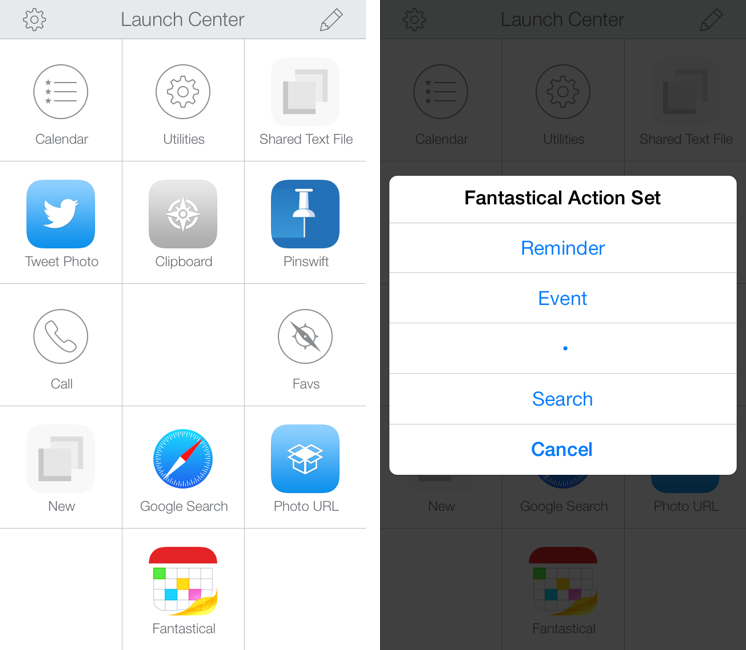
In October, Contrast released Launch Center Pro 2.0, a free update to their shortcut launcher and automation tool for iOS that brought a new interface for iOS 7 and, among other minor additions, Dropbox integration. Launch Center Pro is one of the three apps I keep in my dock[1], and I use it several times a day to create new tasks in Fantastical, launch Google searches, open my favorite websites, and more.

Today, Contrast is launching Launch Center Pro 2.1, a seemingly not-so-major update that, however, brings important changes to the app, including a new way to build visual actions and support for the new third-party Fleksy keyboard. I don’t think it’s an exaggeration to say that version 2.1 is just as important as 2.0 for heavy users of Launch Center Pro. Read more


Castro, A New Podcast Player for iOS, Does Two Things Well

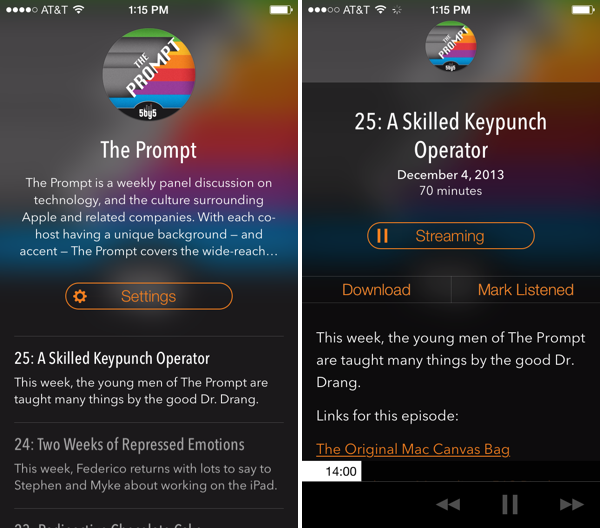
Castro, a new “high fidelity” (come on… I mean really?) podcast player for iOS, looks good and has a few clever ideas for podcast listening. Forget playlists: Castro presents podcasts in a day-to-day timeline that keeps the most recent shows at the forefront. I don’t know if I’m a fan of how text is overlaid on translucent show art since the app’s look is dependent on whether the podcast you listen to has appealing cover art, but I am a fan of the player’s decided simplicity when it comes to podcast controls. There are no timers, no speed settings and no share button. However, underneath the show notes and behind the basic forward, back, and pause/play buttons is a hidden scrubber, which lets you scrub to any position in the currently playing episode with surprising ease. I don’t think it’s discoverable, but it’s unique and surprisingly accurate. It was the thing that John Gruber pointed out and the first thing I showed Federico when discussing the app. Update: Also hidden is a playback speed setting if you tap and hold the play/pause button (thanks Twitter).

The biggest thing Castro has going for it, in my opinion, is its search feature. It’s fast. Like, it’s really fast as podcasts appear as you type. If you’re making a podcast app, I’m pretty sure Castro has set the new high bar here. It made subscribing to a bunch of shows for the first time pretty painless.

Grab it from the App Store for $2.99.


Discover The Meaning of Acronyms with Acronymph for iPhone

Acronymph

Acronymph

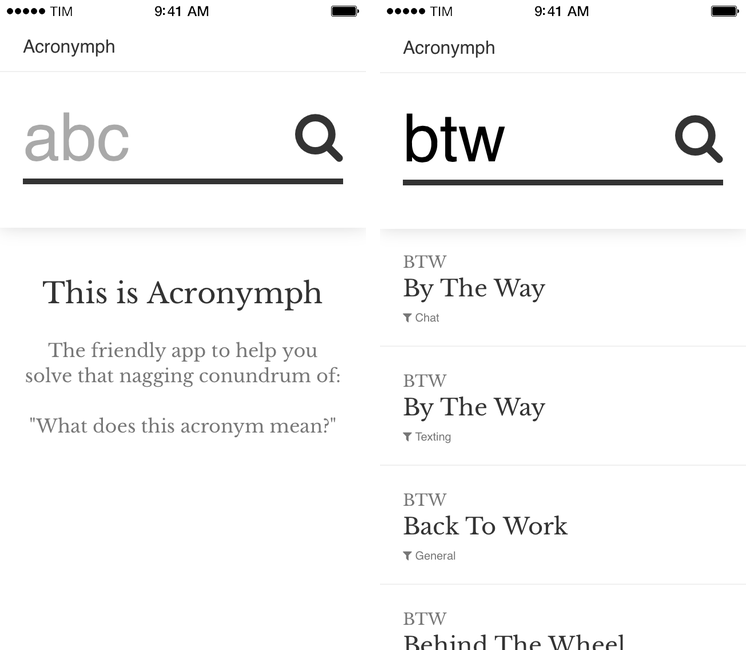
Acronymph, developed by Calvin Robertson, is an iPhone app to discover the meaning of acronyms.

With a variety of built-in categories that range from Internet slang and sports to music, economy, and goverment acronyms, Acronymph simply displays matches it finds in its built-in database. You can’t configure sources you want to see/hide because the app has no settings, but a recent update added a URL scheme that lets you send an acronym from apps like Launch Center Pro or Drafts directly to Acronymph without having to tap the app’s search box and type.

When results are found, you can tap on them to copy them, open a Google search, or share them to other apps. I’m nitpicking, but I don’t like how “@AcronymphApp” is appended to an acronym’s meaning when you’re sharing a result to Mail or Twitter.

Acronymph is simple and effective. I’ve looked up several acronyms in the past weeks and the app always found meanings in less than two seconds; it’s the kind of utility that you likely won’t need on a daily basis, but that will come in handy if you don’t need a full-featured dictionary app like Terminology. And, btw, Acronymph is $0.99 on the App Store.


Daily Weather Summaries with Weather Notifications

Weather Notifications

Weather Notifications

Weather Notifications, developed by Taco23, is a simple utility to get a daily notification with a weather summary on your iPhone. It’s not a weather app in the sense that it lets you browse forecasts, temperatures, or other weather data in a traditional way; instead, Weather Notifications is, as the name implies, a notification tool powered by Forecast.io.

Weather Notifications is, essentially, a Settings screen where you can configure the notifications you want to receive every day for your location. Alerts can be set to fire off at five different times: afternoon before, night before, morning, afternoon, or evening. You can only pick one, and, unfortunately, you’re also forced to pick one location; you can’t tell Weather Notifications to send you a notification the day before for Location A and in the morning for Location B. I set Weather Notifications to send me alerts for Rome the night before, so I’ll have an idea of the weather I’ll wake up to in the morning.

You can choose to receive a daily summary or condition-specific alerts for rain, snow, and fog. There are temperature, wind, and humidity thresholds that you can also optionally configure, but I’ve been enjoying the daily summary, which gives me a succinct recap of weather conditions for the following day.

And that’s it. Weather Notifications isn’t available on the iPad and it could use customizable alert sounds and support for multiple locations; Forecast.io’s accuracy may vary for your area, but it’s been fairly reliable for me in Italy.

Weather Notifications is $1.99 on the App Store.


Pinswift: A Powerful Pinboard Client for iOS 7

Pinswift for iPhone

Pinswift for iPhone

Developed by Joel Carranza, Pinswift is a new $4.99 Pinboard client for iPhone that packs powerful bookmark management, discovery, and search features in an interface specifically designed for iOS 7. Since trying one of the early betas a couple of months ago, I’ve been keeping Pinswift on my iPhone’s Home screen as it offers (almost all) of the Pinboard functionalities I need on a daily basis. Read more