This Week's Sponsor:

HomeSnap

A Private, Read-Only Window Into Your HomeKit Home


Posts in news

Are iOS Game Prices Creating Culture of Disposability? Nintendo Boss Thinks So

The head honcho of Nintendo North America, Reggie Fils-Aime has criticized the price levels of apps in the iTunes App Store claiming that the low prices create a “mentality” for consumers that portable games should only be a few dollars. Fils-Aimes who is the Nintendo North American president and chief operating officer felt that such a mentality also breeds a culture that believes content is disposable because of the cheap price and that this was one of the gaming industries biggest risks today.

Whilst Fils-Aime’s is not the most independent commentator on this issue with his company’s Nintendo DS platform directly competing with the gaming aspects of iOS, his points do have some validity. Games on the App store have tended to be below $5 compared to DS and PSP games that are typically well above that range. The presumption is the Fils-Aime’s fears that the App store prices will spread across to all platforms and lead to more gimmicky, simplistic games rather than well though out, in-depth game experiences.

Read more


Some People Still Don’t Understand In-App Purchases

The Washington Post ran a story last night about 8-year-old Madison who, playing the Smurfs game for iPad, made a lot of in-app purchases. In fact. the family’s credit card got charged $1,400 for Smurfs accessories, power-ups and so forth. Unsurprisingly, parents are upset:

Parents need to know that the promotion of games and the delivery mechanism for them are deceptively cheap,” said Jim Styer, president of Common Sense Media, a public advocacy group for online content for children. “But basically people are trying to make money off these apps, which is a huge problem, and only going to get bigger because mobile apps are the new platform for kids.

The “people are trying to make money off apps” line is so obvious we’re not even trying to comment on that. The story gets better:

Apple said it tries to prevent episodes like Madison’s by requesting a password when making in-app purchases. And parents can change settings on Apple’s gadgets to restrict downloading and transactions, Apple spokeswoman Trudy Muller said.
But parents say changing those settings isn’t easy or obvious.

Surprise: if you give your kid a cellphone, he will likely send random text messages and make phone calls. If you give a gadget to a kid, he will likely break it / change its settings. Bigger surprise: if you give your kid your iTunes account password (which Madison’s parents did) and an iPhone, the kid will download apps and in-app purchases. Shocker.

If we follow the “Apple should make it easier” argument, then every cellphone maker should put a “Kids mode” button on their latest smartphone and every car maker should create keys kids can’t touch.

The problem is, Apple gives you the tools to prevent these accidental purchases: they’re called Restrictions and they live in the Settings. Not to mention the fact that giving passwords to a kid is often considered a bad practice. Parents: next time you hand an iPad or iPhone to your kids just to “keep them happy and quiet”, think about the consequences. Because you can’t blame Apple or any other tech company if your kids break stuff.



Instagram Shifting Focus to an Open Platform With API

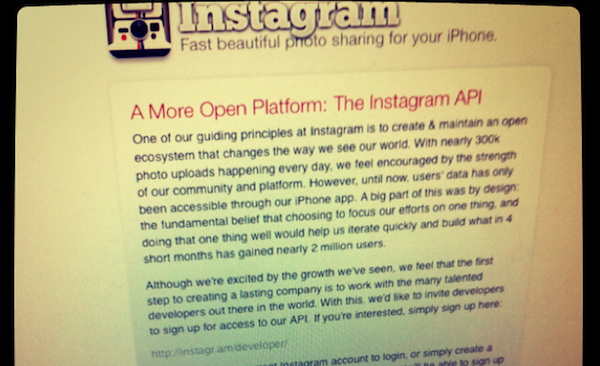
Instagram has been a phenomenal success story gaining a user base of 2 million people in just four months that are now uploading 300,000 photos a day and now the developers are inviting developers to sign up for access to an Instagram API. In a blog post, Instagram CEO Kevin Systrom said that the guiding principle for Instagram was to “create and maintain an open ecosystem that changes the way we see our world,” opening up Instagram to other developers is their next step to fulfilling that principle.

The opening up of a developers API seems to indicate a shift by Instagram from one of giving users an app to edit photos and share, to one dominated by creating a social image sharing service. This could allow other apps such as Hipstamatic to hook into Instagram and let users share their Hipstamatic photo’s on through Instagram. The blog post doesn’t quite make it clear if this is their intention but it most definitely seems like the logical iteration.

Read more


The Daily Just Got Its First Update

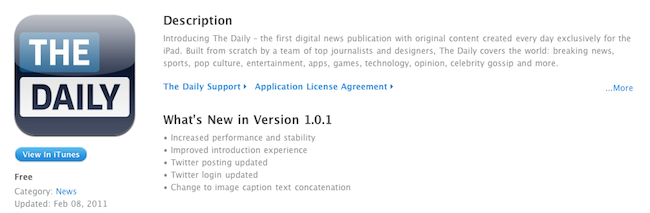
The most popular iPad newspaper these days, The Daily, just got an update that aims at improving performances and stability of the app and fix Twitter login and posting issues experienced by several users.

Version 1.0.1 indeed feels slightly faster in some sections from our first tests, although the carousel view is still pretty slow to browse. The initial download of new issues takes too many seconds. Overall, there have been some improvements but the main structure of the app still doesn’t feel as responsive as a digital newspaper should be.

The Daily is available here.


Developers: Xcode 4 Will Drop Support for 10.5 SDK

A notable change in the Xcode 4 GM seed Apple released last week is the lack of support for OS X 10.5 SDK, Leopard. Several developers on Twitter and Apple’s Discussion Boards have noted that the latest release doesn’t come with the 10.5 SDK installed by default, and even though it appears that it can be enabled with a Terminal hack, an Apple engineer confirmed on Apple Discussions that Xcode 4 final won’t support building apps for 10.5:

Xcode 4 does not support building for Mac OS X 10.5. If you want to build for Mac OS X 10.5 (obviously a valid thing to want to do), you need to keep a copy of Xcode 3 around. For example installing a copy of the latest version of Xcode 3 into “/Xcode3”.

The 10.5 SDK is still included in the Xcode 4 Preview 6 Apple seeded in January. Many developers who still need to build apps for 10.5 Leopard will likely keep Preview 6 or Xcode 3 on their computers in a different location, but admittedly Apple’s move to drop the 10.5 SDK within Xcode makes sense considering we’ll soon move forward to OS X Lion.

Xcode 4 development seems to be moving steadily with new developer builds released every few weeks, so we guess it’s possible that we’ll see the suite becoming available before the WWDC in June.


New Intel Sandy Bridge CPUs To Start Shipping February 20th

The most probable next generation processor for MacBooks will start shipping on February 20th. The new Intel core i5 and i7 processors, based on the Sandy Bridge architecture shown off at CES, comes in flavors ranging from 1.4 GHz to 2.7 GHz, drawing 17 watts to 35 watts respectively under load. The new processors could be used to update Apple’s MacBook, 13” MacBook Pro, and 15” MacBook Pro line, while quad-core Sandy Bridge CPUs would populate Apple’s higher end MacBooks and desktops. Apple’s MacBook and 13” MacBook Pro continue to utilize Core 2 Duo processors, and may receive a Sandy Bridge update later this year.

Why is Sandy Bridge so impressive? Our friends over at The Next Web explain.

[via Macworld]


Apple Planning Retail Store in Grand Central Terminal?

The New York Observer has a lengthy piece today on Apple’s rumored new location for a retail store in NYC: Grand Central Terminal. The Observer reports:

Sources tell The Observer that the maker of ubiquitous iGadgets—from computers to cell phones—hopes to open a store in the transportation and retail hub, though it has yet to begin the long approval process necessary for opening in a city landmark.

The publication also notes Apple and Grand Central’s leasing agent obviously declined to comment; Apple’s most popular stores in New York, the Fifth Avenue store and the one in Upper West Side, share a similar design approach with glass (Fifth Ave.) and stone walls (UWS). Recently, Apple has been rumored to be considering a revamp of the current Palo Alto retail store basing on the design guidelines from New York’s Upper West Side location.

As The Observer also notes, if the rumors are to be believed and Apple is indeed in the early planning stages of a Grand Central store, it will be interesting to see how Apple will manage to put a full-featured store in the famous retail hub. Although we think Apple’s shiny glass and minimal design philosophy would be a great fit for Grand Central.


BBC iPlayer App for iPad Coming This Week

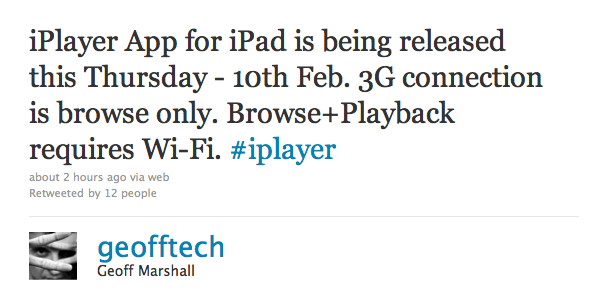
In late January we reported the official BBC iPlayer app for iPad was rumored for a February release; it now appears that the app is real, it’s launching this Thursday and it will require an active WiFi internet connection for full browsing and playback experience.

As tweeted by Interactive Operations Engineer at BBC Geoff Marshall, iPlayer for iPad won’t allow you to stream videos over 3G. Marshall also confirms the UK Radio Player was set to launch this week, but it’s been pushed back to March. It is very likely that the initial version of iPlayer for iPad will be available to UK users only, although some rumors point to BBC Worldwide planning a subscription-based international version for all App Store. The native iPlayer app is expected to bring a much smoother and stable experience to iPad owners who have relied on Mobile Safari for months now.

We will keep you posted as soon as iPlayer for iPad shows up in the App Store.


Mac App Store Gets Purchase Confirmation Warning

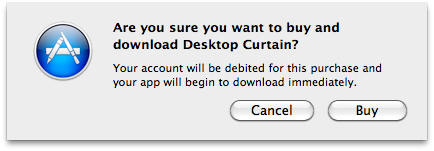
When Apple launched the Mac App Store on January 6, one of the most notable missing features was the “purchase confirmation warning” when buying apps. We’re talking about the dialogue box that usually pops up in the iOS App Store when you’re logged in with your Apple ID and you hit the “Buy” button; the confirmation warning is an effective way to help users prevent accidental downloads (and thus credit card charges) when browsing the Store. It happened a few times in the past that I was scrolling a list of apps (usually the Top Paid chart) and accidentally clicked on the button to download a (paid) app.

The Mac App Store now displays an additional pop-up menu after clicking the “Buy” button in the Store. It appears that there is no option to disable the warning for now, unlike the iOS App Store. As you can see in the screenshot above, you’ll have to click on a second “Buy” button before start downloading an application.

The feature is a nice addition, although we would like to have it as an option, rather than enabled by default. Other features we’re still waiting for include a better uninstallation process (would be great to have an Uninstall tab in the Mac App Store’s window), possibility to gift apps and a Wish List, which is still surprisingly missing from the Mac App Store.