Posts in news

SketchParty TV: The Fun, Fast Drawing and Guessing Game for Apple TV [Sponsor]

SketchParty TV is the fun, fast drawing and guessing game for Apple TV.

Using AirPlay Mirroring, you can turn your HDTV into a Wifi drawing canvas and a high-tech party game. It’s perfect for parties and family get-togethers, special occasions or impromptu game nights.

SketchParty TV is a drawing game for two teams of up to eight players per team that plays a bit like Pictionary. The standard gameplay settings give each player five words to draw in two minutes, and each player gets two of these two minute turns. With six total players, a full game can be played in about 30 minutes.

All you need is an Apple TV and an iPad or an iPhone.

Games can be customized to be as long or brief as you like, with options for the number of words to draw per turn and time limit to draw them, and word lists of varying difficulty. There’s even a word list for kids. There are thousands of words to draw in seven different languages, including French, German, Spanish, even English and Italian.

SketchParty TV is great for classrooms, too, with a built-in custom word list editor. Create your own vocabulary lists with ease. Regularly $9.99, now available for a limited time price of $4.99.

Critically acclaimed and enjoyed worldwide, SketchParty TV is available on the App Store or at SketchParty.tv

Our thanks to SketchParty TV for sponsoring MacStories this week.



Apple Watch App Store Going Live Today

Apple has begun opening the doors to the Apple Watch App Store, featuring iPhone apps that have been updated with Watch compatibility. According to BuzzFeed, more than 3000 Watch apps have been approved by Apple, and all of them will be available in the App Store section of the Apple Watch app for iPhone today.

In a screenshot shared by Buzzfeed, it appears that the App Store for Apple Watch will feature curated sections for categories such as Healthy Living, Games, and more. However, at the moment the Apple Watch app is only displaying a list of recommended apps by Apple, which include Twitter, Things, Wunderlist, Uber, Evernote, and Instagram. Apple is also promoting two games – Rules and Trivia Crack, both updated with Apple Watch support. A full refresh of the App Store for Apple Watch with more sections and lists is expected to go live later today.

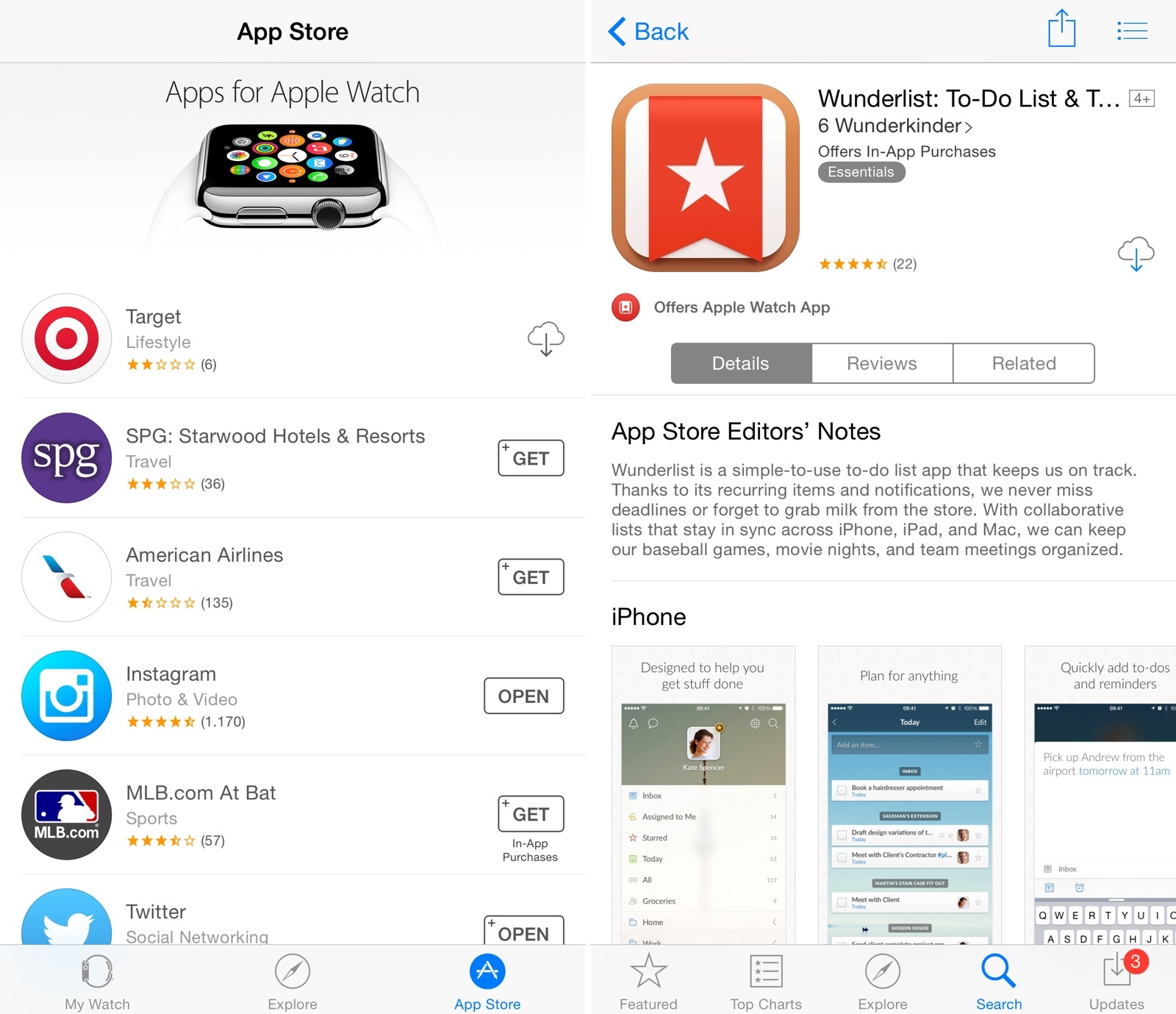
In the meantime, Apple has also updated the App Store for iPhone with new badges to indicate whether an app offers Apple Watch compatibility. In search results and app descriptions, you’ll now see a badge with the app’s Apple Watch icon, as well as screenshots of the Apple Watch version underneath regular iPhone screenshots.

The new badge is also available on the App Store for iPad, with a label that says “Offers Apple Watch App for iPhone”. Currently, screenshots of Apple Watch apps are not available on the iPad App Store.


MileWiz: Automatic Mileage Tracker [Sponsor]

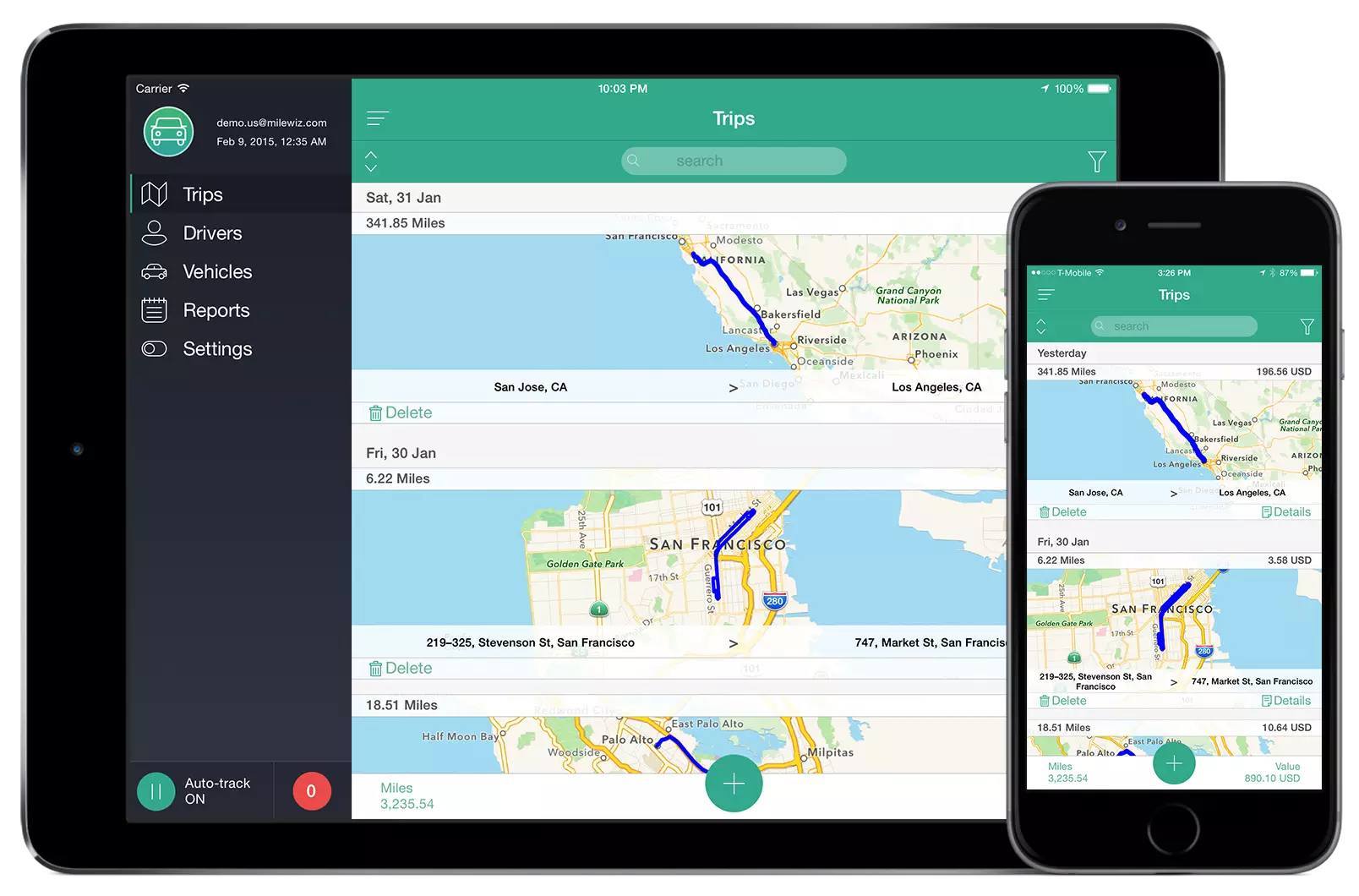
MileWiz is an automatic mileage tracker that logs every drive you make using sophisticated algorithms.

If you drive a personal car for business then you can get tax deductions for your miles. Or, if you drive a company car you can get driver reimbursements. MileWiz makes that easy by recording all your trips automatically and allowing you to easily classify them by swiping left or right, with an intuitive interface that’s easy to use on both the iPhone and iPad. MileWiz lets you categorize drives with gestures, supports multiple drivers/cars and working hours, and it even lets you assign clients and tags for your trips.

MileWiz features SmartDrive – a technology for auto-detection of drives that’s superior to anything on the market. The way most mileage trackers work is that they only record your start and end points and route between them. That often results in wrong route data and you may face penalties if challenged by the IRS or your employer. MileWiz detects your entire route and does this in a way that won’t drain your battery. MileWiz monitors multiple sensors on your device to determine speed and acceleration, and it also automatically adjusts its precision based on your speed and the area you’re driving in, giving you the most accurate trip route with the least battery usage.

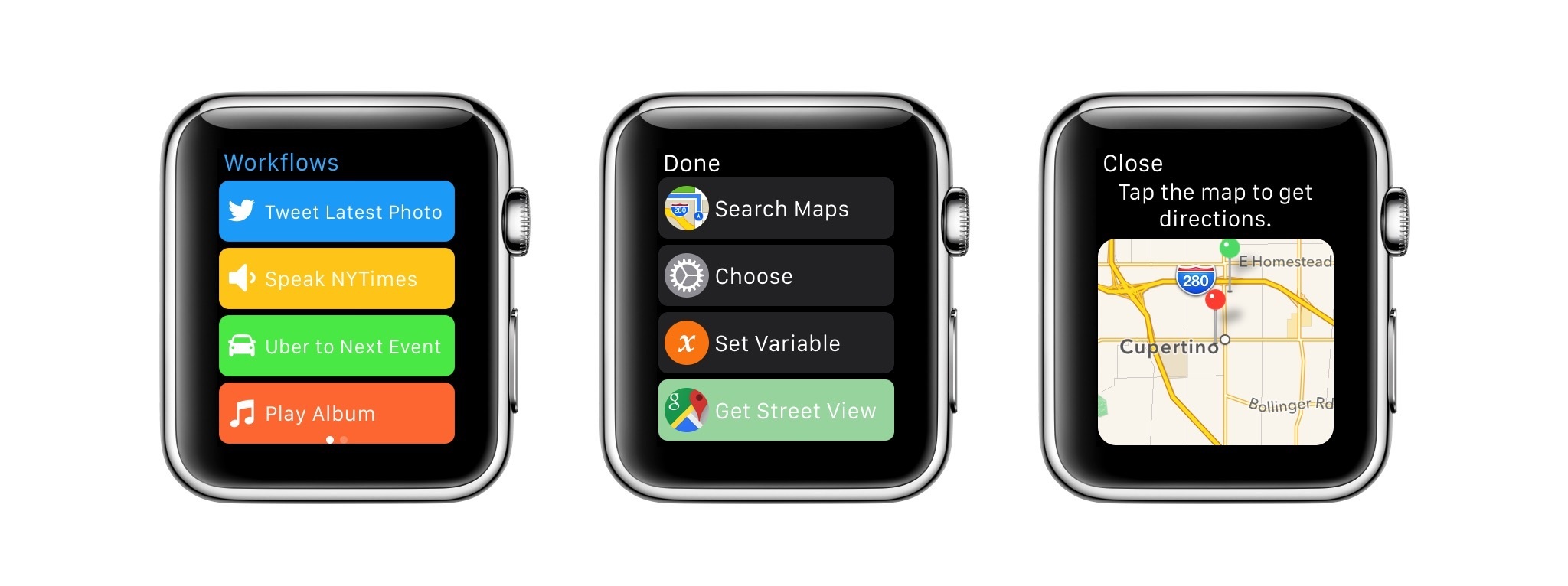
Furthermore, MileWiz will soon be available for Apple Watch, with a glanceable UI meant to check the app’s status and categorize trips.

MileWiz is supported in six countries (you can find the full list here) and is free for 20 drives a month; you can upgrade to unlimited drives for $4.99/month or $49.99/year. You can download MileWiz for free from the App Store.

Our thanks to MileWiz for sponsoring MacStories this week.


Apple Announces WWDC 2015: Kicks Off June 8

Apple has announced the official dates for WWDC 2015. This year’s WWDC will start in San Francisco on June 8 and runs through June 12.

Like last year, Apple will be awarding tickets to attendees through a random selection system (effectively, a lottery). Developers will be able to apply today through Friday, April 17 at 10 AM PDT, and they will know their status by Monday, April 20 at 5 PM PDT. There are also 350 WWDC Scholarships available, giving students and members of participating STEM organizations a chance to get a free ticket.

“The App Store ignited an app ecosystem that is simply amazing, forever changing the lives of customers and creating millions of jobs worldwide,” said Philip Schiller, Apple’s senior vice president of Worldwide Marketing. “We’ve got incredible new technologies for iOS and OS X to share with developers at WWDC and around the world, and can’t wait to see the next generation of apps they create.”

As with every annual WWDC, the conference will host “more than 100 technical sessions, over 1,000 Apple engineers, hands-on labs to help developers integrate new technologies and fine tune their apps”. In the press release posted this morning, Apple doesn’t mention an inaugural keynote, but confirmed there will be Apple Design Awards and news about the future of iOS and OS X.

Similar to last year, some WWDC sessions will be live streamed via the WWDC website to give “developers around the world access to the latest information in real time”. Apple also notes that videos from all technical sessions will be available at the end of every day.


curbi: Amazing Parental Controls for Your Child’s iPhone, iPad or iPod touch [Sponsor]

curbi is a breakthrough in parental controls for iPhone, iPad and iPod touch.

For the first time, parents have a way to effectively manage their child’s mobile online experience. Using a combination of remote management and content filtering, curbi provides parents with an easy way to implement their household’s device usage rules on iPhone, iPad and iPod touch.

All a parent has to do is enroll the child’s device with curbi then everything happens from the parent’s management app on the iPhone, iPad or on the Web.

Rules can be set (Bedtime is a favorite) and Restrictions applied, all from the parent’s curbi app. curbi also provides the parent with a weekly summary of what’s happening on each managed device.

curbi is just $6.99 per month to cover all the Apple mobile devices in your household. Please try the 14 day Free Trial and see for yourself what curbi can bring to your household.

If you choose to become a curbi customer, please use the code MACSTORIES for a 20% discount for the entire first year of your subscription.

Our thanks to curbi for sponsoring MacStories this week.

WALTR: Sync MKV, AVI, FLAC, MP3 to iPhone & iPad w/out iTunes or Conversion [Sponsor]

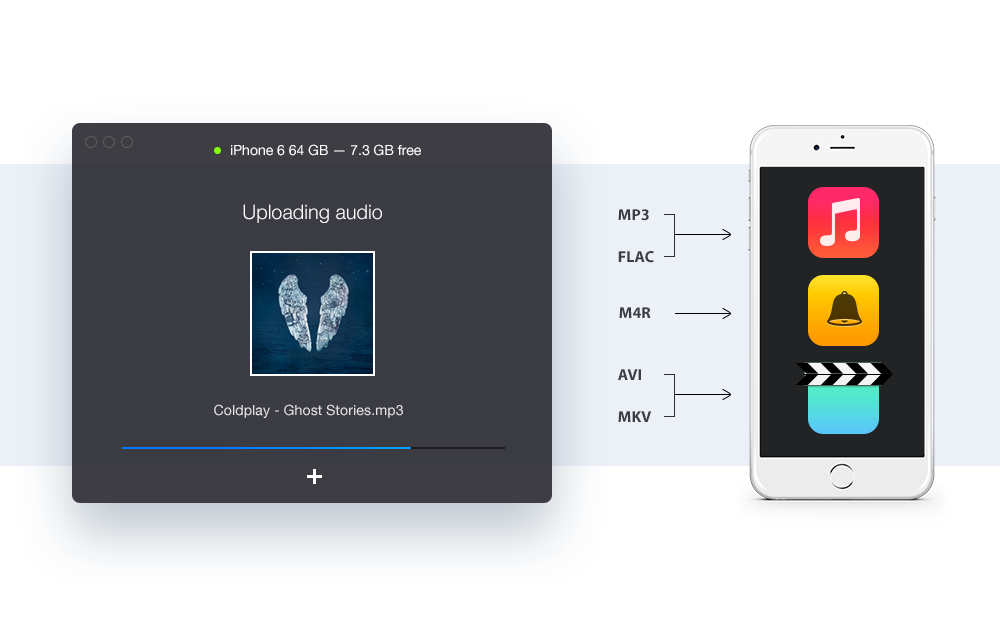
WALTR is a revolutionary OS X app that lets users upload and play unsupported formats such as MKV, AVI, FLAC & more – directly from the native Videos/Music app on iOS.

An incredible amount of innovation went into WALTR. Instead of uploading the limited file formats that iPad/iPhone & iTunes are compatible with, Softorino engineered a technology that allows users to upload and watch MKV, AVI, MP4 videos on their iPhone or iPad without having to convert the files before-hand. WALTR is the first Mac app that enables this – and it’s also the same app that discovered 4K video playback on iPhone 6.

With a name inspired by Walter White of Breaking Bad, WALTR has a simple UI based on drag & drop that doesn’t make you go through any extra steps, such as converting files beforehand or installing third-party iOS apps. You just launch the app, connect your device, drag a movie or audio file onto it and it automatically starts uploading to your iPad or iPhone. And that’s it. The developers have even made a super-quick but amusing demo video to show WALTR in action.

Users can download WALTR for free with unlimited trial for 14-days. A special discount is available just for MacStories readers: enter coupon code ‘SUPERSPECIALANDLONGCOUPONJUSTFORMACSTORIES’ at checkout, and you’ll get 33% off. A direct purchase link available here.

Our thanks to WALTR for sponsoring MacStories this week.