Posts in news

Pandora Announces On-Demand Streaming Service

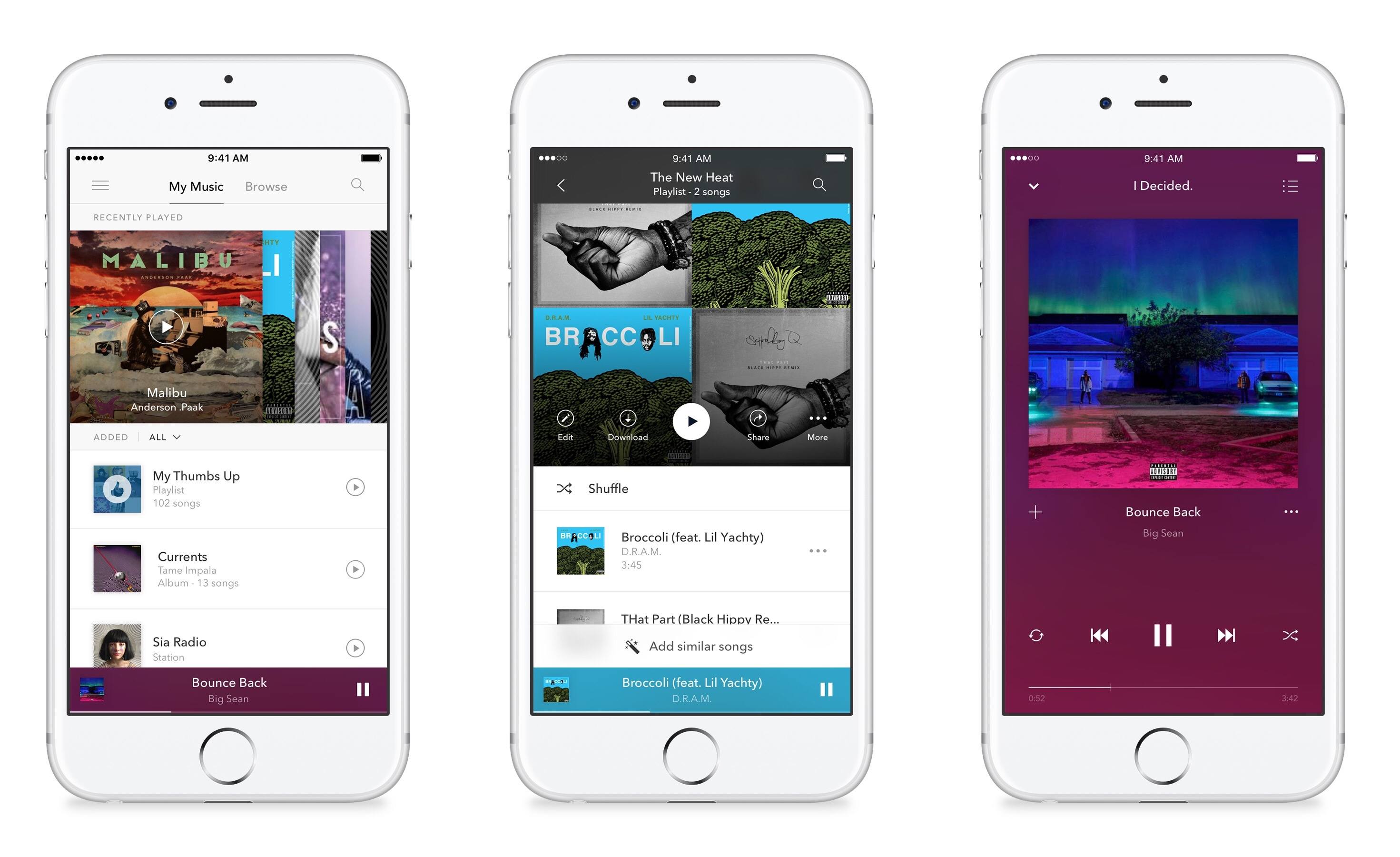
Pandora has a competitor to Apple Music and Spotify on the way called Pandora Premium. The company announced today that its $9.99/month streaming plan will be launching soon, and it’s now taking signups for the first invitations to the service.

Though Pandora Premium enters the on-demand streaming market somewhat late in the game, Pandora seems to have worked hard to create a solid experience that’s not just a knock-off of its competitors. Besides many of the basic features you would expect, there are several highlights that seem noteworthy.

Quick playlist creation seems to have been simplified:

In Pandora Premium, start a playlist with one or two songs of your choice, tap “Add Similar Songs” and put the power of our Music Genome Project to work to quickly and effortlessly create the perfect playlist for any activity, mood or party.

In addition,

Thumb up a handful of songs on your favorite radio station and Pandora Premium will automatically create a playlist of these songs. Thumb more songs and we’ll add those to the playlist too.

Pandora Premium also claims to have more robust search than other services:

In Pandora Premium, we’ve done the hard work of separating the killer from the filler for you. We’ve filtered out karaoke tracks, knock-off covers and pet sounds (but not Pet Sounds) that slow down other services. You get fast, accurate search results that get even smarter over time.

Based on the screenshots, Pandora seems to have done a great job not only thinking through the features of the app, but also creating a visually appealing, simple app to navigate. Though I’m a mostly-content Apple Music user, I look forward to giving Pandora Premium a try.
YouTube Launches ‘Uptime’ App for Social Video Watching

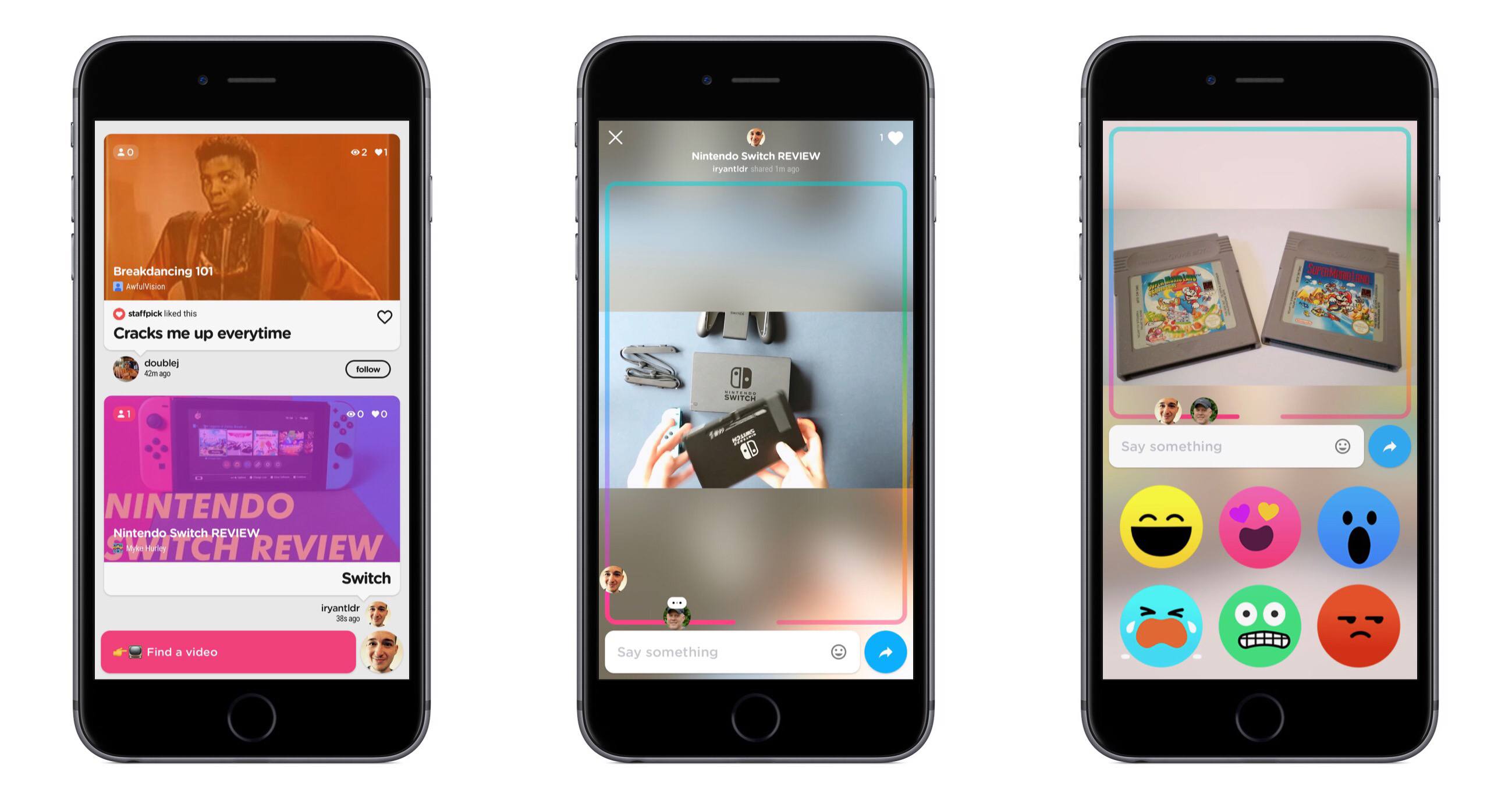
Today YouTube launched a new iPhone-only app called Uptime. Uptime adopts many of the social features commonly found in social video streaming apps like Periscope – live comments, reactions, etc. – and applies them to YouTube videos.

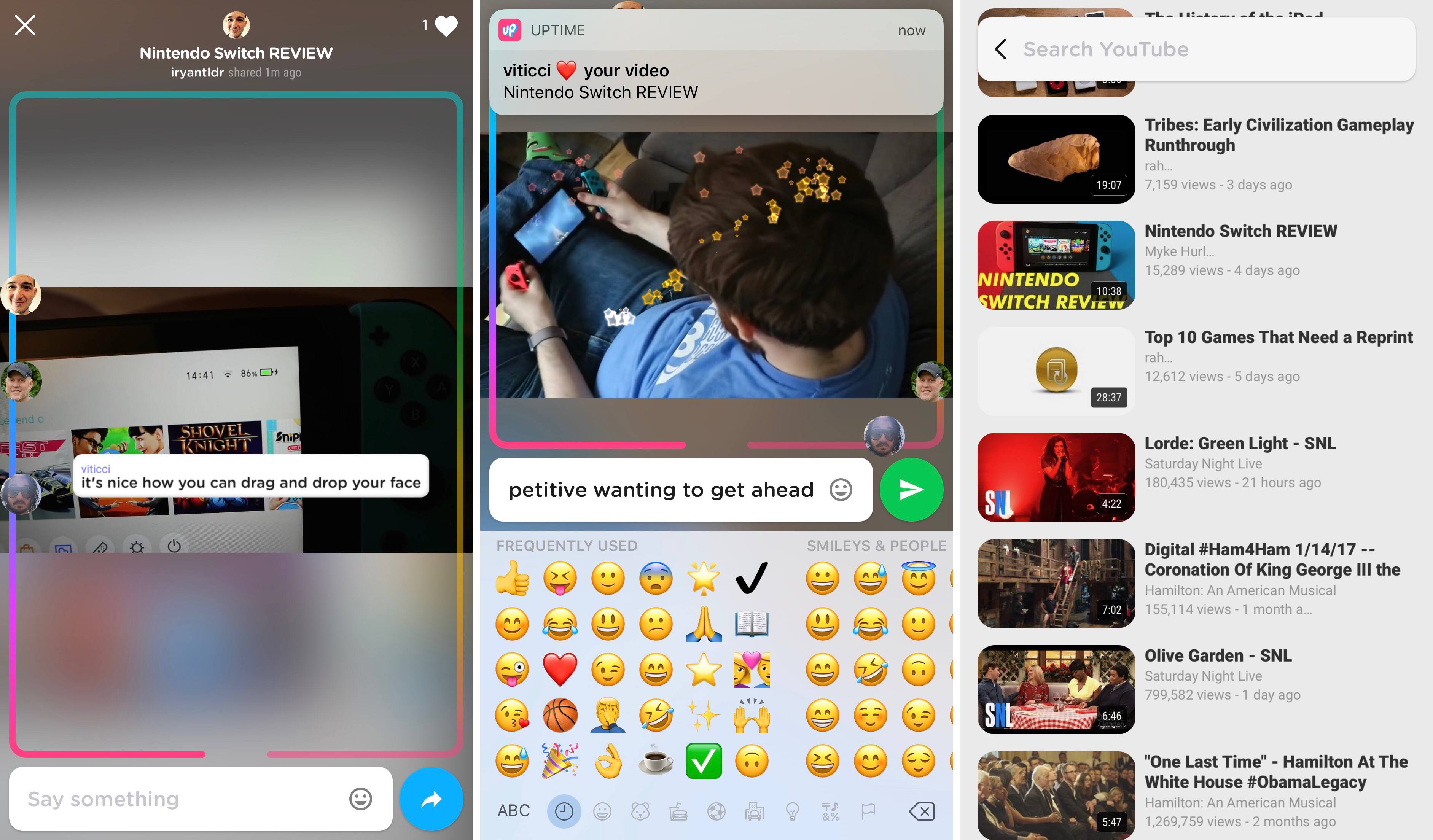
Inside the app, you browse videos in a feed consisting of content shared by people you follow in Uptime. You can also tap the search box at the bottom to search for videos or pick from a list of videos based on your YouTube subscriptions and viewing history.

When viewing a video in Uptime, what you’re watching will be publicly available to your followers in their Uptime feed, so they can join in and watch alongside you. You also have the option to directly share a video with others, whether by sending them a link using the iOS share sheet or by inviting them inside the app.

As a video is being watched, all current viewers are represented by their profile pictures on a track that covers the borders of the screen. As the video moves closer to its end, you’ll be further along the track, and you can manually drag and drop your avatar to navigate through the video. During playback, you can type comments, use one of six built-in reaction emoji, or move your finger around the screen to create a sparkle effect. Videos can be viewed in both portrait and landscape, but currently there is no way to type comments while in landscape.

Uptime is available in the App Store, but it requires an invitation code to setup your account. The code PIZZA is currently working.


Indie Game Promotion Takes Over App Store

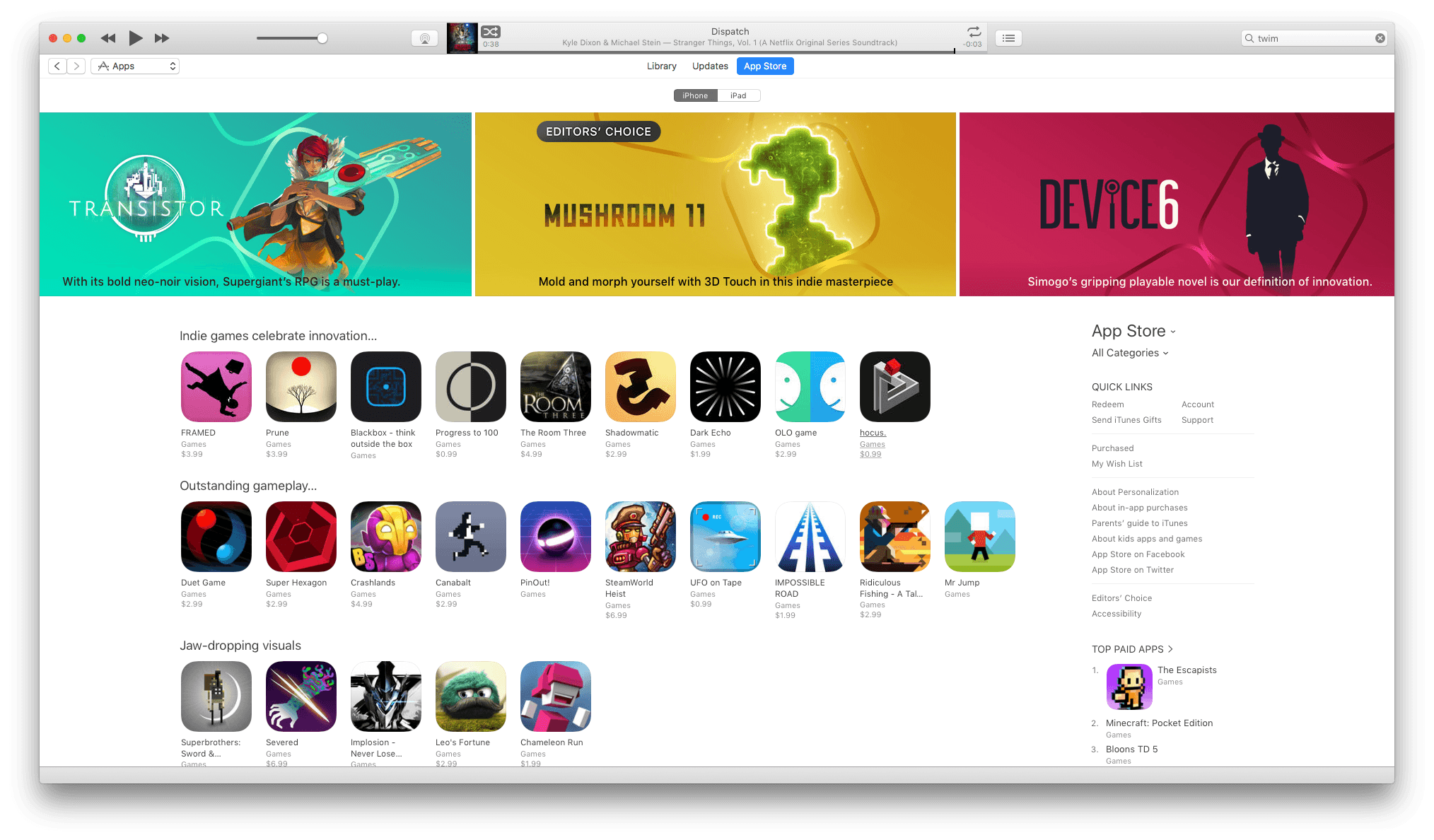
The App Store looks a little different today. If you opened it and thought you accidentally landed on the Games category page, it would be understandable. But that’s not what’s happening. Instead, Apple has launched a major promotion of the finest indie games available on iOS. According to the App Store Games Twitter account, the promotion is running for the next twelve days.

There are many classics featured: Super Hexagon, Superbrothers: Sword & Sworcery, Monument Valley, Severed, Her Story, and Space Age to name just a few standouts. In addition to indie classics, the banner across the top of the App Store is promoting Mushroom 11 a new game by Untame that looks great, though I haven’t had a chance to try it yet.

The sheer volume of games on the App Store can make the choices feel overwhelming at times. That’s why it’s great to see Apple spotlighting the very best indie games available on iOS. With 12 days to go in the promotion, I expect it will be worth revisiting Apple’s picks. There are currently some gaps in some of the categories highlighted that I expect will fill in with more games as the promotion continues.


Prisma Launches Store for User-Created Filters

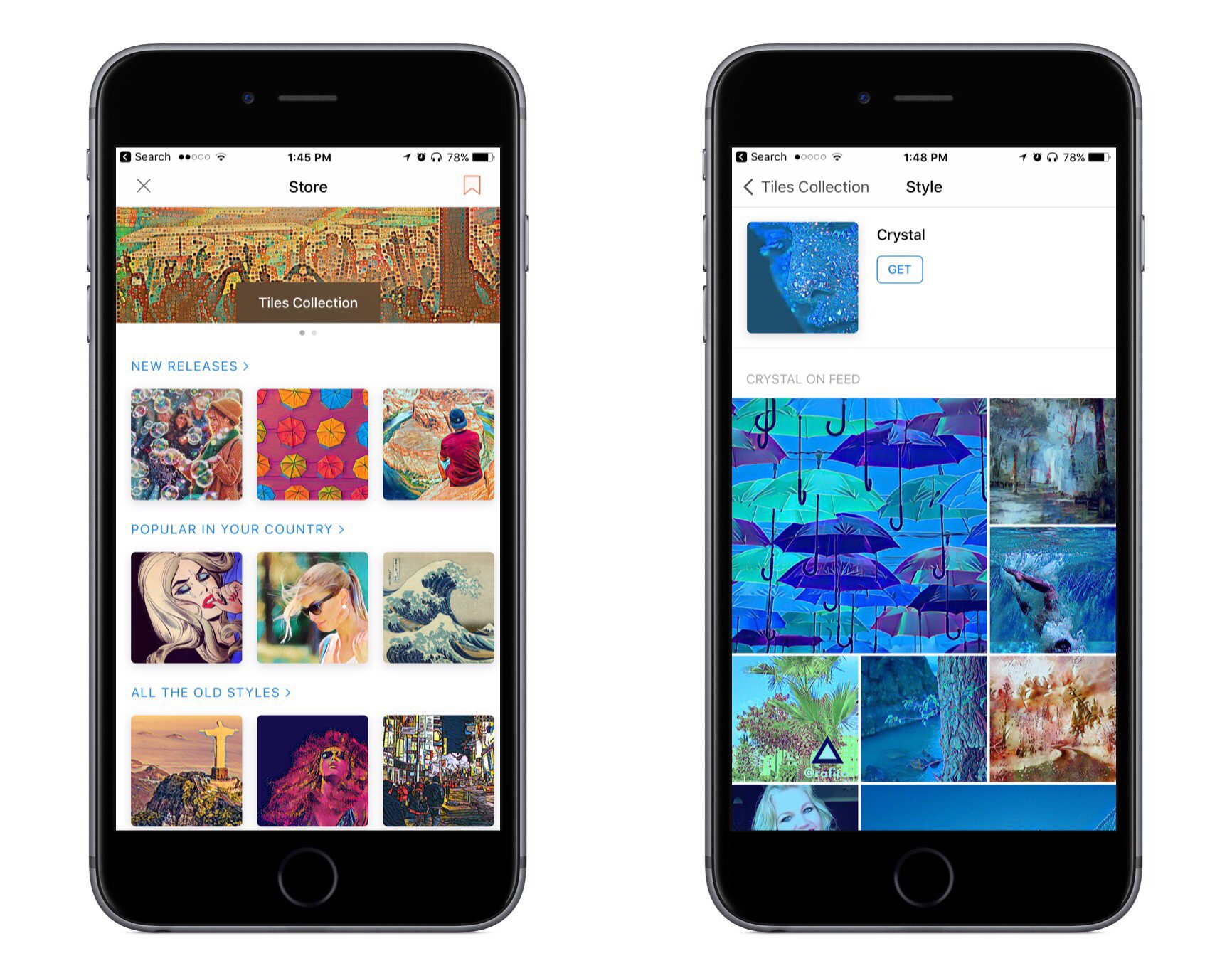
Prisma, the popular photo editing and sharing app, launched a filter store today with its latest update. The store allows filters created through a new desktop tool to be shared with others publicly. At this time, only the most active Prisma users can access the desktop tool and share their filters in the store, but according to The Next Web, the app’s developers hope to expand the option to more users in the future.

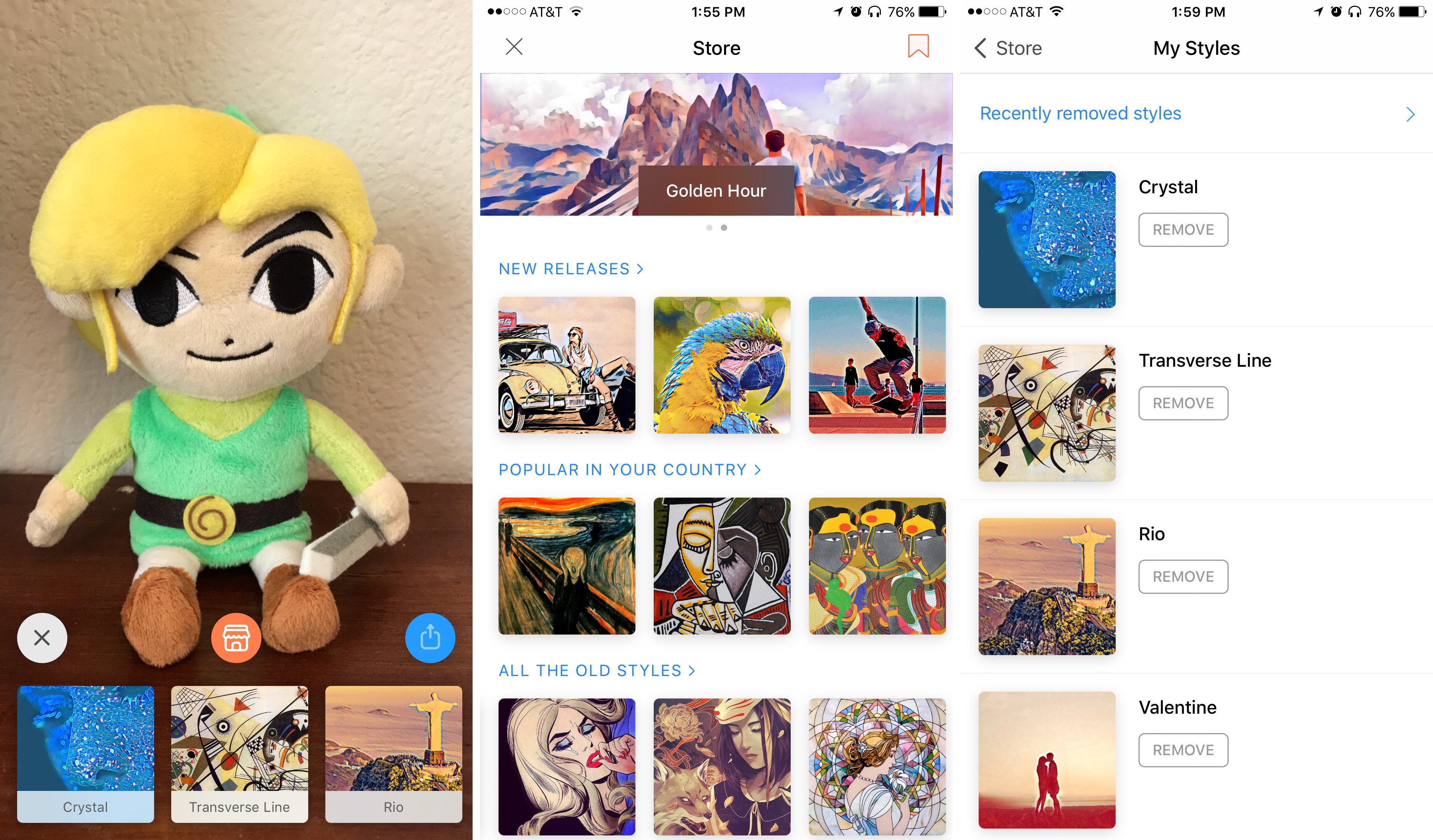
The filter store can be accessed whenever you’re taking a photo by tapping the orange icon in the center of the screen. The store’s main page presents a number of filters, currently categorized as ‘New Releases,’ ‘Popular in Your Country,’ and ‘All the Old Styles.’ There isn’t a particularly large selection of filters currently available, but that should change with time.

My favorite part about the store is that when you tap an available filter to view it, you’ll also see a feed of images that have used that filter. I find this helpful for evaluating whether a particular filter might work well with the type of photo I’m editing.

One other thing worth mentioning about the store is that on its main page there’s a bookmark icon in the top-right corner. Tapping this will present a list of all the filters you currently have installed. This is a nice way to gain a quick overview of all your current filters and remove any you may not want. You can also view filters you’ve removed in the past from this screen.


Prisma is a free download on the App Store.


GAget: Google Analytics Widgets and Alerts for macOS

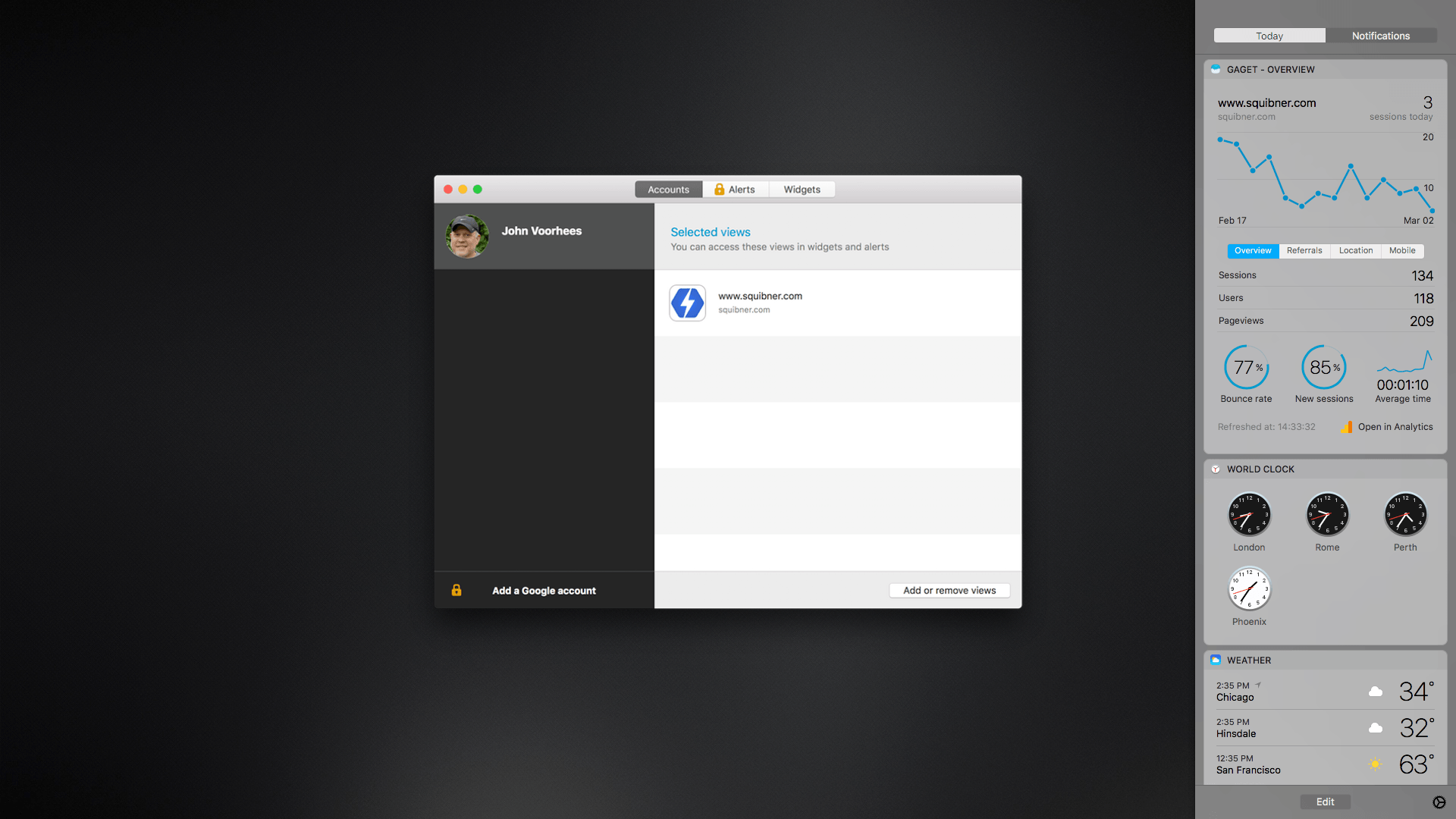
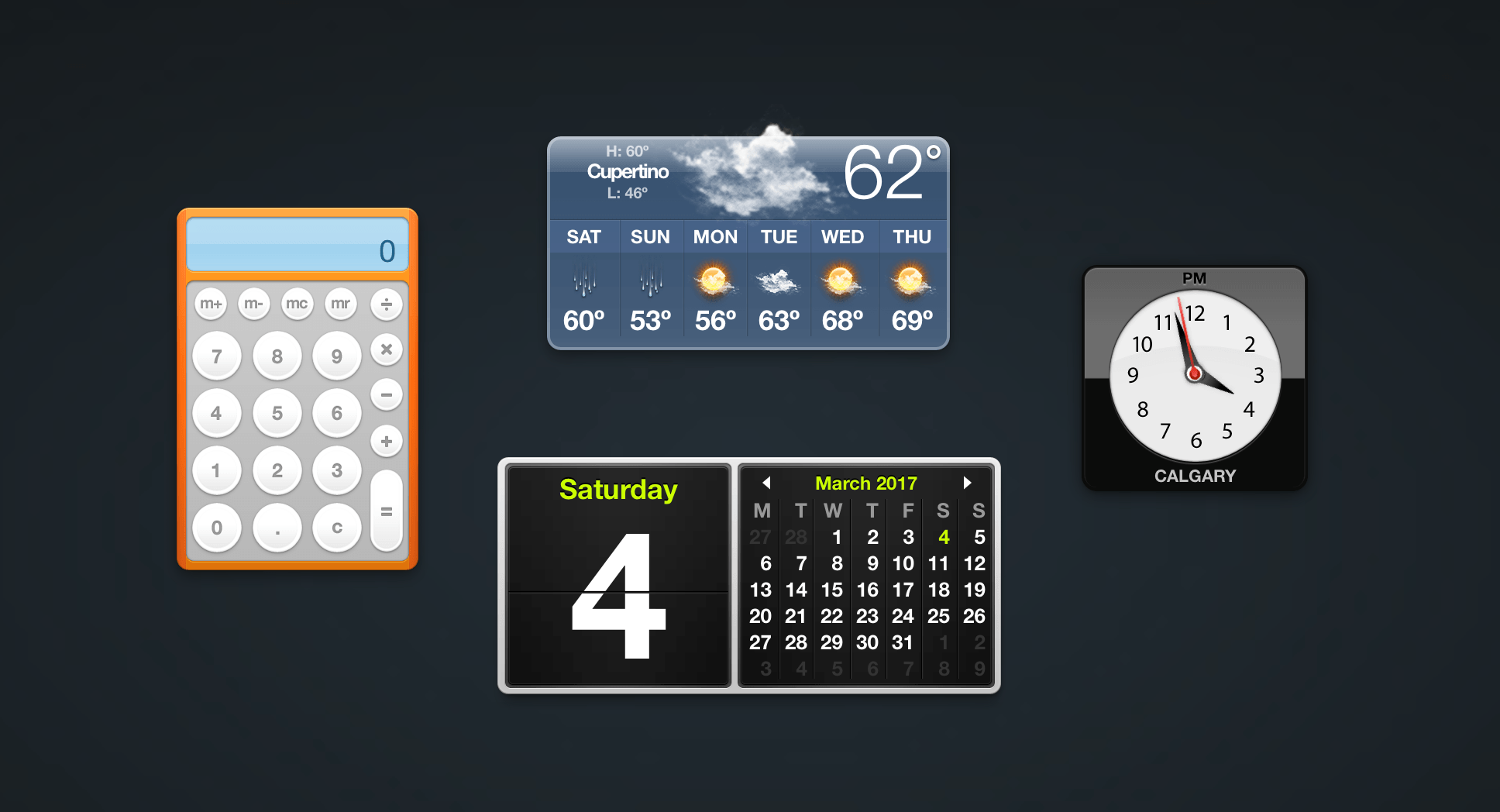
GAget is a Google Analytics app for macOS that started life as a Dashboard widget. These days, GAget resides in macOS’s Today widget panel of Notification Center. If you’ve ever used Google Analytics, you know that its web interface is complex. There’s a place for digging through Google’s many tabs of data, but when all you want are the highlights, GAget is better. It takes Google Analytics’ data and boils it down into cleanly-designed dashboard widgets and alerts that make it easy to understand what is going on with your website at a glance.

Read more


YouTube TV Streaming Service Coming This Spring

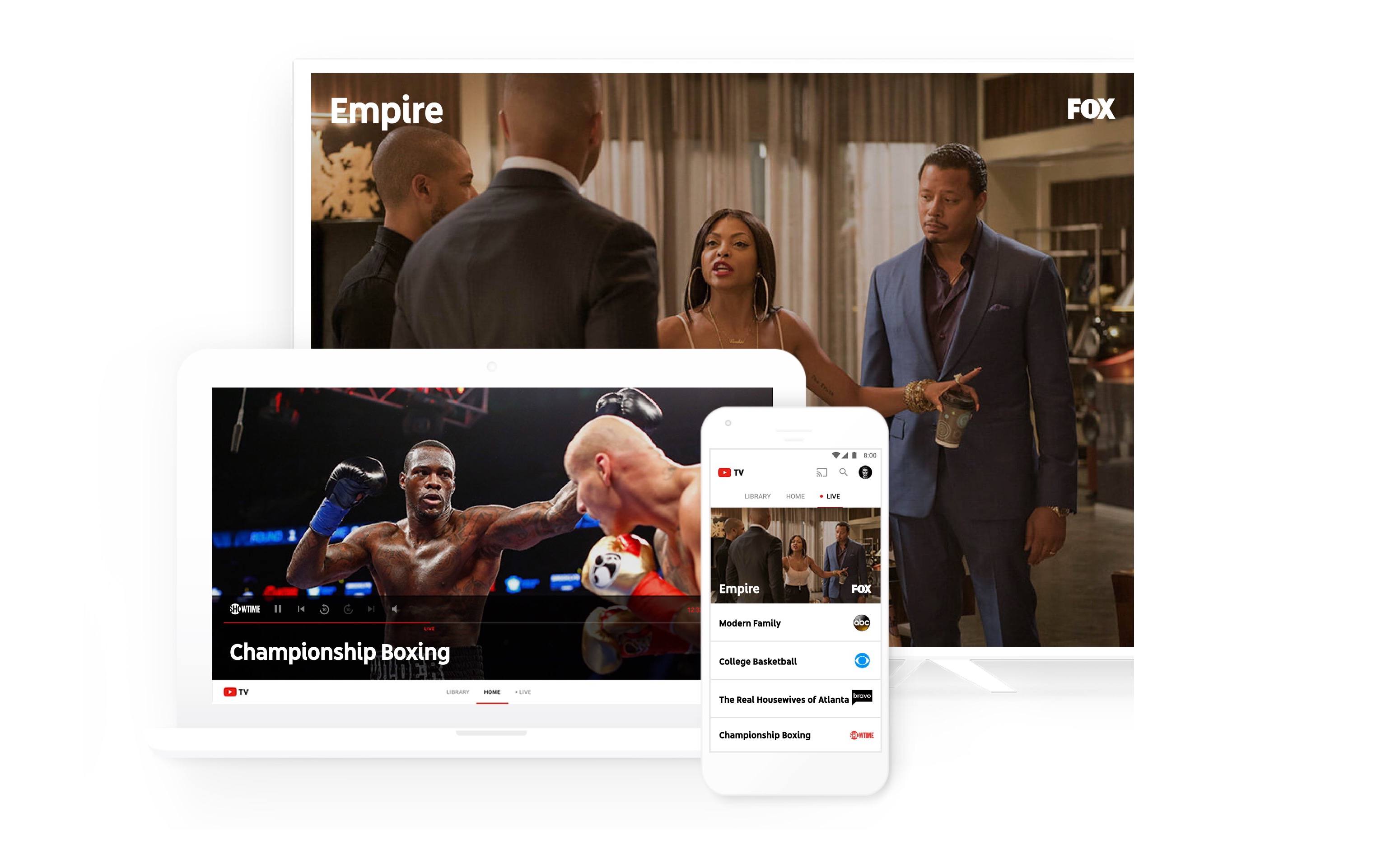
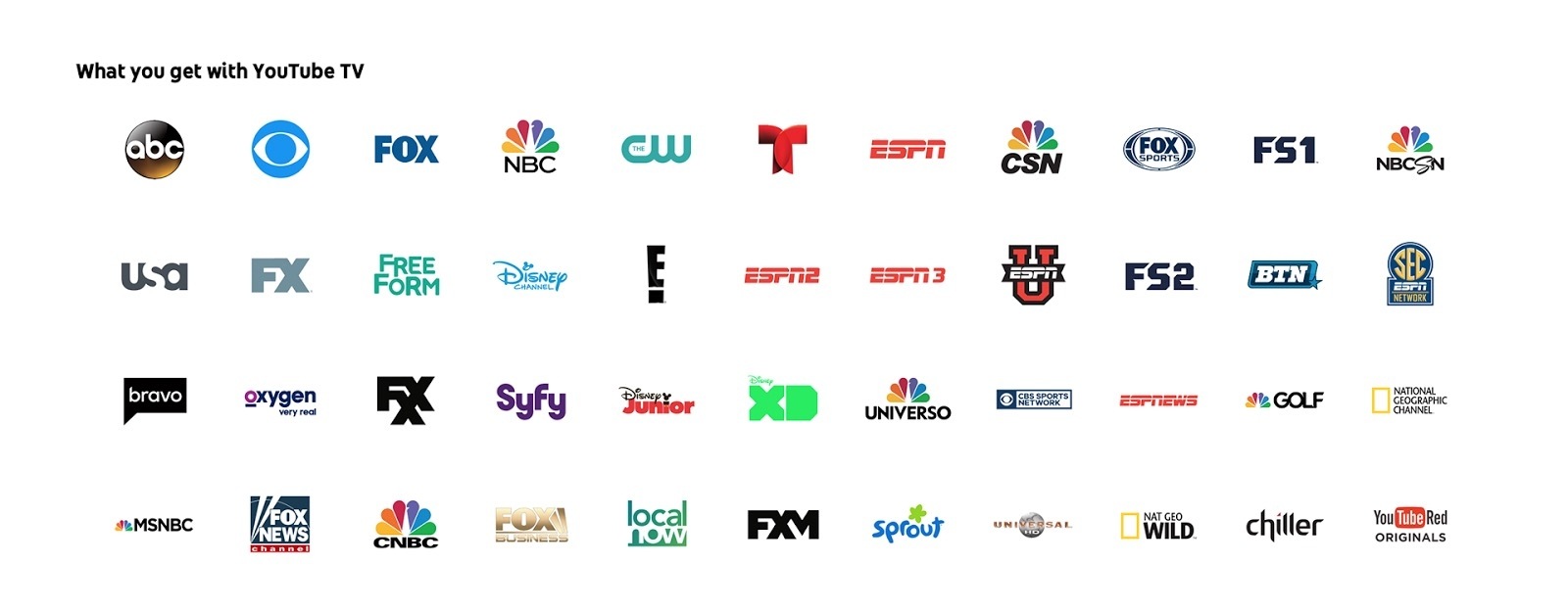
Yesterday YouTube announced a forthcoming TV offering called YouTube TV. The streaming service consists of a bundle of over 40 networks, including ABC, CBS, FOX, NBC, and ESPN. YouTube Red Originals are thrown in too. When it launches this spring, the service will cost $35/month with no contracts or other commitments.

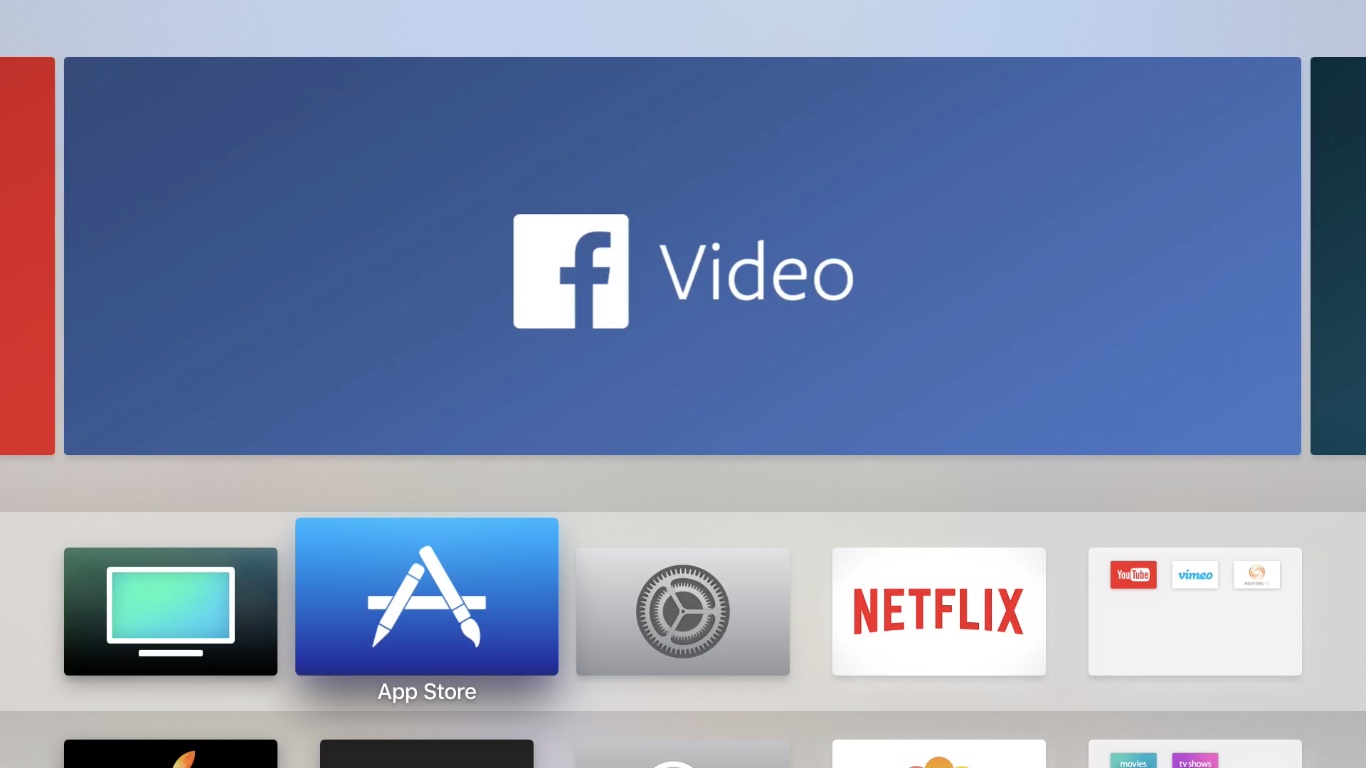
Upon launch, YouTube TV will be available as a new app, separate from the standard YouTube app. Yesterday’s blog post mentions an iOS app, but there is no reference to an Apple TV app.

You can watch YouTube TV on any screen—mobile, tablet or computer—and you can easily stream to your TV with a Google Chromecast or Chromecast built-in TV. YouTube TV works on both Android and iOS.

While this could be a simple oversight, it appears that watching on the big screen will require a Chromecast device. We’ll have to wait until launch to see for sure. Similarly, it’s unknown at this point if the iOS app will support Picture in Picture or Split View on iPad. The lack of an Apple TV app or iPad-specific features would make the service much less appealing to someone who watches most video on those devices.

The full channel lineup for YouTube TV.

The full channel lineup for YouTube TV.

One of the biggest selling points for YouTube TV is that it includes a cloud DVR with unlimited storage. The freedom to record anything and never worry about storage space is nice. Especially since, unlike many traditional cable or satellite services today, I would expect YouTube’s DVR to work flawlessly regardless of whether you’re watching on a mobile device or your TV. One small string attached to the DVR is that content gets erased nine months after it’s been recorded.

YouTube TV is the latest in a series of TV streaming offerings that bundles together big-name networks in a package resembling a traditional cable bundle. Sling TV was the first major player to dip its toes into the market, followed by PlayStation Vue and DirecTV Now, and Hulu has announced they’ll have their own offering available soon. One advantage YouTube TV may have over its current competition is the experience gained from serving a billion hours of video content every day. YouTube should have no trouble scaling the service to reach large numbers of users for things like major sporting events.

Recently I shared in a Club MacStories newsletter how I had cut the cord and ended my satellite service. Because of that, streaming services like YouTube TV are more appealing to me than ever. Though the potential lack of iPad features or an Apple TV app are concerning, YouTube’s credentials make its service more appealing in my mind than any of its competition. YouTube knows what it’s doing with streaming video, so I’m looking forward to checking this service out.


Mozilla Acquires Pocket

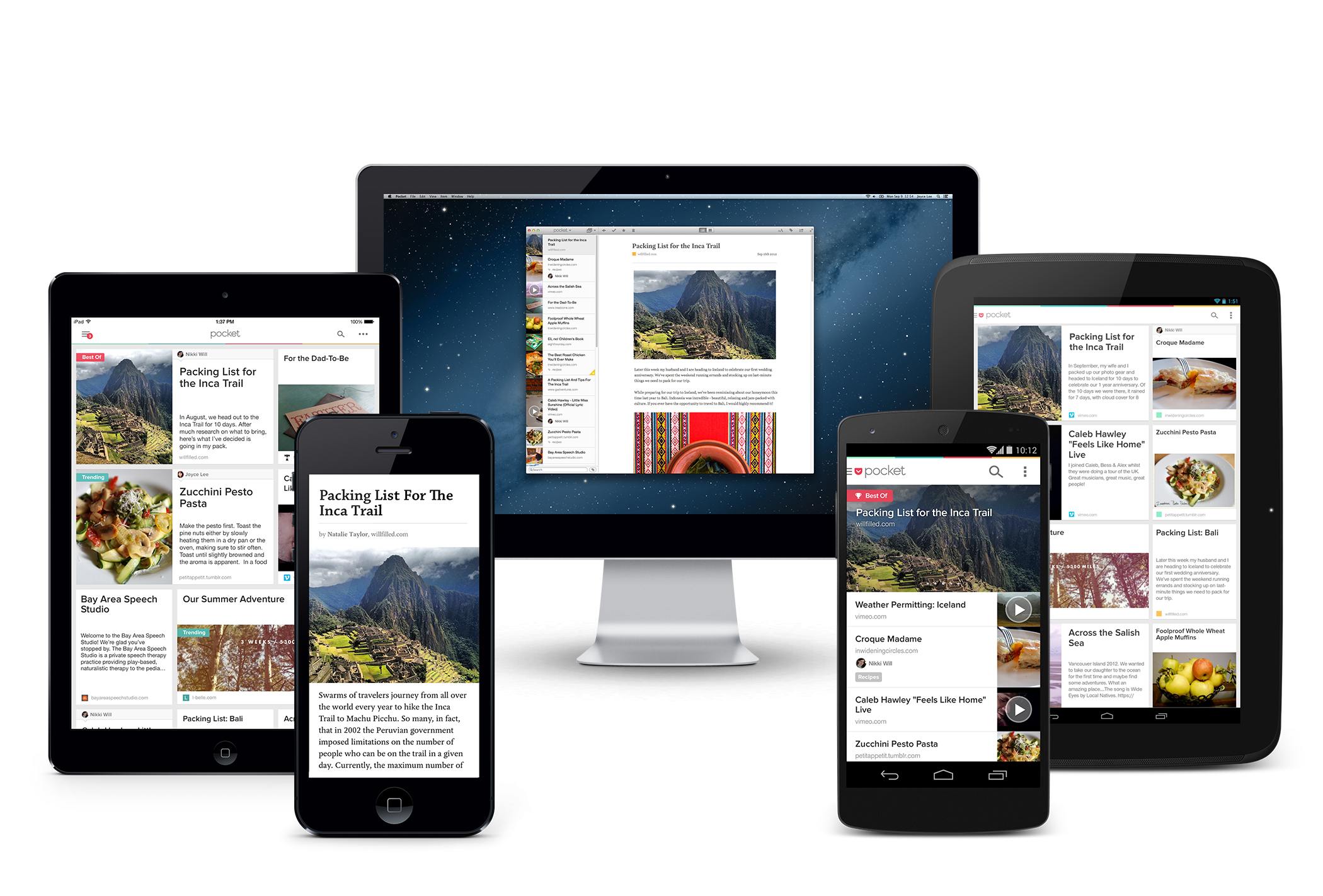
Mozilla Corporation announced today that it has acquired read-it-later service Pocket. Saving stripped down, ad-free versions of articles from the web for reading later has been around for a long time. Pocket and Instapaper were two of the first and have shared a similar trajectory. Both started out as web services that evolved into apps. Most recently, both have been sold to larger companies.

Instapaper was sold by developer Marco Arment to Betaworks in 2013 and then to Pinterest in 2016. Today, Pocket took a similar path by being acquired by Mozilla, maker of the Firefox web browser.

Pocket says that it:

will continue on as a wholly-owned, independent subsidiary of Mozilla Corporation. We’ll be staying in our office, and our name will still be on the wall. Our team isn’t changing and our existing roadmap has been reinforced and is clearer than ever. In fact, we have a few major updates up our sleeves that we are really excited to get into your hands in the coming months.

For its part, Mozilla says:

Pocket will join Mozilla’s product portfolio as a new product line alongside the Firefox web browsers with a focus on promoting the discovery and accessibility of high quality web content.

The evolution of read-it-later services is interesting. If the acquisitions of these services by bigger corporations is an indication of anything, it’s that they are features more than standalone products. As Casey Newton of The Verge highlights, Pocket’s recommendation engine is likely what interests Mozilla, which has launched what it dubs its ‘Context Graph’ initiative that uses browser activity to enhance web discovery. What that means for Pocket’s long-term viability as a standalone app and service remains to be seen, but for now, it remains a separate product.


MacStories Sponsorship Changes for 2017

Many readers may not know this, but for the past few years, MacStories sponsorships were sold by a third party. The arrangement worked well, but for a variety of reasons, it makes sense to manage sponsorships internally now. So, starting today, MacStories.net sponsorships will be handled in-house by MacStories contributor John Voorhees.

As in the past, we will offer exclusive, week-long sponsorships that highlight a sponsor’s product in a sponsored post on MacStories.net. However, we have instituted a new two-tier sponsorship structure. Most of the features of previous MacStories sponsorships are now included in our Basic Sponsorship package. A second tier called the Plus Sponsorship incorporates additional features, including some not previously offered as part of any MacStories sponsorship.

The Basic Sponsorship package includes:

  • A sponsored post at the beginning of the week published on MacStories’ homepage and to its RSS feed describing the sponsor’s product and including an image. The post copy can be provided by the sponsor or written by us if the sponsor prefers.
  • A link to the sponsor’s website at the top of every page of MacStories.net, throughout the week.
  • A thank-you tweet from the MacStories Twitter account sent at the beginning and end of the week.

The Plus Sponsorship package includes:

  • A sponsored post like the Basic package, but with the option to add an embedded video in the post.
  • The option to include a banner image and link at the top of every page of MacStories.net, throughout the week.
  • Thank-you tweets from the MacStories, Club MacStories, MacStories Deals, and Federico sent at the beginning and end of the week.

If you are interested in sponsoring MacStories, please contact John Voorhees for rates and to check availability.


In connection with bringing sponsorship sales in-house, we have created a sponsorship policy for MacStories.net. Our readers’ trust is something we work hard to earn and maintain every day, so we feel we owe it to them and to our future sponsors to articulate how we will handle sponsorships.

The full policy and additional background are accessible from the ‘Advertise’ section of the site but, in summary, the policy is as follows:

  • We only accept sponsorships for products that we are comfortable recommending to our readers.
  • Product reviews are not for sale. A sponsorship of MacStories is not an agreement to review a product.
  • The decision of whether to review a product is made separately from whether to accept a sponsorship.
  • MacStories retains the final say over the content of sponsored posts, banner images, and any other content that appears on MacStories.net, its social media accounts, and its other publication channels.
  • To minimize actual and perceived conflicts of interest, we will not accept sponsorships from app developers, hardware makers, or online services for two weeks following the launch of a major new product or update covered by a MacStories review.

We hope you appreciate that we take the trust of MacStories readers seriously and will continue to do our best to honor it with every editorial and business decision we make. If you ever have any questions or concerns about these policies, feel free to get in touch.