

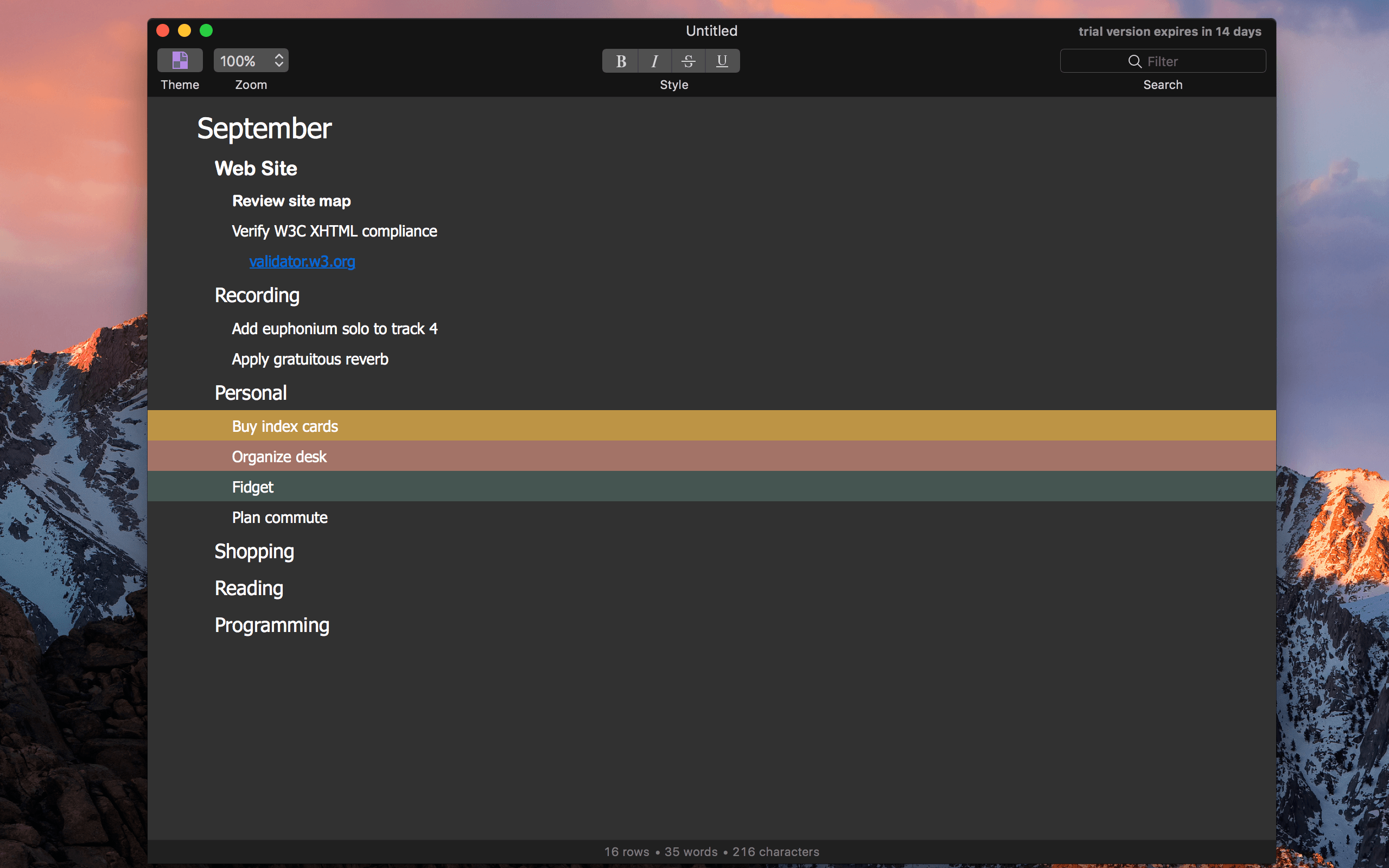
Timed perfectly with the fifth day of the month, The Omni Group today released OmniOutliner 5, in what the company called “the biggest update to our outlining app ever.”
Posts in news
The Omni Group Releases OmniOutliner 5 for Mac
Apple Reveals its Mac Pro, Display Plans and More

I recall staring at the then-new Mac Pro at WWDC, which was displayed in a clear tube, not unlike the original iPhone. The design was unlike anything on the market then or since. That was 2013. The Mac Pro shipped just before Christmas 2013, but it hasn’t been updated since.
As the years wore on, pro users fell out of love with the Mac Pro. It was less upgradeable than other pro PC systems, and its internals quickly began to show their age. Disillusionment with the Mac Pro evolved into open speculation about whether Apple cared about the pro user market anymore.
Apple answered that question today. A new modular, more upgradeable Mac Pro is in the works. As John Gruber describes it on Daring Fireball Apple is working on:
a “completely rethought” Mac Pro, with a modular design that can accommodate high-end CPUs and big honking hot-running GPUs, and which should make it easier for Apple to update with new components on a regular basis.
To go along with the new Mac Pro, Apple is developing a new pro-level display. Unfortunately, the new Mac Pros and display won’t ship in 2017, and no firm launch date has been announced. In the meantime, Apple has bumped the speeds of existing Mac Pros:
The $2999 model goes from 4 Xeon CPU cores to 6, and from dual AMD G300 GPUs to dual G500 GPUs. The $3999 model goes from 6 CPU cores to 8, and from dual D500 GPUs to dual D800 GPUs.
In addition to the Mac Pro, Apple told Daring Fireball and a group of four other writers that it has a new iMac that will ship this year that is designed with pro users in mind.
So what went wrong? Why hasn’t the Mac Pro seen an update for so long? Senior Vice President of Software Engineering Craig Federighi told Matthew Panzarino of TechCrunch and the other writers in the room:
I think it’s fair to say, part of why we’re talking today, is that the Mac Pro — the current vintage that we introduced — we wanted to do something bold and different,” says Federighi. “In retrospect, it didn’t well suit some of the people we were trying to reach. It’s good for some; it’s an amazingly quiet machine, it’s a beautiful machine. But it does not address the full range of customers we wanna reach with Mac Pro.
Apple’s discussion with five writers covered a lot of ground. In addition to the new Macs discussed, Federighi said Apple is committed to the Mac mini and that scripting and automation on macOS remain ‘super important’ to Apple. It was also revealed that notebooks make up 80% of the Mac market and the pro market makes up roughly 30% of the Mac user base.
With the increasing drumbeat of discontent from pro Mac users over the past months, it is refreshing to see Apple address the pro market head-on and explain what happened with the Mac Pro. It’s disappointing that new Mac Pros are still many months off, but the breadth and depth of Apple’s candor with the writers it spoke to should provide comfort to pro users who can hold off on buying new hardware for a while longer. The key now will be whether Apple can execute its plans for the pro market.
CloudBerry Backup - macOS Cloud Backup to AWS, Azure, Google Cloud, and More [Sponsor]

Backing up your data is critical. CloudBerry Backup is a cross-platform backup solution for saving files and folders to the cloud storage service or your choice. With CloudBerry, you can backup to a wide array of cloud services, including Amazon S3 and Glacier, Microsoft Azure, Google Cloud, Rackspace, and many more.
However, CloudBerry Backup isn’t just about choice among cloud storage providers. The app includes sophisticated backup tools too. You can create flexible backup schedules, reduce storage overhead and speed up backups with compression, and limit backups to new and modified files after your initial backup. Data is sent securely to cloud storage providers using SSL security protocols and backups can be encrypted at their source with strong 256-bit keys. Retention policies are also available to ensure that you are preserving only the files you want to back up. You can even use CloudBerry Backup for backups to local or network attached storage.
Just last month, CloudBerry released version 2.0 of Backup for macOS, which adds multi-threaded upload support for faster file uploads. The update also added advanced file filtering, which provides greater flexibility in specifying which files get backed up.
Cloudberry Backup is available in freeware and Pro versions with a 15-day trial. The Pro version includes data encryption and compression for just $29.99.
Our thanks to CloudBerry Lab for sponsoring MacStories this week.
IFTTT Adds New Applets for iOS Calendar and App Store
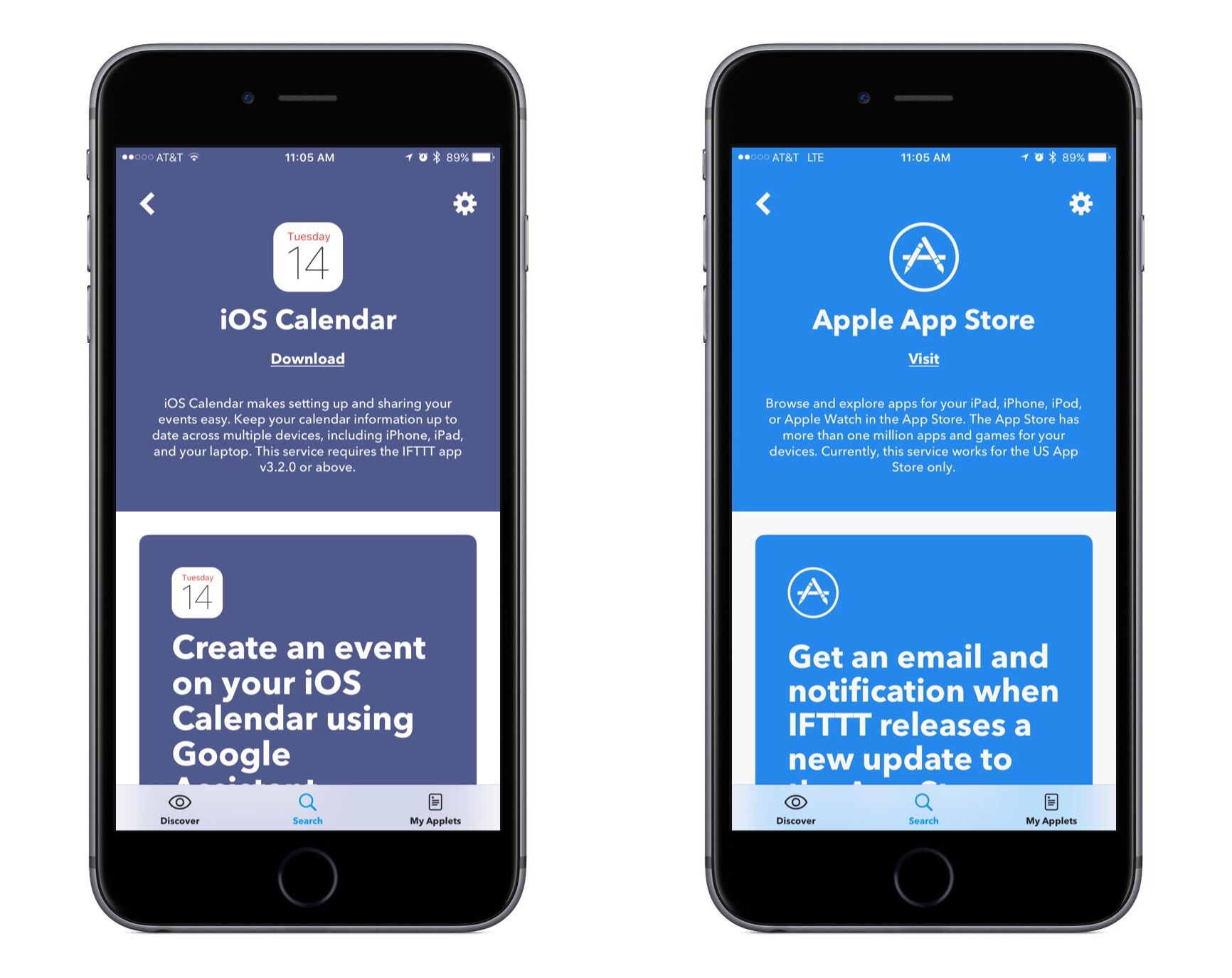
IFTTT, the popular web automation platform, has two new Apple-supported applets launching today: iOS Calendar and the App Store.
Both of these new applets feature recipes created by IFTTT. These include several recipes prominently featuring integrations with Apple’s competitors, such as recipes that enable creating an iOS Calendar event using Google Assistant or Amazon Alexa.
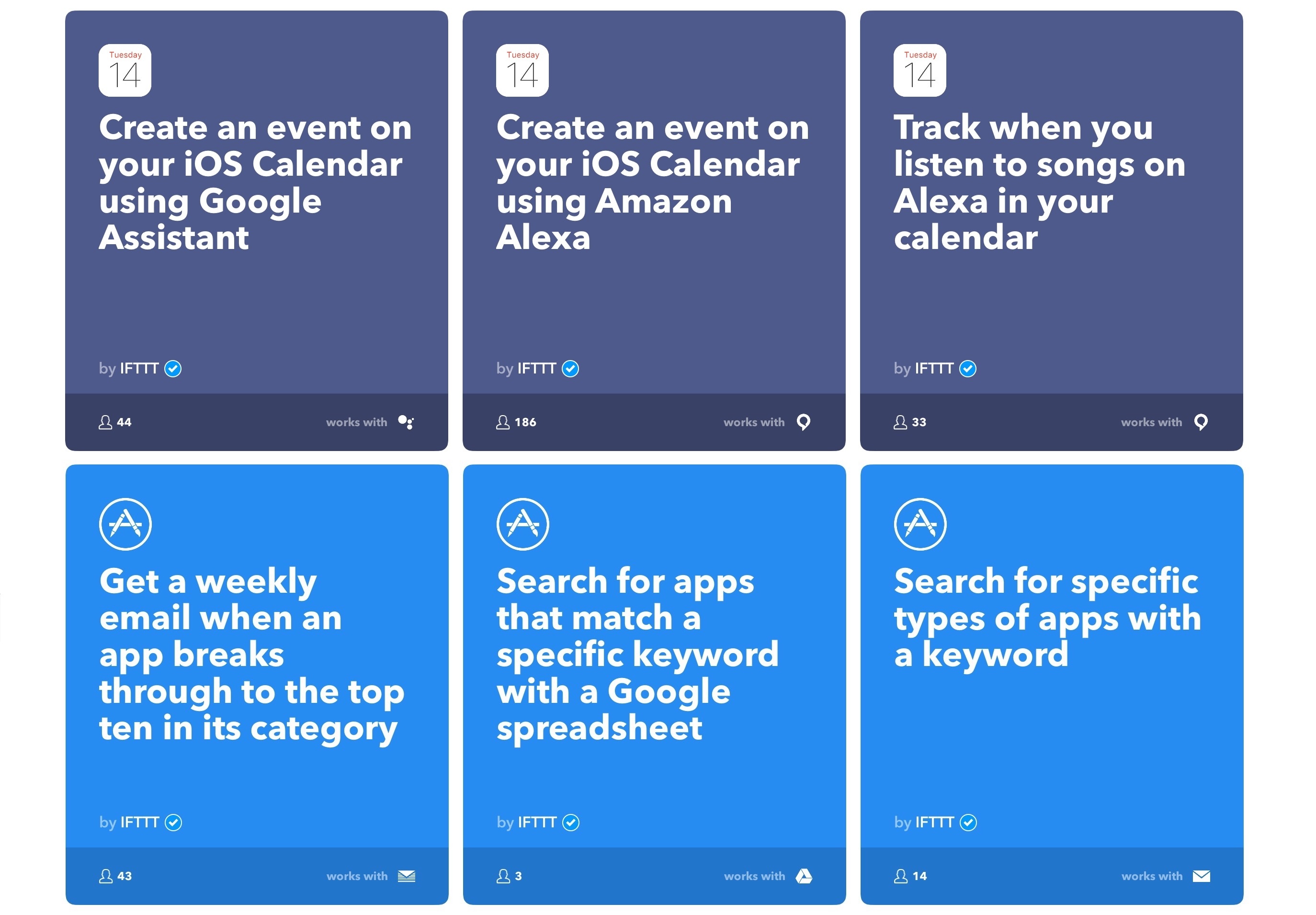
The applet for iOS Calendar works as you would expect, with triggers such as:
- New event added to any calendar
- New event added to specific calendar
- New event added from search
The latter of these is the most interesting. It allows your trigger to fire whenever a new event contains a specific keyword or phrase. Searches for keywords look into an event’s title, location, notes, and invitees, making this a great option when crafting recipes with a deep level of specificity.
The App Store applet features a variety of interesting triggers, including:
- New top ten app in a category
- New app from search
- New app featured in a collection
- Top ten app goes on sale
- App price dropped
- App version updated
IFTTT is available on the App Store.
Hardbound 3.0 Introduces Short, Visual Stories Based on Bestselling Books
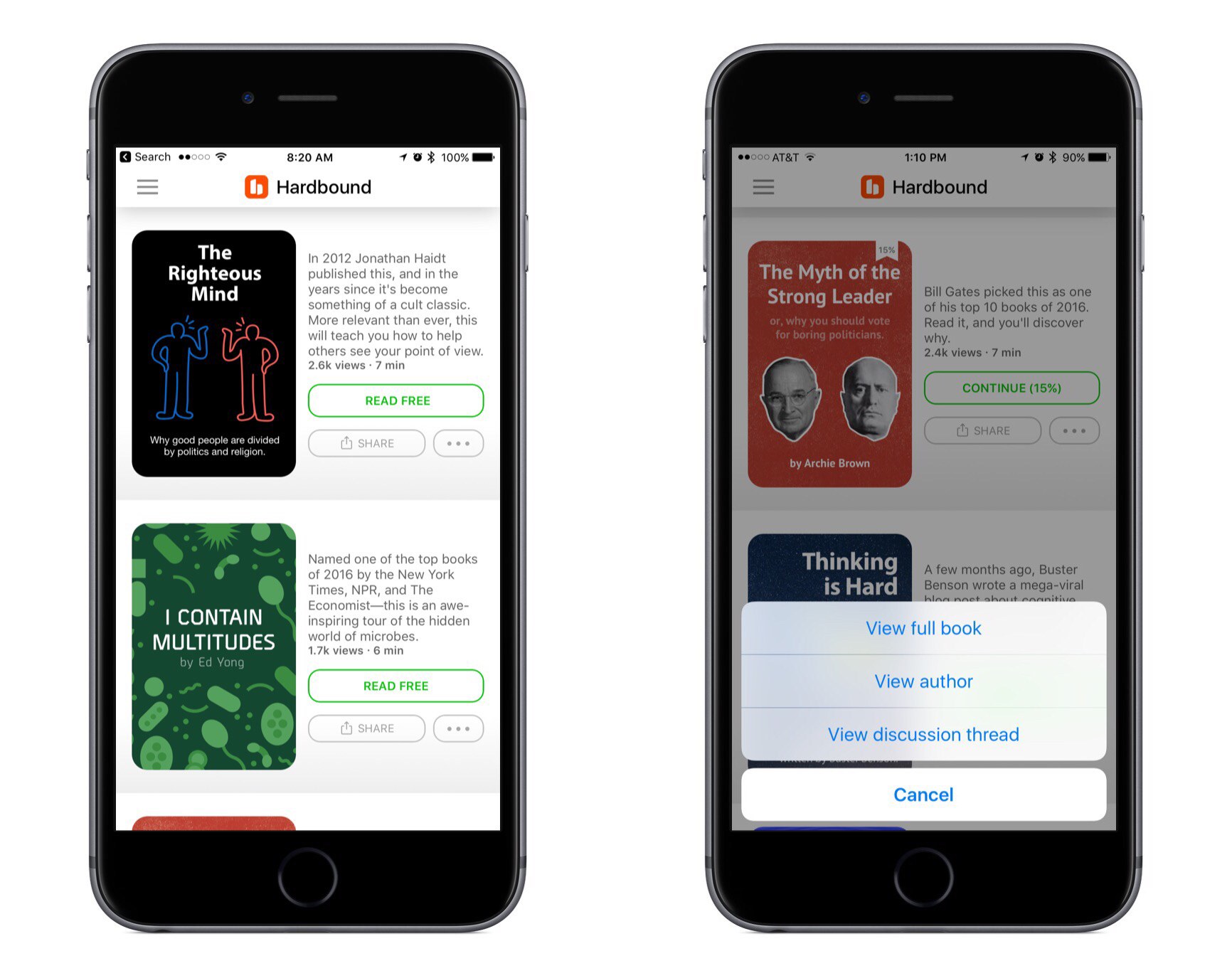
Today Hardbound 3.0 launched for iPhone, bringing a change of direction to the reading service. Hardbound co-creator Nathan Bashaw writes: “We’re creating 5-minute, illustrated stories based on the most fascinating books in business, history, and science.”
Hardbound has always been about bringing visual storytelling to a mobile-first world. But since its initial launch last year, the focus of that storytelling has fluctuated. Hardbound started out focusing on crafting original stories centered on educational topics. Hardbound 2.0 added to that a new focus: daily news digests. But mere months after 2.0’s launch, the news section of the app was shut down.
When the team behind Hardbound decided to move away from daily news digests, as a fan of their work I was disappointed, but I understood their reasoning. The amount of effort that goes into making a Hardbound story is ill-suited for the news market, where news grows quickly irrelevant.
The new focus for Hardbound 3.0 keeps the same mobile-first visual format and applies it to existing, thought-provoking books. Rather than crafting stories that are entirely original, Hardbound’s new stories each begin with a well-known book. The goal is not to provide a full summary of the book’s contents, but rather to communicate the big ideas behind the book in a quickly digestible, visually attractive way.
Based on the short time I’ve been able to spend reading some of the new stories in Hardbound, this seems like a solid new direction for the service. Book reading is on the decline in society at large, and the short bursts of reading we do engage in each day – on places like Twitter and Facebook – don’t tend to be the most educational or thought-inspiring. While one answer could be to spend less time on social media and more time reading books, Hardbound offers a pleasant middle ground. In short bursts of time, and in a touch-first, visually engaging way, Hardbound’s stories can provoke thought and provide new perspectives on the world in the way books often do.
Hardbound is available on the App Store.
Google Calendar Arrives on iPad
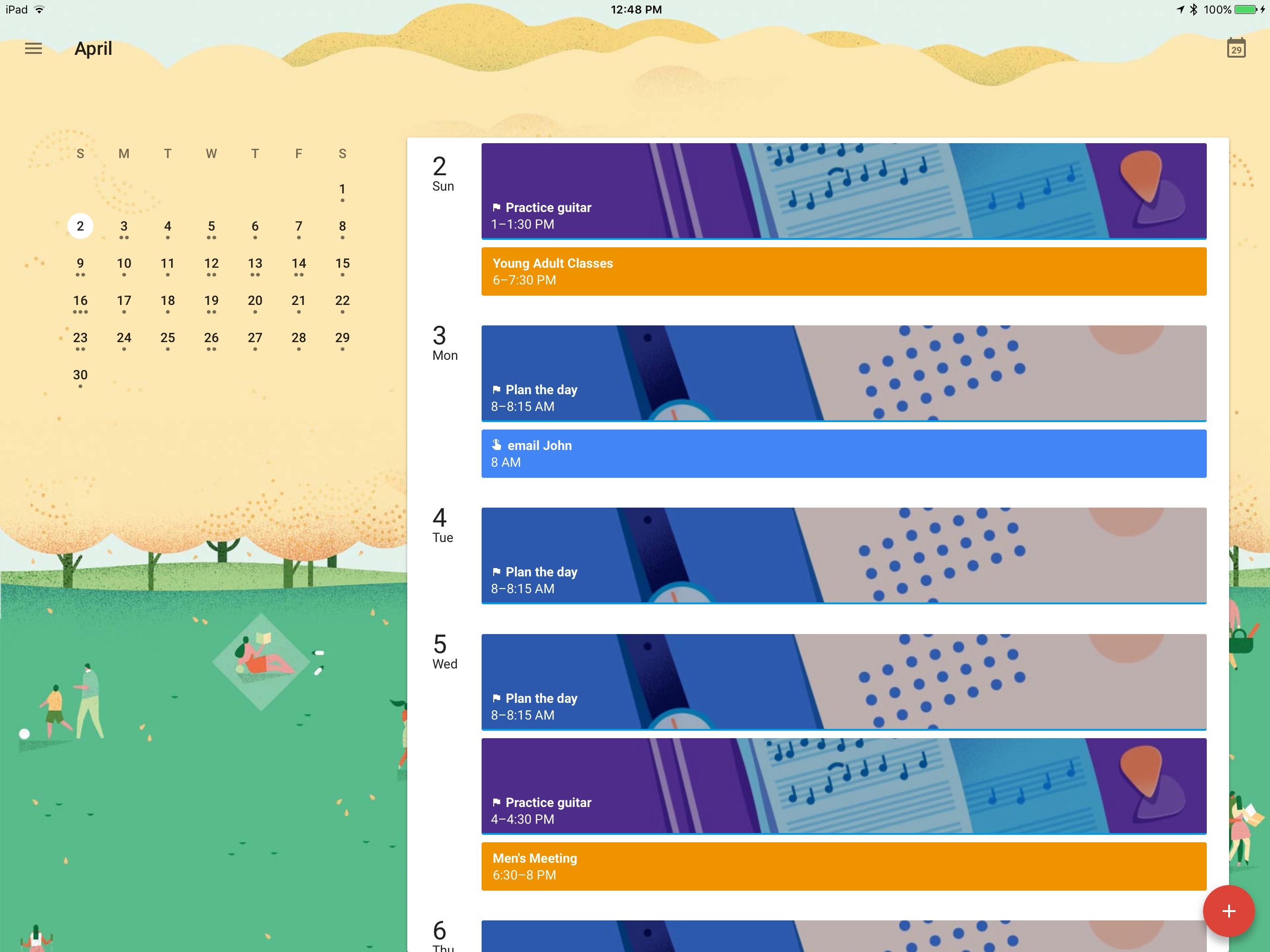
Google today released an update to its Google Calendar iOS app that brings full iPad support. The app has been optimized for all iPad sizes, including the 12.9” iPad Pro, and it launches with Split View support.
The app is very simple, but attractive. Beautiful illustrations line the background of the calendar, with a different illustration for each month of the year. Hitting the red plus button to add a calendar event provides the option of creating a Goal or Reminder rather than a traditional event. The navigation menu includes a settings button, several different calendar view options, a search function, and a list of all available calendars that you can turn on or off. That’s it. There’s not much to explore, but then again, maybe that’s okay for a calendar app.
On its blog Google states that more improvements to the app will be coming soon, specifically mentioning an upcoming widget that will enable quick viewing of future events.
Details on App Store Developer Responses
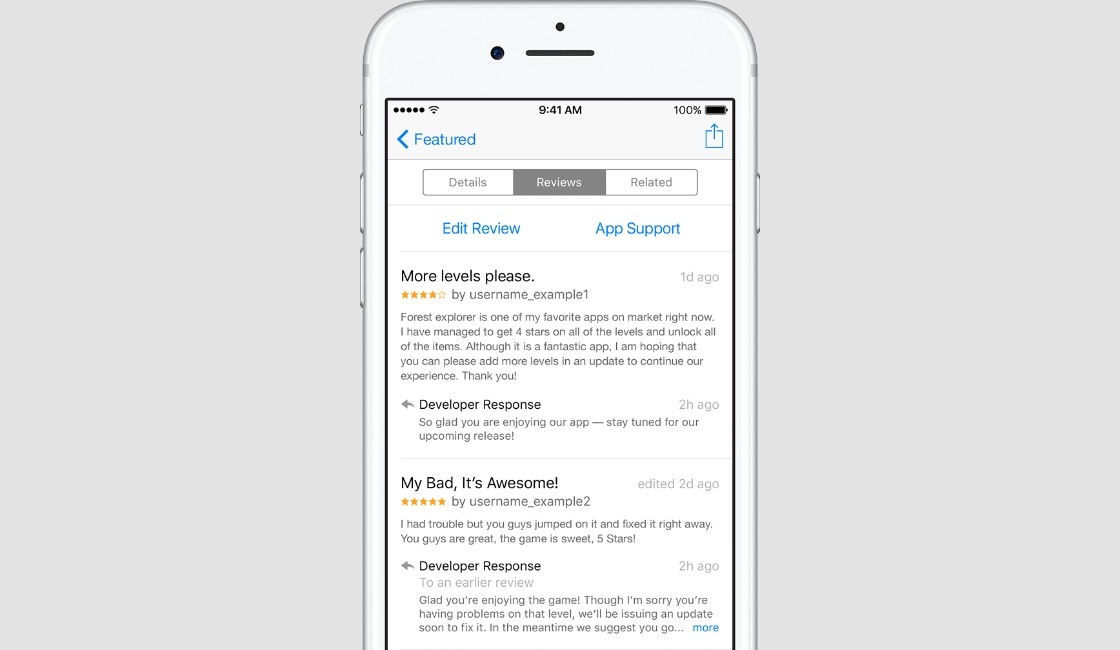
Following yesterday’s release of iOS 10.3, which introduced the ability for developers to respond to App Store reviews, Apple has released official guidelines for how developer’s can best craft responses.
The ideal response is concise and clearly addresses your customer’s feedback. Communicate in the tone of your brand, and use terminology your target audience will appreciate and understand. If multiple people in your company can reply to reviews for your app, they should use a similar voice and style. Make sure your replies follow Apple’s Terms and Conditions, which prohibits using profanity, posting users’ personal information, and spamming.
The guidelines also recommend:
- Always providing individualized responses, even if only by pairing a personalized introduction with a more generic response.
- Soliciting feedback from users regarding what they’d like to see in future updates.
- Replying to reviews in a timely, consistent manner.
- Prioritizing responses based on a review’s apparent level of importance.
- Writing release notes for app updates that specifically address issues mentioned in past reviews, and letting those past reviewers know of the update.
- Staying on topic with the issue raised by a review; no using replies as a means of advertisement.
Besides these guidelines from Apple, as App Store responses have gone live for the first time, more details have come out concerning how those reviews will work.
It appears that every reply submitted by a developer goes through some sort of review process before it is posted to the App Store. In the following tweet’s screenshot, you can see a ‘Pending’ tag on the developer’s review.
It was previously unknown how users would be notified when a developer responds to their App Store review. Although a notification from the App Store app seemed a possibility, Apple has instead chosen to go the route of email notifications. Those emails include a link with the option for reviewers to update their original review.
Apple TV Remote App Updated with iPad Support and Now Playing Controls
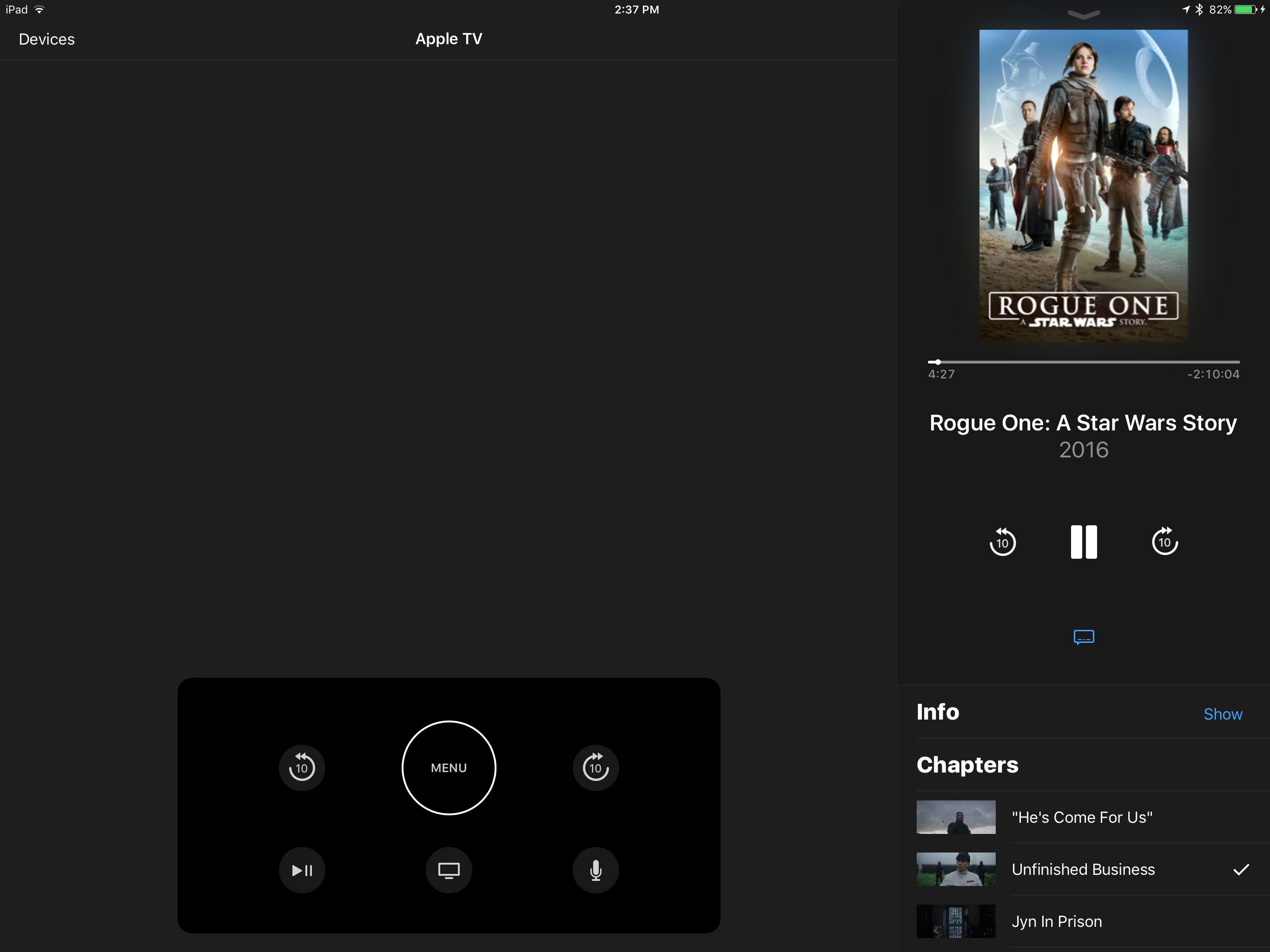
In an update to version 1.1, the Apple TV Remote app for iOS has received full iPad support. Now an iPad can be used in place of a Siri Remote to control the fourth-generation Apple TV. The iPad app includes full support for Split View, a welcome touch. And thanks to the additional screen real estate, you can move the button panel left and right along the bottom of the screen to keep it in your preferred spot.
The iPad version is not the only interesting change in today’s update. On both iPhone and iPad, the app contains a Now Playing menu that can be used during playback of movies, TV shows, or music. This menu resembles the Now Playing screen inside of Apple Music’s iOS app, and can be used to navigate playback controls, to view additional details about content that’s playing, and more. One of the more useful features is that with video content, you can view chapters and also use a scrubber to jump straight to the place you want to view. Now Playing is a nice addition to the app, providing a new reason to give it a try over the standard Siri Remote.
Apple Releases iWork 3.1 with Touch ID Support, Greater Customization Options, and More
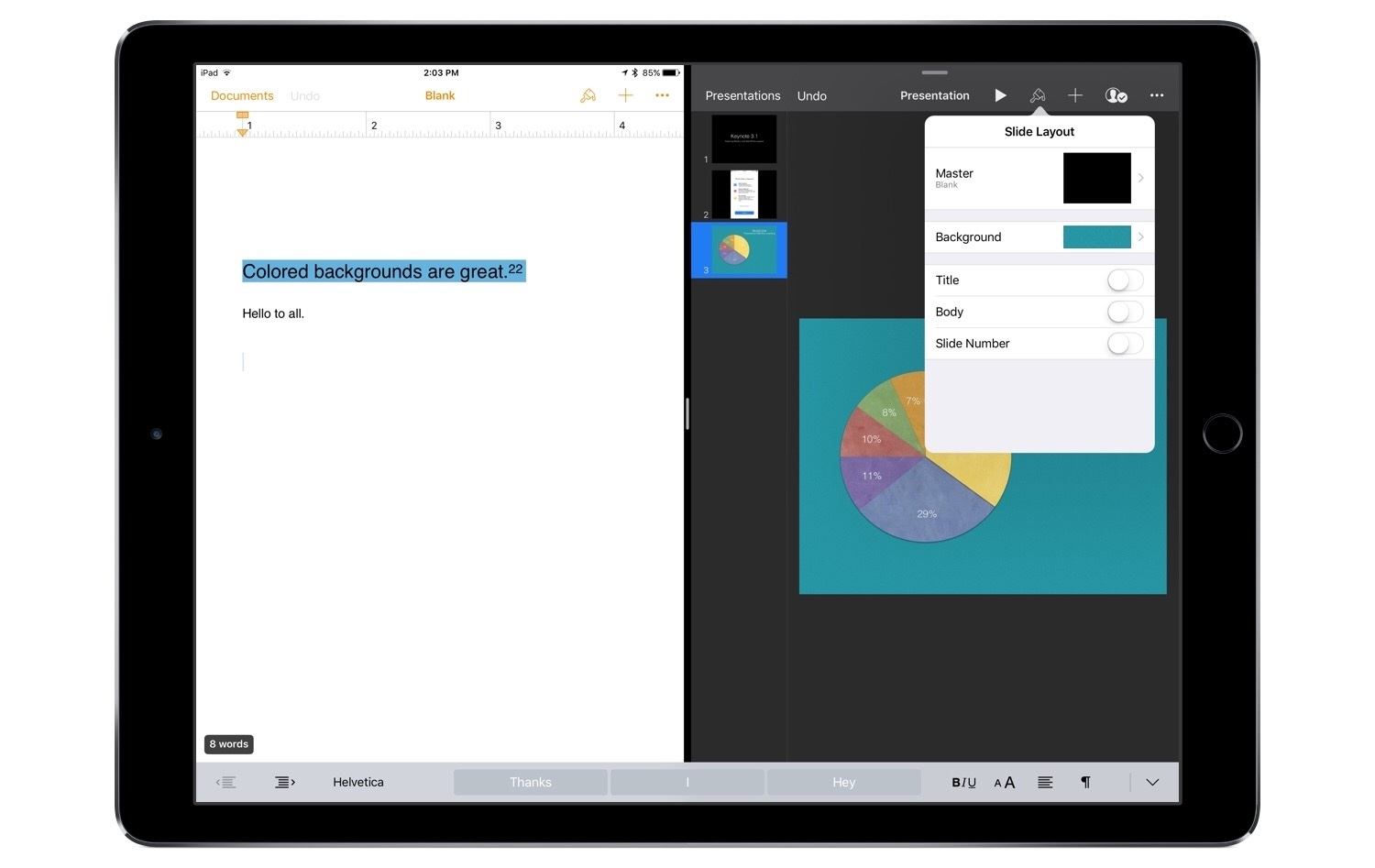
Apple has updated its iWork suite of productivity apps – Pages, Keynote, and Numbers – to version 3.1 today. Each app contains a number of varied improvements across iOS and macOS.
All three apps contain new options for formatting text. You can use superscript and subscript options to add text slightly below or above the usual typed line. Backgrounds can be added to text using a variety of color options. Ligatures are now supported as well. Additionally, if there are missing fonts in a given document, you can now easily replace them.