Posts in news

New Ways to Explore and Interact with the World Are Coming Soon to Google Maps and Lens

Google announced a series of new features at its Google I/O developer conference that it will add to Google Maps and the Google Lens feature of its Photos and Assistant apps in the coming weeks and months.

During the Google I/O keynote, the company demonstrated augmented reality navigation that combines a camera-view of your location with superimposed walking directions. The feature, which works with a device’s camera, can also point out landmarks and overlay other information about the surrounding environment.

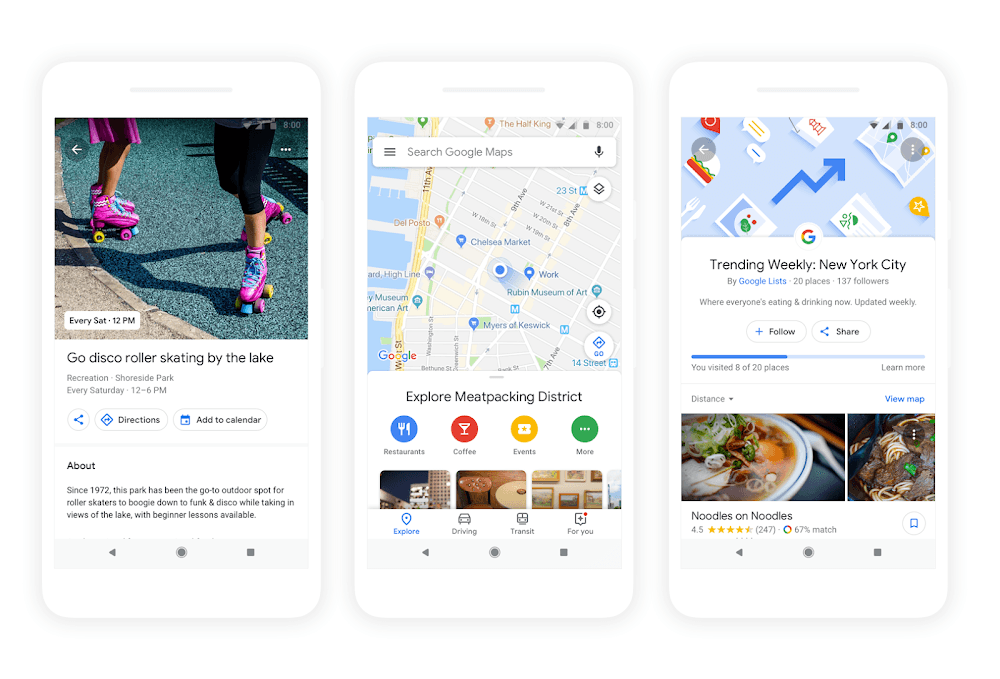
Google Maps is gaining a dedicated ‘For You’ tab too. The new tab will suggest nearby businesses, restaurants, and other activities based on things you’ve rated, places you’ve visited, and other input. The same sorts of inputs will be used in Maps’ new match score, which will predict how much you will like a particular destination and is designed to help make picking between multiple destinations easier. Maps will also allow users to quickly create lists of suggested destinations, share them with friends, and vote on where to go.

Google Lens, which is incorporated into the Google Photos and Assistant apps, is also gaining new features. Much like the iOS app Prizmo Go, Lens will be able to recognize text in books and documents viewed through the camera allowing you to highlight, copy, and paste the text into other apps. Lens is adding a Style Match feature which allows users to point a camera at something and see similar items too. In a demonstration, Google pointed Lens at a lamp, which generated a list of similar lamps almost instantly.

More than ever, Google is showing what can be accomplished with the vast amount of data it can bring to bear in real-time on mobile devices. The insights that are possible may seem creepy to some people, but if used responsibly, they allow Google to provide powerful contextual information to its users.



AppStories, Episode 54 – Pick 2: GoodNotes and Working Copy

On this week’s episode of AppStories, we pick two apps we use regularly to discuss. In this installment of Pick 2, John covers GoodNotes and how he uses it for planning and editing, and Federico explains how he and the MacStories team use Working Copy to collaborate on articles.

Sponsored by:

  • Daylite - Win more business and get more done with Daylite, the Mac CRM for small businesses that want to grow.
    • Sign up for a 30-day free trial today, and mention AppStories when you subscribe for 10% off your first month’s subscription.
AppStories+ Deeper into the world of apps

AppStories Episode 54 - Pick 2: GoodNotes and Working Copy

0:00
28:19

AppStories+ Deeper into the world of apps

Permalink

Newton: Supercharged Email [Sponsor]

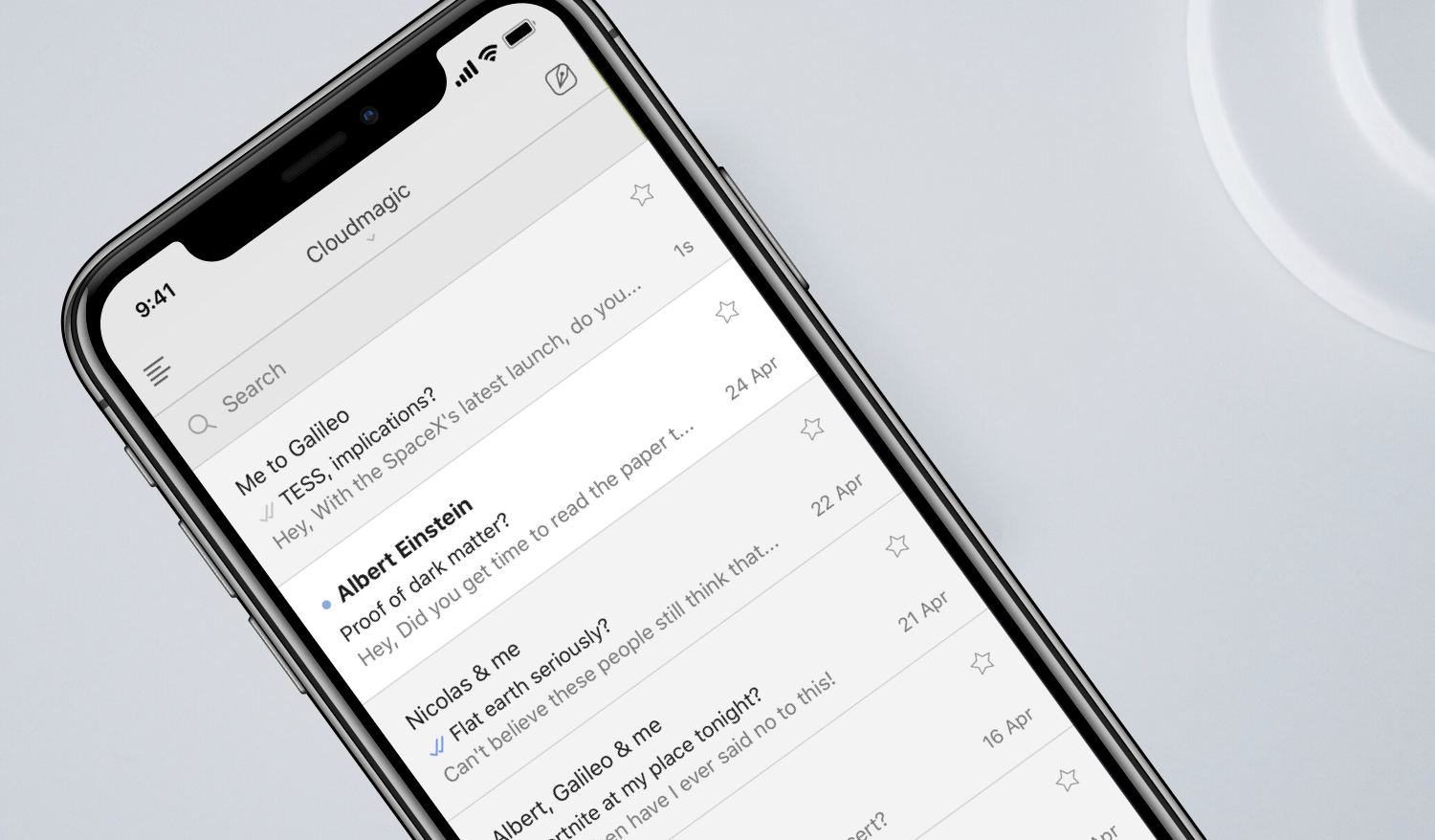
Newton rethinks email from the ground up. That starts with a rock-solid foundation. Newton works with all your email accounts whether they’re based on IMAP, Gmail, iCloud, Office 365, or another platform and syncs with all your devices.

Built on top of that foundation are cutting-edge features you expect from a modern email client. You can also schedule messages to be sent later and let Newton clean up your inbox by putting things like newsletters to the side until you have time to look at them. Other key functionality includes calendar integration, the ability to save email messages to Evernote, Trello, Todoist, Pocket, and other apps, read receipts, undo send, snoozing messages, and sender profiles, so you know more about the people with whom you interact.

With its latest update, Newton is taking email to a new level by re-imagining the inbox. Traditional email’s folder system meant you had to leave your inbox and go to the Sent folder to find the latest messages you’d sent. With True Inbox, Newton treats sent messages more like chat apps displaying them in your inbox even before someone responds to you. Conversations are sorted by activity when you reply too, so they float to the top of your inbox. Finally, every message can be found in just one place.

Harness the power of Newton to get control of your email once and for all. Download Newton today and start your free 14-day trial immediately.

Thanks to Newton for sponsoring MacStories this week.


Apple Q2 2018 Results: $61.1 Billion Revenue, 52.2 Million iPhones, 9.1 Million iPads Sold

Apple has just published its financial results for Q2 2018. The company posted revenue of $61.1 billion, an increase of 16% from the year-ago quarter. Apple sold 9.1 million iPads, 52.2 million iPhones, and 4.1 million Macs during the quarter.

“We’re thrilled to report our best March quarter ever, with strong revenue growth in iPhone, Services and Wearables,” said Tim Cook, Apple’s CEO. “Customers chose iPhone X more than any other iPhone each week in the March quarter, just as they did following its launch in the December quarter. We also grew revenue in all of our geographic segments, with over 20% growth in Greater China and Japan.”

Read more


AppStories, Episode 53 – In Search of Apple TV Apps

On this week’s episode of AppStories, we cover how we use the Apple TV and highlight a handful of notable Apple TV apps.

Sponsored by:

AppStories+ Deeper into the world of apps

AppStories Episode 53 - In Search of Apple TV Apps

0:00
31:02

AppStories+ Deeper into the world of apps

Permalink

CardioBot: Heart Rate and Activity Tracker for Apple Watch [Sponsor]

Make sense of the heart rate data the Apple Watch collects with CardioBot. The Apple Watch measures your heart rate throughout the day. In fact, the Watch captures your heart rate every four minutes. That adds up to a lot of data very quickly. With CardioBot’s beautifully-designed charts and graphs, understanding what it all means is easy.

Collecting data is simple. The hard part is recognizing patterns in the data that help you make healthy lifestyle choices. CardioBot, which has been featured in the App Store in over 85 countries, combines heart rate data collected throughout the day, workout data, and sleep analysis to provide you with a comprehensive dashboard that includes data for individual days, detailed timelines, and day-over-day comparisons. The app also categorizes your heart rate data into low, resting, high-resting, and elevated levels assigning a separate color to each making it simple to spot trends.

Just this past week, CardioBot was updated to support Heart Rate Variability (HRV) analysis. HRV is the the variation in intervals between heartbeats. It’s believed that high HRV readings are good and that an increasing HRV trend indicates improved fitness, whereas declining HRV can indicate overtraining and accumulated fatigue. With its all-new HRV tracking, CardioBot has even more tools to track your fitness and health, which makes it a must-have addition to your iPhone and Apple Watch.

CardioBot is available on the App Store for just $2.99.

Our thanks to CardioBot for sponsoring MacStories this week.


Google Launches New ‘Tasks’ App for iPhone

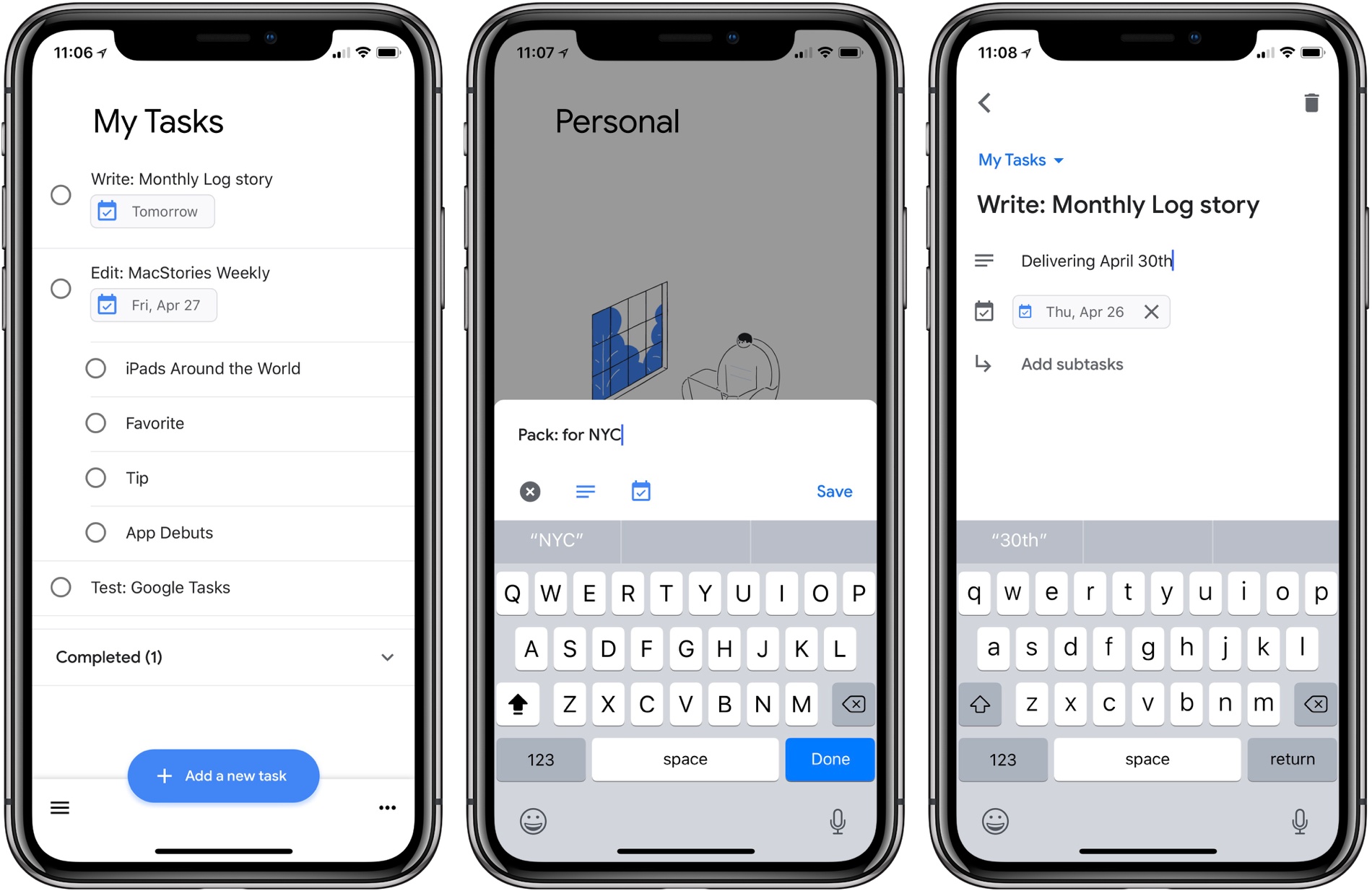
Google Tasks is a service many Google users may be unfamiliar with. Historically it’s been a somewhat hidden feature of Gmail and Google Calendar, but today alongside a redesign of Gmail, Google is helping Tasks break out and receive slightly better treatment with the launch of a new iPhone app.

I have to say up front: if this app wasn’t a Google property, tied to an existing Google service, it likely wouldn’t merit much attention. Essentially it’s a barebones home for task lists, with a couple small task manager-like functions. Each task you create can include additional details in a note area, be assigned a due date, and can include embedded subtasks. And that’s basically it. You can create multiple lists to store your tasks, but there’s not even a smart list that consolidates all your tasks containing due dates.

Ultimately, this is an extremely lightweight task manager that makes Apple’s Reminders, its closest analog, seem like a heavy duty task powerhouse by comparison. Rita El Khoury of Android Police sums it up well in her take on the Android app:

https://twitter.com/dcseifert/status/989144268005658624

I struggle to see who Tasks is for with this first version, and hope it’s quickly iterated upon. If you’re deeply invested in the Google ecosystem, and have very minimal task needs, but want something integrated with Google’s other products, I guess Tasks could be for you. But only on the iPhone; there’s no iPad version at this time.

Google Tasks is available as a free download on the App Store.


Google Launches Major Gmail Redesign

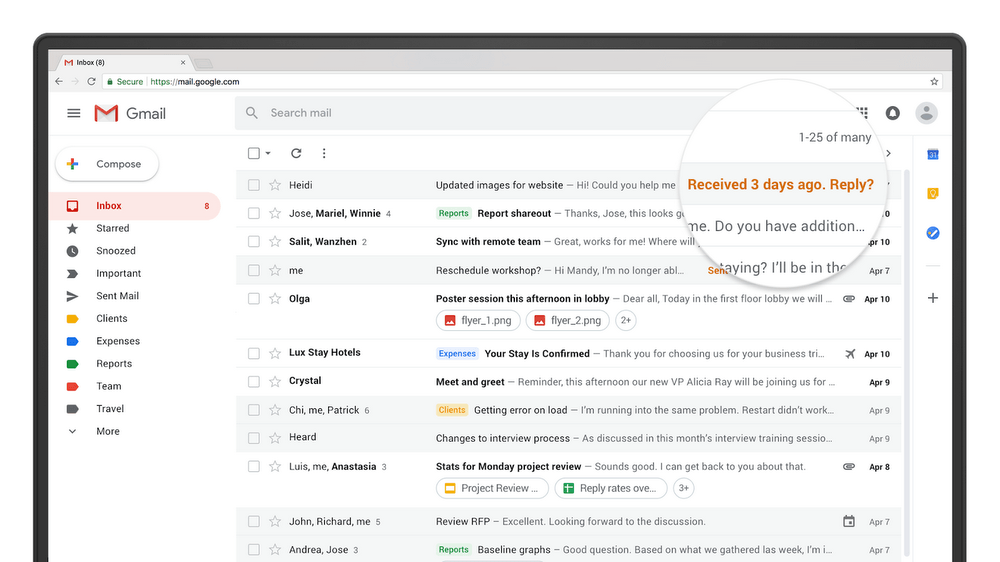
Today, Google announced a long list of updates to Gmail. The new features, which are beginning to roll out worldwide are focused primarily on security, artificial intelligence, and the incorporation of modern email features, some of which were first tested in the company’s Inbox app.

Google has addressed phishing with new, prominent warnings in the Gmail update. For sensitive information, Google is adding a ‘confidential mode’ in the coming weeks that will let users set expiration dates for messages and even revoke previously-sent messages. Google is also implementing per-message level two-factor authentication, which requires authentication via text message. Finally, users will be able to preclude message recipients from forwarding, copying, downloading, or printing messages.

Google is adding AI-powered functionality to Gmail. Nudging is a feature that will remind you of messages you haven’t responded to yet, so they don’t get lost. Gmail is also adding quick replies, which suggest responses based on the contents of the messages you receive.

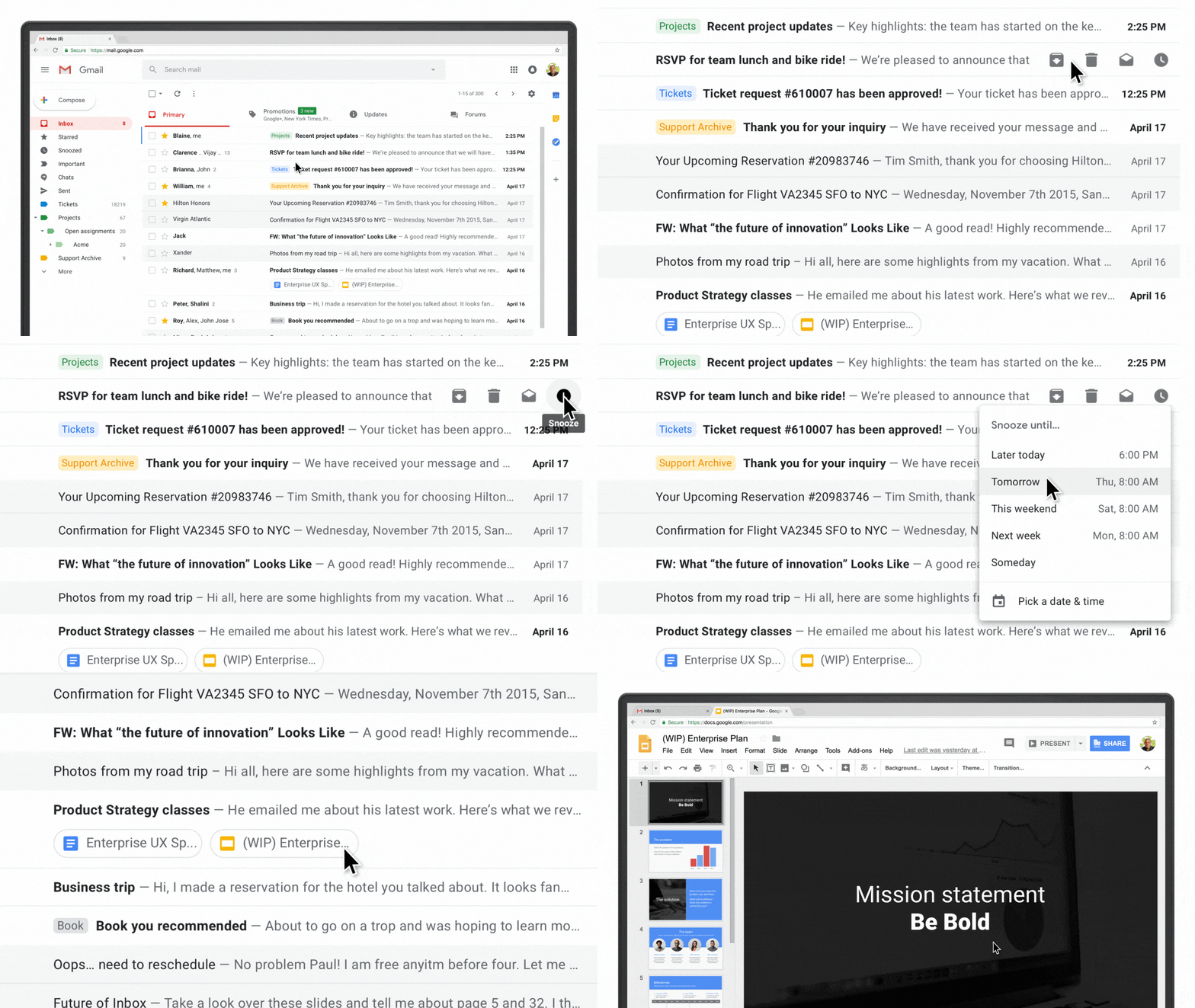
The web interface of Gmail is getting several new features too. There’s a sidebar on the right-hand side of the screen for quick access to several Google apps and Gmail Add-Ons from third parties. A hover-over menu lets users RSVP to meeting invitations, archive message threads, and snooze messages. You can also view attachments without opening the message to which a document is attached. A new offline mode is available too, which will be a welcome addition for travelers when an Internet connection is unavailable.

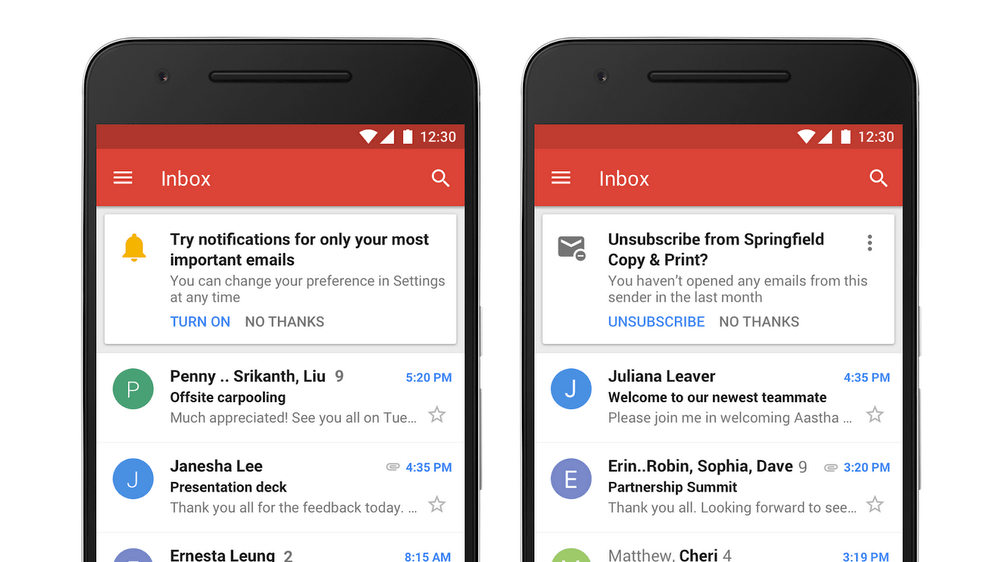
Most of the changes to Gmail are to its web interface, but a couple of changes are coming to Gmail’s mobile apps in the coming weeks including high-priority notifications that only notify users of important messages and a one-tap unsubscribe feature.

Many of the new Gmail features are being rolled out globally in phases, so you may not see them right away. Google says others will be available in the upcoming weeks. Individual Gmail users can check the Settings menu for the updates and pick ‘Try the new Gmail’ to activate the new functionality. If you use G Suite, the new functionality can be turned on by participants in the G Suite Early Adopter Program from the Admin console.


Clean Up Your Inbox Today (and Keep It That Way Forever) with SaneBox [Sponsor]

What if you had someone who would sort through your email and find only the important messages? That is exactly what SaneBox does. After you set it up, SaneBox leaves your important messages in your inbox and moves the rest to a SaneLater folder for reviewing later. That initial inbox purge is powerful because it reduces your inbox to a manageable number of messages. With additional training to tell SaneBox what’s important to you, it only gets better at dealing with the daily deluge of messages.

There’s much more to SaneBox than shuffling unimportant messages into a designated folder, though. If there’s something you never want to see ever again, send it to the SaneBlackHole, which is much easier than unsubscribing to unwanted messages.

You can also set up SaneReminders by sending messages to an address that sends a reminder to you at a later date if the recipient of your message hasn’t responded after a certain amount of time. Or forward messages to SaneReminders to have them pop back into your inbox at a later date when you are ready to deal with them.

SaneBox works on top of your existing email setup. There’s no app to download or new email account to set up. It all works server-side so you can use any email client you want.

Sign up today for a free 14-day SaneBox trial to take back control of your email. MacStories readers can receive a special $25 credit automatically by using this link to sign up.

Our thanks to SaneBox for sponsoring MacStories this week.