This Week's Sponsor:

Dropzone 5

Improve your Drag-and-Drop Workflow


Posts in news

Affinity Designer Debuts on iPad as a Full-Featured Graphic Design Tool

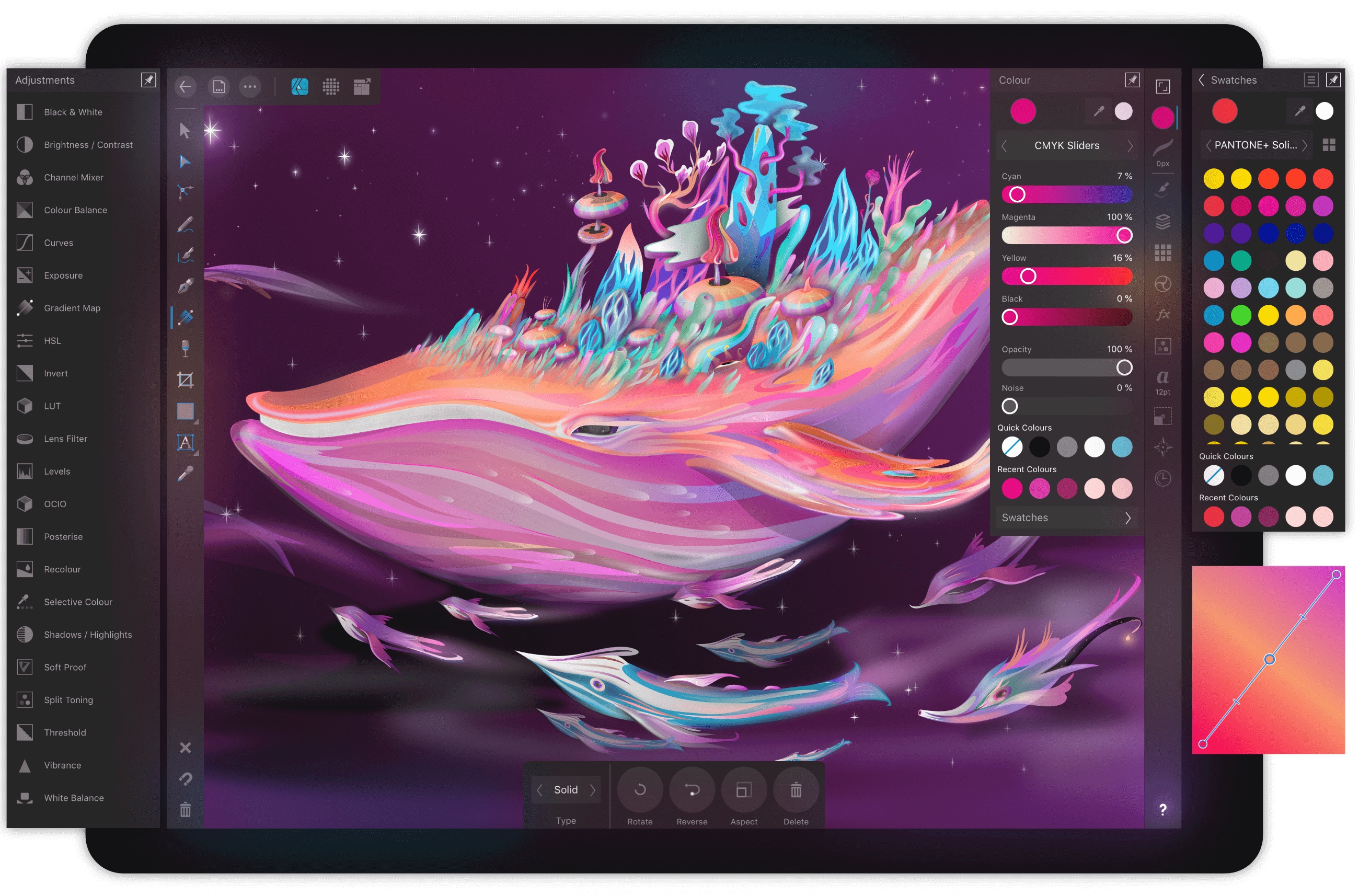
Nearly one year ago, Serif released Affinity Photo for the iPad as a full-featured photo editing powerhouse. Unlike what companies such as Adobe do, where a Mac app like Photoshop is broken down into less powerful versions on iOS, Affinity Photo was brought to the iPad with no compromises whatsoever. Today, that same philosophy is bringing us Serif’s second major iPad app: Affinity Designer.

Where Affinity Photo focuses on photo editing, Affinity Designer is a vector-based illustration tool. And with full support for the Apple Pencil, iOS 11’s drag and drop, and system technologies like Metal, the app looks like the ultimate portable design studio.

For a limited time, Affinity Designer is available at a launch price of $13.99, 30% off the regular price of $19.99. If this kind of app in any way interests you, it looks like a steal at this price. One important note is that, similar to Affinity Photo, due to the power demanded by Affinity Designer, it’s only available on a select number of iPad models: all iPad Pros, plus the iPad Air 2, and the 5th and 6th generation iPad.

John Giannandrea, Former Google Executive, Is Apple’s Chief of Machine Learning and AI Strategy

Earlier this year The New York Times reported that Apple had made a big new hire: John Giannandrea, at the time Google’s Chief of Search and Artificial Intelligence. Today Giannandrea officially joined the ranks of Apple’s leadership page on Apple.com.

As part of Giannandrea’s employee profile, we learn his official title with Apple: ‘Chief of Machine Learning and AI Strategy.’ He reports directly to Tim Cook and oversees technologies related to Siri and machine learning.

Breaking the news of Giannandrea’s new role, Matthew Panzarino wrote for TechCrunch:

Apple is creating a new AI/ML team that brings together its Core ML and Siri teams under one leader in John Giannandrea.
[…]
The internal structures of the Siri and Core ML teams will remain the same, but they will now answer to Giannandrea. Apple’s internal structure means that the teams will likely remain integrated across the org as they’re wedded to various projects including developer tools, mapping, Core OS and more. ML is everywhere, basically.

The last two years especially, AI and machine learning have been heavy focuses of Apple, particularly on iOS. Giannandrea is a major hire for the company, and while it may take some time for his impact to be seen in user-facing products, bringing together Siri and machine learning teams under this new leader is a key step toward realizing future potential in an area that’s bound to grow more important as time passes.


A Decade on the App Store: From Day One Through Today

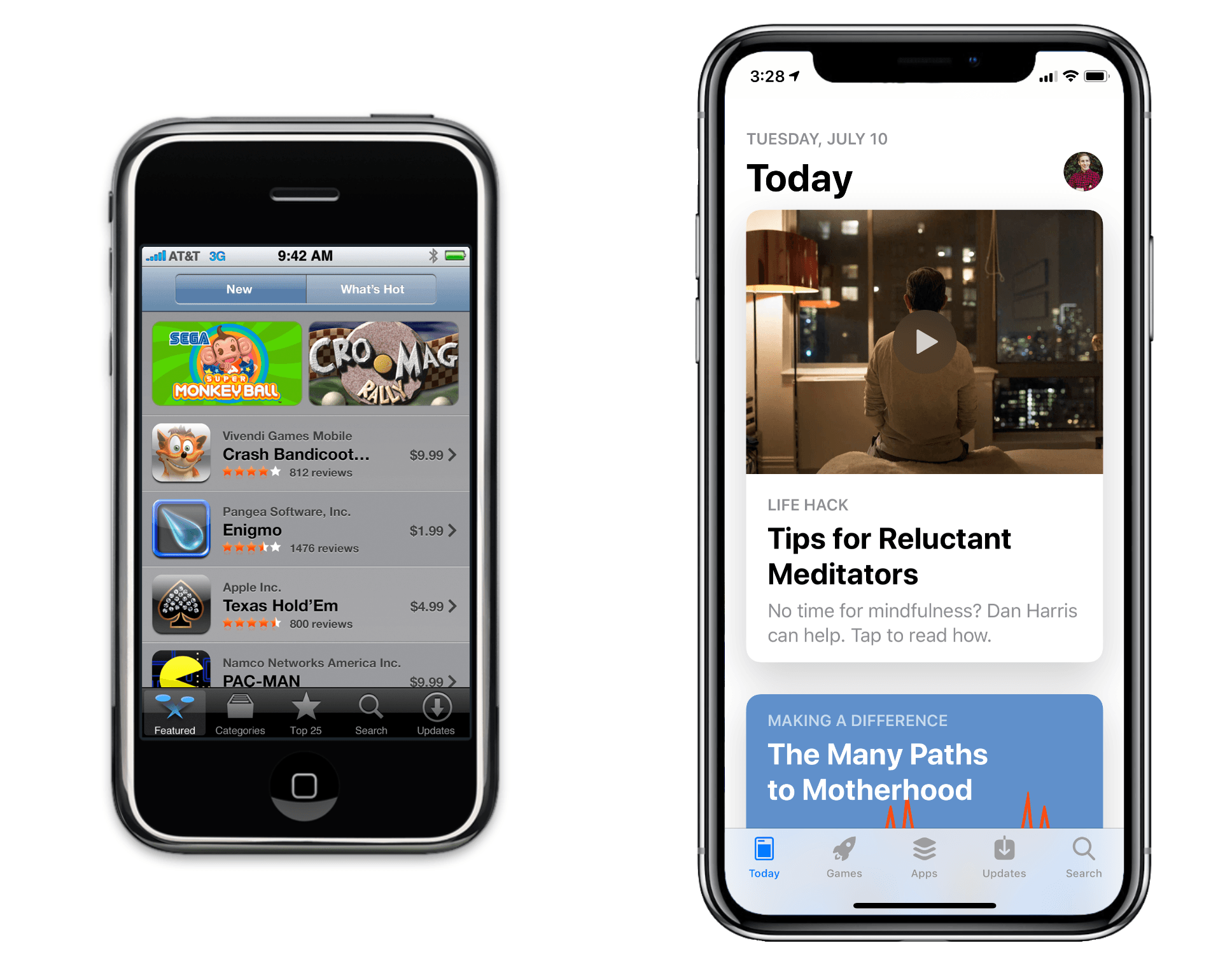
“There’s an app for that” may have been coined as a marketing term in 2009, but in 2018 the phrase is indisputable. With over 2 million apps on the App Store, there is seldom a niche unexplored, and few obvious utilities not rapaciously overindulged. The App Store is a worldwide phenomenon, an enormous entity providing instant access to a treasure trove of software for hundreds of millions of people. Things have come a long way in a decade.

Ten years ago today, the App Store launched with 552 apps, available only on the original iPhone, iPod Touch, and the iPhone 3G (which shipped the day after). The developers of those apps overcame a fascinating set of challenges to secure front row seats in one of the greatest software advents in history. Many of these apps were built into sustainable businesses, and continue in active development today. Even those that didn’t make it are still testaments to their time, effortlessly invoking nostalgia in users who participated in that era.

The early days of the App Store were a journey into the unknown for Apple, third-party developers, and users alike. The economics of the store were entirely unrealized – nobody knew which app ideas would work or how much they could charge for an app. Apple’s processes for approving apps were primitive, their developer documentation was fallow, and they still thought it a good idea to make developers sign a non-disclosure agreement in order to access the SDK (software development kit). For iPhone users, every new app could completely revolutionize their mobile experience, or it could be another icon they never tapped on again.

Despite this uncertainty, developers pushed forward with their ideas, Apple hustled as many apps through approval as it could, and on July 10, 2008, users exploded enthusiastically onto the scene. Within the first year of the App Store, iPhone and iPod Touch owners had already downloaded over 1.5 billion apps. From the beginning it was clear that the App Store would be an unmitigated success.

Read more


App Store 10th Anniversary: The AppStories Interview Series

As Federico explained yesterday, we knew from the earliest planning stages of our coverage of the App Store’s 10th anniversary that we wanted to include interviews with the developers and designers of apps and games we love. We do interviews periodically on AppStories and knew it would be the perfect way to let the people whose lives have been affected by the App Store tell their stories in their own words. Over the course of this week, we will post one episode of AppStories each day featuring interviews on a wide variety of topics that complement the in-depth stories you can read here on MacStories.

If you haven’t subscribed to AppStories yet, you can do so with the links at the bottom of this post or listen here in your browser using the embedded players below. As new episodes are published this week, we will update this post with the latest interviews.

I hope you enjoy these conversations as much as we did recording them.

Sponsored by:


Episode 69 - An Interview with Ryan Cash and Harry Nesbitt of Team Alto

Federico and John are joined by Team Alto members Ryan Cash and Harry Nesbitt.

AppStories+ Deeper into the world of apps

AppStories Episode 69 - An Interview with Ryan Cash and Harry Nesbitt of Team Alto

0:00
40:56

AppStories+ Deeper into the world of apps


Episode 68 - Interviews with Michael Flarup and Marc Edwards

Federico and John interview Michael Flarup and Marc Edwards about iOS app design.

AppStories+ Deeper into the world of apps

AppStories Episode 68 - Interviews with Michael Flarup and Marc Edwards

0:00
56:42

AppStories+ Deeper into the world of apps

Read more


New Videos Highlight the iPad’s Power and Flexibility in Common Situations

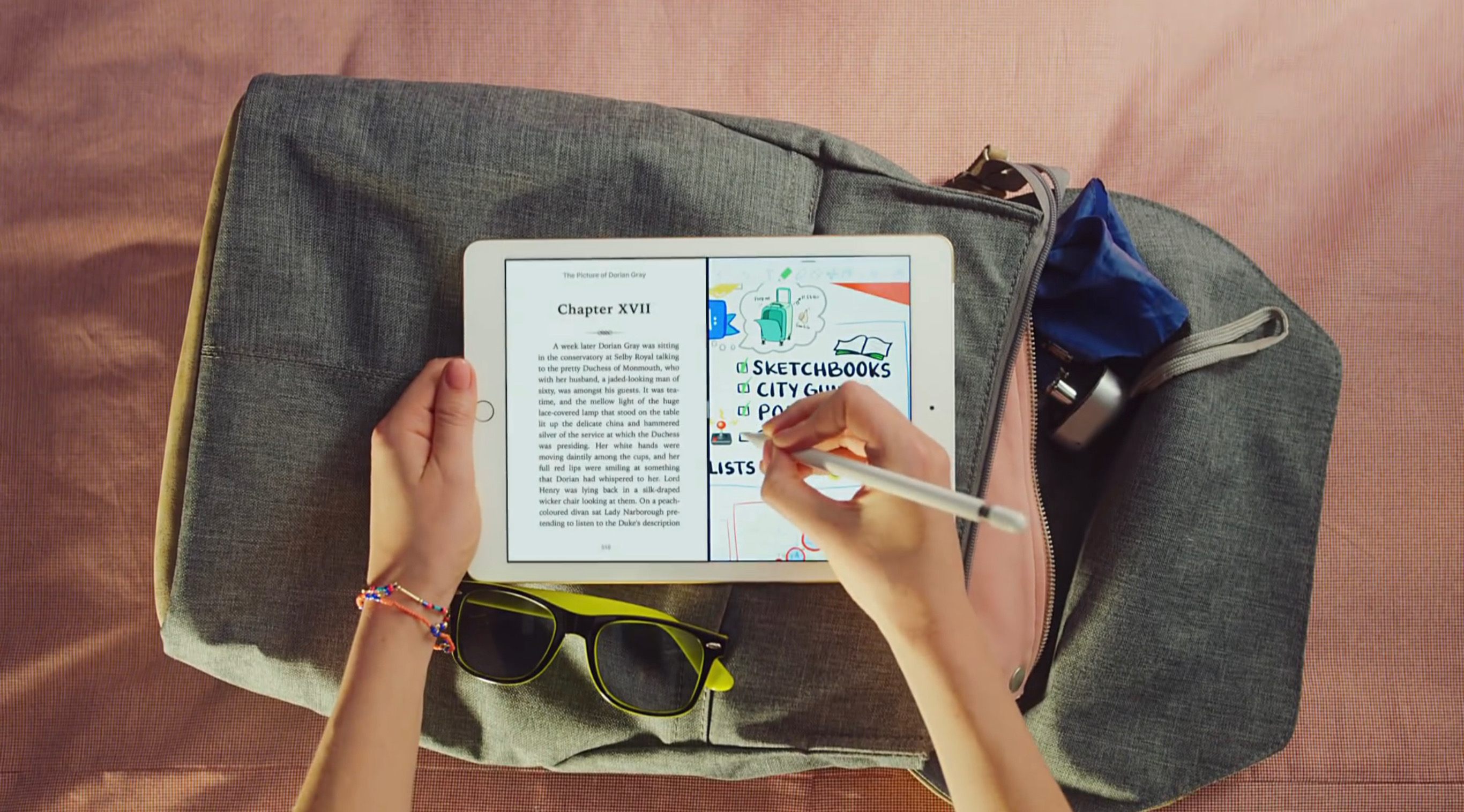
Today Apple launched four new 15-second ads, each of which highlights the iPad’s capabilities in common domains – travel, notes, paperwork, and portability – compared to common tools in those same settings.

Two of the ads showcase the iPad’s usefulness as a paperless solution in the workplace and at school. While other employees and students wrangle with messy desks full of disorganized papers, the iPad users in the ads access all their documents and books from the compact tablet. Another ad takes place on an airplane, where flyers have tray tables that are over-crowded with their meal and laptops – the iPad Pro user, however, simply collapses the Smart Keyboard and uses the iPad in tablet mode to free up more space. Finally, the last ad shows users packing overstuffed bags with items like books, while the iPad user easily throws their sleek device into a backpack.

Apple clearly wants to convey how the iPad can make people’s lives easier and more organized – a fitting message during a season packed with travel and back-to-school plans.


Celebrating the App Store’s 10th Anniversary with a Week of Special Coverage

When the App Store opened for business on July 10, 2008, I was working at a physical eBay store after dropping out of university. I’m pretty sure I don’t even actually remember the exact day the App Store launched; I do remember that, at some point during the summer after finally buying my first iPhone, the App Store opened my eyes to a world that captured my interest like nothing had ever done before. I had no idea that, just a few months later, I would start writing a blog about Apple and apps that, nearly a decade later, is my full-time job. Something was immediately clear though: I wanted to learn everything I could about apps and the people who made them, and I wanted to try all the best ones I could find. I was hooked.

Read more


Pokémon Quest Arrives a Day Early on iOS

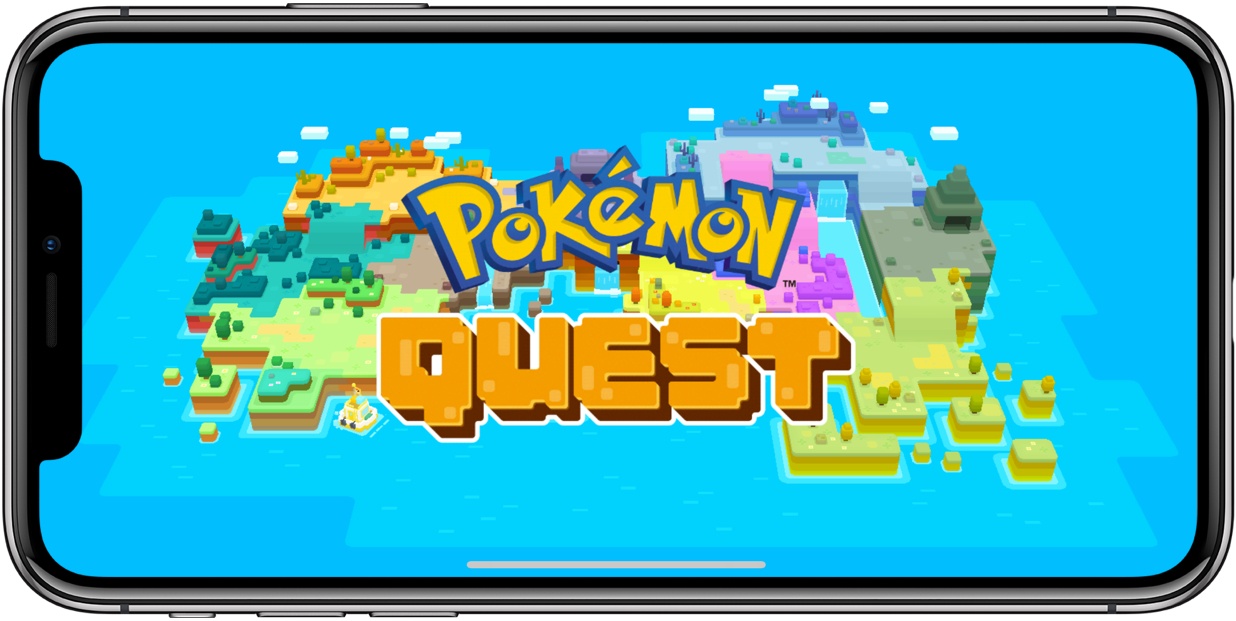
Initially slated for release on June 28th, Pokémon Quest has arrived on iOS a day early. The game, which debuted on the Nintendo Switch, is free-to-play with In-App Purchases. The Pokémon and their entire environment adopt a unique, blocky style in Quest. You start with just one Pokémon collecting more and evolving them as you progress through the game’s levels set on Tumblecube Island. In all, the game features the first 151 Pokémon from the series’ Kanto region.

Attacks are automated, but special attacks are available, though timer-limited. To speed up the timers, which are tied to other elements of the game too, players can purchase tokens using In-App Purchases. The game is playable without tokens but slow going.

I haven’t spent much time with Pokémon Quest yet, but my first impression is that it makes a solid companion to the Switch version of the game. After years of pundits calling for Nintendo to abandon hardware and become a mobile-first app company, it’s satisfying to see Nintendo make a comeback with the Switch and for it and The Pokémon Company use iOS to supplement game experiences on Nintendo’s console where the experiences are complementary.


Apple Releasing Schoolwork App for Teacher and Student Assignment Collaboration Today

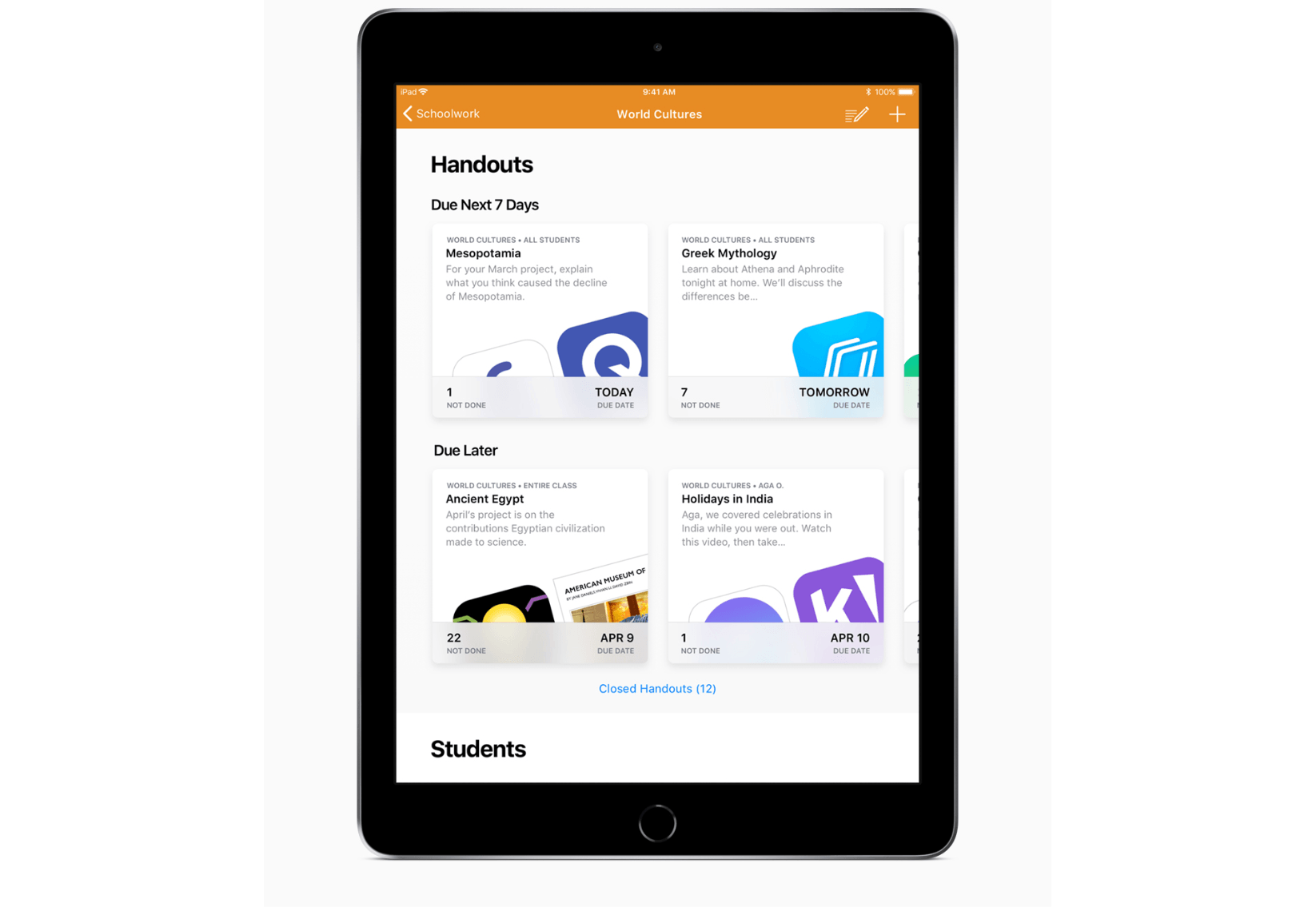
At an education-focused event held in Chicago this past March, Apple previewed an app called Schoolwork for teachers and students, which the company released today.

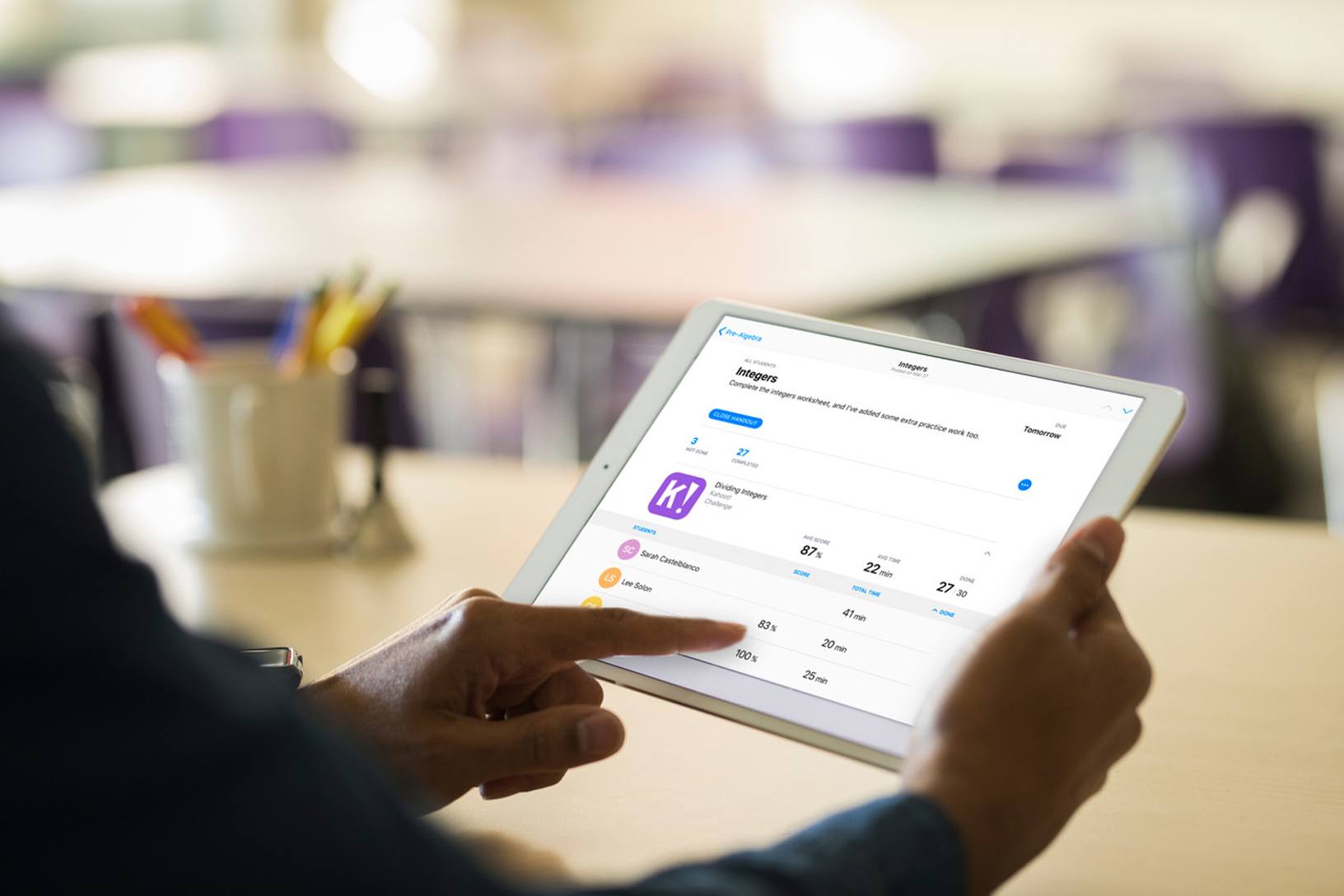
By integrating features for teachers and students, the app is meant to serve as a central location for coordinating assignments and collaborating. The free iPad app allows teachers to distribute announcements and assignments to students as well as materials like links, PDFs, and other documents. Teachers can also create assignments that take students to specific activities within apps that support Schoolwork. Class performance can be monitored too:

Schoolwork and the apps supporting it give teachers new insight into how their students are performing, helping them tailor their teaching to the needs and potential of each student. Teachers have a snapshot of class performance and can check on an individual student’s progress across activities — progress within apps or projects they’ve created.

Students can use the app to access assignments, track their progress, and access materials from their teachers.

Schoolwork helps students track their assignments.

Schoolwork helps students track their assignments.

Schoolwork looks like an good way to streamline the process of distributing and tracking assignments between teachers and students. However, some of the most compelling features of Schoolwork require apps to support it. Apple says apps like Explain Everything, Tynker, GeoGebra and Kahoot! already support Schoolwork, and hopefully, others will follow suit.

Schoolwork should be available to teachers on the App Store soon. In the meantime, you can learn more about the app on Apple’s Education page.


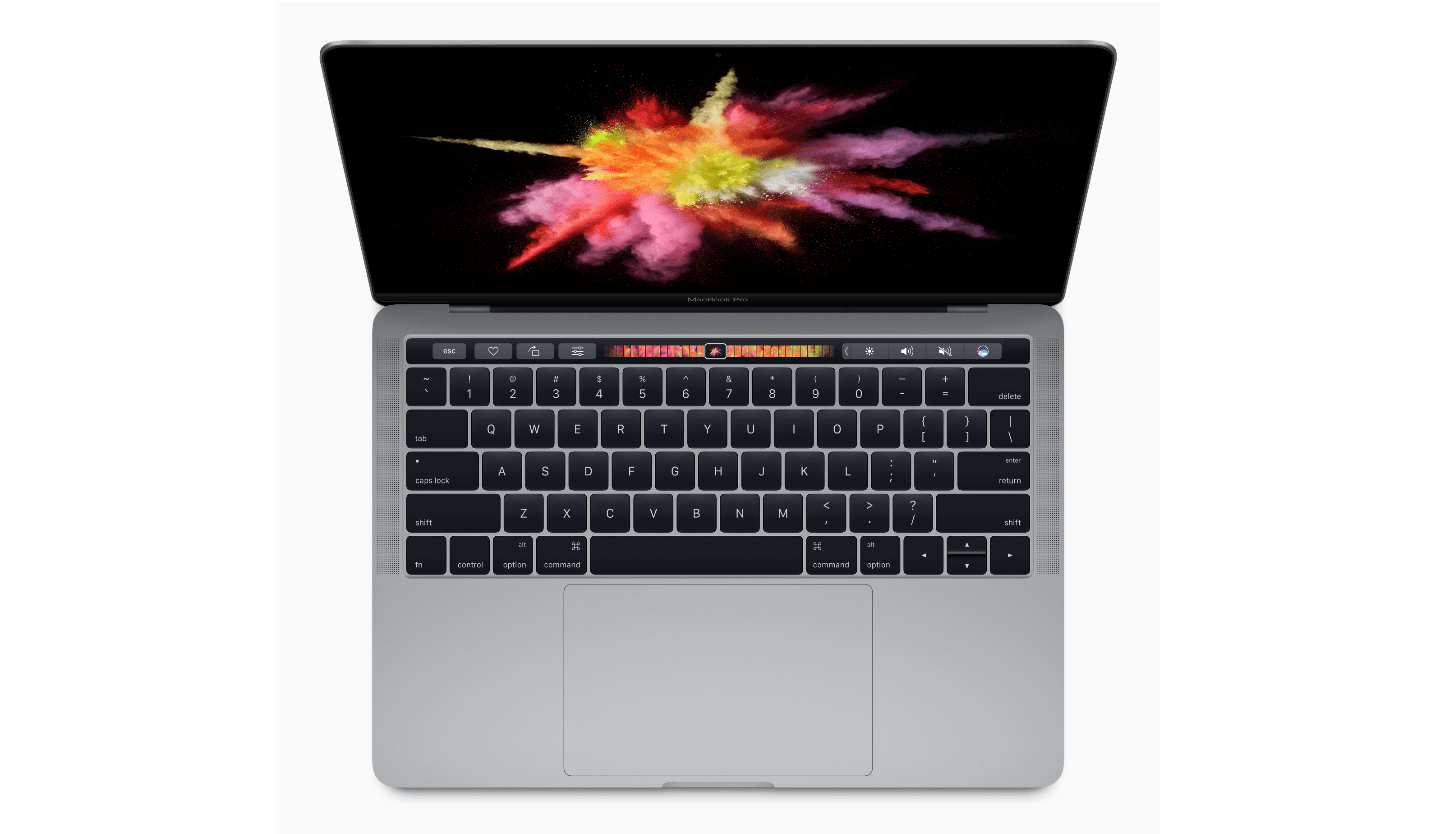
Apple Will Replace Faulty MacBook Keyboards Free of Charge

It wasn’t long after Apple changed the mechanisms of its MacBook keyboards that reports of sticky keys and other problems surfaced. Over time as anecdotal evidence mounted, it became apparent that the problem was widespread, but of course, only Apple knew exactly how common the issues were.

Now, in response to the keyboard problems, Apple has begun a keyboard service program to fix or replace keyboards with faulty butterfly switch mechanisms. From Apple’s support page about the program:

Apple has determined that a small percentage of the keyboards in certain MacBook and MacBook Pro models may exhibit one or more of the following behaviors:

  • Letters or characters repeat unexpectedly
  • Letters or characters do not appear
  • Key(s) feel “sticky” or do not respond in a consistent manner

The program covers MacBooks and MacBook Pro models from 2015 onward. Service is free of charge for four years after the first retail sale of the computer. To check if your model is covered, visit Apple’s support page for a complete list of eligible models.

My MacBook Pro’s keyboard hasn’t failed, but I know several people whose keyboard has, and I’ve had a few occasions where keys would become sticky for a short period. If my keyboard ever fails, I expect it will be at the most inopportune time, but at least that hassle and frustration won’t come with a big price tag too.