

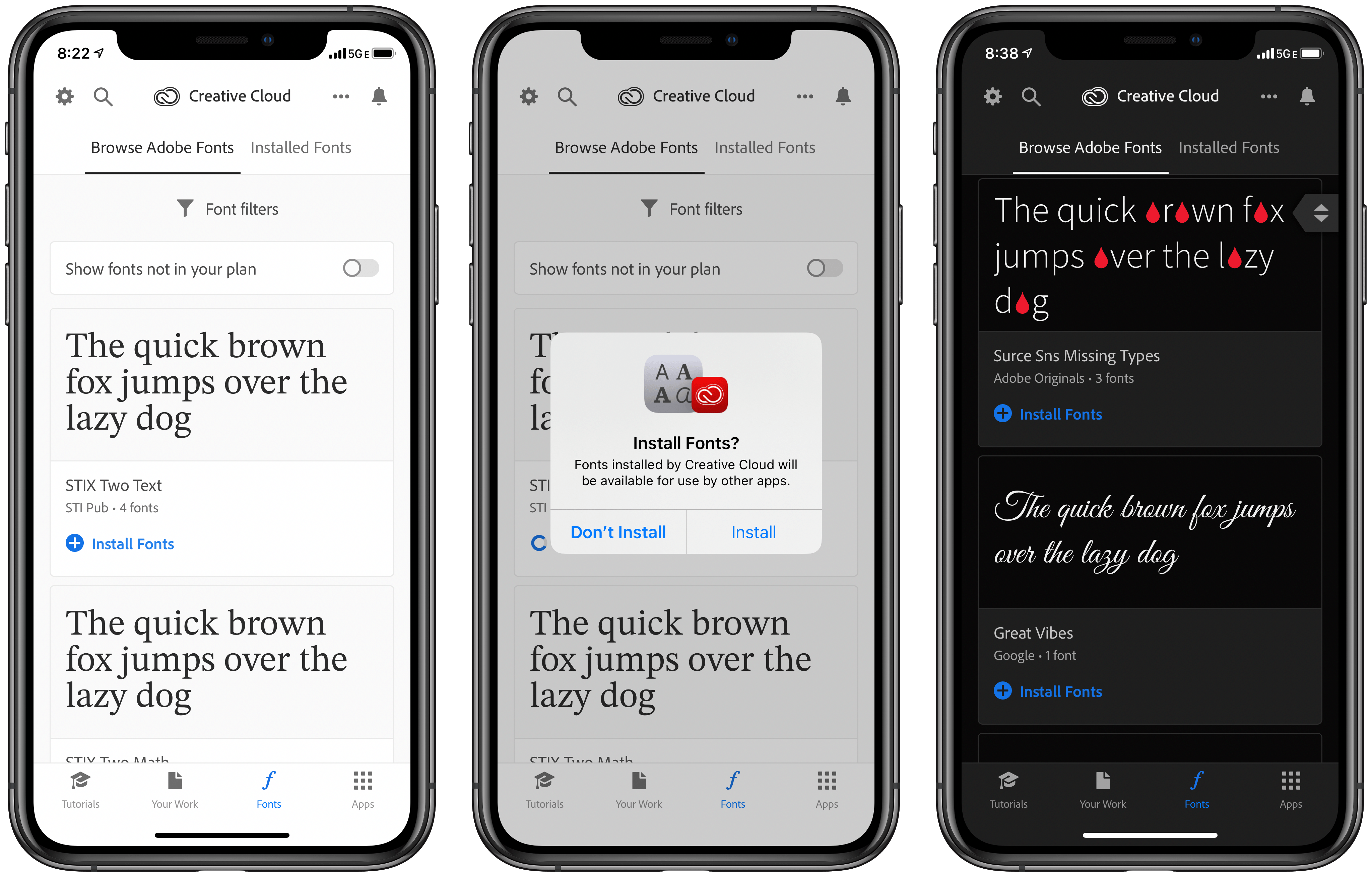
Today Adobe released an update to its Creative Cloud app on iPhone and iPad which introduced a set of thousands of fonts that can now be installed on those devices via the new font provider system Apple added in iOS and iPadOS 13. Once installed, fonts from Creative Cloud can be used within any other app that supports custom fonts. The Creative Cloud app is a free download, and all users can download 1,300 fonts in the app for free; users with a Creative Cloud subscription, however, have access to a whopping 17,000 fonts.
Posts in news
Adobe Creative Cloud App Brings Thousands of New Fonts to iPhone and iPad
Apple TV+ Now Available: Here’s Its Full Launch Lineup

Apple TV+ is now available, a video subscription service that Apple has been working on for over two years now. The new streaming service debuts in over 100 countries, and can be accessed now inside the TV app on iPhone, iPad, Mac, Apple TV, Roku and Amazon Fire TV devices, and select smart TV manufacturers, as well as from tv.apple.com.
Apple TV+ costs $4.99 per month, but all users are offered a 7-day free trial; also, anyone who has purchased a new iPhone, iPad, Mac, Apple TV, or iPod touch since September 10 will receive a free year of service. Finally, even if you don’t subscribe at all, Apple has made the first two episodes of all of its series available for free viewing in the TV app.
While the cost of entry is low for Apple TV+, what you get for the price is also fairly limited at the moment. Apple has branded TV+ “the first all-original video subscription service,” which means there’s no back catalog of legacy content, only brand new shows and movies that have never been released before. This angle could be spun as a positive thing in some respects, because many streaming consumers these days care most about new content, but it also means you can quickly watch everything TV+ has to offer and be stuck waiting for more content.
Here’s the full lineup of everything Apple TV+ offers today:
Apple Updates the HomePod with Multi-Voice Support and Ambient Sounds, Plus iPhone Handoff, Shortcuts, and HomeKit Functionality
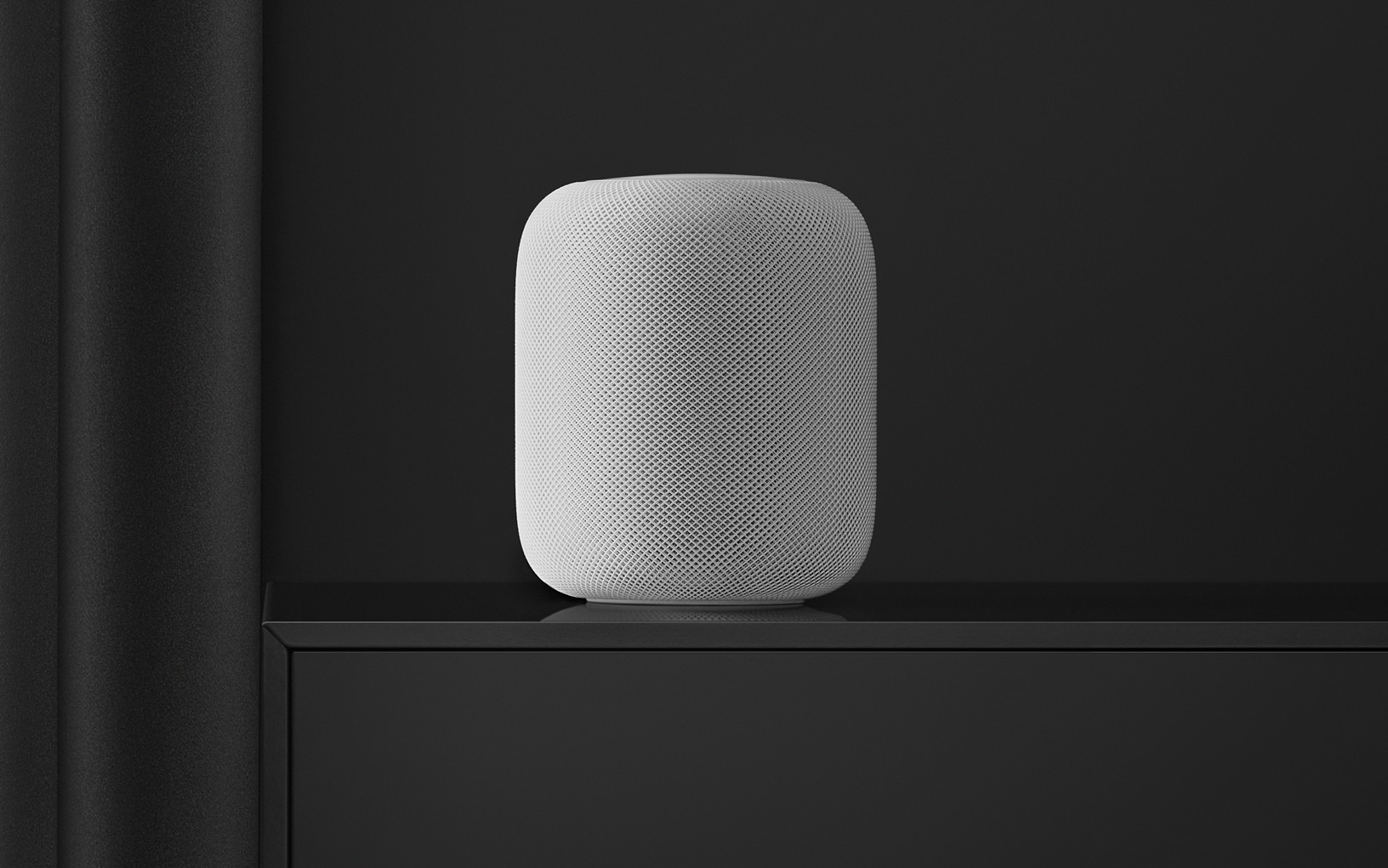
On Monday, Apple released audioOS 13.2 for the HomePod and before the end of the day US-time pulled it when users started reporting that it was bricking their HomePods. In addition to bricking some HomePods, other users, myself included, had trouble setting up multi-voice support. I also heard from others who had trouble getting the update to install in the first instance. Today, shortly after Apple’s earnings call concluded, the company released audioOS 13.2.1, which includes the same features and presumably fixes the issues users experienced.
Apple Q4 2019 Results - $64 Billion Revenue

Apple has just published its financial results for Q4 2019. The company posted revenue of $64 billion. Apple CEO Tim Cook said:
“We concluded a groundbreaking fiscal 2019 with our highest Q4 revenue ever, fueled by accelerating growth from Services, Wearables and iPad,” said Tim Cook, Apple’s CEO. “With customers and reviewers raving about the new generation of iPhones, today’s debut of new, noise-cancelling AirPods Pro, the hotly-anticipated arrival of Apple TV+ just two days away, and our best lineup of products and services ever, we’re very optimistic about what the holiday quarter has in store.”
Estimates and Expectations for Q4 2019 and the Year-Ago Quarter (Q4 2018)
Apple’s revenue guidance for Q4 2019 fell between $61 billion and $64 billion, with gross margin estimated to be between 37.5% and 38.5%.
Going into today’s earnings call, Marketwatch says:
Analysts surveyed by FactSet see the company posting revenue of $63 billion, nearly flat from $62.9 billion a year ago. The report will cap off a fiscal year in which Apple’s earnings and revenue are both expected to decline from a year earlier, which has happened at Apple only once since 2001.
In the year-ago quarter (Q4 2018), Apple earned $62.9 billion in revenue. During that quarter Apple sold 46.9 million iPhones, 9.7 million iPads, and 5.3 million Macs. As announced on Apple’s Q4 2018 earnings call, however, the company no longer reports unit sales for any of its products.
Sebastiaan de With Explains Why the iPhone 11 Camera Is Such a Big Leap Forward→
Sebastiaan de With, part of the team behind the camera app Halide has published part 1 of a multi-part breakdown of the iPhone 11 camera. It’s a fantastic analysis of what makes the new camera different from past versions and goes into great depth while remaining accessible, even if you have only a passing familiarity with photography.
To put this year’s camera into perspective, de With recaps what Apple did with last year’s iPhone cameras explaining how Smart HDR works and its shortcomings. The iPhone 11 features Smart HDR too, but as de With explains, Apple has significantly improved how it handles the dynamic range of an image.
Another aspect of the improvement is in the camera sensor hardware. Despite its diminutive size, the iPhone 11’s image sensor can resolve more detail than any iPhone camera before it.
However, many of the iPhone 11’s camera improvements come down to better software. The new camera post-processes each component of an image differently, applying different noise reduction to the sky, a face, hair, and clothing, for example. Apple calls the feature Photo Segmentation, and it’s aided by machine learning.
One of my favorite features of the new camera is Night Mode. As de With notes:
In the iPhone 11 Night Mode, you can also see detail vanish in some areas. Except that it really seems to only affect parts of the image that you don’t really care that much about. Night Mode has a remarkable if not uncanny ability to extract an image that is sometimes even sharper than the regular mode, with strong sharpening and detail retention occurring in areas that are selected by the camera during processing.
The iPhone 11’s camera is also the first one de With thinks rivals standalone cameras:
In the past, iPhones made great photos for sharing on social media, but blown up on a big screen, the shots didn’t hold up. It’s why I frequently still pack a ‘big’ camera with me on trips.
With these huge improvements in processing, the iPhone 11 is the first iPhone that legitimately challenges a dedicated camera.
There are many more details in de With’s article, including a close look at the iPhone 11’s ultra wide lens. Every section of the post has photos and side-by-side comparisons that illustrate the analysis too, which makes the full post a must-read].
Apple Releases iOS and iPadOS 13.2 with New Features, AirPods Pro Support, and HomePod Updates

Apple has released iOS and iPadOS 13.2, which is necessary to operate the AirPods Pro that will be in stores on Wednesday, October 30th, and adds several new features to iPhones, iPads, and the HomePod.
One of the most-anticipated features is Deep Fusion, which harnesses the power of the A13 Bionic Neural Engine to generate photos that combine elements of several exposures to bring out additional detail and textures in low light settings. The feature works with the iPhone 11, 11 Pro, and 11 Pro Max, comparing multiple shots pixel-by-pixel to assemble a composite image that is better than any single image captured by the technology. To see examples of Deep Fusion in action, check out Federico’s recent photo tour of Rome. The Camera app has also gained the ability to change the video resolution from the app’s UI for the first time on the iPhone 11, 11 Pro, and 11 Pro Max.
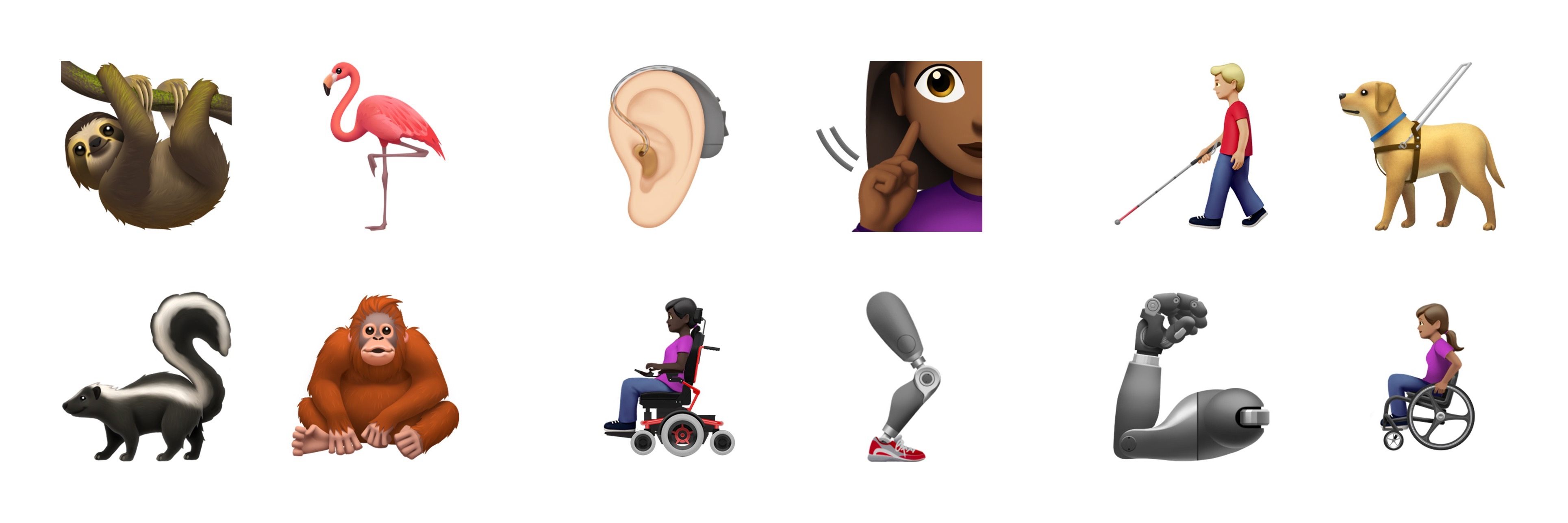
As has become something of a tradition each fall, Apple has paired today’s update with new emoji. Revealed in the iOS and iPadOS 13.2 beta, there are over 70 new emoji including people in wheelchairs, skin tone support for people holding hands, a sloth, a waffle, a yawning face, a skunk, garlic, a yo-yo, and a flamingo.
In addition to support for the new AirPods Pro, iOS and iPadOS 13.2 include the Announce Messages feature which enables Siri to announce new messages via a user’s AirPods as they arrive. HomeKit gains support for Secure Video and HomeKit routers too. Secure Video is designed for secure storage of video taken by home security cameras and includes support for detection of people, animals, and vehicles. Apps can also be deleted from an iPhone or iPad’s Home screen via a quick action for the first time.
Apple’s Shortcuts app received a few updates as part of iOS and iPadOS 13.2 too. The app now works with the Apple Watch, which will provide users with greater flexibility to run their shortcuts. Also, there is a new Feed URL property for podcasts and a Handoff playback action, which I can’t wait to try. Undo allows for reverting parameter changes too.
Apple has also added new Siri privacy settings that allow users to decide whether to allow Apple to store Siri and dictation audio. Siri and dictation histories can be deleted from Settings too.
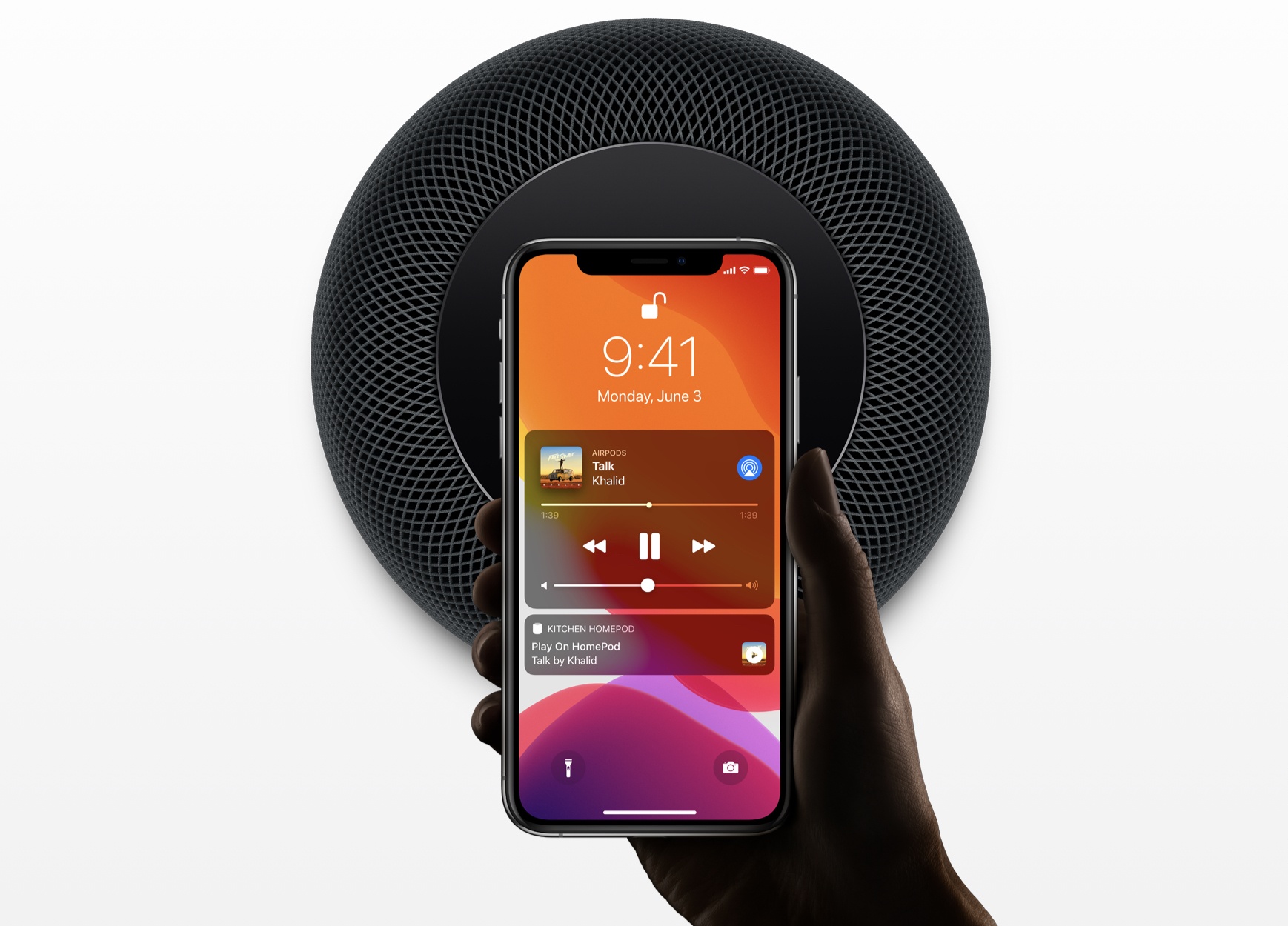
Originally announced at WWDC, Apple has updated the HomePod with several new features. With multi-voice support, the HomePod can recognize the voices of different members of a household, allowing them to each receive an individualized experience. Another big HomePod feature is Handoff support for music, podcasts, and phone calls, which allows you to tap your iPhone on your HomePod to continue the audio on it instead of your phone. HomeKit scenes add support for music, and the HomePod can now play Ambient Sounds, which include things like the sound of a rain storm. Finally, users can set sleep timers for music or Ambient Sounds with their HomePods too.
Apple Debuts AirPods Pro, a New Premium Model with Noise Cancelling
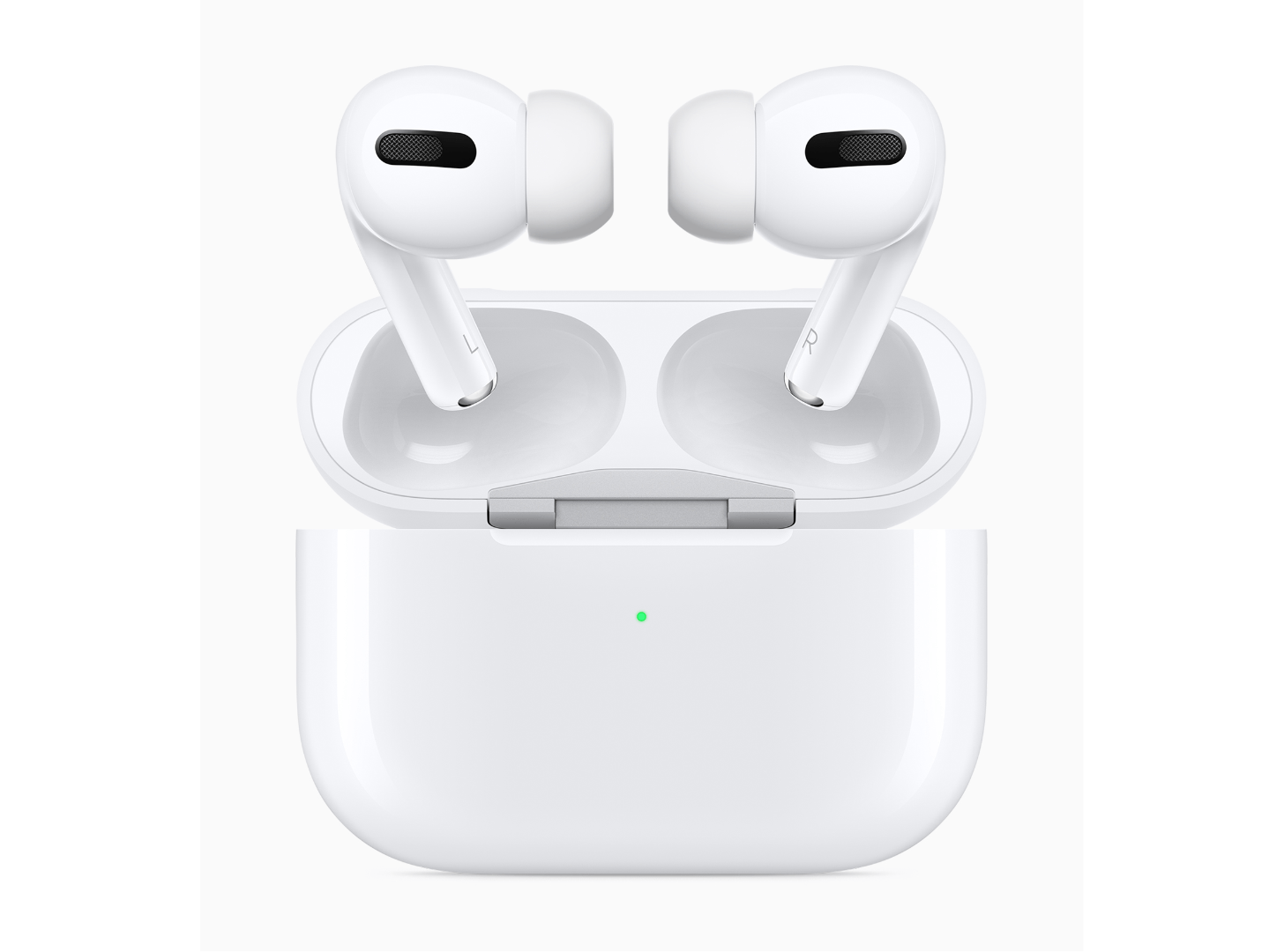
Today Apple announced a new, premium model of AirPods which is now available for purchase: AirPods Pro. Rather than replacing the existing second-generation AirPods, Apple is launching AirPods Pro as a separate option for users who want the premium features included in the new Pro model: active noise cancelling, water and sweat resistance, Transparency, and Adaptive EQ. AirPods Pro can be ordered now for $249, and will be in stores on October 30th, just in time for the holiday shopping season.
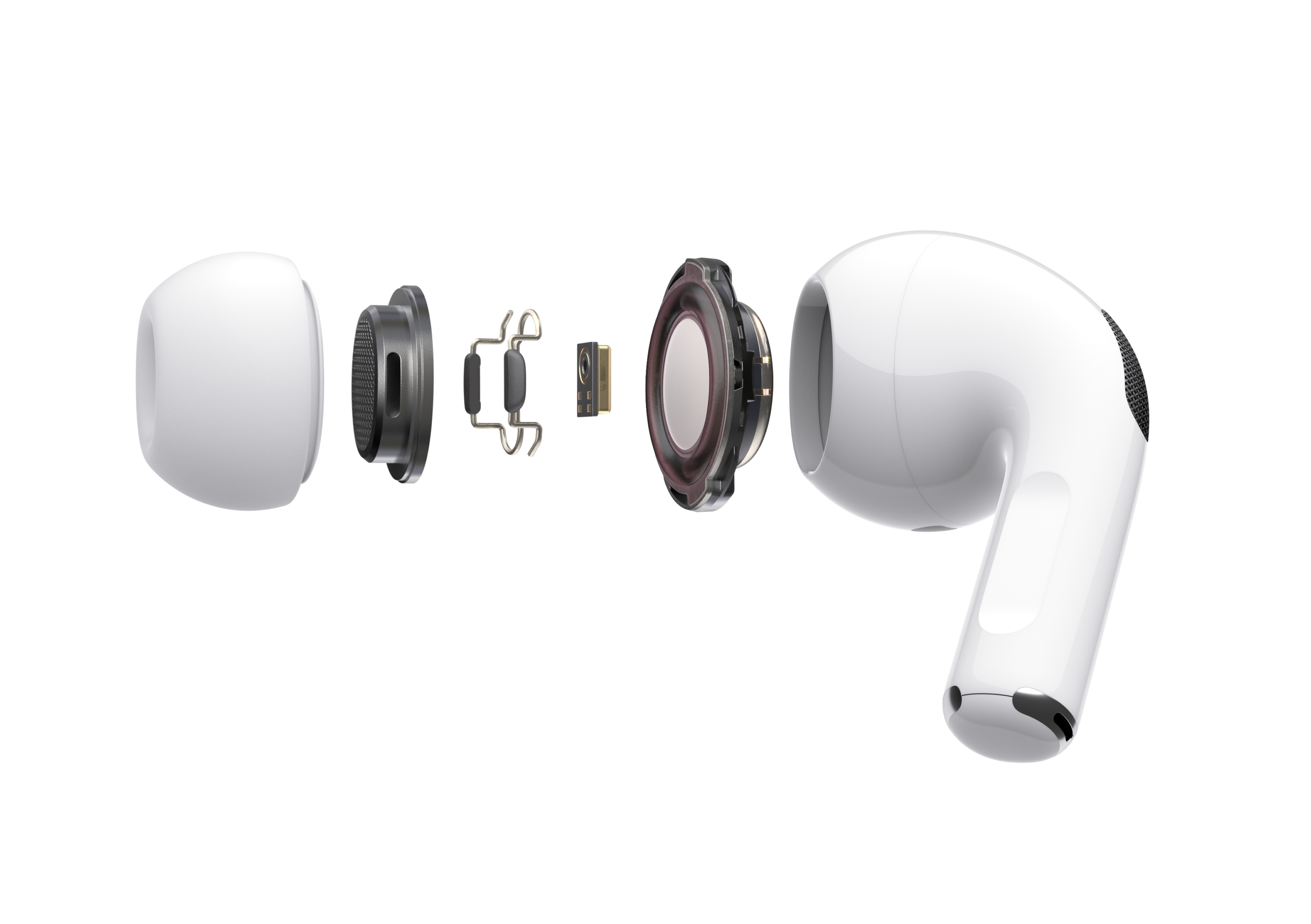
The new AirPods Pro use two microphones, one that faces outward and one that faces toward the ear for active noise cancellation, adapting the signal 200 times per second. Transparency mode uses the microphones to allow users to listen to music while also hearing their surroundings.
When fitting the AirPods Pro for the first time:
… advanced algorithms work together with the microphones in each AirPod to measure the sound level in the ear and compare it to what is coming from the speaker driver. In just seconds, the algorithm detects whether the ear tip is the right size and has a good fit, or should be adjusted to create a better seal.
The AirPods Pro also use a new feature called Adaptive EQ that:
automatically tunes the low- and mid-frequencies of the music to the shape of an individual’s ear — resulting in a rich, immersive listening experience. A custom high dynamic range amplifier produces pure, incredibly clear sound while also extending battery life, and powers a custom high-excursion, low-distortion speaker driver designed to optimize audio quality and remove background noise. The driver provides consistent, rich bass down to 20Hz and detailed mid- and high-frequency audio.
The AirPods Pro have changed the way music playback and phone calls are controlled too:
Switching between Active Noise Cancellation and Transparency modes is simple and can be done directly on AirPods Pro using a new, innovative force sensor on the stem. The force sensor also makes it easy to play, pause or skip tracks, and answer or hang up phone calls. Users can also press on the volume slider in Control Center on iPhone and iPad to control settings, or on Apple Watch by tapping on the AirPlay icon while music is playing.
According to Apple, the AirPods Pro case provides total battery lasting 24 hours playing music and 18 hours talking on an iPhone, while a single charge of the AirPods Pro provides 5 hours of music listening with noise cancellation off and 4.5 with it turned on. Like the second-generation AirPods, the Pro model also features the H1 chip and can be charged wirelessly with a Qi charger. The AirPods Pro come with a USB-C to Lightning cable and require iOS 13.2.
Earlier this year Apple debuted the first follow-up to the original 2016 AirPods model, changing very little about the device: the second-generation AirPods offered always-on Hey Siri support, an optional wireless charging case, and some connectivity improvements. By contrast, AirPods Pro represent a true evolution for the AirPods line.
It makes sense, however, that the new model doesn’t replace its predecessor, but merely accompanies it in an expanded lineup. Most AirPods customers likely don’t want or need noise cancelling functionality, so the standout feature of AirPods Pro is targeted toward a smaller niche of customers. Following Apple’s pattern with its other products, there’s now a mass-market, lower-cost version of AirPods and a Pro model that offers something extra, but at a higher price tag.
One area Apple could have differentiated AirPods Pro even further is by providing new color options, but white remains the only available finish. As nice as a darker shade would be, from a marketing standpoint it’s hard to argue against maintaining the status quo with AirPods’ iconic white finish. When your product can be effortlessly recognized in public, you don’t change that.
Apple Music’s Beats 1 Introduces New Music Daily with Zane Lowe

On Friday, Apple Music’s Beats 1 debuted a new Zane Lowe show called New Music Daily featuring the best new music across several genres along with interviews and commentary designed to complement Apple Music’s playlist of the same name.
As described by Apple, New Music Daily is all about what is hot now:
Music moves fast. To keep up with hungry fans and tireless creators, Apple Music launched New Music Daily, our playlist for the latest and greatest must-hear songs from pop, hip-hop, Latin, and beyond. This show, broadcasting live on Apple Music every Friday, is the playlist brought to life: Hosted by Zane Lowe, it features interviews with today’s most important artists, sharp commentary, and, of course, all the new songs you need to hear right now.
The show streams live on Apple Music every Friday at Noon New York time and can be replayed later.
https://twitter.com/Beats1/status/1187761241114103809
Lowe’s new show is a companion to Apple Music’s New Music Daily playlist, which is updated daily and is a rebranded version of its Best of the Week playlist. Listeners can visit a dedicated page in Apple’s Music app that collects the show and playlist as well as video interviews with recording artists in one place.
The inaugural episode of New Music Daily, which runs just over one hour, spotlights a wide range of music and interviews including appearances by Selena Gomez, Coldplay’s Chris Martin, and an excerpt from a longer interview with Taylor Swift that will be released next week. New Music Daily’s Apple Music page also includes excerpts of upcoming video interviews with Taylor Swift and Kanye West.
In an interview with People.com, Lowe, who is Apple Music’s global creative director, expanded on his vision for how the playlist and new show will work together:
Our New Music Daily playlist was built in the image of the artist and the fan. Music is constant and it’s in the hands of the artists now. Artists don’t want to wait anymore, and we wanted a really big playlist that reflected that sentiment and could do it quickly. I’ll be in the studio with artists and I ask when they’re putting something out and they’ll say, “I don’t know, in an hour?” We’ve been clearing that space for artists for years, and with New Music Daily as a live show we’ll continue to event-ize music, bringing an audience around shared listening moments, and reflecting the way artists want to release music on their own terms.
One of the consequences of streaming music services is that the release of an album is often not the way people hear the latest music from their favorite artists anymore. Instead, musicians release a steady stream of singles and EPs, only occasionally collecting them as full-length albums. It’s the kind of continuous change that demands a different approach to how new material is surfaced.
Having listened to the first episode of New Music Daily, it strikes me as a formula that will work. The playlist currently includes 85 songs, which is a lot. What Lowe’s new show does is provide context through his interviews and commentary that serve as an entry point into the larger playlist. By sending listeners to the playlist for the latest tracks from pop culture phenomenons like Swift and Gomez, New Music Daily can help spread awareness of lesser-known, emerging artists that included too.
You can check out the first episode of New Music Daily that aired Friday here.
MacStories Shortcuts Icons Receives Free Update with 50 New Glyphs
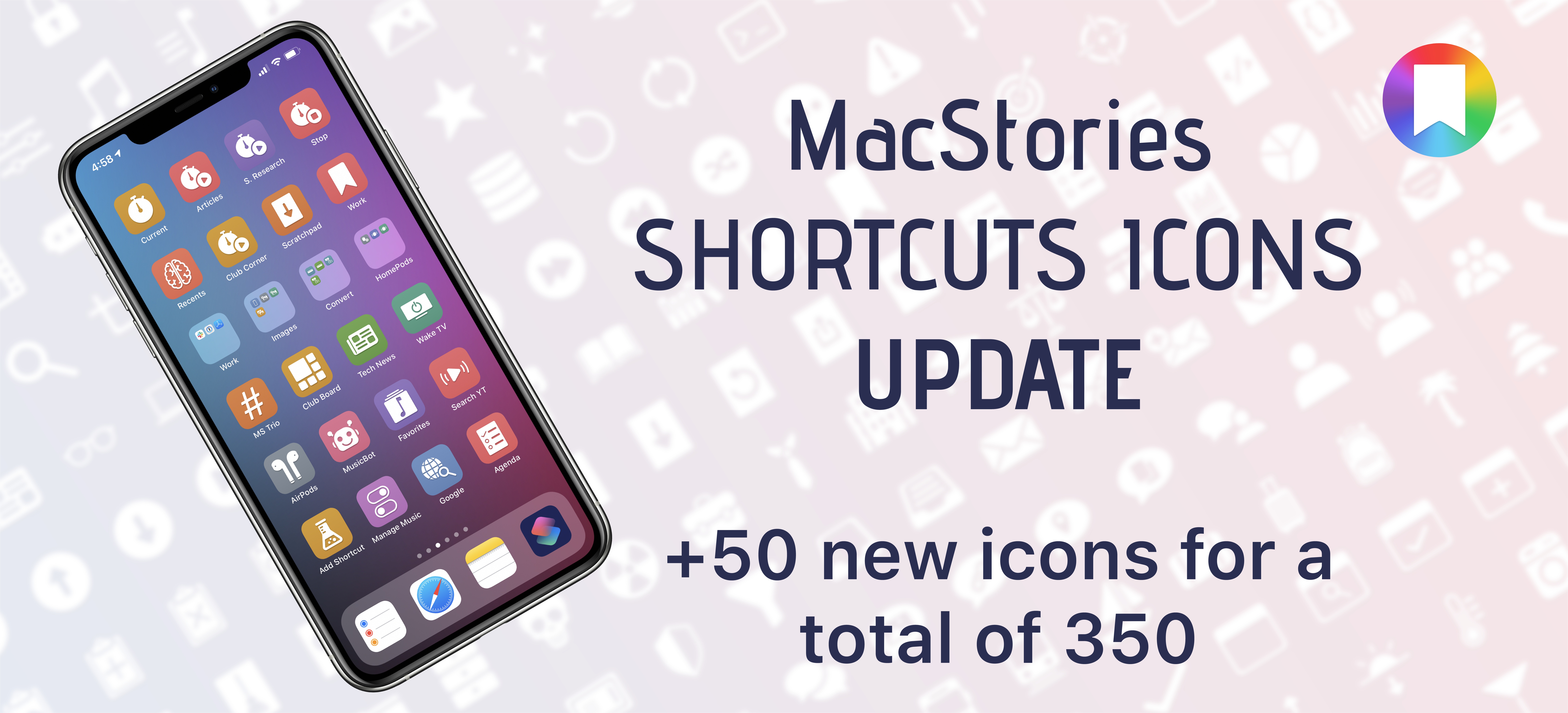
I’m happy to announce that MacStories Shortcuts Icons, our custom icon set for adding shortcuts to the Home screen, has received an update today that adds 50 new glyphs.
The update is available now for free for existing customers (just download the file again with the link in your original email receipt); for new customers, the update is part of the standard MacStories Shortcuts Icons purchase, which is available at $14.99 for a total of 350 custom Home screen glyphs.
For those who may have missed it last month: MacStories Shortcuts Icons lets you customize the look of your shortcuts added to the Home screen by choosing from hundreds of glyphs designed specifically with Shortcuts users in mind, going beyond what’s provided by Apple in the Shortcuts app.