Posts in news

Apple Updates Pages with Screen View, Numbers with Pivot Tables, Keynote with Live Video, and More

Source: Apple.

Source: Apple.

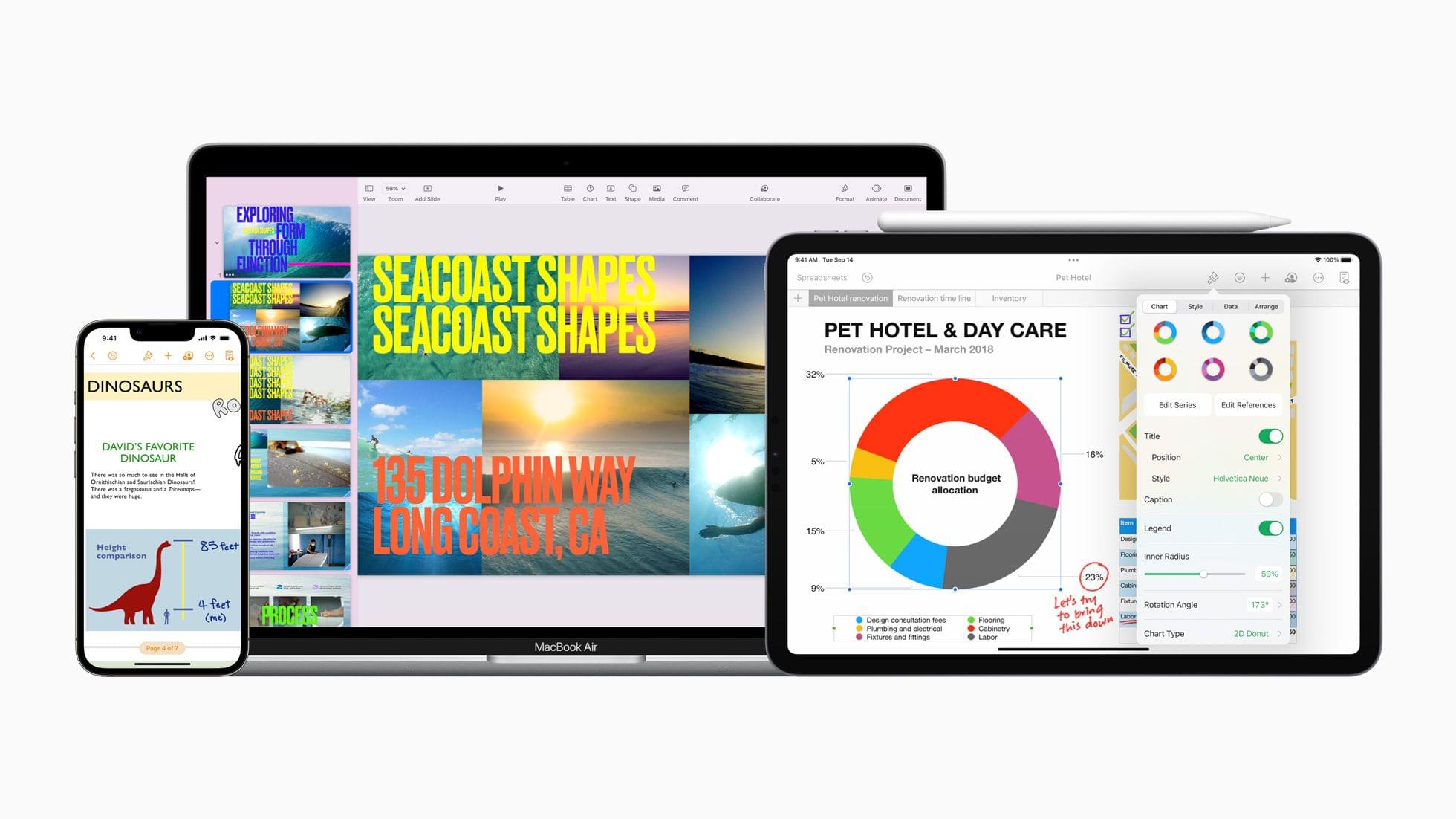
Apple has updated its iWork suite of productivity apps consisting of Pages, Numbers, and Keynote with versions for iOS and iPadOS 15 and macOS Monterey.

Pages
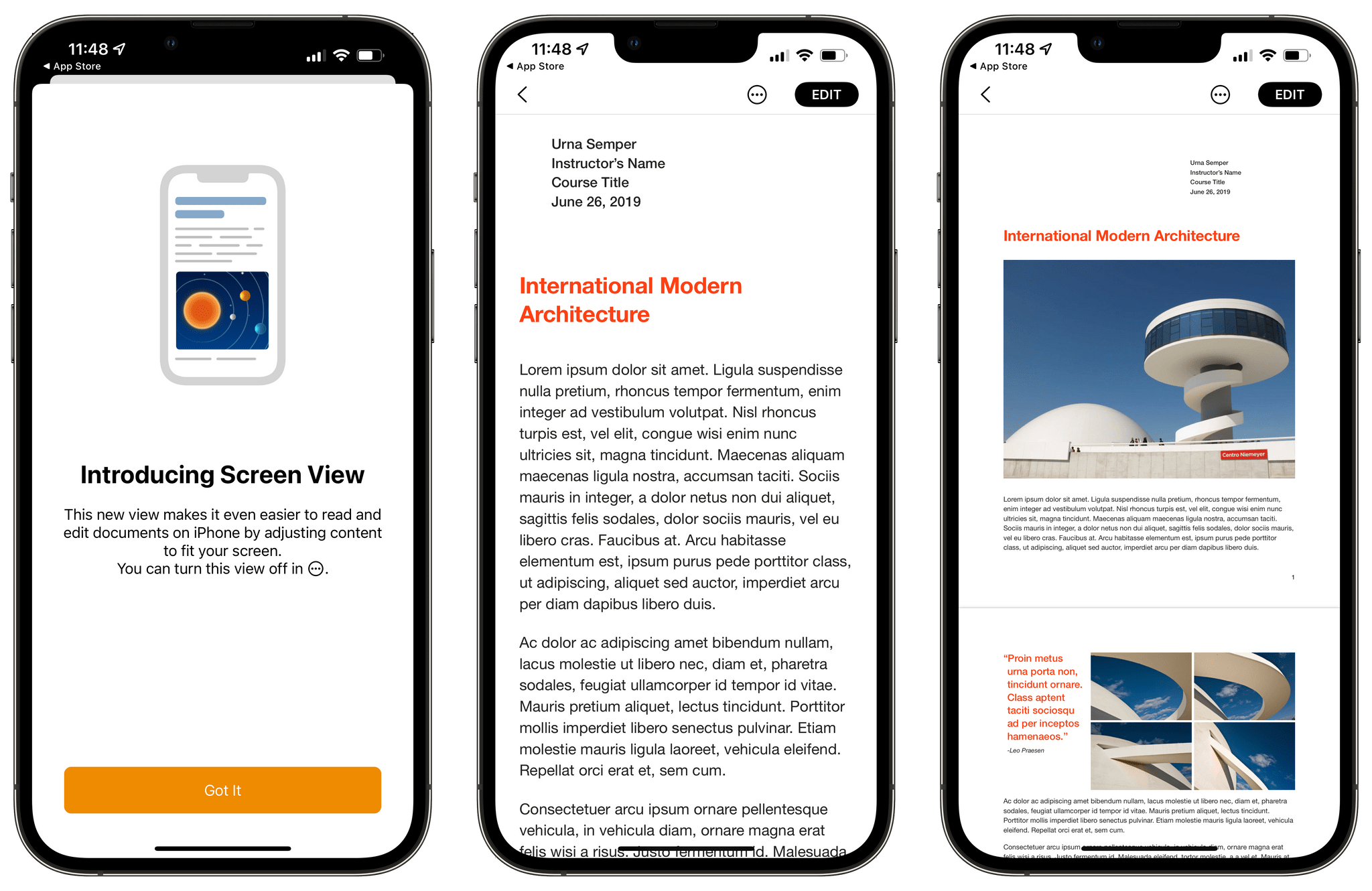
Quick View (center) focuses on the text of a document to make it easier to edit than the preview, which includes images (right).

Quick View (center) focuses on the text of a document to make it easier to edit than the preview, which includes images (right).

On the iPhone, Pages supports a new Screen View that makes editing on the smaller screen easier. As you can see from the screenshot of one of Apple’s built-in templates, Screen View dispenses with the images allowing the user to focus on the text. The iPhone also has a Quick Format bar that lets you change things like paragraph styles, text formatting, alignment, and list styles. The iPhone version of Pages supports dragging and dropping images and text from other apps into Pages, too, which is a new feature in iOS 15. Graph values can be played as audio tones for visually impaired iOS and iPadOS users too.

On all platforms, Pages has gained improved publishing with two-page spreads, optimized images, and versioning, which should fill some of the gaps left by the fact that iBooks Author has been discontinued. Selected text can be translated into 11 languages, participants in a shared Pages document can add new collaborators for the first time, and radar charts comparing multiple variables have all been added to Pages on all platforms too.

Exclusive to the Mac, Pages documents can now be created from the app’s Dock icon.

Numbers
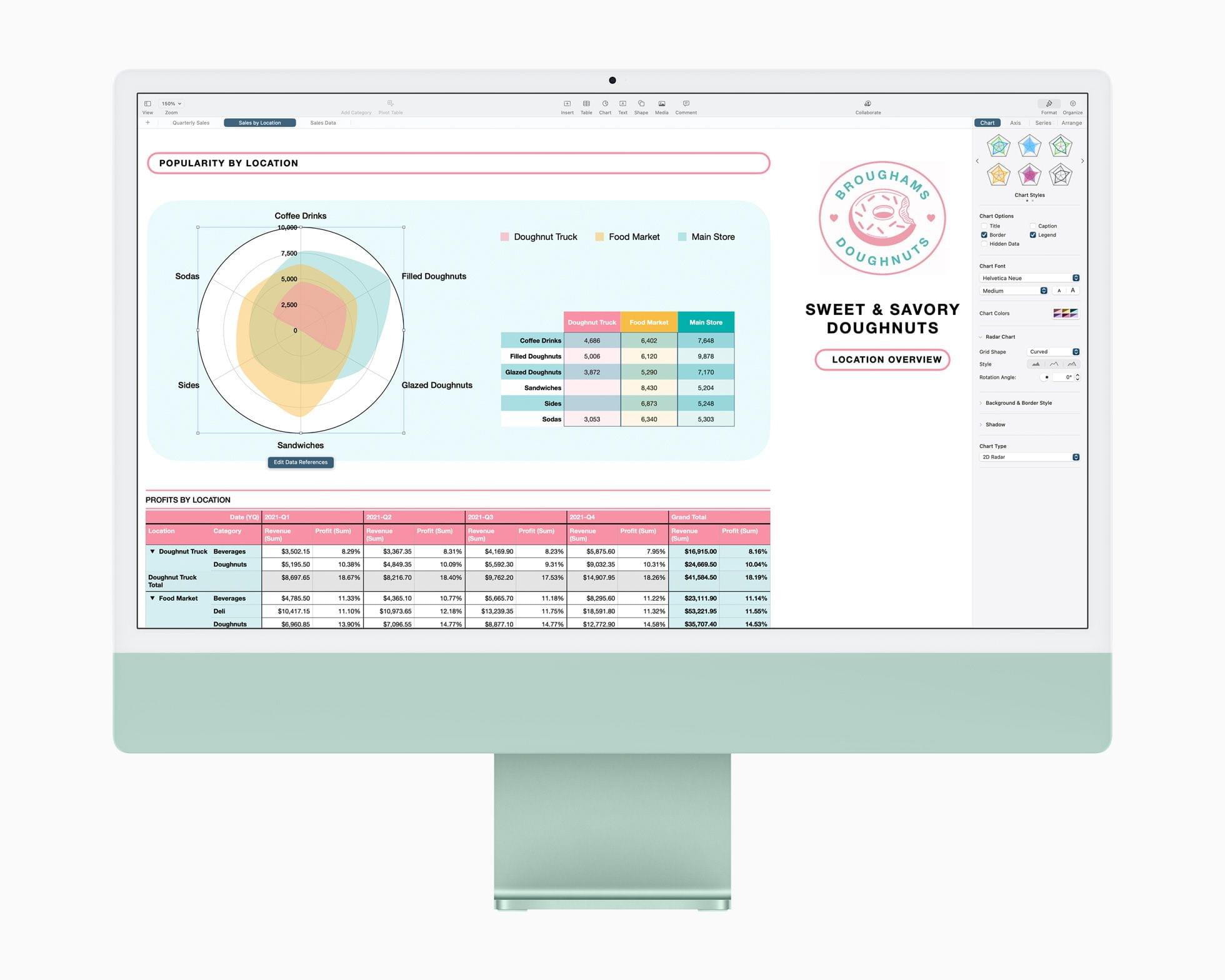
Time to pivot. Source: Apple.

Time to pivot. Source: Apple.

One of the things I’ve heard many Excel users complain about over the years is that Numbers didn’t include pivot tables. Now it does on all platforms, which is great if you need that sort of thing. Numbers’ format is compatible with Excel so you can import and export your pivot tables between the two apps too.

Like Pages, Numbers has added support for radar charts for visualizing multiple variables. Quick Filters have been redesigned to simplify showing and hiding rows that match certain values. There’s also a filter for finding duplicate entries and unique values in your data. Like Pages, participants in a shared Numbers spreadsheet can add new collaborators, and selected text can be translated into 11 languages.

On the iPhone, Numbers has added audio graphs for the visually impaired. Also, on the Mac, a new Numbers document can be created from the app’s Dock icon.

Keynote
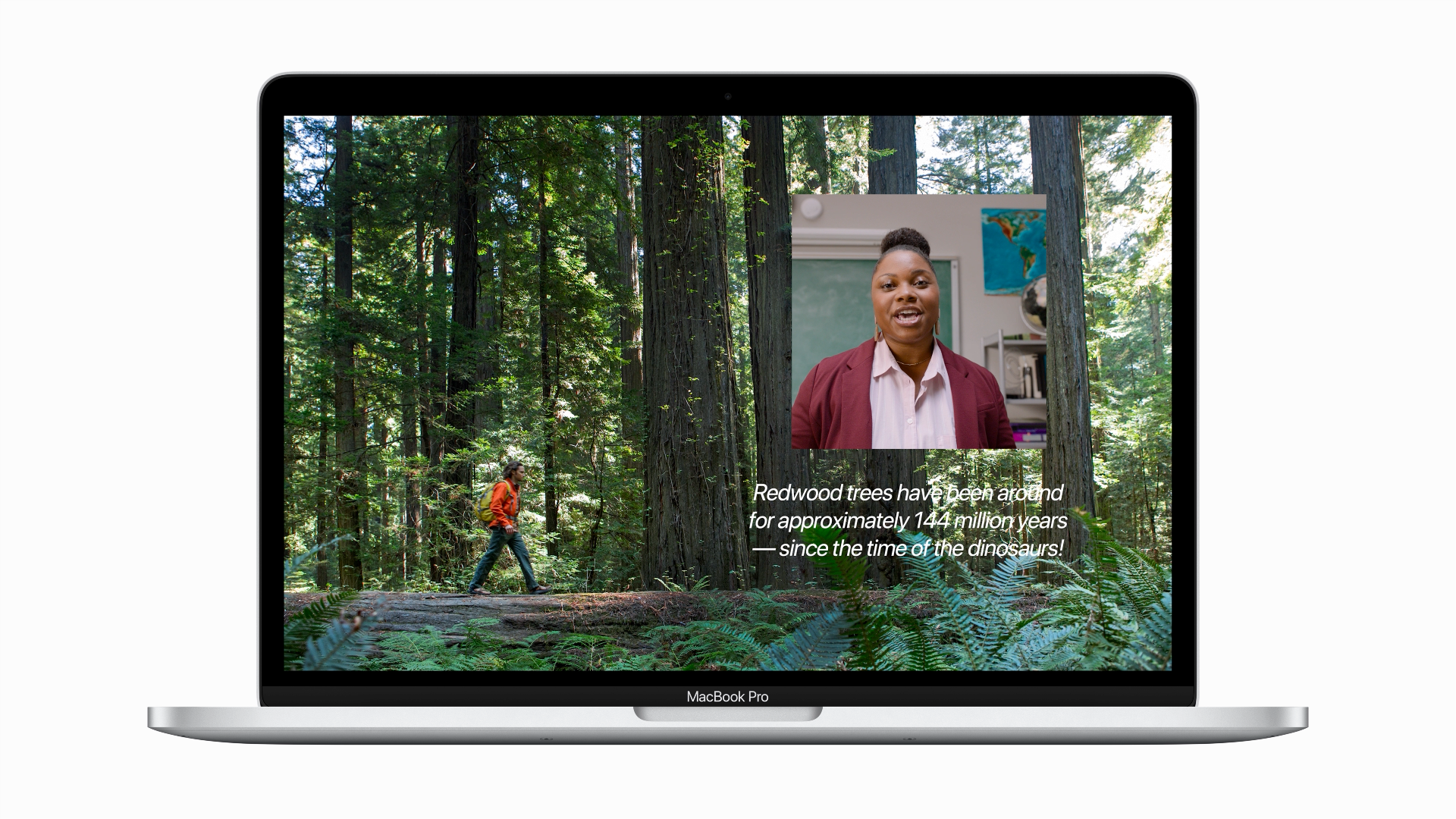
Keynote presentations can be combined with live video. Source: Apple

Keynote presentations can be combined with live video. Source: Apple

Keynote presentations can include live video across all of Apple’s platforms, using the camera in your Mac to display video of you alongside your slides. On the Mac, there’s also support for multiple cameras for different viewing angles and adding live feeds of iPhone and iPad screens. If you’re doing a presentation with someone else, the Keynote update lets each participant take turns controlling the presentation. There are also new slide controls for navigating slides, controlling video sources, and working with other presenters. Like the other iWork apps, Keynote also supports radar charts, translation of selected text into 11 languages, and the ability of participants of shared presentations to invite new collaborators.

On the iPhone, Keynote supports iOS 15’s ability to drag and drop text and images between apps as well as audio graphs for the visually impaired. On the Mac, you can create a new presentation from the app’s Dock icon too.


These are bigger updates to the iWork apps than we’ve seen in a while, and especially nice to see that most of the new features are available across all of Apple’s platforms. The live video and screen sharing features of Keynote are the sort of thing that I expect a lot of people will find useful, especially if presenting remotely. Pivot tables aren’t something I expect to use, but they add a new level of sophisticated data analysis that wasn’t possible with Numbers before. Also, with improved publishing tools and a better iPhone user experience, Pages is far more useful for creating eBooks.


Access Extra Content and Perks

Founded in 2015, Club MacStories has delivered exclusive content every week for nearly a decade.

What started with weekly and monthly email newsletters has blossomed into a family of memberships designed for every MacStories fan.

Learn more here and from our Club FAQs.

Club MacStories: Weekly and monthly newsletters via email and the web that are brimming with apps, tips, automation workflows, longform writing, early access to the MacStories Unwind podcast, periodic giveaways, and more;

Club MacStories+: Everything that Club MacStories offers, plus an active Discord community, advanced search and custom RSS features for exploring the Club’s entire back catalog, bonus columns, and dozens of app discounts;

Club Premier: All of the above and AppStories+, an extended version of our flagship podcast that’s delivered early, ad-free, and in high-bitrate audio.

Learn more here and from our Club FAQs.


MacStories Unwind: iOS and iPadOS 15, the iPad Mini, and iPhone Camera Reviews

AppStories+ Deeper into the world of apps
0:00
20:04

AppStories+ Deeper into the world of apps


Sponsored by: DetailsPro – A Design Tool Made for SwiftUI

This week on MacStories Unwind:

MacStories

Club MacStories

  • MacStories Weekly
    • Coming Saturday:
      • The ‘Making Of’ Federico’s iOS and iPadOS 15 review
      • Two Club-only advanced shortcuts
      • Lots of app coverage

AppStories

Unwind

Access Extra Content and Perks

Founded in 2015, Club MacStories has delivered exclusive content every week for nearly a decade.

What started with weekly and monthly email newsletters has blossomed into a family of memberships designed for every MacStories fan.

Learn more here and from our Club FAQs.

Club MacStories: Weekly and monthly newsletters via email and the web that are brimming with apps, tips, automation workflows, longform writing, early access to the MacStories Unwind podcast, periodic giveaways, and more;

Club MacStories+: Everything that Club MacStories offers, plus an active Discord community, advanced search and custom RSS features for exploring the Club’s entire back catalog, bonus columns, and dozens of app discounts;

Club Premier: All of the above and AppStories+, an extended version of our flagship podcast that’s delivered early, ad-free, and in high-bitrate audio.

Learn more here and from our Club FAQs.


AppStories, Episode 241 – iOS and iPadOS 15: The MacStories Review

This week on AppStories, John interviews Federico about his iOS and iPadOS 15 review live in the Club MacStories+ Discord community, covering the challenges of writing this year’s review, Focus mode, Safari changes, Shortcuts, Live Text, the Shelf, listener questions, and more.


On AppStories+, Federico shares what review day is like and how he deals with negativity, John covers MacStories’ eBook production workflow, and Federico discovers an eBook reader that supports Quick Note and annotation.

We deliver AppStories+ to subscribers with bonus content, ad-free, and at a high bitrate early every week.

To learn more about the benefits included with an AppStories+ subscription, visit our Plans page, or read the AppStories+ FAQ.

Permalink

iOS and iPadOS 15 Review Extras: eBooks, Shortcuts, Making Of, Obsidian Plugins, Safari Extension Beta, and AppStories Live

Today, Federico published his iOS and iPadOS 15 review. The review has become the centerpiece of what is always a busy fall season at MacStories. It has also become a tradition that we release a wide variety of perks exclusively for Club MacStories members alongside Federico’s review.

Read more

Access Extra Content and Perks

Founded in 2015, Club MacStories has delivered exclusive content every week for nearly a decade.

What started with weekly and monthly email newsletters has blossomed into a family of memberships designed for every MacStories fan.

Learn more here and from our Club FAQs.

Club MacStories: Weekly and monthly newsletters via email and the web that are brimming with apps, tips, automation workflows, longform writing, early access to the MacStories Unwind podcast, periodic giveaways, and more;

Club MacStories+: Everything that Club MacStories offers, plus an active Discord community, advanced search and custom RSS features for exploring the Club’s entire back catalog, bonus columns, and dozens of app discounts;

Club Premier: All of the above and AppStories+, an extended version of our flagship podcast that’s delivered early, ad-free, and in high-bitrate audio.

Learn more here and from our Club FAQs.


MacStories Unwind: Apple Event Roundup, Epic Versus Apple, and Shazam

AppStories+ Deeper into the world of apps
0:00
23:26

AppStories+ Deeper into the world of apps


Sponsored by: Shake – Bug, Feedback, and Crash Reporting Tool for Your Mobile App

This week on MacStories Unwind:

MacStories

Club MacStories

  • MacStories Weekly
    • A collection of John’s favorite Apple event moments
    • Accessorizing the new iPad mini
    • AppStories will be recorded live in the Club MacStories+ Discord community next Monday, September 20th at 5:30 PM Eastern

AppStories

Unwind

  • John’s Pick:

Access Extra Content and Perks

Founded in 2015, Club MacStories has delivered exclusive content every week for nearly a decade.

What started with weekly and monthly email newsletters has blossomed into a family of memberships designed for every MacStories fan.

Learn more here and from our Club FAQs.

Club MacStories: Weekly and monthly newsletters via email and the web that are brimming with apps, tips, automation workflows, longform writing, early access to the MacStories Unwind podcast, periodic giveaways, and more;

Club MacStories+: Everything that Club MacStories offers, plus an active Discord community, advanced search and custom RSS features for exploring the Club’s entire back catalog, bonus columns, and dozens of app discounts;

Club Premier: All of the above and AppStories+, an extended version of our flagship podcast that’s delivered early, ad-free, and in high-bitrate audio.

Learn more here and from our Club FAQs.


Apple’s September 14, 2021 Keynote: By the Numbers

As usual, Apple sprinkled facts, figures, and statistics throughout the keynote today. Here are highlights of some of those metrics from the event, which was held online from Apple Park in Cupertino, California.

iPhone 13 Lineup

iPhone 13 and iPhone 13 mini

  • 28% brighter display
  • 800 nits outdoors
  • 1200 nits peak brightness for HDR content
  • The A15 Bionic has 15 billion transistors and 6 cores, 2 high-performance and 4 efficiency cores, making it 50% faster (than the competition)
  • 4-core GPU that’s 30% faster
  • 16-core Neural Engine that handles 15.8 trillion operations per second
  • The Wide camera has a 12MP sensor, 1.7 µm pixels that gather 47% more light, a ƒ/1.6 aperture, a 7-element lens, and a 26mm focal length.
  • The Ultra Wide lens has a 12MP, a ƒ/2.4 aperture, 13 mm focal length, 5-element lens, and 120-degree field of view
  • The iPhone 13 mini gets 1.5 and the iPhone 13 gets 2.5 more hours of battery life than the iPhone 12 models they replace.
  • Storage is available in 128 GB, 256 GB, and 512 GB

iPhone 13 Pro and iPhone 13 Pro Max

  • 50% faster graphics
  • 1000 nits peak outdoor brightness and 1200 nits peak brightness for HDR content
  • 10 - 120 Hz screen refresh rate
  • Telephoto camera has a 77mm focal length and 3x optical zoom
  • Ultra Wide camera has ƒ/1.8 aperture, 6-element lens, and 92% better performance in low light
  • Wide camera has ƒ/1.5 aperture, 1.9 µm pixels, and up to 2.2x improvement in low light
  • The iPhone 13 Pro gets 1.5 and the iPhone 13 Pro Max gets 2.5 more hours of battery life than the iPhone 12 models they replace
  • Storage is available in 128 GB, 256 GB, 512 GB, and 1 TB
  • .25 mm thicker than the iPhone 12 Pro models and slightly heavier

iPads

iPad mini

  • 40% faster CPU
  • 80% faster GPU
  • 8.3” display
  • 500 nits of screen brightness
  • 2x faster machine learning
  • 10x faster data transfers with USB-C
  • 5G delivers up to 3.5 Gbps download speeds under ideal conditions
  • 12MP camera with ƒ/1.8 aperture
  • 20W power adapter
  • .31” shorter than the mini it replaces and very slightly lighter

10.2” iPad

  • 20% faster
  • 3x faster than the top-selling Chromebook
  • 6x faster than the leading Android tablet
  • 12MP camera with 122-degree field of view

Apple Watch

  • 40% thinner borders
  • Up to 70% brighter in low power mode
  • WR50 water resistance
  • 33% faster charging than Series 6

You can follow all of our September Apple event coverage through our September 2021 event hub, or subscribe to the dedicated RSS feed.

Access Extra Content and Perks

Founded in 2015, Club MacStories has delivered exclusive content every week for nearly a decade.

What started with weekly and monthly email newsletters has blossomed into a family of memberships designed for every MacStories fan.

Learn more here and from our Club FAQs.

Club MacStories: Weekly and monthly newsletters via email and the web that are brimming with apps, tips, automation workflows, longform writing, early access to the MacStories Unwind podcast, periodic giveaways, and more;

Club MacStories+: Everything that Club MacStories offers, plus an active Discord community, advanced search and custom RSS features for exploring the Club’s entire back catalog, bonus columns, and dozens of app discounts;

Club Premier: All of the above and AppStories+, an extended version of our flagship podcast that’s delivered early, ad-free, and in high-bitrate audio.

Learn more here and from our Club FAQs.


Replay Apple’s September 14, 2021 Keynote and Other Videos

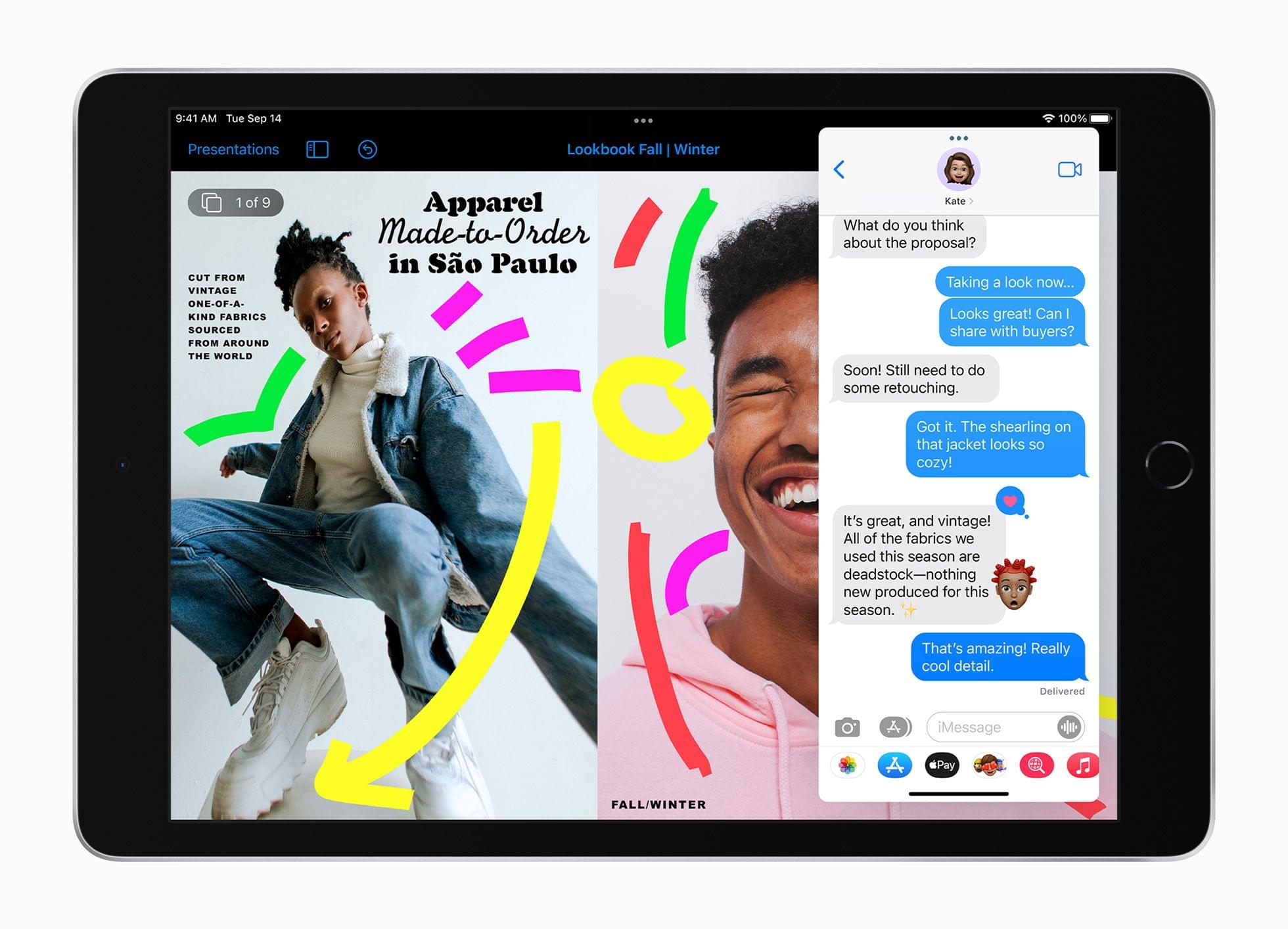
If you didn’t follow the live stream or announcements as they unfolded today, you can replay it on Apple’s Events site and catch the product videos on Apple’s YouTube channel.

The keynote video can be streamed here and on the Apple TV using the TV app. A high-quality version is also available through Apple Podcasts as a video and audio podcast. There is also an American Sign Language version of the event, which is available here.

More videos after the break.

Read more

Access Extra Content and Perks

Founded in 2015, Club MacStories has delivered exclusive content every week for nearly a decade.

What started with weekly and monthly email newsletters has blossomed into a family of memberships designed for every MacStories fan.

Learn more here and from our Club FAQs.

Club MacStories: Weekly and monthly newsletters via email and the web that are brimming with apps, tips, automation workflows, longform writing, early access to the MacStories Unwind podcast, periodic giveaways, and more;

Club MacStories+: Everything that Club MacStories offers, plus an active Discord community, advanced search and custom RSS features for exploring the Club’s entire back catalog, bonus columns, and dozens of app discounts;

Club Premier: All of the above and AppStories+, an extended version of our flagship podcast that’s delivered early, ad-free, and in high-bitrate audio.

Learn more here and from our Club FAQs.


Apple Announces New iPhones, iPads, and Apple Watch Availability

Apple announced the following pre-order and availability dates for the products announced today:

iPhones

  • iPhone 13 mini
    • Pre-order: September 17
    • Availability: September 24
  • iPhone 13
    • Pre-order: September 17
    • Availability: September 24
  • iPhone 13 Pro
    • Pre-order: September 17
    • Availability: September 24
  • iPhone 13 Pro Max
    • Pre-order: September 17
    • Availability: September 24

iPads

  • 10.2” iPad
    • Pre-order: Today
    • Availability: September 24
  • iPad mini
    • Pre-order: Today
    • Availability: September 24

Apple Watch 7

  • Pre-order: Later this fall
  • Availability: Later this fall

iOS 15, iPadOS 15, watchOS 8

  • Availability: September 20

You can follow all of our September Apple event coverage through our September 2021 event hub, or subscribe to the dedicated RSS feed.

Access Extra Content and Perks

Founded in 2015, Club MacStories has delivered exclusive content every week for nearly a decade.

What started with weekly and monthly email newsletters has blossomed into a family of memberships designed for every MacStories fan.

Learn more here and from our Club FAQs.

Club MacStories: Weekly and monthly newsletters via email and the web that are brimming with apps, tips, automation workflows, longform writing, early access to the MacStories Unwind podcast, periodic giveaways, and more;

Club MacStories+: Everything that Club MacStories offers, plus an active Discord community, advanced search and custom RSS features for exploring the Club’s entire back catalog, bonus columns, and dozens of app discounts;

Club Premier: All of the above and AppStories+, an extended version of our flagship podcast that’s delivered early, ad-free, and in high-bitrate audio.

Learn more here and from our Club FAQs.


Shazam Crosses 1 Billion Songs Recognized from Control Center

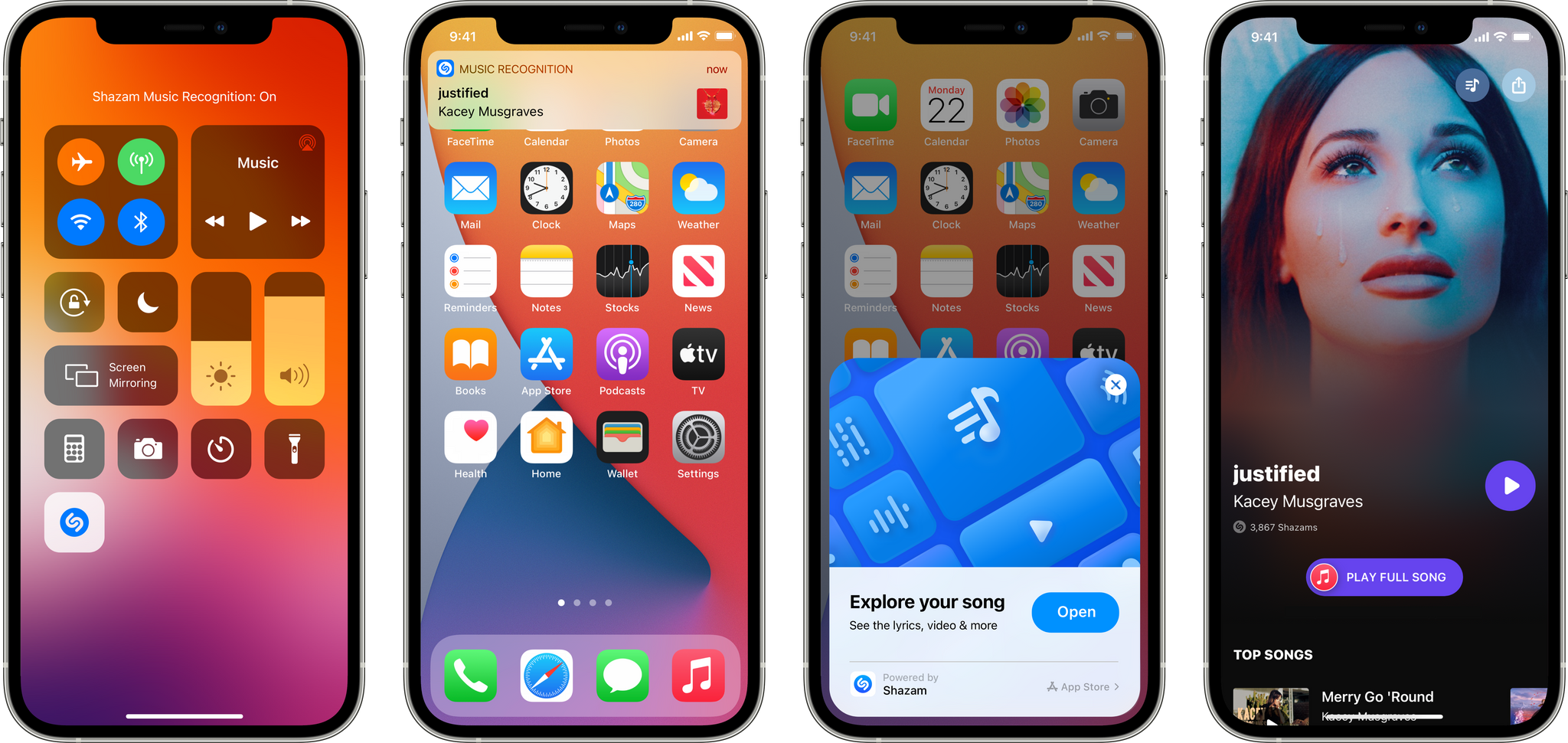
Today, Shazam surpassed 1 billion songs recognized using its Music Recognition control available in iOS and iPadOS’s Control Center. That’s a huge number, especially considering that the feature was first added in iOS and iPadOS 14.2 less than a year ago.

The Music Recognition control can be added to Control Center from the Settings app. When tapped, the feature creates a digital fingerprint of the audio and sends it over the Internet for matching against Shazam’s database of songs, securely and privately making a match without sending the actual audio. In addition to recognizing songs playing around you, the feature can recognize songs played in any app and even while you’re wearing AirPods.

According to Apple, the ten most Shazamed songs from Control Center are:

  1. “Talking To The Moon” - Bruno Mars
  2. “Astronaut In The Ocean” - Masked Wolf
  3. “MONTERO (Call Me By Your Name)” - Lil Nas X
  4. “Beggin” - Måneskin
  5. “Another Love” - Tom Odell
  6. “Runaway” - AURORA
  7. “Dick” - StarBoi3 Feat. Doja Cat
  8. “Arcade” - Duncan Laurence
  9. “Stay” - The Kid LAROI & Justin Bieber
  10. “drivers license” - Olivia Rodrigo

Earlier this summer, the Shazam app crossed 1 billion daily songs recognized and a lifetime total of over 50 billion. With the release of iOS and iPadOS 15, developers will be able to incorporate song recognition into their own apps using ShazamKit, which will undoubtedly accelerate the number of songs recognized even further.

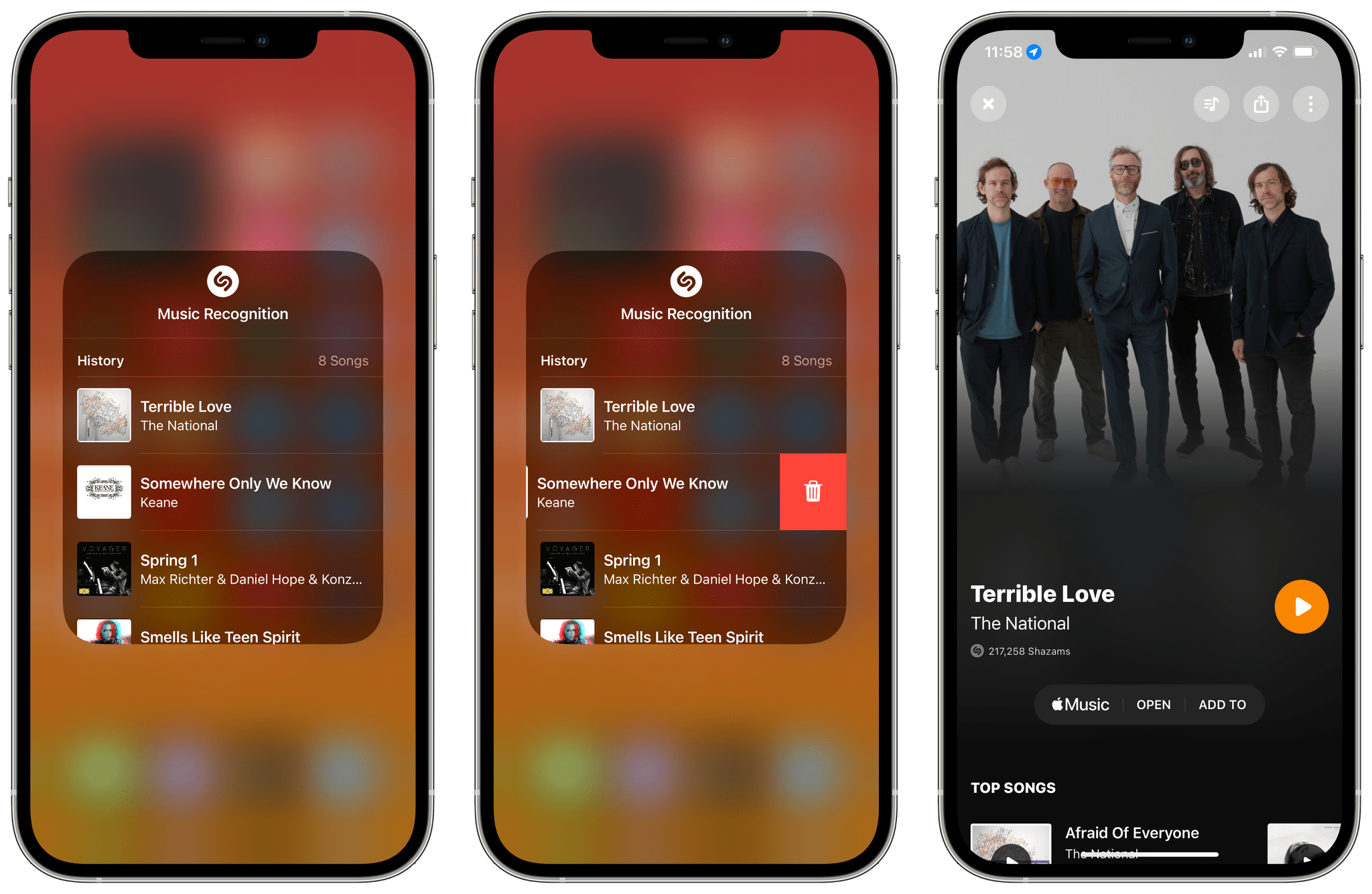
Viewing recently recognized songs from Control Center.

Viewing recently recognized songs from Control Center.

The Music Recognition control doesn’t save songs it recognizes to the Shazam app, which I wish it did, but when iOS and iPadOS 15 are released, users will be able to touch and hold the control to reveal a list of recently-recognized songs. Selecting a song from the list opens it in the Shazam app. Alternately, you can swipe left on an entry to delete it.

I’ve used Shazam since long before it was acquired by Apple, and the Music Recognition control has become one of my most-used Control Center features since it launched. Whether I’m out somewhere and hear a song I like or watching a TV show with an interesting soundtrack, quickly swiping down to access Control Center has become an ingrained habit at this point.

Access Extra Content and Perks

Founded in 2015, Club MacStories has delivered exclusive content every week for nearly a decade.

What started with weekly and monthly email newsletters has blossomed into a family of memberships designed for every MacStories fan.

Learn more here and from our Club FAQs.

Club MacStories: Weekly and monthly newsletters via email and the web that are brimming with apps, tips, automation workflows, longform writing, early access to the MacStories Unwind podcast, periodic giveaways, and more;

Club MacStories+: Everything that Club MacStories offers, plus an active Discord community, advanced search and custom RSS features for exploring the Club’s entire back catalog, bonus columns, and dozens of app discounts;

Club Premier: All of the above and AppStories+, an extended version of our flagship podcast that’s delivered early, ad-free, and in high-bitrate audio.

Learn more here and from our Club FAQs.