Posts in mac

Apple Discontinues Xserve, Mac Pro Server Goes Live

As MacGeneration notes, with a note on its website Apple announced Xserve will be discontinued and will only be available until January 31st. The note links to a PDF available here called “Xserve Transition Guide”.

Apple will not be developing a future version of Xserve. Xserve will be available for order through January 31, 2011. Apple will honor and support all Xserve system warranties and extended support programs. Apple intends to offer the current ship- ping 160GB, 1TB, and 2TB Apple Drive Modules for Xserve through the end of 2011 or while supplies last. Apple will continue to support Xserve customers with service parts for warranty and out-of-warranty service.

The Xserve was first introduced in 2002. Entire racks of Xserve systems are still used by many companies and universities in their networks. As Xserve gets discontinued, the Mac Pro Server goes live in the Apple Store. It can get configured up to 12 cores and ships in 2-4 weeks.


Skype 5 Beta for Mac Now Available

A few minutes ago Skype released the long awaited version of Skype 5 for Mac, a new iteration of the world-leading communication tool that brings a lot of new features and a redesigned interface to OS X. Skype 5 for Mac is labelled as a beta product for now.

Skype 5 for Mac brings complete Address Book integration, group video calling (finally, as this was one of the best features of the Windows counterpart), a new mini control bar, support for offline instant messaging, user profiles and a floating dialpad.

Check out the demo video above.


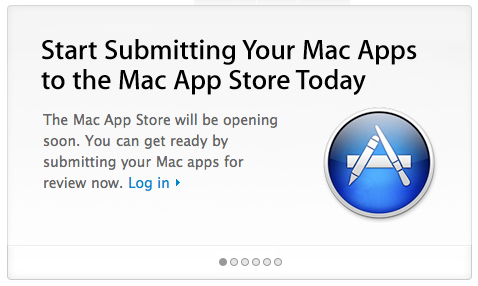
Developers, Start Submitting Your Mac Apps Today

Apple is now accepting submissions for the Mac App Store. With an email sent to registered Mac developers earlier today, Apple confirmed that Mac apps can now be sent to Apple for approval.

We don’t know which developers are jumping on this today and whether Apple has refined its review guidelines following the many doubts arisen in the past weeks, but we know it’s going to be huge – right?

The Mac App Store is set to open in less than 90 days. We can’t wait.


Also From Steve Jobs: Final Cut Studio Ain’t Dead

Looks like the chief is back to organizing his inbox and replying to angry customers asking about Apple stuff. MacRumors reported of iTunes LP and Extra coming to the new Apple TV, and now according to a new email published by 9to5mac el Jobso suggested a reader to “stay tuned” for a Final Cut Studio update and “buckle up”.

Reader Evan Agee recently e-mailed the man in charge about the lack of a Final Cut Studio announcement at Apple’s Back to the Mac event and also threw in his hopes for a 64-bit update. Jobs’ reply?

Stay tuned and buckle up.
Sent from my iPhone

We are tuned in, Steve.


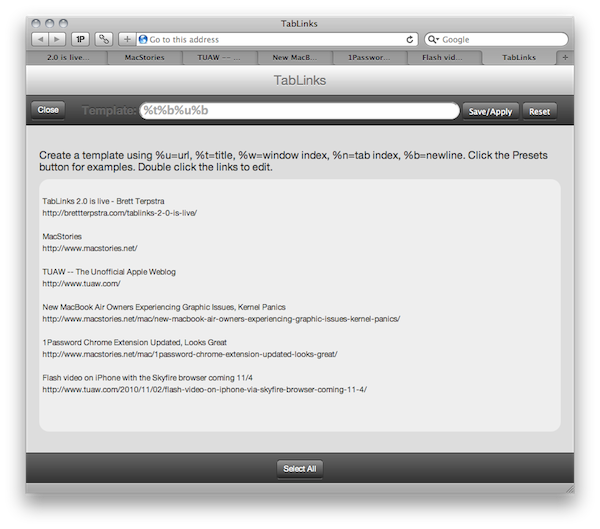
TabLinks 2.0: Safari Extension To Gather Links From Your Open Tabs

I’m not a Safari user anymore, but this extension from Brett Terpstra was just too cool to not mention it: with the click of a button, TabLinks can fill a pre-defined template with information about your open tabs. URL, title, window info – you name it. If you’re that type of user who always feels like he’s got too many tabs open at the same time and would like to save them for later, that’s exactly where TabLinks comes in handy. Read more


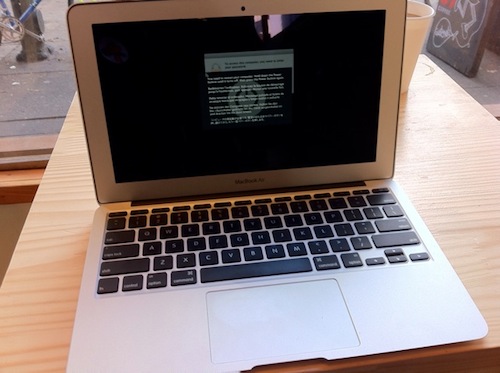
New MacBook Air Owners Experiencing Graphic Issues, Kernel Panics

According to a report bu Cult of Mac, and confirmed by further analysis on Macworld, a pretty large number of MacBook Air early adopters are experiencing screen issues such as “weird colors in vertical lines”, freezes, crashes and “horizontal sparkling bands”.

Additional reports about the video problem have been posted to Apple’s discussion forums and for the people reporting it the symptoms can vary. I’ve even encountered the problem myself on my 13-inch MacBook Air.

The problem with kernel panics has been experienced by Cult of Mac staff that purchased 11-inch or 13-inch models. Users on Apple forums haven’t complained about this specifically yet, but they have been complaining about their new MacBook Airs crashing.

Read more


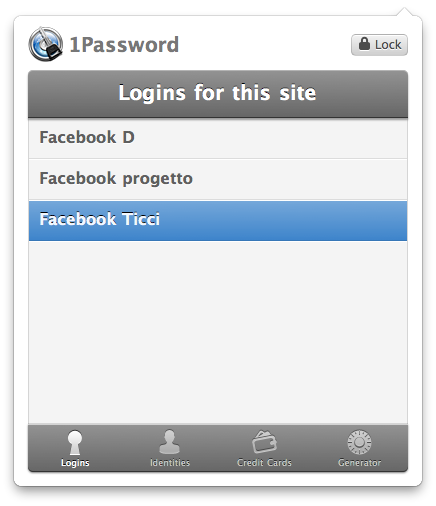
1Password Chrome Extension Updated, Looks Great

If you use 1Password (why wouldn’t you?) and you happen to use Chrome as your default browser on the Mac, you may have noticed the latest 1Password beta introduces a brand new great looking Chrome extension. To enable beta releases in 1Password, open the Preferences, go to the Updates tab and check “Include Beta versions”. Install the beta update, and restart Chrome to activate the updated extension.

The new extension looks great, and finally brings proper 1Password support to Chrome. I heard many complaints from users in the past who didn’t want to switch to Chrome due to lack of 1P support.

Those days are over, the new extension looks (and works) very well.


“Creating Flow with OmniFocus” Is The Book Every OF User Should Read

October has been a great month for iOS app development-related books: iPhone App Entrepreneur by David Appleyard and App Savvy by our friend Ken Yarmosh are two of the best pieces anyone interested in getting started with iOS development (or anyone interested in iOS, period) should read.

November brings another great book with it, this time tailored to Mac users who have found their productivity setup in OmniFocus. “Creating Flow with OmniFocus”, written by Kourosh Dini, MD – “a Chicago based psychiatrist, musician, author, husband and father who also happens to really enjoy technology” - is the ultimate resource that covers OmniFocus from the very first steps (setting up new projects and contexts) to advanced functionalities such as the much popular and loved Perspectives. Read more