This Week's Sponsor:

Copilot Money

The Apple Editor’s Choice App for Managing Your Money


Posts in Linked

Creating the World of Red Rising with Author Pierce Brown (Part 1)

Today on Dialog, we are joined by author Pierce Brown the creator of the Red Rising series of novels. In this first part of a two-part interview, we talk about the lead up to the release of Dark Age, Brown’s latest book that will be released tomorrow, how he got started writing, the themes and influences behind the Red Rising series, the business of writing, social media, and interacting with fans.

You can find the episode here or listen through the Dialog web player below.

Sponsored by:

  • Astropad Studio – Turn your iPad into a professional graphics tablet. Get started today with a 30-day free trial.
  • Hullo – Your favorite pillow, guaranteed.
Permalink

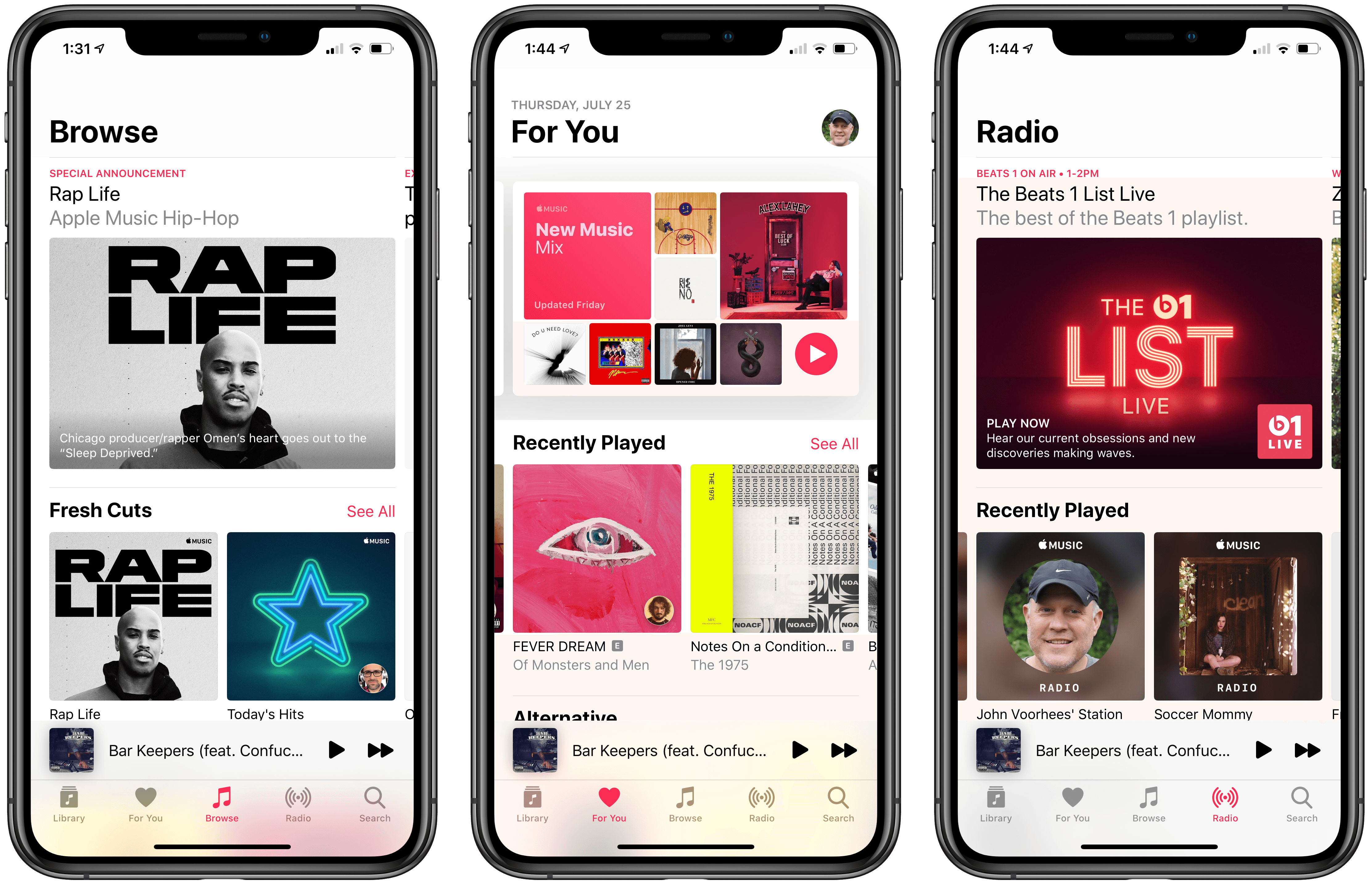
Billboard Profiles Apple Music Lead Oliver Schusser

Billboard has an in-depth profile of Oliver Schusser, who has been running Apple Music for the past 15 months. You may not have heard Schusser’s name before, but he’s been at Apple since 2004, first working to expand iTunes in Europe. With Jimmy Iovine taking on a consulting role at Apple Music and Robert Kondrk moving to a product and design role, Billboard explains that Schusser was tapped to grow the streaming service.

The profile, which also includes interviews with Jen Walsh, the director in charge of Shazam and Beats 1, and Rachel Newman, the global senior director of editorial, emphasizes the service’s focus on editorial over algorithmic content:

“You hear Tim talk a lot about humanity – how we’re at the crossroads between the liberal arts and technology,” says Oliver Schusser. “It’s got to be both.” The new leader of Apple Music (the Tim in question would be his boss, Apple CEO Cook) is relaxing in his sun-drenched corner office at the company’s Culver City, Calif., headquarters on a June morning, explaining – in his typically measured way – why the service he oversees hasn’t gone all-in on algorithms. “That’s just not the way we look at the world,” continues Schusser. “We really do believe that we have a responsibility to our subscribers and our customers to have people recommend what a playlist should look like and who the future superstars are.”

Among other changes Schusser has implemented since taking the reigns of Apple Music, Billboard emphasizes the shift away from annual feature releases timed around Apple hardware releases noting the mid-year of top 100 charts and new personalized playlists. Those changes caught my eye in particular because unlike software tied to hardware advances or operating system changes, services, which have become increasingly important to Apple, demand ongoing attention to remain in the forefront of the public’s mind to retain existing customers and sign up new ones.

The approach is a departure for Apple, but one we’ve begun to see more often with ongoing improvements to Siri and mid-year updates to Shortcuts, for example. Apple Music’s advances may not get a lot of attention from the software and hardware-focused tech press, but in my experience, Apple Music has steadily improved since its debut, developing into an excellent way for me to enjoy my favorite bands and discover new ones.

Permalink

Connected, Episode 253: Jeff Would Absolutely Destroy Me

On this week’s episode of Connected:

Federico and Myke are interested in expanding their smart home devices, wondering if Apple will buy a chunk of Intel, and considering the possible new features of the iPhone 11.

You can listen below (and find the show notes here).

0:00
01:26:01

Connected, Episode 253

Sponsored by:

  • Squarespace: Make your next move. Enter offer code CONNECTED at checkout to get 10% off your first purchase.
  • Pingdom: Start monitoring your websites and servers today. Use offer code CONNECTED to get 30% off.
  • TextExpander, from Smile: Give your productivity a boost with TextExpander. Get 20% off with your first year.
Permalink


Video Game Narrative Design and Writing Science Fantasy Novels with Carrie Patel (Part 2)

Today on Dialog, we are joined by video game narrative designer and novelist Carrie Patel for the conclusion of our conversation. This week, we cover where Patel finds inspiration, planning a novel, the writing process, the benefits of having a publisher, balancing writing and a full-time job, and a lot more.

You can find the episode here or listen through the Dialog web player below.

Sponsored by:

  • Astropad Studio – Turn your iPad into a professional graphics tablet. Get started today wit http://hullopillow.com/dialog h a 30-day free trial.
  • HealthView – A dashboard for Apple Health.

Next week, we’ll begin our final interview of this first season of Dialog with a very special guest, Pierce Brown, the author of the Red Rising series of novels who will join us the same day that Dark Age, the latest installment in his series, is published.

Permalink

How iOS 12.4’s iPhone Migration Tool Works

Yesterday Apple released iOS 12.4, an update that, during the beta phase at least, appeared to have little to no new features. Once the software went public with accompanied release notes, we learned that it contained a new iPhone migration tool, though it wasn’t immediately clear how that tool worked, or how it differed from existing migration options. Today Benjamin Mayo outlines the details on 9to5Mac:

With iOS 12.4 or later, there’s a new iPhone set up option. You can now perform a local iPhone data migration when setting up your new iPhone.

As part of Quick Start, you can now Transfer Your Data directly, without requiring to use iCloud or an iTunes backup. The iPhone defaults to using local WiFi, but you can transfer wired using the USB3 Camera Adapter and a Lightning cable.

[…]

Direct transfer copies across the same data as an iTunes encrypted backup; all your photos, media, app data, settings and more are sent over a peer-to-peer wireless connection.

This tool seems like a fantastic alternative to restoring from an iCloud backup, or performing an encrypted iTunes restore. Both existing options are troublesome for storage reasons: many users only have the free 5 GB iCloud storage plan, which often isn’t enough to store a device backup in the first place, and to go the iTunes route, you need adequate local storage space on your Mac to back up your entire device, which I personally haven’t had in years.

Another common issue with restores from iCloud backups is that, while they let you start using your iPhone after a short period of time, often the restoration of data such as photos and offline music can take days, if it ends up taking place at all. With the new local transfer option, the wait time before you can use your device is a lot longer (Mayo shares a screenshot estimating 90 minutes), but once the transfer is complete, everything on the new device should be identical to the old one.

I tend to buy new iPhones every year, and recently have gotten in the habit of setting them up as new devices every time – partly because starting fresh can help eliminate clutter, but also because iCloud restores have historically been inconsistent for me. With the new options added in iOS 12.4, I may need to rethink that strategy.

Permalink


Connected, Episode 252: Full Oracle Mode

On this week’s episode of Connected:

Federico has concerns about dummy units of the next iPhone. Stephen is troubled by the icon used for Software Update in macOS. Both of them receive a visit from a mystic being named Myke. Oh, and it’s World Emoji Day!

You can listen below (and find the show notes here).

0:00
01:25:56

Connected, Episode 252

Sponsored by:

  • ExpressVPN: High-Speed, Secure & Anonymous VPN Service. Get 3 months free with a 1-year package.
  • Hover: Get 10% off any domain name - extensions for anything you’re passionate about.
  • Moo: Custom business printing and design. Save 25%.
Permalink

The Iconography of Apple Maps

Mercury Intermedia, in a post on Medium, shares its extensive documentation of Apple Maps’ iconography over the years:

A few years ago we published a post examining the point of interest (POI) icons within Apple Maps titled More Than You Ever Wanted to Know About Apple’s Spotlight Location Icons. POI icons have existed in Apple Maps since Google was the maps provider. But with iOS 6, Apple took full ownership of Maps and introduced a selectable, color-coded POI system with all new iconography.

We took particular notice of the icons included with iOS 8 when Apple began using larger versions of these icons at the system level as part of their new Spotlight search feature. Apple has continued to iterate on these icons and has made several additions and refinements. With iOS 10 for example, Apple redesigned the Maps app to use the larger POI icon set directly on the map itself. This post will examine how the system has grown and evolved over the past few years.

If you’re interested in design, iconography, or how these things have evolved over time in Apple Maps, the post is a fantastic resource and fun exploration of the little details that make a significant mark on user experience. For example, the article includes quotes from designer Scott Dunlap comparing Apple’s icon changes over the years and what purpose those tweaks served, as well as offering feedback for how Maps’ icon set could stand more improvement, particularly for greater clarity at small sizes.

Permalink