This Week's Sponsor:

Copilot Money

The Apple Editor’s Choice App for Managing Your Money


Posts in Linked

‘The iPad Pro Is a Killer Machine but its Software Is Killing Me’

Jason Snell, writing for Macworld about the new iPad Pro’s software limitations compared to its powerful hardware:

With the announcement of USB 4/Thunderbolt support on these new iPad Pro models, I’m thrown back to the past. In 2018, when Apple released the first iPad Pro with a USB-C port on the bottom, it didn’t update the software to read the entire contents of a thumb drive when you plugged it in. The hardware was willing, but the software was weak.

And here we are again. Thunderbolt adds even speedier connectivity, but for what? Faster photo and video imports? Okay, though once again, I’m reminded that Apple’s bread-and-butter pro media apps won’t run on these iPads.

Thunderbolt is great, but it’s difficult to take full advantage of it.

How about external display support? The new iPad Pros can drive even larger external displays, including Apple’s Pro Display XDR. Third-party video apps can take advantage of this to display high-resolution video and even some analytical displays. Which is great, but if you want to display the iPad interface itself, it’ll just be a pillarboxed mirror of what’s on the iPad’s own screen.

The last time a new iPad Pro’s hardware was so obviously more capable than its software demanded, we saw the debut of iPadOS seven months later. The 2021 iPad Pro’s hardware has created new low-hanging fruit for its software; I’d be really surprised if the second half of this story isn’t dropping in six weeks.

Permalink

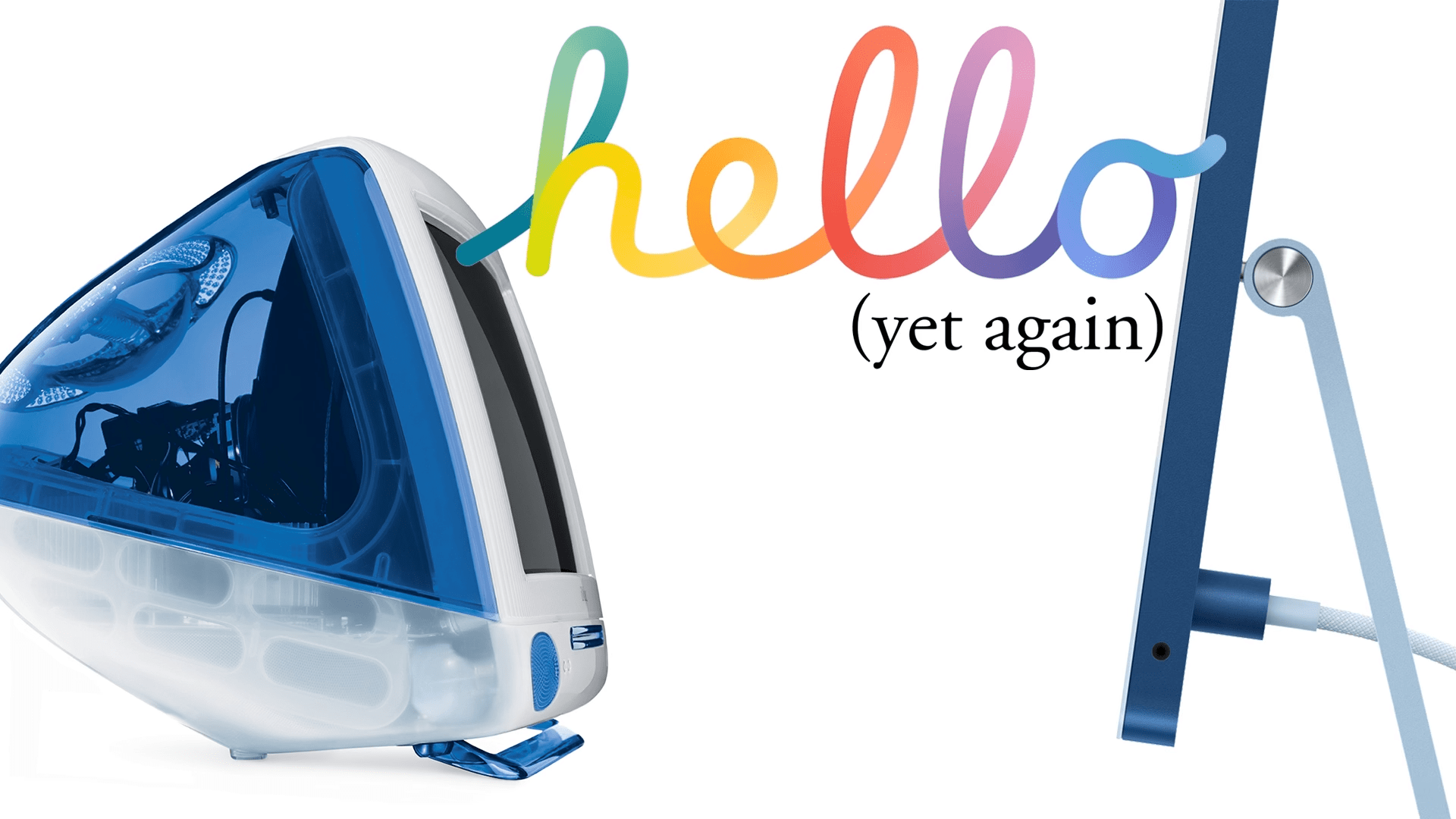
How to Enjoy the New iMac Hello Screen Saver on Any M1 Mac

The new iMacs announced yesterday will ship with special ‘Hello’ screen saver that pays tribute to the original Macintosh and the color schemes of the new iMac models. On 9to5Mac, Jeff Benjamin has a walkthrough of the new screen saver, its options, and instructions on how to enable it on other Macs.

As Benjamin explains, you don’t need to have the new iMac to run the screen saver, although you need to jump through some hoops. The Hello screen saver is in the macOS 11.3 RC beta that was just released and can be copied and installed on other M1 Macs running the 11.3 beta by following the steps in Benjamin’s video. I haven’t tried to install the screen saver on an Intel-based Mac, but I plan to give it a go once I update my Mac mini to 11.3.

The screen saver includes several settings and three themes. I’ve set up the screen saver on my M1 MacBook Air and selected the ‘All’ theme option to get a mixture of all three themes when my screen saver is enabled. In addition to the themes, you can choose whether the screen saver shows multiple languages and whether it follows your light or dark mode settings.

I’ve enjoyed the Drift screen saver on my Macs lately, but the switch to Hello on my MacBook Air has been nice. The bold, vibrant colors are lovely.

Update: It turns out that the same process for adding the Hello screen saver to an M1 Mac works on an Intel-based Mac running the macOS 11.3 beta too.

Permalink

Microsoft to Begin Beta Testing Xbox Cloud Gaming on the iPhone and iPad

Tomorrow, April 20th, Microsoft Xbox Cloud Gaming, also known as xCloud, is coming to the iPhone and iPad and the PC as a limited, invitation-only beta. The service will allow invited Xbox Game Pass Ultimate subscribers to stream over 100 games using the Edge, Chrome, and Safari browsers.

In an announcement on Xbox Wire, Catherine Gluckstein, Microsoft’s head of xCloud said:

The limited beta is our time to test and learn; we’ll send out more invites on a continuous basis to players in all 22 supported countries, evaluate feedback, continue to improve the experience, and add support for more devices. Our plan is to iterate quickly and open up to all Xbox Game Pass Ultimate members in the coming months so more people have the opportunity to play Xbox in all-new ways.

Xbox Game Streaming was launched on Android last year but was delayed on iOS and iPadOS when Apple told Microsoft it couldn’t stream the games to a dedicated app unless each game was approved by Apple App Review.

Permalink

AppStories, Episode 213 – Music Part 2: Music Discovery, Playback, and Utility Apps

This week on AppStories, we introduce part two of our music miniseries, with a focus on third-party music discovery, playback, and utility apps.

Sponsored by:

  • Privacy – Smarter payments. Get $5 to spend on your first purchase.
  • Pingdom: Start monitoring your website performance and availability today, and get instant alerts when an outage occurs or a site transaction fails. Use offer code APPSTORIES to get 30% off. Offer expires on January 31, 2022, and can be used only once.
  • Pillow – Sleeping better, made simple.

Permalink

Quinn Nelson’s Approach to Home Automation

I’ve experimented with a lot of HomeKit devices over the past few years, and I often think about how I would set my home up if I were starting from scratch. That is exactly what Quinn Nelson of Snazzy Labs has done with his new home:

Nelson’s video shows off some fantastic HomeKit devices, but more important than the gear is his approach to home automation. There are a lot of important lessons in this video. However, the two that resonated with me the most based on my experience are the benefits of sticking with one platform to reduce complexity and the importance of having manual options for smart devices. More often than not, I’ve regretted it when I’ve lost sight of those two principles.

Like Nelson, I’m a big fan of the Lutron Caséta line of HomeKit lighting products. We installed a light switch in our living room about two years ago, and I haven’t had a single issue with it ever. Now I just need to try to resist the urge to see what it would cost to replace my bedroom shades with the fancy Lutron Serena shades Nelson also showed off.

Permalink

AppStories, Episode 212 – Music Part 1: How We Listen

This week on AppStories, we talk about Apple Arcade’s big expansion and the iOS component of John’s retro gaming project before beginning a new mini-series focused on music. For the first installment, we focus on hardware and services, covering our current setups, how we listen to music, and the services we use.

Sponsored by:

  • Backblaze – Get peace of mind knowing your files are backed up securely in the cloud. Start a free 15-day trial with Backblaze today
  • Pillow – Sleeping better, made simple.
  • Privacy – Smarter payments. Get $5 to spend on your first purchase.

Permalink

Why Today Feels like a Quiet Turning Point for Video Games

Chris Plante, writing for Polygon on today’s major Apple Arcade news:

Microsoft’s and Apple’s bets on downloadable subscription services would seemingly place them behind their streaming counterparts in the long run, but that’s not quite the case. Their success shows that they’re neither ahead of the curve nor behind it; they’re simply meeting the expectations of their players. Apple debuted 30 games on Friday on a service that costs $4.99 a month and is often included in larger Apple product purchases for free. Microsoft’s Xbox Game Pass Ultimate tier costs $14.99 a month and includes games on Xbox console, Windows PC, and Android devices — and will now regularly feature launch-day releases from Xbox Game Studios, Bethesda Softworks, and even Sony, along with a rotating collection of more than 100 catalog titles. They’re providing the best deals in gaming at this moment.

Compare Friday’s news and these strategies with other industry announcements from this week. Nintendo ceased selling a digital collection of Mario games for no greater reason than artificial scarcity, despite already hosting an online subscription service that could house the games. And Sony confirmed that it will be closing its digital storefronts for the PlayStation 3, PlayStation Portable, and PlayStation Vita — with no clarity on how or if those venues or their games will be preserved, let alone be made available in the future.

The fact that Apple, possibly inspired by Microsoft, has a real chance to do game preservation better than Sony is not a sentence I would have expected to type in 2021.

See also: my story from 2018, App Preservation: Saving the App Store’s History, featuring – among others – Zach Gage, who brought four classic games to Apple Arcade today.

Permalink

The Case for Shortcuts on the Mac

Jason Snell writing on Six Colors:

The more I use Shortcuts, the more I realize that in many ways, user automation on iOS has outpaced automation on the Mac. Let me give you an example: On iOS I built a shortcut to grab the contents of selected text in Safari and open the results in a text editor—converted to Markdown, with the title of the page set as the title and its URL set as a link. It’s not remotely the most complicated shortcut I’ve built, but it’s great—and has saved me a lot of time while improving the quality of my link posts…

I love it so much, I decided to build the same automation on the Mac. The results were ugly. My Keyboard Maestro macro forces Safari to copy the selected text to the clipboard, moves to BBEdit, opens a new window, pastes in the HTML, runs an HTML to Markdown Service on the selection, then runs an AppleScript script that cleans up the results. It’s ridiculous.

This is a fantastic example of something that I’ve experienced over and over to the point where I hesitate before trying to automate anything on the Mac. As Jason points out, Shortcuts isn’t exactly easy, but I find that I usually spend the most time figuring out the best approach to a problem rather than how to implement it in Shortcuts, which is automation at its best. It’s a self-reinforcing cycle that encourages me to experiment more with Shortcuts and use Mac automation less.

Read more


Siri Adds Two New English Speaking Voices and Lets Users Choose Among Them

Matthew Panzarino, reporting for TechCrunch says the latest beta version of iOS and iPadOS 14.5 includes two new English Siri voices. The report elaborates that the existing female voice is no longer the default and that users will choose the voice they want to use with Apple’s voice assistant when setting up a device for the first time.

In a statement to TechCrunch, an Apple said:

We’re excited to introduce two new Siri voices for English speakers and the option for Siri users to select the voice they want when they set up their device. This is a continuation of Apple’s long-standing commitment to diversity and inclusion, and products and services that are designed to better reflect the diversity of the world we live in.

Panzarino says he’s heard the new voices and likes them a lot and will be embedding samples in his story once he has the sixth iOS 14.5 beta installed.

I’m surprised that Apple is adding new Siri voices this late in the iOS 14 cycle, but it’s a welcome change that eliminates bias and makes Siri a more diverse and inclusive service.

Permalink