

I’ve been using the old version of David’s OS X tip every day for the past four years. For Mavericks, there is a new solution in Mail, and David made a screencast.
Posts in Linked
Print to PDF, Revisited→
Mavericks, Mail, and Gmail→
Joe Kissell:
Apple Mail in Mavericks treats Gmail accounts differently than any previous version of Mail did. Although some of the changes are quite clever, the implementation has flaws. Your mileage may vary, of course, but I’ve seen a number of folks on Twitter complaining about some of the same things I’ve found. Here’s what I’ve observed and what you can (and can’t) do about it.
I mentioned “strangeness” with Mail in my review of Mavericks. Joe does an excellent job at documenting what’s going on and why.
I’ll let you guess what other old feature Mavericks broke in Mail (keep reading Joe’s article until the end).
AppleScript Support Effectively Gone From New iWork Apps→
Clark Goble notes that, with the new iWork apps released yesterday, the AppleScript dictionary included in them has been so slimmed down it’s basically gone. He has screenshots showing the regression, and he concludes:
What I suspect Apple doesn’t realize is how much small business and small shops workflow depends upon AppleScript. Casual use is fine. But a lot of people do more. It wouldn’t be so bad were there an alternative. This isn’t just like Apple not upgrading the Mac Pro. This is like Apple not upgrading the Mac Pro for four years, then announcing that the Mac Mini is the new Mac Pro. And discontinuing FCPX, Aperture, and its other pro apps and telling you to use iPhoto and iMovie.
It’s baffling that the same company that brings these automation enhancements cuts AppleScript support in other Mavericks apps. Maybe the iWork team didn’t have the time to rework AppleScript support for the new apps. However, as Dr. Drang notes, it’s strange that AppleScript has been removed from apps that once had it.
I hope that Apple will put AppleScript back in a future update to iWork. I don’t want to think that Apple just doesn’t care about consumer apps also used by advanced users (with higher needs) anymore.
Apple Posts October 22 Keynote Video→
For those who didn’t catch the live stream on Apple’s website, Apple just posted a video of this morning’s keynote in its entirety. The video can be streamed here, and a higher quality version should be made available in a few hours through iTunes. To avoid streaming errors, Safari is recommended for the best viewing experience.
We will post additional news on the site’s homepage, or tweet as @MacStoriesNet throughout the day. Check out our October 22 news hub for complete coverage of today’s announcements.
Update 8 PM EDT: The keynote is now available for download on iTunes through the Apple Keynotes podcast.
For more coverage, check out our October 22 news hub and follow @macstoriesnet on Twitter.
x-callback-url Library→
This is an updated list of apps with x-callback-url support. This list will be updated constantly and as soon as I hear an app being released with the feature.
A useful collection of links by Phillip Gruneich that has more links than the official documentation.
The Eject Button→
More months passed. We shipped the Newton (a few months too early, in my opinion) and moved to another building in Infinite loop. About a year later I left Apple to join a start-up run by some other ex-Newton people. Eventually Newton was canceled by Steve, and people went their separate ways. I’ve worked with a number of ex-Newton folks over the years, at other companies. They’re good people.
A couple of days ago, one of my ex-cow-orkers emailed me this photo.
Great and funny story by Landon Dyer. (via Daring Fireball).
Apple To Live Stream October 22 Media Event→
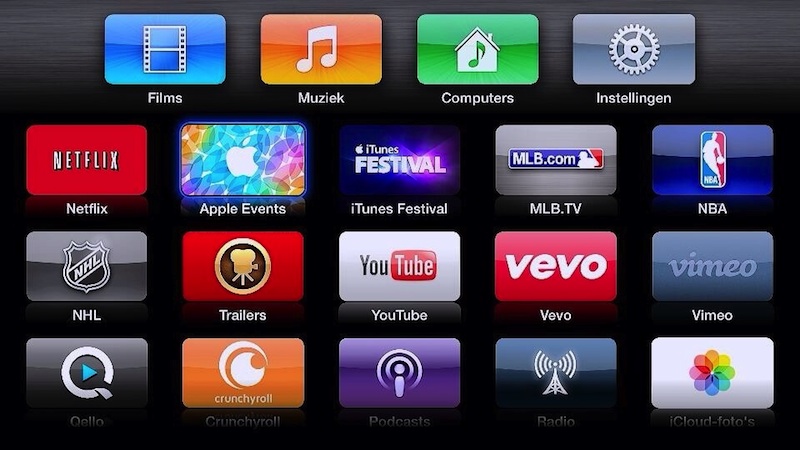
As first noted by MacRumors, Apple will offer a live video stream of today’s media event. As they have done in the past (notably, for the same Fall event last year) a dedicated “Apple Events” channel has returned for Apple TV users, showing a placeholder for the stream that will go live later today at 10 AM PDT.
If past events are of any indication, Apple should also enable a browser stream at this link; right now, the page isn’t available.
Today’s event, rumored to be focused on iPads, new Macs, and OS X Mavericks, will begin at 10 AM in San Francisco, at the Yerba Buena Center for the Arts. Check your time zone below, and stay tuned for our coverage through @MacStoriesNet and our October 22 hub.
Time Zones
13:00 — New York, New York
10:00 — San Francisco, California
04:00 — Sydney, Australia (Oct. 23)
02:00 — Tokyo, Japan (Oct. 23)
01:00 — Shanghai, China (Oct. 23)
22:30 — New Delhi, India
21:00 — Moscow, Russia
19:00 — Rome, Italy
18:00 — London, England
Update 9 AM EDT: As expected, Apple has also launched a webpage to stream today’s event in a web browser. The page is available here.
Live Streaming video requires Safari 4 or later on OS X v10.6 or later; Safari on iOS 4.2 or later. Streaming via Apple TV requires second- or third-generation Apple TV with software 5.0.2 or later.
Lucius Kwok On The App Store’s Gold Rush→
Even after the gold rush is over, there’s still gold in the hills. It’s just harder to make a successful app that gets noticed, and requires teams with the specializations and experience to quickly and efficiently release one, the same way that the remaining gold requires geologists who know the land and heavy machinery to get to it.
And later in the same post:
Free with in-app purchase or subscription pricing looks more sustainable than paid apps. We may need to form ourselves into small teams, because being independent doesn’t mean you have to do everything yourself. I see this as a challenge to figure out what’s next.
I still think that In-App Purchases don’t work for some niches of the App Store, and I wouldn’t want to see developers switching to the IAP model in what may be a self-fulfilling prophecy. But with Apple leading by example, I believe we’ll see a lot of developers trying IAPs for productivity apps and utilities before next year’s WWDC.
GarageBand For iOS Going Free with In-App Purchases→
Aside from the new icons, the updated page also reveals in a footnote that GarageBand will become a free basic download for all iOS 7 devices, joining the other five iLife and iWork apps that became free alongside the release of iOS 7.
GarageBand will, however, include in-app purchase content from Apple, with additional instruments and sounds available for a fee. Licensing fees associated with some of those sounds had been the presumed reason why GarageBand was left out the original move to make Apple’s iLife and iWork apps for iOS free of charge, and it appears that the company has settled on in-app purchases as a way around this issue, offering basic functionality for free and then premium content through the paid upgrade options.
The icons and text have been pulled by Apple since last night, but it seems fairly safe to assume this change will be officially confirmed tomorrow.
It’s interesting to see Apple switching to a freemium model while so many third-party developers are discussing new approaches to selling apps after five years of App Store. Also worth noting is how with iOS 7 they added support for new purchase receipts to automatically unlock IAPs for customers who already bought an app – I assume, likely what they’ll be doing with GarageBand and IAPs for old customers so they won’t have to buy the new IAPs again.
What parts of GarageBand will be free? Will Apple redesign the iWork apps (besides icons) and add IAPs to those as well (they already went free). And what does this change mean for education customers? I’m looking forward to tomorrow’s event.