Posts in Linked

iFixit Tears Down The Original Macintosh

iFixit:

Join us as we live the time-traveler’s dream—the deep, lucid, Orwellian vision of hope, fear, and nostalgia that is 1984. Just in time for its 30th anniversary, we laid hands on an ‘84 original: the Macintosh 128K. And, you guessed it—we’re tearing it down like it’s the Berlin Wall.

They give it a repairability score of 7/10. Don’t miss the face-to-face photo of Old vs New in Step 7.

Also worth checking out: Macworld’s unboxing of the Macintosh (via John Siracusa).

Permalink

Celebrate The Mac

Jonathan Zufi:

To celebrate Mac’s 30th birthday, I’ve created this micro site for all the world to enjoy. In 2009, I started taking photos of every Apple product ever made since 1976. Then I turned them into a really big photo site. I hope you enjoy this trip down memory lane, and I hope that the Macintosh’s anniversary brings your happy memories of your own experience with Apple.

Beautiful photos. Jonathan is also the author of ICONIC, a fantastic photo book about Apple products. Make sure to check out the PowerBooks page and then look down at your new MacBook’s trackpad.

Permalink

Apple Executives On The Mac At 30

Macworld’s Jason Snell has an interview with Apple executives Phil Schiller, Craig Federighi, and Bud Tribble about the 30 years of the Mac (Tribble was part of the original Macintosh team). It’s a great interview, and this part about convergence of OS X and iOS stood out to me:

The reason OS X has a different interface than iOS isn’t because one came after the other or because this one’s old and this one’s new,” Federighi said. Instead, it’s because using a mouse and keyboard just isn’t the same as tapping with your finger. “This device,” Federighi said, pointing at a MacBook Air screen, “has been honed over 30 years to be optimal” for keyboards and mice. Schiller and Federighi both made clear that Apple believes that competitors who try to attach a touchscreen to a PC or a clamshell keyboard onto a tablet are barking up the wrong tree.

“It’s obvious and easy enough to slap a touchscreen on a piece of hardware, but is that a good experience?” Federighi said. “We believe, no.

Later in the article, Snell included other quotes by Federighi and Schiller about how each device in Apple’s lineup fills a specific role. The message is clear, but I’m sure that it still won’t convince analysts to better understand the company they’re covering.

Permalink

Workflow Requests #1

Earlier today, I asked:

I had some free time, and decided to provide a solution to some of the requests I received. I don’t know if I will repeat this experiment in the future (although it’s likely, because I had fun), but if you have questions, feel free to ask. I don’t see why you shouldn’t speed up that tedious task you’ve been doing over and over on your iPad or iPhone with an action, workflow, or script.

The best part – you can download the actions below and skip this step entirely.


Permalink


Stockfish For Mac with Chess Analysis

Developed by Daylen Yang, Stockfish is a free and open-source chess app for Mac based on the Stockfish chess engine.

The app does a couple of interesting things: it’s Retina-ready and it can go full-screen, so you’ll enjoy a chess game on your MacBook Pro’s display without distractions. It supports two-player games and it’s got exporting capabilities and keyboard shortcuts. But more importantly, it comes with advanced chess analysis that lets the computer tell you who’s winning and calculate the best move. I’m fascinated by the technological premise: the app can let you choose to optimize analysis for maximum performance so that more cores will be used to compute chess analyses; even the amount of memory to use can be adjusted. It should be pretty impressive on a new Mac Pro.

Stockfish is free on the Mac App Store and open-source. The Stockfish engine is available here.

Permalink


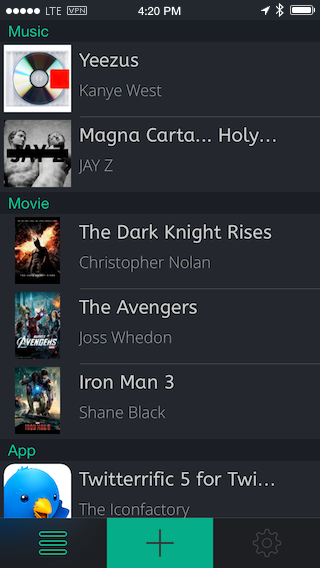
Keep Your iTunes Wishlist in Mentio for iPhone

If you’re saving up for a that special movie, latest iTunes albums, or popular new app, keep track of it with Mentio. The wishlist app lets you add media by searching iTunes and the App Store, lets you share your wishes with friends, and has both light and dark themes for your viewing pleasure. Each item you add contains a small summary (like descriptions for movies), and the option to purchase the item once you’re ready to buy. Useful if you buy apps and media using iTunes gift cards. Download Mentio for a dollar on the App Store.

Permalink