Posts in iPhone

Buying a New iPad or iPhone? Have an Apple Specialist Walk You Through the Latest Features over the Internet.

Apple’s 375 Apple Retail Stores have drawn 3 million customers so far during this past fiscal year, serving upwards of 50,000 people at Genius Bars everyday around the world according to The Loop. Apple’s Retail Stores, which accounted for 14 billion in sales the last fiscal quarter, are Apple’s nexus to the consumer. Every store gives customers the opportunity to interact with Apple’s products, talk with (in my experience pleasant) Specialists who can answer questions, and get support for their products at the Genius Bar at the back of the store. While Apple Support already extends beyond the store by phone and through company’s website via online experts, FAQs, documents, tutorials, and e-mail (just to name a few), getting hands-on with a product before it’s purchased is more challenging. While Apple’s product pages — well designed and often showcasing the product’s features through slides, animated images, and galleries — give customers a sense of what they’re buying, there’s nothing like actually seeing how a real person is using the product (and you wonder why there are so many homemade reviews on YouTube).

Apple’s Specialists are now online and ready to answer a customer’s pending questions about their next iPhone or iPad, at least in a few countries as of this morning. According to The Next Web and Pocket-lint, online shoppers who browse Apple’s Online Store in Brazil, Germany, Spain, and the United Kingdom now have access to a personalized shopping experience for the iPad and iPhone. The new online service is expected to roll out to more countries soon.
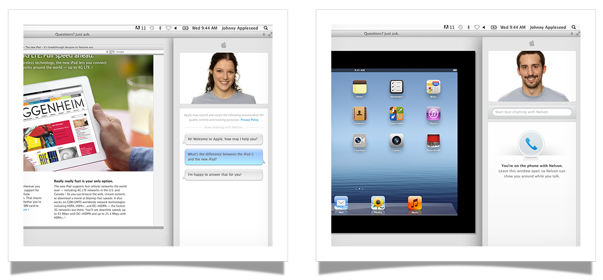
Visit the iPad or iPhone pages on the Apple Online Store, then click the Ask Now button to see your options for contacting a trained Apple Specialist.

For customers shopping for an iPad or an iPhone who might not have an Apple Retail Store nearby or who don’t have the time to stop by a store, an online Apple Specialist can show you how the product works in real time via screen sharing. You’ll be able to ask Specialists questions in a chat panel, then get a demonstration of how a feature works via video. Apple’s goal is to help you make the right purchasing decision, then if desired, schedule an appointment to help you set up the device as you follow along with a Specialist in real time.

Always on the bleeding edge of retail, Apple continues to innovate and improve upon their shopping experience by going the extra mile and putting customers above the product. For Apple, it’s not just about making the sale, but about making connections with people and providing customers with a convenient shopping experience. If you thought Apple turned the idea of personal shopping on its head with EasyPay, delivering online screen sharing demonstrations by real people (at scale!) is equally, if not more, impressive. For an early look at the new service, visit Apple’s UK page for more information.

[Pocket-lint via The Next Web]

Access Extra Content and Perks

Founded in 2015, Club MacStories has delivered exclusive content every week for nearly a decade.

What started with weekly and monthly email newsletters has blossomed into a family of memberships designed for every MacStories fan.

Learn more here and from our Club FAQs.

Club MacStories: Weekly and monthly newsletters via email and the web that are brimming with apps, tips, automation workflows, longform writing, early access to the MacStories Unwind podcast, periodic giveaways, and more;

Club MacStories+: Everything that Club MacStories offers, plus an active Discord community, advanced search and custom RSS features for exploring the Club’s entire back catalog, bonus columns, and dozens of app discounts;

Club Premier: All of the above and AppStories+, an extended version of our flagship podcast that’s delivered early, ad-free, and in high-bitrate audio.

Learn more here and from our Club FAQs.


#MacStoriesDeals - Tuesday

If you missed our Mountain Lion coverage, be sure to check it out. Here are today’s @MacStoriesDeals on hardware, iOS, and Mac apps that are on sale for a limited time, so get them before they end!
Read more

Access Extra Content and Perks

Founded in 2015, Club MacStories has delivered exclusive content every week for nearly a decade.

What started with weekly and monthly email newsletters has blossomed into a family of memberships designed for every MacStories fan.

Learn more here and from our Club FAQs.

Club MacStories: Weekly and monthly newsletters via email and the web that are brimming with apps, tips, automation workflows, longform writing, early access to the MacStories Unwind podcast, periodic giveaways, and more;

Club MacStories+: Everything that Club MacStories offers, plus an active Discord community, advanced search and custom RSS features for exploring the Club’s entire back catalog, bonus columns, and dozens of app discounts;

Club Premier: All of the above and AppStories+, an extended version of our flagship podcast that’s delivered early, ad-free, and in high-bitrate audio.

Learn more here and from our Club FAQs.


Session Videos From The One More Thing Conference Now Available For Purchase

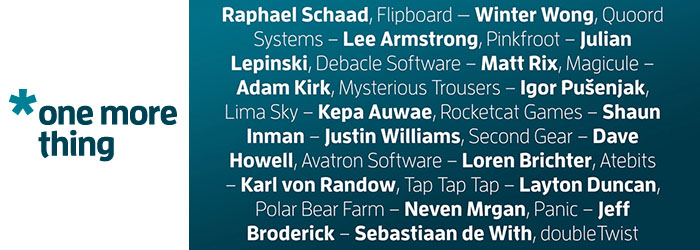
For those of you who weren’t able to go to the ‘One More Thing’ conference back in May, the full sessions have been put together in video format and are now available for $49. It includes sessions from both days and for every one of the 17 iOS developers that spoke at the conference, including Raphael Schaad of Flipboard, Shaun Inman, Justin Williams of Second Gear, Loren Brichter of Atebits, Neven Mrgan of Panic and a whole slew of other, excellent, speakers:

  • Winter Wong - Quoord Systems
  • Lee Armtrong - Pinkfroot
  • Julian Lepinski - Debacle Software
  • Matt Rix - Magicule
  • Adam Kirk - Mysterious Trousers
  • Igor Pušenjak - Lima Sky
  • Kepa Auwae - Rocketcat Games
  • Dave Howell - Avatron Software
  • Karl von Randow - Tap Tap Tap
  • Layton Duncan - Polar Bear Farm
  • Jeff Broderick
  • Sebastiaan de With - Double Twist

For everyone who told us they wished they could come to the conference but couldn’t make it – this is for you. We’re making the full videos from both days of the One More Thing 2012 Conference available for download! It’s only $49, and you can come back to watch or download the videos again at any time up until the next conference. They’re all 720p, H.264 and encoded for most iOS devices.

If you want a taste of what the conference was like, the Q&A session of the main conference is also available for free.

Access Extra Content and Perks

Founded in 2015, Club MacStories has delivered exclusive content every week for nearly a decade.

What started with weekly and monthly email newsletters has blossomed into a family of memberships designed for every MacStories fan.

Learn more here and from our Club FAQs.

Club MacStories: Weekly and monthly newsletters via email and the web that are brimming with apps, tips, automation workflows, longform writing, early access to the MacStories Unwind podcast, periodic giveaways, and more;

Club MacStories+: Everything that Club MacStories offers, plus an active Discord community, advanced search and custom RSS features for exploring the Club’s entire back catalog, bonus columns, and dozens of app discounts;

Club Premier: All of the above and AppStories+, an extended version of our flagship podcast that’s delivered early, ad-free, and in high-bitrate audio.

Learn more here and from our Club FAQs.


#MacStoriesDeals - Monday

If you missed our Mountain Lion coverage, be sure to check it out. Here are today’s @MacStoriesDeals on hardware, iOS, and Mac apps that are on sale for a limited time, so get them before they end!
Read more

Access Extra Content and Perks

Founded in 2015, Club MacStories has delivered exclusive content every week for nearly a decade.

What started with weekly and monthly email newsletters has blossomed into a family of memberships designed for every MacStories fan.

Learn more here and from our Club FAQs.

Club MacStories: Weekly and monthly newsletters via email and the web that are brimming with apps, tips, automation workflows, longform writing, early access to the MacStories Unwind podcast, periodic giveaways, and more;

Club MacStories+: Everything that Club MacStories offers, plus an active Discord community, advanced search and custom RSS features for exploring the Club’s entire back catalog, bonus columns, and dozens of app discounts;

Club Premier: All of the above and AppStories+, an extended version of our flagship podcast that’s delivered early, ad-free, and in high-bitrate audio.

Learn more here and from our Club FAQs.


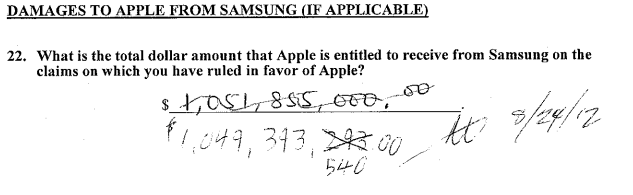
Jury Finds Mostly Against Samsung, Apple Entitled To Damages Of $1.049 Billion

The jury sitting on the Apple and Samsung trial in California has largely found Samsung guilty of infringing on Apple’s intellectual property. The nine jurors unanimously came to agreement, largely finding in Apple’s favour and thus awarding Apple $1.049 billion in damages.

Apple was succesful on a number of claims it put to the jury, but not necessarily against all the phones and tablets that Apple claimed to infringe. One such claim that Apple was particularly succesful in claiming ingringement was the notorious ‘bounce-back’ patent in which the jury found every one of the accused devices infringed on - similarly with Apple’s scrolling and two finger gestures, the jury agreed that nearly all the devices did infringe the patent.

But Apple certainly wasn’t succesful on every front, and one notable area in which the jury did not agree with Apple was in regards to the claim that Samsung’s patents were invalid. In fact the jury didn’t find a single patent, on either side, was invalid.

When the verdict was read, there was minor mistake in the damages calculation that lead the jury to go back and reconsider the decision. It had arisen when Samsung pointed out that the jury had awarded damages for some devices that the jury had said didn’t infringe.

[via AllThingsD, The Verge]

Next: Injunction Hearings

Now that the jury’s verdict has been handed down, the next step will be a preliminary hearing on injunctions. Apple will have to file its requests by August 27th (this coming Monday), at which point Samsung will have two weeks to respond. The actual hearing will be held on September 20th.

[via The Verge]

Samsung Responds To Verdict

Today’s verdict should not be viewed as a win for Apple, but as a loss for the American consumer. It will lead to fewer choices, less innovation, and potentially higher prices. It is unfortunate that patent law can be manipulated to give one company a monopoly over rectangles with rounded corners, or technology that is being improved every day by Samsung and other companies. Consumers have the right to choices, and they know what they are buying when they purchase Samsung products. This is not the final word in this case or in battles being waged in courts and tribunals around the world, some of which have already rejected many of Apple’s claims. Samsung will continue to innovate and offer choices for the consumer.

[via The Verge]

Apple Responds To Verdict

We are grateful to the jury for their service and for investing the time to listen to our story and we were thrilled to be able to finally tell it. The mountain of evidence presented during the trial showed that Samsung’s copying went far deeper than even we knew. The lawsuits between Apple and Samsung were about much more than patents or money. They were about values. At Apple, we value originality and innovation and pour our lives into making the best products on earth. We make these products to delight our customers, not for our competitors to flagrantly copy. We applaud the court for finding Samsung’s behavior willful and for sending a loud and clear message that stealing isn’t right.

[via AllThingsD]

Tim Cook Emails Apple Employees

Today was an important day for Apple and for innovators everywhere.
Many of you have been closely following the trial against Samsung in San Jose for the past few weeks. We chose legal action very reluctantly and only after repeatedly asking Samsung to stop copying our work. For us this lawsuit has always been about something much more important than patents or money. It’s about values. We value originality and innovation and pour our lives into making the best products on earth. And we do this to delight our customers, not for competitors to flagrantly copy.
We owe a debt of gratitude to the jury who invested their time in listening to our story. We were thrilled to finally have the opportunity to tell it. The mountain of evidence presented during the trial showed that Samsung’s copying went far deeper than we knew.
The jury has now spoken. We applaud them for finding Samsung’s behavior willful and for sending a loud and clear message that stealing isn’t right.
I am very proud of the work that each of you do.
Today, values have won and I hope the whole world listens.
Tim

[via 9to5 Mac]

Microsoft Responds To Verdict?


[via The Verge]

Access Extra Content and Perks

Founded in 2015, Club MacStories has delivered exclusive content every week for nearly a decade.

What started with weekly and monthly email newsletters has blossomed into a family of memberships designed for every MacStories fan.

Learn more here and from our Club FAQs.

Club MacStories: Weekly and monthly newsletters via email and the web that are brimming with apps, tips, automation workflows, longform writing, early access to the MacStories Unwind podcast, periodic giveaways, and more;

Club MacStories+: Everything that Club MacStories offers, plus an active Discord community, advanced search and custom RSS features for exploring the Club’s entire back catalog, bonus columns, and dozens of app discounts;

Club Premier: All of the above and AppStories+, an extended version of our flagship podcast that’s delivered early, ad-free, and in high-bitrate audio.

Learn more here and from our Club FAQs.


Flip’s Escape Offers Tons Of Pixel Fun For iOS

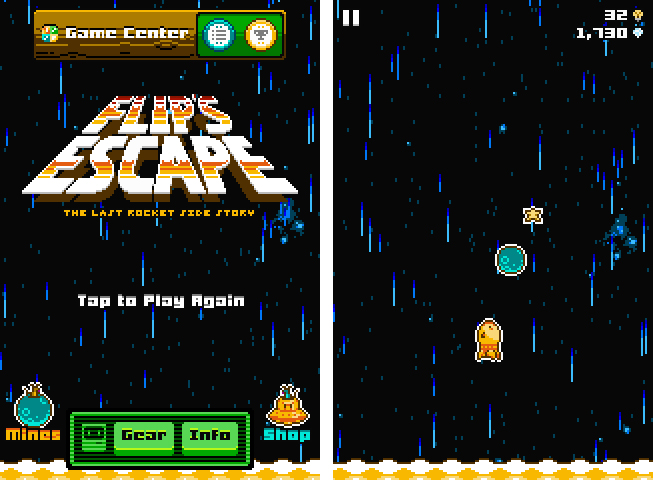
Last week, Shaun Inman (creator of the popular statistics and RSS server software Mint and Fever)’s newest game, Flip’s Escape, got approved by Apple. It ties in with the loose storyline of The Last Rocket after escaping from the collapsing factory. Flip, the rocket you play the game as, needs to flee from the shockwave which resulted from a large explosion. At the same time Flip has to avoid colliding with asteroids during his epic escape. Read more

Access Extra Content and Perks

Founded in 2015, Club MacStories has delivered exclusive content every week for nearly a decade.

What started with weekly and monthly email newsletters has blossomed into a family of memberships designed for every MacStories fan.

Learn more here and from our Club FAQs.

Club MacStories: Weekly and monthly newsletters via email and the web that are brimming with apps, tips, automation workflows, longform writing, early access to the MacStories Unwind podcast, periodic giveaways, and more;

Club MacStories+: Everything that Club MacStories offers, plus an active Discord community, advanced search and custom RSS features for exploring the Club’s entire back catalog, bonus columns, and dozens of app discounts;

Club Premier: All of the above and AppStories+, an extended version of our flagship podcast that’s delivered early, ad-free, and in high-bitrate audio.

Learn more here and from our Club FAQs.


Review: Things 2 With Cloud Sync

Things by Cultured Code, a developer company based in Stuttgart, Germany, has been around since the day the App Store and iOS 2.0 were unveiled. The app is famous for its minimalist, iconic interface and features which are a perfect mix of simplicity and serious business from the very first version on. It’s the perfect example for the ethos of “If 1.0 sucks, all other versions will suck as well”, it was done right the day it came out.

Yet, the first Things just didn’t work for me — I don’t know why, but it didn’t stick. I’ve never tried out other solutions, neither complex workhorse that is OmniFocus, nor have I tried a basic to-do app like Remember The Milk. The last three years, I was a Simplenote guy. I’m really into minimalism; in fact, that’s the reason why I initially desperately wanted to try out Things. But Simplenote worked better than Things for me. You could paste anything into it and the new content would be immediately available across all your devices, and on the web. My notes were always with me. And after I found Notational Velocity for Mac, a Simplenote desktop client, I completely stopped searching for other solutions.

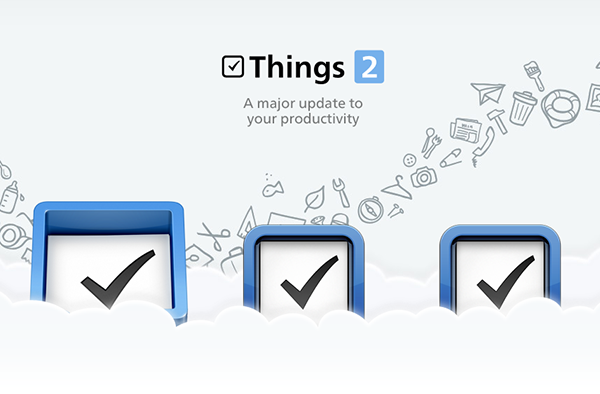
But now, Things have changed. After over a year of beta testing, Things 2 with Cloud sync has finally arrived, and besides its big syncing feature, it’s got a bunch of other cool refinements and new possibilities along the way. Read more

Access Extra Content and Perks

Founded in 2015, Club MacStories has delivered exclusive content every week for nearly a decade.

What started with weekly and monthly email newsletters has blossomed into a family of memberships designed for every MacStories fan.

Learn more here and from our Club FAQs.

Club MacStories: Weekly and monthly newsletters via email and the web that are brimming with apps, tips, automation workflows, longform writing, early access to the MacStories Unwind podcast, periodic giveaways, and more;

Club MacStories+: Everything that Club MacStories offers, plus an active Discord community, advanced search and custom RSS features for exploring the Club’s entire back catalog, bonus columns, and dozens of app discounts;

Club Premier: All of the above and AppStories+, an extended version of our flagship podcast that’s delivered early, ad-free, and in high-bitrate audio.

Learn more here and from our Club FAQs.


#MacStoriesDeals - Thursday

If you missed our Mountain Lion coverage, be sure to check it out. Here are today’s @MacStoriesDeals on hardware, iOS, and Mac apps that are on sale for a limited time, so get them before they end!
Read more

Access Extra Content and Perks

Founded in 2015, Club MacStories has delivered exclusive content every week for nearly a decade.

What started with weekly and monthly email newsletters has blossomed into a family of memberships designed for every MacStories fan.

Learn more here and from our Club FAQs.

Club MacStories: Weekly and monthly newsletters via email and the web that are brimming with apps, tips, automation workflows, longform writing, early access to the MacStories Unwind podcast, periodic giveaways, and more;

Club MacStories+: Everything that Club MacStories offers, plus an active Discord community, advanced search and custom RSS features for exploring the Club’s entire back catalog, bonus columns, and dozens of app discounts;

Club Premier: All of the above and AppStories+, an extended version of our flagship podcast that’s delivered early, ad-free, and in high-bitrate audio.

Learn more here and from our Club FAQs.


Drafts 2.0: New Fonts, New Look, A Brand New Kind of Sync, And Now On iPad

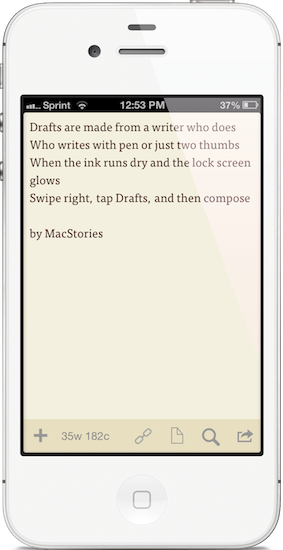
"Drafts are made for a writer who does. Who writes with pen or just two thumbs. When the ink runs dry and the lock screen glows. Swipe right, tap Drafts, and then compose."

“Drafts are made for a writer who does. Who writes with pen or just two thumbs. When the ink runs dry and the lock screen glows. Swipe right, tap Drafts, and then compose.”

I like to think of Drafts as the Field Notes of iOS. It’s inexpensive yet of high quality, unassuming but sharp, highly portable and convenient. While the icon, a simple white chiclet key, doesn’t emphasize Draft’s suave user interface, it is symbolic of the keyboard shortcut for Safari and other browsers, where ‘command + D’ adds the open webpage as a bookmark. The name Drafts itself may curtail ideas of long-form note-taking, although it’s not antagonistic towards writers feeling inspired to write more than a few sentences. Drafts is considerably the everyman’s notebook, unfraught with bindings and covers, instead fitted between two panes of glass in Apple’s iPhones.

Drafts, for those whom haven’t read the original review, is simply a digital notebook for capturing thoughts, lists, and ideas in plain text or Markdown. Those ideas can then be shared with social networks like Twitter or Facebook, your email or calendar, with friends on Messages, to a capturing tool like Evernote, or into a folder on Dropbox. If you’d like, you can use it like Birdhouse for drafting Tweets, or you can use it like Notes for grocery lists and reminders. No matter how you use it, your journal is held together in a simple list, organized by date last accessed, and is quickly searchable.

Read more

Access Extra Content and Perks

Founded in 2015, Club MacStories has delivered exclusive content every week for nearly a decade.

What started with weekly and monthly email newsletters has blossomed into a family of memberships designed for every MacStories fan.

Learn more here and from our Club FAQs.

Club MacStories: Weekly and monthly newsletters via email and the web that are brimming with apps, tips, automation workflows, longform writing, early access to the MacStories Unwind podcast, periodic giveaways, and more;

Club MacStories+: Everything that Club MacStories offers, plus an active Discord community, advanced search and custom RSS features for exploring the Club’s entire back catalog, bonus columns, and dozens of app discounts;

Club Premier: All of the above and AppStories+, an extended version of our flagship podcast that’s delivered early, ad-free, and in high-bitrate audio.

Learn more here and from our Club FAQs.