This Week's Sponsor:

Dropzone 5

Improve your Drag-and-Drop Workflow


Posts in iPhone

Jailbreak Hack Enables Landscape Springboard on iPhone

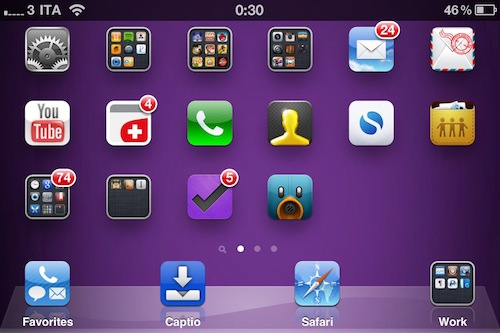
By default, you can’t turn the iPhone Springboard in landscape mode. The iPhone is meant to be held in portrait mode, at least when you’re navigating between pages on your Springboard. That’s what Apple wants. But some users have been asking – Why can’t we put the Springboard in landscape mode if some apps, like Mail, support the horizontal orientation?

Cydia developers, as usual, are here to come up with alternative solutions to Apple’s restrictions. My guess is that Apple doesn’t want you to turn your Springboard horizontally because that would require an icon layout adjustment, just like on the iPad. Besides, the iPhone has a much smaller screen and layout adjustment would turn out to be a huge problem to deal with. Read more

iFan - For Those Hot Summer Nights

Not everyone has the iPhone 4, with its improved lithium-polymer battery that lets you work longer, play longer … you get the point. I charge my phone every night and even throughout the daytime to keep it alive. Designer Tjeerd Veenhoven has created the iFan - a piece of hardware / case made from molded soft rubber with a fan on top that recharges your iPhone via windpower. Wrap it around your iPhone and run like the wind; or maybe the bike mount concept appeals to you more.

Read more


MultiIconMover Now iOS 4.2.1 Compatible | Cydia

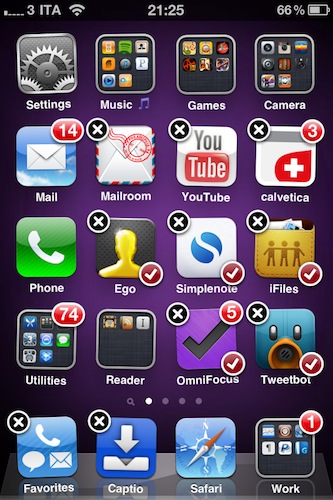
MultiIconMover is one of the reasons why many people jailbreak their iPhones: it allows users to move multiple icons at once without having to constantly move back and forth between pages. It’s really simple: you enter wiggle mode, you start selecting icons you want to move, a red badge will appear on them, choose the destination and press the Home button. All the icons will be moved to the new location.

Many say Apple should implement this by default. It surely looks “native” enough to be part of Apple’s iOS, but in the meantime you can just go ahead and install it from Cydia. The tweak is now iOS 4.2.1 compatible, and it works great on the iPhone. I haven’t tested it yet on the iPad.

MultiIconMover is available for free in Big Boss’ repository.


There’s A New Minecraft Clone In The App Store

Fans of popular indie sandbox game for Mac and PC Minecraft have been asking for a native iOS porting for months now. While it looks like they won’t be getting an official iPhone or iPad version anytime soon, clones approved by Apple are here to help.

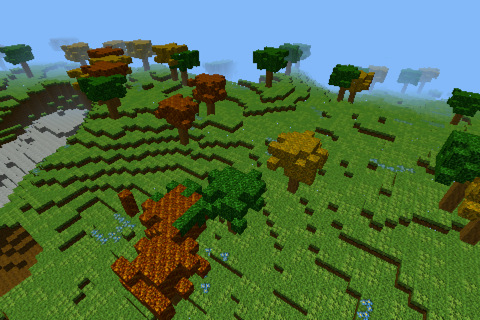
After a brief appearance of “Minecrafted for iPhone” two weeks ago, there’s a new app in the App Store called “Eden - World Builder” which looks and behaves a lot like the original Minecraft. The app is available now here, and it’s priced at $4.99. Although the app’s name doesn’t carry the Minecraft brand, the description on iTunes says:

Explore a vast pristine world of infinite possibility. Build your own personal Eden. Eden brings the creative block building genre, pioneered by games like Minecraft, Infiniminer, and Blockland, to the touch screen.

Whatever. From what I can see in the app, though, looks like you can break any block with 1 hit, and I haven’t seen monsters around. Perhaps I just need to play more.

Anyway, grab the app before Apple pulls it, it’s available here.


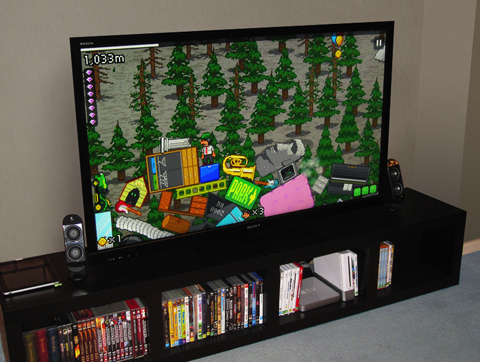
The Incident 1.3 Goes Live. Finally, An iPhone Game I Can Play On My TV.

We love The Incident for iPhone and iPad. In fact, Big Bucket’s retro-style platform is easily one of my favorite iOS games of all times. It features incredible pixel graphics, an addictive gameplay and a catchy soundtrack. If you read MS, you know we’re totally into The Incident.

A few weeks ago we reported the developers were working on an update to let users play The Incident on their TVs while controlling it with an iPhone. Sounded like magic back then. It turns out, all you need is a VGA Adapter or Composite AV Cable to mirror the game on your TV and start jumping with Frank, the main character. That’s it. No complex pairing process – although we’re already thinking about a future AirPlay feature to beam games from your iOS device to your TV.

This feature of The Incident 1.3 is something we’ll remember in the months to come. It marks the arrival of iOS as a gaming platform on our living rooms, and we’re sure other developers will implement it in several other games. We’re waiting.

In the meantime, The Incident 1.3 is available here and it rocks. Strongly recommended.


Right After The Mac Beta, Reeder 2.2 for iPhone Brings New Facebook and Instapaper Features

The first public beta for Mac went out a few minutes ago and an update to the iPhone version showed up in iTunes soon after that. Looks like December 1st is going to be a Reeder day.

While I think I’ll definitely spend the night working in Notational Velocity trying to figure out the best way to put in words what I’ve been thinking about Reeder for Mac all along, the 2.2 iPhone version is here and it rocks. Just like the latest iPad update, Reeder now comes with Zootool and Facebook sharing. Fair enough, iPhone users were waiting for a way to easily send items from Google Reader to Facebook. But this 2.2 update doesn’t stop at Zootool and Facebook, or improved Delicious login support.

Reeder for iPhone 2.2 comes with a new article slider functionality that allows you to send items to Instapaper and / or Read It Later with a single swipe. It’s awesome. If you’re an active Instapaper or RIL user, this is a very welcome feature.

Reeder for iPhone is still the best Google Reader client out there. Go get it. Now.


The Making Of The Glif [Video]

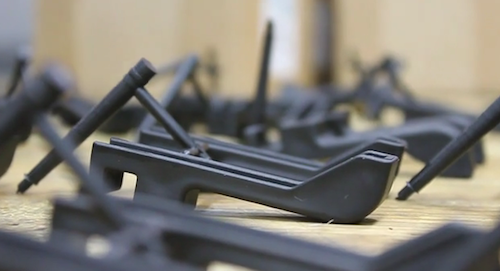
The Glif is an iPhone accessory we’re really looking forward to. It’s a tripod mount / stand for the iPhone 4 we’ve covered quite a few times in the past, and now the project is nearing completion with mass production of the units at Premier Source in Brookings, South Dakota.

The creators of The Glif posted a “making of” video of the product last night, which we have embedded below. Check it out, and go pre-order it if you still haven’t. Read more