This Week's Sponsor:

Dropzone 5

Improve your Drag-and-Drop Workflow


Posts in iPhone

Apple’s Antenna Fix? Hide It Behind The Apple Logo

According to Patently Apple, the antenna engineers at Cupertino might have figured out a better placement for 3G antennas in future iPhone and “telephonic” MacBooks: hidden behind the Apple logo.

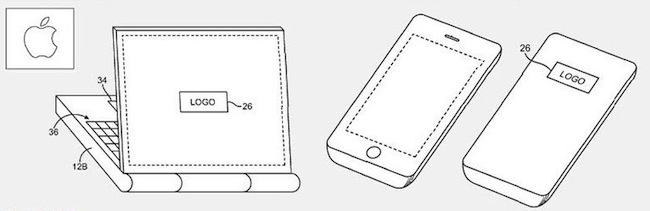
As Patently Apple reports, while the whole Antennagate story was spreading like a virus on the Internet and general media, Apple was busy thinking about a new patent they call the “logo antenna”. Placed behind the famous logo that’s on the back of computers, iPhones and iPads, such location would allow to “gain a stronger signal without intervening metal or other conductive housing walls interfering”.

It is difficult to place antennas in small and lightweight mobile devices, and the solution detailed in this patent would imply a “conductive antenna cavity” with “vertical sidewalls and a planar rear surface or may have other suitable cavity shapes”. Technical details are provided in Patently Apple’s coverage of the patent.

To regular users, this means that Apple has been thinking about new ways to improve antenna placement in mobile devices, and they’ve been thinking about MacBooks with built-in 3G connection, too. Me? I just want a glowing Apple logo on my iPhone.

Concept: iPhone-connected Smart Finger For The Visually Impaired

iOS devices come with great accessibility support. It is fairly easy for developers to implement in their apps, and iOS is packed with accessibility functionalities out of the box. The Thimble is “a concept multimedia finger glove” designed by Erik Hedberg and Zack Bennet that has an optical scanner right above the finger tip which is capable of on-the-fly conversion of text to Braille messages.

We know the iPhone 4 can be controlled with Braillant-32 bluetooth Braille Displays, but this concept is different: the Thimble also acts as a location-aware device that can connect to the internet to pull news and other data and pass them along as Braille messages. From the video below, it also looks like there’s some kind of speech recognition technology in there.

The Thimble is just a concept for now, but I think it would make for a great product to further extend iOS’ accessibility features. [FSM via dvice]


Camera+ Sells 500,000 Copies, Jumps Behind Angry Birds

The highly anticipated new version of taptaptap’s Camera+ was released only two days ago, and while we’re still testing it in real-life situations before our huge review, we do think already it’s a great app update. In fact, Camera+ is one of our Top Camera Apps of 2010.

According to the numbers shared by taptaptap’s John Casasanta, Camera+ 2 has sold 500,000 copies so far. This made the app quickly climb the charts of the App Store, placing it at the #2 spot of overall Top Paid Apps right behind Angry Birds and above all the discounted EA games, which have taken over the iPhone and iPad App Store charts. Casasanta doesn’t know whether Camera+ will manage to get to #1 before the iTunes Connect shutdown (the App Store charts will be “frozen” from today until December 28th, and developers won’t be able to submit new apps, updates or price changes) or not, but releasing Camera+ this week was a clever marketing move nonetheless. They priced the app at $0.99 to celebrate the re-launch, put an additional effect pack in the app sold through in-app purchase and gained visibility thanks to all the blogs and Twitter users who mentioned Camera+ these 2 days. Thus, it got to #2 and it will likely stay there until next week. Very clever indeed.

Just as a reminder: the first version of Camera+ generated $250,000 in revenue in the first month of sales earlier this year. Well deserved.


TinyGrab 2.0 Hitting The App Store Now

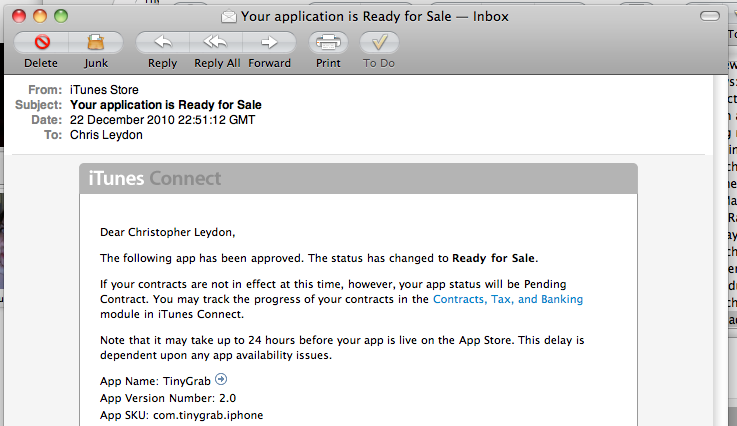
Watch out TinyGrab users - the second iteration of this fantastic image sharing application is going live in the App Store as we speak. From the mouth of the @TinyGrab team themselves on Twitter, keep an eye out for updates including iOS 4.0 compatibility, the ability to share grabs on social networks like Facebook & Twitter, and a recent lists updates that fetches your history from your account instead of the handset. I love TinyGrab because it’s so useful for sharing screenshots, and it’s only a dollar if you’re a member but don’t yet have the mobile version. For only a dollar in the App Store, it’s a free update for previous owners and a must have tool for those without.


DisplayPad Turns Your iPad Into A Touch Friendly Second Monitor

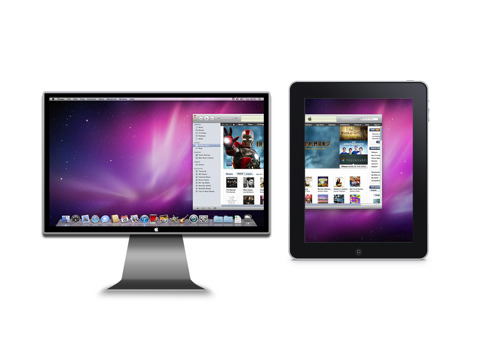
As a compliment to your MacBook, your iPad often becomes the getaway for reading, playing games, and couch surfing the Internet. Though we readily find uses for the iPad such as turning it into a giant trackpad for controlling a Mac Mini underneath your TV or for remotely controlling Dropbox shares, one use we occasionally struggle with is utilizing our iPad as a second monitor when the extra screen real-estate is necessary for getting work done. DisplayPad by Clean Cut Code is one of many apps that turns your iPad into a remote monitor, perfect for extending your desktop like we do when covering Apple events.

Read more


#MacStoriesDeals - HUGE Wednesday!

TODAY is the last day before iTunes Connect shutdown for the holiday, so we’re re-running a few things you may have missed -> Here’s some great deals for today on iOS & Mac apps that are on sale for a limited time, so get ‘em before they’re gone!

Read more


iPhone To Play Nice With Ford Cars in 2011

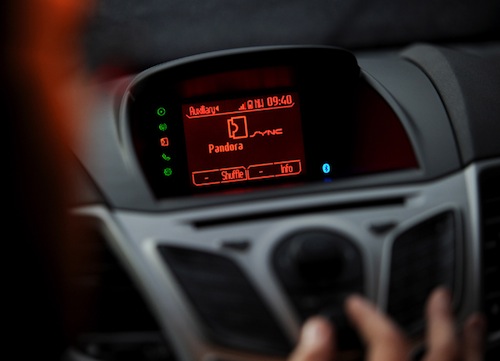
If you have an iPhone and have a 2011 Ford Fiesta – or you’re considering a Ford car for your 2011 car fix – you’ll soon be able to control a couple of apps using your voice. As noted by Engadget, Ford has announced that it will extend of its Sync AppLink Platform to Apple’s smartphone sometime in 2011, allowing iPhone users to control music playing from Pandora vocally. Pandora Radio for iOS and Android is indeed one of the first apps to support Ford’s voice recognition technology in cars.

BlackBerry and Android phones are compatible with Ford’s Sync now, iPhone users will have to wait a little longer. I’ve always been interested in this kind of technologies that let users do stuff in the car without having to look at an additional display, but I do wonder how Ford’s solution will handle high music volume and voice control. I mean, I don’t want to scream to change songs.

Press release embedded below. Read more


FaceTime Santa Spotted At Apple Store

Ok, Apple has a thing for Santa Clause and FaceTime. They launched a new iPhone 4 commercial to promote FaceTime with a dad dressed up like Santa, and now they have put FaceTime Santas in the Apple Stores. They previously installed iPad Snow Globes to get people and customers ready for the Apple Christmas season; now it’s time for Santa to take the spot and FaceTime with his elves at the Apple Store.

Check out the video below. I usually don’t like mannequins, and that smiling Santa with an iPhone 4 kind of creeps me out.[via TiPB]


Camera+ 2.0 Is Live In The App Store

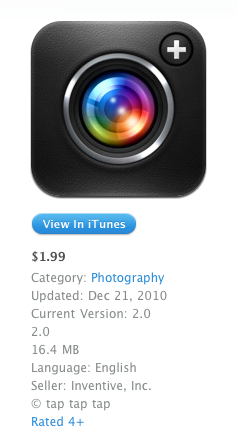
As announced by tap tap tap yesterday, here comes a new version of Camera +. Camera + 2.0 is a major update that contains a huge list of new features and interface improvements, such as a redesigned lightbox, faster start-up times, a timer shooting mode, lots of new modes and effects. From a first look at the app, it looks like one massive update – which is free for existing users.

I’m testing the app right now and I can already say the tap tap tap developers really did a great job in optimizing everything to make the app faster. The SLR screen has been removed to let Camera+ start up directly to the camera UI, just like Apple’s own Camera app. The various shooting modes are accessible from a popover menu next to the camera button, timer shooting mode will let you choose between different intervals before shooting a picture. It’s really nice. The lightbox animations are faster, each photo has its own details such as ISO and location, there are several new effects available under the in-app purchase “I love Analog” pack. You can adjust these effects with a slider, and preview them as demo.

Everything feels new and improved in Camera+ 2.0. From a first quick run, I’m seriously impressed by what tap tap tap has achieved with “just an iPhone app”. The interface design elements on screen sport some beautiful pixels, too. Most of all, Camera+ doesn’t “force you” to share anything, I see it more as a full-featured replacement of the default Camera app that allows me to edit and apply neat effects to my photos, or not. Camera+ 2.0 – but this was a strong selling point of the first version, too – lets you decide whether you want to shoot, edit and share, or just shoot better (thanks to its multiple modes) and forget about it. I like choices.

The app is available here. Expect a detailed review soon on MacStories. Full changelog and screenshots below. Read more