Posts in iPad

iPad Cannibalization Of PC Market Slows

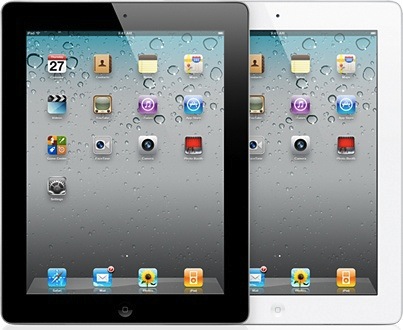
The iPad’s cannibalization of the PC market may have slowed if the latest NPD market research report is any sign of things to come. The report found that new purchasers of the iPad are less likely to have foregone purchasing a PC than the early adopters of the iPad. It found that of those who had purchased the iPad over the holiday season, 12% would have decided against a PC purchase when they bought an iPad. This is a 2% drop from the 14% of those decided against a PC amongst those who had owned their iPad for 6 months or more.

Netbooks were saved the most, with iPad cannibalization falling by 50%, which actually led the netbook market to grow by 21% between September 2010 and March 2011. NPD also believes that the slowing of PC sales over the past couple of months has more to do with Windows 7 than the iPad:

The explosion of computer sales when Windows 7 launched, as well as the huge increase in netbook sales at that time, are much more to blame for weak consumer PC sales growth than the iPad

The report contradicts what analysts were calling the “iPad effect” in the first quarter of 2011 when US PC sales fell 10.7%. In fact at least one analyst, including Katy Huberty of Morgan Stanley, revised her 2011 PC shipments down after predicting a tablet cannibalization rate of 29% - which is nearly 3 times what this NPD report says was the rate when it surveyed customers in March.

[Via AppleInsider]

Access Extra Content and Perks

Founded in 2015, Club MacStories has delivered exclusive content every week for nearly a decade.

What started with weekly and monthly email newsletters has blossomed into a family of memberships designed for every MacStories fan.

Learn more here and from our Club FAQs.

Club MacStories: Weekly and monthly newsletters via email and the web that are brimming with apps, tips, automation workflows, longform writing, early access to the MacStories Unwind podcast, periodic giveaways, and more;

Club MacStories+: Everything that Club MacStories offers, plus an active Discord community, advanced search and custom RSS features for exploring the Club’s entire back catalog, bonus columns, and dozens of app discounts;

Club Premier: All of the above and AppStories+, an extended version of our flagship podcast that’s delivered early, ad-free, and in high-bitrate audio.

Learn more here and from our Club FAQs.


Huadian Will Blatantly Rip Off iPad 2

Given the popularity of the iPad, our accusations of Android competitors copying Apple’s trend setting designs are tossed out the window when Huadian shamelessly plans to copy everything. While the copycat doesn’t exactly look as pretty (where’s the Apple logo?), the knock-off wants to deliver a more powerful iteration of the aluminum frame while delivering lesser performance with an 800 MHz AMLogic CPU and only 8 GB of onboard flash storage. Already disappointing in features, the display and touch panel tech tossed inside Huadian’s solution can’t possibly be up to spiff to even what the best iPad competitors are currently offering, and GizChina reports that the device may be loaded with Android once it ships. It’ll have WiFi and GPS as well, but considering what the tablet is already packing, you’re better ponying up for the real deal instead of opting for this cheap knockoff.

[GizChina via CrunchGear, Electronista]

Access Extra Content and Perks

Founded in 2015, Club MacStories has delivered exclusive content every week for nearly a decade.

What started with weekly and monthly email newsletters has blossomed into a family of memberships designed for every MacStories fan.

Learn more here and from our Club FAQs.

Club MacStories: Weekly and monthly newsletters via email and the web that are brimming with apps, tips, automation workflows, longform writing, early access to the MacStories Unwind podcast, periodic giveaways, and more;

Club MacStories+: Everything that Club MacStories offers, plus an active Discord community, advanced search and custom RSS features for exploring the Club’s entire back catalog, bonus columns, and dozens of app discounts;

Club Premier: All of the above and AppStories+, an extended version of our flagship podcast that’s delivered early, ad-free, and in high-bitrate audio.

Learn more here and from our Club FAQs.


Report: Buyers Go With Either The Most Expensive Or Cheapest iPad

Apple offers quite a number of variations on the iPad 2, you can get it in white or black, with 3G or just WiFi, and in sizes of 16GB, 32GB and 64GB. Well it turns out that the most popular model, according to research firm Context, is the 64GB 3G iPad.

The research was done by Context in Western Europe and it found that more than half of all iPad buyers would choose either the 64GB 3G model (also the most expensive), which accounted for roughly 33% of sales, or the 16GB Wi-Fi-only model (curiously the least expensive model), which received 22% of sales. On that evidence, as TheAppleBlog points out, consumers are going “all or nothing” – and many more seem to be saying “all”.

The report also discovered that the iPad represented 80% of tablets sold during the first quarter of 2011 – in line with a Nielsen report from last week. Yet this is a 5% drop from the previous quarter, a consequence of some take up of Android tablets. Curiously, one of the analysts from Context noted that it is likely that less publicised Android tablets such as the Acer Iconia will do better than the Xoom or Galaxy Tab. Nonetheless, Context has no doubts that at least by the end of this year, Apple will still hold top spot for tablet market share.


Access Extra Content and Perks

Founded in 2015, Club MacStories has delivered exclusive content every week for nearly a decade.

What started with weekly and monthly email newsletters has blossomed into a family of memberships designed for every MacStories fan.

Learn more here and from our Club FAQs.

Club MacStories: Weekly and monthly newsletters via email and the web that are brimming with apps, tips, automation workflows, longform writing, early access to the MacStories Unwind podcast, periodic giveaways, and more;

Club MacStories+: Everything that Club MacStories offers, plus an active Discord community, advanced search and custom RSS features for exploring the Club’s entire back catalog, bonus columns, and dozens of app discounts;

Club Premier: All of the above and AppStories+, an extended version of our flagship podcast that’s delivered early, ad-free, and in high-bitrate audio.

Learn more here and from our Club FAQs.


Adobe Finally Releases Its Photoshop Touch SDK iPad Apps

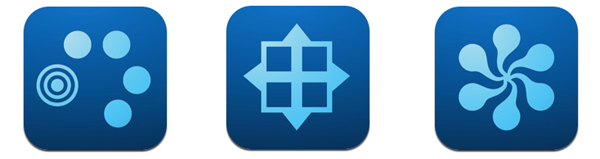
It was supposed to happen last week, but today Adobe finally released its three iPad apps that use the Photoshop Touch SDK. The three apps, including Adobe Eazel, Adobe Nav, Adobe Color Lava, were built be Adobe to demonstrate the potential of the Photoshop SDK for creating powerful companion apps for mobile devices from the iPad and iPhone to Android and BlackBerry. See below for brief descriptions of each of the three apps and if you want more information be sure to check out our original coverage of the apps and the Photoshop Touch SDK. Screenshots are included after the break.

Adobe Color Lava ($2.99) is a simple utility that allows you to mix colors, organize and save palettes and color groups to send to Photoshop wirelessly. Upon sending a palette to Photoshop, you’ll be able to see details on the colors you mixed, and send via email to someone else if you don’t want to share colors with your local Photoshop installation. The colors will appear in the Swatches panel of desktop Photoshop.

Adobe Eazel ($4.99) is perhaps the most innovative app of the initial rollout, as it features some interesting multitouch controls and menu choices I haven’t seen in any other iPad app before. Eazel is a drawing app, but instead of placing controls for brush sizes, colors, or opacity in dedicated toolbars, Adobe decided to develop a “five-finger touch UI” that takes a bit of learning, but it’s actually pretty clever once you get used to it. Basically, controls are placed above each finger, through a series of overlays that you can interact with using your fingertips after selecting an item. Sounds more complex than it really is, at least after some practice. When you’re done painting, you can send your creation to Photoshop and keep editing or refining there.

Last, Adobe Nav ($1.99) is the app we believe will be most successful among Photoshop users, as it drives the application’s UI remotely and allows you to see open documents on the iPad’s screen. Most of Photoshop’s tools and palettes are displayed on the iPad’s screen as bigger buttons meant for touch interactions, enabling you to select and modify the controls that you see on the desktop. There’s no doubt Nav will be tested by many as a complete replacement for Photoshop’s on-screen controls, which may get a little obtrusive on smaller portable computers. Alternatively, you can also browse open documents in Nav and instantly change the file you’re working with in Photoshop for Mac or Windows.

Adobe’s new iPad apps are available for download on the company’s App Store developer page. Check out the official promo videos and screenshots after the break.
Read more

Access Extra Content and Perks

Founded in 2015, Club MacStories has delivered exclusive content every week for nearly a decade.

What started with weekly and monthly email newsletters has blossomed into a family of memberships designed for every MacStories fan.

Learn more here and from our Club FAQs.

Club MacStories: Weekly and monthly newsletters via email and the web that are brimming with apps, tips, automation workflows, longform writing, early access to the MacStories Unwind podcast, periodic giveaways, and more;

Club MacStories+: Everything that Club MacStories offers, plus an active Discord community, advanced search and custom RSS features for exploring the Club’s entire back catalog, bonus columns, and dozens of app discounts;

Club Premier: All of the above and AppStories+, an extended version of our flagship podcast that’s delivered early, ad-free, and in high-bitrate audio.

Learn more here and from our Club FAQs.


TouchUp for iPad Gracefully Adds Effects to your Photos: Review & Giveaway

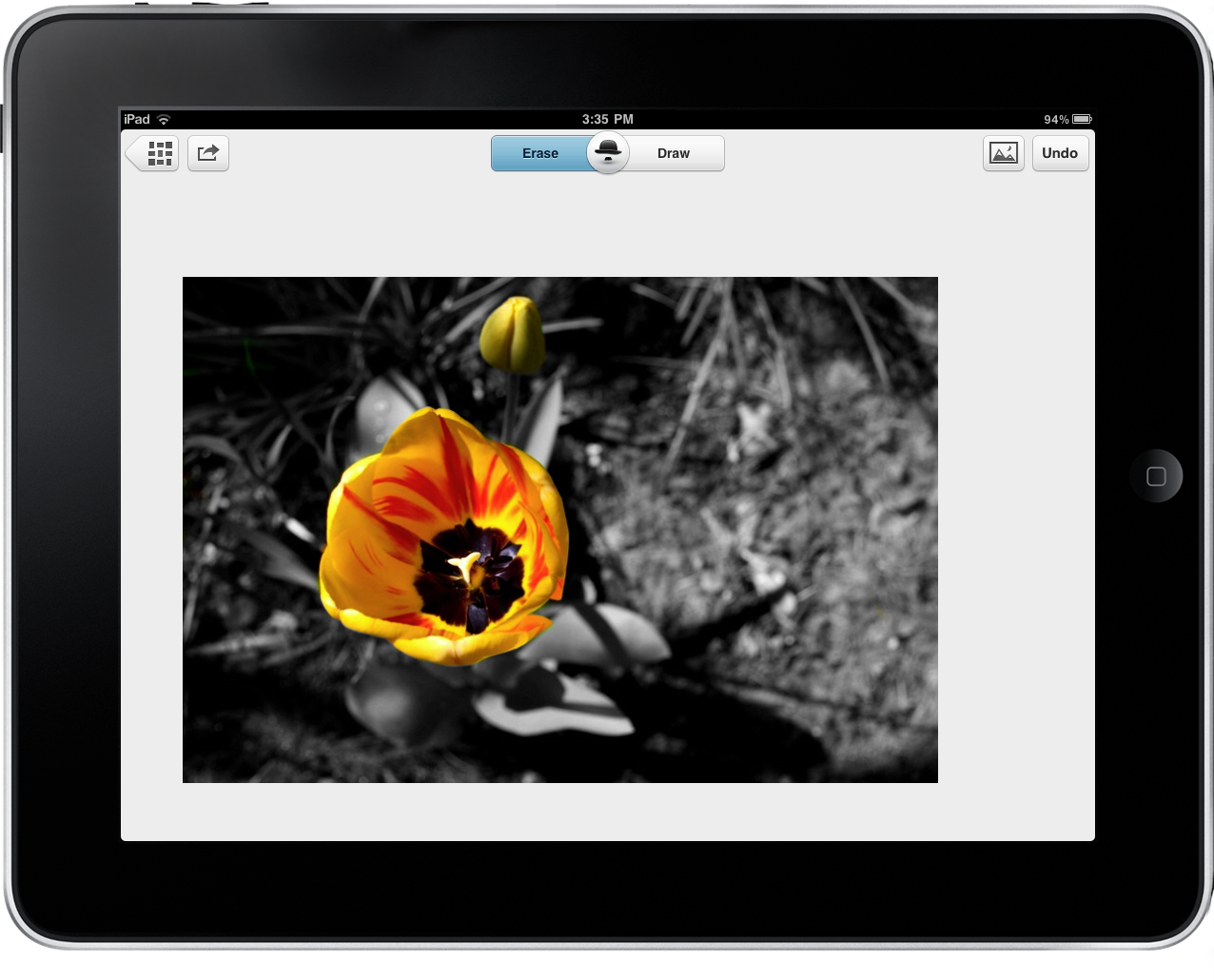
The photographs you’ve dumped onto your iPad via the Camera Connection Kit are already pretty swell, but what if you had an app that took an ordinary shot and turned it into something seriously beautiful? With TouchUp by RogueSheep, you can quickly swipe over your photographs in an elegant and friendly interface that encourages creativity. Example photos are included to get you familiar with what’s possible with TouchUp, and we’ll be taking a look at one of these pre-included items to help you get started.

Read more

Access Extra Content and Perks

Founded in 2015, Club MacStories has delivered exclusive content every week for nearly a decade.

What started with weekly and monthly email newsletters has blossomed into a family of memberships designed for every MacStories fan.

Learn more here and from our Club FAQs.

Club MacStories: Weekly and monthly newsletters via email and the web that are brimming with apps, tips, automation workflows, longform writing, early access to the MacStories Unwind podcast, periodic giveaways, and more;

Club MacStories+: Everything that Club MacStories offers, plus an active Discord community, advanced search and custom RSS features for exploring the Club’s entire back catalog, bonus columns, and dozens of app discounts;

Club Premier: All of the above and AppStories+, an extended version of our flagship podcast that’s delivered early, ad-free, and in high-bitrate audio.

Learn more here and from our Club FAQs.


Queen Of England Demands An iPad

The Queen of England has apparently ordered her staff to buy her an iPad after the newly married Prince Will and his brother Prince Harry showed off theirs to her on a recent gathering at Buckingham Palace.

The Princes, the Queen’s grandsons, gave her a demo of how the iPad worked which, as a royal insider told The Sun, led her to be impressed and “particularly taken with how easy it was to use, the large screen and how light it was” The insider also notes that the Queen is fairly “switched on” for an 85 year old woman, saying “It was only a matter of time before she asked someone to go and get her one.”

“The Queen has a mobile phone as well as the iPods, so an iPad is the logical progression. She thinks it will be great to keep her entertained on all the long trips she has to make.”

The same royal insider says that the Princes think her reaction is hilarious, but also “love the fact that their gran wants an iPad and think she’s really cool”. The iPad won’t be the first Apple product that the Queen owns either, she previously bought a £169 silver iPod in 2005 and was given a new iPod by Barack Obama in 2009, which was loaded up with happy snaps from the Queen’s US visit in 2008.

[Via The Sun]

Access Extra Content and Perks

Founded in 2015, Club MacStories has delivered exclusive content every week for nearly a decade.

What started with weekly and monthly email newsletters has blossomed into a family of memberships designed for every MacStories fan.

Learn more here and from our Club FAQs.

Club MacStories: Weekly and monthly newsletters via email and the web that are brimming with apps, tips, automation workflows, longform writing, early access to the MacStories Unwind podcast, periodic giveaways, and more;

Club MacStories+: Everything that Club MacStories offers, plus an active Discord community, advanced search and custom RSS features for exploring the Club’s entire back catalog, bonus columns, and dozens of app discounts;

Club Premier: All of the above and AppStories+, an extended version of our flagship podcast that’s delivered early, ad-free, and in high-bitrate audio.

Learn more here and from our Club FAQs.


Flipboard Triples Usage and Doubles Users In Two Months

Flipboard, an iPad app that aggregates content from your social networks, has in the last two months seen close to a tripling in daily usage. An average day will now bring between 8 and 9 million “flips” compared to what was 3 to 4 million flips just two months ago – flips roughly equating to page views for a website.

The CEO, Mike McCue, revealed the information in a chat last week and pointed to a number of factors that he believes contributed to the increase in popularity. Foremost in his mind is the release of version 1.2 of Flipboard on March 10th which greatly improved speed and brought other general improvements to the app. Then, of course, was the release of the iPad 2 which not only brought more users but has also made Flipboard even faster with its improved A5 processor.

McCue did also mention that the number of users has doubled – likely for the same reasons, although he declined to comment on how many users they now have in total. Meanwhile, Flipboard is continuing their work on a Flipboard iPhone app which is slated for release sometime this summer. Quizzed on how the iPhone app might work by AllThingsD, McCue said that it is being designed as more of a “weekday tool” catered towards power users that will more directly utilise real-time news and conversations.

[Via AllThingsD]


Access Extra Content and Perks

Founded in 2015, Club MacStories has delivered exclusive content every week for nearly a decade.

What started with weekly and monthly email newsletters has blossomed into a family of memberships designed for every MacStories fan.

Learn more here and from our Club FAQs.

Club MacStories: Weekly and monthly newsletters via email and the web that are brimming with apps, tips, automation workflows, longform writing, early access to the MacStories Unwind podcast, periodic giveaways, and more;

Club MacStories+: Everything that Club MacStories offers, plus an active Discord community, advanced search and custom RSS features for exploring the Club’s entire back catalog, bonus columns, and dozens of app discounts;

Club Premier: All of the above and AppStories+, an extended version of our flagship podcast that’s delivered early, ad-free, and in high-bitrate audio.

Learn more here and from our Club FAQs.


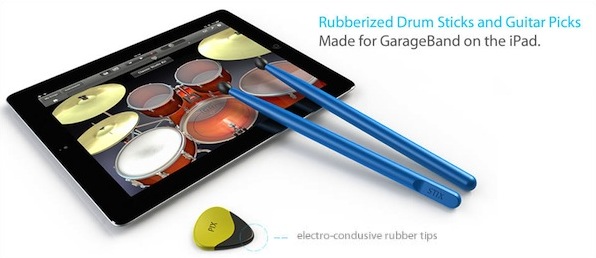
The Pix And Stix Project Will Let You Rock Out On GarageBand “For Real”

GarageBand is an app that everyone who owns an iPad should at least try out, regardless of your musical talent, it’s just a superb example of an app that is brilliantly designed and built for a touch screen. Yet for those that do end up using it for more than just the occasional mess around, you may find that although the iPad’s touchscreen is better than a mouse for playing the drums or guitar, it is still a little bit lacking for what you want.

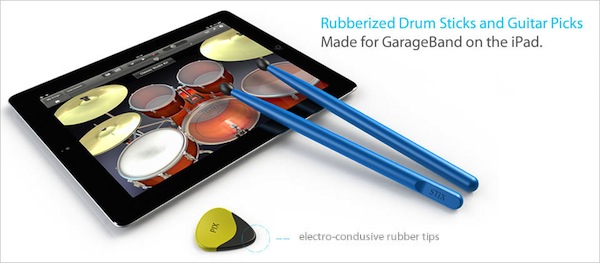
Well luckily for those of you who do find that, some clever folks have decided to start manufacturing rubberized drumsticks and guitar picks for GarageBand on the iPad. They’ve been designed to work on the iPad’s touchscreen by implementing electro-conductive rubber tips, which will also mean it should be perfectly fine to use without smashing the iPad’s nice glass screen!

The designers of the Pix and Stix are running a Kickstarter-esque funding round, where they are selling a pair of drumsticks and a pick for $14.95 in order to reach a funding goal of around $8000. Just like Kickstarter, if they don’t get the required funding, you can also rest assured you won’t end up paying for them.  At this stage they think they will be selling the drumsticks and picks in the three colors of black, blue or gold metallic paint, although they note that these colors are subject to change.

If you recall the Wallee, which we discussed as one way to elevate your iPad last year, the Pix & Stix project is coming from those same people. So if you’re interested in helping these guys fund their newest project and get your own Pix and Stix, head over to the Pix and Stix website.

[Via Gizmodo]

Access Extra Content and Perks

Founded in 2015, Club MacStories has delivered exclusive content every week for nearly a decade.

What started with weekly and monthly email newsletters has blossomed into a family of memberships designed for every MacStories fan.

Learn more here and from our Club FAQs.

Club MacStories: Weekly and monthly newsletters via email and the web that are brimming with apps, tips, automation workflows, longform writing, early access to the MacStories Unwind podcast, periodic giveaways, and more;

Club MacStories+: Everything that Club MacStories offers, plus an active Discord community, advanced search and custom RSS features for exploring the Club’s entire back catalog, bonus columns, and dozens of app discounts;

Club Premier: All of the above and AppStories+, an extended version of our flagship podcast that’s delivered early, ad-free, and in high-bitrate audio.

Learn more here and from our Club FAQs.


#MacStoriesDeals - Friday

Here are today’s @MacStoriesDeals on iOS, Mac, and Mac App Store apps that are on sale for a limited time, so get them before they end!

Read more

Access Extra Content and Perks

Founded in 2015, Club MacStories has delivered exclusive content every week for nearly a decade.

What started with weekly and monthly email newsletters has blossomed into a family of memberships designed for every MacStories fan.

Learn more here and from our Club FAQs.

Club MacStories: Weekly and monthly newsletters via email and the web that are brimming with apps, tips, automation workflows, longform writing, early access to the MacStories Unwind podcast, periodic giveaways, and more;

Club MacStories+: Everything that Club MacStories offers, plus an active Discord community, advanced search and custom RSS features for exploring the Club’s entire back catalog, bonus columns, and dozens of app discounts;

Club Premier: All of the above and AppStories+, an extended version of our flagship podcast that’s delivered early, ad-free, and in high-bitrate audio.

Learn more here and from our Club FAQs.