Posts in Featured

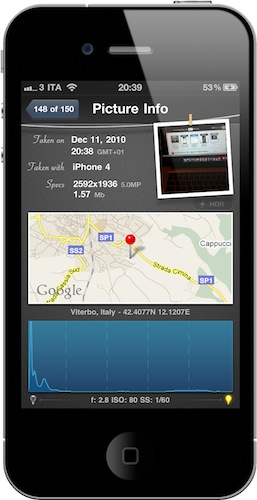
Lab For iPhone Gives You Detailed Information About Your Photos

They say the best camera is the one that’s always with you, and there’s no question the iPhone has become the best camera for many. The iPhone is with us all the time, whether we’re on the go checking in venues with Foursquare or at home, playing some Infinity Blade. Most of all, the iPhone 4 provides a very good picture quality thanks to its 5MP lens, flash and shiny Retina Display.

If the iPhone is our best camera, there must be an app for that, right? I’m not talking about the stock camera app, or the hundreds of popular alternatives such as CameraBag, Instagram or Camera+. I’m talking about an app to manage photos shot with the best camera.

We have talked about Cydia tweaks that enable photo management on-device through some Camera Roll hacks. Lab by LateNiteSoft is a $0.99 app available here that, with a beautiful user interface, provides a quick and elegant way to scroll through your photos and get detailed information about them. Read more
Access Extra Content and Perks

Founded in 2015, Club MacStories has delivered exclusive content every week for nearly a decade.

What started with weekly and monthly email newsletters has blossomed into a family of memberships designed for every MacStories fan.

Learn more here and from our Club FAQs.

Club MacStories: Weekly and monthly newsletters via email and the web that are brimming with apps, tips, automation workflows, longform writing, early access to the MacStories Unwind podcast, periodic giveaways, and more;

Club MacStories+: Everything that Club MacStories offers, plus an active Discord community, advanced search and custom RSS features for exploring the Club’s entire back catalog, bonus columns, and dozens of app discounts;

Club Premier: All of the above and AppStories+, an extended version of our flagship podcast that’s delivered early, ad-free, and in high-bitrate audio.

Learn more here and from our Club FAQs.


iPad Cutting Board Actually Better Than The iPad For Food

Remember this? That’s probably one of the weirdest…things that every showed up here on MacStories. A Japanese guy that thought eating off an iPad would be a good idea.

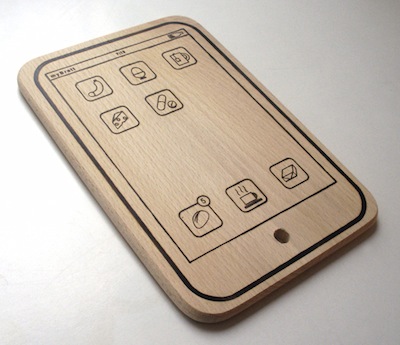
While we don’t recommend such an original usage (but hey, you can try!), we have to admit it was “particular” enough to deserve a post. If you’re looking for a way to use the tablet for cutting, and not eating, food, but you don’t want to ruin the precious Apple glass washed in unicorn tears – look no further than the iPad cutting board.

It’s laser cut from a chunk of wood, it’s got fake food icons on its “Springboard”, and the author wants to remind you that it can be used both in landscape and portrait mode. Also: the battery icon has been replaced with a bottle of wine.

The iPad Cutting Board is available here at 15 Euros (around $20). We think this deserves a spot on every Apple-themed Christmas dinner this year. For real. [TUAW via MyBrett]

Access Extra Content and Perks

Founded in 2015, Club MacStories has delivered exclusive content every week for nearly a decade.

What started with weekly and monthly email newsletters has blossomed into a family of memberships designed for every MacStories fan.

Learn more here and from our Club FAQs.

Club MacStories: Weekly and monthly newsletters via email and the web that are brimming with apps, tips, automation workflows, longform writing, early access to the MacStories Unwind podcast, periodic giveaways, and more;

Club MacStories+: Everything that Club MacStories offers, plus an active Discord community, advanced search and custom RSS features for exploring the Club’s entire back catalog, bonus columns, and dozens of app discounts;

Club Premier: All of the above and AppStories+, an extended version of our flagship podcast that’s delivered early, ad-free, and in high-bitrate audio.

Learn more here and from our Club FAQs.


Cydia Is Coming To The Mac

Well, well. Look what we have here. We’ve been hearing rumors all week about the Mac App Store launching soon, we found out that the upcoming store won’t allow Mac developers to generate promo codes and won’t feature in-app purchases and Game Center integration, Apple clarified its position on demos and trials.

Now Jay Freeman, a.k.a. Saurik, creator of popular alternative store Cydia for jailbroken devices, told the attendees of 360|MacDev that Cydia is coming to the Mac. Read more

Access Extra Content and Perks

Founded in 2015, Club MacStories has delivered exclusive content every week for nearly a decade.

What started with weekly and monthly email newsletters has blossomed into a family of memberships designed for every MacStories fan.

Learn more here and from our Club FAQs.

Club MacStories: Weekly and monthly newsletters via email and the web that are brimming with apps, tips, automation workflows, longform writing, early access to the MacStories Unwind podcast, periodic giveaways, and more;

Club MacStories+: Everything that Club MacStories offers, plus an active Discord community, advanced search and custom RSS features for exploring the Club’s entire back catalog, bonus columns, and dozens of app discounts;

Club Premier: All of the above and AppStories+, an extended version of our flagship podcast that’s delivered early, ad-free, and in high-bitrate audio.

Learn more here and from our Club FAQs.


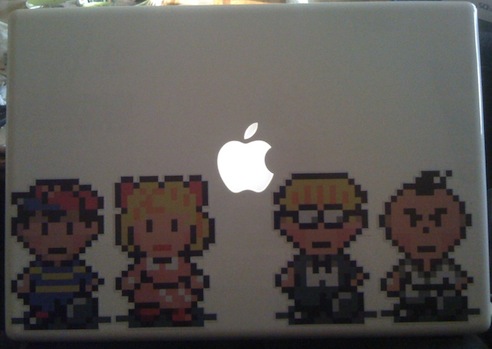
This EarthBound MacBook Decal Makes Nintendo & Apple “Come Together”

Last night I tweeted Nintendo games meeting iOS’ multi-touch capabilities would be my personal geek dream come true. Ok, that’s never going to happen (well, at least not “officially”) but we can dream, right? We’re dreamers, geeks, old Nintendo and Apple fanboys. Call us what you want, but Nintendo games are the best thing that ever happened to us in the late ’80s and ’90s. Read more

Access Extra Content and Perks

Founded in 2015, Club MacStories has delivered exclusive content every week for nearly a decade.

What started with weekly and monthly email newsletters has blossomed into a family of memberships designed for every MacStories fan.

Learn more here and from our Club FAQs.

Club MacStories: Weekly and monthly newsletters via email and the web that are brimming with apps, tips, automation workflows, longform writing, early access to the MacStories Unwind podcast, periodic giveaways, and more;

Club MacStories+: Everything that Club MacStories offers, plus an active Discord community, advanced search and custom RSS features for exploring the Club’s entire back catalog, bonus columns, and dozens of app discounts;

Club Premier: All of the above and AppStories+, an extended version of our flagship podcast that’s delivered early, ad-free, and in high-bitrate audio.

Learn more here and from our Club FAQs.


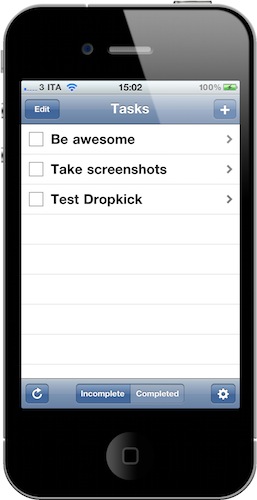
Dropkick: Simple To-Do List App With Cloud Sync

You know we love OmniFocus here at MacStories, and we just can’t get enough of the possibilities offered by OmniGroup’s powerful GTD software. I understand, however, that GTD is not for everyone. Some people are looking forward to having a simple system on their mobile devices and computers, an app to enter tasks in a list and that’s it. Sounds like a solid and affordable plan, right? With only one major problem,though: sync.

People looking for such a simple system would also like to be able to effortlessly sync their tasks in the cloud. As far as I know, there’s no good and simple app that lets you enter tasks on the iPhone, have them backed up online, and find them again in another simple and minimal app on the desktop. If there’s one, please let me know in the comments.

Still, Dropkick is here to solve this problem: it’s a minimal and elegant application that lets you a) enter tasks and b) sync them to all your devices. That’s really it. Read more

Access Extra Content and Perks

Founded in 2015, Club MacStories has delivered exclusive content every week for nearly a decade.

What started with weekly and monthly email newsletters has blossomed into a family of memberships designed for every MacStories fan.

Learn more here and from our Club FAQs.

Club MacStories: Weekly and monthly newsletters via email and the web that are brimming with apps, tips, automation workflows, longform writing, early access to the MacStories Unwind podcast, periodic giveaways, and more;

Club MacStories+: Everything that Club MacStories offers, plus an active Discord community, advanced search and custom RSS features for exploring the Club’s entire back catalog, bonus columns, and dozens of app discounts;

Club Premier: All of the above and AppStories+, an extended version of our flagship podcast that’s delivered early, ad-free, and in high-bitrate audio.

Learn more here and from our Club FAQs.


Google Docs Desktop Editing Comes To The iPad

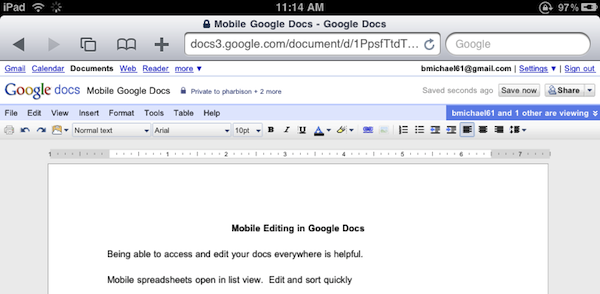
Great news for Google Docs users and iPad owners this evening: Google has announced that they have extended compatibility of the Docs desktop editor to include support for iPad. If you’re running an iPad, you can now switch from the mobile version to the desktop one with just a tap.

The desktop editor is the Google Docs you know and love, allowing you to modify fonts and alignments, paragraphs and font styles. It’s the usual Google Docs, running on a tablet.

As simple as it sounds, Google just made a great move towards ensuring millions of iPad users out there a desktop-class Docs experience without the need of a dedicated mobile client. Google announced a Docs Viewer in June, and released a mobile version for iOS and Android users with editing enabled a few weeks ago.

Once again, Mobile Safari wins.

Access Extra Content and Perks

Founded in 2015, Club MacStories has delivered exclusive content every week for nearly a decade.

What started with weekly and monthly email newsletters has blossomed into a family of memberships designed for every MacStories fan.

Learn more here and from our Club FAQs.

Club MacStories: Weekly and monthly newsletters via email and the web that are brimming with apps, tips, automation workflows, longform writing, early access to the MacStories Unwind podcast, periodic giveaways, and more;

Club MacStories+: Everything that Club MacStories offers, plus an active Discord community, advanced search and custom RSS features for exploring the Club’s entire back catalog, bonus columns, and dozens of app discounts;

Club Premier: All of the above and AppStories+, an extended version of our flagship podcast that’s delivered early, ad-free, and in high-bitrate audio.

Learn more here and from our Club FAQs.


Favorites: My Phone App Replacement

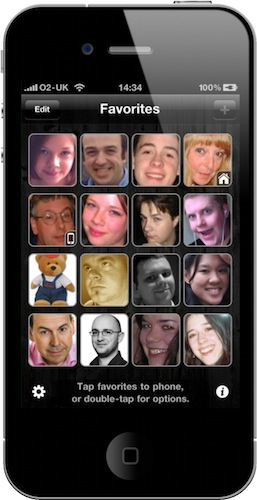
Every time I post screenshots of my iPhone homescreen here on MacStories, I get comments and emails asking me about “that blue icon” next to Captio in my dock. Since I wasn’t able to reply to all those comments and emails and I love to talk about apps that change my workflow, I want to clear the air on this app and write about it.

The app is called “Favorites”, it’s been around for a while in the App Store and it’s developed by Matt Legend Gemmell over at Instinctive Code. It’s a very straightforward app that lets you create shortcuts for your favorite contacts and tap on them to initiate a phone call. Think of it as a homescreen for your contacts. Read more

Access Extra Content and Perks

Founded in 2015, Club MacStories has delivered exclusive content every week for nearly a decade.

What started with weekly and monthly email newsletters has blossomed into a family of memberships designed for every MacStories fan.

Learn more here and from our Club FAQs.

Club MacStories: Weekly and monthly newsletters via email and the web that are brimming with apps, tips, automation workflows, longform writing, early access to the MacStories Unwind podcast, periodic giveaways, and more;

Club MacStories+: Everything that Club MacStories offers, plus an active Discord community, advanced search and custom RSS features for exploring the Club’s entire back catalog, bonus columns, and dozens of app discounts;

Club Premier: All of the above and AppStories+, an extended version of our flagship podcast that’s delivered early, ad-free, and in high-bitrate audio.

Learn more here and from our Club FAQs.


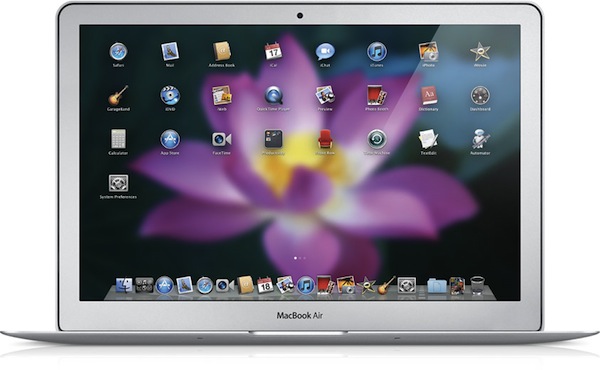
iOS X

Like it or not, Apple is going back to the Mac. The regular Mac user, fan, fanboy – whatever you’d like to call someone who showed a deep affection to Apple’s desktop operating system for the past decade – should like the fact that Steve Jobs confirmed Apple is still committed to making the best personal computers, based on OS X. The same regular Mac user, though, is immensely scared by the concept underlying Jobs’ statements: Apple is going back to the Mac, taking the good things learned in 3 years of iOS development with them. OS X turned into iPhone OS. iPhone OS became iOS for iPhone and iPad. Now, everything’s going back to where it all started: the Mac.

We have heard this story before. In fact, we all commented on Apple’s October 20th event by saying that, with the right approach, the Mac App Store and some iOS elements coming to the Mac might be the best thing that ever happened to the platform in years. Read more

Access Extra Content and Perks

Founded in 2015, Club MacStories has delivered exclusive content every week for nearly a decade.

What started with weekly and monthly email newsletters has blossomed into a family of memberships designed for every MacStories fan.

Learn more here and from our Club FAQs.

Club MacStories: Weekly and monthly newsletters via email and the web that are brimming with apps, tips, automation workflows, longform writing, early access to the MacStories Unwind podcast, periodic giveaways, and more;

Club MacStories+: Everything that Club MacStories offers, plus an active Discord community, advanced search and custom RSS features for exploring the Club’s entire back catalog, bonus columns, and dozens of app discounts;

Club Premier: All of the above and AppStories+, an extended version of our flagship podcast that’s delivered early, ad-free, and in high-bitrate audio.

Learn more here and from our Club FAQs.


There’s An Official Inception App In The App Store. And It’s Mind-Blowing.

I specialize in a very specific type of coverage. iOS apps coverage.

In all seriousness, I think Inception is the best movie of 2010. I watched it four times already, my friends love it – we all love it. There’s no need to keep saying that Inception is a great movie. But the iPhone app released today and developed by Remote Control Productions, the film music company run by Hans Zimmer? It’s completely awesome. And kind of surreal. An experience that it’s not easy to describe in words. Read more

Access Extra Content and Perks

Founded in 2015, Club MacStories has delivered exclusive content every week for nearly a decade.

What started with weekly and monthly email newsletters has blossomed into a family of memberships designed for every MacStories fan.

Learn more here and from our Club FAQs.

Club MacStories: Weekly and monthly newsletters via email and the web that are brimming with apps, tips, automation workflows, longform writing, early access to the MacStories Unwind podcast, periodic giveaways, and more;

Club MacStories+: Everything that Club MacStories offers, plus an active Discord community, advanced search and custom RSS features for exploring the Club’s entire back catalog, bonus columns, and dozens of app discounts;

Club Premier: All of the above and AppStories+, an extended version of our flagship podcast that’s delivered early, ad-free, and in high-bitrate audio.

Learn more here and from our Club FAQs.