

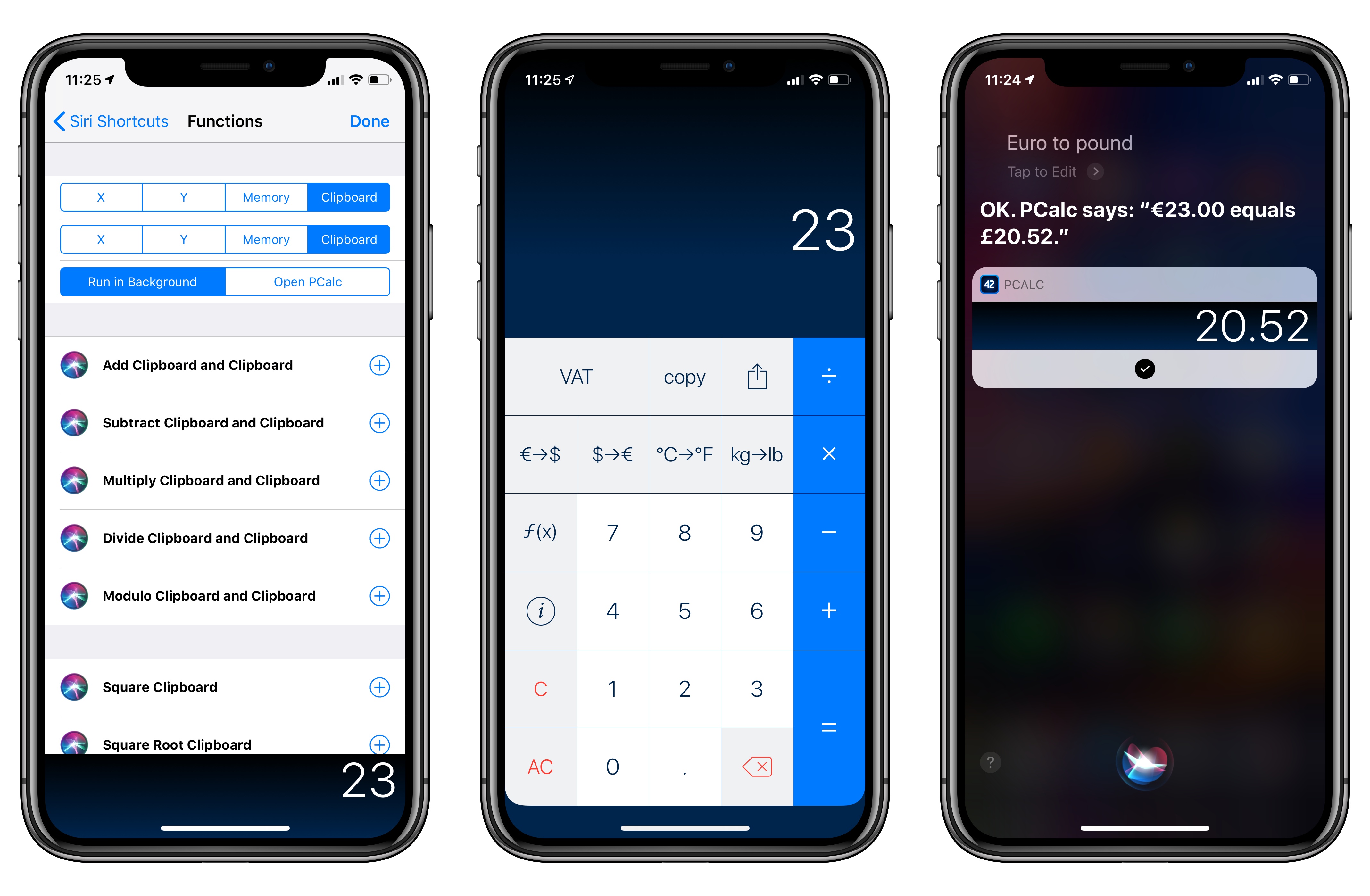
PCalc, James Thomson’s advanced calculator for iPhone and iPad, has been updated this week to version 3.8. I’ve been testing PCalc 3.8 for the past couple of months on my devices running iOS 12, and it features one of the best implementations of Siri shortcuts I’ve seen from a third-party developer yet. Even more than the app’s excellent widget, shortcuts have enabled me to integrate PCalc features into different aspects of my daily workflow, including conversations with Siri via my HomePods.
Posts in reviews
PCalc 3.8 Adds Support for iOS 12’s Siri Shortcuts, Including Powerful Clipboard Commands
Text Case for iOS Adds Title Case Text Transformations Based on Popular Style Guides
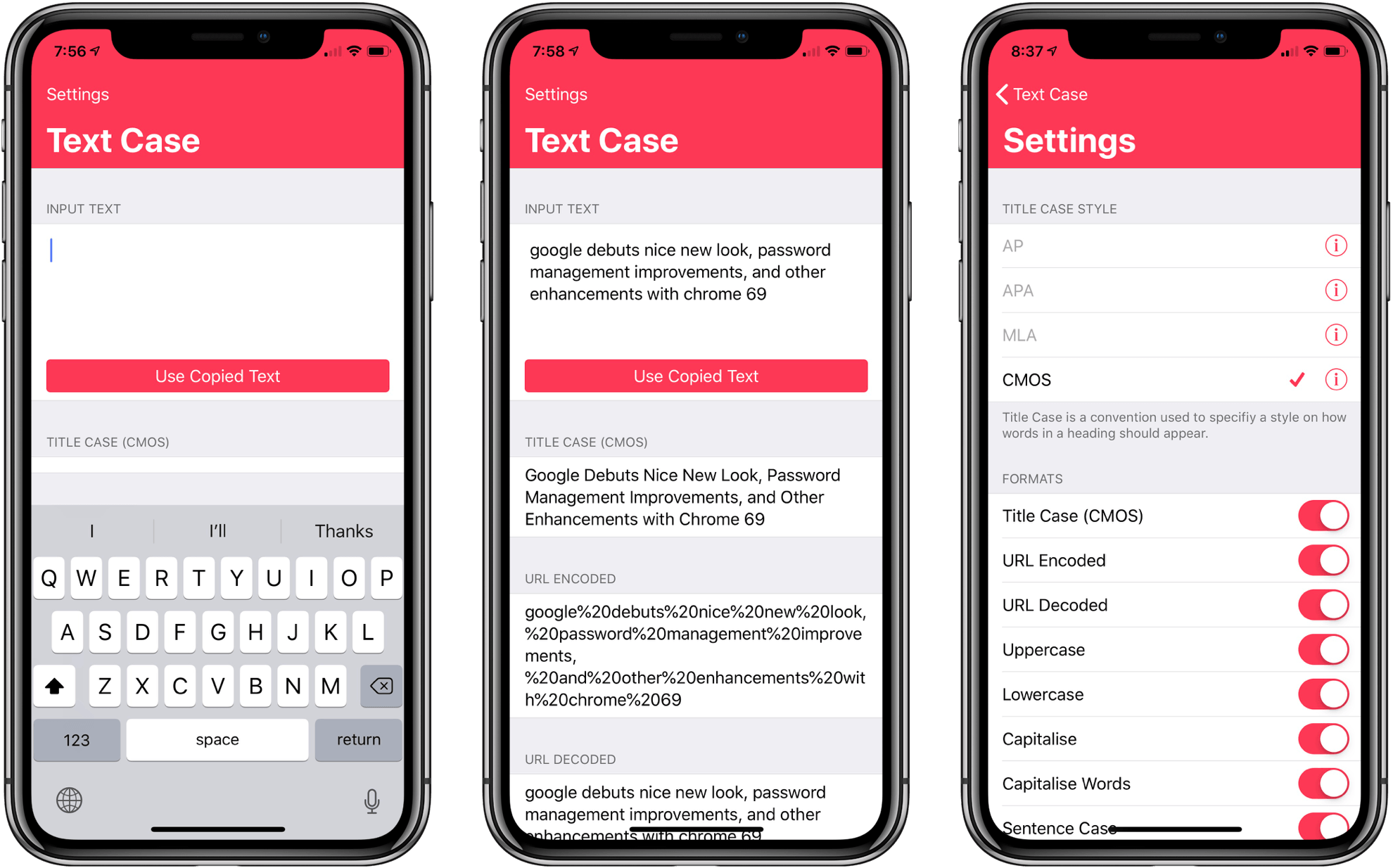
Several weeks ago I mentioned Chris Hannah’s recently-released iOS text transformation utility Text Case in the Club MacStories weekly newsletter. The app has a simple, utilitarian design that uses the big, bold header text popularized by Apple apps like News and Music. Version 1.0 included a long list of built-in text transformations. Some, like URL encoding and decoding, are useful, and others, like ‘Mocking SpongeBob,’ are just for fun. By and large though, the transformations in version 1.0 were geared more towards developers than writers. That’s changed with version 1.2 of the app, which should make it appeal to a wider audience.
The latest update adds Title Case, which can transform headlines according to the style guides for the Associated Press, American Psychology Association, Modern Language Association, or Chicago Manual of Style. The update also adds sentence case and Pascal case.
Creative Selection Delves into Apple Software Design with Stories about Safari, the iPhone, and the iPad
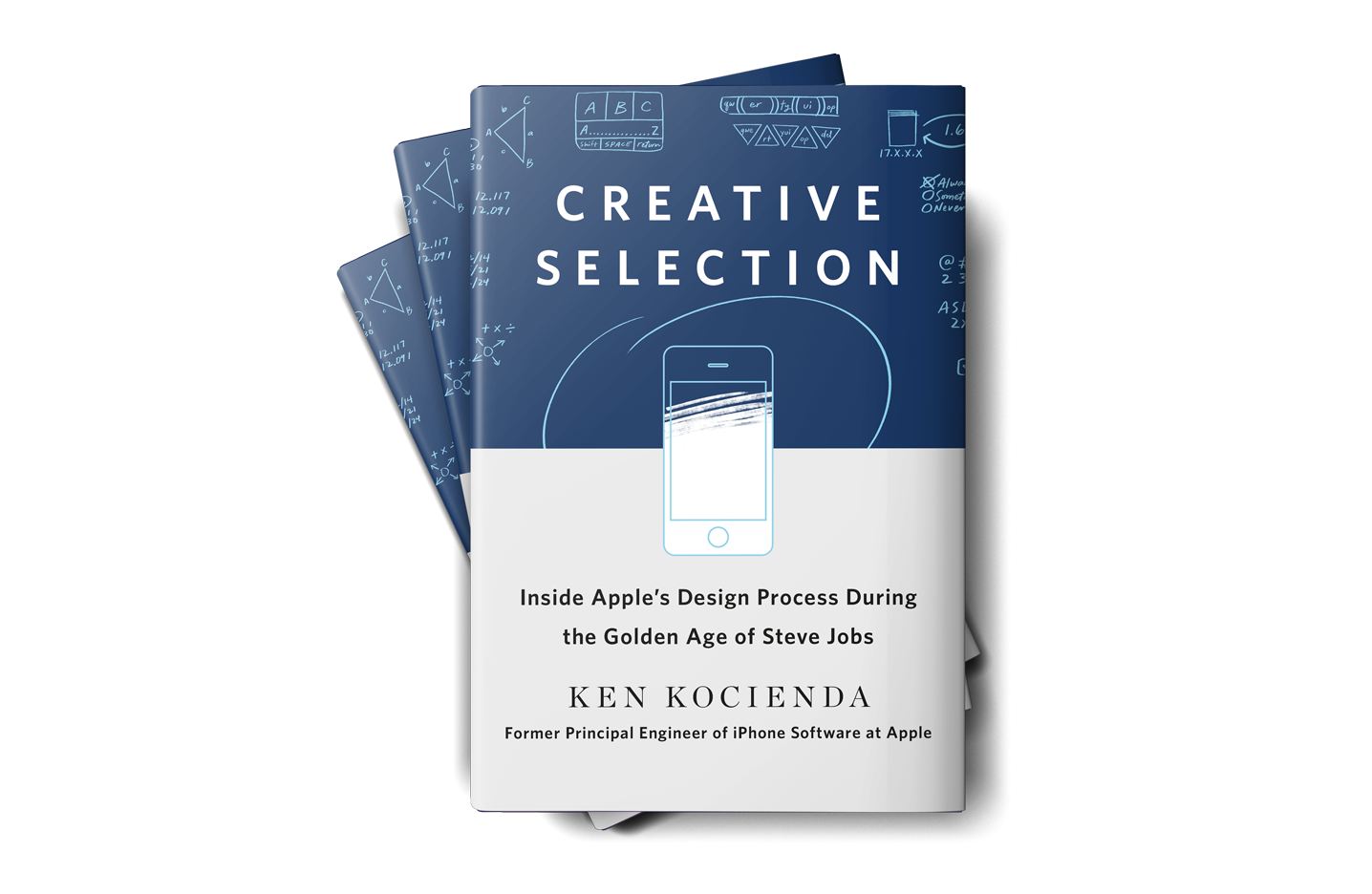
Today, former Apple engineer Ken Kocienda’s book Creative Selection, which covers his career at Apple and insights about the company’s software design process, was released. As an engineer at Apple, Kocienda worked on several high-profile projects including Safari on the Mac and the touch keyboards on the iPhone and iPad. Much of the publicity surrounding the book focuses on Kocienda’s work on the iPhone. However, there is a treasure trove of interesting anecdotes about other products and people that make Creative Selection an absorbing read for anyone interested in the creative process and Apple.
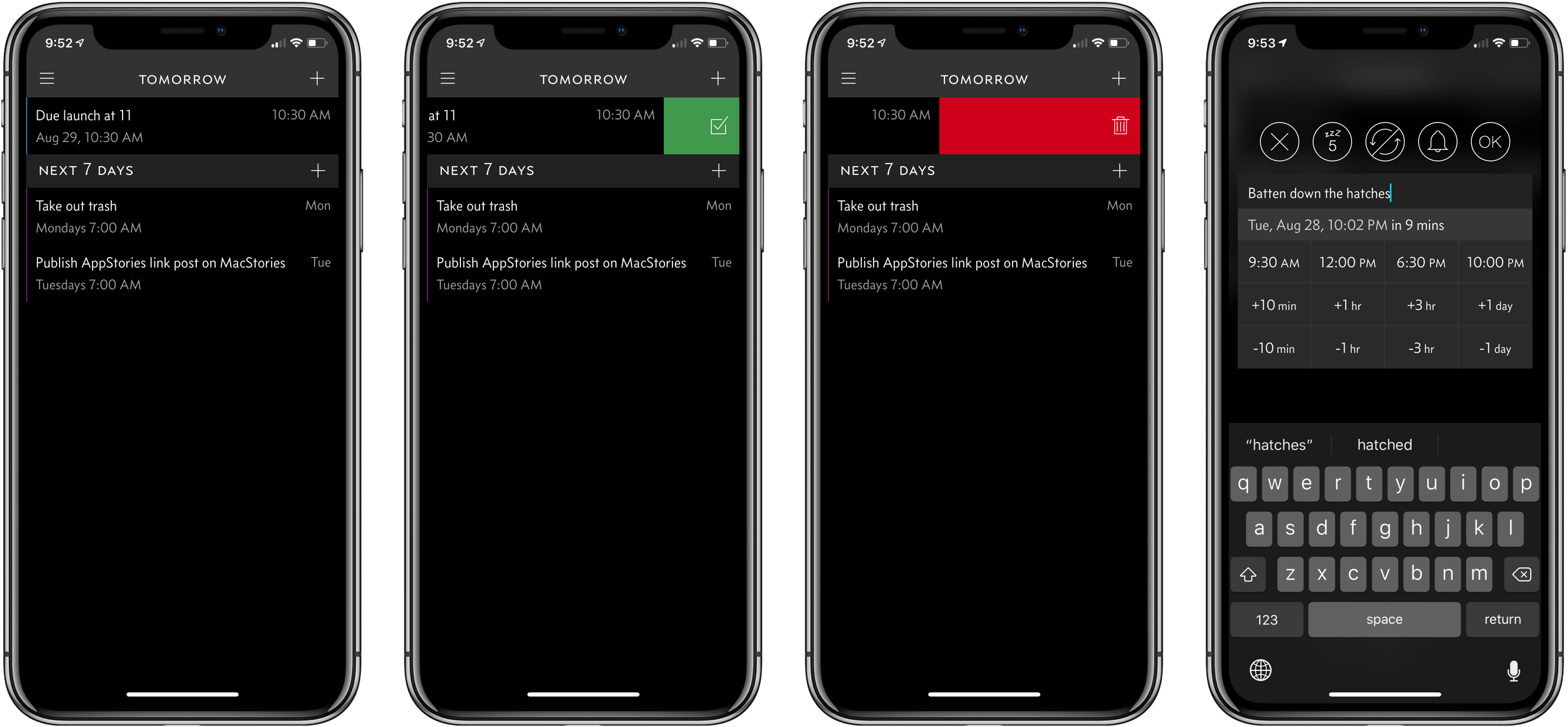
Due 3.0 Adds Pure Black Theme, Custom Snooze Times, and Haptic Feedback
My task manager is packed with personal and work tasks. I rely on it to keep me on track day-to-day and week-to-week. The reason my task system works though is that it doesn’t include absolutely everything. If I started adding the minute-to-minute minutiae of life, I’d get bogged down in the volume of tasks each day.
For a while now, I’ve been using Apple’s Reminders app to keep track of one-off tasks, little things I might forget to do, errands, and tasks with deadlines. I’ve found that it’s a great way to stay on top of items that don’t have a home in a formal project. For the past couple of weeks though, I’ve largely replaced Reminders with Due, which was updated to version 3.0 today.
Game Day: Donut County
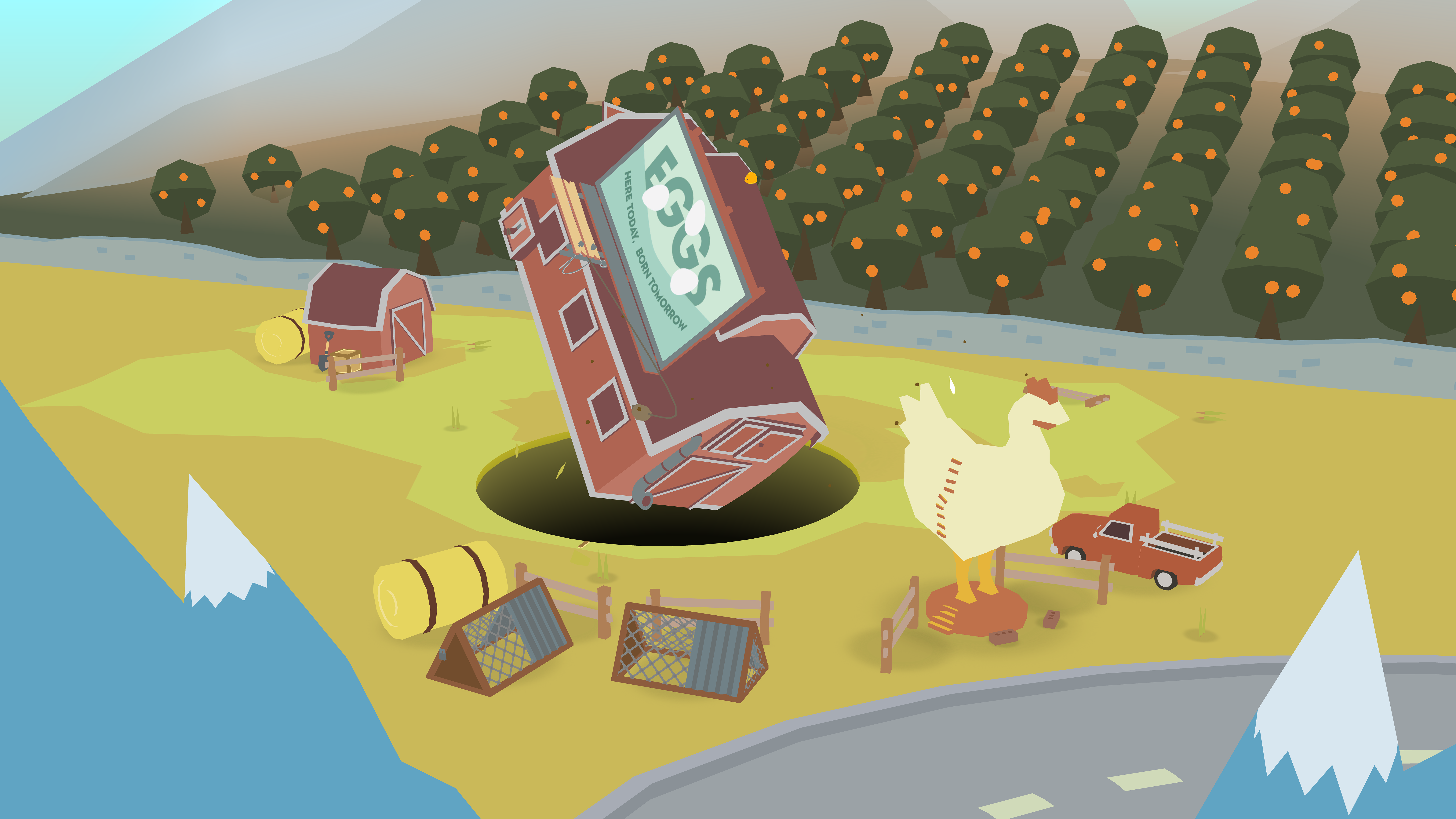
Tomorrow, Donut County by developer Ben Esposito will be published by Annapurna Interactive, which also backed the critically-acclaimed Florence. The game, which was announced in 2014, but has been in development since 2012, tells the story of a raccoon named BK, his friend Mira and an assortment of other characters from Donut County who are trapped 999 feet beneath the surface of the Earth. You play by manipulating a hole that grows as you move it across the landscape swallowing objects. If the premise sounds strange, that’s because it is, but it also works through a combination of a clever game mechanic, funny writing, and engaging sound design and artwork.
Day One 3.0: Three Headline Features Make the Journaling App Better Than Ever
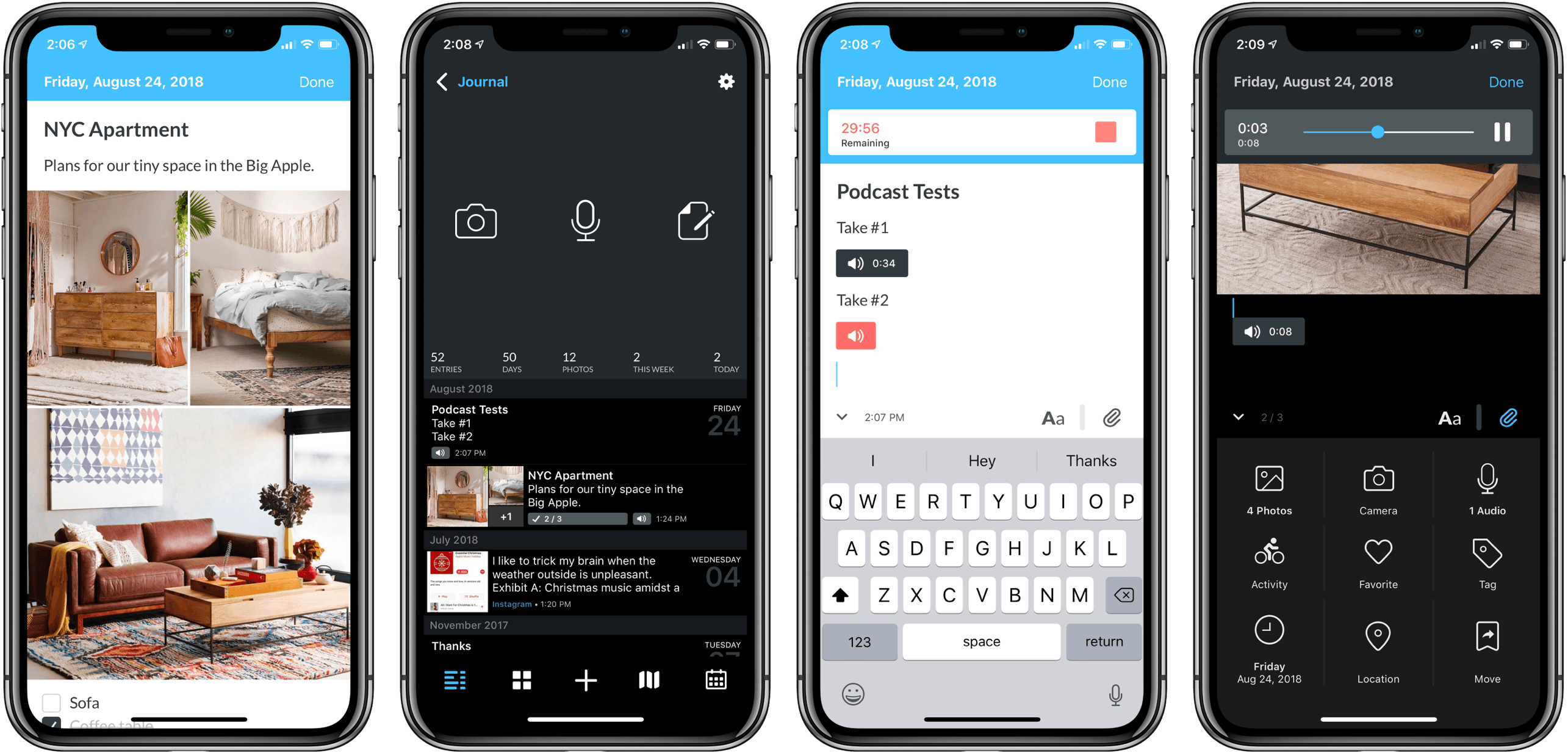
If you’re unfamiliar with Day One, it’s simply the best journaling app available on Apple platforms. This week version 3 of the iOS app was released, adding great new features while simultaneously fixing some long-standing issues I’ve had with the editor interface. Many of the improvements are exclusive to Day One Premium subscribers, but the editor improvements benefit everyone.
Dark Sky Update Consolidates Weather Data in a Single Vertical View
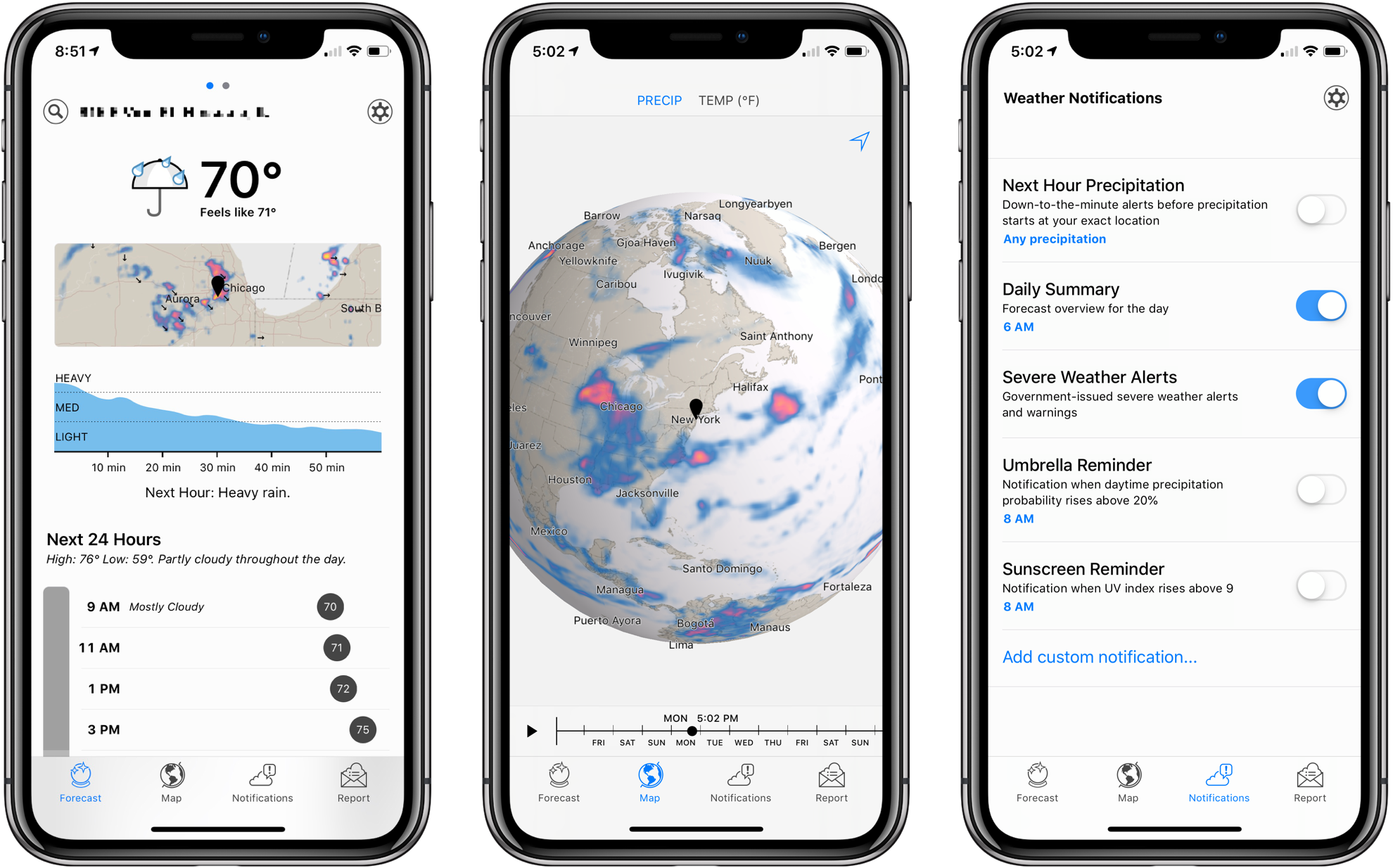
Dark Sky’s signature feature has always been its uncanny ability to predict when it was about to rain. The app has a reputation for working better in the US than other parts of the world, and in my experience, it’s not as good at predicting snowfall, but its ability to keep users from getting caught off guard by a sudden storm has garnered it a lot of fans.
Besides an app, Dark Sky is an API that other weather apps use to deliver their data. That means you can experience many of the benefits of Dark Sky by using other weather apps, which is what I’ve done for some time. Dark Sky was once my weather app of choice, but over time, I moved to other apps that used its API and presented weather data in ways I prefer.
Yesterday, Dark Sky’s app was updated with a redesign that addresses many of the shortcomings of earlier versions. The main Forecast view now features a higher density of information and visual cues that make it easier to understand predicted weather changes at a glance. It’s a marked improvement over previous versions of the app, but the new focus on a vertical timeline comes with drawbacks that won’t be to everyone’s taste.
Game Day: Holedown
It’s not often that a game grabs me and won’t let go the way Holedown has. Once I started playing, I couldn’t stop. I have the iOS 12 Screen Time reports to prove it. Even when I’d burned through all of the game’s levels reaching the final endless one, I kept coming back for more. Holedown has very quickly earned a spot as one of my all-time favorite iOS games.
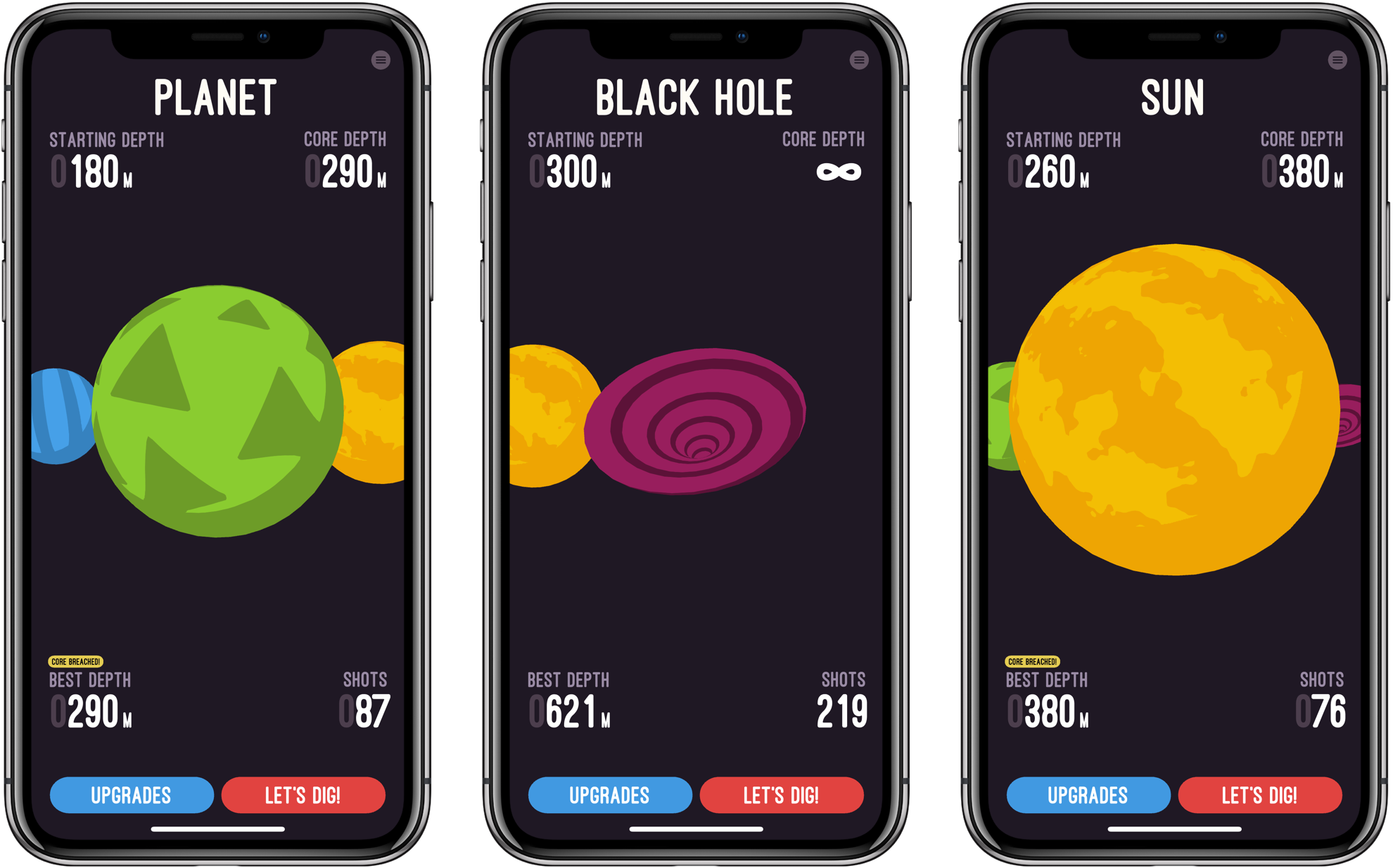
Like most great mobile games, Holedown is simple. The game is a little like Breakout turned upside-down with a dash of pinball added. Each level begins on the surface of a planet. The object is to bore a hole through to the planet’s core by launching balls that bounce off of obstacles that advance up the screen with each turn you take. If the obstacles reach the surface without being cleared, you have to start over and try again with a new procedurally-generated level.
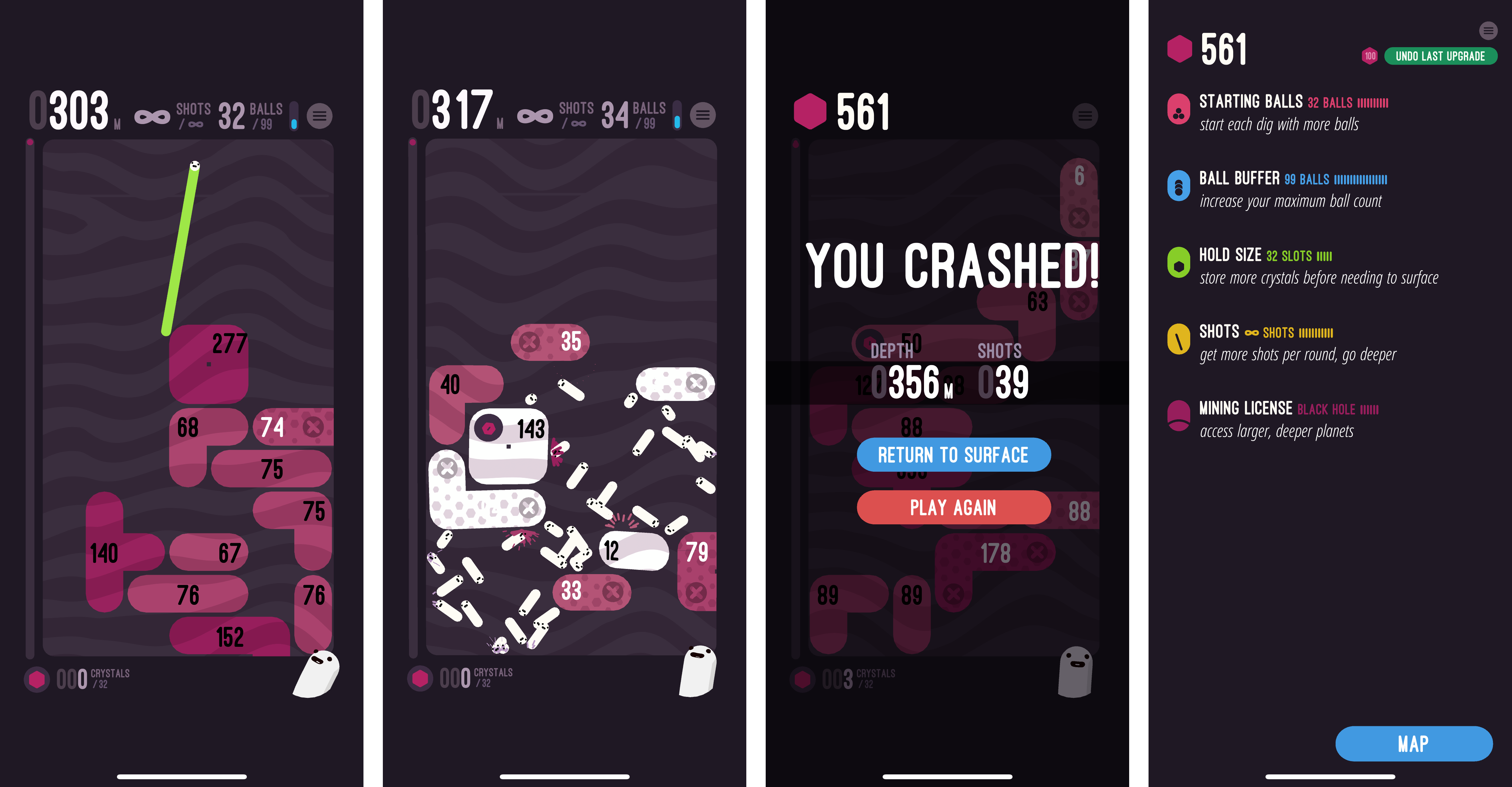
The obstacles moving up the screen are reminiscent of Tetris blocks, but each has a hit count that shows how many more ball collisions are necessary to take it out. Some blocks fall if the blocks supporting them are eliminated, but others have to be cleared regardless of the surrounding blocks.
As you launch balls, they bounce off the blocks and sides of the screen. It doesn’t take long to get the hang of the precise aiming that is done by dragging your finger across the screen. When you’re ready to shoot, lift your finger and the balls go careening across the screen bouncing helter-skelter off everything in their way.
As you play, you collect crystals. Holedown is a one-time, paid-up-front game, so the only way to collect the crystals is to play the game over and over. There is no In-App Purchase. As you collect crystals, they can be exchanged for enhanced gameplay like the ability to fire more balls at the start of each turn, take more shots per level, and more.
As you play, Holedown tracks the depth of your mine, your progress towards the core of the planet, how many balls you can shoot at one time, and how many shots you have left. It’s information that serves the dual purpose of showing where you are in the level and helping you plan your next move.
When you get to the final level, called the Black Hole, there is no core and you can shoot an unlimited number of balls at the obstacles. The only goal left is to see how deep you can mine before the blocks crash to the surface. I finished the other levels of Holedown over the course of a Saturday afternoon, and though I’ve been playing the Black Hole level for over a week now, the challenge of seeing how deep I can dig and the perfectly balanced gameplay have keep me coming back over and over.
Holedown also benefits from a strong dose of quirky personality. There’s a little mascot that sits in the corner of the screen smiling and watching you play. If you tap it, the little creature responds with things like ‘eat your vegetables,’ ‘seize the means of production,’ and ‘work, work.’
The music plays a big role in Holedown’s feel too. The catchy electronic soundtrack pairs perfectly with the sound effects, both of which react to events in the game, which adds further life to the gameplay.
Holedown is a perfect example of a well-designed mobile game. Even if you’re deep into a long session, you can quit at any time and pick up where you left off later without losing any progress. Combined with the quirky, fun gameplay, it’s one of the hardest games to put down that I’ve ever played on iOS. If you haven’t tried it yet, Holedown should be at the top of your must-play-games list.
Holedown is available on the App Store for $3.99.
Serial Reader Adapts Books for the Smartphone Age
Our Internet-driven society has seen a decline in book reading, though not necessarily a decline in reading altogether. Despite book readers being less common than in past decades, we all do a fair amount of reading each day on our smartphones – reading messages from friends, or tweets, emails, Facebook posts, notifications, articles, and so on.
Personally, I’ve always enjoyed reading books, and I continue to read them regularly – though not as much as I’d like. However, I also read an abundance of emails, tweets, messages, and articles every day. A day may pass with me not reading a book, but that never happens with the likes of email and messages. Part of the reason my Internet-driven reading habits are more consistent than my book reading habits is that I have to read those things to do my job. But there’s another reason too: email and Slack demand my attention each day via push notifications, while books do not. Add to that, emails and messages come in bite-sized quantities, whereas books are much longer, and thus more intimidating.
Serial Reader aims to fix that.
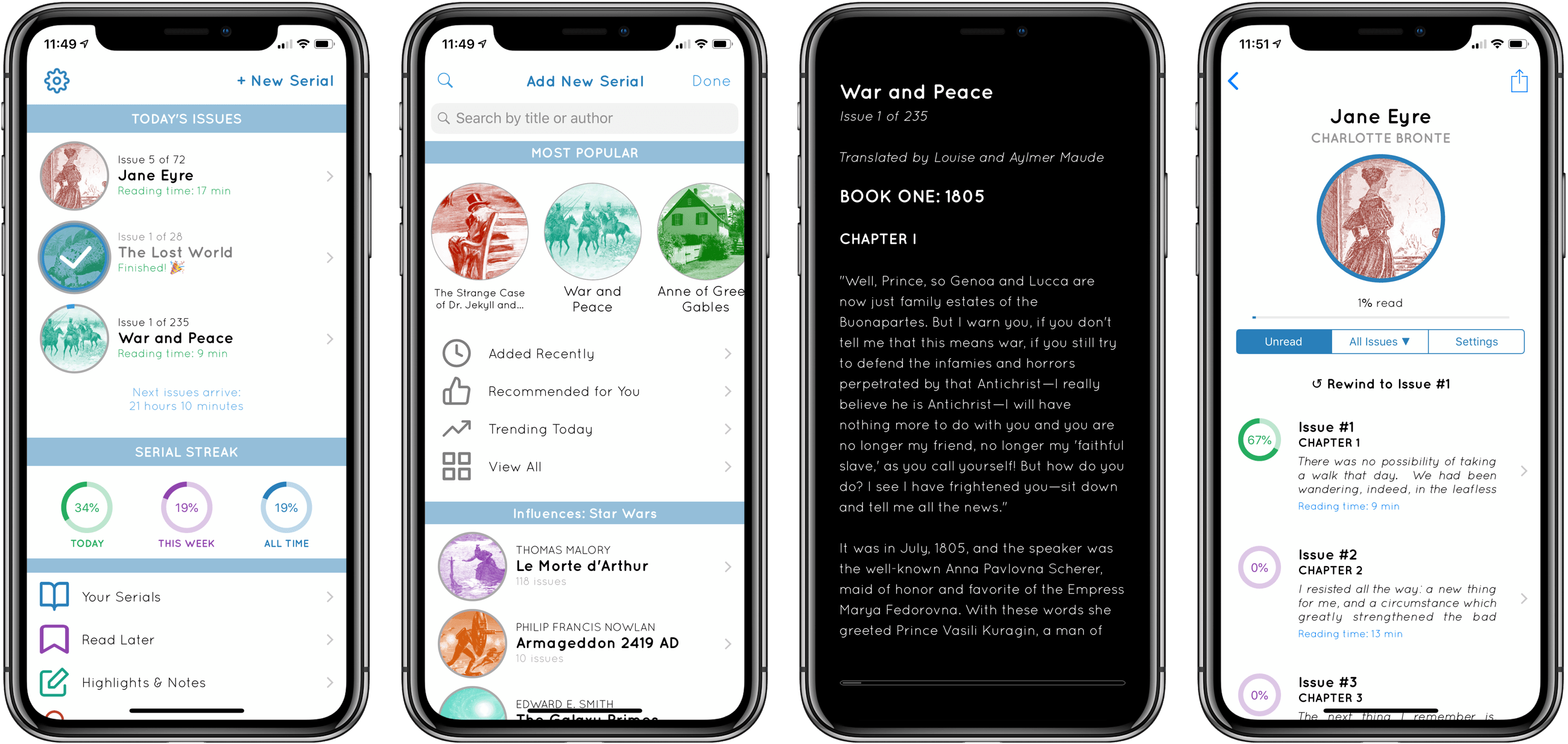
No stranger to the App Store, Serial Reader has been around for several years, but I recently gave it a try for the first time. The premise of the app is simple: it contains a collection of over 550 classic books that can be delivered to you in bite-size chunks. At a time of your choosing, Serial Reader will send a daily notification informing you that your latest issue of, say, War and Peace, is available to read. Each issue is compiled with an estimated reading time under 20 minutes, though most I’ve seen are around 10 minutes – very easy to digest. We all receive regular interruptions from Internet services that take 10 minutes out of our day at a time, and with Serial Reader you can plan those interruptions in a way that helps you read more books.
By offering up small helpings of a book each day, and delivering that book’s latest “issue” through a notification, Serial Reader fixes key barriers to book reading. While I wish I could use it with my own collection of books, the public domain classics included in the app offer a wealth of quality options.
If you want to read more books, Serial Reader offers a clever, convenient way to do that. And there’s no better time than the present to give the app a try – it just received a big update to version 3.5, with a new multi-column reading mode for iPad, curated book collections, alternate app icons, and a design refresh.
Serial Reader is available on the App Store.